Week - 8 - Morphing
AIM: To perform the Morphing techniques on the given component.
PROCEDURE:
- Morphing is used to change the design or shape of the component without using any numerical inputs.
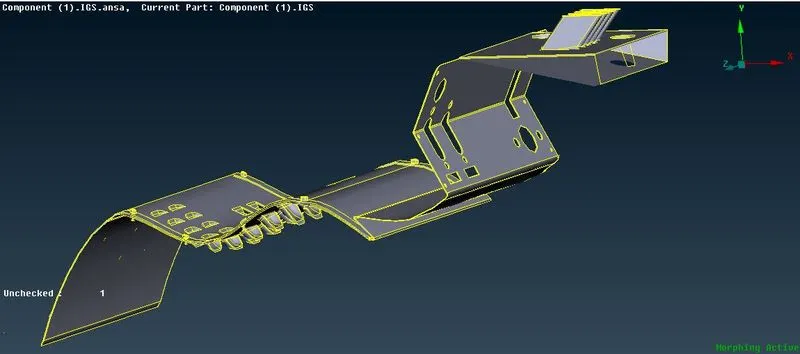
- So the following are the component that we are morphing. In this technique we are using Free Free morphing method mainly known as BOX method:
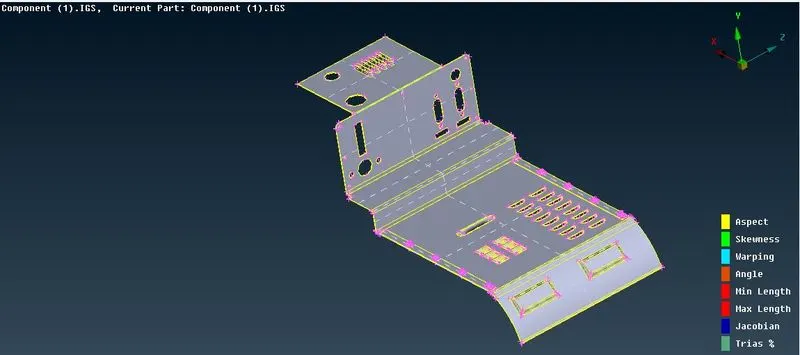
- So this the component that we have to morph. First we will check for the geometry error and then proceed to the morphing process.
- For morphing we have to open the Morphing module. Actvation of the Morphing module can be seen in the right corner of the screen.
- First we will perform the box morphing. In this first we will switch to morph module then select the region which we have to morphed. For that use BOX>NEW>ORTHO
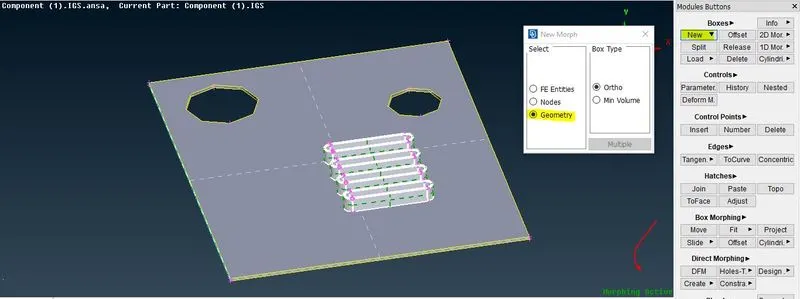
- After performing this a box type structured will form here. In this box type stuctured there are nodes on the every corners of the box with help of that we can move the selected entity. As shown:
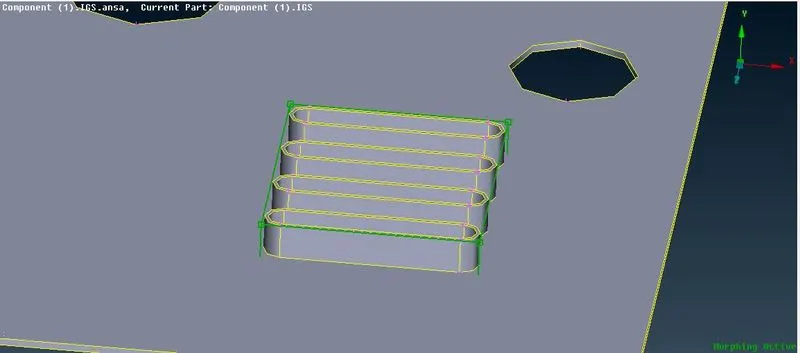
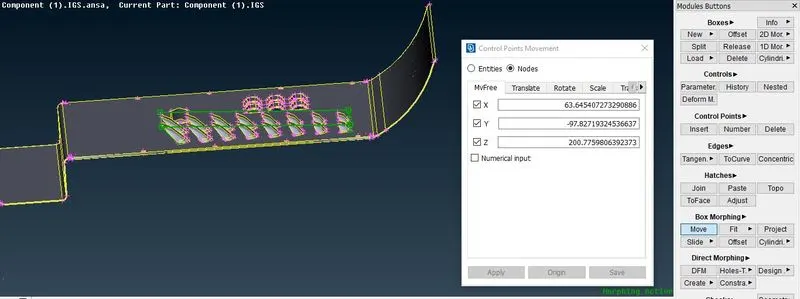
- Now after this we have to move this so for that select BOX MORPHING> MOVE.
- As shown:
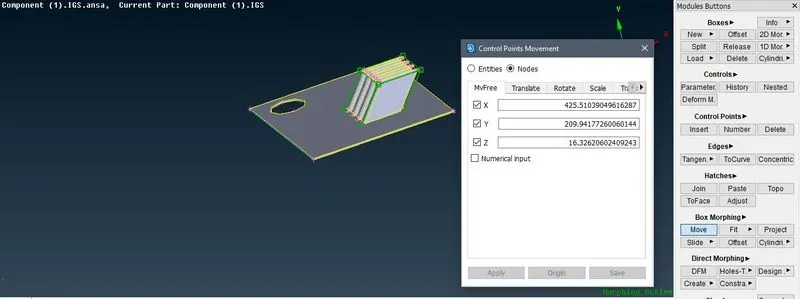
- Similarly the ribs are also done with the same process:
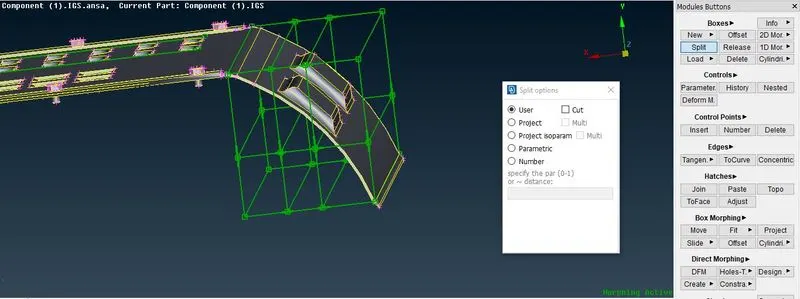
- Now there is another option known as splits. With the help of it we can splits the region accordingly and then move those parts sepererately.For that go to BOX>SPLIT As shown:
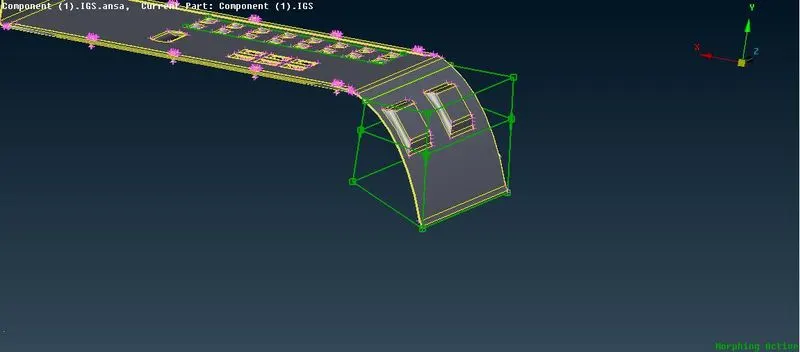
- Now after spliting we can reshape the different sections accordingly. Which is shown below:
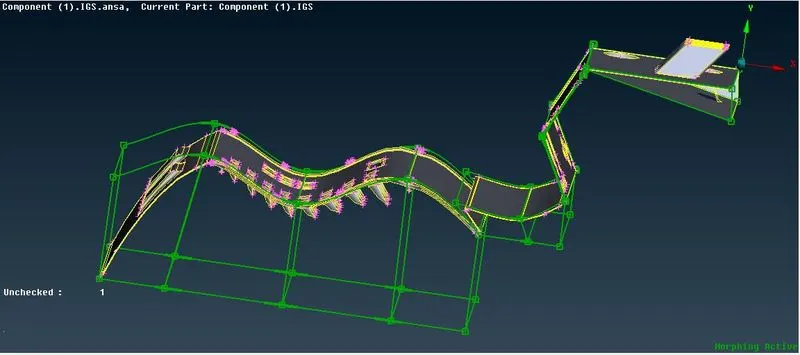
- So after all the morphing the final component will look like this which is shown below:
- The morphing box can be deleted by using BOX>DELETE. So the component will look like this:
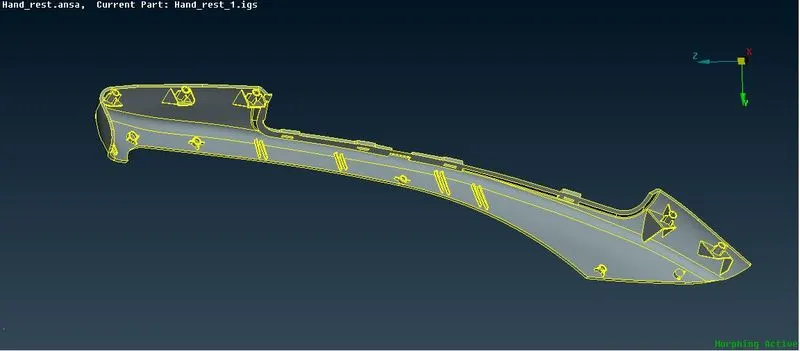
- Now We will morphed the another component Hand Rest ,in that will try to increase the hight og dog house and ribs.
- So the component is as shown below:
- In the given coponent following are the entity displayed in a red box whos height has to be increased so for that we will use the same methods as we used for the above component.
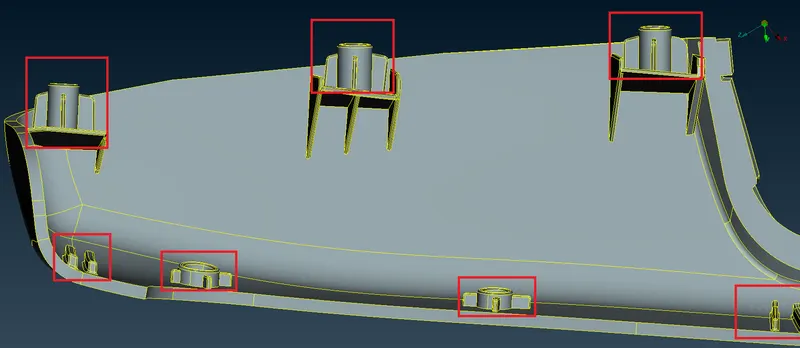
- So for this we will select the rib and assign the New morph box to it with the help of Box>New>Ortho.
- After assigning the box we will move to the next step that is moving. So for that will use Box Morphing> Move
- Now we have to keep in mind that we have to increase the height only so for that we have to restrict the direction.
- All the process is shown below:
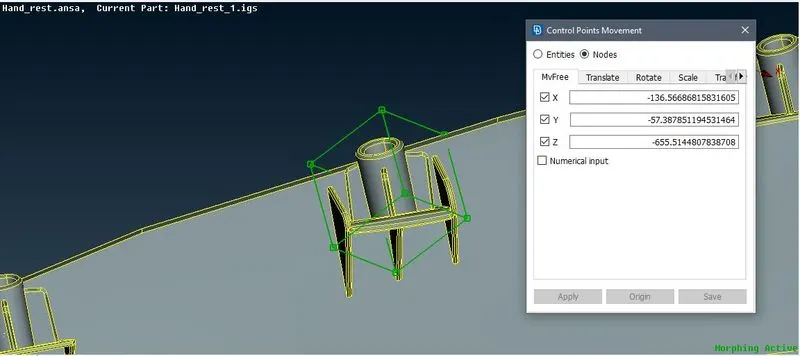
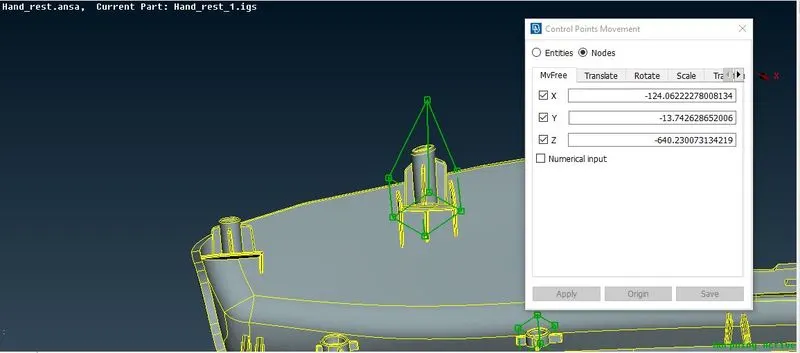
- So in this way we can increase the hight of the component.
- So the final component will look like as shown below:
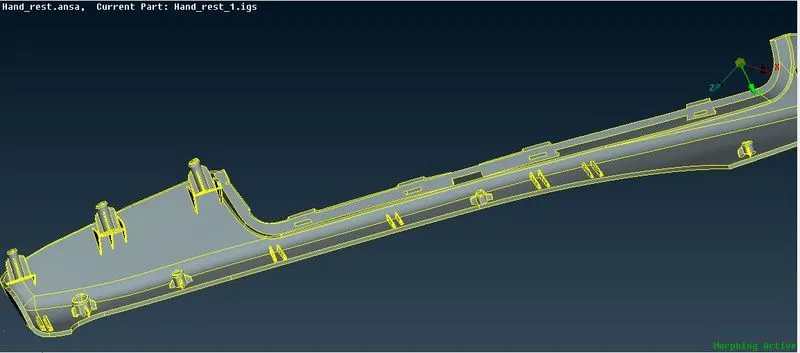
- This is how the morphing is done on the component.
Morphing structures defined as body panels that are capable if a drastic autonomius shape transformation. Morphing is widely use is Automobill sector, areospacae sector etc. As we need a constant change so thats why morphing is importat for designing the component according to the reqirement.
LEARNING OUTCOMES:
- Got knowledge about the Morphing.
- Understood the use of box morph, splits and how to move the model.
CONCLUSION:
The moprhing on the given coponent is done successsfuly. The box morph are created at the required area. Then model is moved according to requirenment.