Week 12:Project-1-Meshing of Door Inner Panel Challenge
AIM: To perform the meshing on Door inner pannel wiht given quality criteria.
PROCEDURE:
- First we will import the file in HyperMesh. The component is shown below:
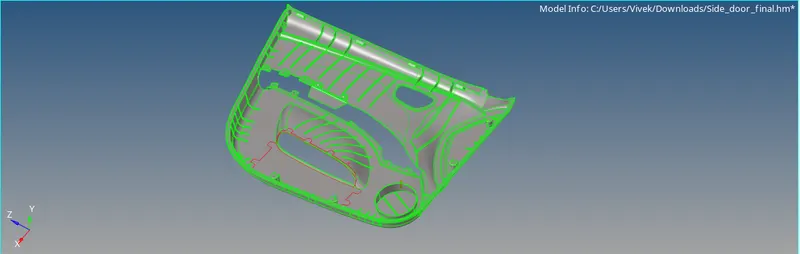
- Now next is to perform the geometry cleanup if required.
- So for that go to GEOM>AUTOCLEANUP
- Now it is a complicated component so we will work on it with at different section.
- So we will divided this into some parts so we can work on seperate part.
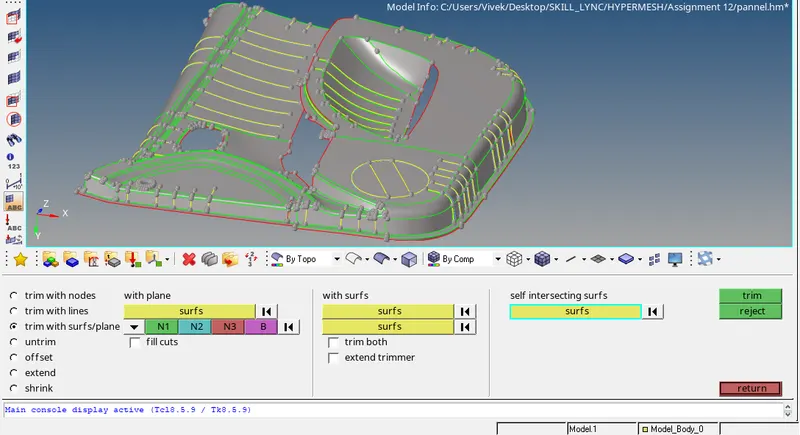
- For this go the GEOM> SURFACE EDIT>TRIM WITH SURF
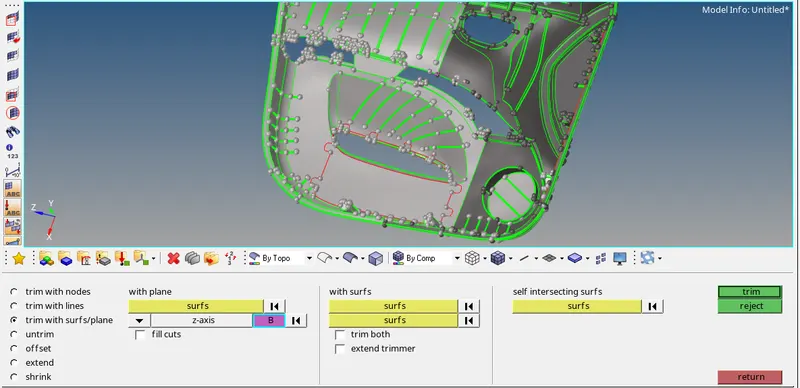
- Now after trimming we will work on seperate part.
- Now first we will work on part as shown below:
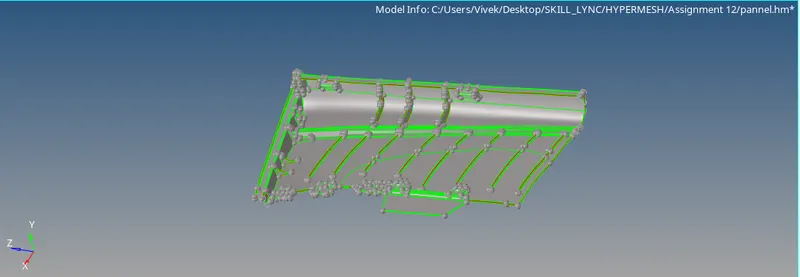
- Now after this we will defeature the component like edges. For that go to GEOM> Defeature>surf-fillets
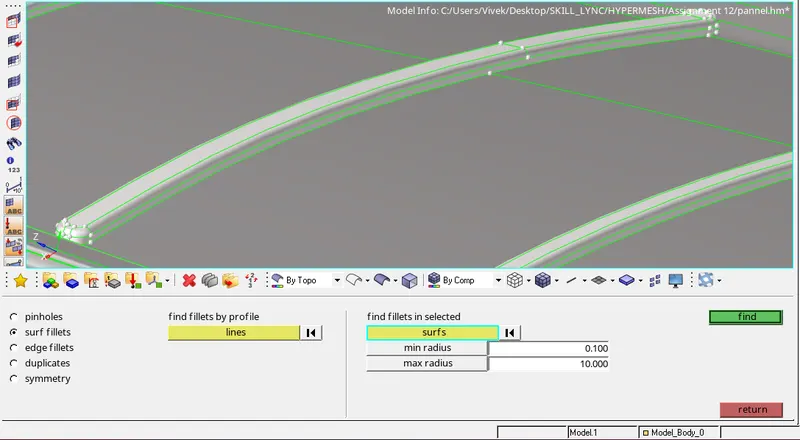
- Now after that we will use offset command to generate the mid surface.
- For that go to the GEOM>SURFACE EDIT>OFFSET.
- After that select the surface which you have to offset then duplicate it and after that give the distance at which you have to offset it as shown:
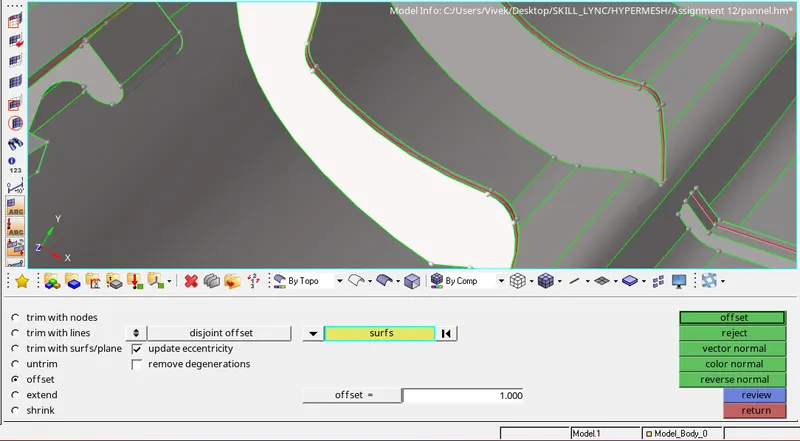
- So the offset of this part is shown below:
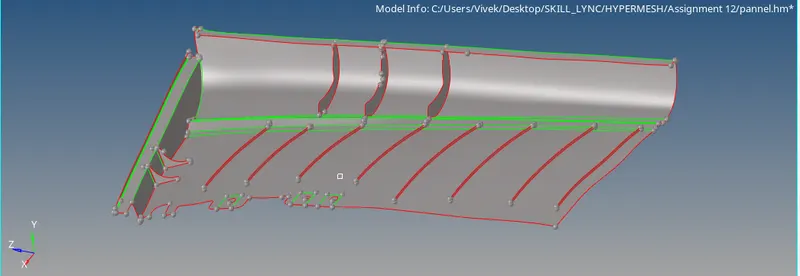
- Now we will attached the part to the surface. For that we will use GEOM>SURFACE>ALONG VECTOR
- Then select the line which have to extend after that give the direction and distance as shown:
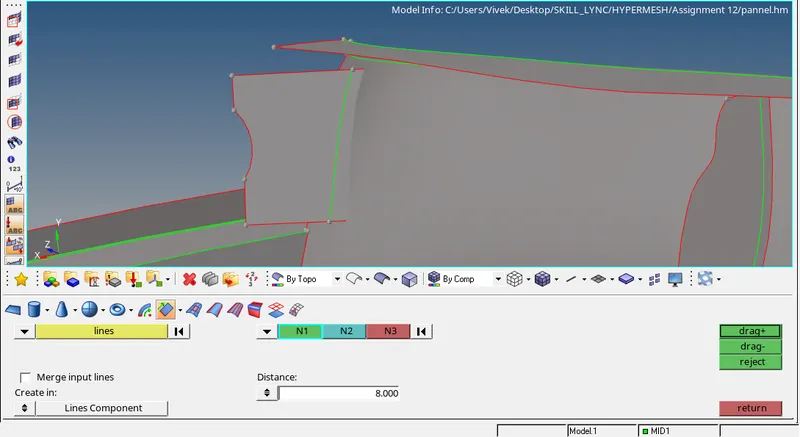
- After extending the trim the unrequired surface for that go to the GEOM>SURFACE EDIT>TRIM WITH SURF TO SURF:
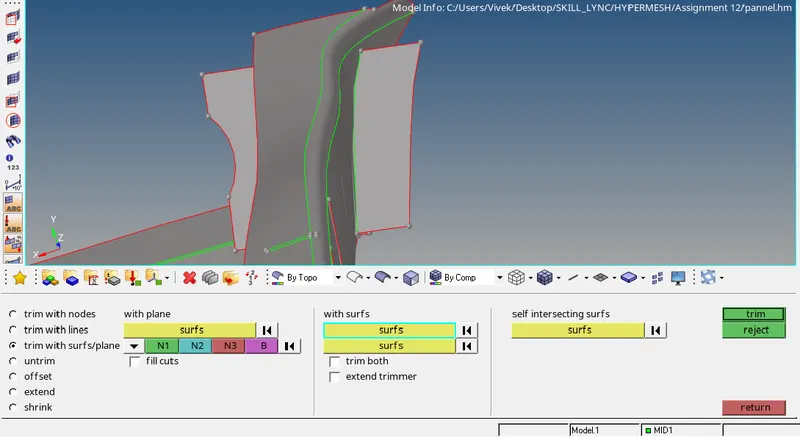
- And then delete the unrequired part.
- So we will do the same with next part.
- Now to attached the parts to each other go to the GEOM>SURFACE EDIT>TRIM WITH SURFACE>SELF INTERSECTING SURFACE
- Then choose the two surface and perform the operation.
- The yellow cons shown that fins/ribs are attached to the surface
- Now we will perform the meshing on the component.
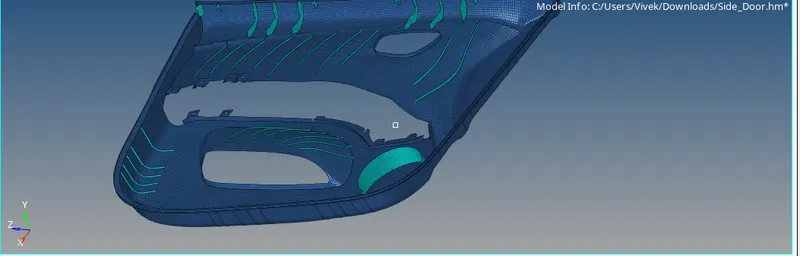
- 2D>AUTMOMESH with mesh size=4.
- After completing the mid surface we will organise the component using TOOLS>ORGANISE
RESULT:
- Midsurfacing is done on the given component
- Meshing is perfomed on the midsruface as per given requirement.