Assignment 4-RADIOSS Material Laws Challenge
OBJECTIVE: To run and analyse the rupture plate failure using different LAWS in Radioss. And compare the results.
Compare 7 cases as discussed in last 3 slides, in a tabulated format on the basis of:
1. Total number of cycles, Energy error, mass error and simulation time.
2. Notice the animation of all 5 and describe the animations in brief on the
basis of whether the elements are being deleted or cracked.
3. Plot energies and notice any difference.
4. Based on all the results, which case would represent the on-field
scenario.
5. Prepare a ppt/docx and list down case by case result and your conclusion
as to why the failure happened.
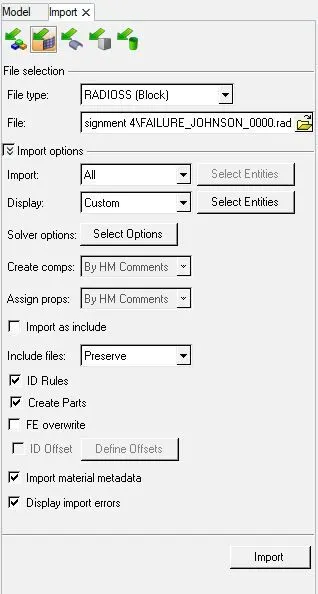
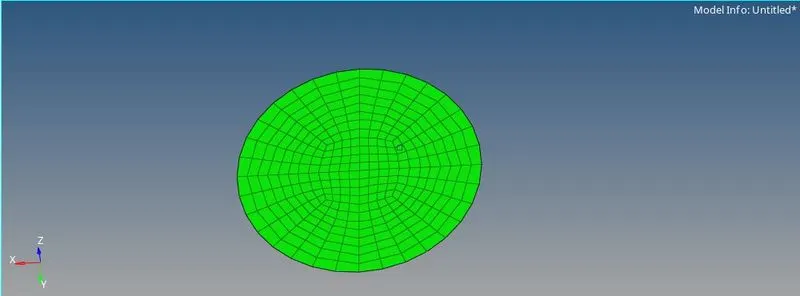
- First we will import the 0000.rad file in Radioss solver as shown:
CASE 1:
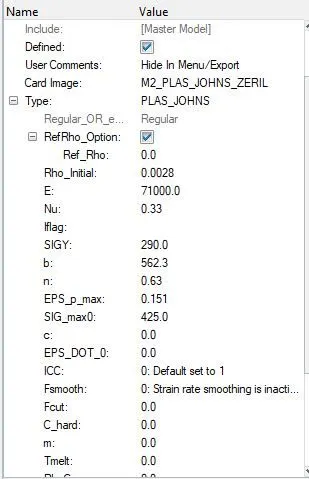
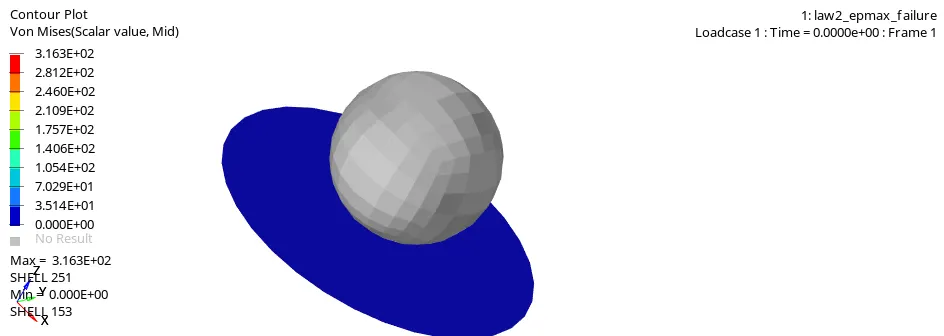
- In this case we are using LAW 2 for analysis. This contains esp max failure condition.
- We will run this analysis without changing any values of the card. As shown:
- After running simulation, energy error and mass error need to be verified. The energy error needs to be in the range between -15% to +5%.
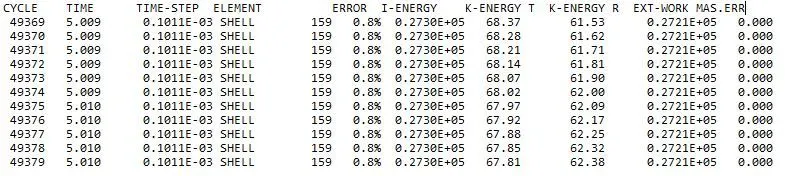
- So the energy is error is 0.8% which between the -15% - 5% so its a good model.
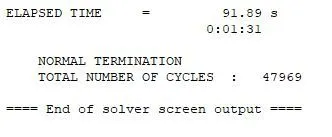
- Elaspsed time and total number of cycle s shown below:
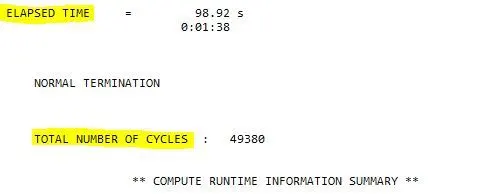
- Now we will run the animation file i.e. .h3d file.
- Now we will plot graphs regrading to the values for that we will import T01 file
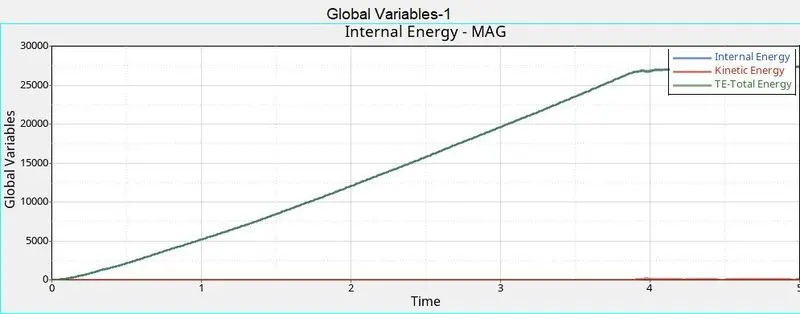
- Now in Time and energy curve we can see that internal energy and total energy graph look similar as the Kinetic energy is very small compared to internal energy.
- And in resultant graph we can see that there is sudden drop just before 4ms.
CASE 2:
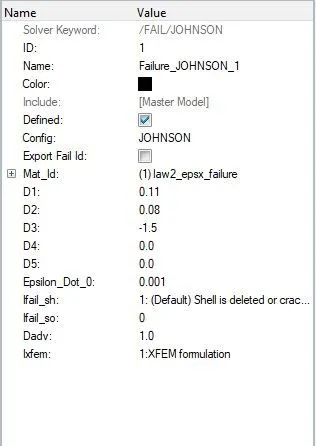
- In this case we need to change the values of some cards. In /FAIL/JOHNSON we have to change Ifail_sh=1 ,Dadv=1, Ixfem=1
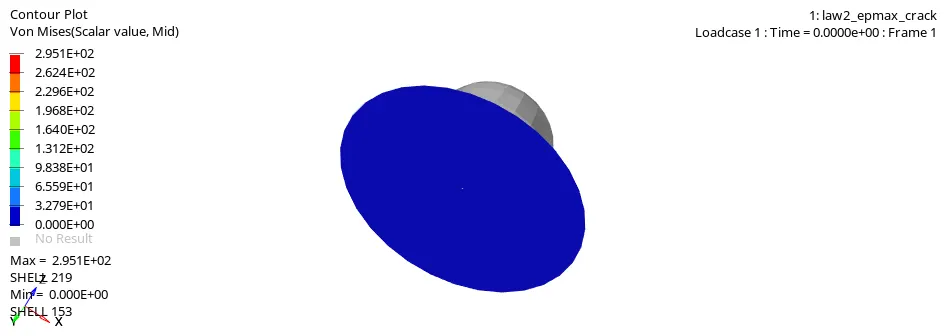
- Here we can see cracking of elements. Ixfem=1 is used to see the cracking of elements when failure strain limit is reached. Dadv=1 is used to see the advancement in crack formation.
- The error is 4.1 % which is between -15% to 5% so the component is acceptable.
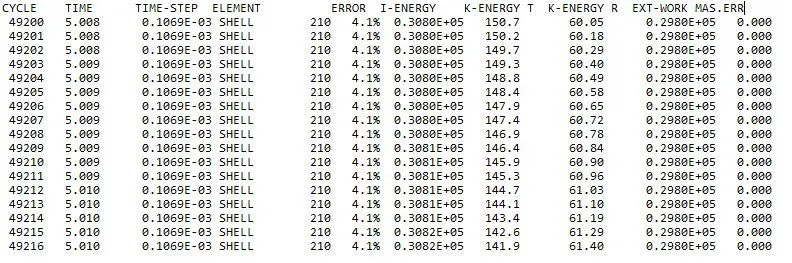
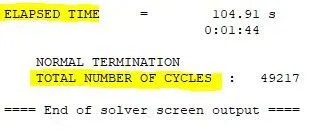
- Elasped time and number of the cycle is shown below:
- And now .h3d file
- Graphs are shown below:
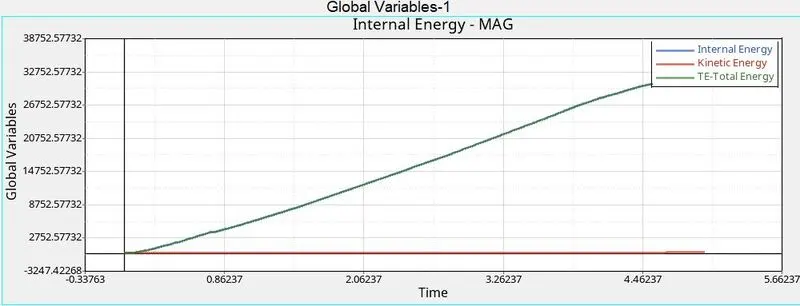
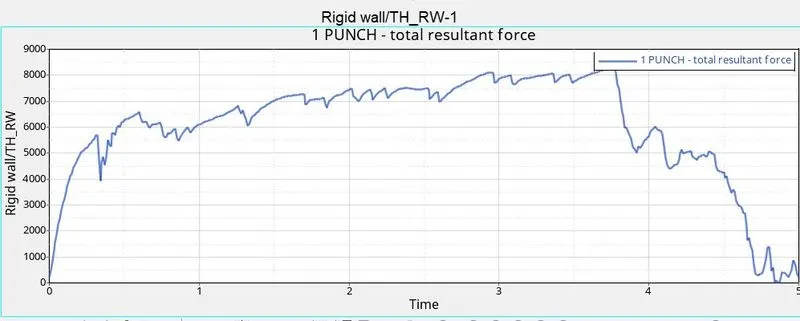
- We can see that the element deletion occurs prominently after 4.2ms mark. This is delay occurs due to the formation of crack which was absent in the case 1.
CASE 3:
- In case 3 we will delete FAIL/JOHNSON card and then run the program as it is.
- Now after deleting the card we will run the .h3d file and plot the graphs.
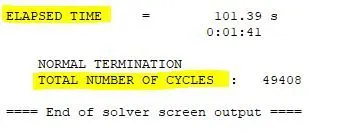
- Before that we will check the Elasped time and number of the cycle:
- .h3d file:
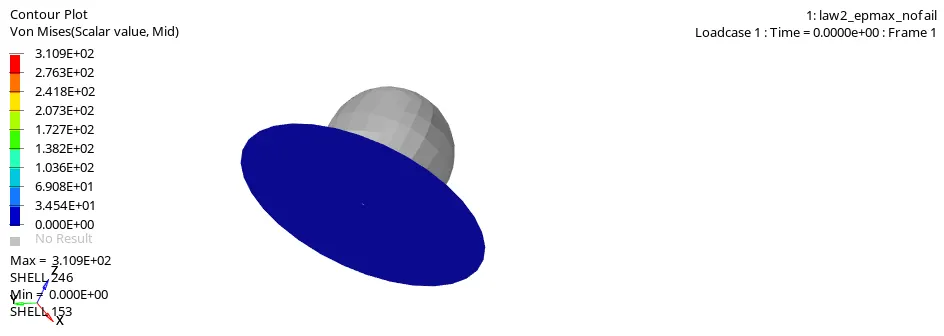
- In this we obsered that the elements get deleted as same as case 1.
- Now we will plot the graphs:
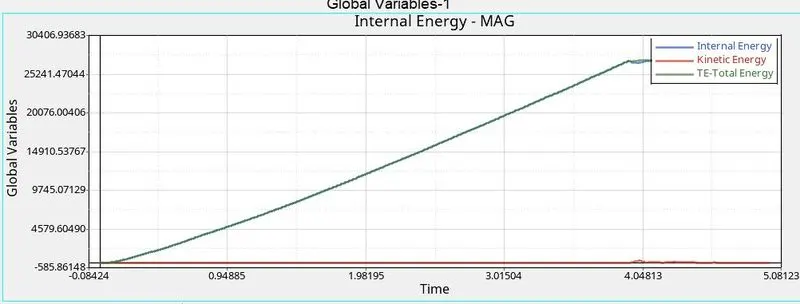
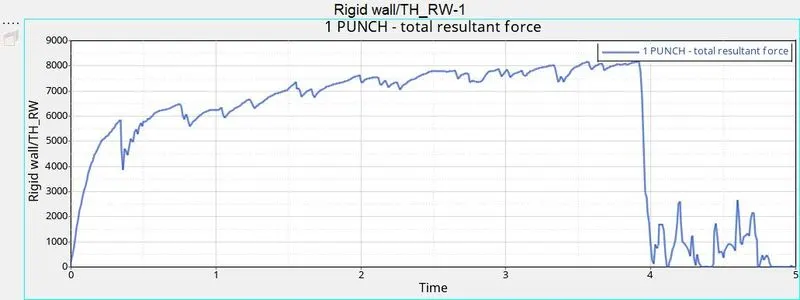
- The resultant force droped as same as in the case 1.
- The total energy is almost same as internal energy and the kinetic energy is negligible due to the clamping.
CASE 4
- In case 4 we will delete the value of EPS_p_max.
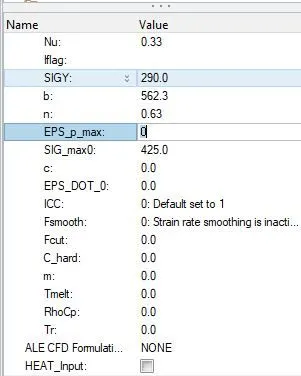
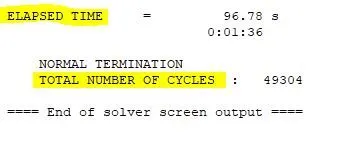
- Elasped time and number of the cycle:
- .h3d file:
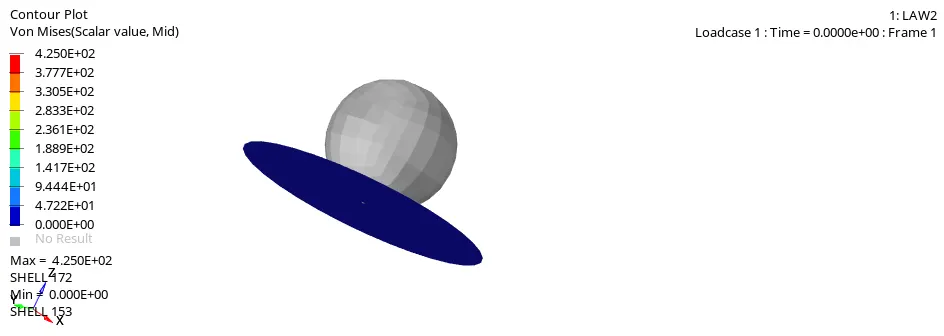
- As we can see here the material is not breaking. It is beacause there is no failure stress.
- Graphs:
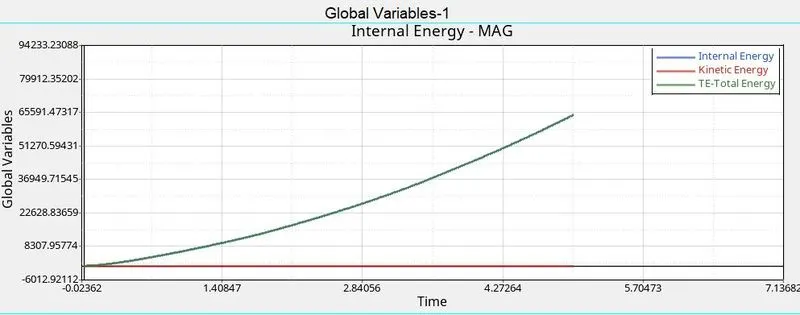
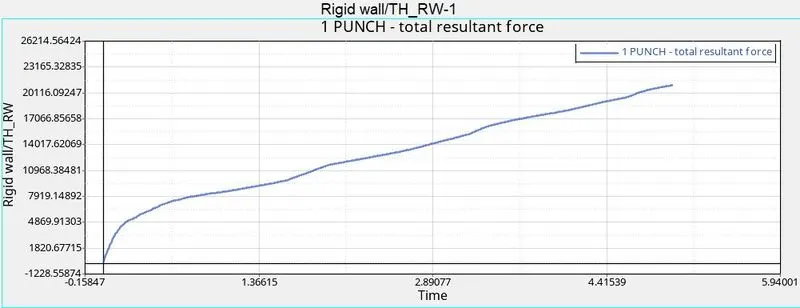
- We observe that there is no deletion of elements as no failure of elements occurs as no elements will every cross eps_max which isn’t defined.
CASE 5
- Now in case we will change the material card to LAW1 material. And will add same values of density, E and n as per previous card
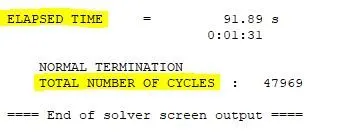
- Elasped time and number of the cycle:
- .h3d file:
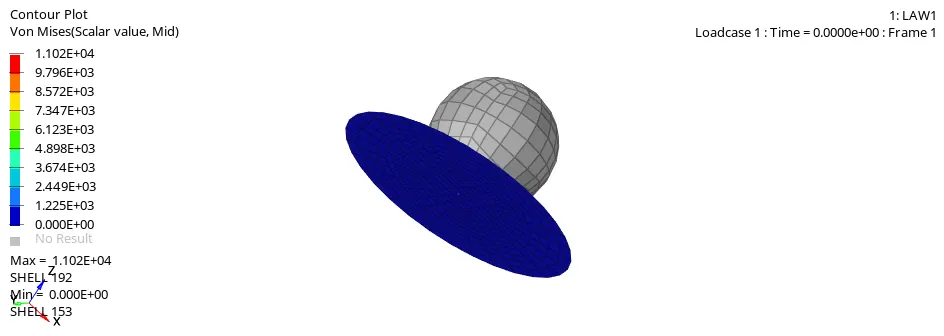
- So here we are using plastic material thats why the stress is seems to be more than other material.
- GRAPHS:
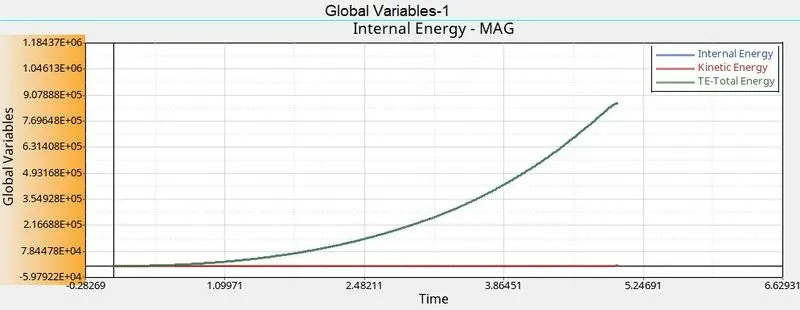
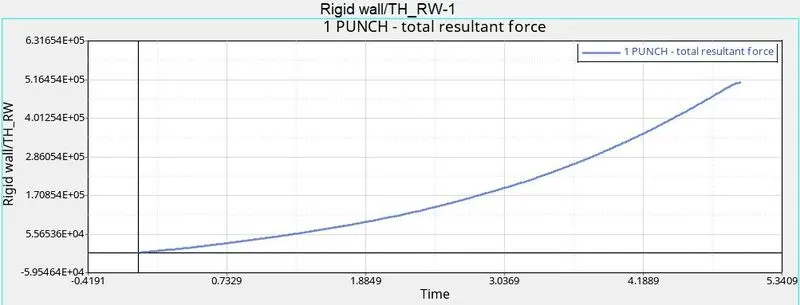
- Here the internal energy is very large due to very large stress and strain value which is produced on elements without failure.
CASE 6
- in this case a new material law Plast_BRIT is used.
- This material law is used for elasto-plastic materials which can be of brittle metal or glass type.
- So importing the LAW27_0000.rad file and running the simulation.
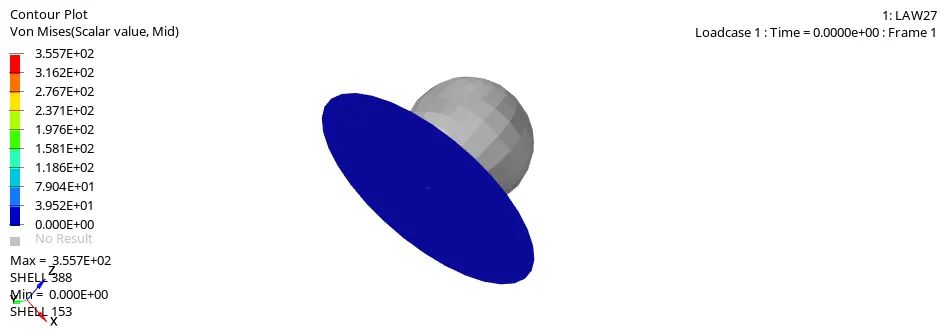
- .h3d file:
- Graphs:
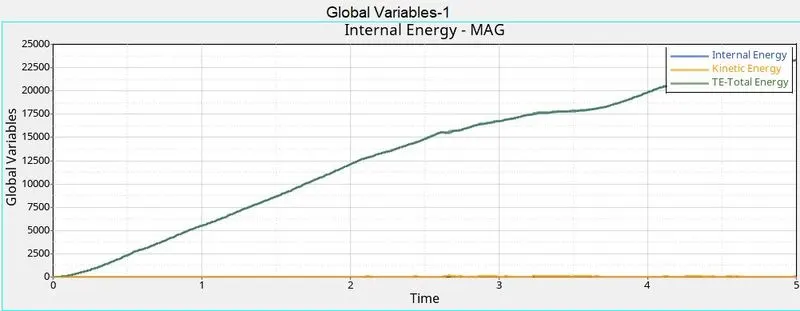
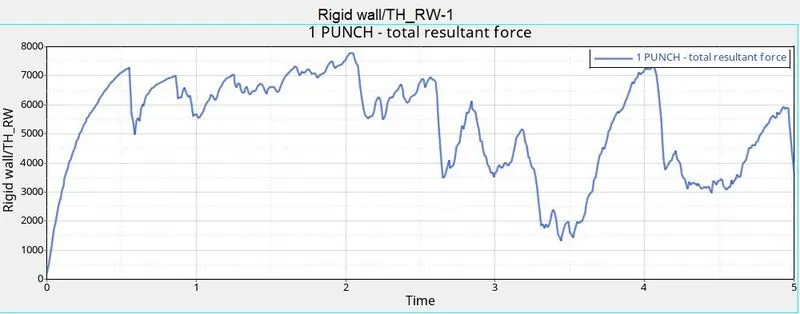
- Due to dmax value being very close to 1 we see that the element fails we quickly. So this is as fluctuations seen in the kinetic energy and rigid wall forces graph.
CASE 7:
- We will chage the material to PLAST_TAB. This material law is used for elasto plastic materials which are metals.
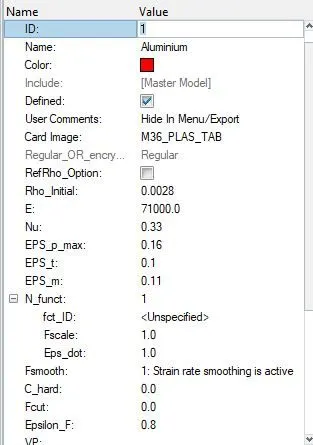
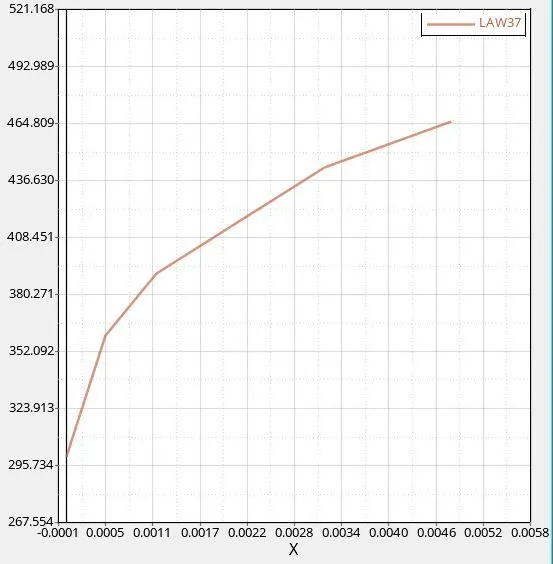
- Now we will create a new curve with name given LAW36
- The curve is shown below:
- Now we will run the process as Radioss.
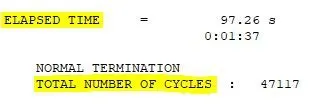
- Elasped time and number of the cycle:
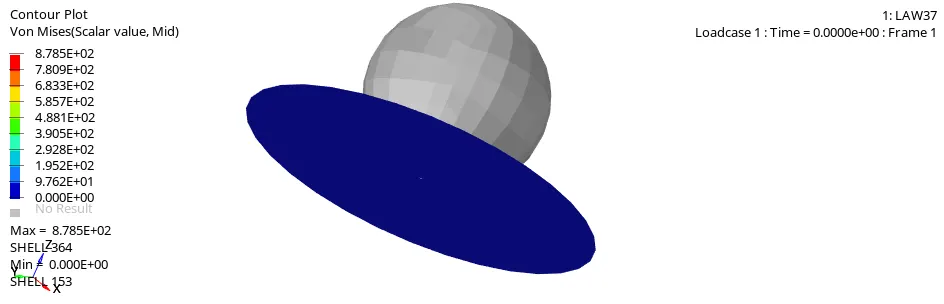
.h3d file:
- Graphs:
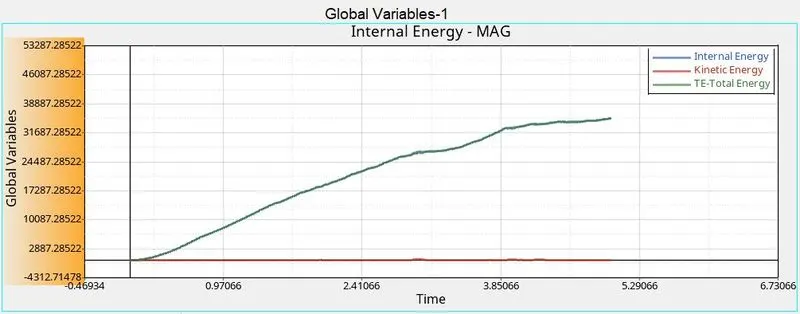
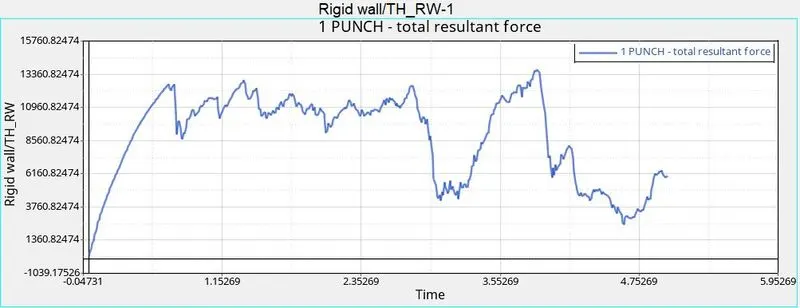
- Here the internal increases gradually and after 3ms there is fluctation as more number are getting deleted. Kinetic energy is almost zero until the 3 ms, then spikes up during the deletion of element but gets lower and lower as less number of element get deleted.
| Sr no. |
Case | Number of Cycles |
Energy Error(%) |
Mass Error(%) |
Simulation Time (sec) |
| 1 | Case 1 | 49380 | 0.8 | 0.0 | 98.92 |
| 2 | Case 2 | 49217 | 4.1 | 0.0 | 104.91 |
| 3 | Case 3 | 49408 | 0.8 | 0.0 | 101.39 |
| 4 | Case 4 | 49304 | 3.0 | 0.0 | 96.78 |
| 5 | Case 5 | 47963 | 4.0 | 0.0 | 91.89 |
| 6 | Case 6 | 47969 | -7.1 | 0.0 | 91.89 |
| 7 | Case 7 | 47117 | -14.8 | 0.0 | 97.26 |
- Here we can see that CASE 7 has the minimum number of Cycles.
- And the mass error is zero in all the cases.
Animation Observation:
| CASES | OBSERVATION | |
| Case 1 | Elements Deleted | |
| Case 2 | Few deleted and few Cracked | |
| Case 3 | Elements deleted | |
| Case 4 |
|
|
| Case 5 | Show elastic behaviour | |
| Case 6 | Deleted linearly | |
| Case 7 | Cracked linearlly |
Energy Plot Observation:
- Total energy equal to internal energy in all cases.
- The energy is linearly increasing in 1,2 and 3 cases and linearly with slope in 4,5,6 and 7 cases.
-
From the above 7 cases we can conclude that Law 36 material card can be widely used for reducing the failure and hence this card can be selected for preference.
CONCLUSION:
- Element deletion occurs only if eps_max is defined.
- In all the cases the error % was between -15% to 5%.