Week 1 Spur Gear Challenge
AIM: Simulation of Spur Gear .
PROCEDURE:
- First select the analysis system as structural analysis.
- Now import the given model:
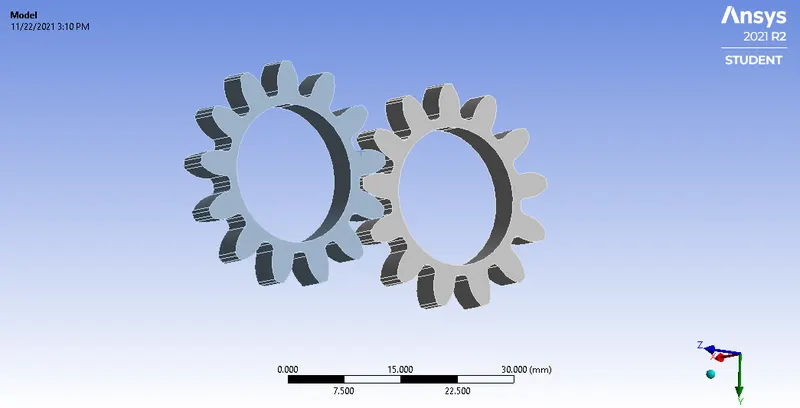
- Now next we will assign the connections to it.
- In this select the contact faces and target faces as shown:
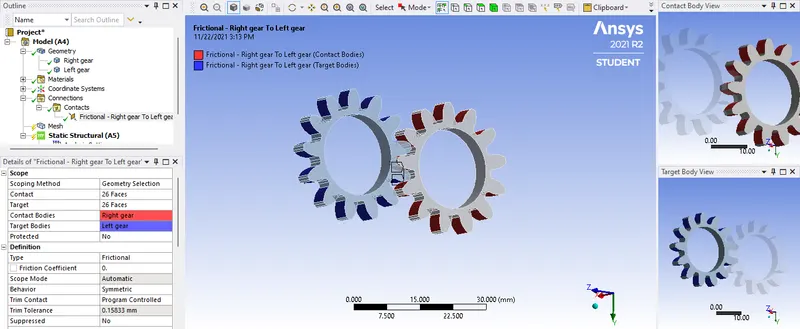
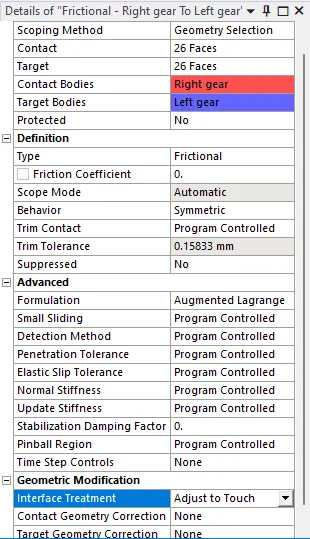
- And give the below parameter:
- Now create a joint in a Contacts and select the type as Revolute joint.
- And select the inner suface as scope as shown below:
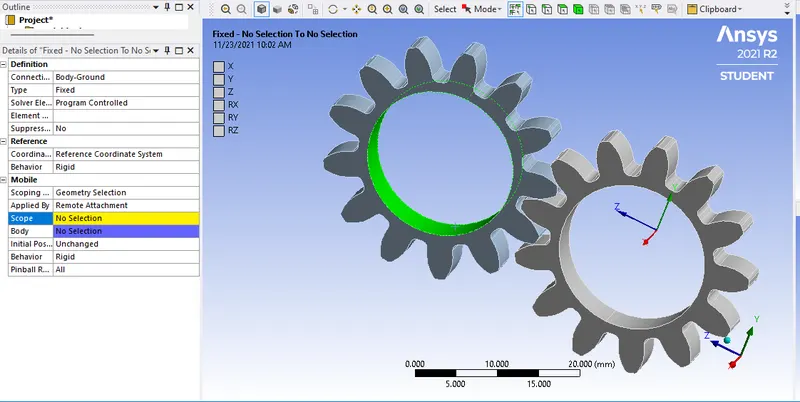
- And create another joint for the another gear.
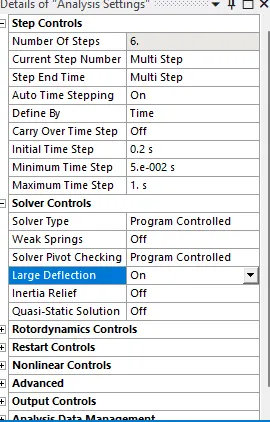
- After this we are have set analysis setting which is as shown:
- Now after this we will apply the join loads.
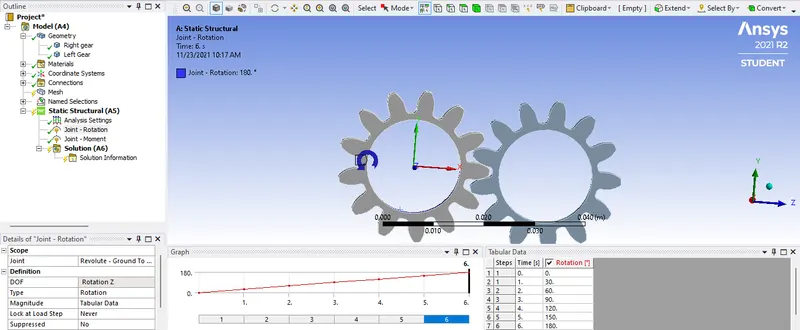
- Here select the one geat and type as a roations insert the values.
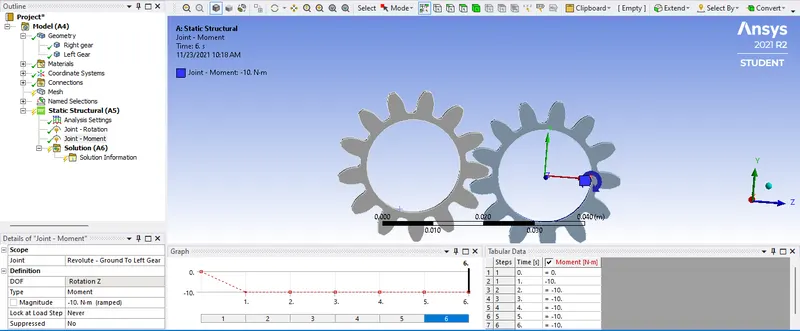
- In next select the type as moment and insert the value.
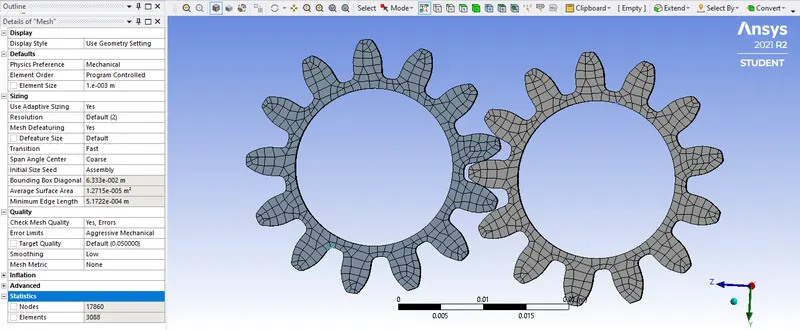
- Now we will add the mesh to the component
- Mesh property is given below;
- Now select the results required and solve.
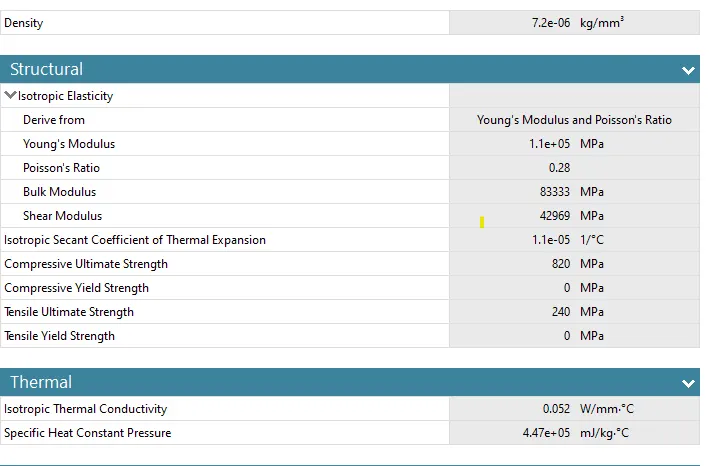
- Here we are going to use three material and check for the simulation.
RESULTS:
CASE 1: CAST IRON
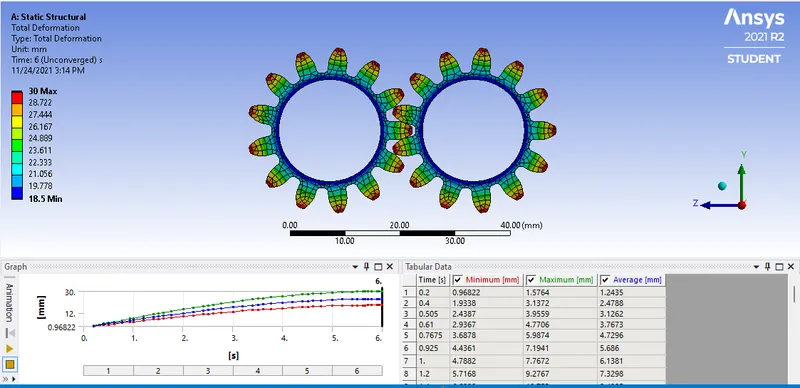
Total Deformation:
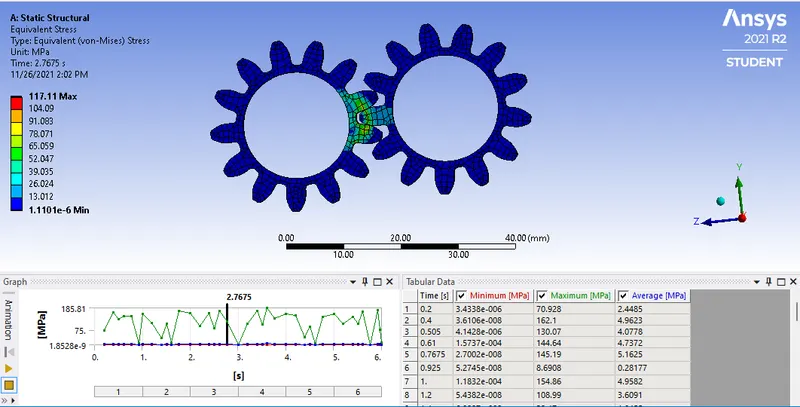
Equivalent stress:
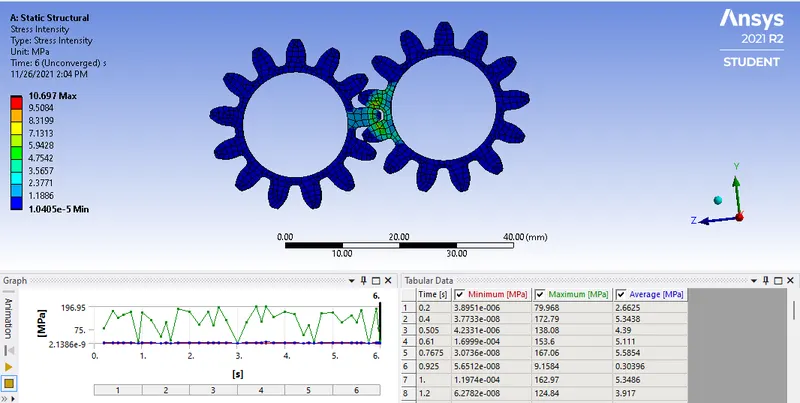
Stress intensity
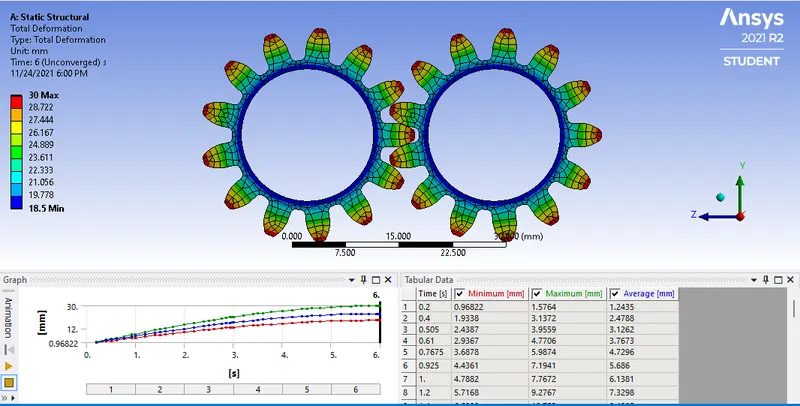
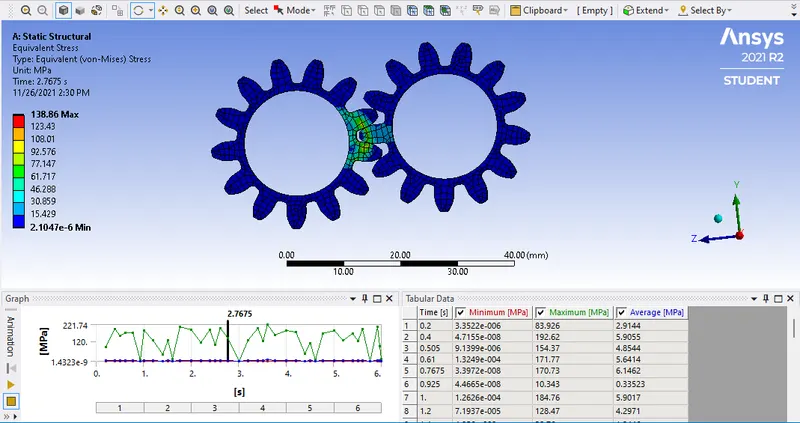
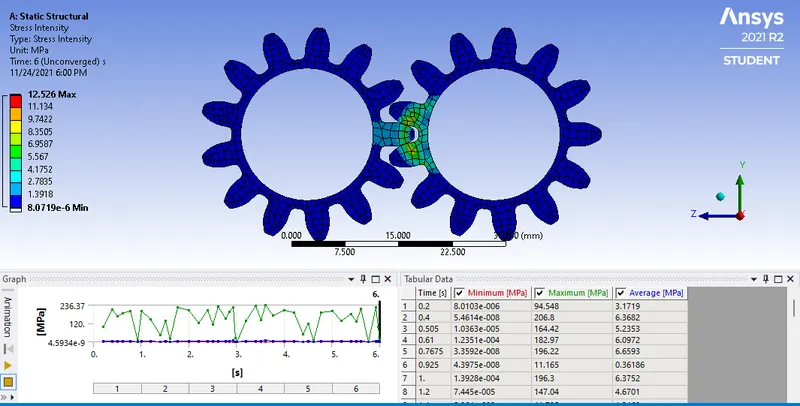
CASE 2 : CAST STEEL
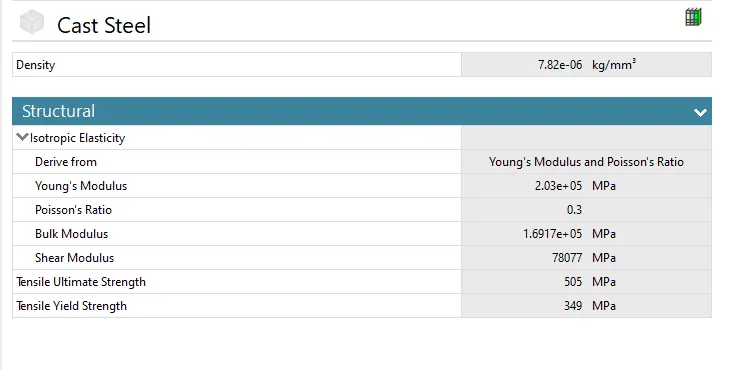
Total Deformation:
Equivalent stress:
Stress intensity:
CASE 3: CAST BRONZE
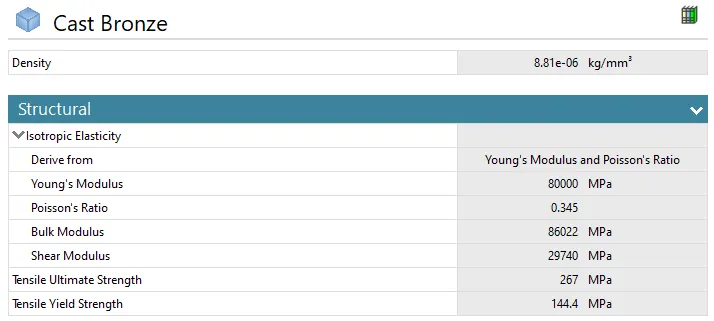
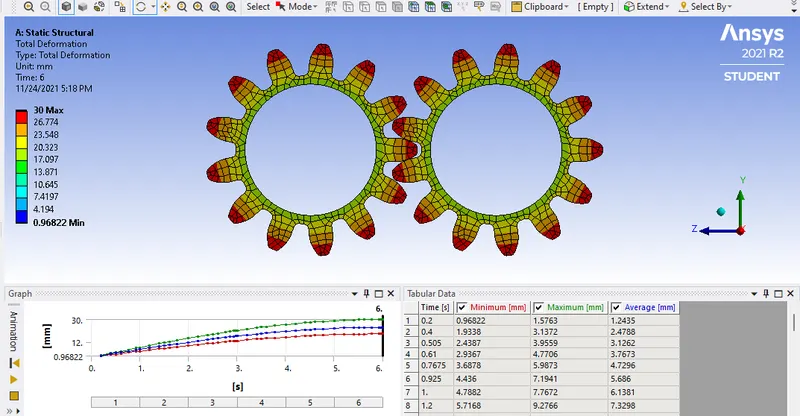
Total Deformation:
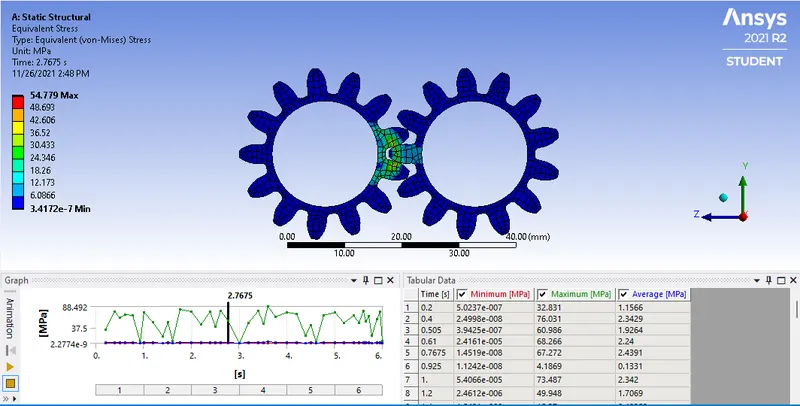
Equivalent stress:
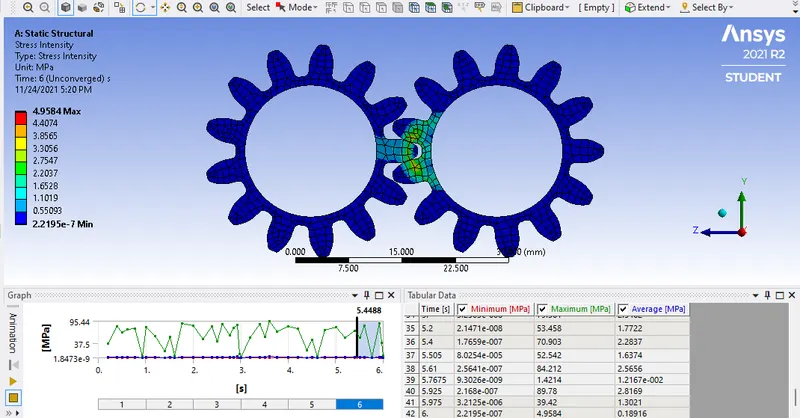
Stress intensity:
- Below is the comparison of the material wrt Total deformation, Equivalent Stress , Stress intensity
| Sr. No | Material | Total deformation (mm) | Equivalent Stress (MPa) | Stress intensity (MPa) |
| 1 | CAST IRON | 30 | 117.11 | 10.69 |
| 2 | CAST STEEL | 30 | 138.86 | 12.56 |
| 3 | CAST BRONZE | 30 |
54.77 |
5.17 |
CONCLUSION:
Total Deformation: No changes occured in it.
Equivalent Stress: Cast steel has maximum equivalent stress than other component,
Stress intensity: Here also cast steel has maximum stress intensity than other component.