Week 3 Sheet metal Bending challenge
AIM: To performt the simulation for sheet metal bending.
PROCEDURE:
- First we will import the model file in ANSYS and after we will edit the model in spcaeclaim.
- First start the structural analysis and open the model.
- The model is shown below:
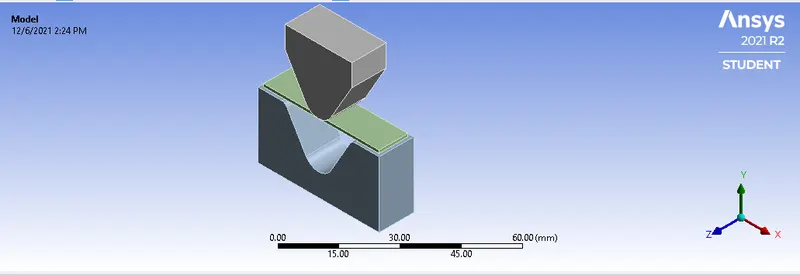
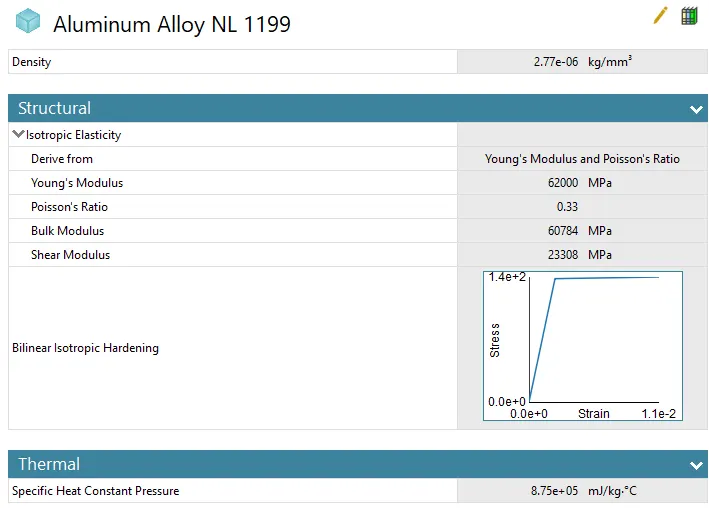
- Now first we will select the material for the sheet. So in this we are using 3 material and comparing the result of each of them.
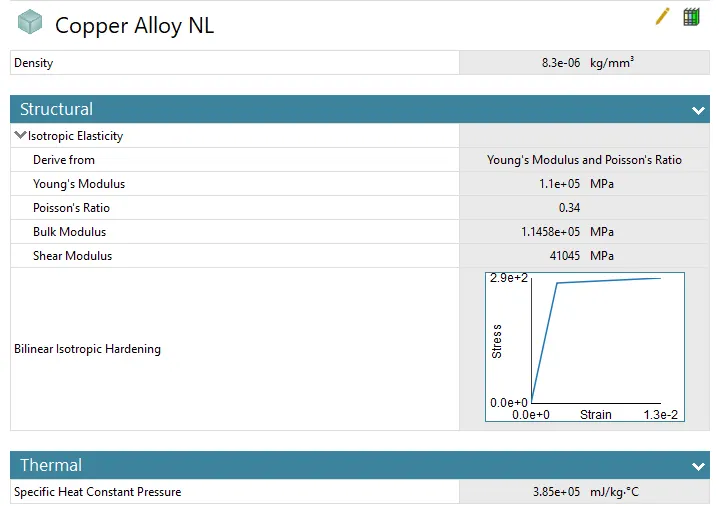
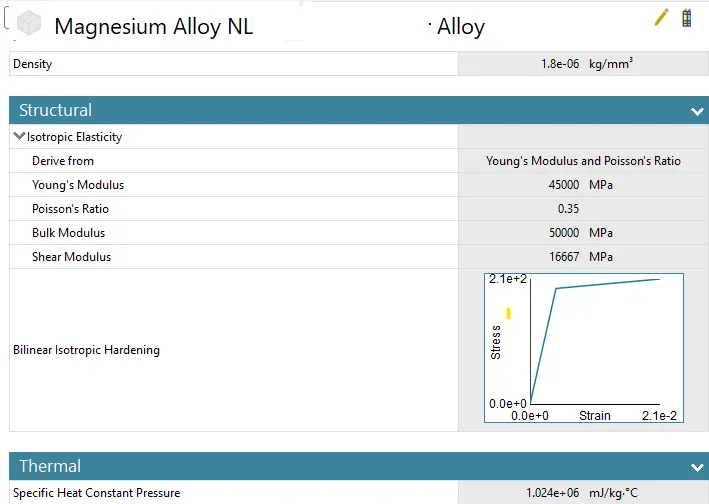
- The materials are Aluminium Alloy 1199,Copper Alloy NL and Magnesium Alloy NL
- After that the connections are applied which are shown below:
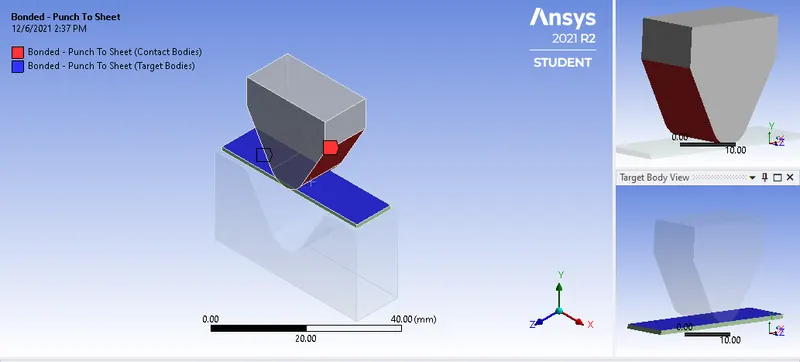
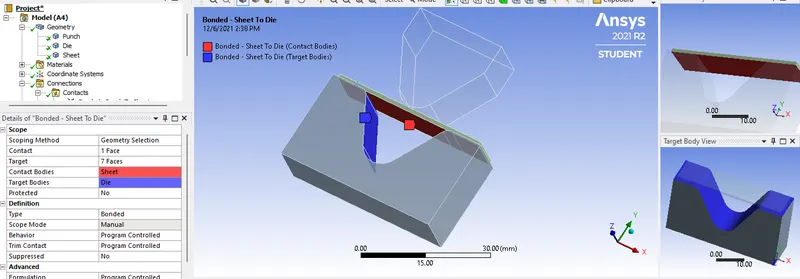
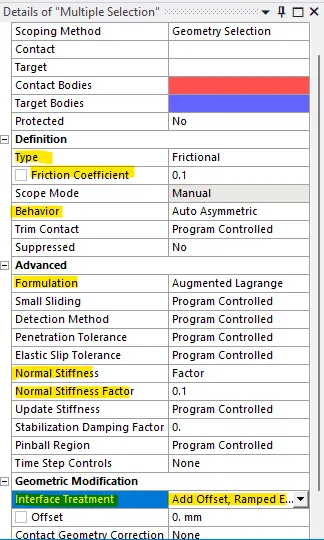
- Now add friction and other factors as showm:
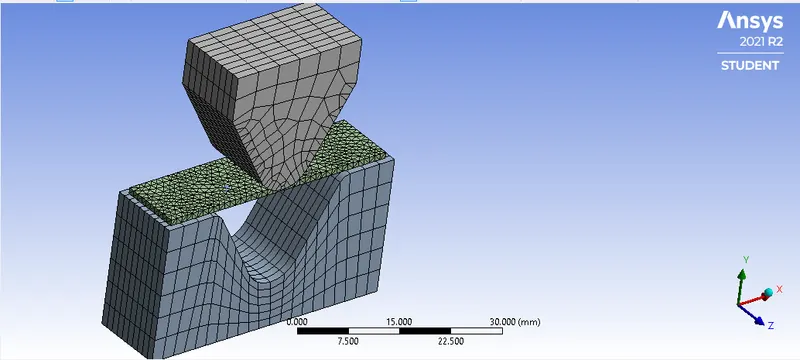
- Now after this we will mesh the component. The mesh size for the die and punch is 4 mm and the mesh size for the sheet and the faces of die and punch is 1 mm.
- And select the tetrahedron mesh for the sheet.
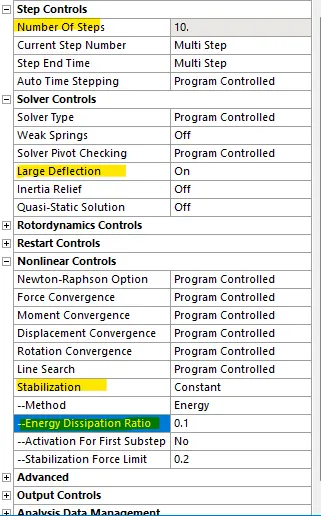
- Now after this we change the analysis setting as shown below:
- And also select solver type as:DIRECT.
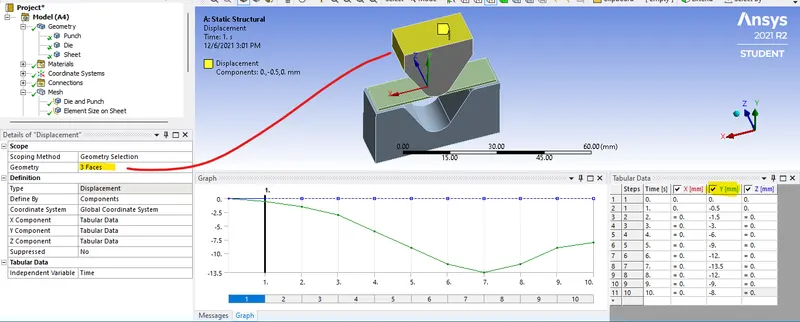
- Now we will apply the load. First is a displacement of a die on sheet as shown below:
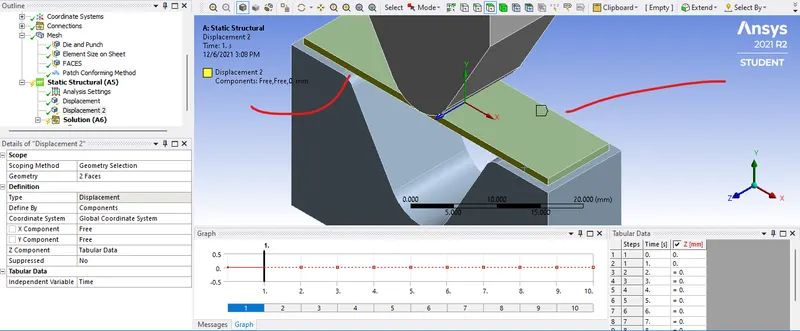
- Now as we punch the die we dont want sheet to expand alond z dierection so we will selec the side of the sheet and restrict them as shown.:
- Now for the punch the required displacement is shown below:
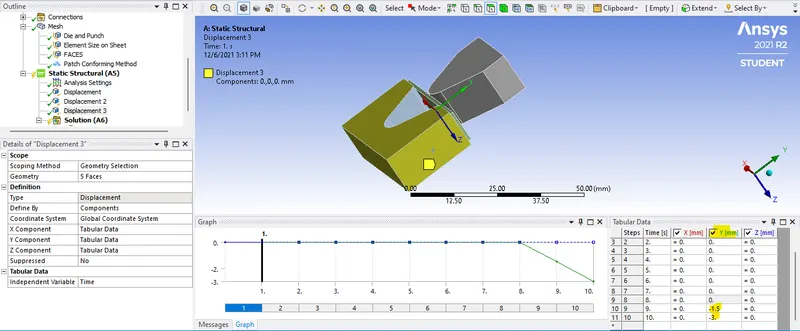
- Now after this we have to assign the output parameter. Which are Equivalent stress, Equivalent elastic strain and Total Deformation in Y direction.
- Now after this we will comapare the results with different material.
CASE 1:
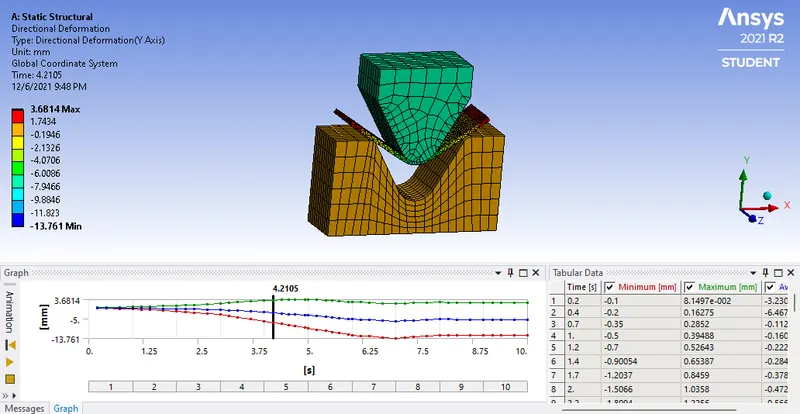
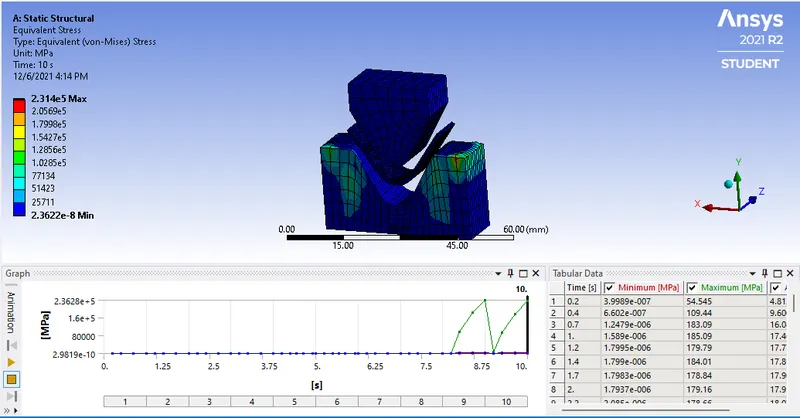
Aluminium Alloy 1199
Directional Deformation
Equivalent Stress
Equivalent elastic strain
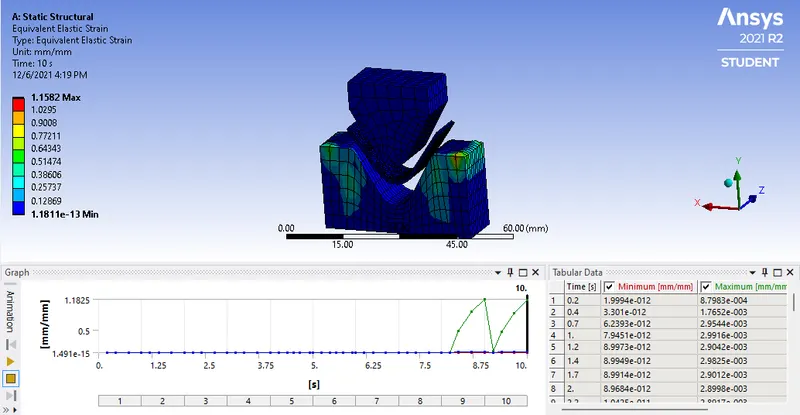
Copper Alloy NL :
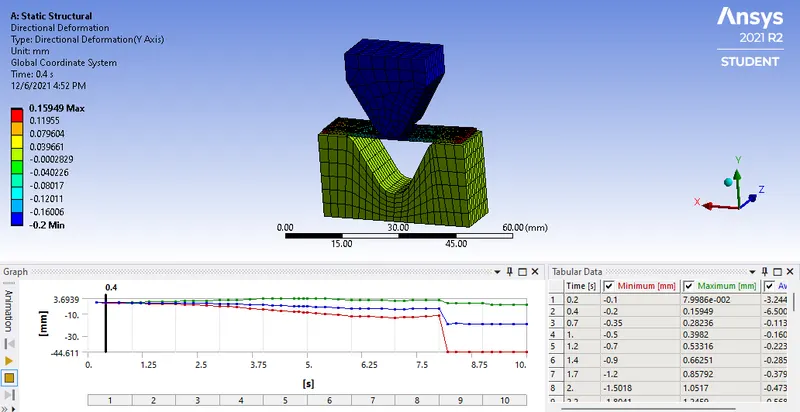
Directional Deformation
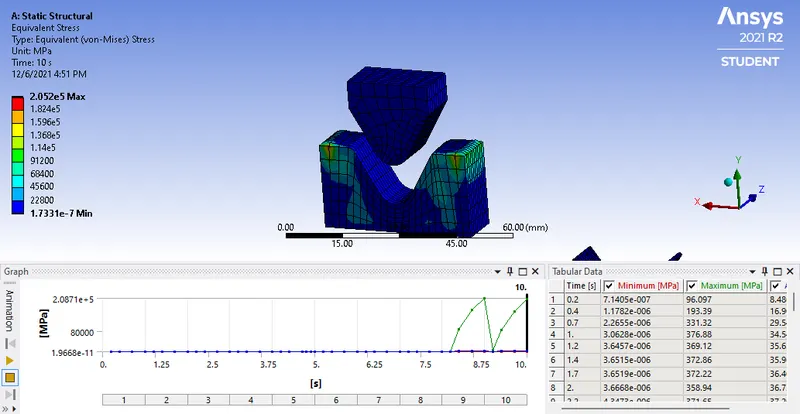
Equivalent Stress
Equivalent elastic strain
Magnesium Alloy NL
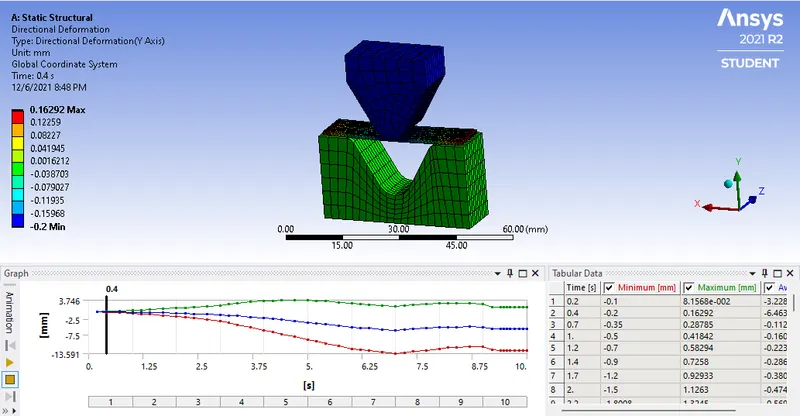
Directional Deformation
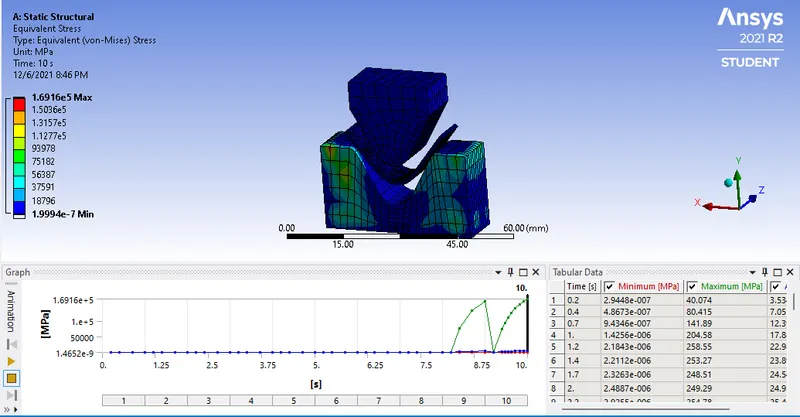
Equivalent Stress
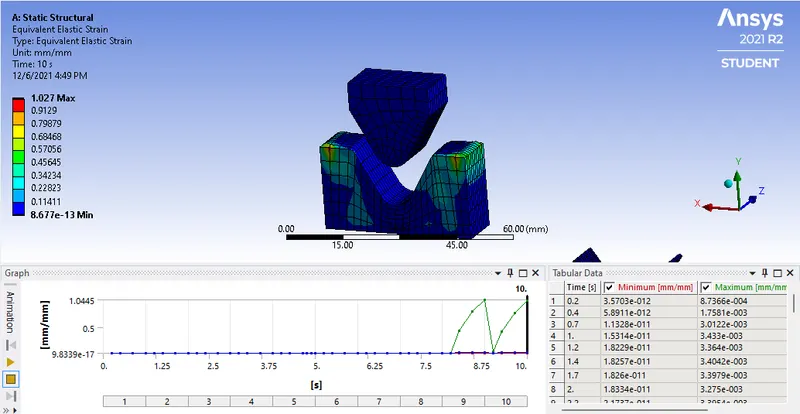
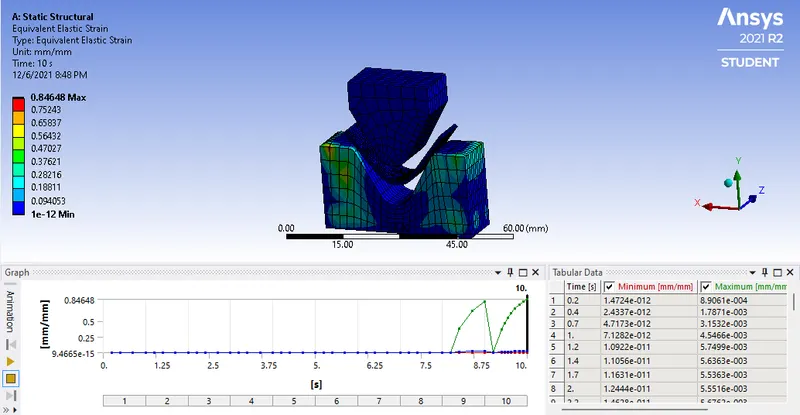
Equivalent elastic strain
COMPARISON:
| Sr No. | Material | Directional Deformation (Y direction) mm | Equivalent Stress (MPa) | Equivalent elasrtic strain mm/mm |
| 1 | Aluminium Alloy 1199 | 3.68 | 2.3e+5 | 1.158 |
| 2 | Copper Alloy NL | 3.69 | 2.05e+5 | 1.027 |
| 3 | Magnesium Alloy NL | 3.76 | 1.69e+5 | 0.846 |
- So here we can see the Equivalent stress is changing as we change the material. Same with the equivalent elastic strain its changing as we change the material.
- Only the Directional deformation is not changing.
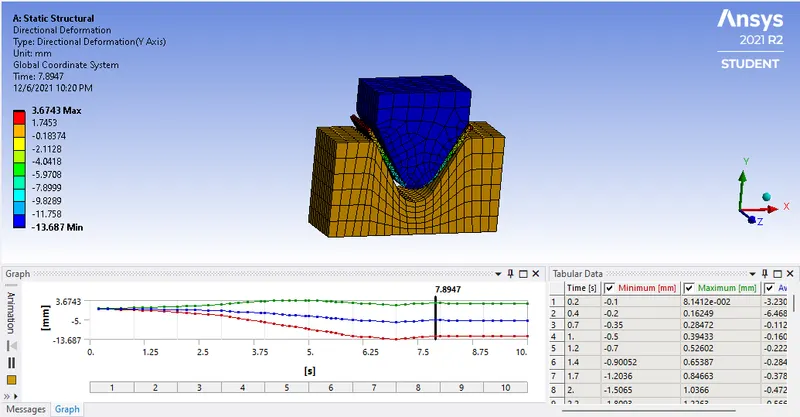
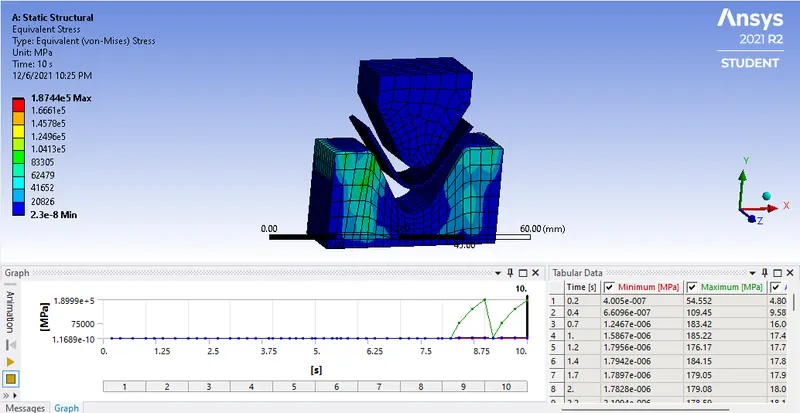
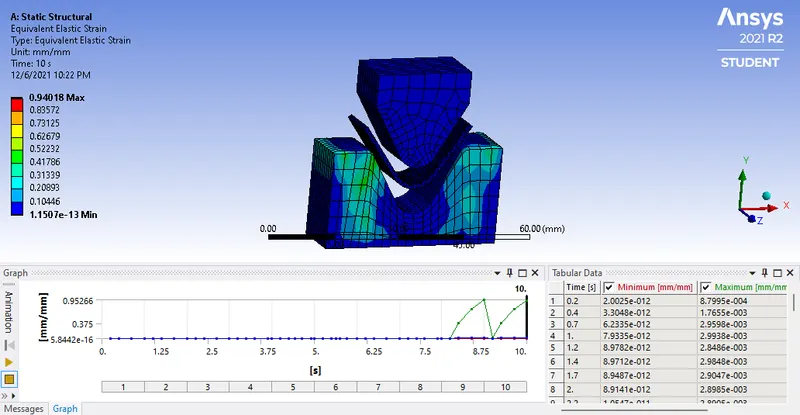
CASE 2: With the material as Aluminium Alloy, change the friction coefficient to 0.19 and run the analysis as mentioned in Case 1. Compare the results with that in case 1.
- Now we will change the friction coefficient to 0.19 and comapre it with friction coefficient of 0.1
Directional Deformation
Equivalent Stress
Equivalent elastic strain
COMPARISON:
| Sr. No | Coefficeint of friction | Displacement deformation (mm) | Equivalent Stress (MPa) | Equivalent elastic strain |
| 1 | 0.1 | 3.68 | 2.38e+5 | 1.158 |
| 2 | 0.19 | 3.67 | 1.87e+5 | 0.94 |
- Here as we change the coefficeint of friction increase we can see the change in equivalent stress.
CASE 3: Refine the mesh on the plate such that it doesn't cross the academic limit. With Aluminium alloy as material, run the analysis as in Case 1 and compare the results.
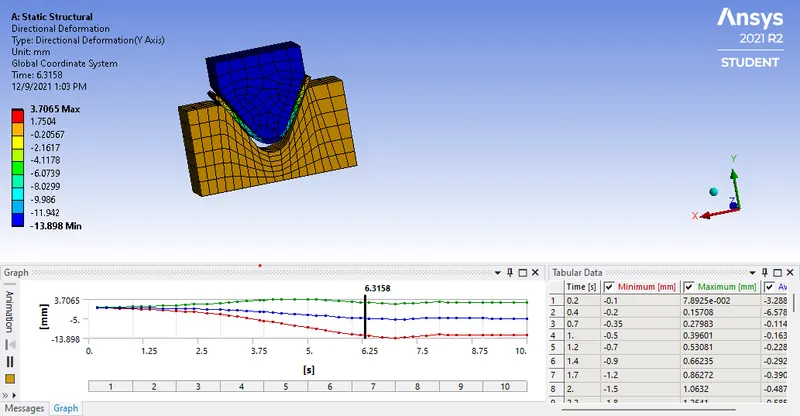
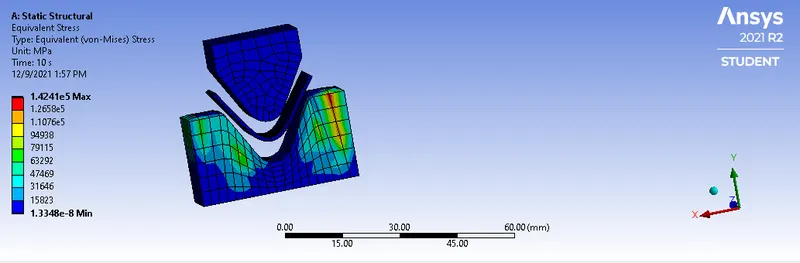
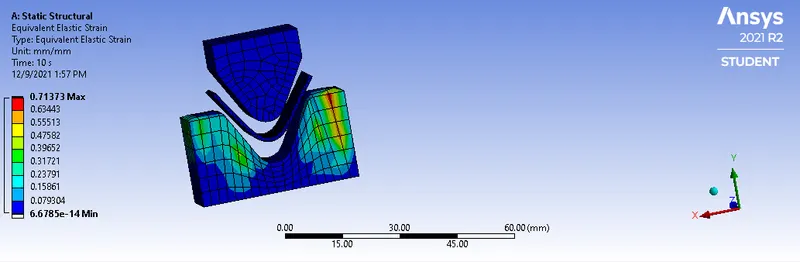
- In this we will change the meshing size as 2 mm and perform the simulation.
Directional Deformation
Equivalent Stress
Equivalent elastic strain
| Sr. No | Mesh size (mm) | Displacement deformation (mm) | Equivalent Stress (MPa) | Equivalent elastic strain |
| 1 | 1 | 3.68 | 2.38e+5 | 1.158 |
| 2 | 2 | 3.70 | 1.42e+5 | 0.713 |
- Here as we increase the element size we can see that the stress is decreased.
RESULTS:
- All the required result are showed in above images .
- Also the comparison is between all the cases is done too.