Week - 3 Drop test Challenge
AIM: To perform the drop test on cellphone when it drops on the floor.
- In this challenge we have to provide material to the cellphone and the surface.
- After that we have to provide the intial velocity to it and some other properties so we can perform the sitmulation on it and get the results.
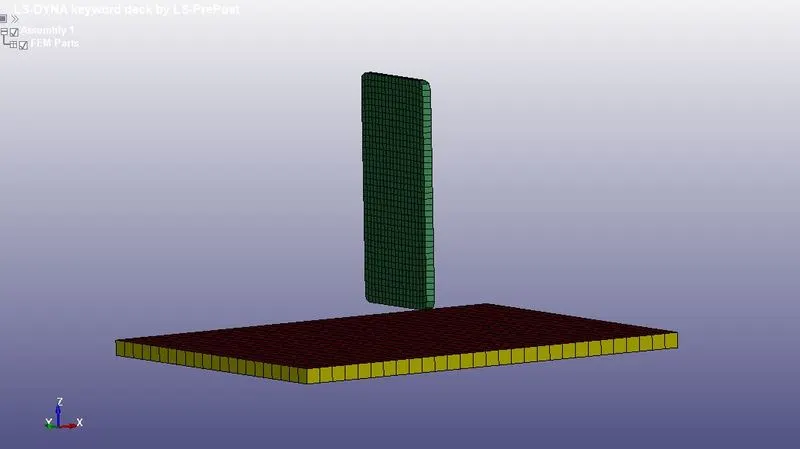
- So this is how the component looks.
- Here we can see there are three parts and we required only 2. So we will delete the part from the surface.
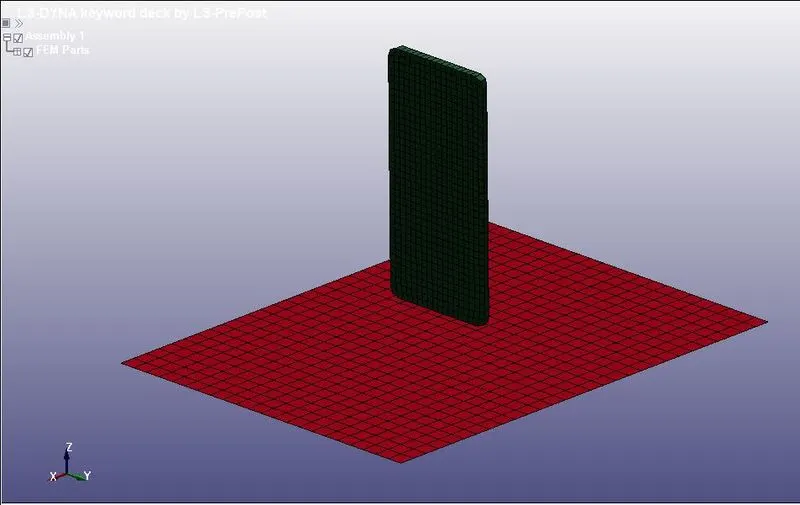
- The intial keyword this model content is shown below:
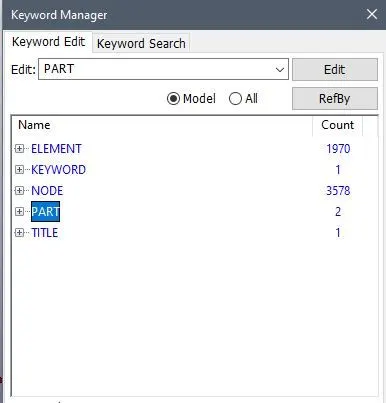
- Now first we will assign the section to both the parts.
- For Shell element go to the KEYWORD MANEGER>SECTION>SHELL
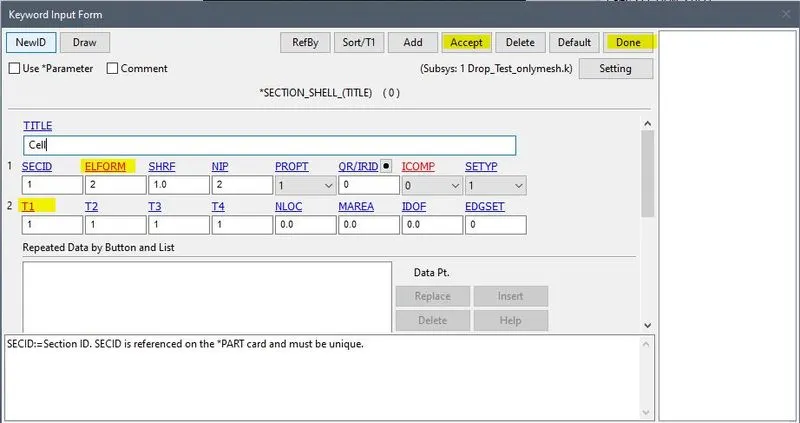
- For Solid element go to the KEYWORD MANEGER>SECTION>SOlID
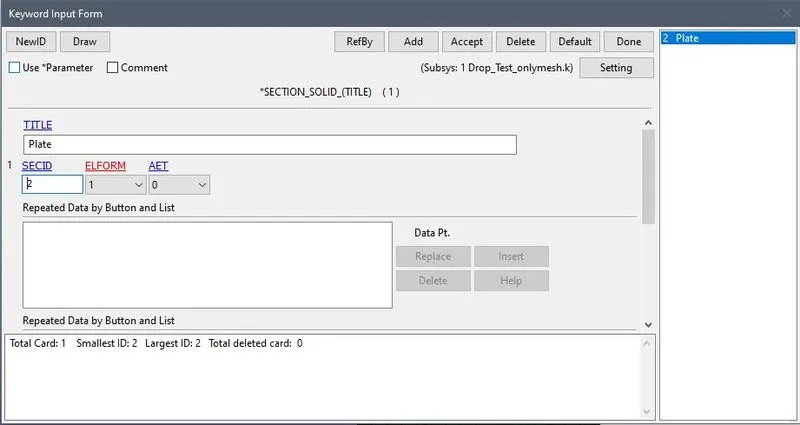
- Now the section is assigned next is to assign the material to bothe the sections.
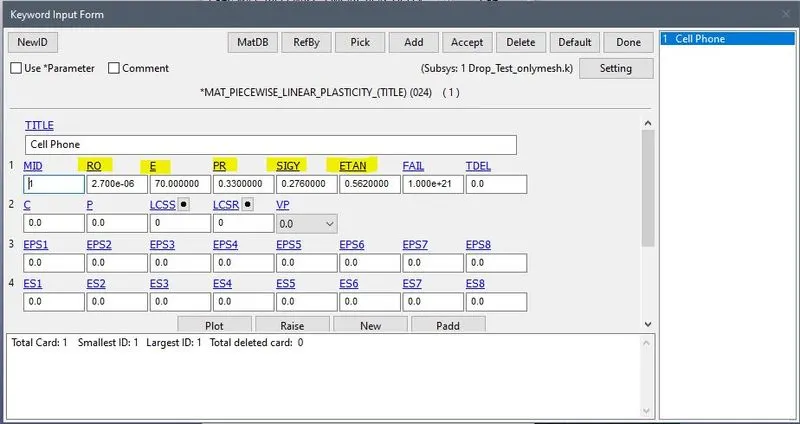
- For the cell phone we will use aluminium material for the cellphone case i.e. MAT024 PIECEWISE_LINEAR_PASTICITY
- Go to KEYWORD MANEGER>MAT>024 -PIECEWISE_LINEAR_PASTICITY
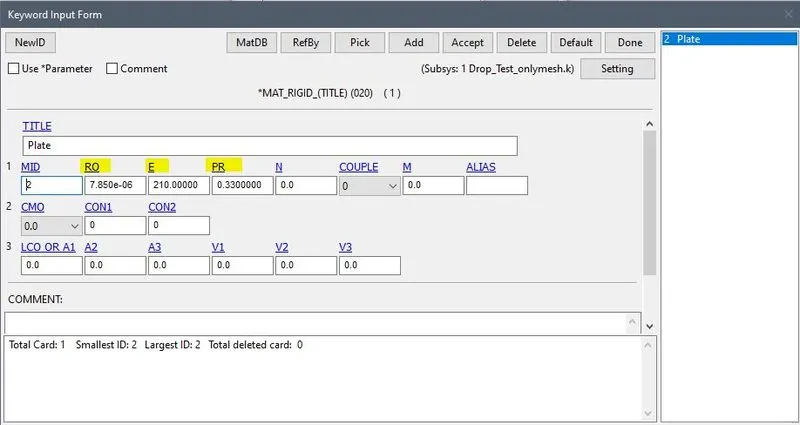
- For the rigid surface we will use MAT020 RIGID
- Go to KEYWORD MANEGER>MAT>020_RIGID
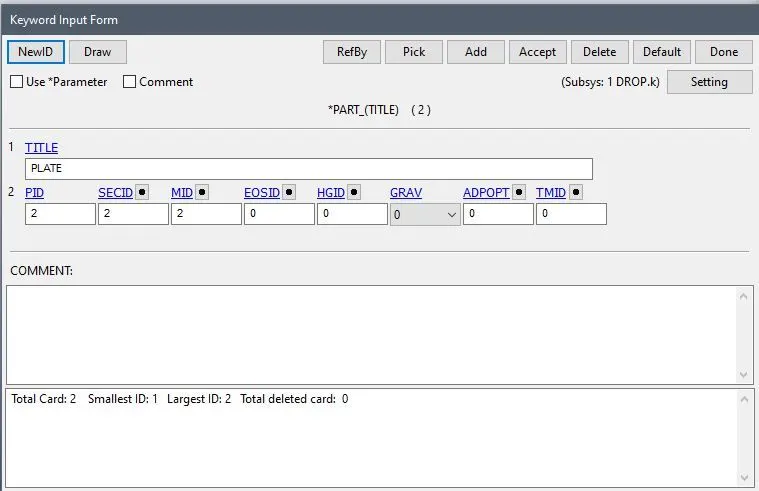
- Now we will assign this created Material property and section proerty to the parta as shown:
- For Cellphone KEYBORD MANEGER>PART
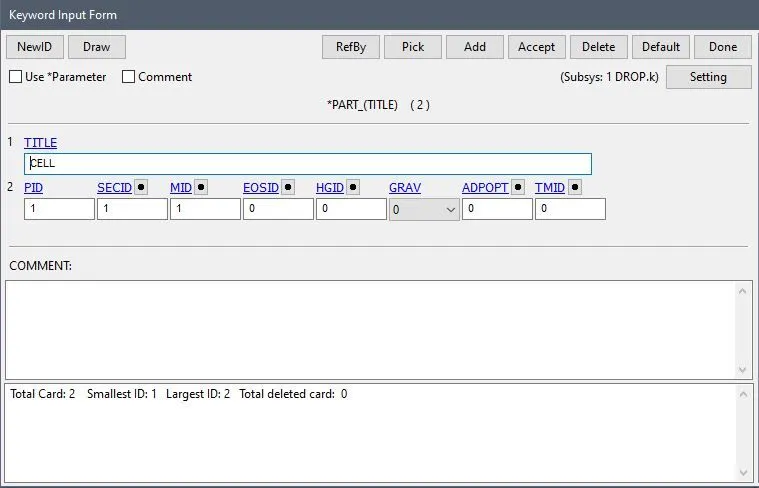
- For Rigid Surface
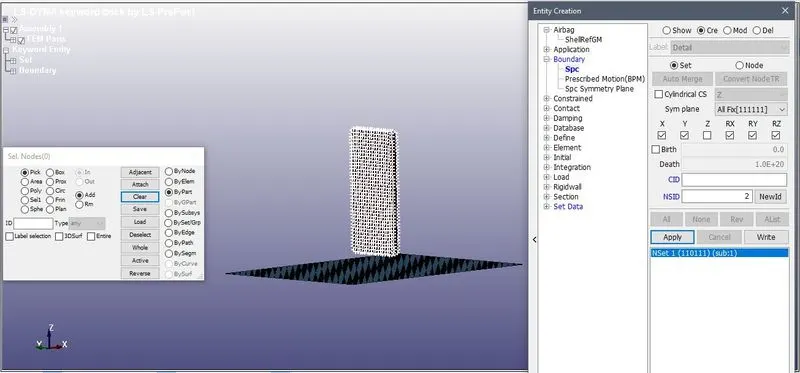
- Now we will assign the boundary conditons to the part.
- For the CelPhone we will we need cell phone to fall in veritcal directions so we will restrict all the DoF except DoF Z
- CREATE ENTITY>BOUNDARY>SPC
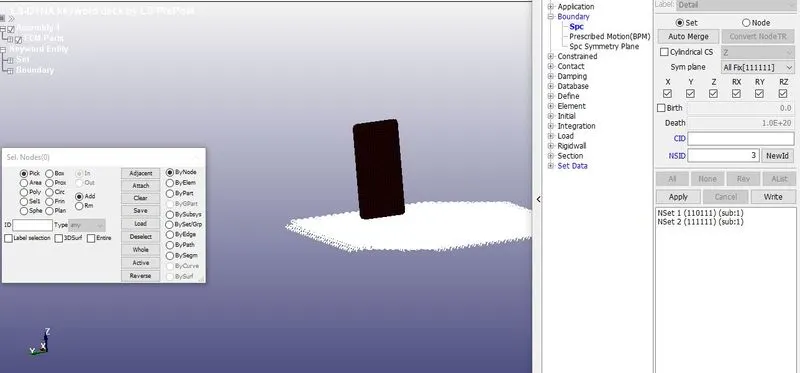
- And for rigid surface we will contrained all the DoF.
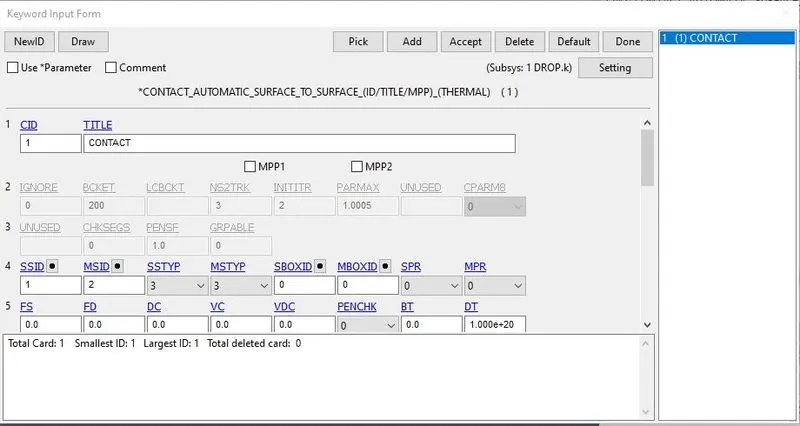
- Now we will assign the Surface contact to between phone and the rigid surface.
- For that we have to choose the master and slave surface.
- So for the slave we have phone and for master we have rigid surface.
- For that go to KEYWORD MANEGER>CONTACT>AUTOMATIC_SURFACE_TO_SURFACE
- Now we will assign the Velocity to the phone.
- First we will measure the distance between the rigid surface and the phone.
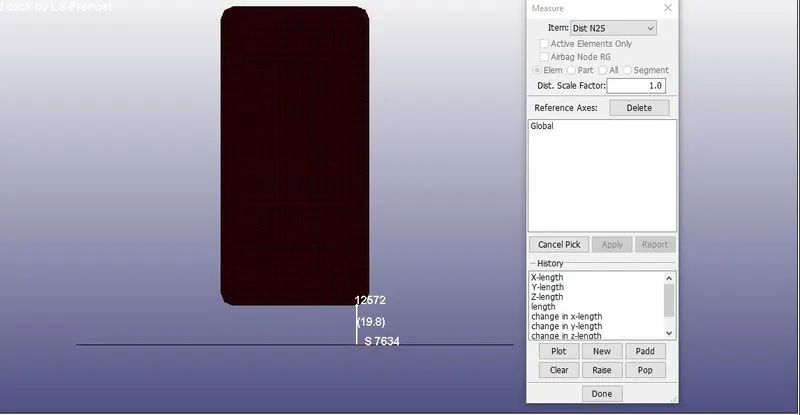
- Its near 20mm so the intial velocity `v=sqrt(2gh)`
- The velocity is -6mm/ms the -ve sign is because the the phone is falling in negative z direction.
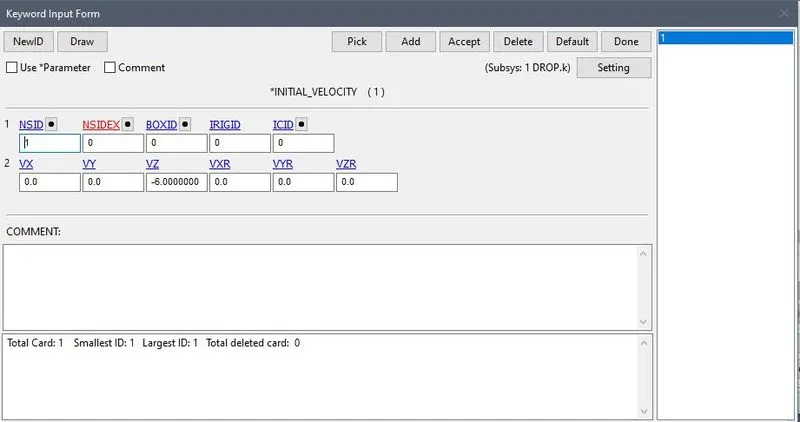
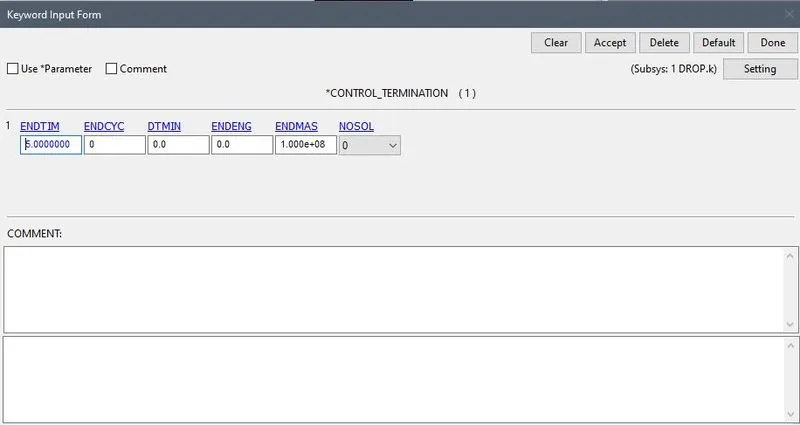
- Now we will assign the output keycards for the given simulation.
- First we will assign End time for the simulation For that KEYBOARD MANEGER>CONTROL>TERMINATION
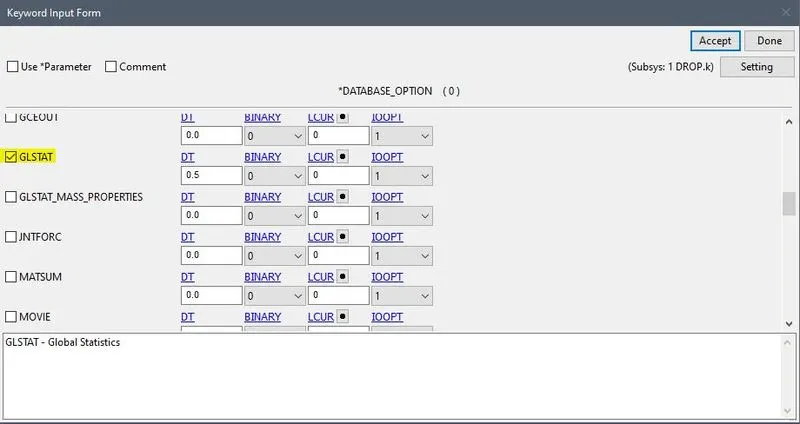
- Now we next is OUTPUT DATABASE for that go to KEYBOARD MANEGER>DATABASE>ASCII
- And GLSTAT to 0.5 GLSTAT gives you the kinetic , internal energies and other type of energies.
- Now to plot the animation go to the KEYBOARD MANEGER>DATABASE>BINARY D3PLOT
- This will show all the stress and energies in animeted format.
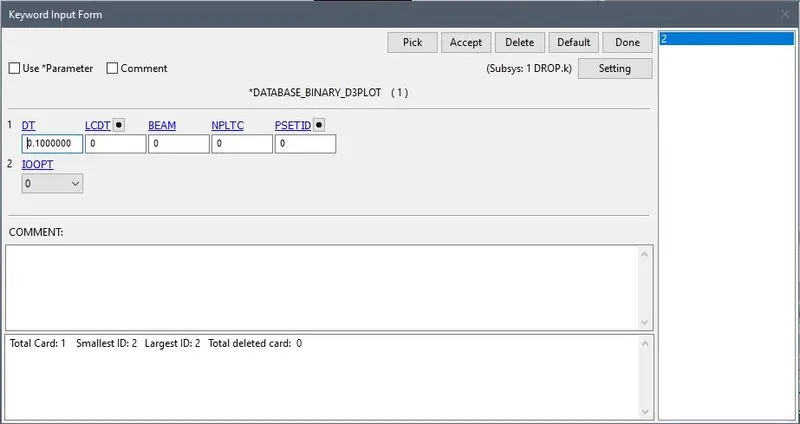
- Now save this file and run the simulation in LS-DYNA Program.
- Open .k file to check the program.
RESULTS:
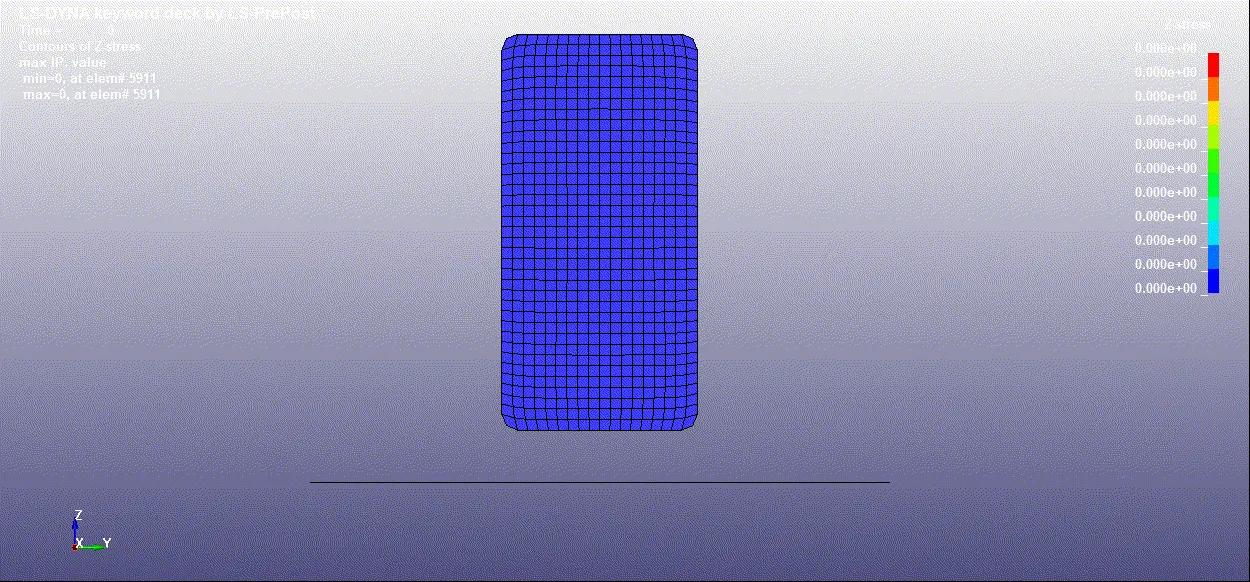
- From the above image it can be observed that there are high stress developed when the handset impacts the rigid
GRAPH
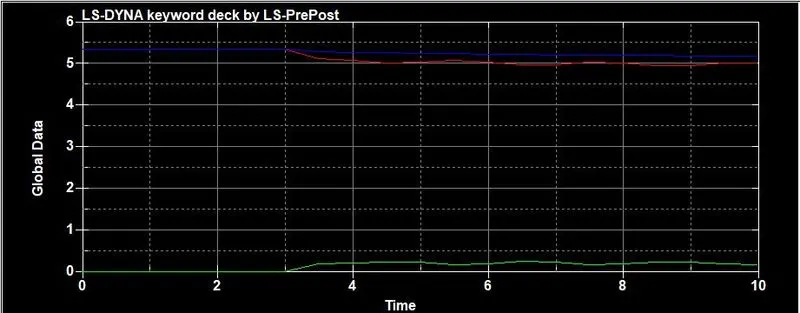
- Here we can see the deflection in the energy occured after 3ms.
OUTCOMES:
- Able to give the different tyeps of KEYWORDS to the component.
- Learnt about the how to apply Boundry Conditions , Intial Velocity.
CONCLUSION:
- The drop test of cell phone is performed on the LS DYNA.
- And the graphs of energies has been plotted.