Week 8 - Universal Joint
AIM: To perform the simulation for the Universal Joint.
PROCEDURE:
- First we will open the ANSYS workbench and in that transient structural module.
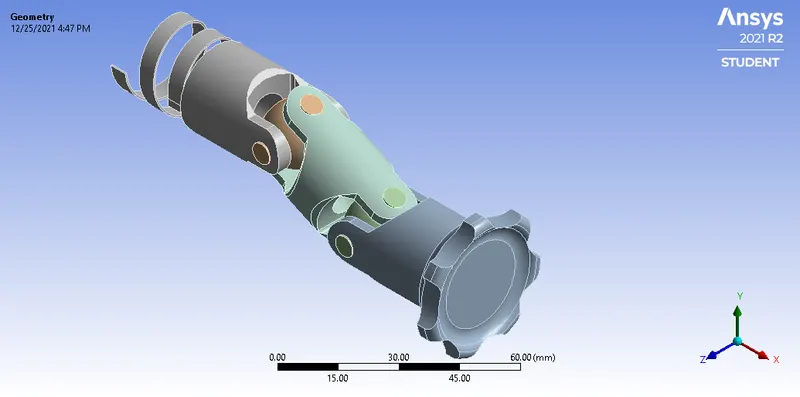
- Now after that we will import the given model. And add the required material. The model is shown below:
- Now after that we will assign the joint to the component. We do not required contact here.
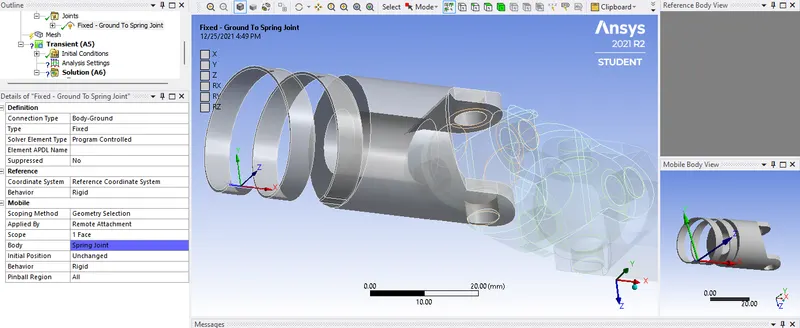
- First we will fixed the spring part and we attached it to the ground.
- Now next is to give revolute joint to the SHAFT part. and the SPRING part.
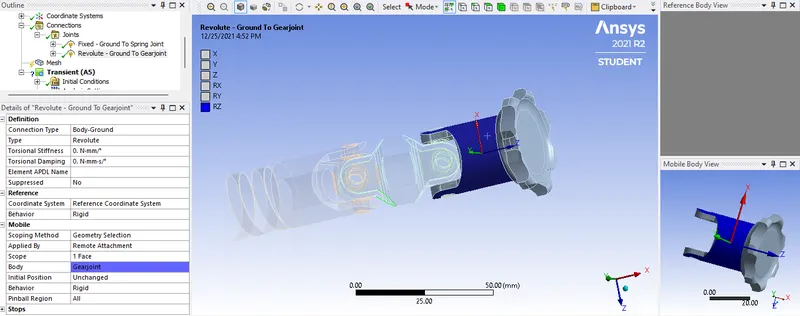
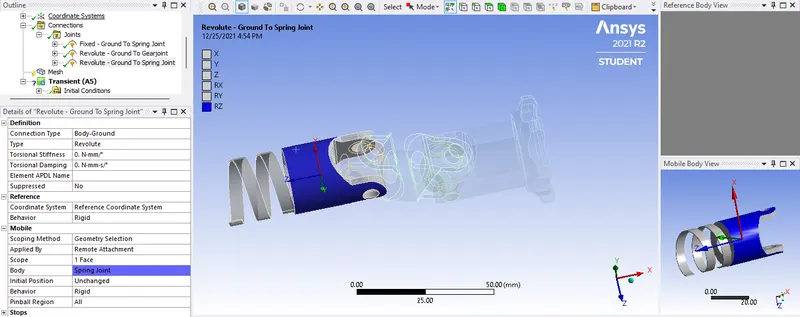
- Now we have to transfer the load from one part to the other part. So thats why we are assigning the revolute joint to the bearing and the component as shown:
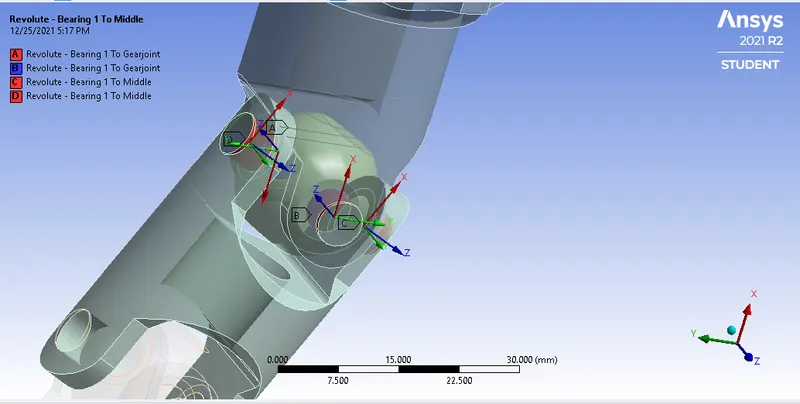
- Do the same for the other one too.
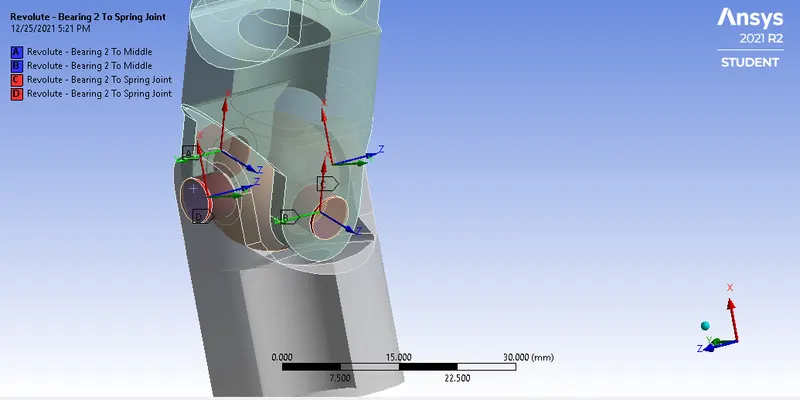
- Make sure all the axis of rotation is Z axis.
- Now after this we will do the analysis setting. Shown below:
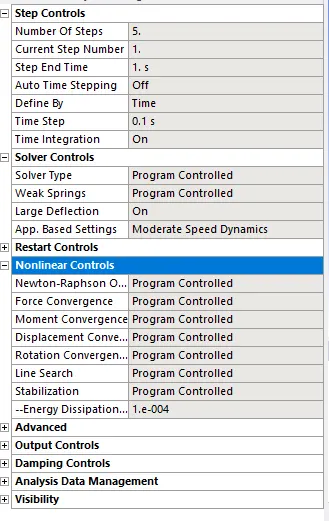
- Next is to assign the joint load to gearjoint. Shown below:
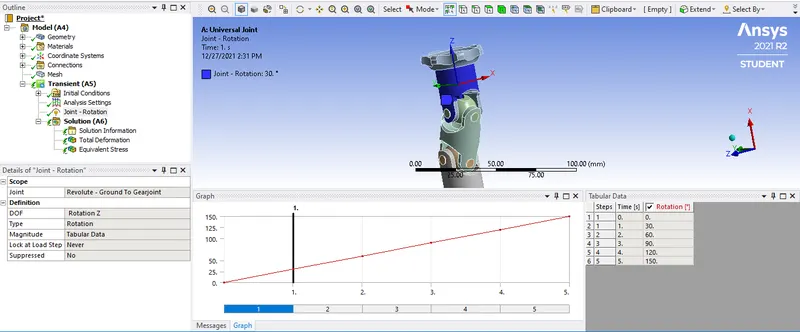
- And aftet this add the results as per the requirement and then solve the probelm.
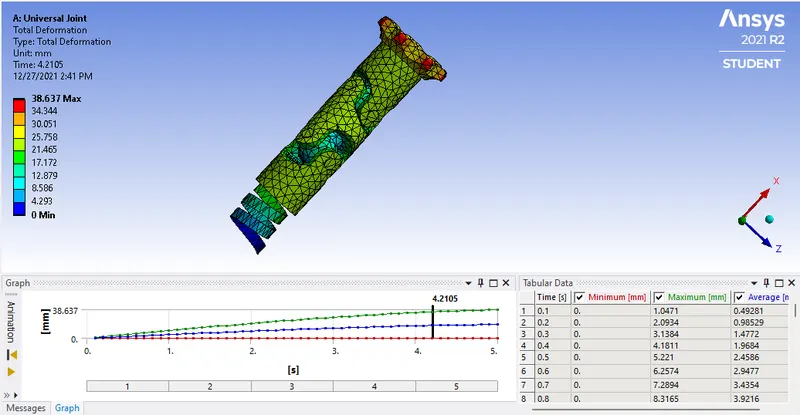
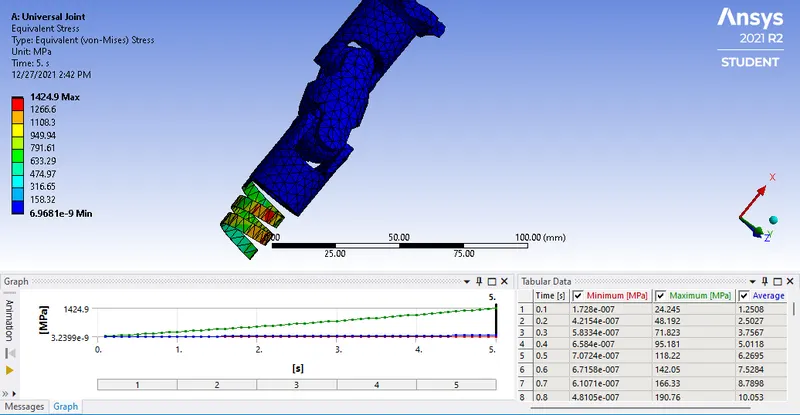
Case 1: Structural Steel
Total Deformation:
Equivalent Stress:
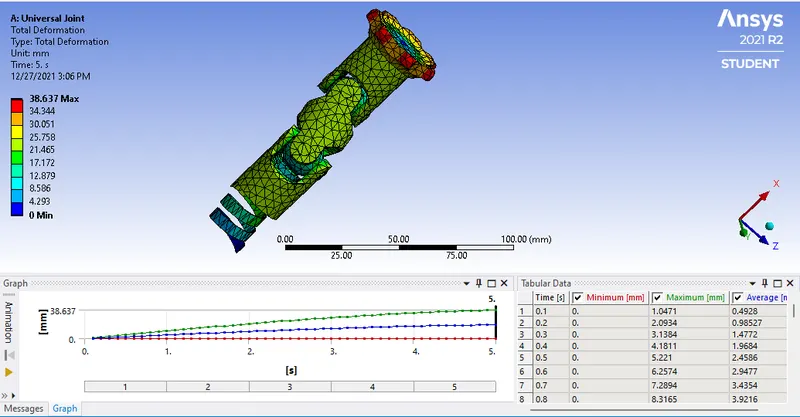
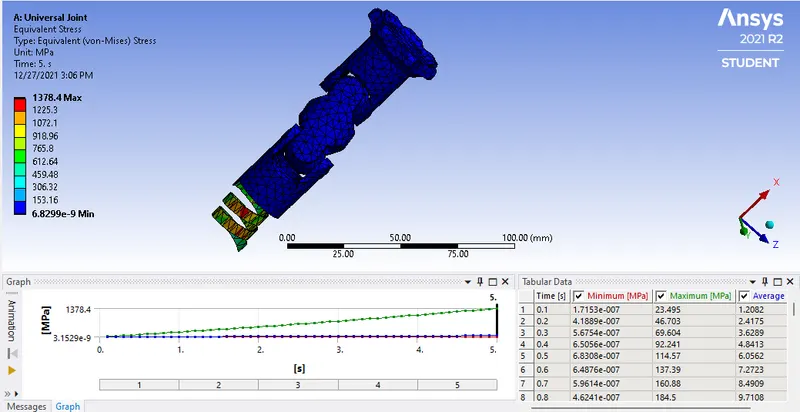
Case 2: Stainless Steel
Total Deformation:
Equivalent Stress:
Case 3: Titanium alloy
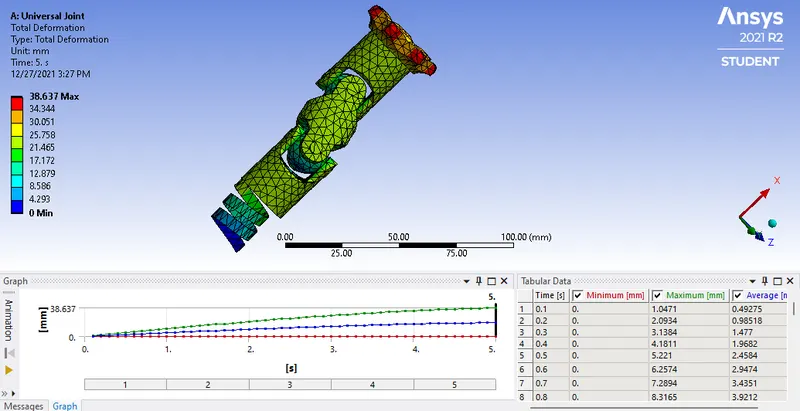
Total Deformation:
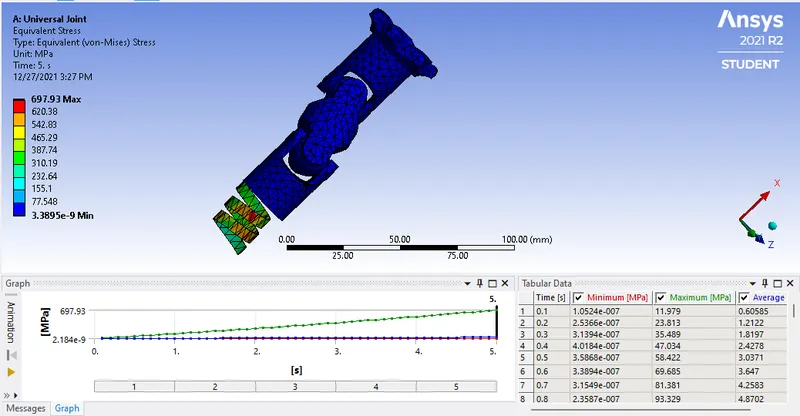
Equivalent Stress:
Comparison:
| Sr No. | Material | Total Deforamtion (mm) | Equivalent Stress (MPa) |
| 1 | Structural Steel | 38.63 | 1424.9 |
| 2 | Stainless Steel | 38.63 | 1378.4 |
| 3 | Titanium alloy | 38.63 | 697.9 |
Result
- As per the results we can see that the totald deformation for all the material is same. But the Equivalent stress is varying as the material changes,
- Equivalent stress is maximum for structural steel and it is minimum for titanum alloy.