Week 12:Project 2-Meshing of Rear Wheel Holder challenge
AIM: To perform Meshing of Rear Wheel Holder.
PROCEDURE:
- The model is shown below:
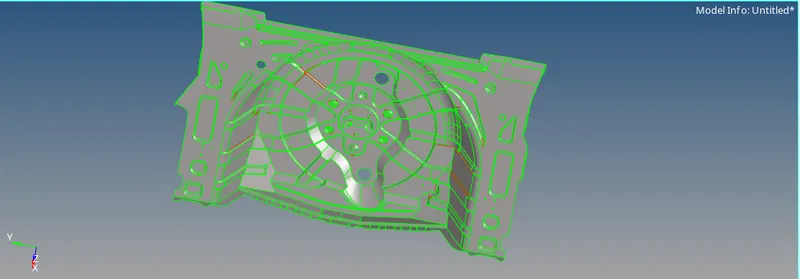
- Now in this we will perform the midsurfacing.
- So first for that we will cleanup the geometry as we can see some red cons on the surface which might affaect our midsurface.
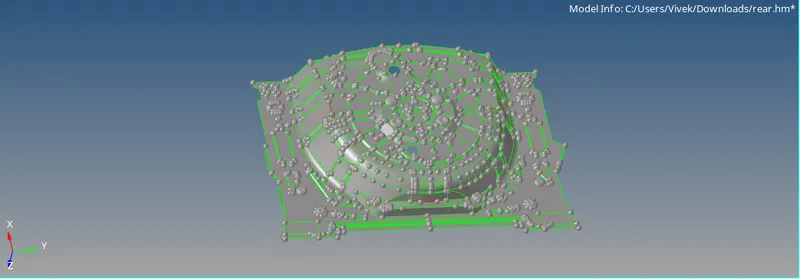
- After cleaning up the geometry we will perform the midsurface.
- For that go to GEOM>SURFACE EDIT>OFFSET and select the surface and then duplicate it to offset.
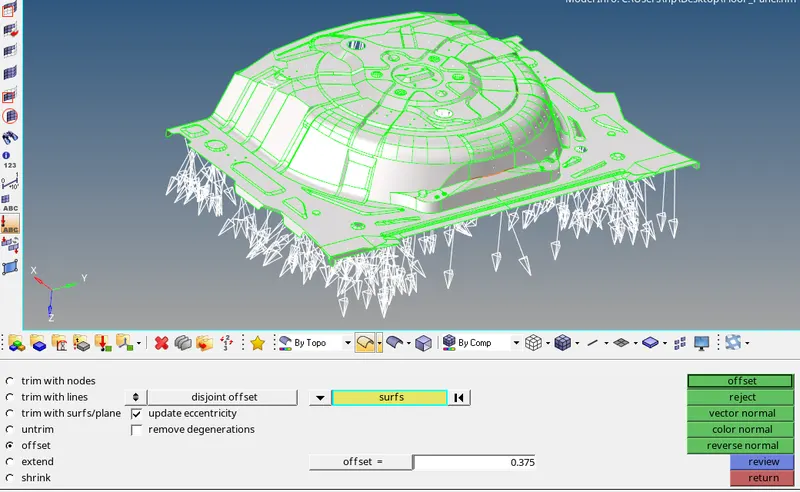
- Now aftet that we will get a midsurface off the selected component
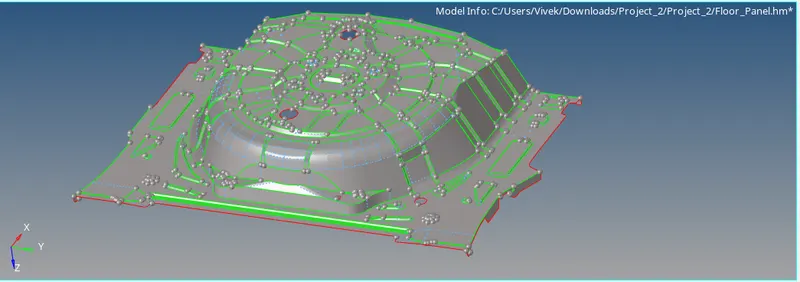
- Now after that we will perform the meshing on the given mi surface.
- The quality criteria is given to us.
Target Element Length = 5 Units
| S.N | Quality Criteria | Value |
| 1 | Aspect Ratio | 5 |
| 2 | Skewness | 45 |
| 3 | Warping | 15 |
| 4 | Taper | 0.5 |
| 5 | Min. Length | 2 Units |
| 6 | Max. Length | 8 Units |
| 7 | Min angle Quad | 45 |
| 8 | Max angle Quad | 135 |
| 9 | Min angle Tria | 20 |
| 10 | Max angle Tria | 120 |
| 10 | Tria % | 10 |
- For this go to the go to PREFERENCES>QUALITY CRITERIA
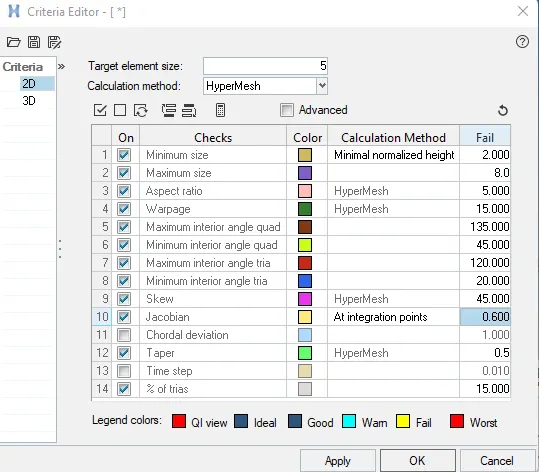
- Now before meshing we will AUTOCLEANUP the geometry to perform good meshing operation.
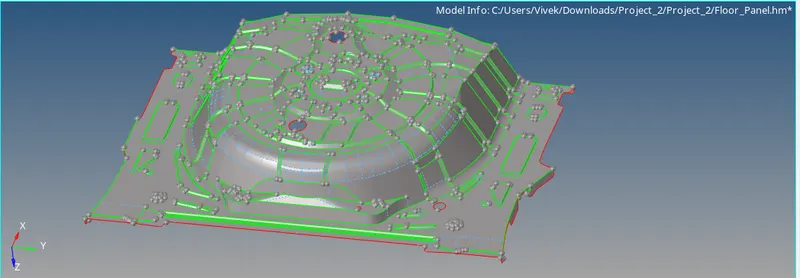
- Now after this we will perform batchmeshing on the component.
- For that go to the 2D>AUTOMESH>BATCHMESHING
- Now select the PRAMETER and QUALITY CRIETRIA file and then select the surface
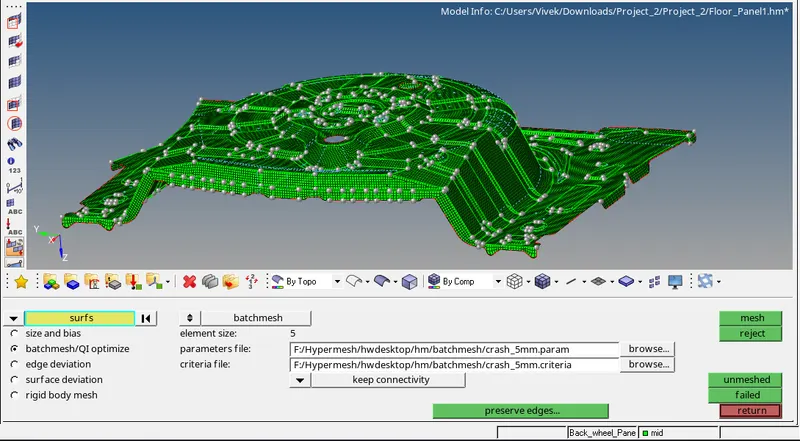
- Now after meshing we will add property and material to it.
- To add material go to the MODELBOX and right click on to then CREATE>MATERIAL
- Select material card as M1_ELAST and give the material property.
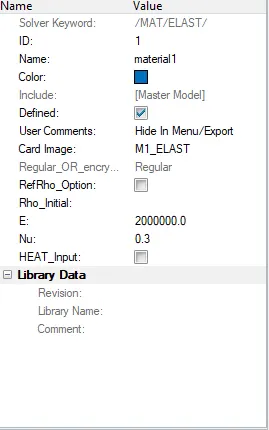
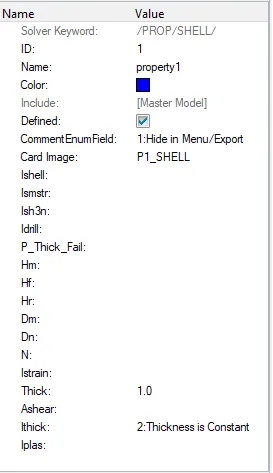
- Now after that we will assign the thickness to it for that create a PROPERTY from MODEL
- And assign the thickness as shown:
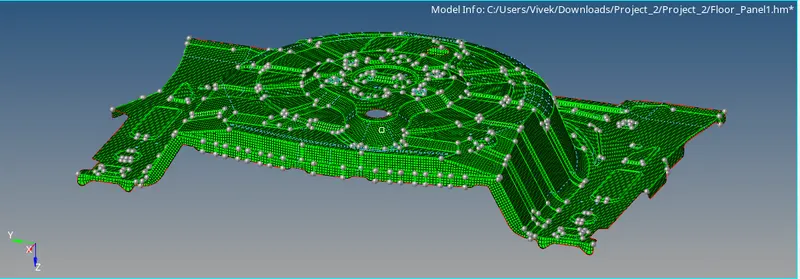
- So the meshing is done
RESULTS:
- Miid surfacing is done using offset operation.
- Batchmeshing is done by using given quality criteria.