Week-7 Head Impact
AIM: To perform the HEAD IMPACT simulation with the help of given models.
PROCEDURE:
- So in this challenge we have to do the head impact on the hood of the car.
- We are provided with three .k file. And with the help of that we have to complete it.
CASE 1: Simple Head impact with Rigid wall.
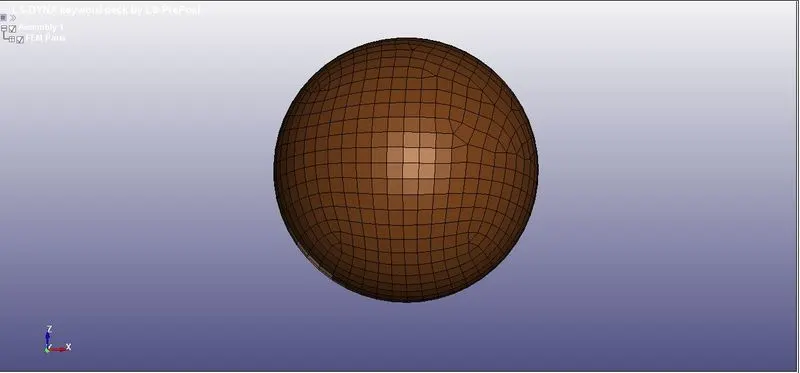
- Now we will open the .k file of Simple head model in LS dyna Pre-Post.
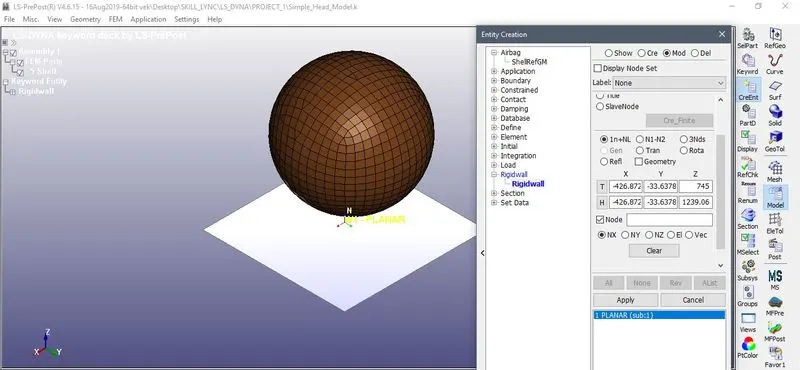
- Now next is to create a rigid wall to for the impact.
- MODEL>CREENT>RIGID
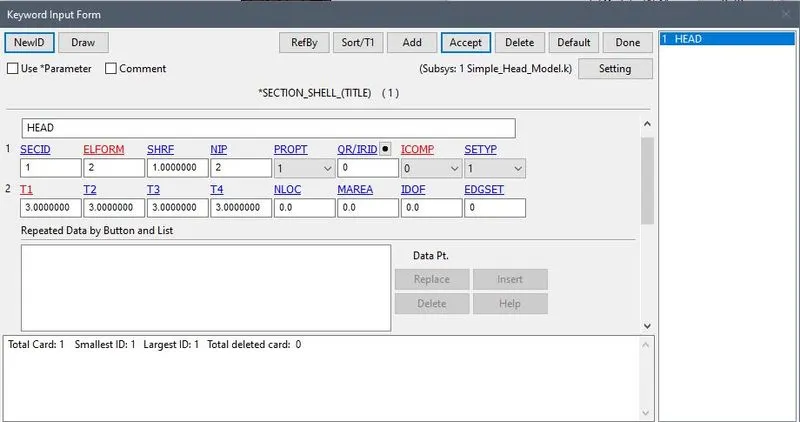
- Now next is to create a section for the HEAD ELEMENT with ELFORM=2 and THICKNESS=3mm
- MODEL>KEYWRD>SECTION>SHELL
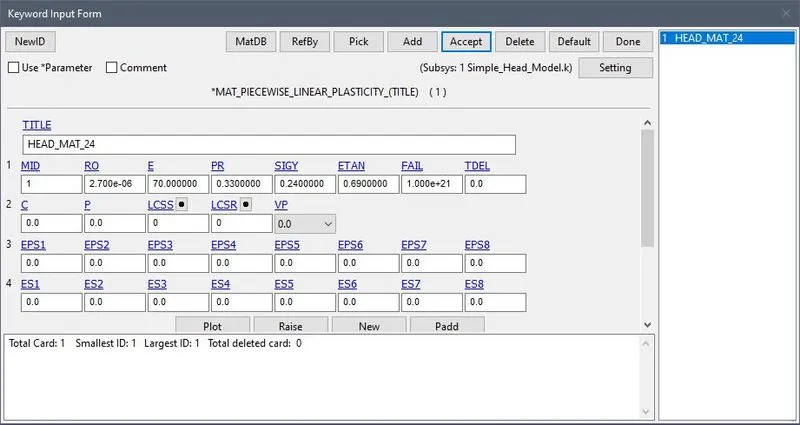
- Now to assign the material to the SHELL element.
- For shell element we required MAT_024
- MODEL>KEYWRD>MAT>MAT_24_LINEAR_PLASTICITY
- Now assigning section and material to the part.
- Now we have to apply initial velocity=40kmph i.e. 11.11mm/ms to the SHELL element.
- MODEL>KEYWRD>INTIAL>VELOCITY
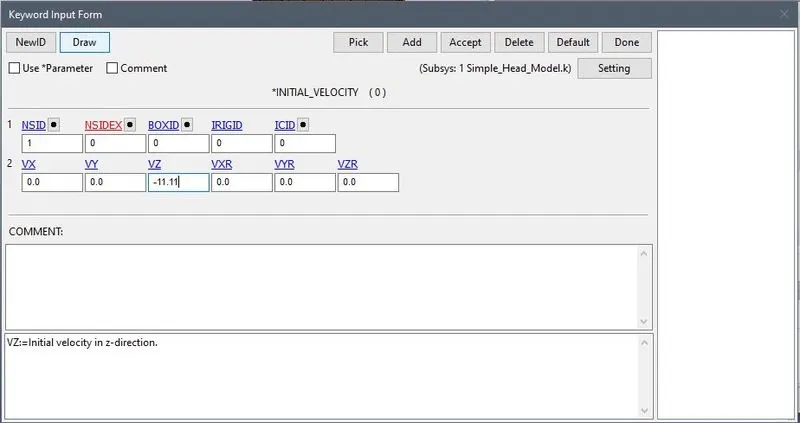
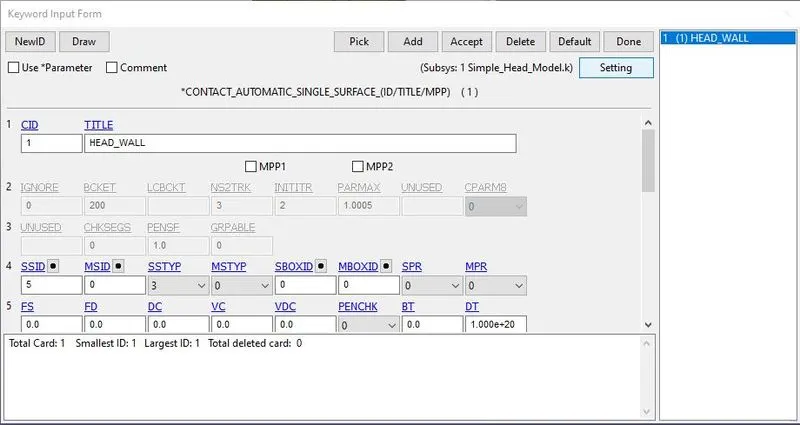
- Now for the CONTACT we will choose the AUTOMATIC_SINGLE_SUFCAE_CONTACT
- Now for the DATABASE OUTPUT we will select GLSTAT,NODOUT,RWFORC
- And then BINARYT_D3PLOT
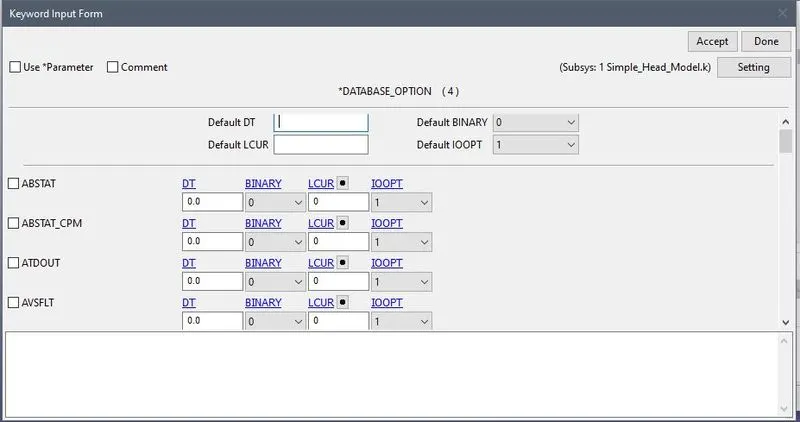
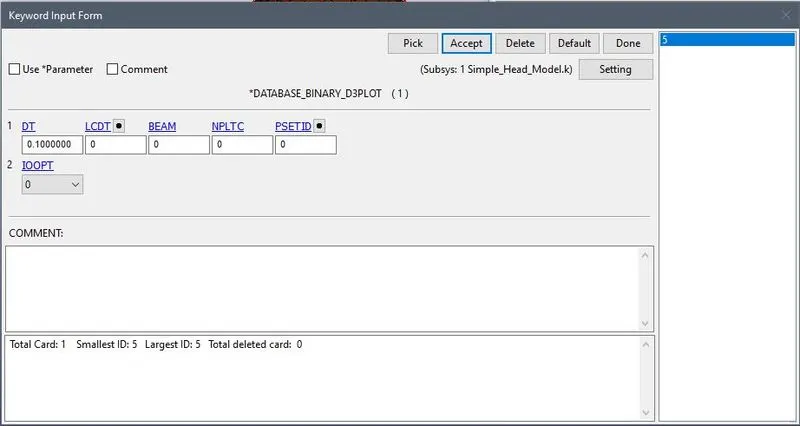
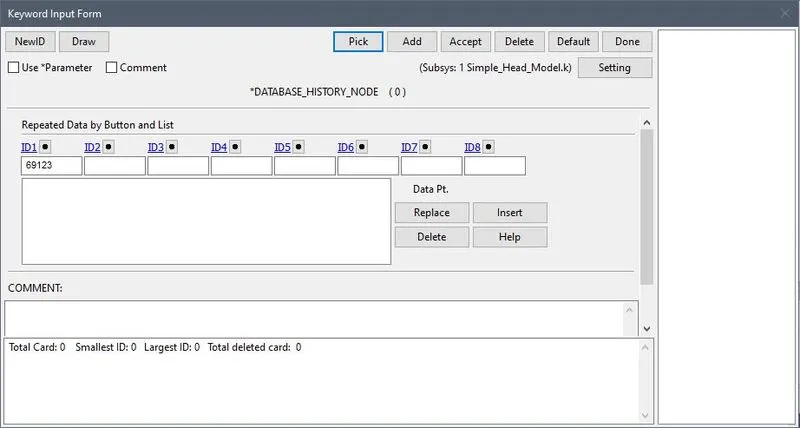
- For node output we have to chose HISTORY_NODE.
- We will choose 69123 node for the data.
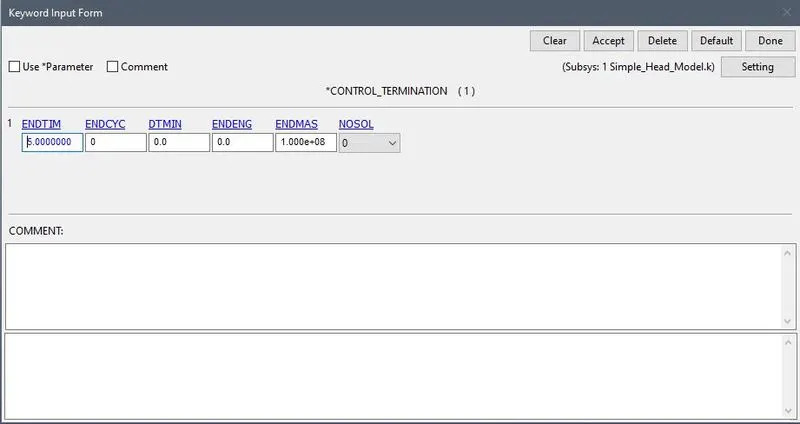
- Now for termination we will put DT=5.00ms
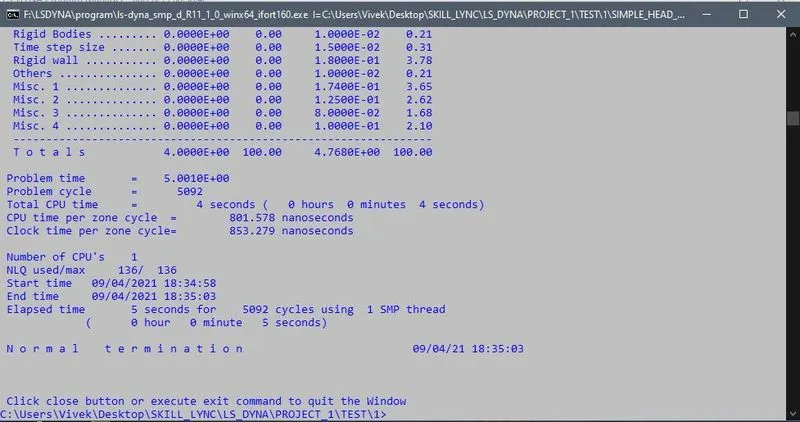
- Now we will run .k file.
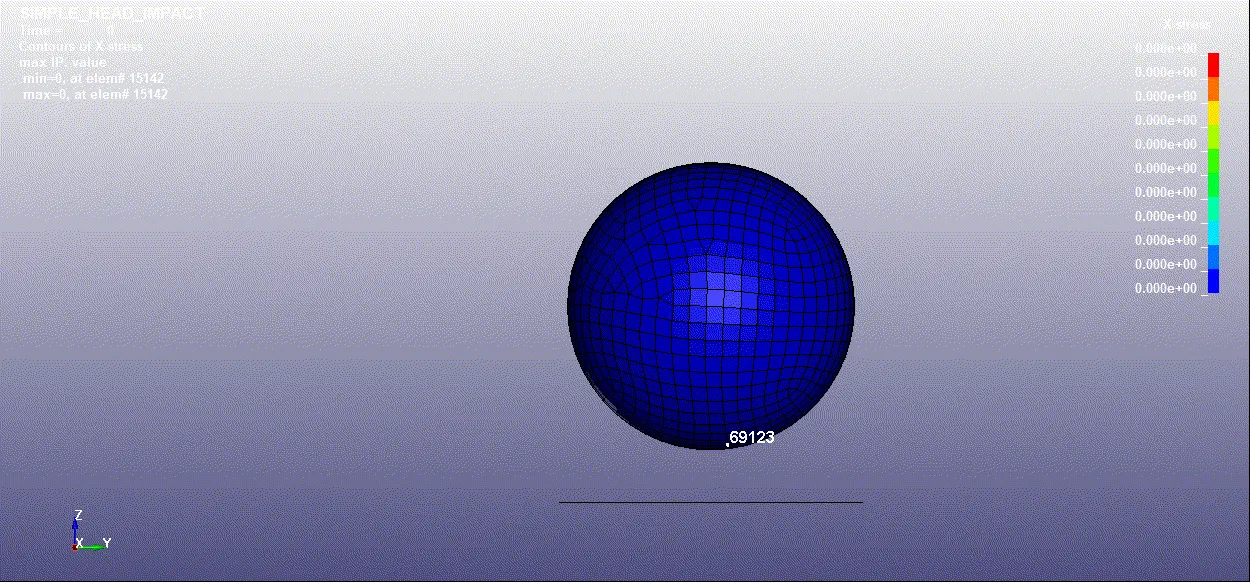
D3PLOT
GRAPHS:
1.ENERGY
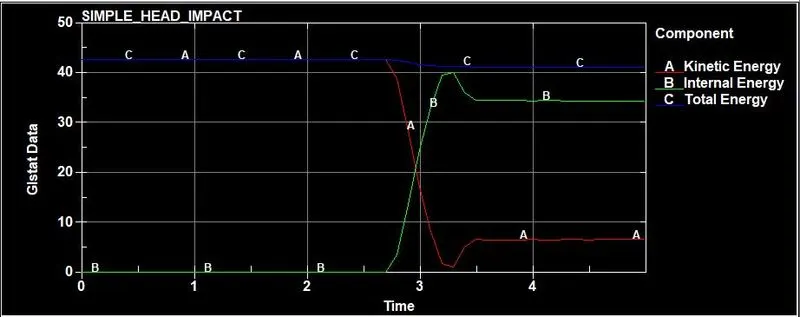
- Here Total energy is nearly constant .
- The Kinetic energy is constant but then at 2.6 ms it suddenely decreases.
2.HIC
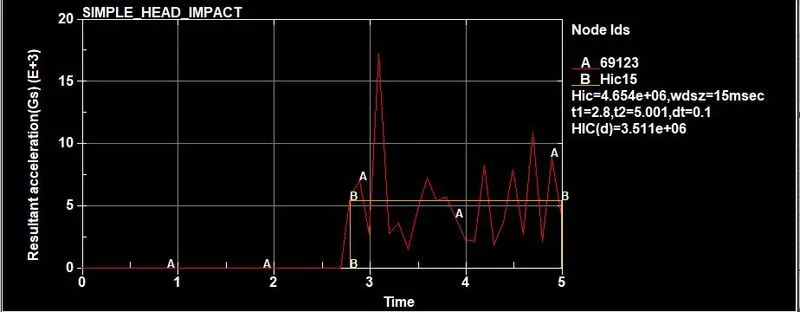
- The HIC is 4.654e+06 calculated between 2.8ms to 5 ms
3. EFFECTIVE STRAIN
CASE 2: PEDESTRIAN HEAD MODEL WITH RIGID WALL
- In this case we will perform the same operation but with a PEDESTRIAN HEAD MODEL
- Now we will open .k file.
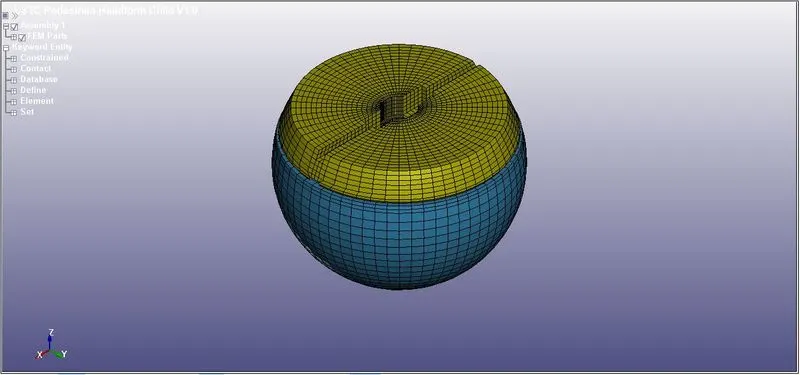
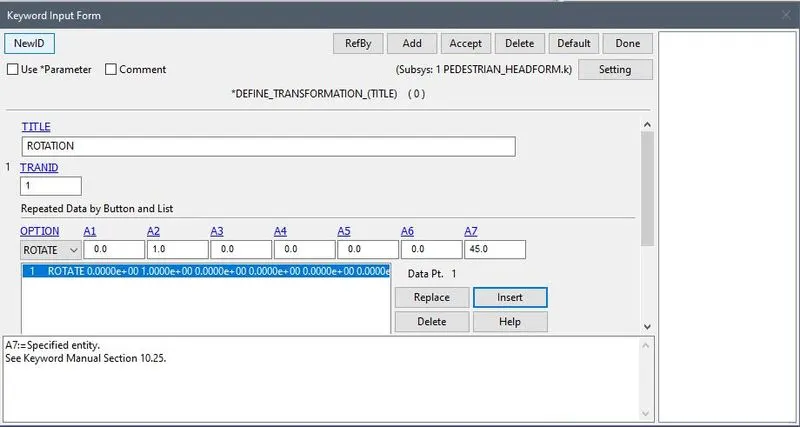
- Now head impact on the rigid wall is generally consider to occure at `45^0` angle.
- So for that we will use the a new KEYCARD i.e. *DEFINE_TRANSFORMATION
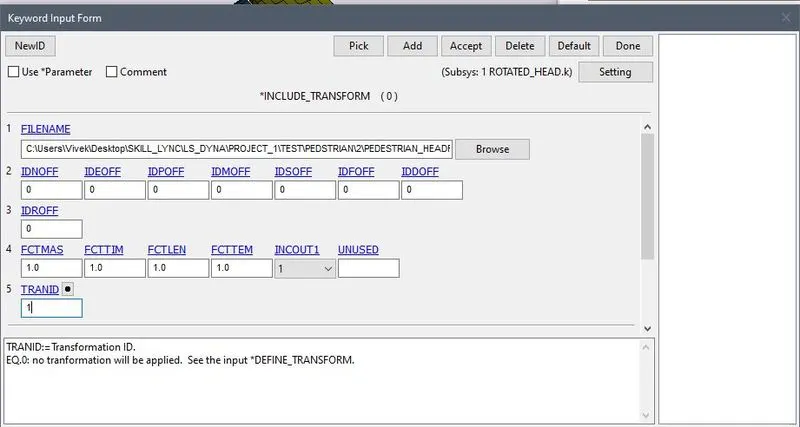
- Now we will use *INCLUDE_TRANSFORM to complete the process
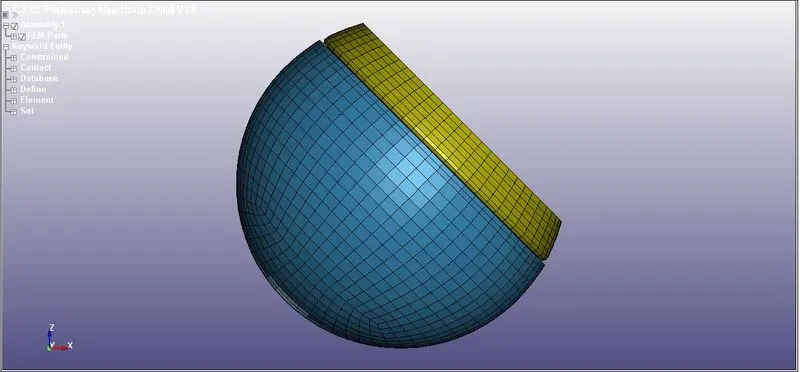
- Now after this operation save this file with a different name. And after that import that file so we can see the change is rotation of the HEAD.
- Now the process of is same.
- First to create the RIGID WALL for the impact and then apply the initial velocity to the PEDESTRIAN_HEAD. With the same process we followed for the SIMPLE HEAD
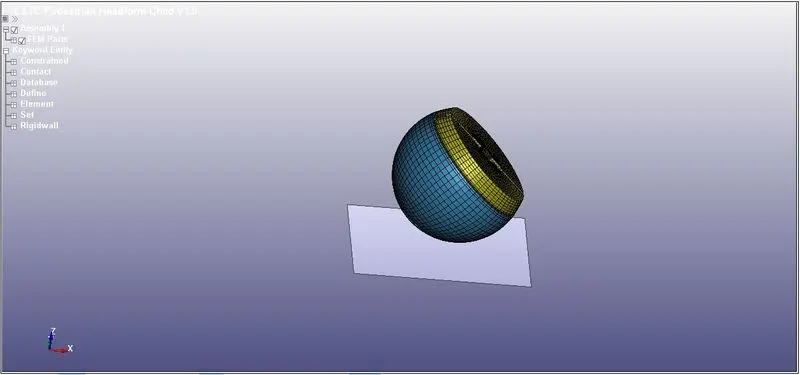
- Now we will assign the initial velocity to the PEDESTRIAN_HEAD.
- This time we will apply intial velocity in X and Z direction that because the head is tilted at `45^0`
- So the velocity will be 7.85mm/ms in X and Z direction
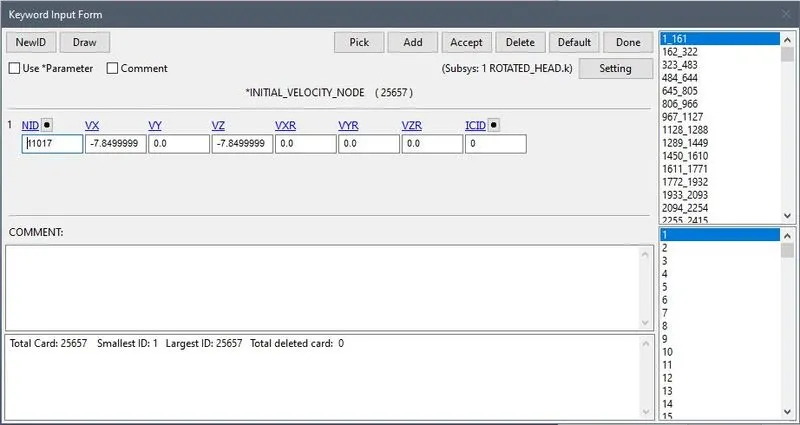
- Now we have assign the velocity next is to assign the OUTPUT data.
- We will choose the data as same in the CASE 1.
- ASCII_OPTION and BINARY_D3PLOT with DT=0.1 ms
- And then TERMINATION=5ms
- Now after that we will run the .k file.
D3PLOT
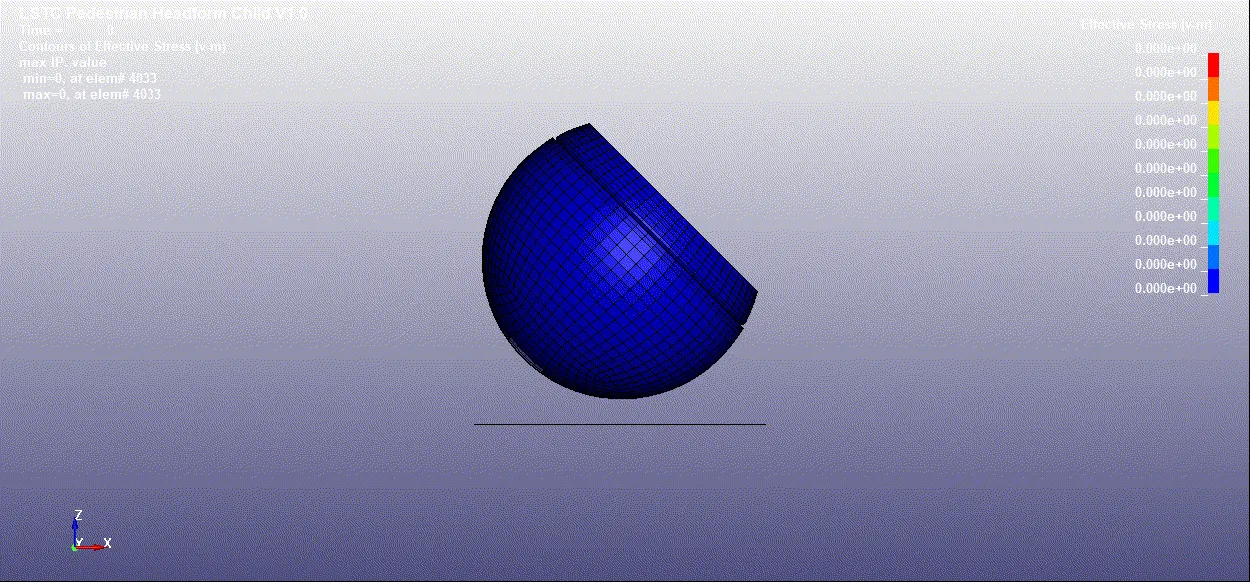
GRAPHS:
1.ENERGY
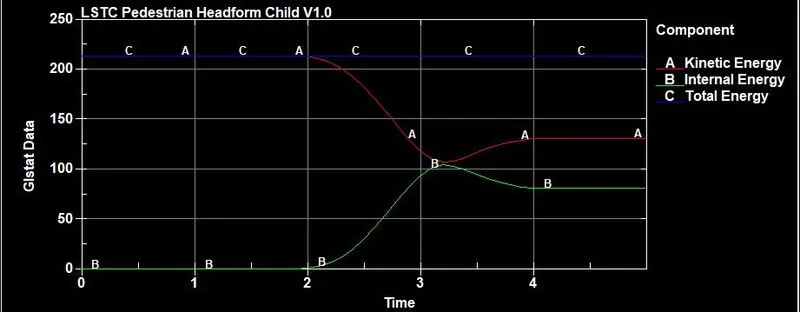
- We can the that the total energy is constant throughout the simulation.
- The Kinetic energy decreases at 2 ms and Internal energy increases at 2ms.
2.HIC
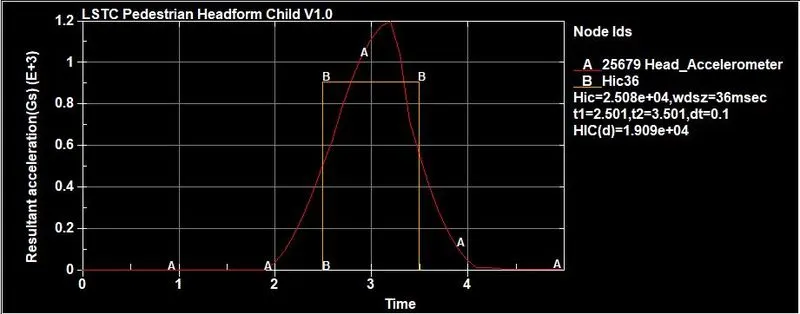
- The HIC is 2.508e+04 calculated between 2.5ms to 3.5 ms
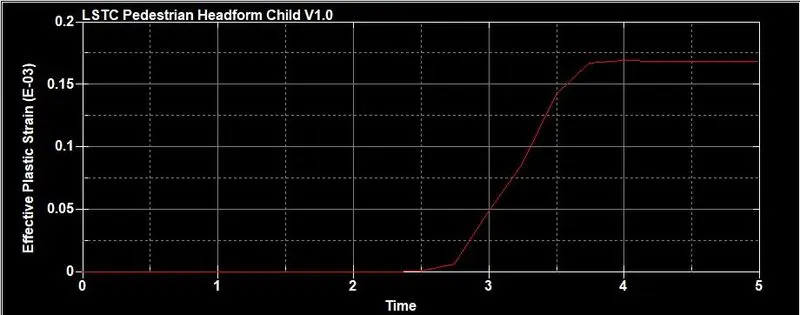
3. EFFECTIVE STRAIN
CASE 3: PEDESTRIAN HEAD MODEL WITH MESH HOOD
- Now in this first we will open MESHED_HOOD.k file.
- Now we will assign the transformation of the PEDESTRIAN_HEAD file as done in CASE 2.
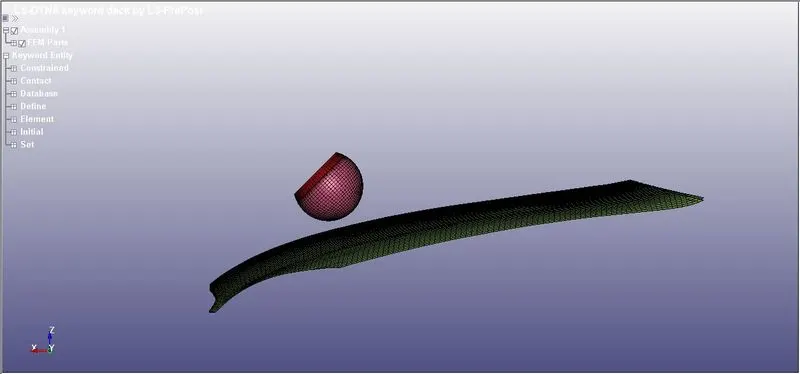
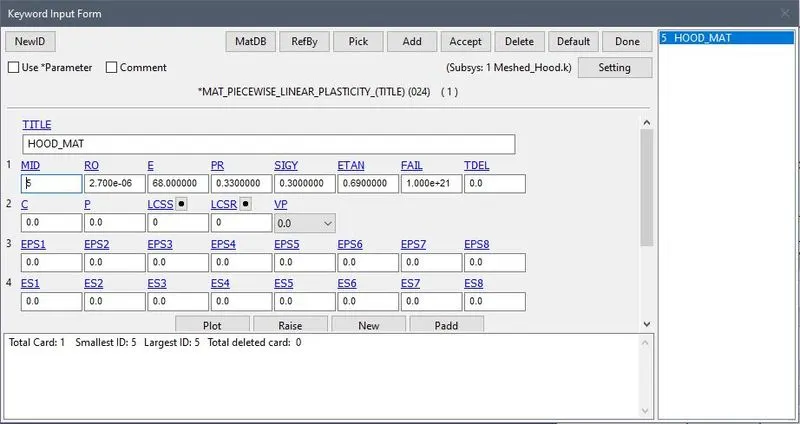
- Now we will assign the material and section to the HOOD element.
- MATERIAL: PIECEWISE_LINEAR_PLASTICITY
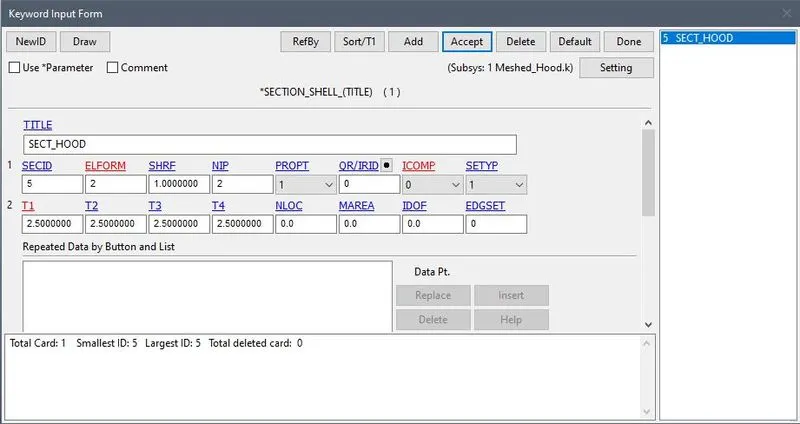
- SECTION: SHELL
- Now we will assign the INITIAL VELOCITY to the HEAD
- Intial velocity is divide in two direction as CASE 2
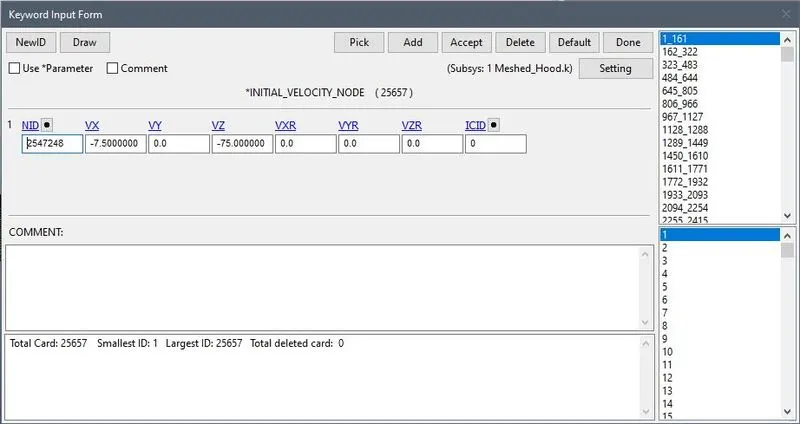
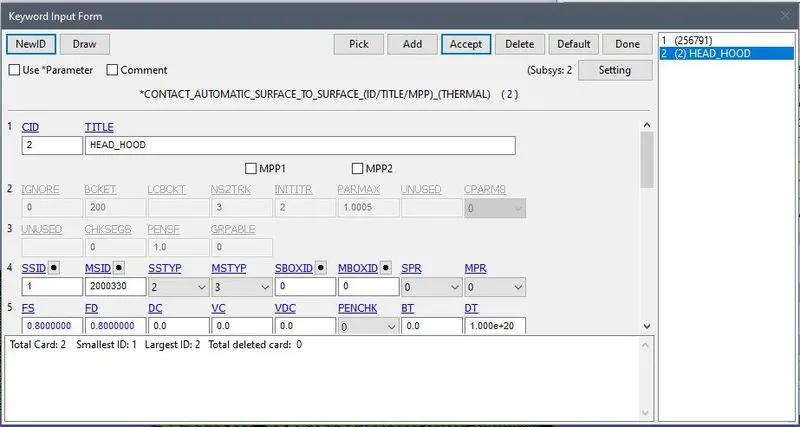
- Now next is contact between the HEAD and HOOD
- We will use AUTOMATIC_SURFACE_TO_SURFACE_CONTACT
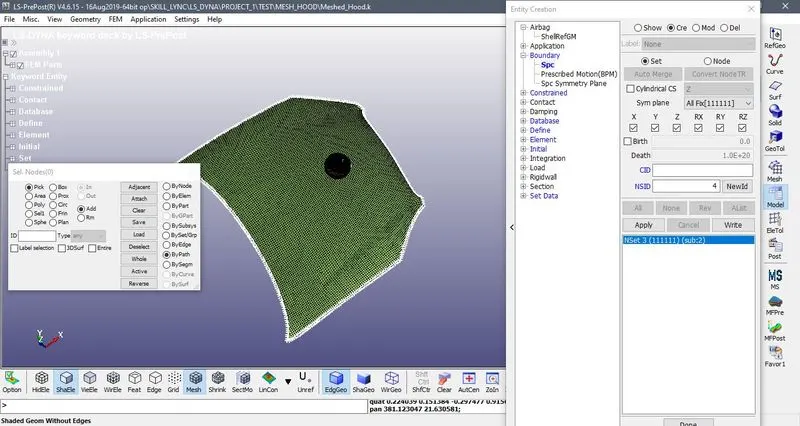
- Now we will set boundary to the MESHED_HOOD
- We will choose the data as same in the CASE 1.
- ASCII_OPTION and BINARY_D3PLOT with DT=0.1 ms
- And then TERMINATION=5ms
- Now after that we will run the .k file.
D3PLOT
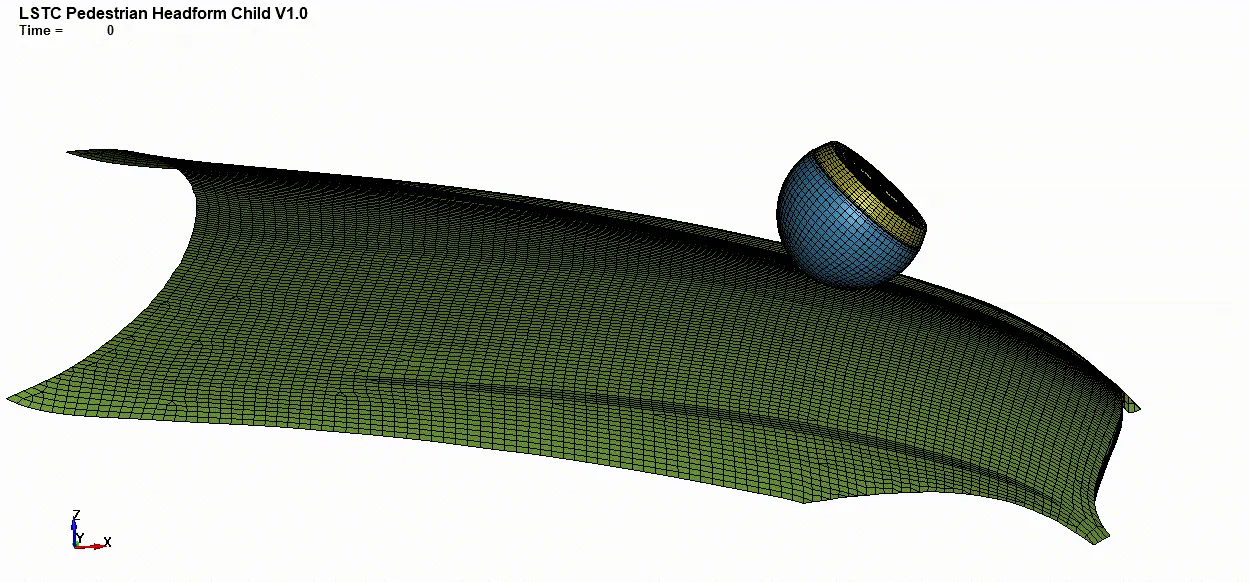
GRAPHS:
1.ENERGY
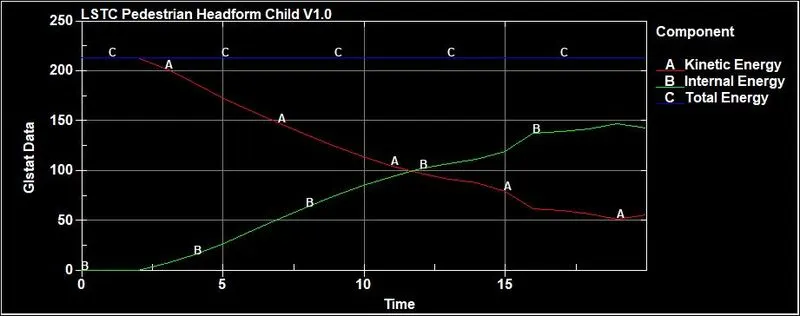
- Here the Kinetic energy start decreasesing from 2.5ms and at the same time Internal energy start increasing.
- Here the Total energy remains constant.
2. HIC
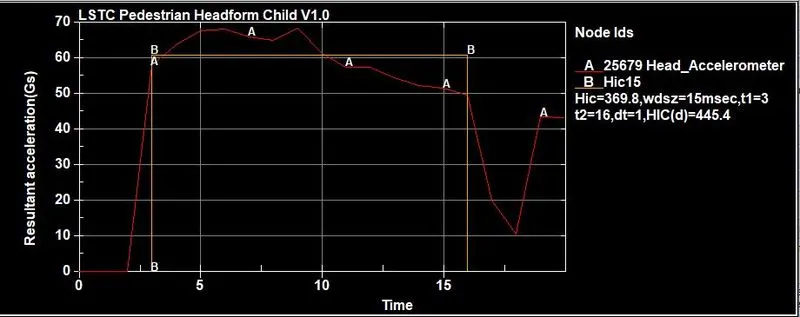
- The HIC is 369.8 calculated between 3ms to 16ms
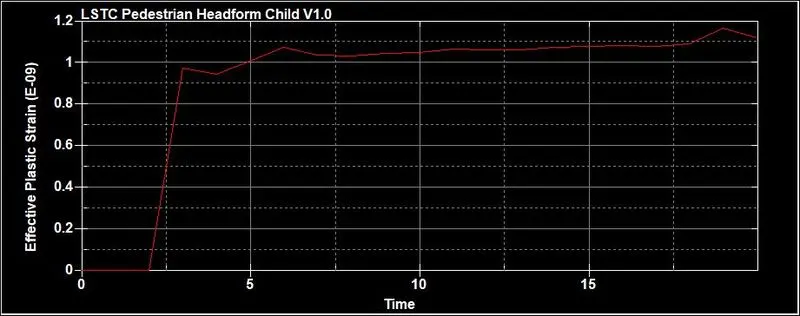
3. EFFECTIVE STRAIN
OUTCOMES:
- Able to use *INCLUDE_TRANSFORM and *DEFINE_TRASNFORMATIN card.
- Got knowledge about HIC.
- Able to perform different types of conditions.
RESULTS:
- Different types of cases has been perforemed.
- The simulation is done.
- The required graphs are plotted.