Week 9 Machining with Planer Challenge
AIM: To perform machining with planer simulation.
PROCEDURE:
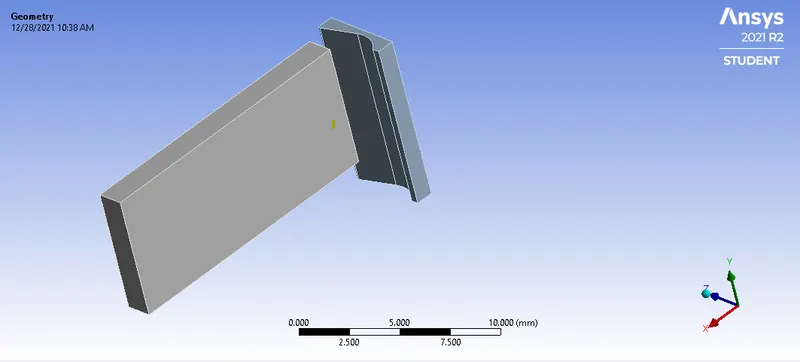
- First we will import the componet in ANSYS workbench. In explicit dynamics. The model is shown below:
- Now next is to assign the material. So for the workpiece we are choosing STEEL 1006 and for cutting tool its a structural steel with RIGID behaviour.
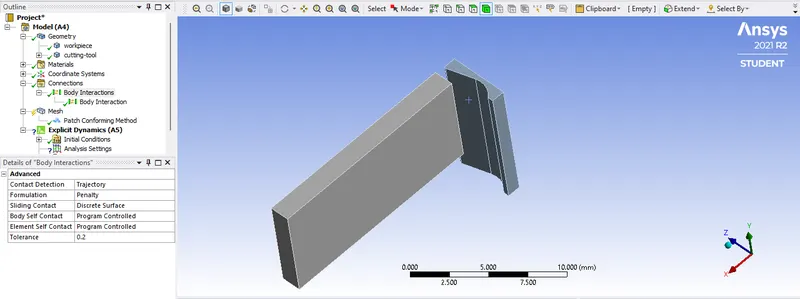
- Now next is to assign the contact to the component. We are giving body interaction to the all the bodies.
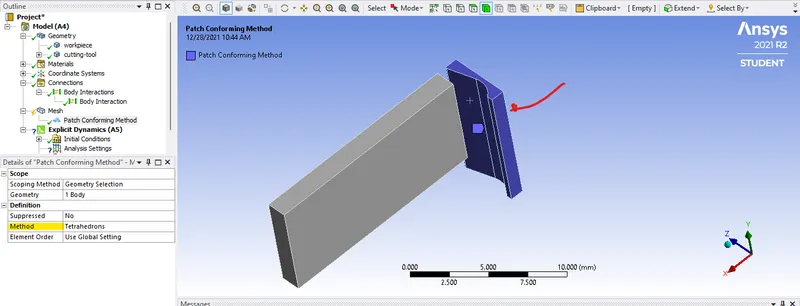
- Now next is meshing, so for this we will use tetrahedrom mesh method for the cutting tool.
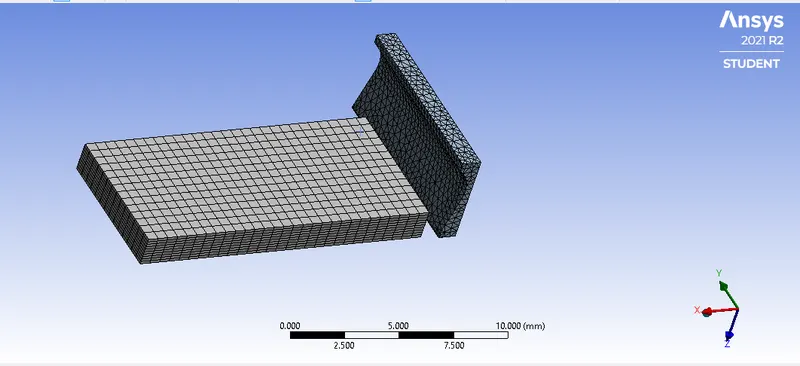
- So the final mesh will look like this.
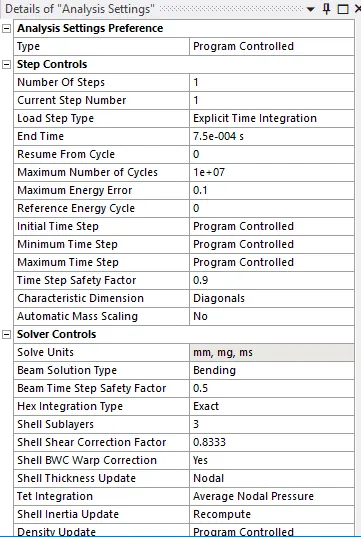
- Now we will define the analysis setting.
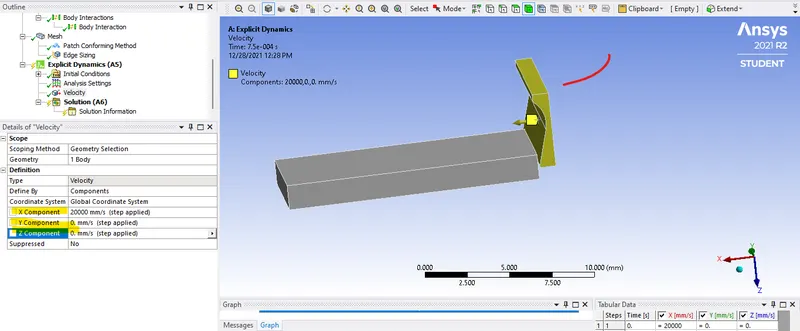
- After that assign the velocity to the the cutting tool. For that inselrt a velocity support as shown:
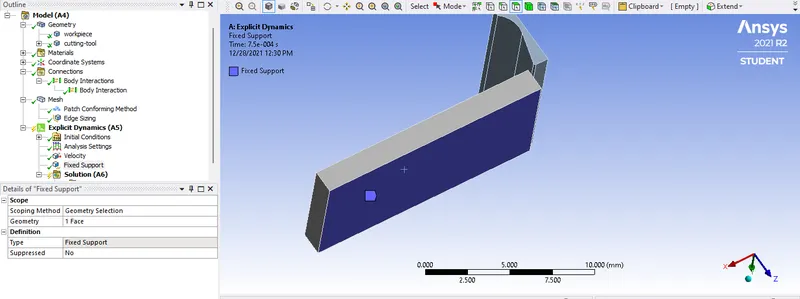
- And next we will fixed the workpiece.
- After this we will add the required result and solve the equation.
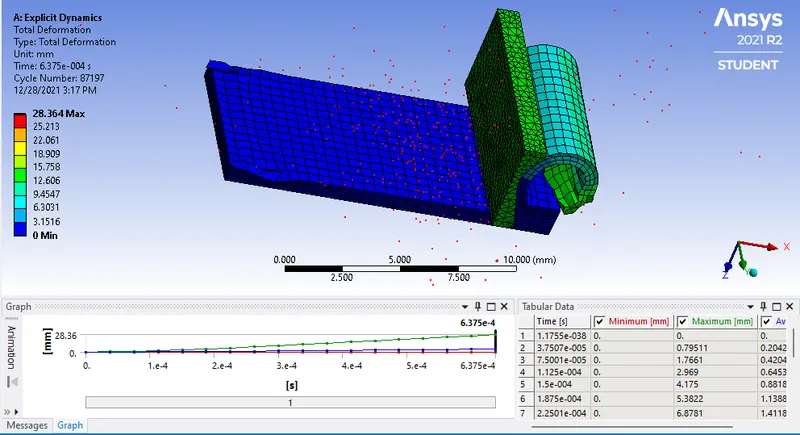
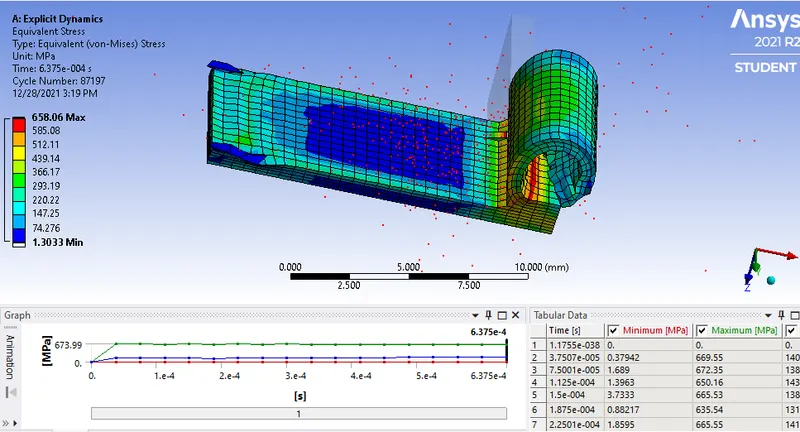
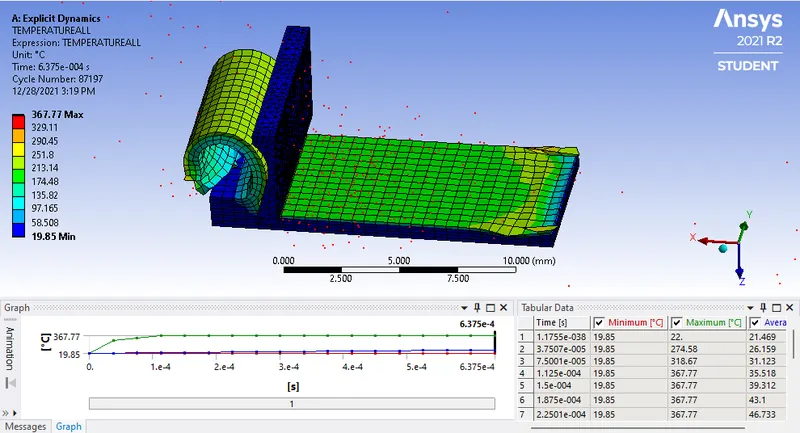
Case 1: With Cutting Velocity of 20000 mm/s
Total Deformation:
Equivalent Stress:
Tempreture:
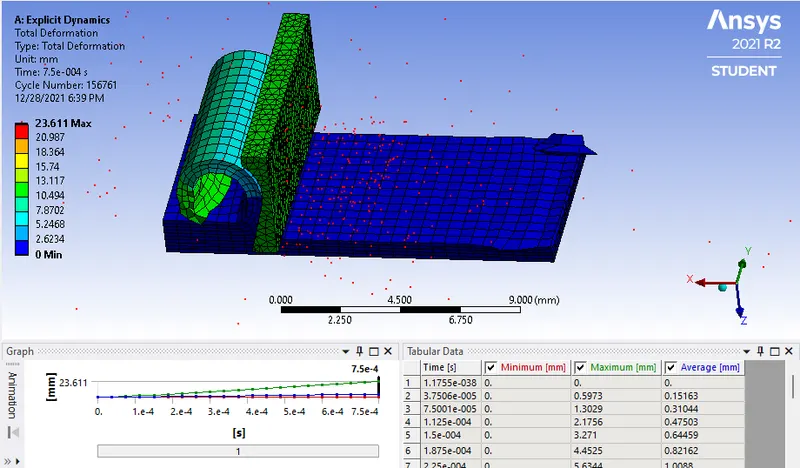
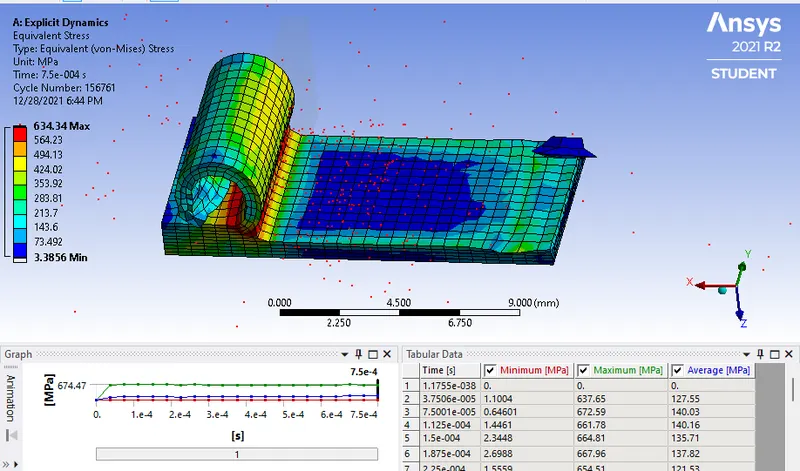
Case 2: With Cutting Velocity of 15000 mm/s
Total Deformation:
Equivalent Stress:
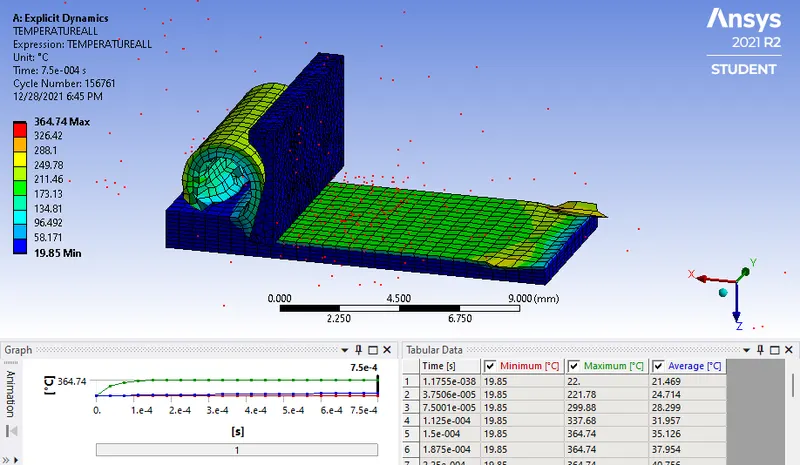
Tempreture:
| Sr No. | Velocity | Total Deformation (mm) | Equivalent Stress (MPa) | Tempreture (C) |
| 1 | 20000 | 28.364 | 658.06 | 367.77 |
| 2 | 15000 | 23.611 | 634.34 | 364.7 |
Results:
- So we have run the simulation for the two different velocities.
- The deformation varies because of the change in velocities.
- Also the equivalent stress decreased as velocity decrease.
- Same with tempreture too.