Week 5 Sphere pressing on a plate
AIM: To perform the simulation for Shpere pressing on plate.
PROCEDURE:
- So first we will import the geometry and apply the required parameters to it.
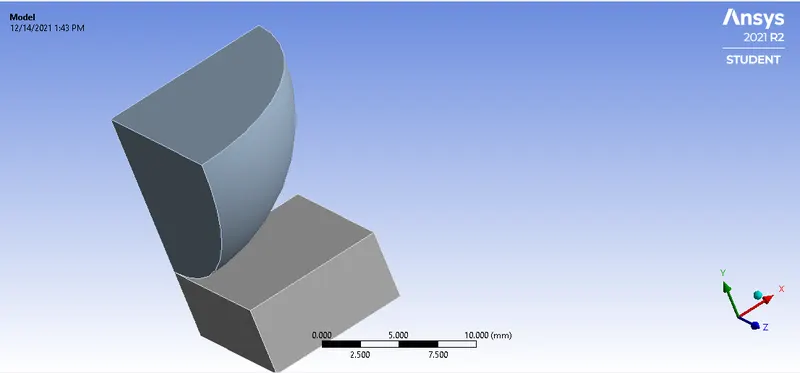
- After this we will assign the Structural steel to the spehre and Structural steel Non linear to the plate.
- Now after that we will apply the connection to the sphere and plate. Select contact as sphere and target as plate.
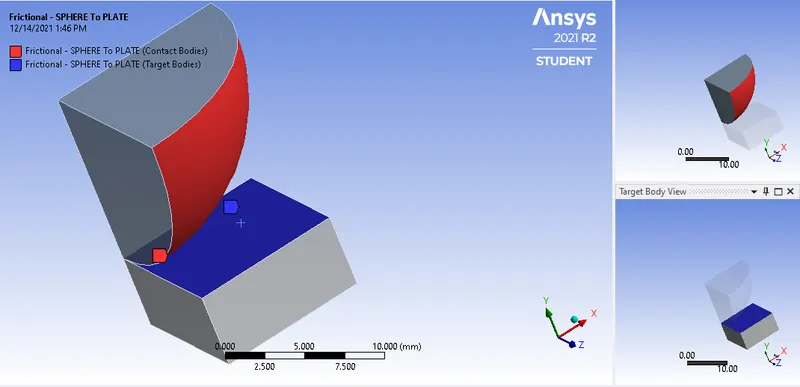
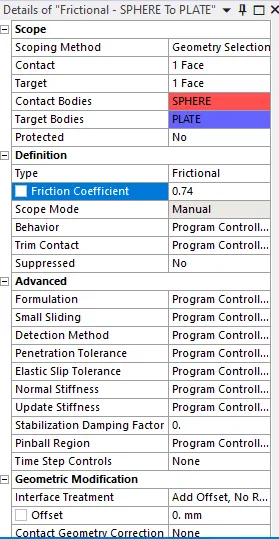
- After that change the setting as shown below:
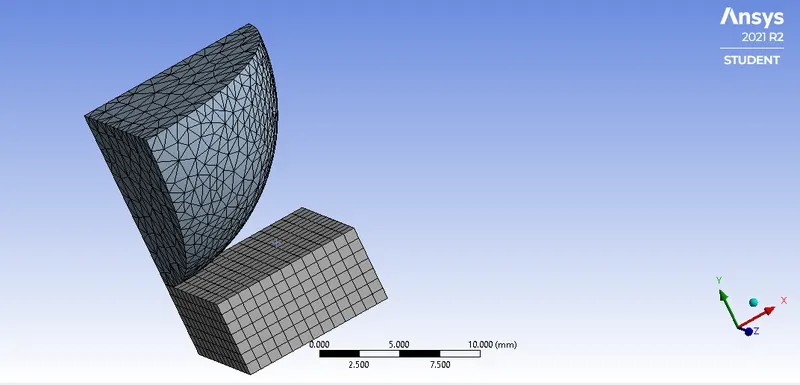
- After that we will mesh the model with element size as 0.8mm.
- Now after that define the analysis setting.
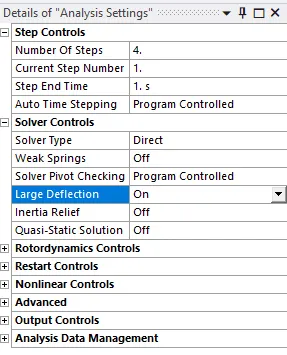
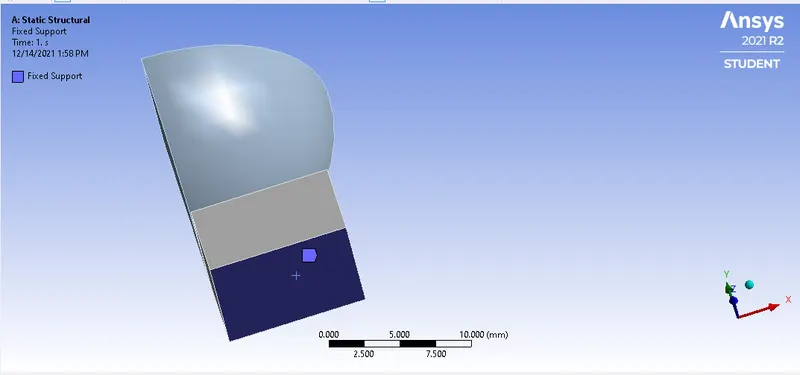
- Now this is done we will fixed the support of the plate as shown:
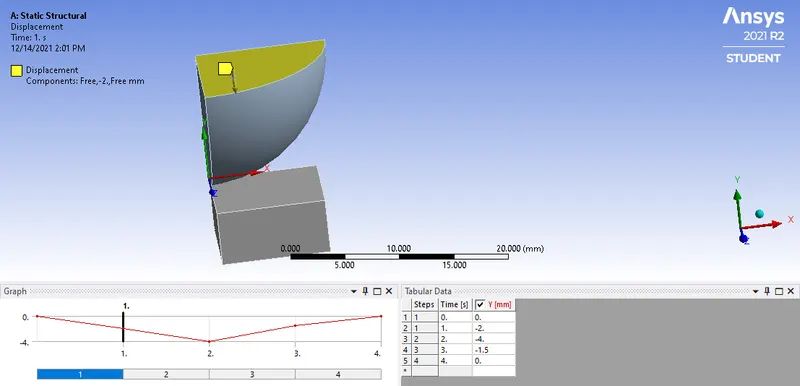
- And then we will apply the displacement to the sphere as shown:
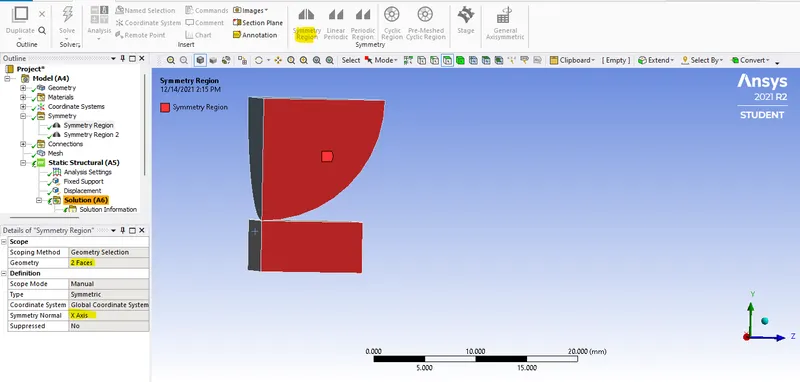
- After that click on the model and select the Symmetruc Region select the faces as shown:
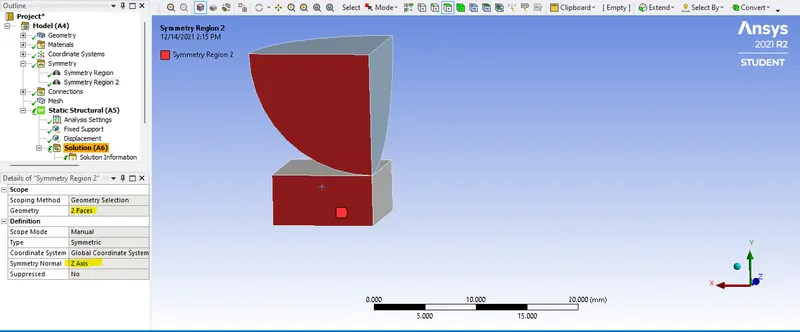
- After this we will add the results we required and solve the equation,
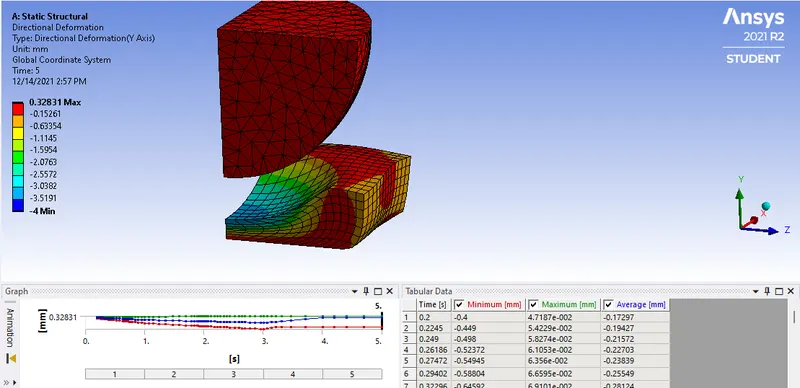
Directional Deforamtion: 0.328 mm
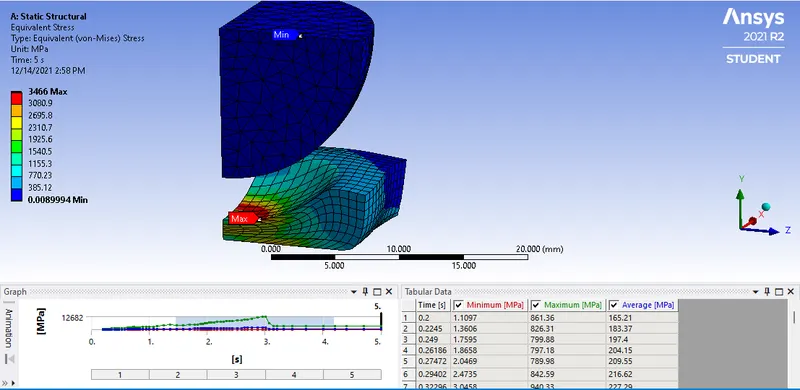
Equivalent stree: 3466 MPa
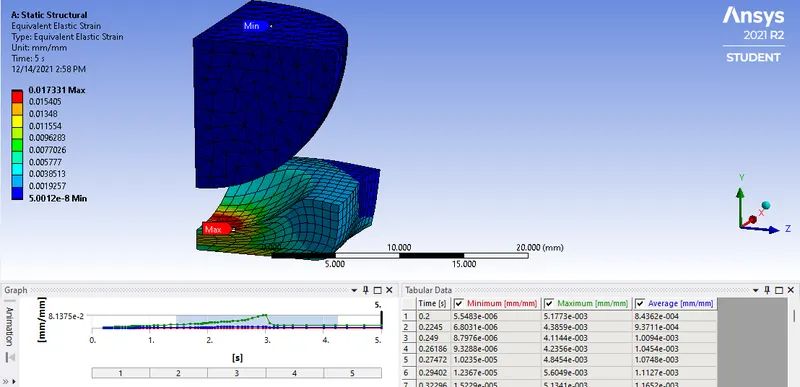
Euqivalent strain: 0.0173 mm/mm
Conclusion:
- As we see the material is plastic because the plate does not regained its orignal shape after removing the load.
- All the results are plotted.