Week 9 Tension and Torsion test challenge
AIM: To perform the torsion and tensile test on given specimen.
PROCEDURE:
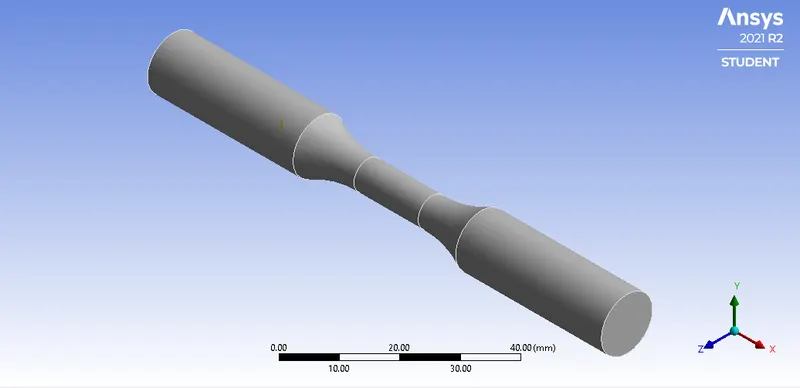
- So first we will import the given model into ANSYS workbench in Explicit dynamics. The model is shown below:
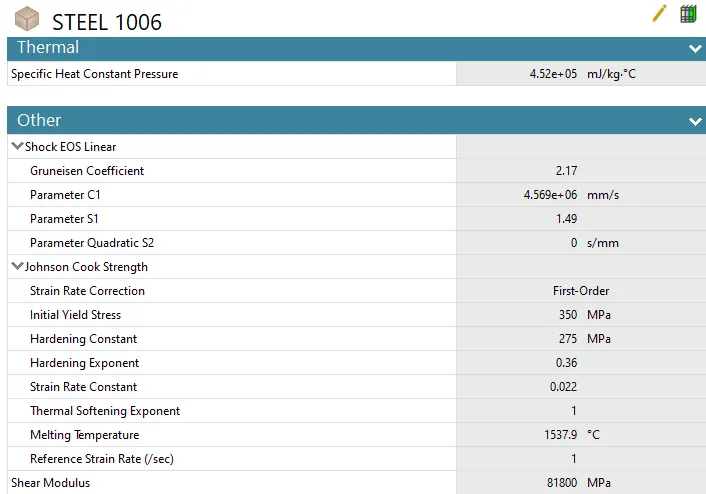
- We are using Steel 1006 material here for this simulation.
TENSILE TEST
- Now first we will create two new cordinate system for the specimen.
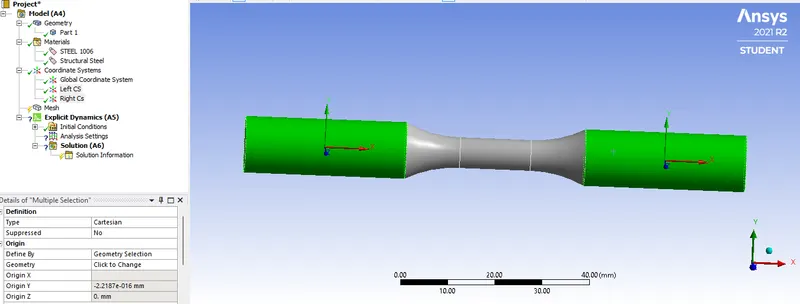
- Now next is to mesh the component. So for this we will do some settings.
- First create a Method select the specimen and select tetrahedrons as method.
- Next is to select the sizing and do the process as follow:
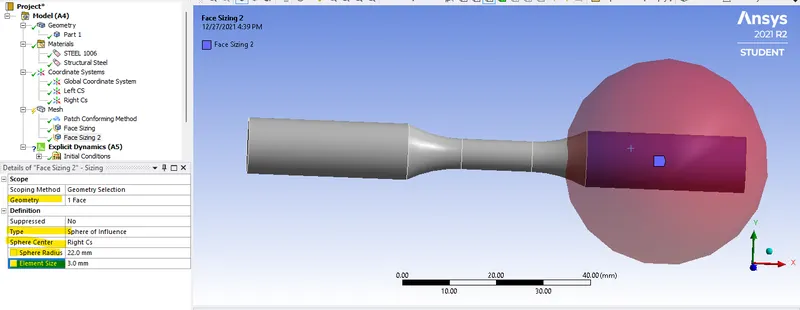
- Do this for the other side too. And then generate the mesh.
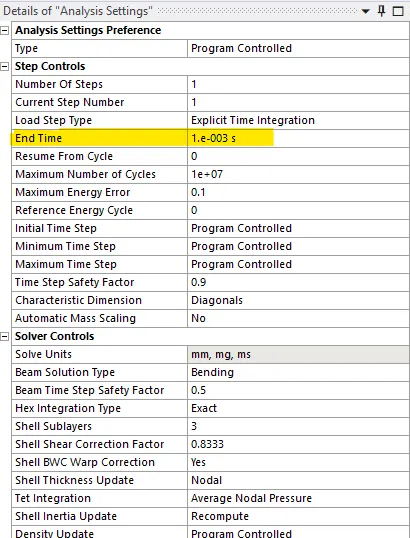
- Now next is analysis setting,
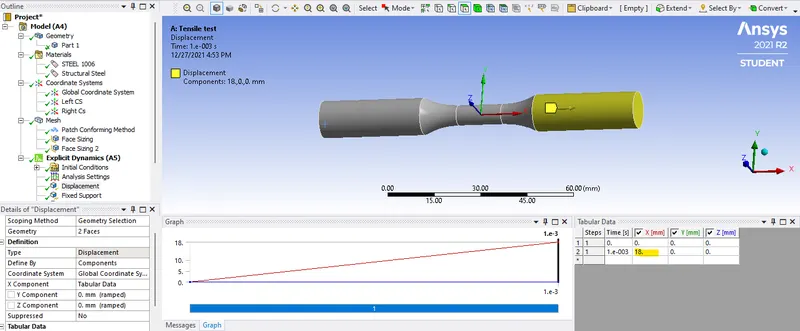
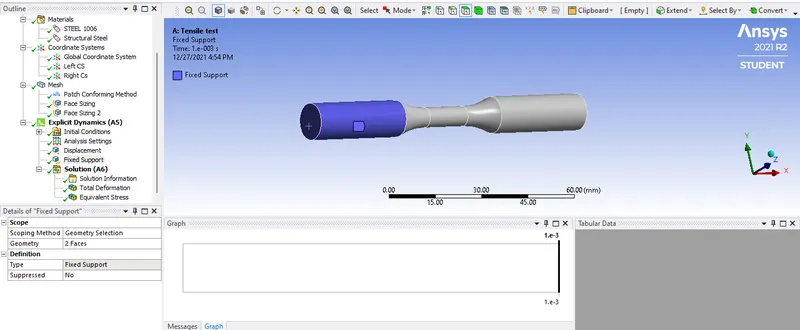
- After that fixed the one end of specimen and give the displacement to the other one.
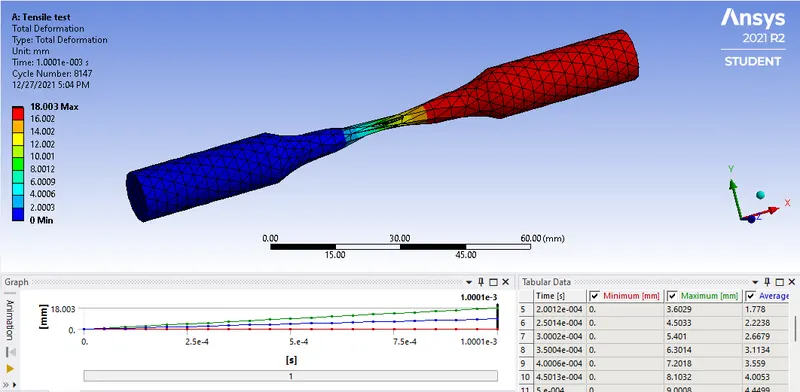
- Now we will check for the result after solving the problem.
Total Deformation:
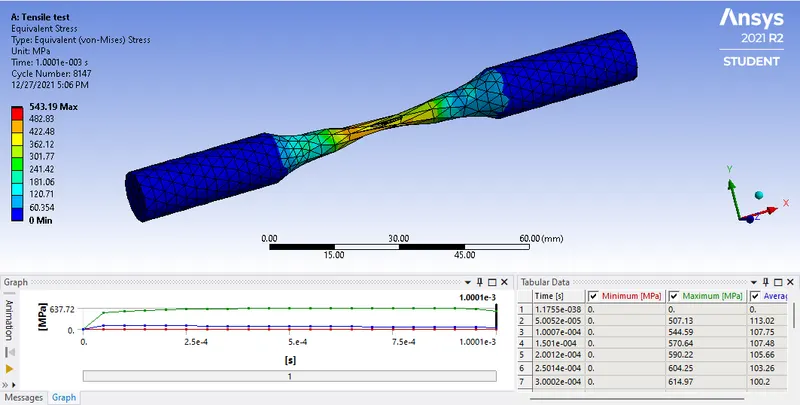
Equivalent Stress:
Tempreture:
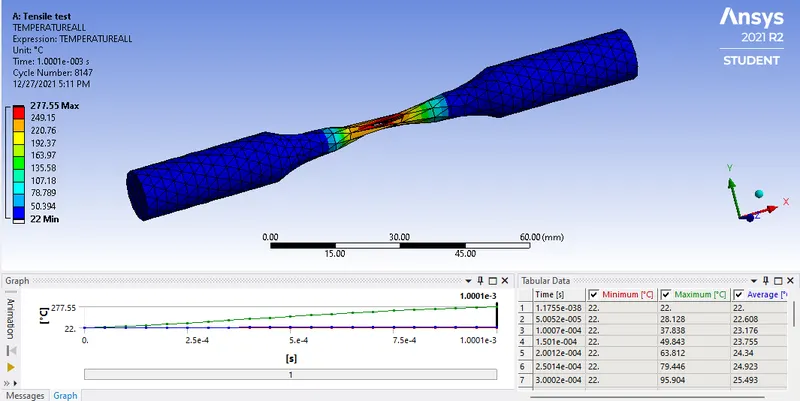
| Sr No. | Total deformation (mm) | Equivalent Stress (MPa) | Tempreture `.^0`C |
| 1 | 18.003 | 543.19 | 277.55 |
TORSION TEST:
- Now next we will duplicate the module for torsion test.
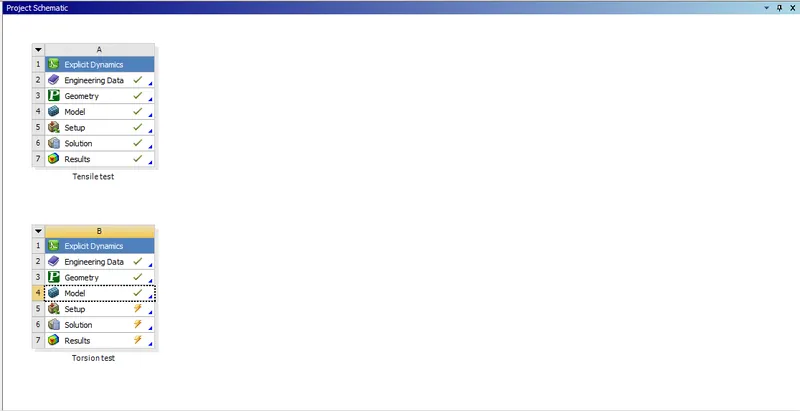
- Now we will do some changes in the model, we will create another co-ordinate system.
- Create a cylindrical co-ordinate system as shown below:
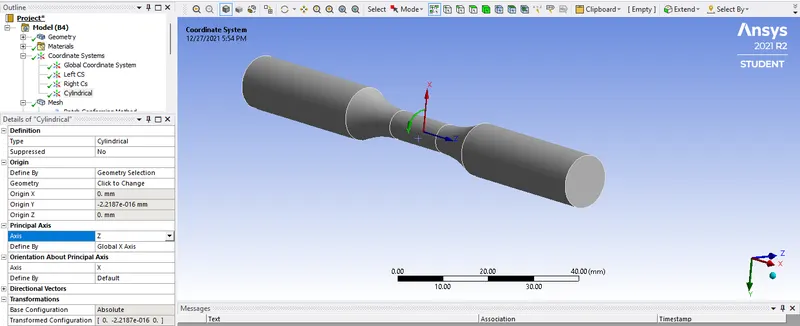
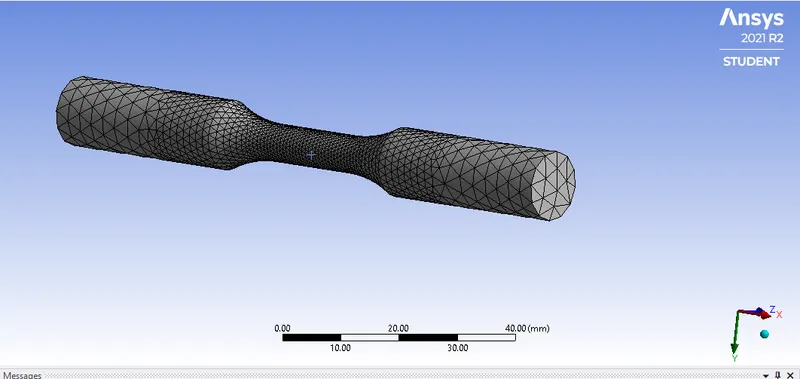
- Now next is to mesh the specimen.
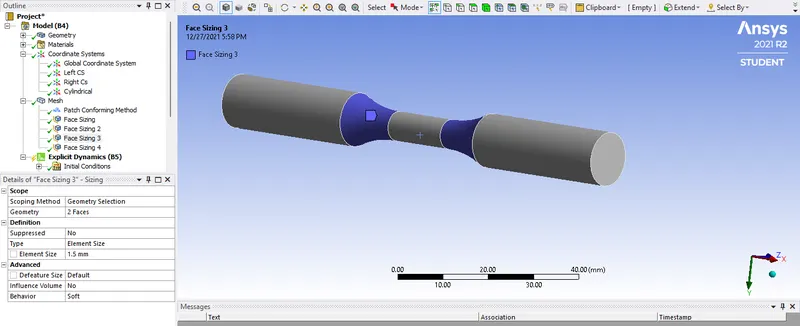
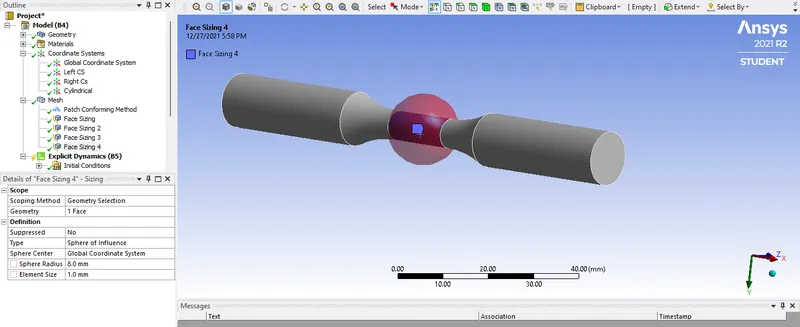
FINAL:
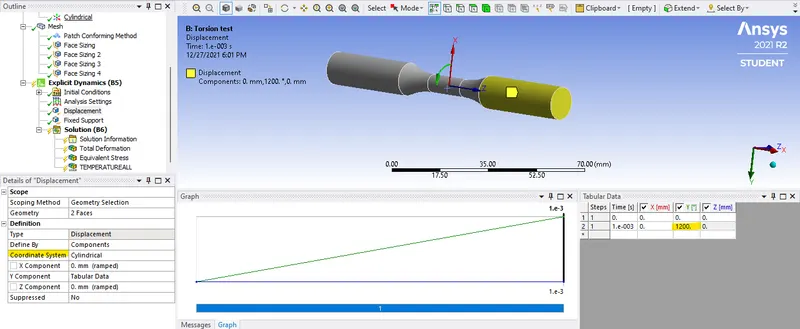
- Now next is to change the displacement setting as shown:
- And then solve the equation.
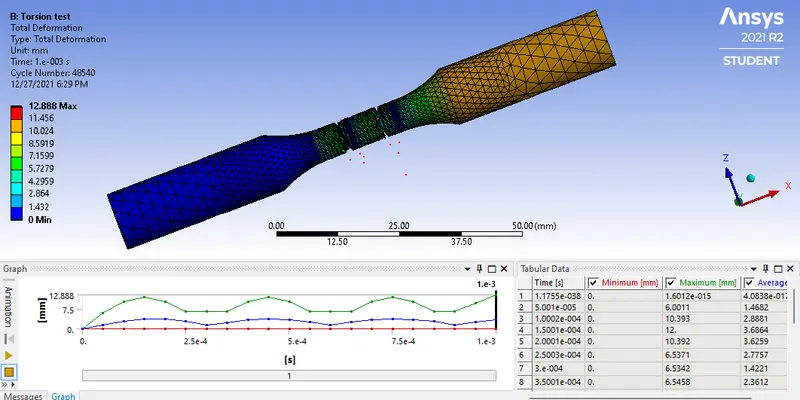
Total Deforamtion:
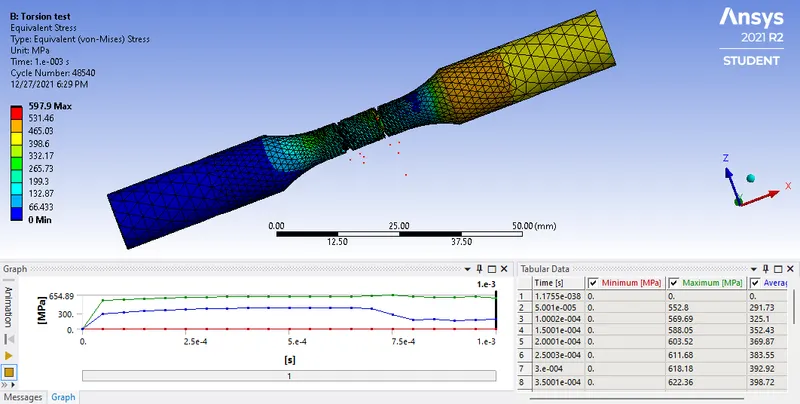
Equivalent Stress:
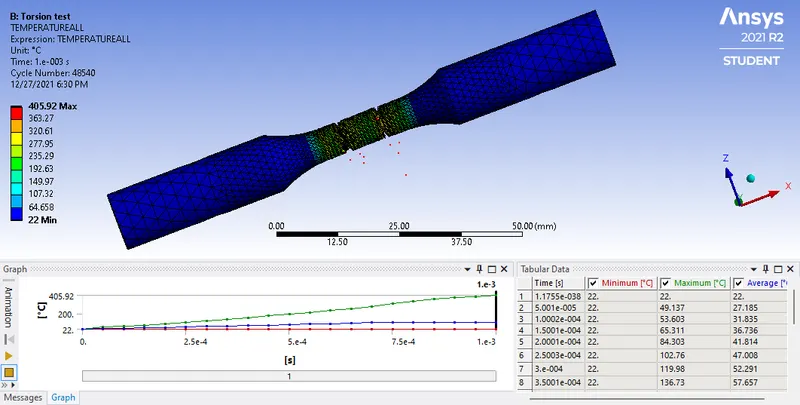
Tempreture:
| Sr No. | Total deformation (mm) | Equivalent Stress (MPa) | Tempreture `.^0`C |
| 1 | 12.88 |
597.9 |
405.92 |
RESULT:
- Tension and torsion test are performed.
- Required results are plotted.
- There is no error in simulation.
- The tempreture increase for torsion test. Also the equivalent stress is more in torsion test.