Week - 5 - Checking and correcting the Normals
AIM: To write the program for checking and correcting the normals.
PROCEDURE:
- So first we will write a code to display normal:
CODE and EXPLANATION:
| CODES | EXPLANATION |
| *clearmarkall 1 | #It will clear all the previously selected elements |
| *setnormalsdisyplaytype 1 | # It will display the normals in colour. |
| *createmark elements 1 "displayed" | # It will display the all the displayed element. |
| *normalsdisplay elements 1 | #It will turns on the display of element normal. |
| *clearmarkall 1 | |
| *createmarkpanel elements 1 " Select elements to reverse" | #It will create a panel to select the element and stored it. |
| *normalreverse elements 1 | #This will reverse the normal of elements which you have selected |
| *createmark elements 1 "displayed" | |
| *normalsdisplay elements 1 |
CREATING Widget
#setting a window
set a .window
catch {destroy $a}
toplevel $a -class TopLevel
#managing window size and name
wm title $a "Normals"
wm geometry $a 250x70+100+500
wm resizable $a 0 0
wm deiconify $a
#assigning buttons
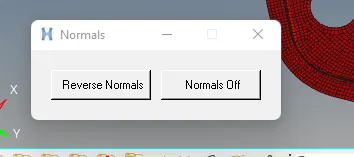
button $a.01 -text " Reverse Normals" -command {*createmark elements 1 "displayed" ; *normalsreverse elements 1} ;
place $a.01 -x 20 -y 20 -width 100 -height 30
button $a.02 -text " Normals Off" -command {*createmark elements 1 "displayed" ; *normalsoff} ;
place $a.02 -x 130 -y 20 -width 100 -height 30
Output:
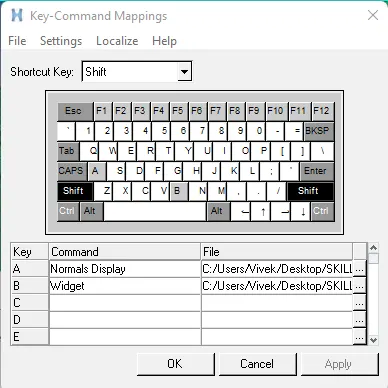
Assigning to the Keyboard Shortcuts: