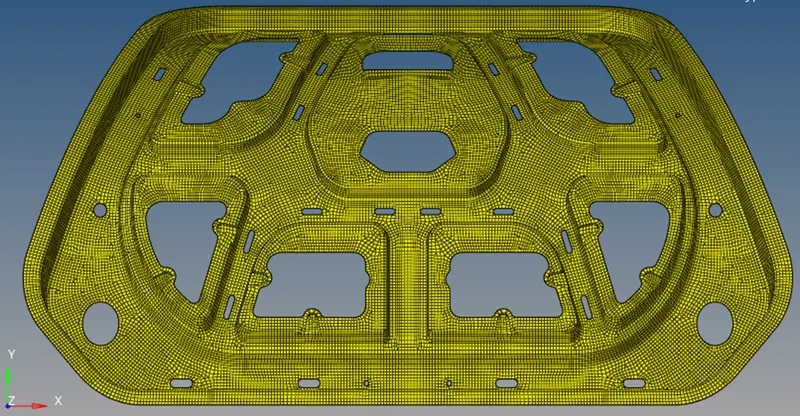
•Generating Midsurface, •Defeature the fillet •Generating mesh •Model should pass all the given quality parameters.
Aim:
- Generating Midsurface and geometry clean up on the given component.
- Defeature the fillet which is less than 2mm in length and in the fillet region. The Min. Length errors are acceptable in the fillet portion.
- Generating mesh on the given component with low tria concentration and proper mesh flow.
- Model should pass all the given quality parameters
Element quality criteria:
|
S.No |
Quality Criteria |
Value |
|
1 |
Target Element Length |
5 mm |
|
2 |
Aspect Ratio |
3 |
|
3 |
Skewness |
45 |
|
4 |
Warping |
30 |
|
5 |
Taper |
0.5 |
|
6 |
Min. Length |
3 mm |
|
7 |
Max. Length |
7 mm |
|
8 |
Min angle Quad |
45 |
|
9 |
Max angle Quad |
135 |
|
10 |
Min angle Tria |
30 |
|
11 |
Max angle Tria |
110 |
|
12 |
Tria % |
15 |
Imported Model:
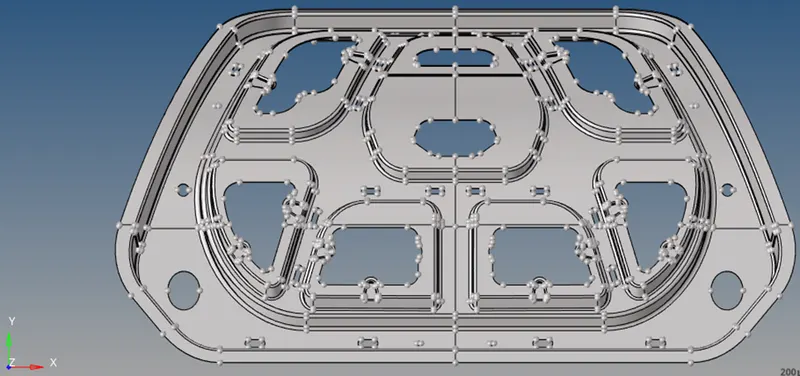
in topo view:
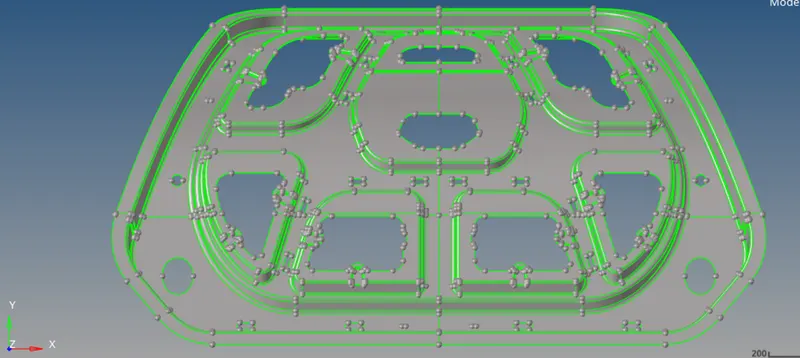
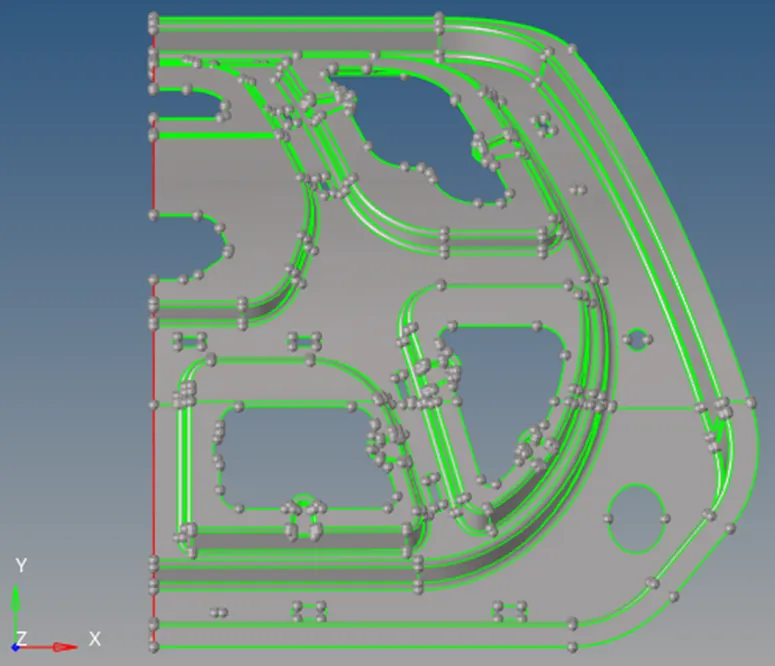
From the geometry it can be observed that the model contains no solids hence the model is made up of 2D shell or sheet metal. The edes are coloured green,that means the edges are shared edges. A shared edge is an edge that is owned or shared by two adjacet surfaces.Further more the model is symmetrical about y-axis, hence we can consider only one half of the model for topology clean-up, extracting mid-surface and meshing.
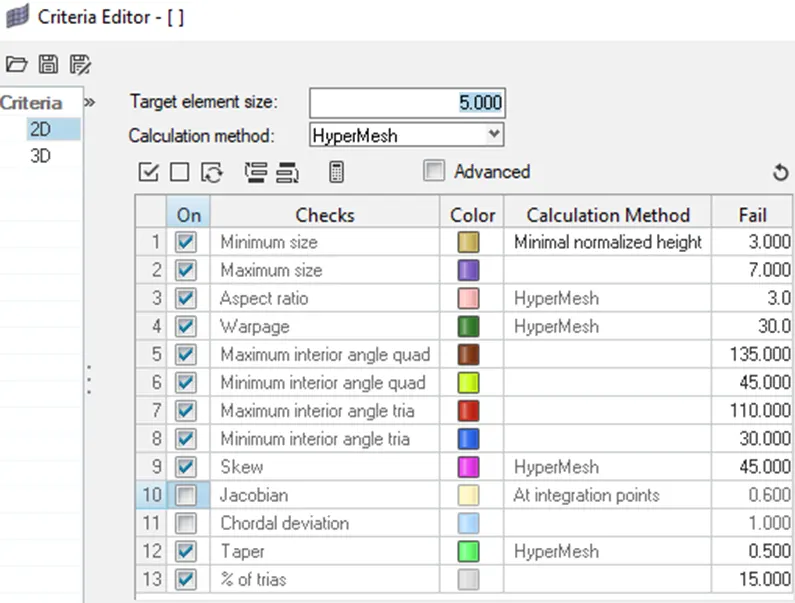
Setting up mesh criteria as per our objective:
Deleating one-half of the geometry:
Since, the geometry is symmitrical we can work on one half to get the mesh and later reflect the geometry to get the complete mesh.
Defeaturing the fillets:
The component has no solid but it has lot of fillets. Depending upon industry standards, if the fillet is small enough we can remove it. Hence, Defeaturing the fillet which is less than 2mm in length and in the fillet region.
For defeaturing the fillets we have 2 options:
- We can defeature the fillets of the original geometry.
- Or, we can first extract the mid-surface and then defeature the fillets.
- Defeaturing the original geometry:
By removing fillets this way, it was observed that, the mid-surface that was extracted afterwords, was highly distorted, especially around the area where the fillet deaturing took place.
Hence, we will first extract the mid- surface, then defeature the fillets and finally mesh the geometry.
Creating manual mid surface by off-setting the surface:
When we deal with complex geometry with different thicknesses, this manual mid surfacing is very helpful.
Measure distance between two points:
Press f4
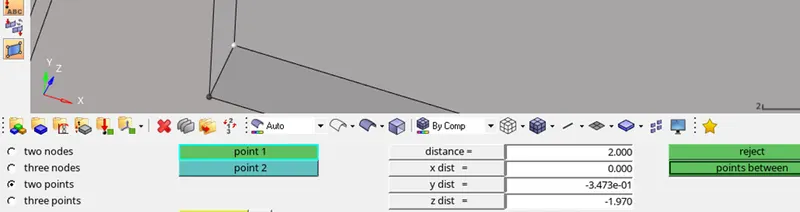
so, we can see the distance between two points is 2. Hence the surface should be off-set by 1.
Now, creating new component namely ‘mid-surface’.
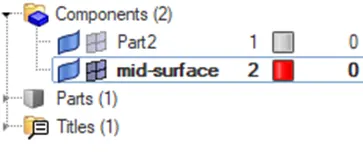
Now go to ‘geom’ -> surface edit
before off-setting, duplicate the surface to current component.
Now select the surface and click on offset.
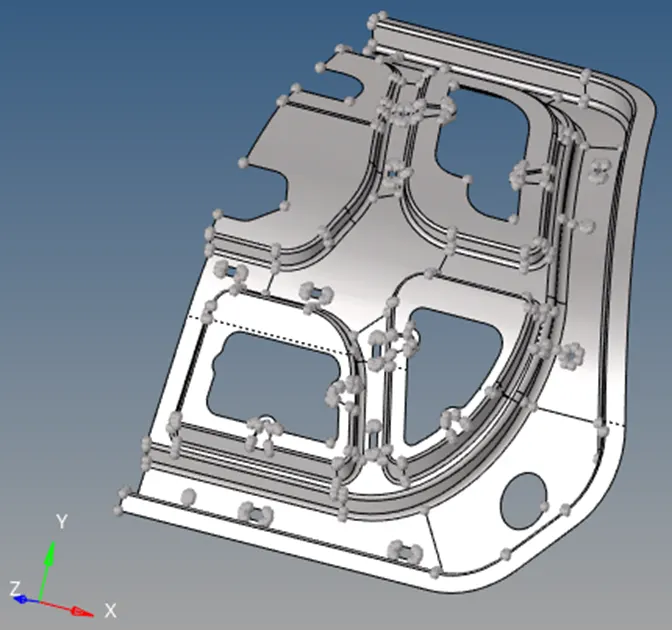
Extracted mid surface:
Defeaturing the fillets:
Go to -> Geom -> Defeature -> Surface Fillet


select on displayed and then click find.
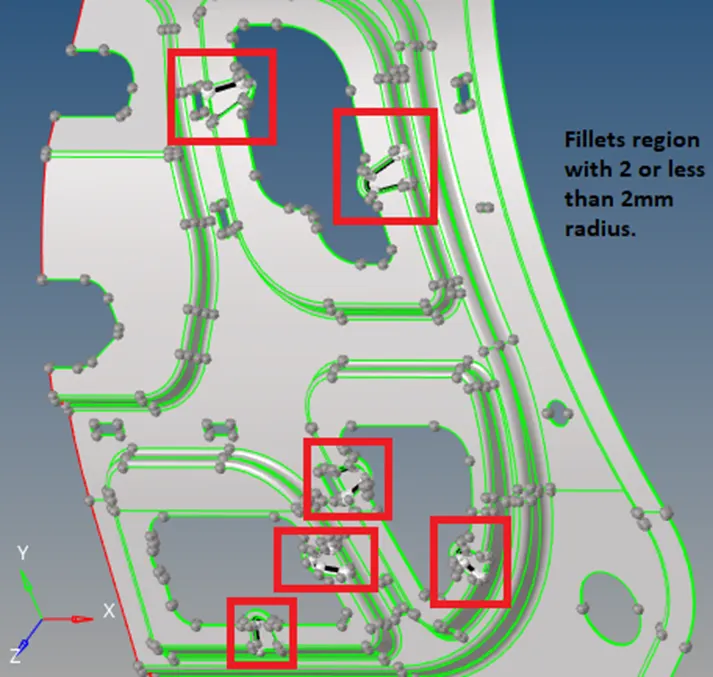
Click on ‘Remove’ to remove the fillets.
We can see the following error

Now, mannually removing the fillets:
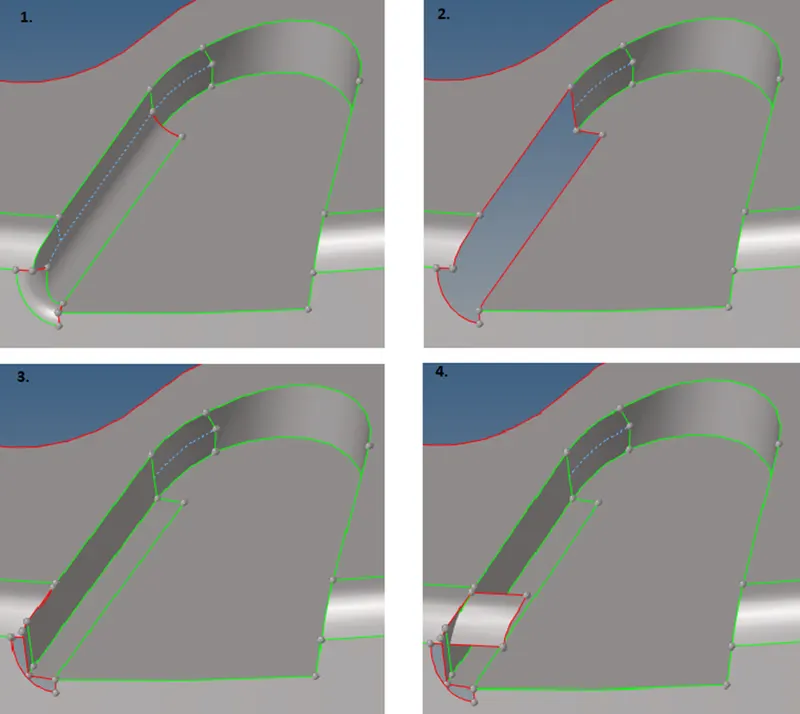
- This shows, the Fillet to be removed.
- Deleting the fillet surface.
- Measuring the distance’ b/w points and then creating surface, by going to ‘Geom’ - > Surfaces -> ‘Drag along vectors’.
- Extending the curved surface by again using ‘Drag along vectors’.
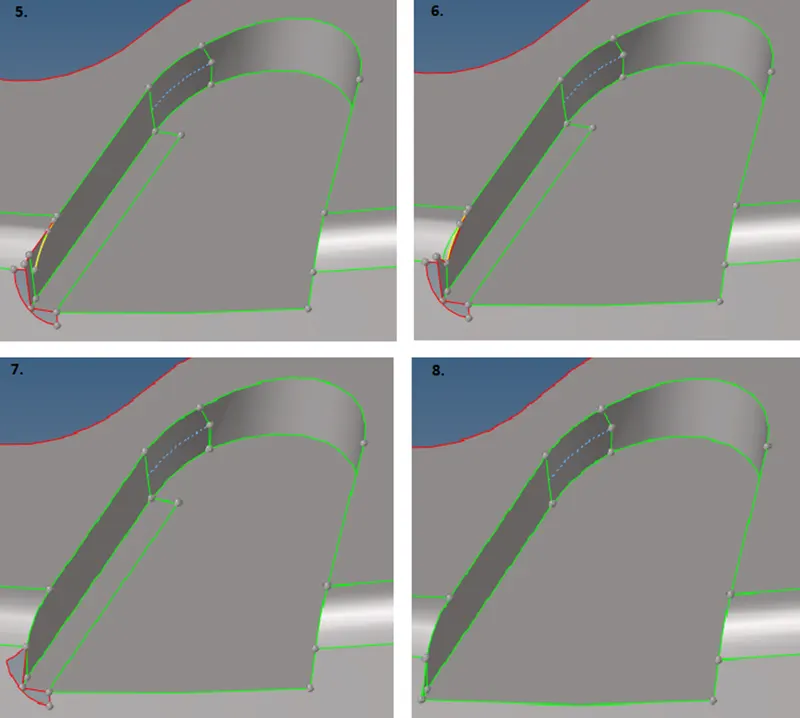
- Trimming the surface using ‘Surface edit’ option in ‘Geom’ page. And then going to ‘trim with surfs/plane’ -> ‘with surfs’ .
- Replacing the points, using ‘Quick edit’ option in ‘Geom’ page.
- Replacing the remaining points.
- Replacing the remaining points.
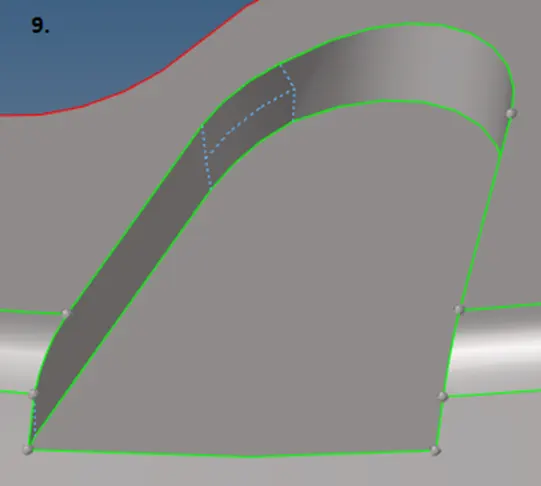
- Fillet Removed Successfully.
Final Geometry for Meshing:
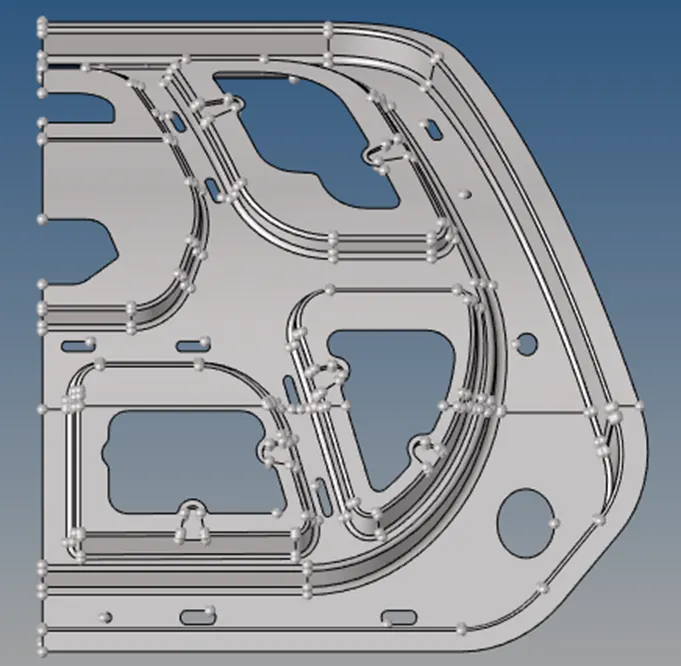
Geometry after auto clean up:
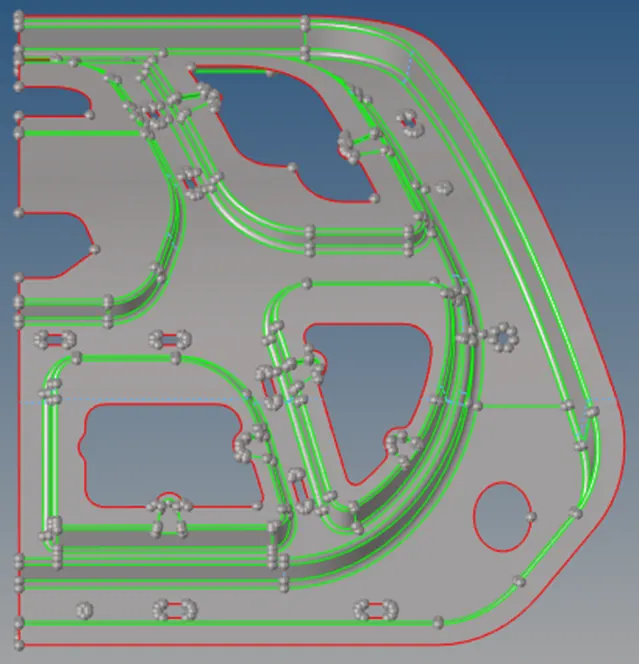
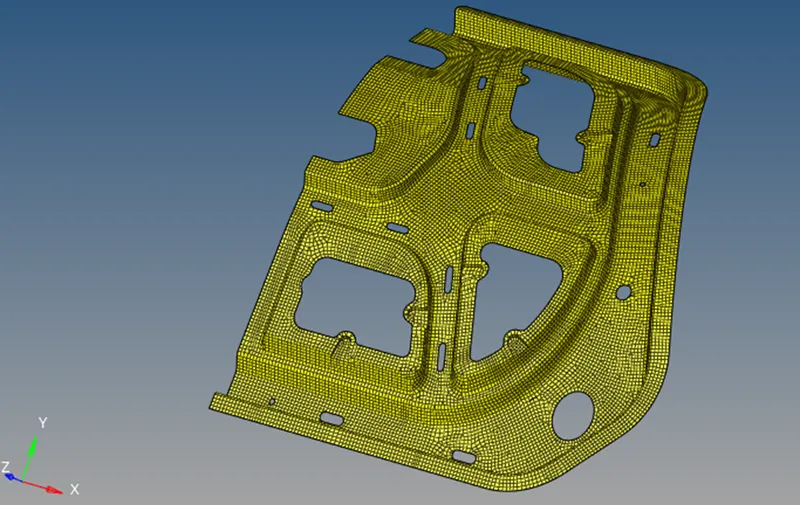
Geometry after meshing:
Reflecting to get entire mesh:
After meshing one half, we can reflect and duplicate its mesh element along an axis to get the entire meshed geometry.
But before reflecting make the component your current component.
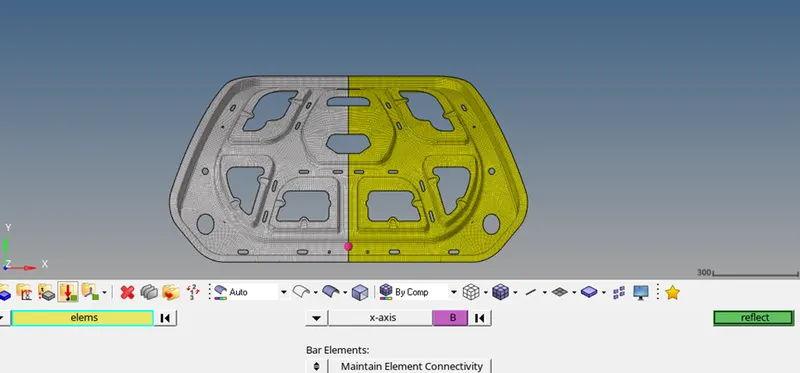
Go to, Edges -> find edges
Edges will be marked by ‘red line’.
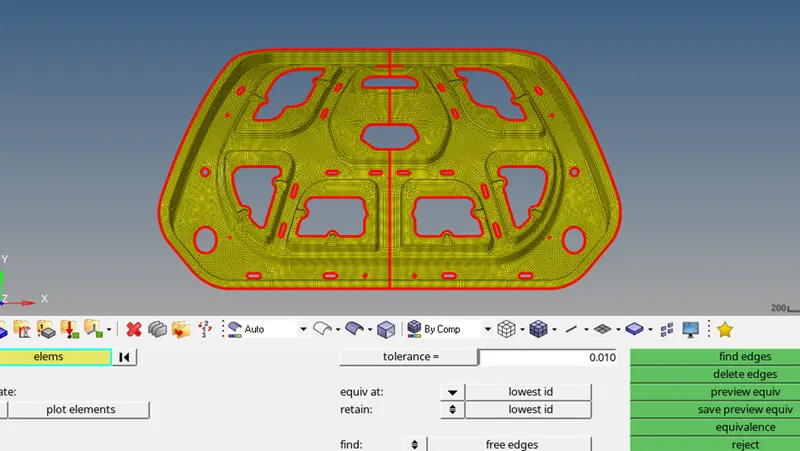

Again, we can click on equivalence and we can see that all the free edges have been filled.
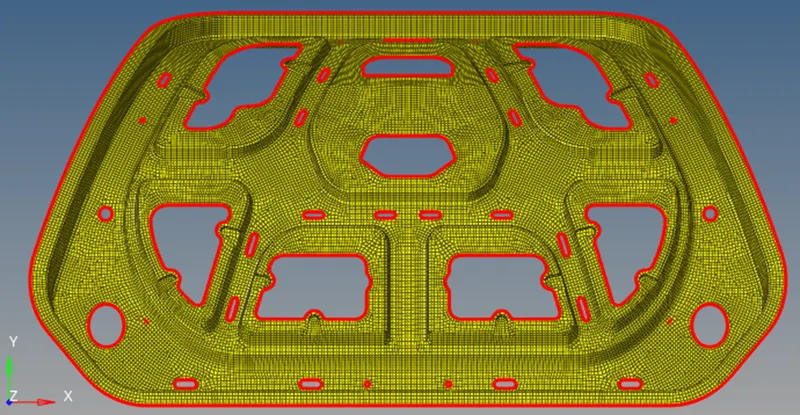
Final meshed component is as shown below: