Week - 4 - Crash Box Simulation
AIM: To create a complete simulation file for Crash box with required keyword
Procedure:
- Open the keyword file and look for the available keywords
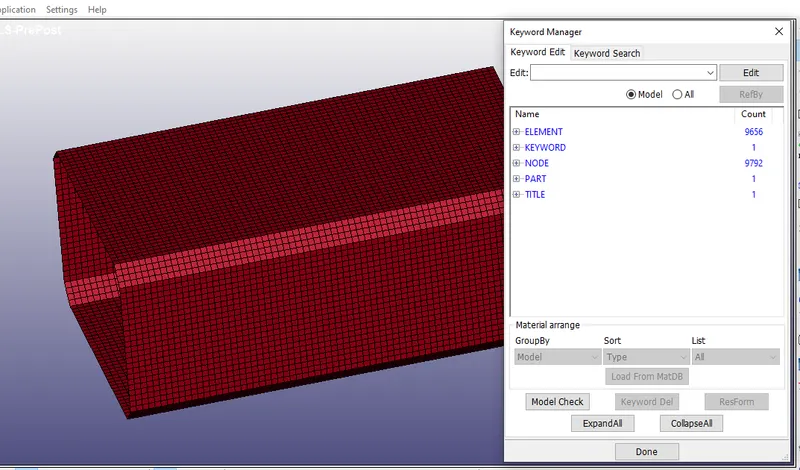
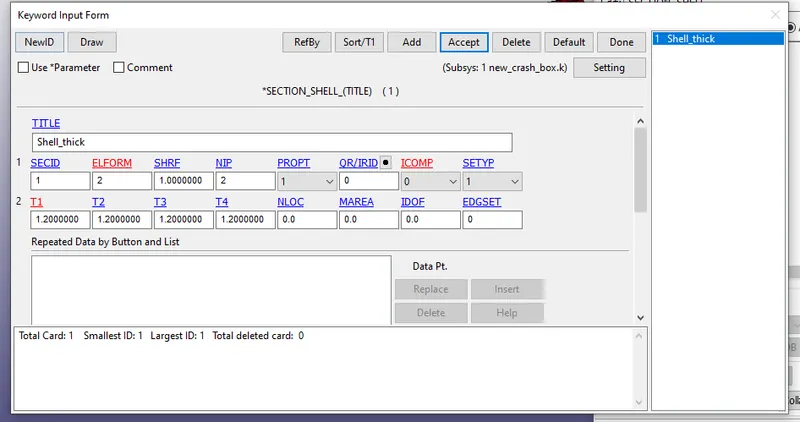
- Create a SHELL section of 1.2mm and 1.5mm for both cases
- Go to keyword manager> Section> SHELL
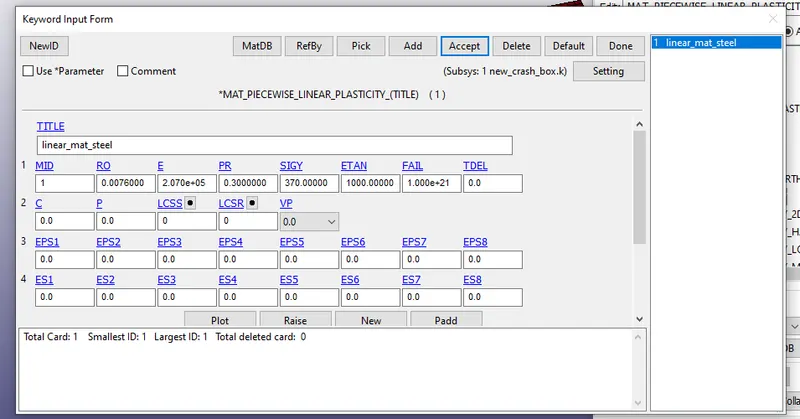
- Create a linear plasticity Material go to keyword manager>MAT>
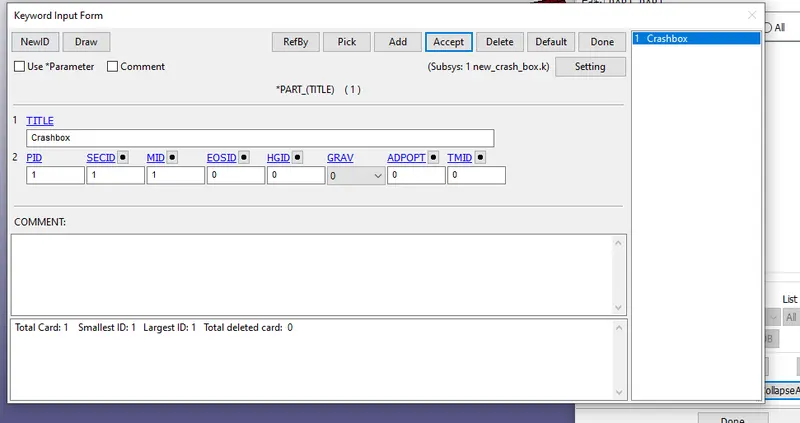
- Create Part and assign the section ID and Material ID whhich is created in previous step
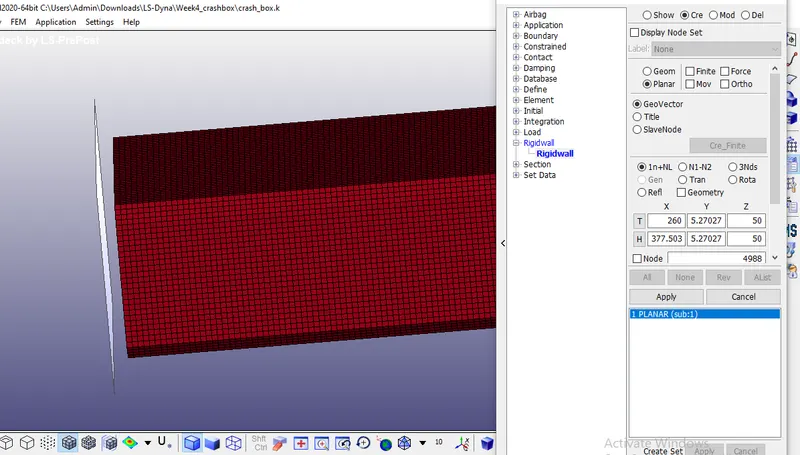
- Create rigidwall by going to Create entity> Rigid wall
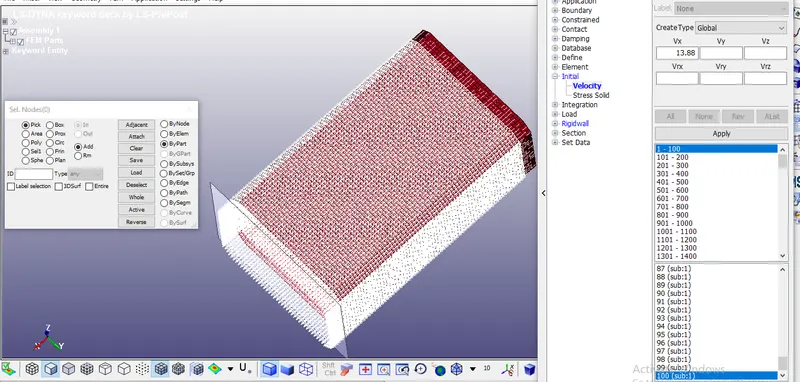
- Create Initial Velocity card for the crash box in positive X direction with 13.88mm/ms
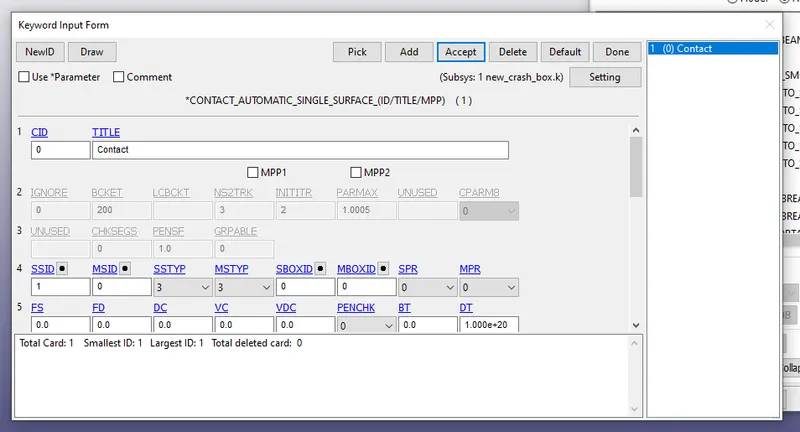
- establish a self contact for crash box
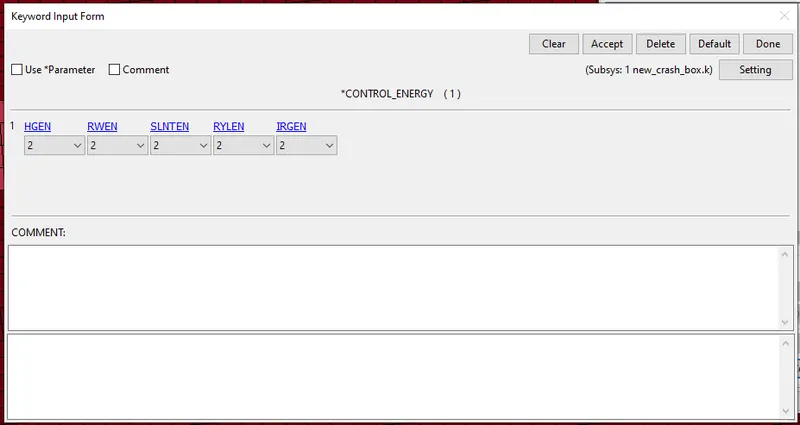
- go to keyword manager > Control>Energy, this option is enabled for calculating Hourglass, sliding energies
- Go to Keyword manager >Control>Termination
this is to specify the run time of simulation , in this case we will be using 2ms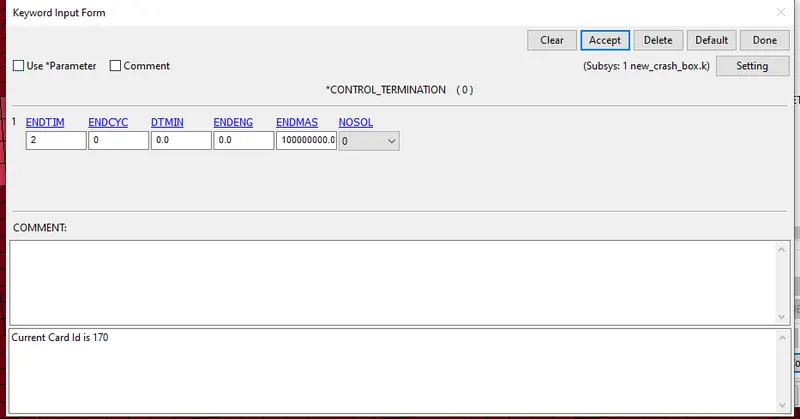
- Create Database card for ASCII, Binary, this option will enable the request for getting output for Energy plots, section force, acceleration
- After creating all the required cards run the simulation
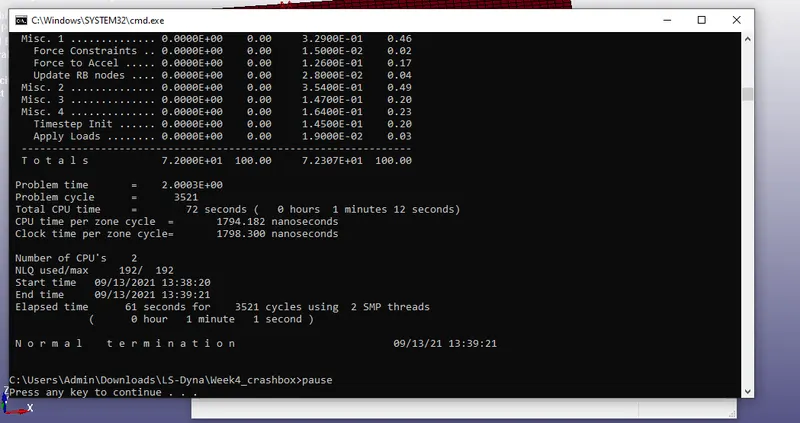
- From the above image we can see there is no problem in running the simulation , we got normal termination
Output:
- Von mises stress for 1.2mm
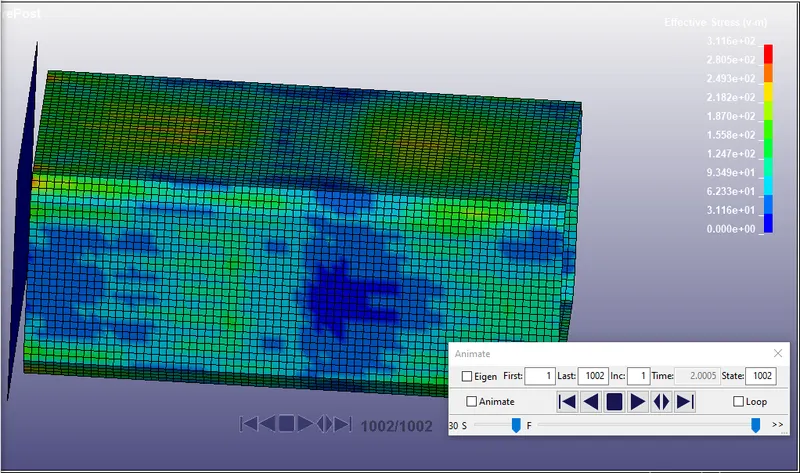
- Von mises stress for 1.5mm thickness
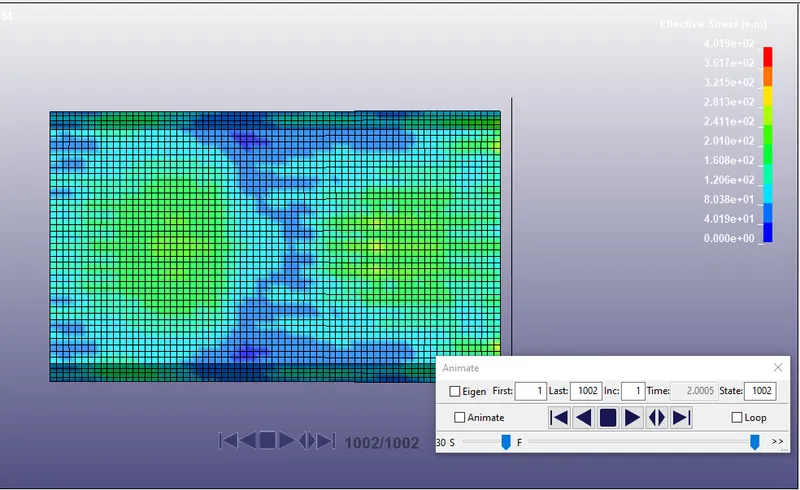
- Energy Plots for 1.2mm thickness
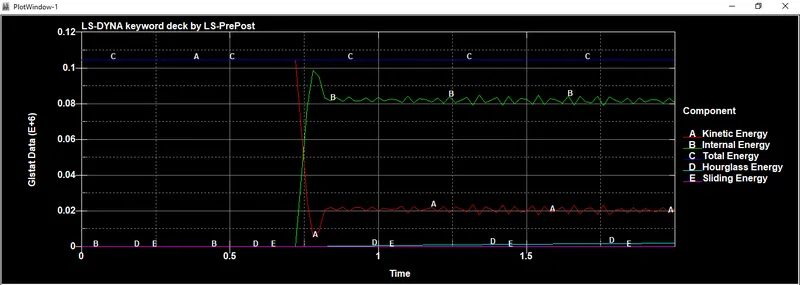
- Energy Plots for 1.5mm thickness
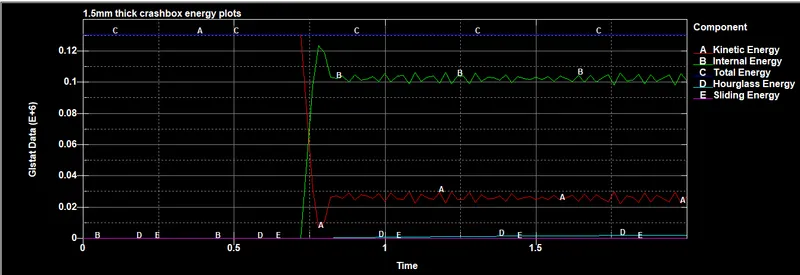
- Hourglass enegry 1.2mm
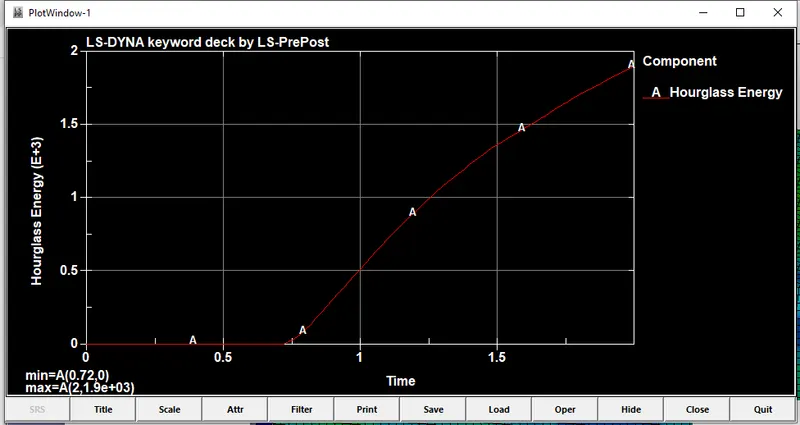
- Hourglass enegry for 1.5mm
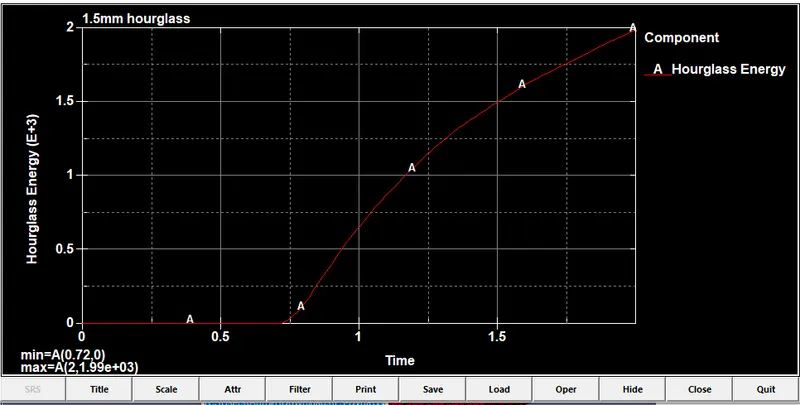
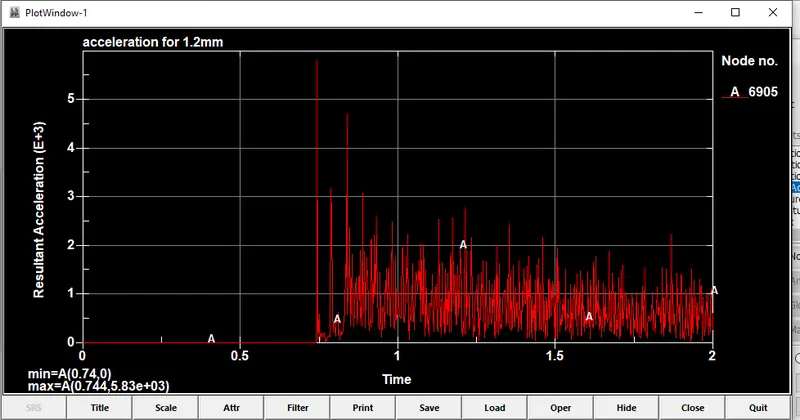
- Acceleration at middle of crash box for 1.2mm thickness
- Acceleration at middle of crash box for 1.5mm thickness
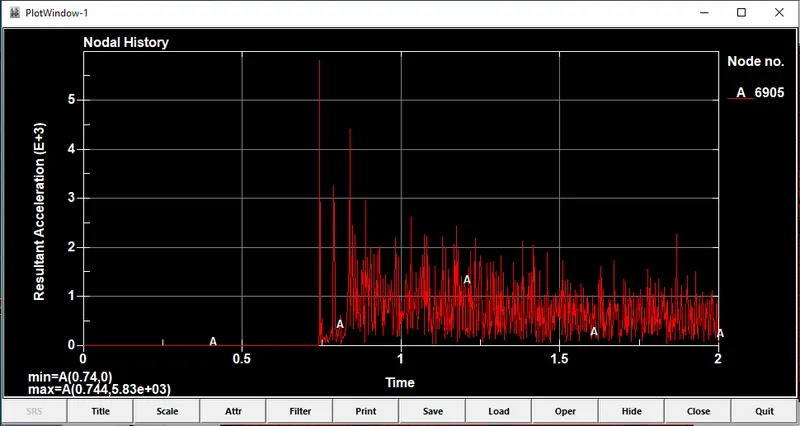
- Acceleration experienced by bith the model is same at the exact node
- We can see the von mises stress is more in the thicker model
- Hourglass energy are same in the both cases