Week 4- Rolling operation
OBJECTIVE:
- To set up the model for rolling operation and find the necessary solution
STEPS:
Import materials:-
- Import the required materials for the simulation
- Go to Engineering Data>Engineering Data sources>General Non linear materials>Copper alloy NL
Import Gepmetry:-
- Import the model from saved loacation
- Open the space claim and edit the workpiece
- Increase the length by 60mm and Reduce the thickness by 8mm
- Now update the model and enter to Mechanical workbench
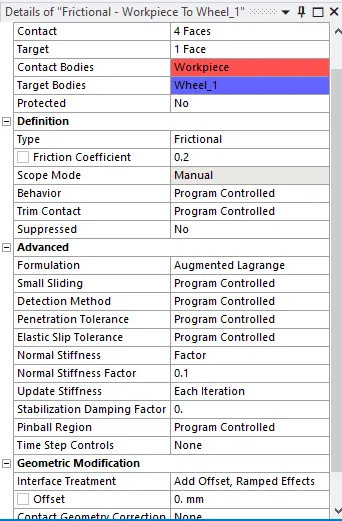
Define contact:-
- Flip the default contact
- Define the connection between the wheel 1-workpiece and wheel2-workpiece
Define Joints:-
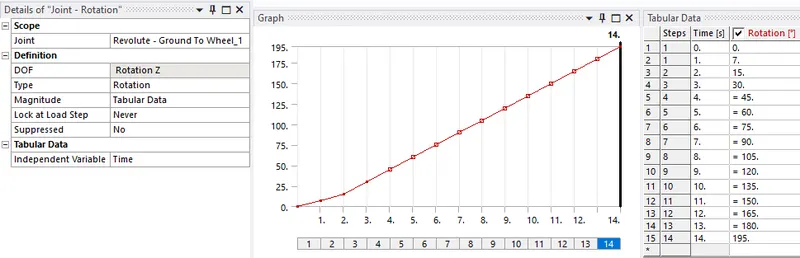
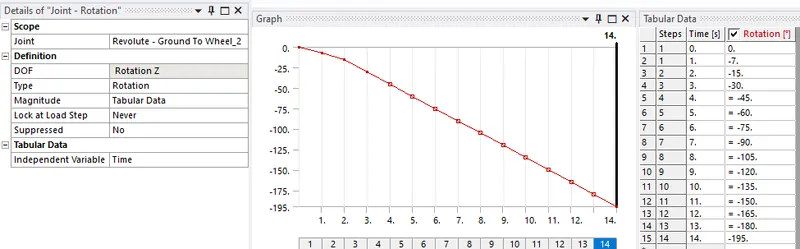
- Define a Revolute joints for both the wheels
- Make sure the direction of rotation is proper
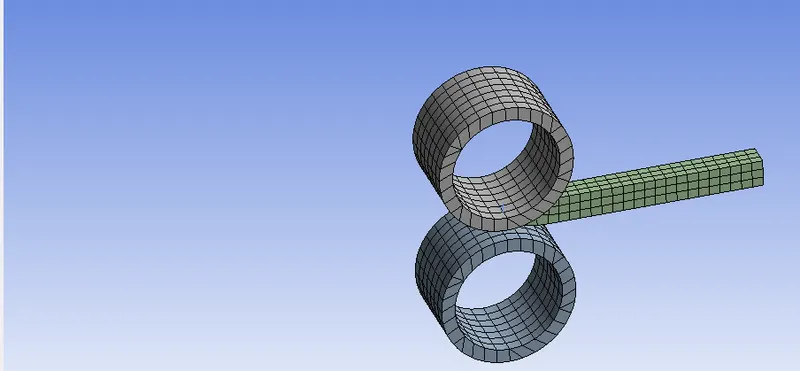
Mesh:-
- Body sizing the workpiece with 4mm element size
- Global mesh size will be 5mm
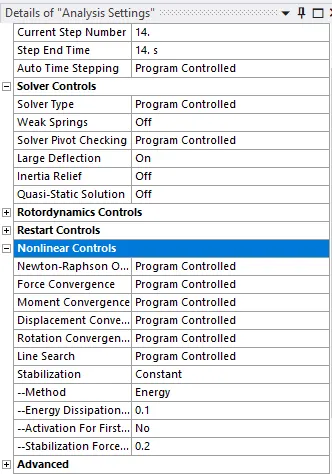
Analysis Settings:-
- Create a Analysis setting for 14 steps
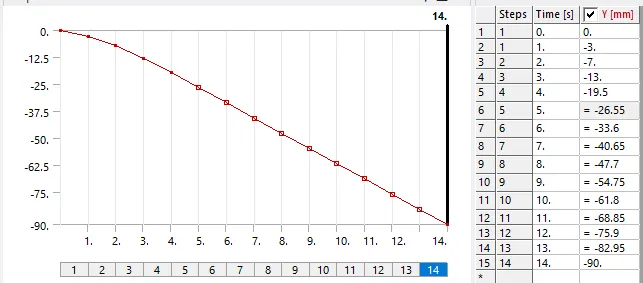
Define load:-
- Define a displacement load for workpiece
- Define joint load for Wheel 1, in clockwise rotation
- Define joint load or wheel 1, in counter clockwise rotation
RESULTS:-
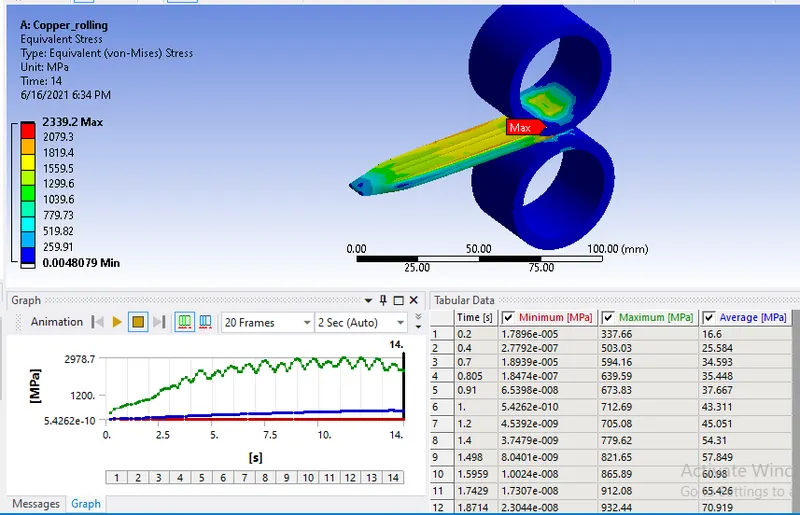
- Equivalent stress =2339.2 Mpa
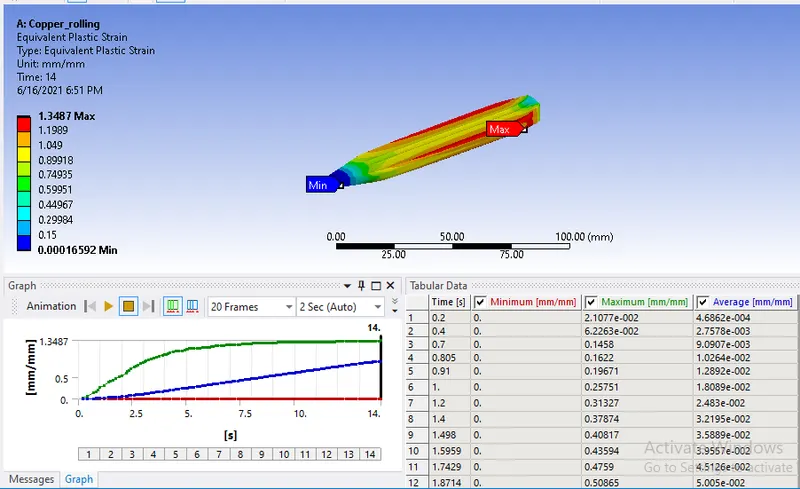
- Equivalent plastic strain=1.3487 mm/mm
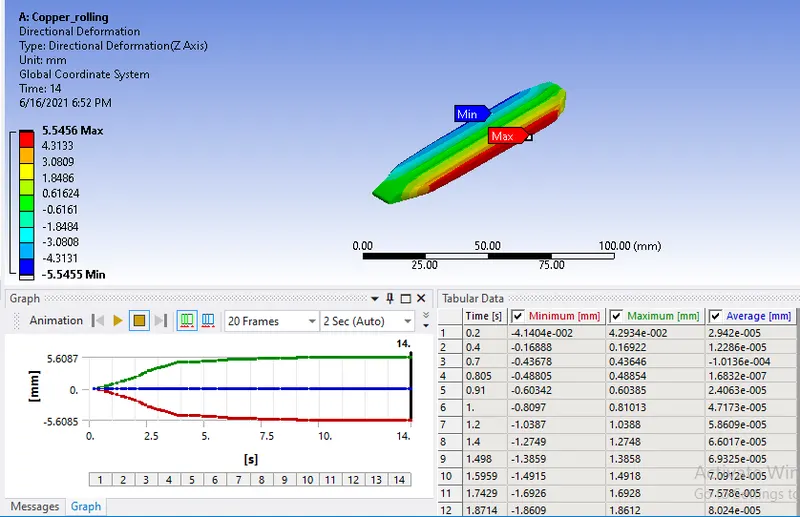
- Directional deformation in Z direction=5.5454mm
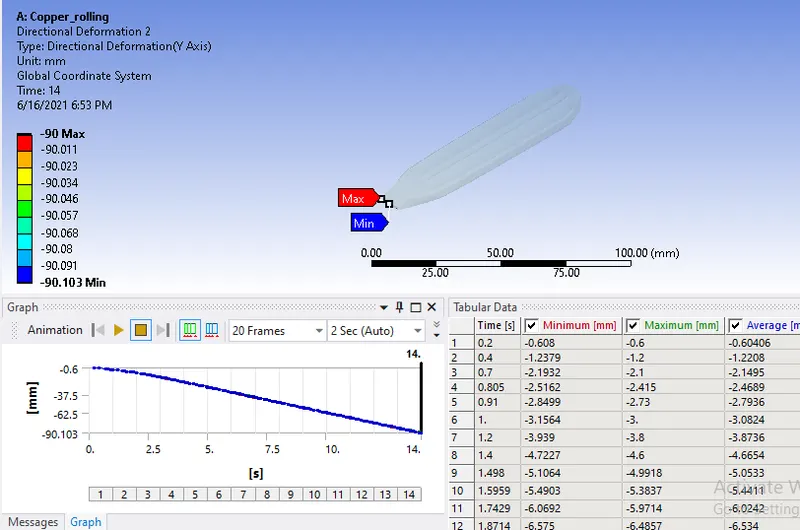
- Directional deformation of workpiece in Y direction=90mm
CONCLUSION:
- We can see the above results, the maximum stress is generated in the workpiece
- The maximum deformation in Z axis is 5.454mm
- We can conclude the total displacement of workpiece is 90mm, by seeing the results of maximum directional deformation in Y axis is also 90mm
- Hence we can tell the workpiece is displaced by 90mm