Week 4- Challenge
Aim: To mesh the model and assign the given cross section by 1D element
Procedure:
Step 1:-
- Import the model to the software
- Extract mid surface of both the brackets by offset option, to capture the features properly.
- The first extracted mid surface will be stored under new model
- Create a new model id for other bracket and using organize option from tool, assign the mid surface to the newly created model id
- Model ID can be renamed at any point of time
- Create Material ID and assign the same to the model
Step 2:-
- Add washer split to the holes present in the model, by quick edit option
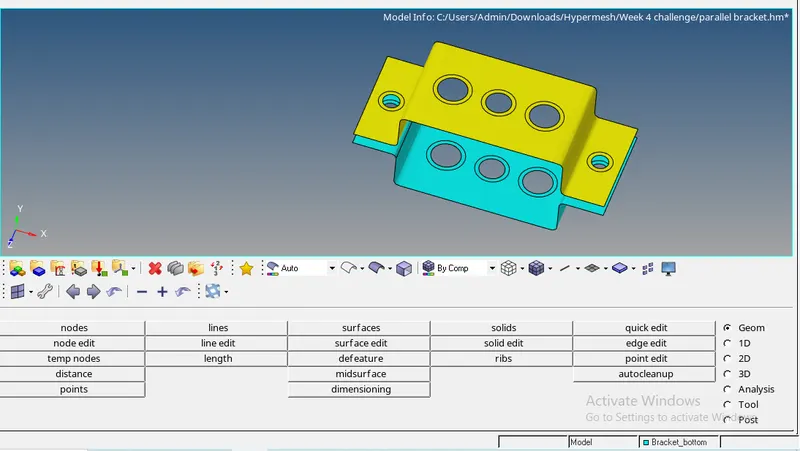
- Mesh the extracted mid surface by element size 5mm as shown below
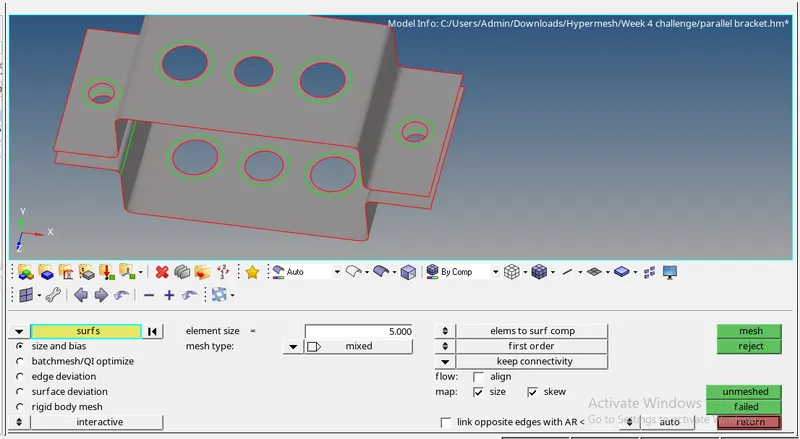
Step 3:-
- Establish rigid RBE2 and RBE3 connections on the holes with specified rigid body connection
- Go to hyperbeam and create all the required cross section with respective DOF constrains
- Create new property and give different card name to respective croos section
- Connect the RBE2 and RBE3 with rod and beam element
- Assign the element type ,property type
- Assign the mass in specified node
- Finally establish spring connection in required region by slecting the nodes
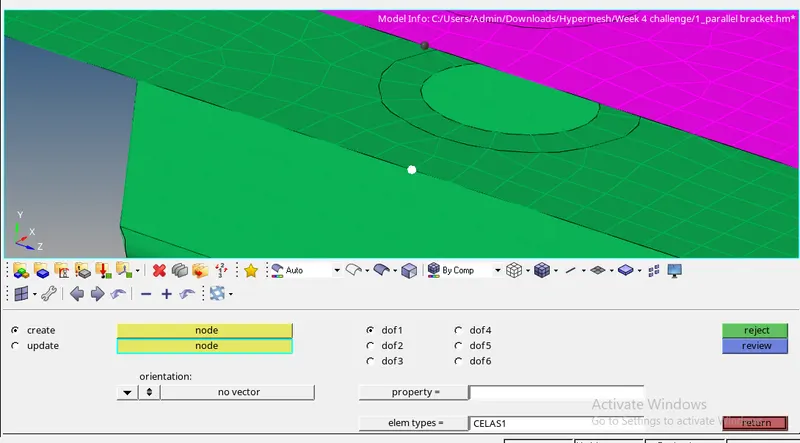
- Final output is shown in below image.
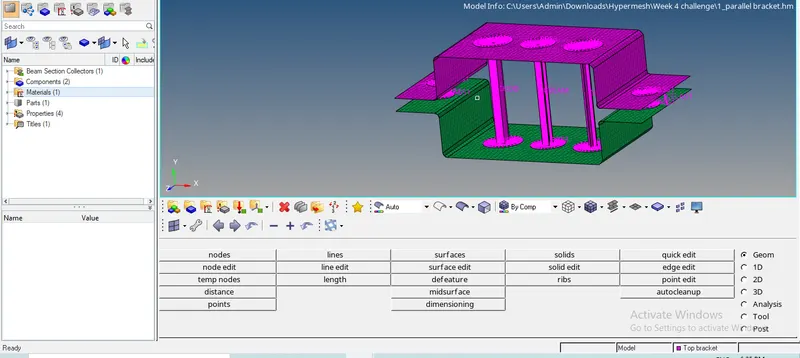
CONCLUSION:
- Understood how to extract mid surface and assign model ID to the same
- Got knowledge on establishing different connection and assigning the cross section