Week - 3 Drop test Challenge
AIM: To Create a complete input deck filr from scratch with all required cards for drop test simulation
STEPS:
Create Material and Section:-
- Open the model in LS Prepost which contains only mesh
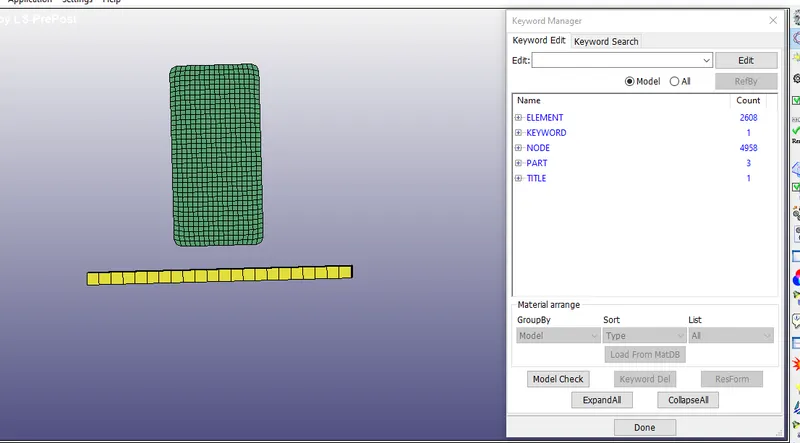
- From the above image we can see there are no sufficient cards to carry on the simulation
- Now we have to create required cards
- First look at the number of parts and delete the unwanted parts
- Now in this case i will be deleting the solid elements of floor, instead i will keep only the shell element of floor
- Rename the two parts as mobile and Floor
- Now we have to create the material id and Section ID for both the parts
- Go to keyword manager>MAT
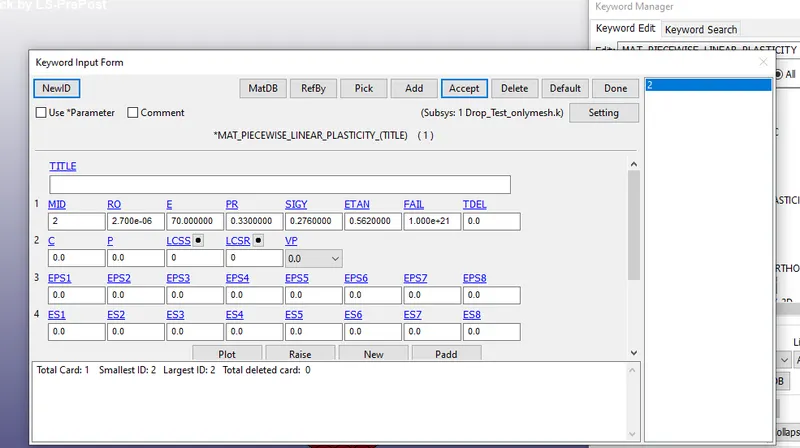
- Create Aluminium material for mobile like shown below
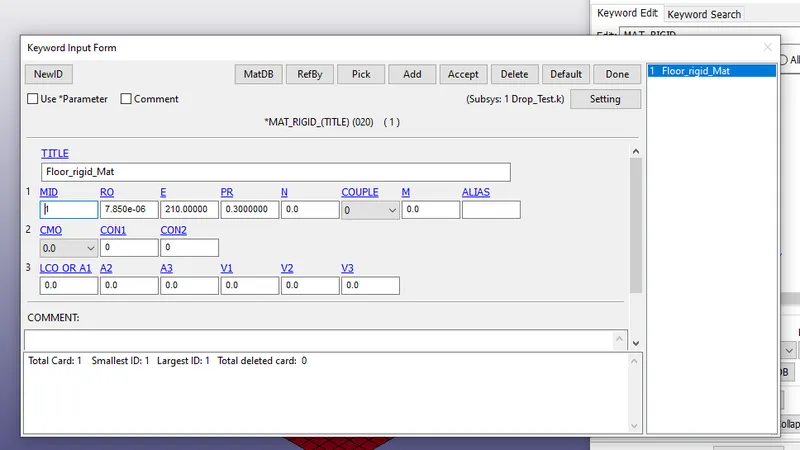
- Create a rigid material for Floor
- Next create section for both parts go to>Keywordmanager>Section
- Create shell section of 1mm thickness for Floor
- Create solid section for Mobile
- Assign the respective material and Section id for both the parts
Boundary Conditions:
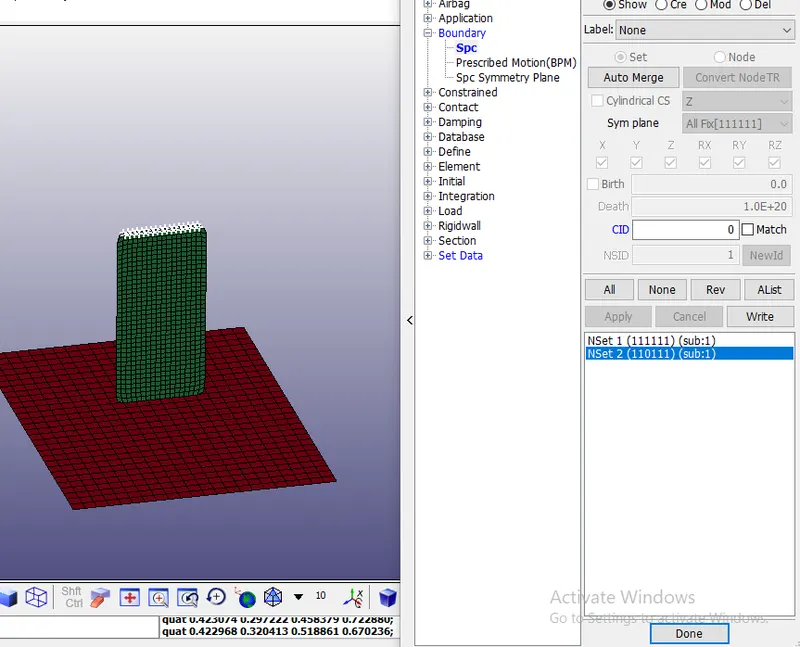
- Next we have create a boundary condition for parts
- Floor has to be fixed with respect to all directions
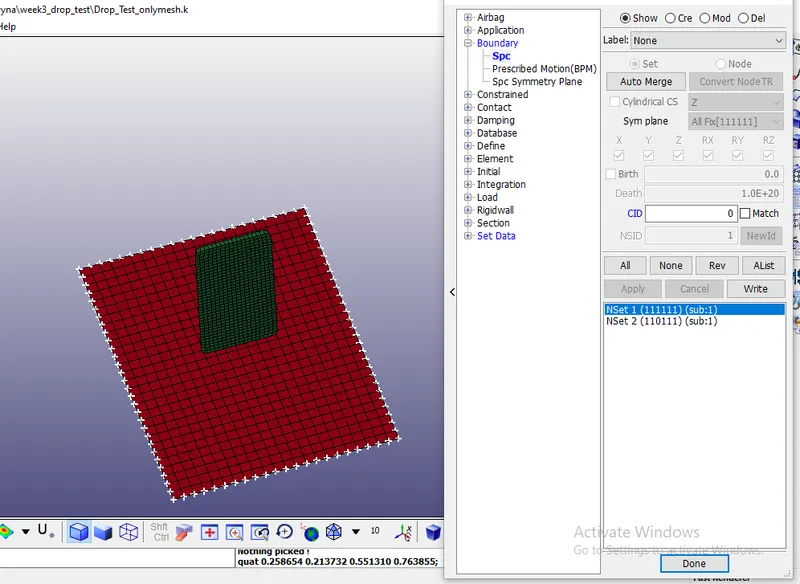
- Constraint the top of the mobile in all direction except in global Z direction
Initial velocity
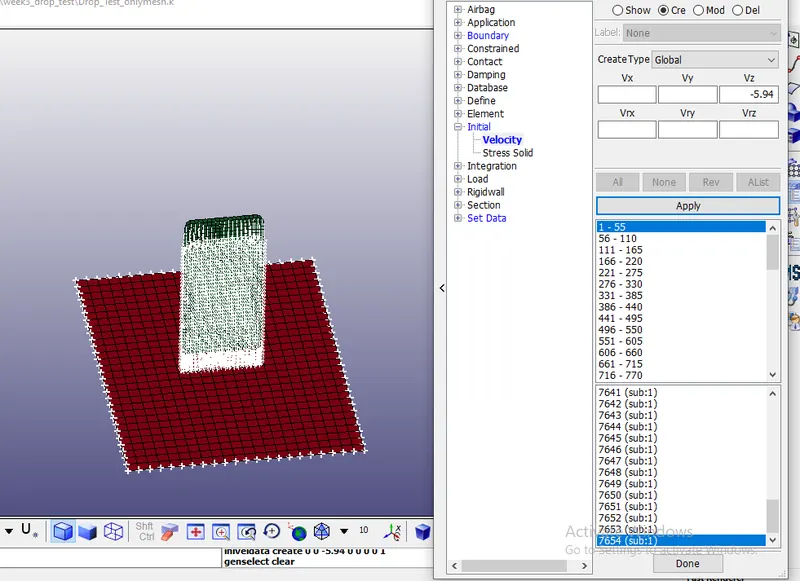
- Create a initial velocity card , it is determined by equation v=`root ()2gh`
- let us assume the height as 1.8m =1800mm
- By using the above equation velocity is equal to 5.94mm/ms in negative z direction
Contact Condition
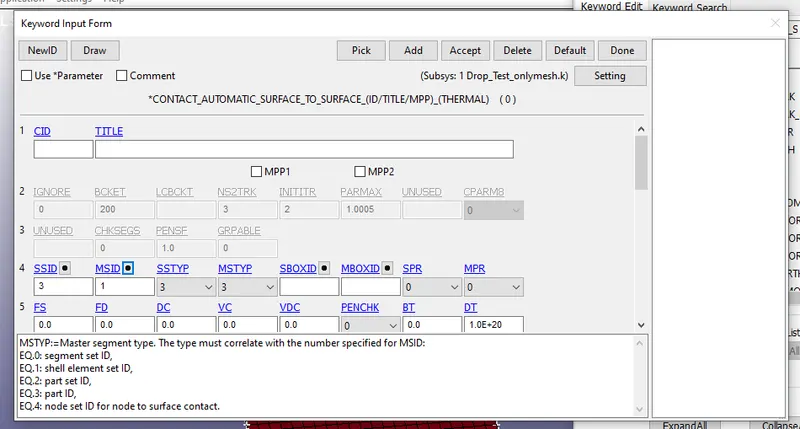
- We will be using automatic surface to surface contact between the parts
- let us consider the floor as master and Mobile as slave
Control Cards:
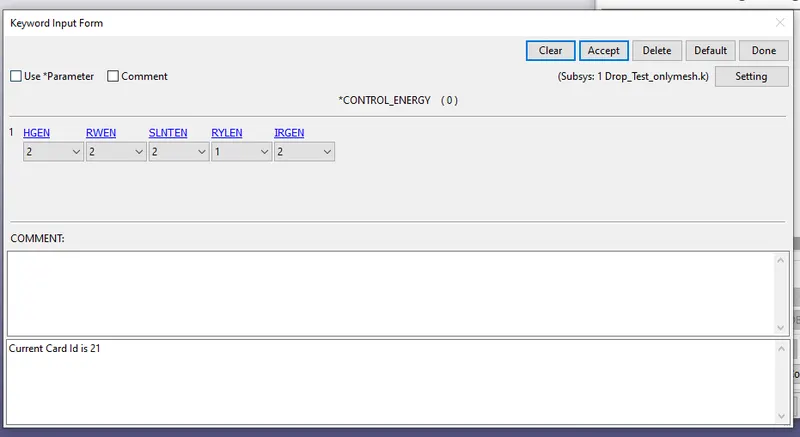
- To compute Hourglass energy, Sliding energy and stonewall energy we will be usinf *control_energies card
- Let us stop the simulation for 5ms using termination card like shown in below image
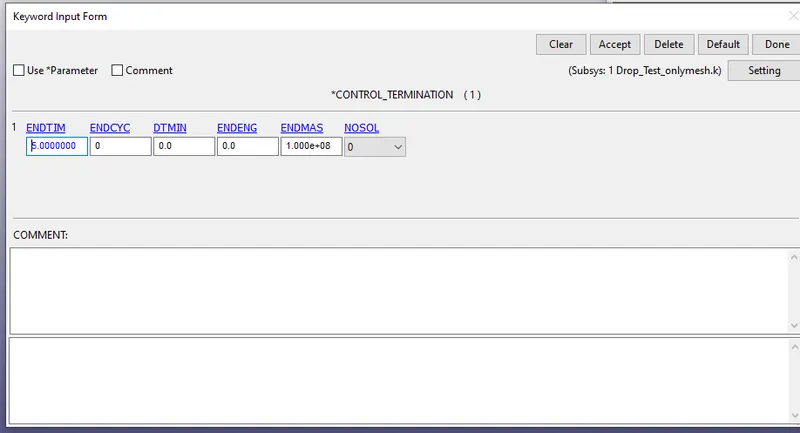
- Note down the result for every 0.1ms(time step)
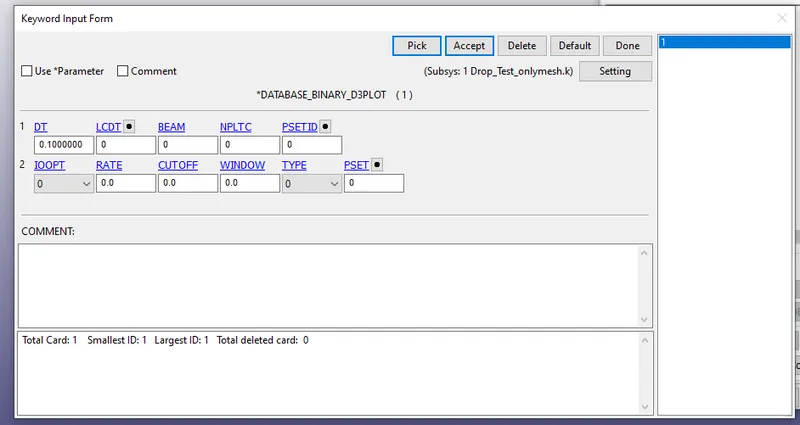
- From the above image we can see the time step as 0.1ms for binaryd3plot
- Similarly get result from ASCII for GLSTAT,MATSUM,SLEOUT,ELOUT
Run the simulation:
- Now we have all required coards
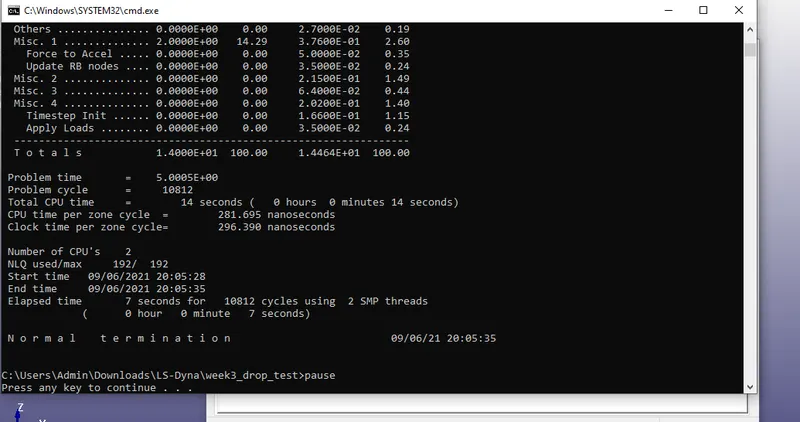
- Save the keyword file and run the simulation
- Like shown in below image we should get normal termination
Binary plot:
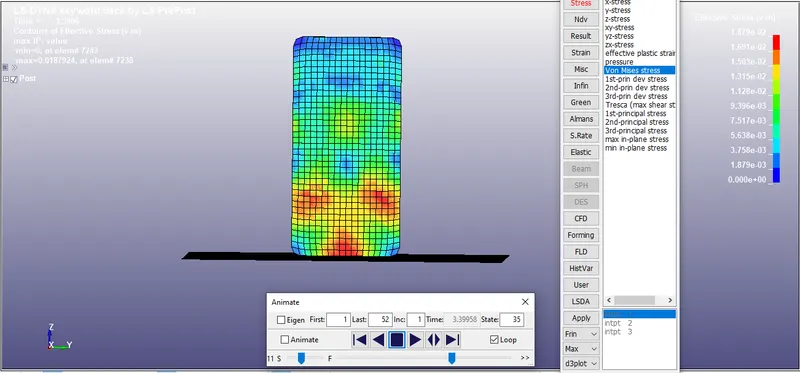
- Open Binary plot file to see post processinf results
CONCLUSION:
- The required cards for simulation from scratch is done
- Got appropriate results for the given input
- Learnt how to create basic cards for simulation