Week 9 Machining with Planer Challenge
OBJECTIVE:
- To set up the model for Explicit Analysis and obtain the mentioned Results
Steps:
Import Model and Material:-
- We will be using Explicit Analysis system in this challenge
- Import the model from the saved location
- Check for any abnormalities in model opening it in space claim
- Import Steel 1100 material from explicit material folder
Mechanical module:-
- Rename the geometry for convinience
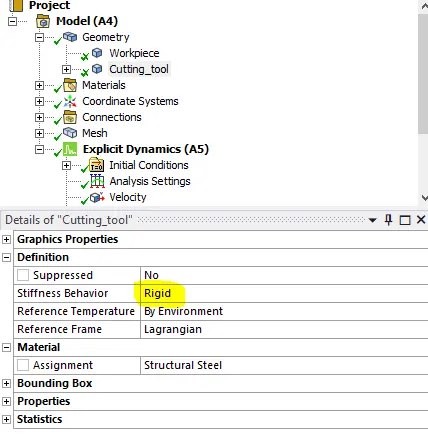
- Assign the Steel 1100 to workpiece, let the stiffness behaviour of cutting tool be rigid
- Delete the default contacts which is created
Mesh:-
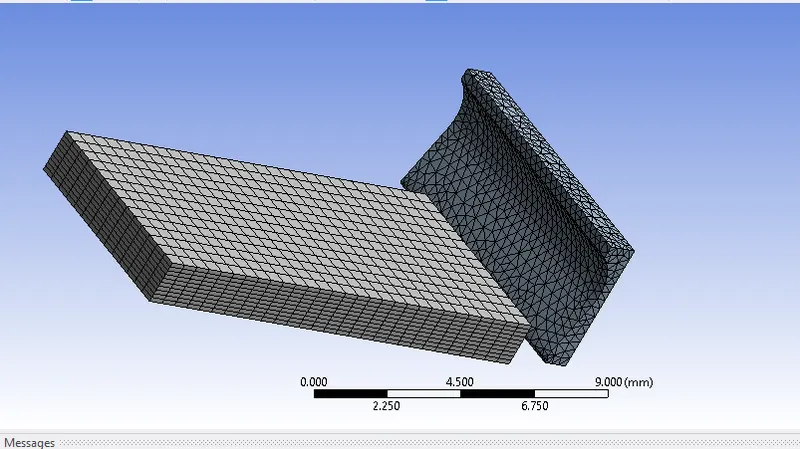
- Mesh the cutting tool with tetrahedron materials
- Mesh the Workpiece with Hexa elements with default element size
Analysis Setting:-
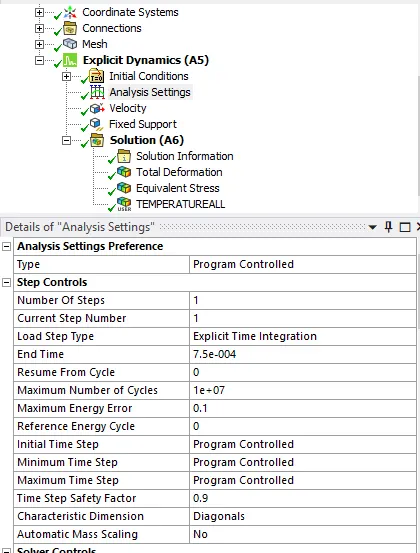
- Set up the end time as 7.5E-4 sec
- let all the oher setting be same
Define Load:-
- Define velocity for Cutting Tool in X direction with 20000 mm/s for case1 and 15000mm/s for case 2
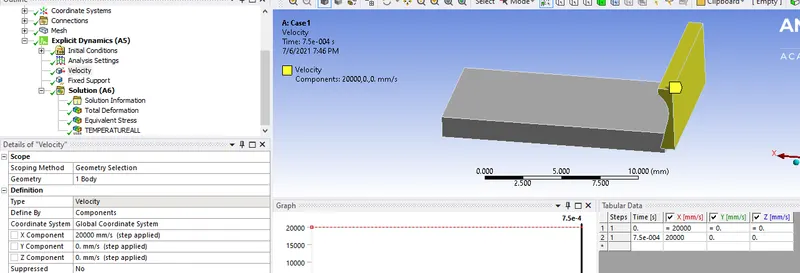
- Define a fixed support for workpiece
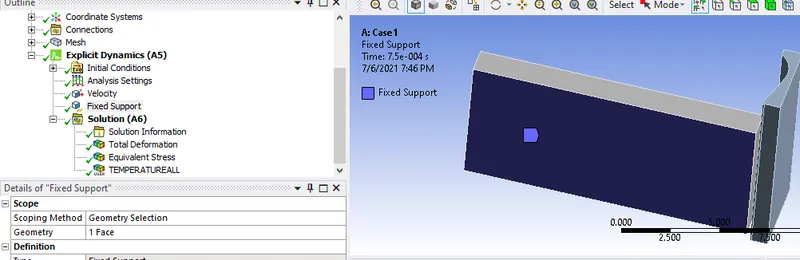
Results and Conclusion
Case 1:-
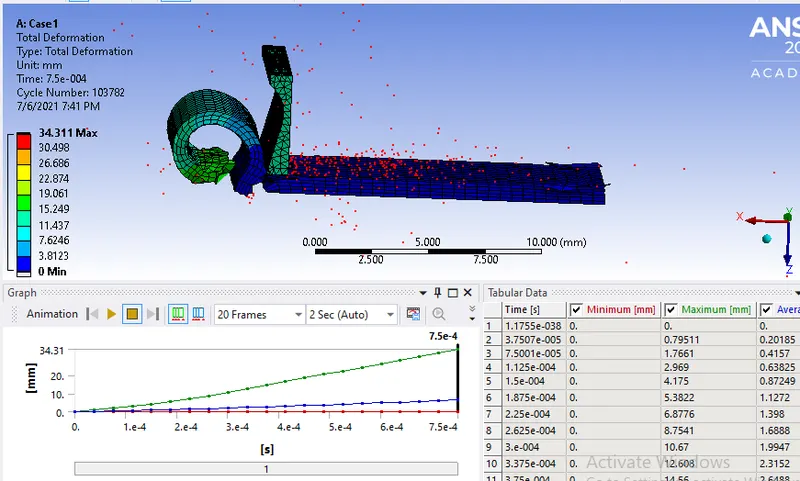
- Totl Deformation
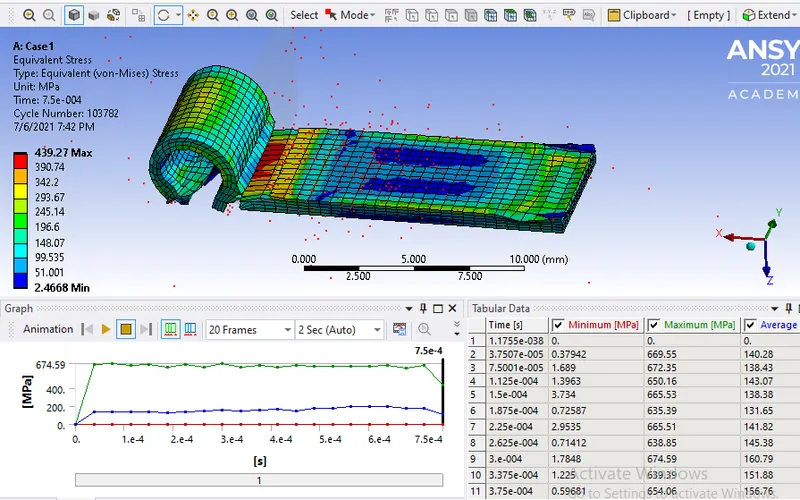
- Equivalent Stress
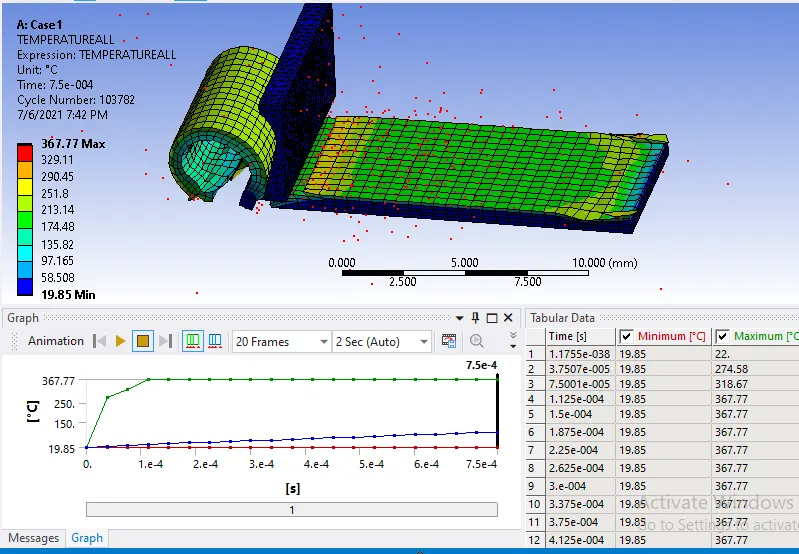
- Temperature
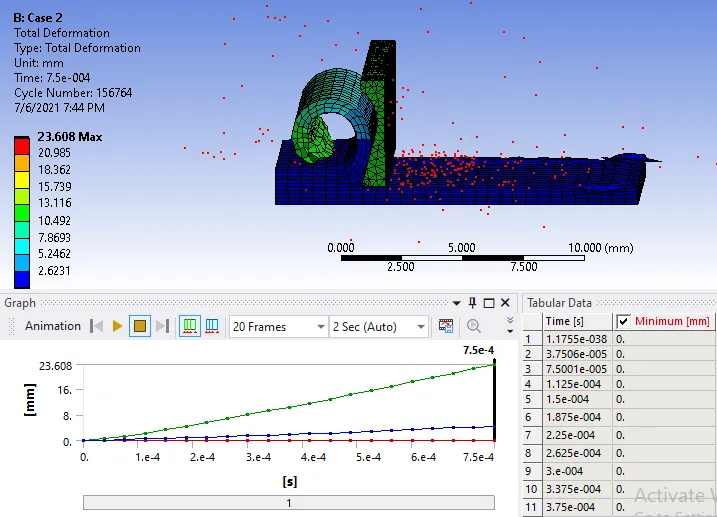
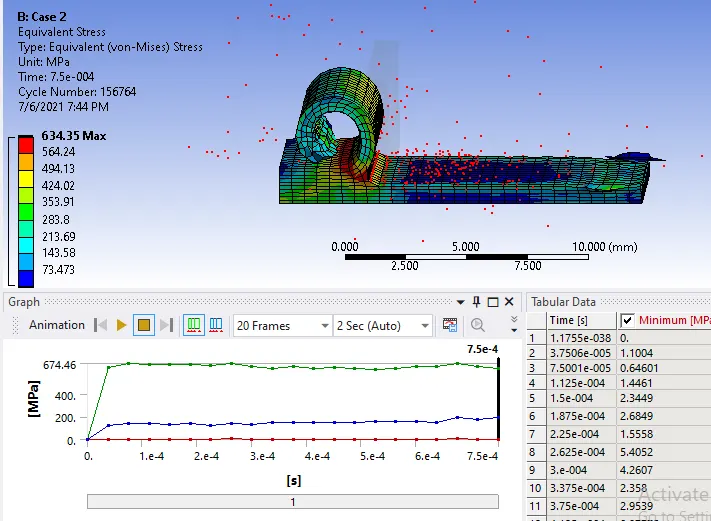
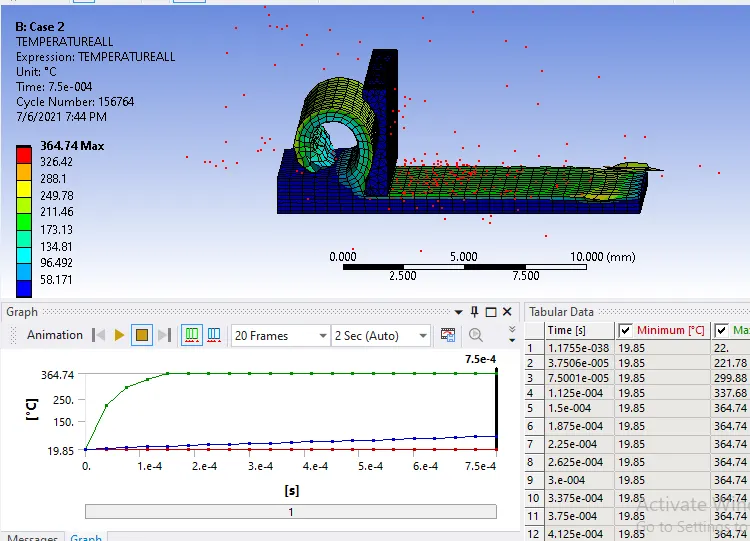
Case 2:-
- Totl Deformation
- Equivalent Stress
- Temperature
-
Case Deformation(mm) Eq Stress(Mpa) Temperature(degree celsius) 1 34.311 439.27 367.77 2 23.608
634.35 364.74 - From the above tabular data we can see the stress generated is more in second case due to the less velocity
- The total distance travelled by cutting tool is high in first case due to high velocity
- the temperature differences are not high