Week 8
AIM: Morphing is done to the given model
PROCEDURE:
Step 1:-
- For the given model TOPO and Geometry check is done initially.
- New Morph Boxes are created selecting geometries
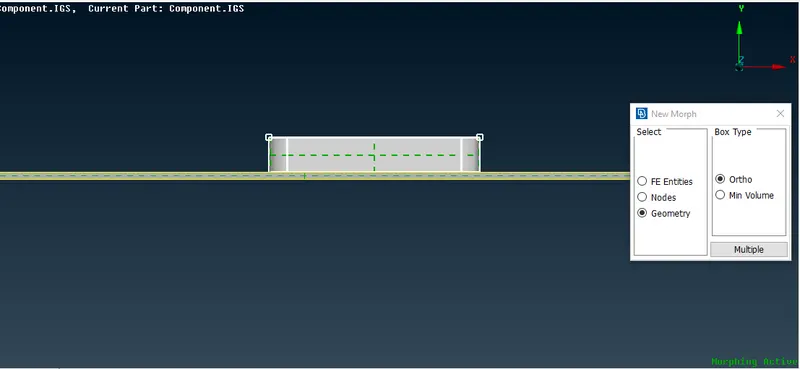
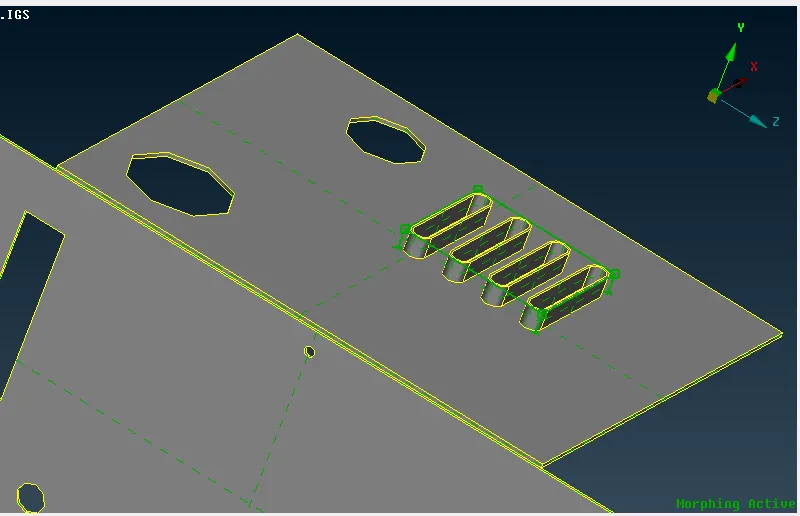
- Select the required points which has to be moved and change the features direction according to the direction
- Move the feature manually or by entering the parameters, the fetures will be morphed
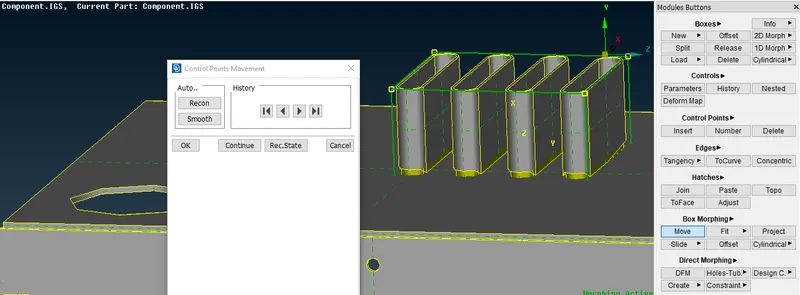
- The created Morph box can be splitted into many boxes, as users wish in order to change the complicated features
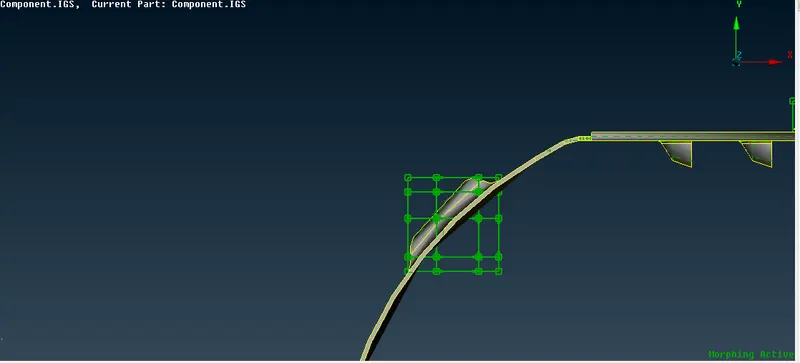
- In the given model few features are morphed using the above mentioned steps
Morphing and its uses:
- Morphing is used to change the features size or shape present in the component
- This technique is used when there are only minor changes to be done to the existing component
- Morphing is used when a particular feature is to be added to the component, whithout redoing the whole componenent
- The Morphing perfoemed on the CAD will be available in FE model also.
- The change required in the model can be done by CAE Modeller and forwarded to Design team.
LEARNING OUTCOMES:
- Understood the usage of Split Boxes , move boxes
- Understood the concept of morphing and its application
CONCLUSION:
- The given component is morphed.