Assignment 3-2D Element Formulation Challenge
OBJECTIVE:
- To run the given RADIOSS file and look for mass and energy error, if the error is acceptable, plot the above mentioned graph in hypergraph
- To run the Radioss file with change in properties and compare it with above crash beam file
CASE 1 Procedure:
- First import the 0000.rad file into the software
- The creash beam file will be imported, in this case there is no changes in the properties card
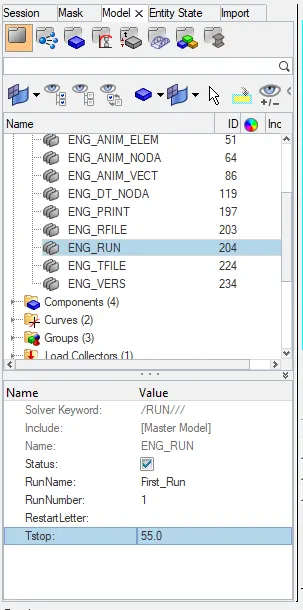
- Change the run time to 55ms, like shown below
- In ENG_ANIM_DT card change tsart = 25, Tfreq=1; by doing this in hyperview the recording will be shown from 25th second, i have kept the Tfrequency as 1 inorder to capture more frames
- Because Animation steps and t frequency are inversly proportional
- Now run the RADIOSS file by Analysis>RADIOSS>save the file in desired location and run the same
- We will be having Animation files, Time step file and output files in the saved location
- Open .h3d file in hyperview to see the animation of crash beam, from here we can see what is the max displacement and max von mises
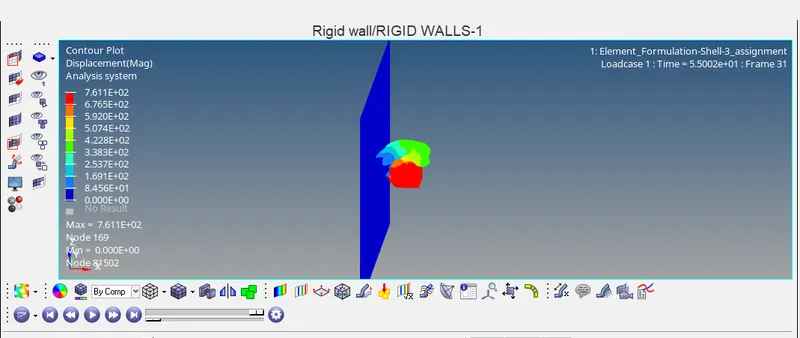
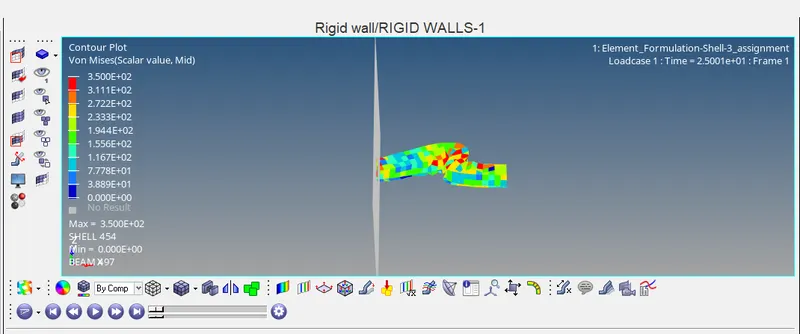
- rom the above pictures we can see Maximum displacement=7.611E+02 @ node169; Maximum Von mises=3.5E+02 @ SHELL 454
- Now open the 0001.out file, in this we can see the Energy error and mass error
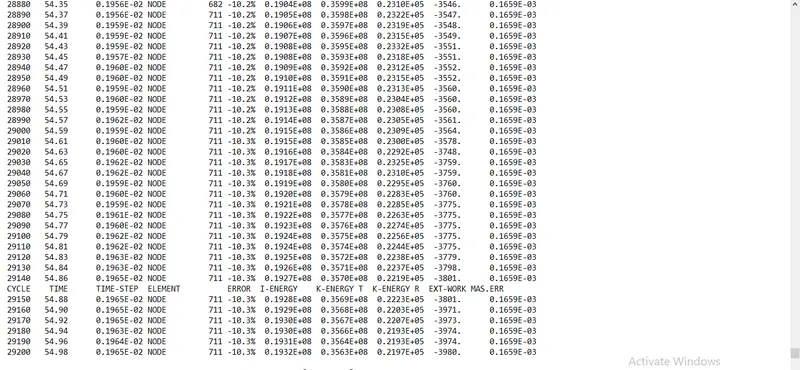
- From the above image we can see Energy error= -10.3% which is acceptable and mass error=0.1659E-03
- Now Both the errors are in acceptable range, so we can plot the required graphs
- To Plot the graph open HYPERGRAPH and open T01. file
- Plot the graph for Time v/s Internal energy, Kinetic energy,Hourglass,Total energy
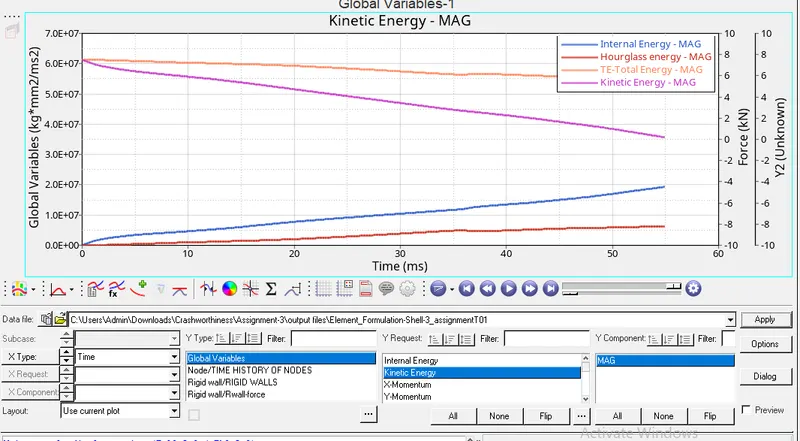
- From the above the graph we can see the result,
Internal energy=1.93E+07;
Kinetic Energy:- Max=6.13E+07; Min=3.5E+07;
Hourglass=6.31E+06;
Total energy:- Max=6.1E+07; Min=5.5E+07; - Plot the graph for Time v/s Resultant force,Tangent force,Normal force
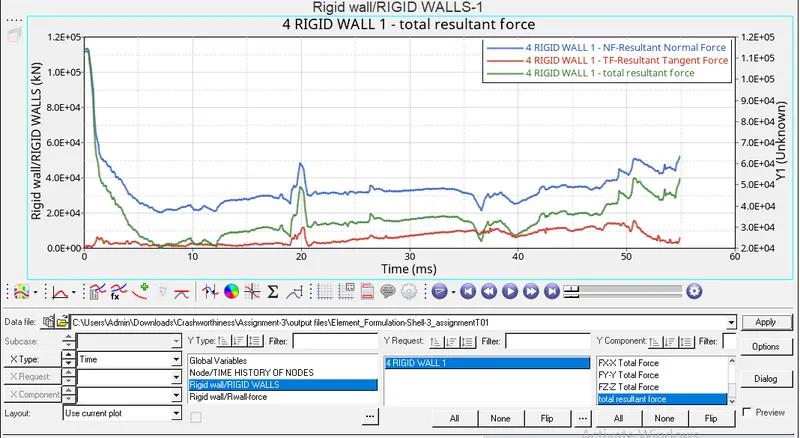
- From the above graph we can see the results for
Total Resultant Force(KN):-
First value=1.13E+05; Max=1.13E+05;Min=0.203E+05;
Resultant tangent force(KN):-
First value=196.39; Max=15702.25;Min=196.39;
Resultant Normal Force:-
First Value=1.13E+05;Max=1.13E+05;Min=2.032E+04;
Case 2 Procedure(Properties changed):-
- Import the same 0000.rad file to the software
- Now the property has to be changed like shown below
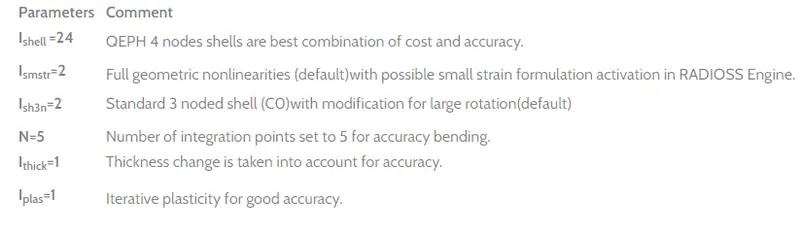
- Change the values in property card , and then run the RADIOSS file in desired location
- Now repeat all the steps from the case 1
- Here we will see the change in results,
- In hyperview open the .h3d file to see the max von mises and max Displacement
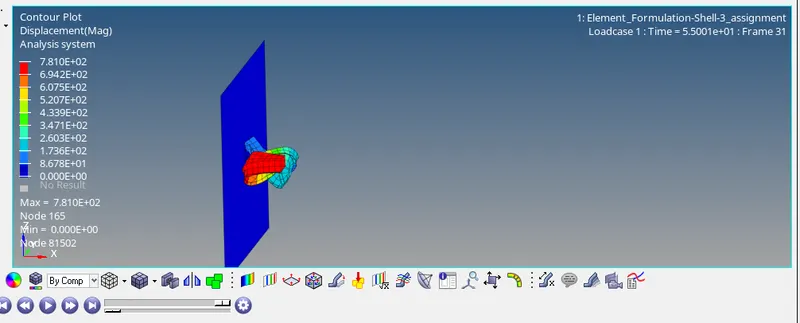
- From the above images we can see,
Max displacement =7.41E+02;
Max von mises=3.5E+02; - Open the 0001.out file for mass and energy error
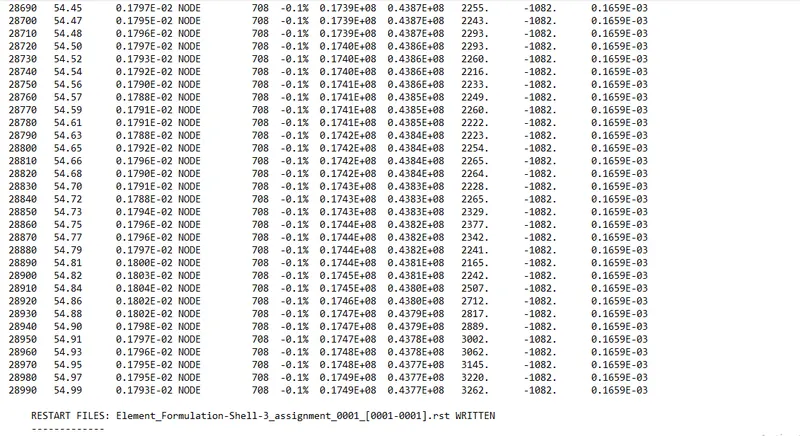
- From the above image we can see the energy error =-0.1%; Mass Error=0.1659E-03
- Plot the Graph for Time v/s Internal energy , Kinetic Energy, Total energy, Hourglass
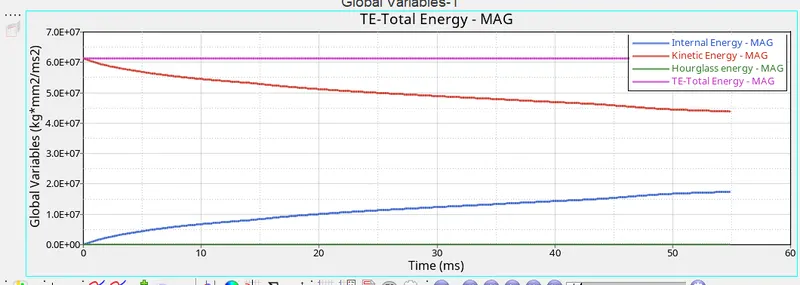
- From the above the graph we can see the result,
Internal energy=1.74E+07;
Kinetic Energy:- Max=6.13E+07; Min=4.37E+07;
Hourglass=0;
Total energy:- Max=6.125E+07; Min=6.125E+07; - Plot the graph for Time v/s Resultant force,Tangent force,Normal force
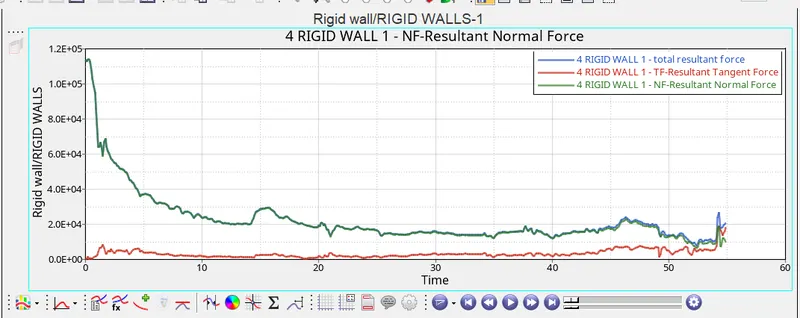
- From the above graph we can see the results for
Total Resultant Force(KN):-
First value=1.13E+05; Max=1.14E+05;Min=0.77E+05;
Resultant tangent force(KN):-
First value=154.75; Max=1.8E+04;Min=115.39;
Resultant Normal Force:-
First Value=1.13E+05;Max=1.14E+05;Min=0.6E+04;
RESULT and CONCLUSION:
- Energy error in Case 1= -10.3%, energy Error in case 2= -0.1%;
After changing the properties we can see the improvement in , The error percentage is reduced drastically - Total energy in case 1 Max=6.1E+07; Min=5.5E+07;
we can there is change in energy as time increases
Total energy in case 2 Max=6.125E+07; Min=6.125E+07;
The value is same through out the time - Hourglass energy in case 1= 6.31E+06
Hourglass energy in case 2=0
comparing both in second case there is no hourglass energy
Hourglass energy:
- Hourglass energy is nothing the nodes will be moving but the stress will not be recorded, so this has to be avoided
There are two methods to control the formation of Hourglass
- Perturbation(Q4 elements)[Viscous method]
In this type, a force is applied on the node to stabalize the deformation
here it is a artificial energy - Physical Stabilaization(QEPH elements)[Stiffness method]
Hourglass treatment is done at the material level itself
Hourglass yeild depends on natural yeild
Using this QEPh Element in case 2 we could see there is no hourglass energy produced