Week 4
AIM: To extract manual mid surface of Bottle Cap and meshing the same by given quality criteria
PROCEDURE:
Step 1:-
- Firstly perform TOPO on the model as soon as it is imported and do a check geometry for errors
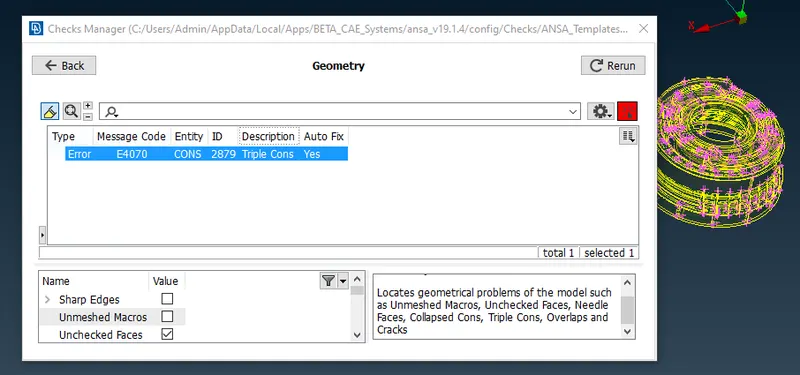
- fix errors by right click on the same and slect fix(Auto fix)
- if auto fix is not working then manually user has to find the error and rectify the same
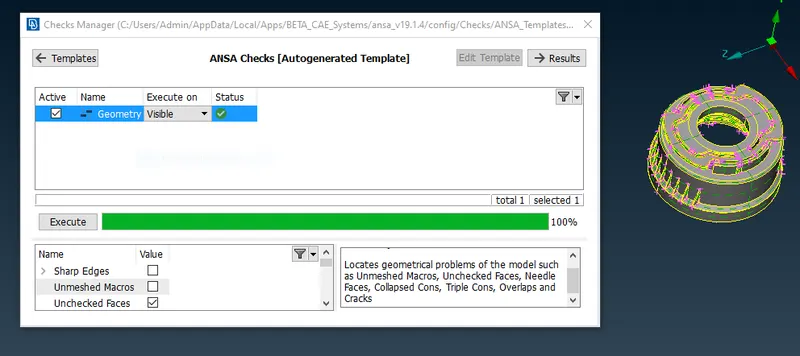
- below image is the representation once the errors are fixed
Step 2:
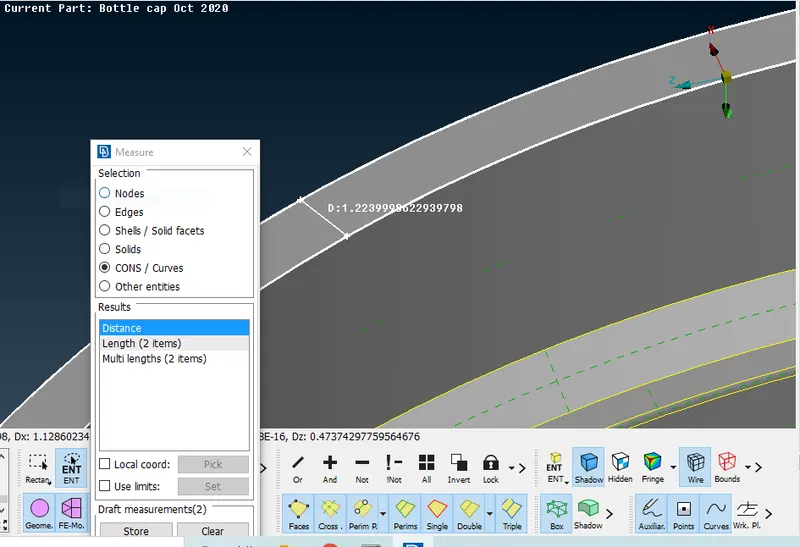
- Measure the thickness of each and every faces and offset the same by giving the half value
- for example if thickness is 2mm give the offset value as 1
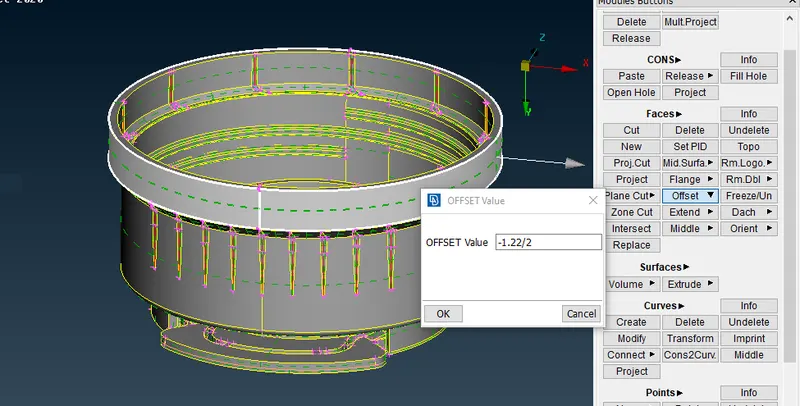
- in this case the offset is given as negative valie, keeping the direction in consideration
Step 3:-
- after taking the offset of simple faces next is to take mid surface for ribs
- in order to mid surface for ribs we will be using multi mid option
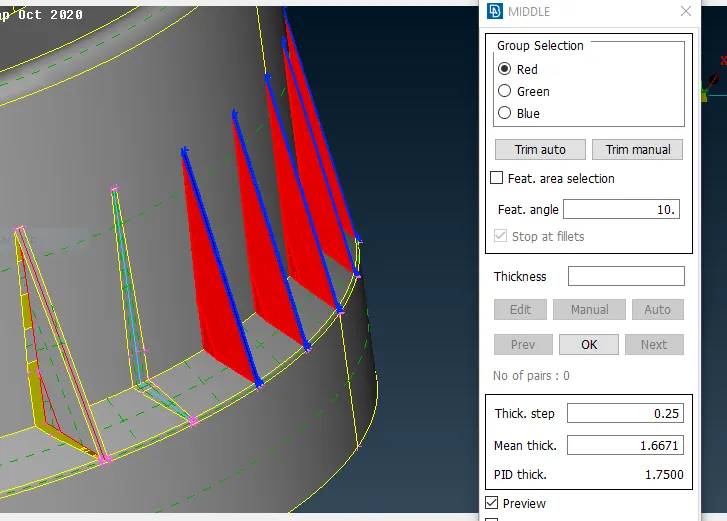
- In the above image red will represent the inner face and green will represent outer face and finally blue will represent the thickness
Step 4:
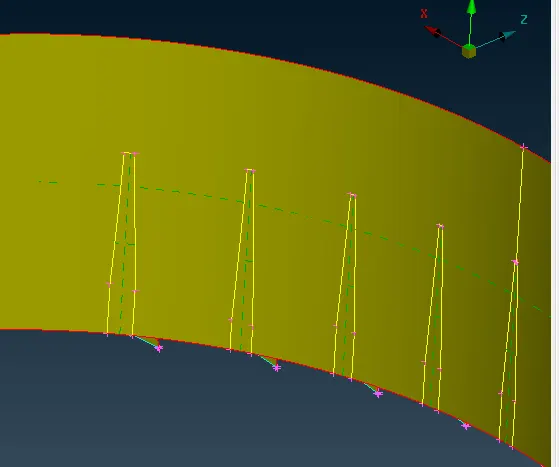
- The corresponding face which is in contact with ribs will have gaps in mid surface
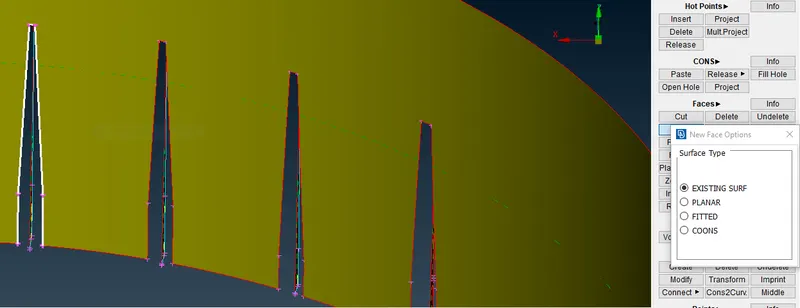
- In order to close the gap use Faces>New>Existing surf
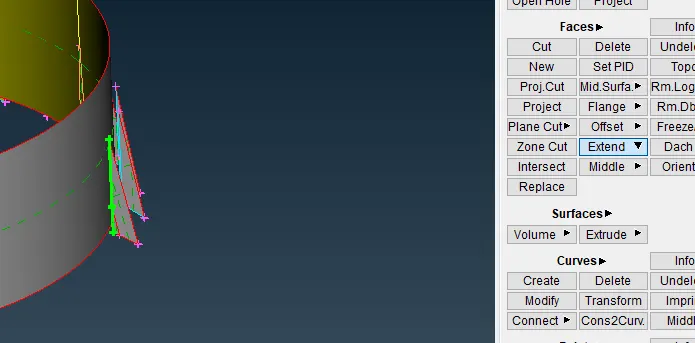
- Extend the mid surface of ribs to the cylindrical face
Step 5:-
- Next step is to extract mid surface of complicated surface like "threads" and "tooth"
- firstly create the middle curve by slecting the cons of the thread
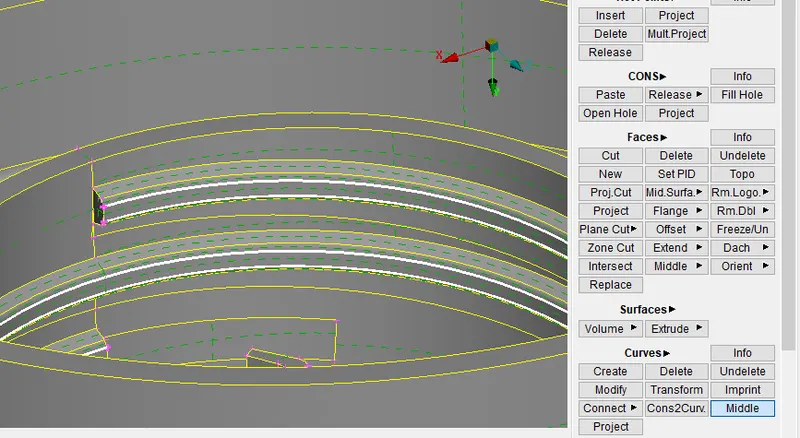
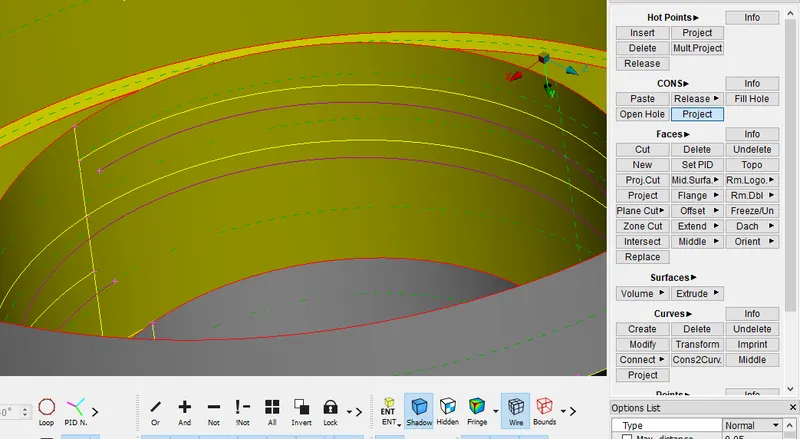
- project the middle curve on mid surface by CONS>Project option as shown below
Step 6:-
- create the mid surface for the tooth by taking middle curve
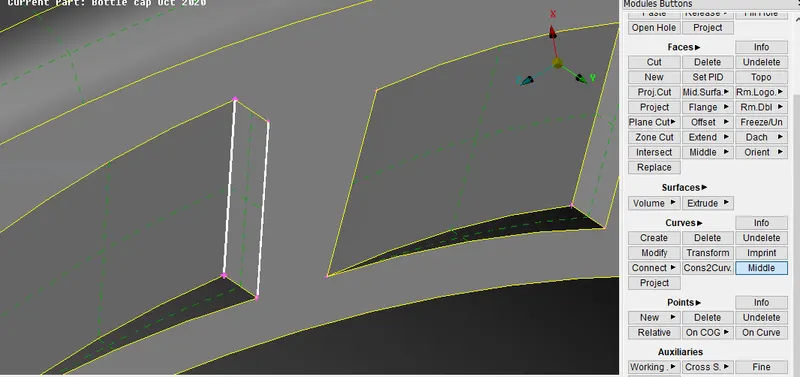
- Project the other edge on the mid surface and connect the middle curve and projected con to form the tooth mid surface
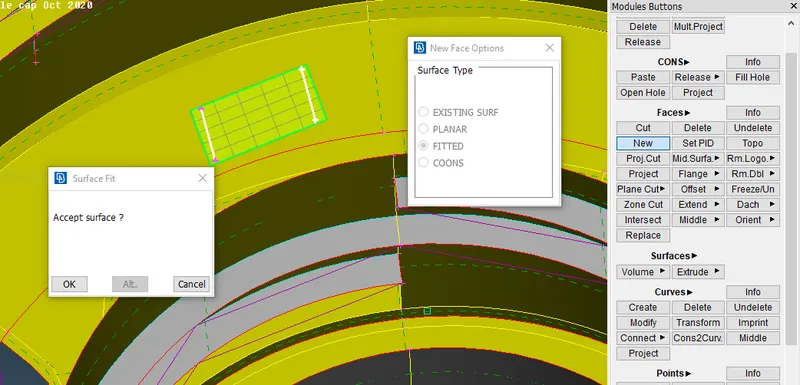
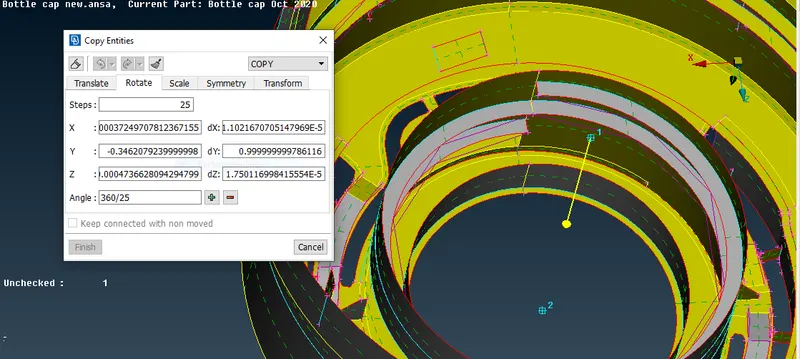
- Rotate the entity by using transform operation
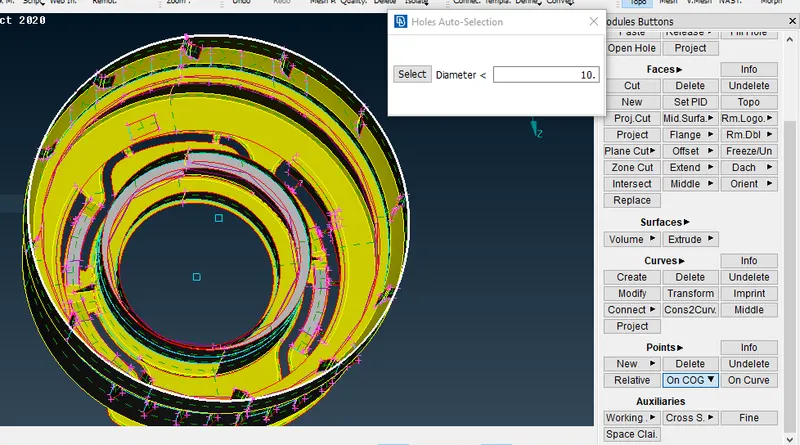
- create COG point by selecting two circles with different heights
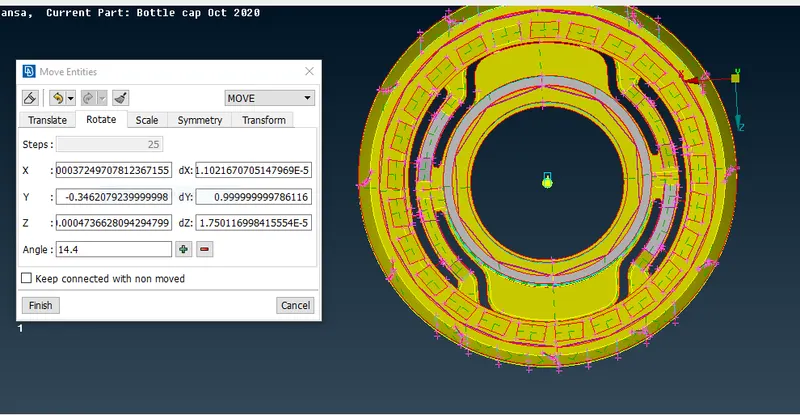
- using the two COG points rotate the entities by givng the angle as 360/25
- Final output will be as shown below
Step 7:-
- After creating the mid surface for all the faces move to mesh module
- assign all the quality criteria which as asked to maintain
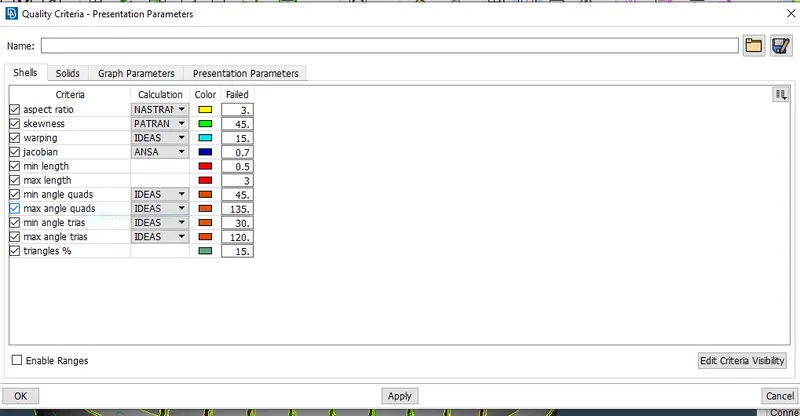
- assing the perimeter and macros value by giving targeted length
Step 8:-
- Mesh is created by Mesh generation> Best
- check for OFF elements and try to rectify the problem by reconstruction, fix quality , smooth etc
- once the OFF elements became zero
- Correct the mesh flow
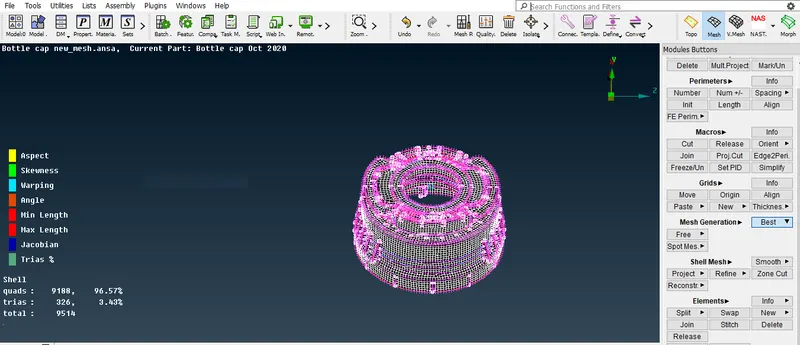
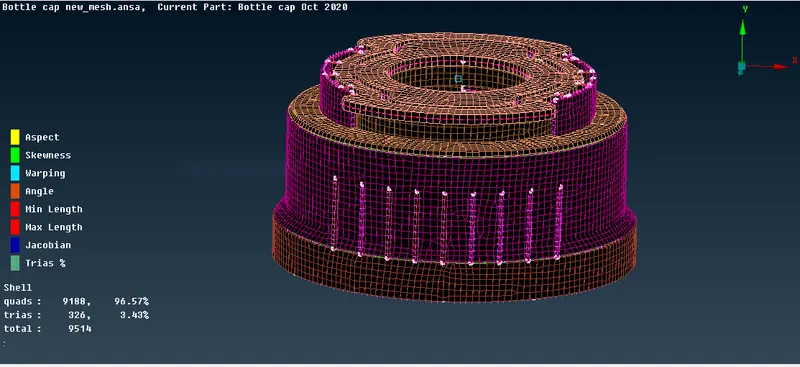
- Finally assign the thickness by Quality Criteria>presentation parameters> Draw shell as solid
LEARNING OUTCOMES
- In this particular challenge understood how to improve the OFF elements
- Defeaturing the features which are not satisfying the minimum target lenght
- understood mid surface extraction of varying cross sections, threads and some of the other complicated surfaces
- understood what all problems we can expect in plastic and casting products
- The level of complexity the challenge had, it made me to invlove more in the tool and understood the working of different commands
- understood the optimised way of usind the commands
CONCLUSION
- The given model is meshed and assigned the thickness as mentioned