BlogCivil
Civil
articles.
168 articles in Civil.
168 Civil articles from the Skill-Lync blog, newest first. For structured training with projects and placement support, see Skill-Lync's civil engineering courses.
Newest article: 22 Nov 2026 · 168 articles


Surat-Bilimora Bullet Train Energisation: 2x25 kV OHE, Progress, Jobs

NHAI MLFF Guidelines: How Barrier-Free Toll Plazas Will Be Designed

NHAI High-Speed Corridor Guidelines: What Changes in Highway Design

Innovations and Marvels in Structural Engineering

Mastering Structural Analysis: A Guide for Beginners

Career Progression in Structural Engineering: From Beginner to Leader

Introduction to Structural Engineering: Fundamentals and Career Insights

Boolean Operations in AutoCAD: Union, Subtract and Intersect for Civil
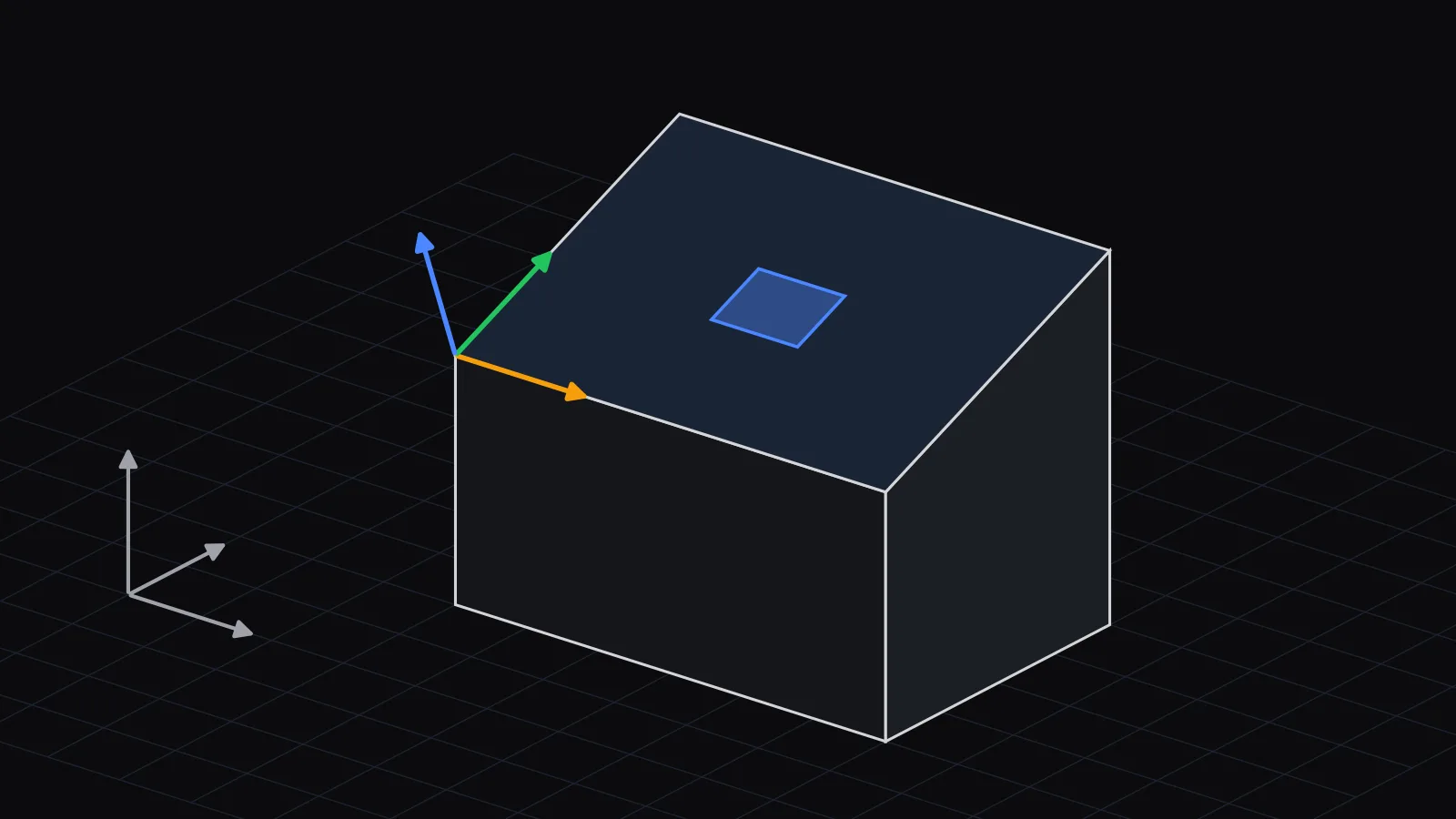
UCS in AutoCAD: Commands, UCS vs WCS and Two Civil Worked Examples
Archive · 158 more
- Creating Architectural Elements Using AutoCAD 3D Tools9 Jan 2025
- Advanced Tools: Extrude, Revolve, and Sweep in AutoCAD8 Jan 2025
- Absolute Coordinates in AutoCAD: # Prefix, Survey Plots and 3D Points7 Jan 2025
- Getting Started with Solid Modeling in AutoCAD for Civil Engineers7 Jan 2025
- Exploring Surface Modeling in AutoCAD for Civil Engineers: A Step-by-Step Guide7 Jan 2025
- Advanced Tools in AutoCAD: Multi-Lines, Revision Clouds, and More6 Jan 2025
- Exploring 3D Modeling in AutoCAD for Civil Engineers6 Jan 2025
- Mastering Layouts, Scales, and Templates in AutoCAD for Civil Engineers6 Jan 2025
- Mastering Plotting and Advanced Layout Tools in AutoCAD5 Jan 2025
- Layouts and Plotting in AutoCAD for Civil Engineers5 Jan 2025
- Mastering Layer Control in AutoCAD Viewports for Civil Engineering5 Jan 2025
- Mastering Layouts and Viewports in AutoCAD: A Guide for Civil Engineers1 Jan 2025
- Elevate Your Drawings with Hatch Layering and Draw Order in AutoCAD1 Jan 2025
- Advanced Hatching Techniques in AutoCAD for Civil Engineers1 Jan 2025
- Air Brakes: The Pneumatic Powerhouses of Heavy-Duty Stopping1 Jan 2025
- Mastering Xclip and Wblock Commands in AutoCAD for Civil Engineers30 Dec 2024
- Tracing, Scaling, and Managing PDFs in AutoCAD30 Dec 2024
- Hatching Techniques in AutoCAD: Elevate Your Drafting Skills30 Dec 2024
- Mastering Electrical Layouts with External References in AutoCAD29 Dec 2024
- AutoCAD Xrefs Explained: Attach vs Overlay, Paths, Layers and Binding29 Dec 2024
- Hatching in AutoCAD for Civil Drawings: IS 962 Patterns, Scale, Area29 Dec 2024
- Data Extraction and BOQs Using Attributes in AutoCAD26 Dec 2024
- How a Container Ship Secures Containers26 Dec 2024
- Stretch, Scale and Attributes in AutoCAD Dynamic Blocks: Worked Examples26 Dec 2024
- Mastering Dynamic Blocks in AutoCAD for Civil Engineers26 Dec 2024
- Attributes in AutoCAD: Enhancing Efficiency in Civil Engineering Projects26 Dec 2024
- Editing Blocks and Enhancing Design with AutoCAD’s Block Editor25 Dec 2024
- Dynamic Blocks and Attributes in AutoCAD: An Introduction25 Dec 2024
- Creating Electrical Symbols and Legends with AutoCAD25 Dec 2024
- Designing Plumbing and Electrical Layouts with AutoCAD Blocks25 Dec 2024
- Creating and Managing Door Blocks in AutoCAD for Civil Engineers23 Dec 2024
- Furniture Blocks and Space Planning in AutoCAD for Civil Engineers23 Dec 2024
- Advanced Techniques for Renaming and Customizing Blocks in AutoCAD23 Dec 2024
- Creating and Inserting Window Blocks in AutoCAD for Civil Engineers23 Dec 2024
- The Rise of E-Bikes: Design Challenges and Market Trends22 Dec 2024
- Mastering Reinforcement Dimensioning in AutoCAD for Civil Engineers22 Dec 2024
- Exploring Attributes and Advanced Block Features in AutoCAD 202422 Dec 2024
- Creating Elevations in AutoCAD: A Step-by-Step Guide for Civil Engineers22 Dec 2024
- Mastering Blocks in AutoCAD for Civil Engineers: A Step-by-Step Guide22 Dec 2024
- Dimension Styles in AutoCAD for Civil Engineers: Settings and Scale19 Dec 2024
- Mastering Floor Plan Dimensioning in AutoCAD for Civil Engineers19 Dec 2024
- Advanced Multileader Techniques in AutoCAD for Civil Engineers19 Dec 2024
- Footing and Foundation Dimensioning Essentials in AutoCAD19 Dec 2024
- Mastering Dimension Editing in AutoCAD for Civil Engineers18 Dec 2024
- Advanced Dimensioning and Annotation Tools in AutoCAD for Civil Engineers18 Dec 2024
- Mastering Leaders and Multileaders in AutoCAD for Civil Engineers18 Dec 2024
- Mastering Dimensioning Techniques in AutoCAD for Civil Engineers18 Dec 2024
- Continued and Baseline Dimensions in AutoCAD: A Civil Floor-Plan Example17 Dec 2024
- Advanced Dimensioning Techniques: Jog, Quick, and Associative Dimensions17 Dec 2024
- Efficient Dimensioning Techniques in AutoCAD – From Ordinate to Break Dimensions17 Dec 2024
- Advanced Dimensioning Tools in AutoCAD for Civil Engineering17 Dec 2024
- Multi-Line Text: A Comprehensive Guide for Civil Engineers in AutoCAD16 Dec 2024
- Mastering Dimensions in AutoCAD for Civil Engineering16 Dec 2024
- Mastering Text Tools in AutoCAD for Civil Engineers16 Dec 2024
- Exploring Zoom and View Management in AutoCAD15 Dec 2024
- Mastering Inquiry Tools in AutoCAD for Civil Engineers15 Dec 2024
- Mastering Text and Annotation Tools in AutoCAD for Civil Engineers15 Dec 2024
- Understanding Annotation in AutoCAD: A Guide for Civil Engineers15 Dec 2024
- Quick Select (QSELECT) and Advanced Selection in AutoCAD, With Examples12 Dec 2024
- Blending Curves and Advanced Tools in AutoCAD12 Dec 2024
- Arrays in AutoCAD: Rectangular, Polar and Path, with Civil Examples12 Dec 2024
- Mastering Match Properties and Hyperlinks in AutoCAD for Civil Engineers12 Dec 2024
- Exploring Annotations and Grips in AutoCAD for Civil Engineers11 Dec 2024
- Mastering Grip Editing in AutoCAD for Civil Engineers11 Dec 2024
- Unlocking the Power of Grip Editing in AutoCAD for Civil Engineers11 Dec 2024
- Advanced Grip and Match Properties in AutoCAD11 Dec 2024
- Advanced Layer Management Techniques in AutoCAD for Civil Engineers10 Dec 2024
- Layer State Management and Filters in AutoCAD10 Dec 2024
- The Essentials of Layer Management in AutoCAD for Civil Engineers10 Dec 2024
- Advanced Drafting and Line Type Management in AutoCAD10 Dec 2024
- Crafting an Architectural Plan in AutoCAD – A Step-by-Step Guide9 Dec 2024
- Understanding Layers in AutoCAD – A Deep Dive into Properties and Management9 Dec 2024
- Enhancing Your AutoCAD Plans with Advanced Techniques9 Dec 2024
- Advanced Layer Control in AutoCAD – Unlocking Efficiency9 Dec 2024
- Mastering Layer Management in AutoCAD Essentials for Civil Engineers8 Dec 2024
- Unlocking the Potential of Lengthen, Mirror, and Join Commands in AutoCAD for Civil Engineers8 Dec 2024
- Leveraging Color and Properties in AutoCAD Layers for Civil Engineers8 Dec 2024
- Mastering the Trim, Extend, and Break Commands in AutoCAD Essentials for Civil Engineers8 Dec 2024
- Mastering Arc Creation in AutoCAD for Civil Engineers5 Dec 2024
- Exploring Advanced Arc Techniques in AutoCAD5 Dec 2024
- Dividing, Measuring, and Constructing in AutoCAD with X Lines5 Dec 2024
- Understanding Points and Their Applications in AutoCAD for Civil Engineers5 Dec 2024
- Exploring Object Snap Tracking and Polar Tracking in AutoCAD4 Dec 2024
- AutoCAD Object Snap (OSNAP): All 14 Snap Modes, With a Civil Example4 Dec 2024
- Mastering Parallelism, Perpendicular, and Tangent in AutoCAD for Civil Engineers4 Dec 2024
- AutoCAD Intersection, Perpendicular and Tangent Snaps, With Civil Examples4 Dec 2024
- Introduction to Isometric Snap in AutoCAD for Civil Engineers3 Dec 2024
- EVs vs. IC Engine Cars: A Detailed Comparison of the Future of Transportation3 Dec 2024
- Snap and Grid in AutoCAD for Civil Drawings: F9, F7, Spacing Worked3 Dec 2024
- CHAMFER Command in AutoCAD: Distance, Angle and Polyline, Civil Examples3 Dec 2024
- AutoCAD Fillet Command for Civil Engineers: Options, Examples, Road Curves2 Dec 2024
- Harnessing the Rotate and Scale Commands in AutoCAD for Civil Engineers2 Dec 2024
- Enhancing Designs with the Chamfer Command and Orthomode in AutoCAD2 Dec 2024
- AutoCAD Offset Command for Civil Engineers: Options, Walls and Fixes2 Dec 2024
- Why Do Smartphone Batteries Puff Up and How Can You Prevent It1 Dec 2024
- Rotate and Scale Tools: Precision Modifications in AutoCAD1 Dec 2024
- Mastering the Move and Copy Tools in AutoCAD1 Dec 2024
- Precision Drafting with the Offset Tool in AutoCAD1 Dec 2024
- Advanced Polyline Options in AutoCAD28 Nov 2024
- Polylines in AutoCAD for Civil Engineers: Plot Area, Contours, Pipes28 Nov 2024
- Mastering Regular Polygons in AutoCAD for Civil Engineers28 Nov 2024
- Advanced Editing Techniques: Optimizing Rectangles in AutoCAD28 Nov 2024
- Sketching and Editing Essentials: Rectangles in AutoCAD for Civil Engineers27 Nov 2024
- Unlocking Circle Tools and Units in AutoCAD for Civil Engineers27 Nov 2024
- AutoCAD Undo, Redo, OOPS and Selection Methods, With a Worked Example27 Nov 2024
- Relative and Polar Coordinates in AutoCAD, Explained With Civil Examples27 Nov 2024
- Quick Setup and Saving Files in AutoCAD26 Nov 2024
- Understanding Workspaces and Coordinate Systems in AutoCAD26 Nov 2024
- Mastering Absolute and Relative Coordinate Systems in AutoCAD26 Nov 2024
- Unit Systems and Advanced Setup in AutoCAD26 Nov 2024
- Understanding AutoCAD Dialog Boxes and Starting a New Drawing25 Nov 2024
- AutoCAD Essentials for Civil Engineers – Getting Started with AutoCAD25 Nov 2024
- AutoCAD Essentials for Civil Engineers: An Engaging Introduction to CAD Mastery25 Nov 2024
- Mastering AutoCAD’s Interface and Tools – A Guide for Civil Engineers25 Nov 2024
- Revit Structure: Modeling and Analyzing Structural Elements31 Jul 2023
- BIM in Revit: Enhancing Design and Construction Processes30 Jul 2023
- Future Trends in Steel Structures: Advanced Materials & Construction Techniques27 Jul 2023
- Structural Engineering in High-Rise Buildings: Design Principles and Innovations2 Jul 2023
- High-Rise Building Design in India: Principles, IS Codes, Worked Example8 Jun 2023
- Structural Stability Certification: Why Does It Matter?8 Jun 2023
- The Impact of Automation and Robotics in the Civil Engineering Industry4 Jun 2023
- AI and Construction: Bridging the Gap Between Automation and Human Expertise31 May 2023
- Basics of Road Design: An All-Inclusive Guide for the Learners2 May 2023
- Types of Steel Structural Connections: A Guide for Civil Engineers26 Apr 2023
- Sustainable Design and Green Building Practices6 Apr 2023
- Top Jobs for Civil Engineers Based On ETABS3 Apr 2023
- 5 Reasons Civil Engineers Should Use AutoCAD2 Apr 2023
- Bridge Design in Civil Engineering: IRC Loads, Types and a Worked Example2 Apr 2023
- Roles and Responsibilities of AutoCAD Civil Engineer30 Mar 2023
- The Role of Geotechnical Engineering in Site Investigation, Foundation Design and Soil Stabilization20 Mar 2023
- History of Civil Engineering: Timeline From the Pyramids to Chenab Bridge14 Mar 2023
- Role of Earthquake Engineering in Predicting the Impact of Seismic Activity on Infrastructure13 Mar 2023
- Importance of AUTOCAD in Civil Engineering Drawings8 Mar 2023
- ETABS Explained: Uses, Workflow, IS Codes and Why Civil Engineers Learn It20 Feb 2023
- 7 Reasons to Embrace Revit for Architectural Design17 Feb 2023
- Importance of Learning High-rise Building Design for Civil Engineers16 Dec 2022
- HEC RAS Software - What is It?15 Dec 2022
- How is Primavera Software Important for Civil Engineering?13 Dec 2022
- How is High Rise Building Design an Integral Part of Civil Engineering?7 Dec 2022
- ETABS vs STAAD.Pro: Versions, Indian Codes and an IS 1893 Worked Example28 Nov 2022
- Know the Advantages of ETABS Over Other Structural Designing Tools9 Nov 2022
- Chola Engineering Explained: Kallanai, the Thanjavur Temple and Tanks7 Oct 2022
- What Are the Methods for Steel Structure Design?25 Aug 2022
- Top 10 Job Profiles for Civil Engineers17 Aug 2022
- Digital Elevation Model and Catchment Areas31 Jul 2022
- How to keep a 1000+ Foot Skyscraper from Falling Over29 Jul 2022
- A Brief Overview of Structural Detailing28 Jul 2022
- How Are Mega-Tall Skyscrapers Built? The Engineering, Step by Step22 Jul 2022
- What Is STAAD.Pro? Uses, History, Indian Codes and a Worked Example15 Jul 2022
- Top 4 BIMs You Need To Know For A Career in High-Rise Building Construction8 Jul 2022
- How Can PG Program in High-Rise Building Design and Analysis Help You in Your Career14 Jun 2022
- Major Challenges Faced by Civil Engineers Worldwide6 Jun 2022
- Civil Engineering Jobs for Freshers in India: Roles, Hirers, Starting Pay30 Sept 2021
- Analyzing Structural Drawings and Course Study on STAAD.Pro17 Nov 2020
- Introduction to BIM 2: Implementation and Career Opportunities16 Nov 2020
- Introductory Session to BIM - Know How BIM Fundamentals Help in Design16 Nov 2020
- Civil & Architectural Drafting using Autocad (Part - 2)29 Jul 2020
- Civil & Architectural Drafting using Autocad (Part - 1)29 Jul 2020