Mastering Dynamic Blocks in AutoCAD for Civil Engineers
Learn to master dynamic blocks in AutoCAD for civil engineering. Explore flip, array, and scaling parameters to create efficient, adaptable designs for projects using AutoCAD 2024.
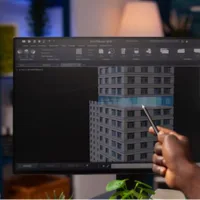
Dynamic blocks in AutoCAD transform static components into flexible, customizable elements, making them indispensable in AutoCAD for civil engineering projects. This blog dives into the creation and utilization of dynamic blocks, focusing on flip, array, and scaling parameters.
What Are Dynamic Blocks?
Dynamic blocks are an advanced feature in AutoCAD essentials that allow parameters and actions to modify a block’s geometry. Unlike static blocks, they adapt to different scenarios without needing multiple versions.
Creating Flip Parameters for Dynamic Blocks
A common application of dynamic blocks is creating doors with flipping capabilities.
1. Access the Block Editor:
- Select the block and double-click to open the Block Editor.
- This is where parameters and actions are added.
2. Define Flip Parameters:
- Go to the Authoring Palettes and choose Flip Parameter.
- Specify the reflection line, which acts as the axis for flipping.
- Position the label to identify the flip direction.
3. Assign Flip Actions:
- Add a Flip Action from the action tab.
- Link the action to the flip parameter and select the block elements to be flipped.
4. Test the Block:
- Use the Test Block feature to verify the flip functionality.
- Ensure the block flips correctly along the specified axis.
5. Enhance with Additional States:
- Add another flip parameter to allow flipping in a second direction.
- For example, doors can flip both vertically and horizontally to accommodate different layouts.
Dynamic Blocks with Array Parameters
Dynamic blocks can also handle repetitive patterns like chairs in a row or fixtures.
1. Add Array Parameters:
- Use the Linear Parameter for creating evenly spaced arrays.
- Define the start and end points to establish the direction and spacing.
2. Apply Array Actions:
- Link the Array Action to the parameter.
- Select the object to be repeated and specify the spacing between copies.
3. Test the Array:
- Adjust the grip to extend or reduce the array dynamically.
Practical Example: Doors with Rotation and Flip
Dynamic blocks can integrate multiple features, such as rotation and flip:
- Insert the door block into the plan.
- Rotate it to align with the opening using the rotation parameter.
- Flip the door dynamically to adjust its swing direction.
Conclusion
Dynamic blocks are a game-changer for civil engineering professionals using AutoCAD 2024. By mastering flip, array, and other parameters, you can create adaptable, efficient designs.
Elevate your skills with Skill-Lync! Join the Skill-Lync AutoCAD Course for Civil Engineers and learn to create dynamic blocks, arrays, and advanced features tailored for civil projects
This blog is part of our ongoing AutoCAD Design Series. If you missed the previous posts, check them out here.
Would you like to have a more interactive experience going through the AutoCAD essentials?
Skill-Lync has released a FREE comprehensive course covering AutoCAD Essentials for Civil Engineers in detail! Check it out here.
If you’re looking to go deeper into AutoCAD Essentials check out Skill-Lync’s AutoCAD certification course.
Check out our hands-on course today and add AutoCAD to your list of skills!
Let’s get #IndustryReady together, one skill at a time!