Section Modulus calculation and optimization
Section Modulus calculation and optimization
Section modulus is a geometric property for a given cross-section used in the design of beams or flexural members. Other geometric properties used in design include area for tension and shear, radius of gyration for compression, and moment of inertia and polar moment of inertia for stiffness.
Section modulus is the ratio of moment of inertia about neutral axis upon the farthest point of section from neutral axis.
- Section modulus represented with a symbol of 'S'.
S = I/y
Where,
S = Section Modulus
I = Moment of Inertia
y = distance between the neutral axis and the extreme end of the object.
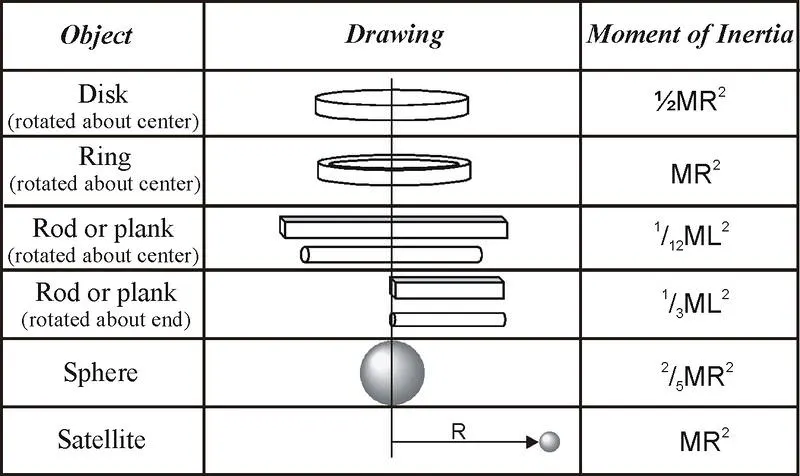
Moment of inertia is defined as the quantity expressed by the body resisting angular acceleration which is the sum of the product of the mass of every particle with its square of a distance from the axis of rotation. Or in more simple terms, it can be described as a quantity that decides the amount of torque needed for a specific angular acceleration in a rotational axis. Moment of Inertia is also known as the angular mass or rotational inertia. The SI unit of moment of inertia is kg m2
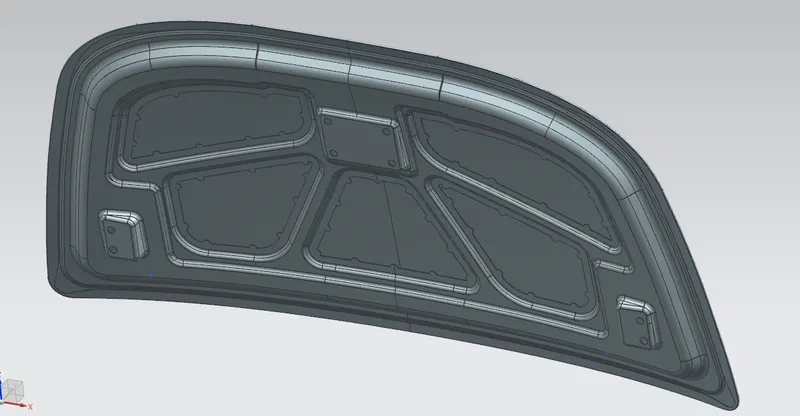
In this report we have to calculate the section modulus od the already created Hood panel.
Aim: To calculate the section modulus of the hood panel and then optimizing the hood panel for better section modulus.
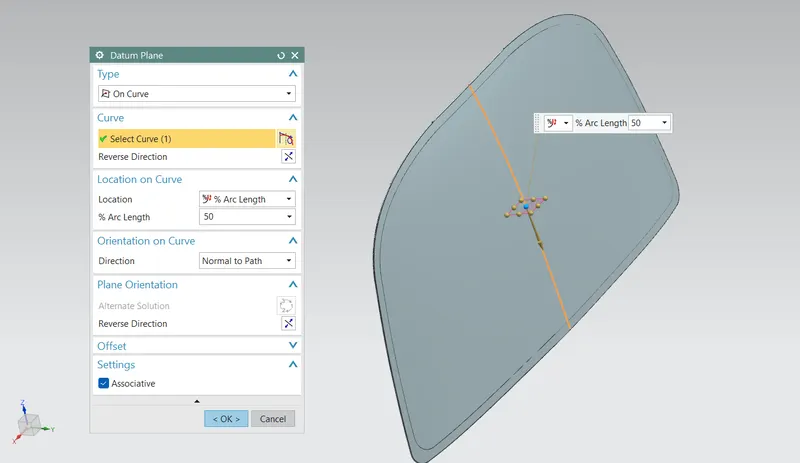
First we have to create the intersection curve. In order to create that we have to create a datum plane at the mid of the hood panel.
Make sure that the entire assembly option  is selected in the selection group.
Since now we have created the plane now click Intersection curve option under Curve menu.
Select the datum plane first and the inner and outer panel as set 2 and click apply.
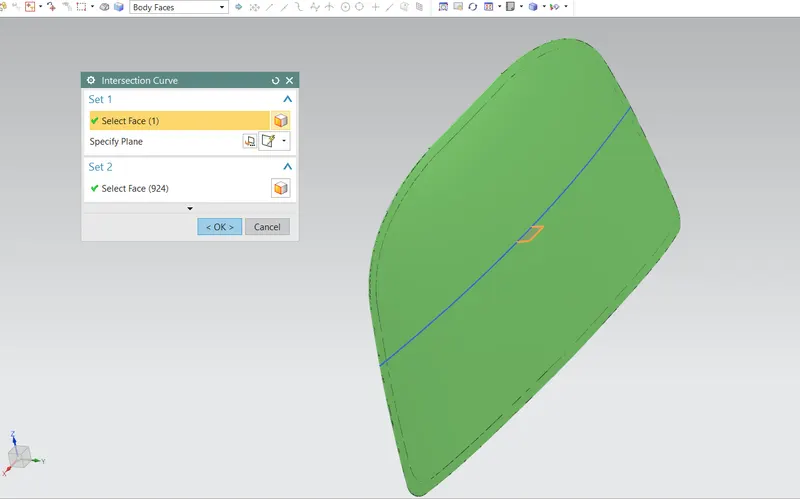
Body faces should be activated in the selection filter.
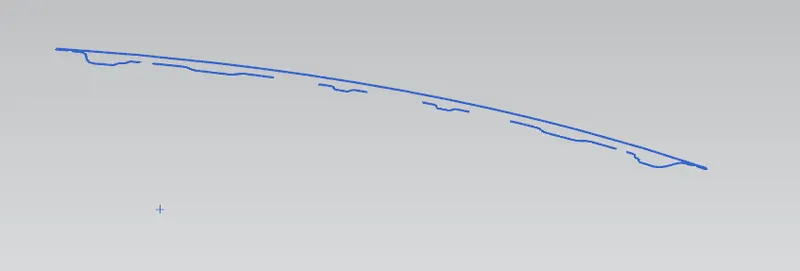
Now draw a sketch in the datum plane created.
Project the outer curve of the outer panel and lower curve of the inner panel.
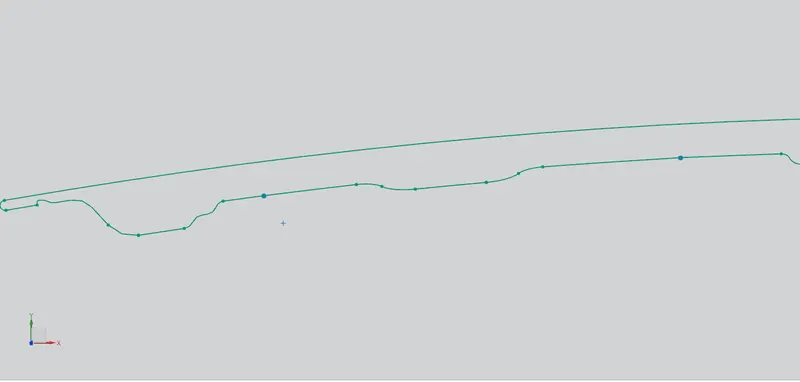
Connect the curves as necessary to obtion a closed curve. Hide the intersection curve.
Next follow the below steps to calculate the Setion modulus.
Click Menu > Analysis > Section Interia Analysis.
Change the type to Existing curve and the selection filter to Connected curves.
Select the sketch and click OK.
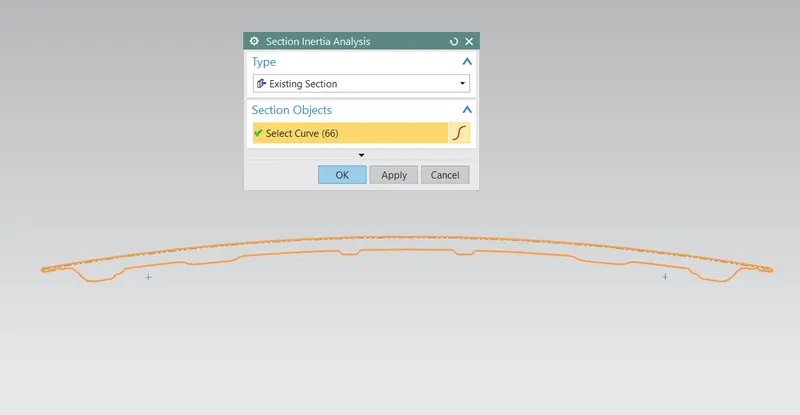
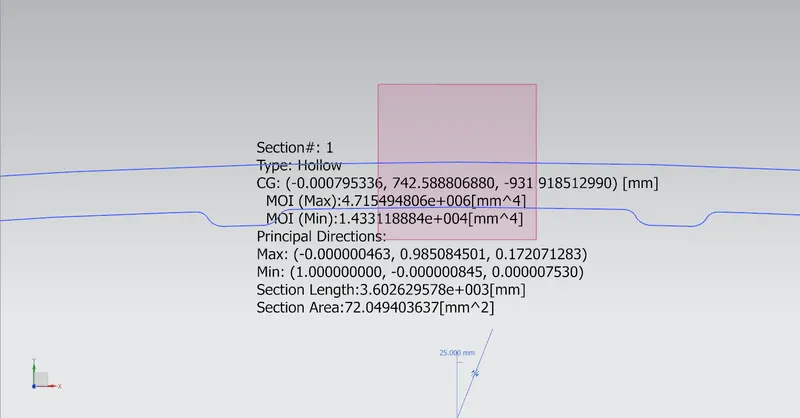
The values moment of inertia calculated by the NX are as follows,
Max. Inertia, I = 4.715494806e+6 mm^4
Max. Length, Y = 875.5680 / 2 = 437.784 mm
Therefore, Section Modulus S = 10.771 x 10³ (Maximum)
S = 0.0323 x 10³ (Minimum)
Case 2:
Now we will be changing anyone of the parameters like the crossectional area.
Offsetting the Outer panel curve by 1mm will also increase the section area of the closed curve.
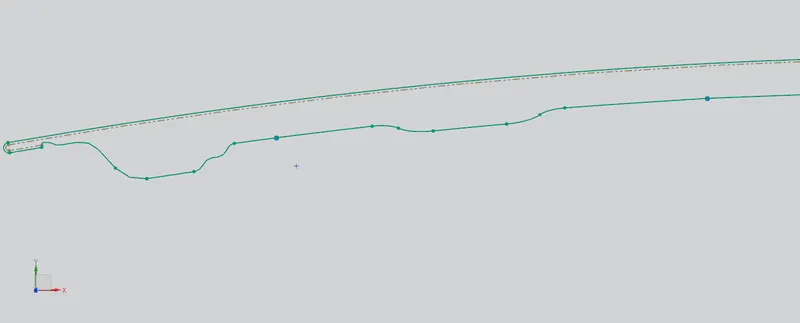
Follow Smae steps to ontain the inertia values.
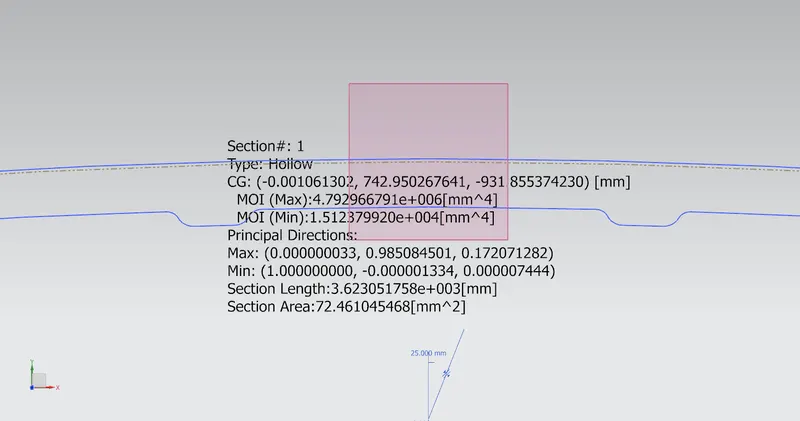
The values moment of inertia calculated by the NX are as follows,
Max. Inertia, I = 4.792966791e+6 mm^4
Max. Length, Y = 875.5680 / 2 = 437.784 mm
Therefore, Section Modulus S = 10.9482 x 10³ (Maximum)
S = 0.0345 x 10³ (Minimum)
Now when we compare both the cases following points are noted:
- The increase in the sectional area otained by offsetting the outer panel curve by 1mm increases the overall moment of inertia by 1.6% and the Section modulus also by 1.64%.
- As we increase the section area, the moment of inertia & section modulus increases which means strength and load material also increase.
- The strength of the material also depends upon the composition of material ,thickness and cross sectional area of an object.