Week - 4 - Crash Box Simulation
Aim : perform a crass simulation on given FE model with thickness of 1.2 mm and 1.5 mm.
Procedure :
open a given model in LS PrePOst
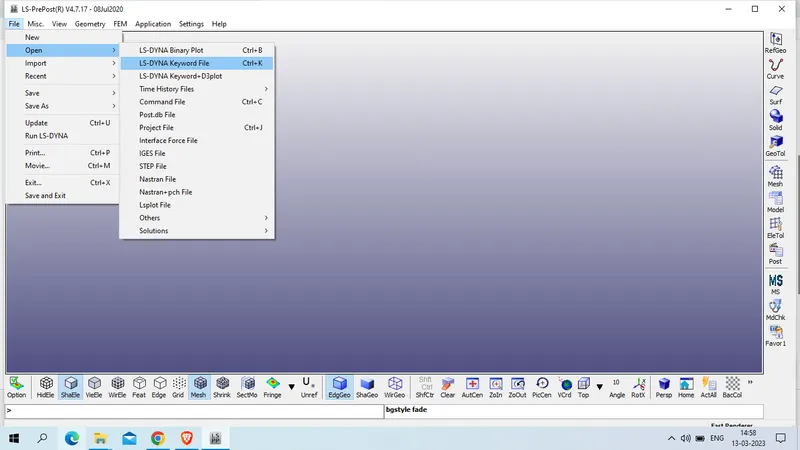
File >> open >> LS-DYNA Keyword file
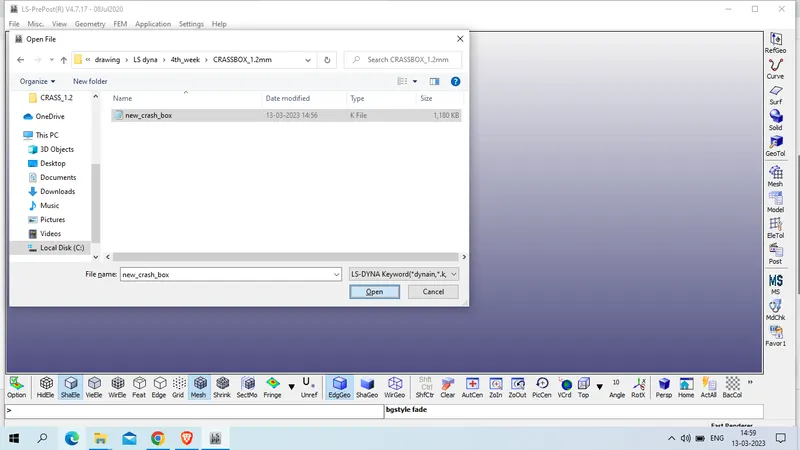
select the file and >> open
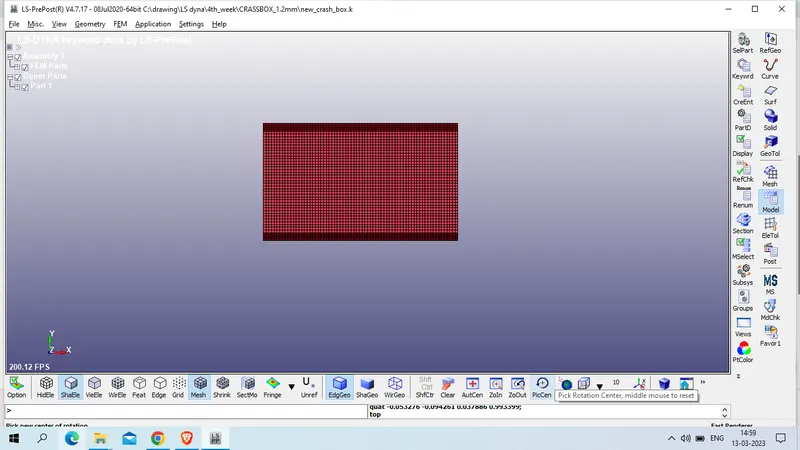
checked the model and found we have only FE model , now create section for shell element
model and part >> keyword manager >> all >> section >> shell
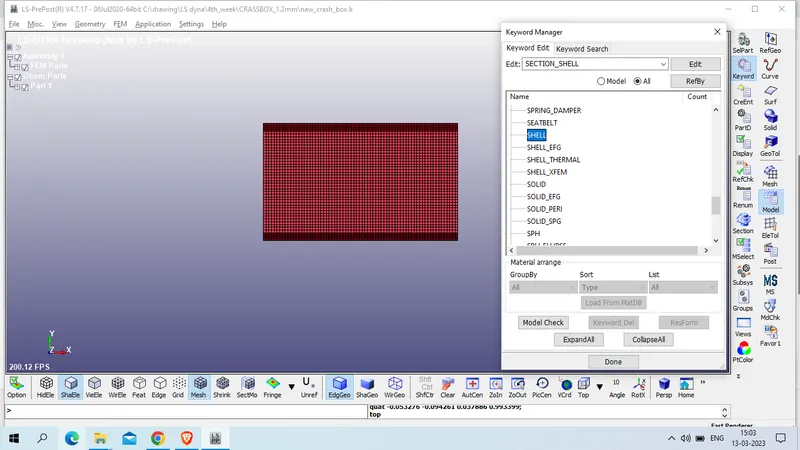
Title : CB_SECT_SHELL
SECID :1
ELFORM : 2 ( Belytschko-Tsay (default))
T1/T2/T3/T4 : 1.2
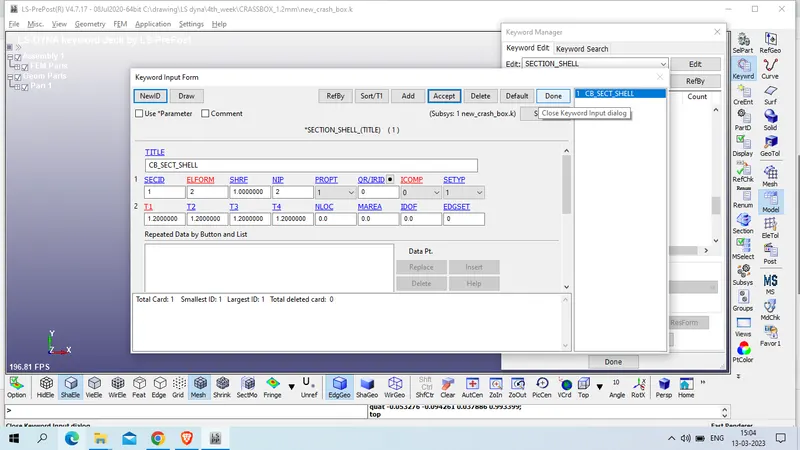
accept >> done
now create Material card for this crass box, we will use g-mm -ms unit system
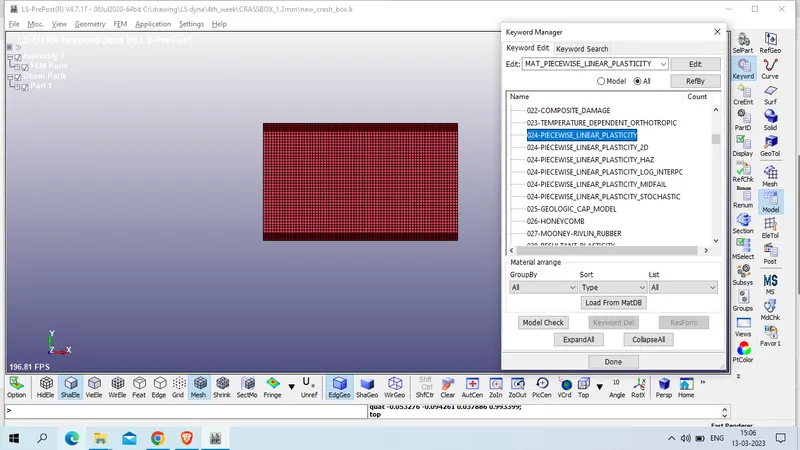
Model and part >> keyword manager >> all >> mat >> 024_Peicewise_linear_plastic
Title : CB_MAT_STEEL
MID : 1
Mass Density od steel : 7.83e-03 g/ mm^3
Young's Modulus of steel : 2.07e+05 MPa
Poission's Ratio : 0.3
SIGY:=Yield stress : 250 MPa
ETAN:=Tangent modulus : 1000 MPa
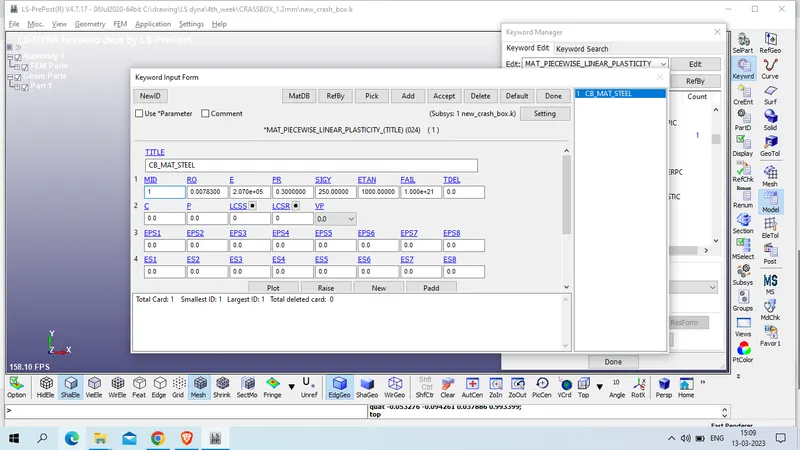
Accept >> done
Now Create hourglass card
Model and part >> keyword manager >> all >> hourglass >> Hourglass
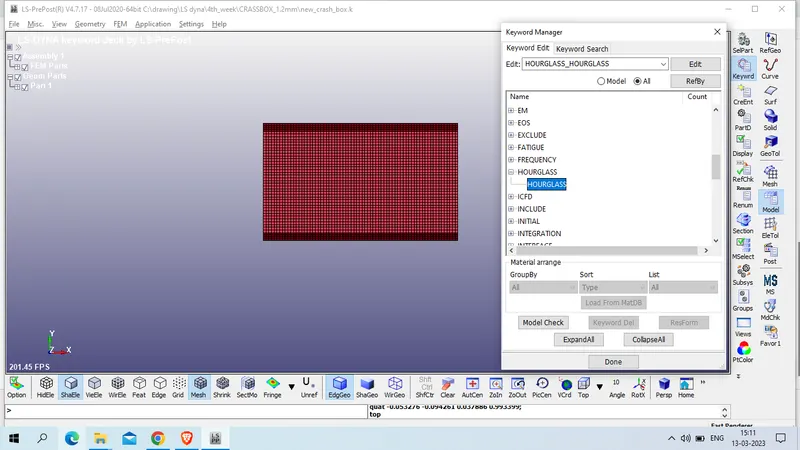
Title : CB-HOURGLASS_E
HGID : 1
IHQ:=Hourglass control type : 2 Flanagan-Belytschko viscous form,
Now define control_energy card
model and part >> keyword manager >> all >> control >> energy
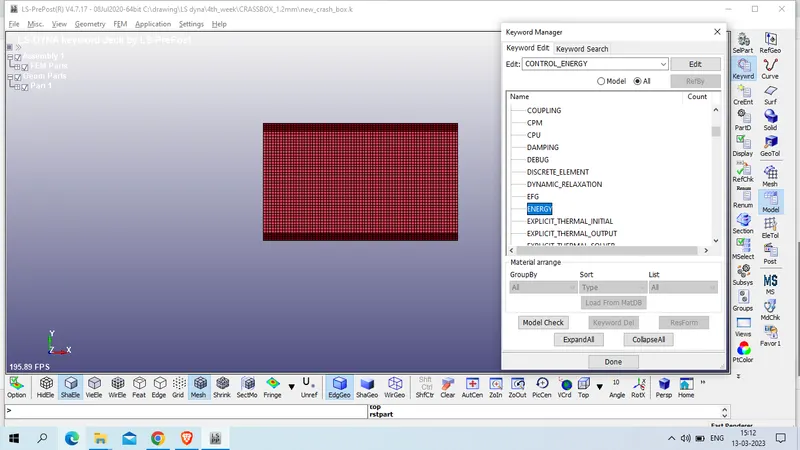
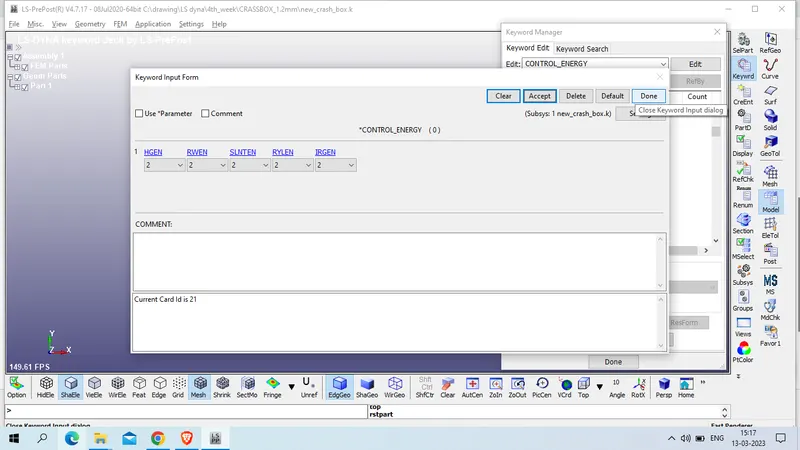
HGEN:=Hourglass energy calculation option. > 2: hourglass energy is computed and included in the energy balance.
RWEN:=Stonewall energy dissipation option:> 2: energy dissipation is computed and included in the energy balance (default).
SLNTEN:=Sliding interface energy dissipation option: >> 2: energy dissipation is computed and included in the energy balance.
RYLEN:=Rayleigh energy dissipation option (damping energy dissipation): >> 2: energy dissipation is computed and included in the energy balance.
IRGEN:=Initial reference geometry energy option >> 2: initial reference geometry energy is computed and included in the energy balance as part of the internal energy (default).
Now assign the SECTION , MATERIAL and Hourglass properties to the crassbox
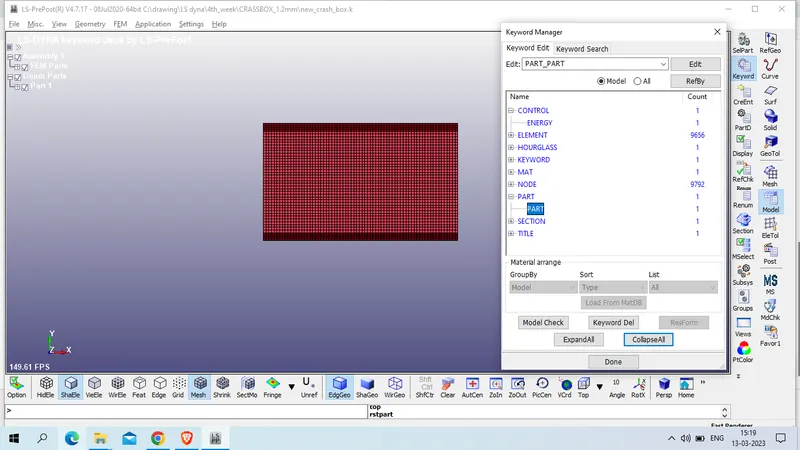
model and part >>keywor manager >> model >> part >> part
Title :CB_PART
PID : 1
SECID : 1
MID : 1
HGID : 1
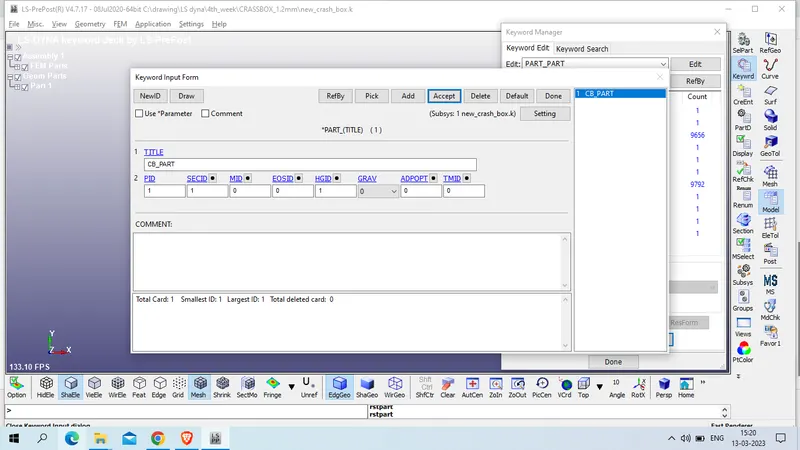
Accept >> done
NOw create rigid wall
model and part >> create entity >> rigidwall >> rigidwall
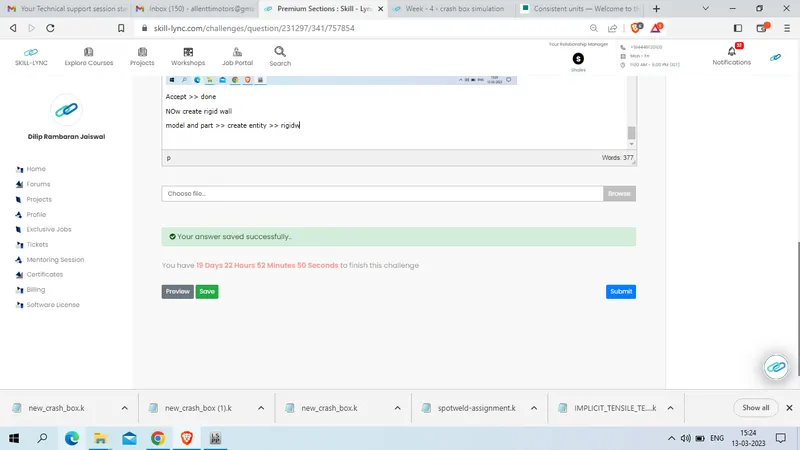
click on create >> Planer >> Geovector >> 1N+NL>> select a node
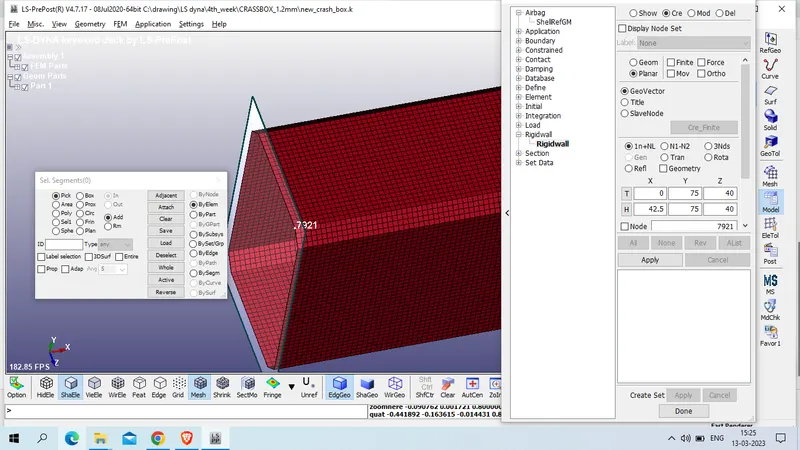
now define x axis with reduced magnitude of 10 mm >> apply >> done
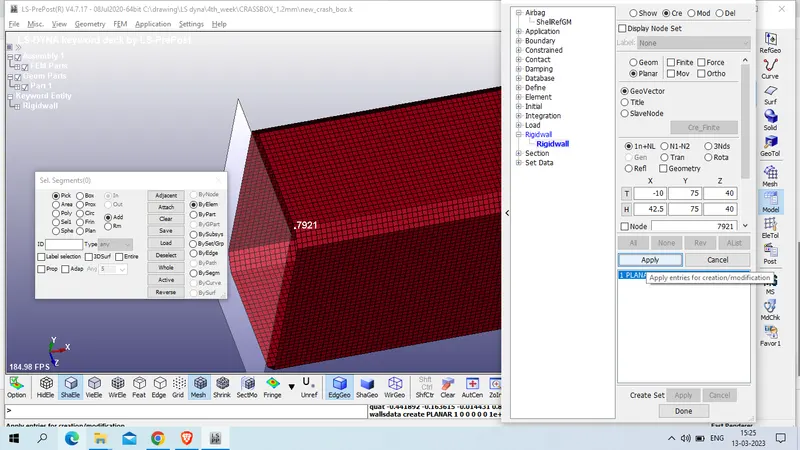
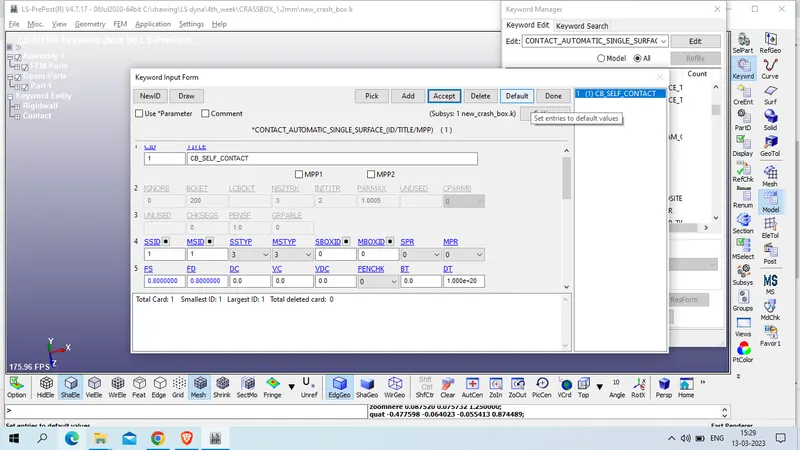
now we will define contact for shell element
model and part >> keuword manager >> all >> contact >> AUTOMATIC_SINGLE_SURFACE
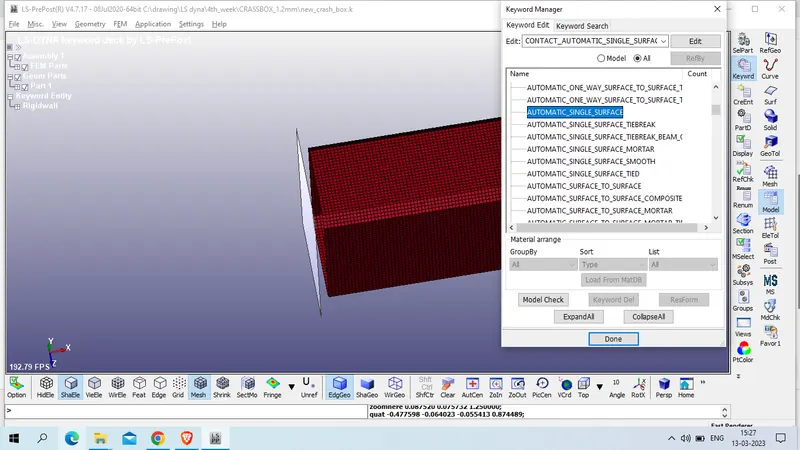
CID : 1
Title : CB_SELF_CONTACT
SSTYP : 3 Part ID
NSTYP : 3 Part Id
SSID : 1
MSID : 1
FS & FD : 0.8
now define intial velocity to the crass box
Model and part >> keyword manager >> all >> Intial >> velocity
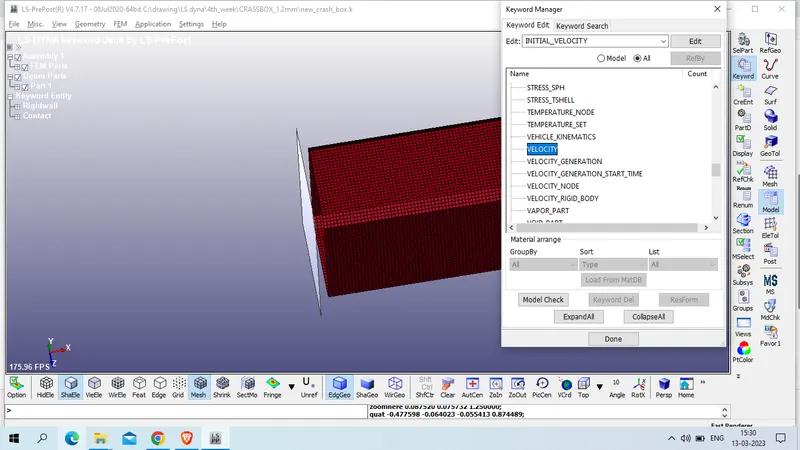
click on NSID to create new node set id
select all node by part selection >> click on part>>
SETID : 1
Title : all_node_INIVEL
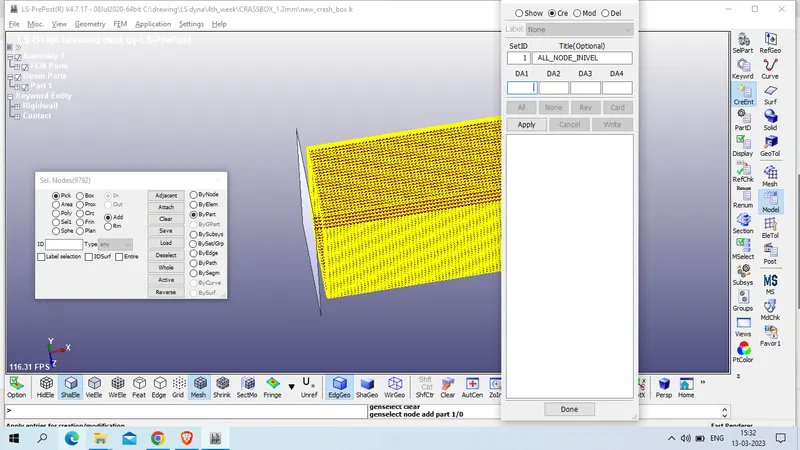
Click on apply
now given velocit of 50 kmph which is equal to 13.8889 mm/ms in negative x axis
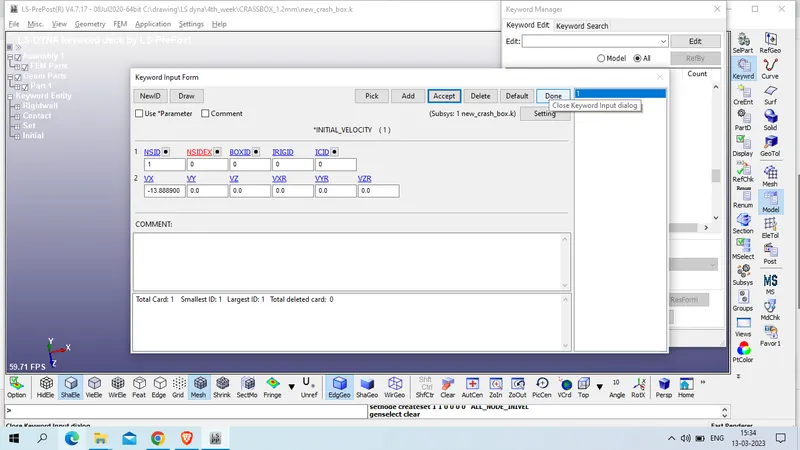
accept >> done
now create cross section to measure cross sectional force
model and part >> create entity >> database >> cross section
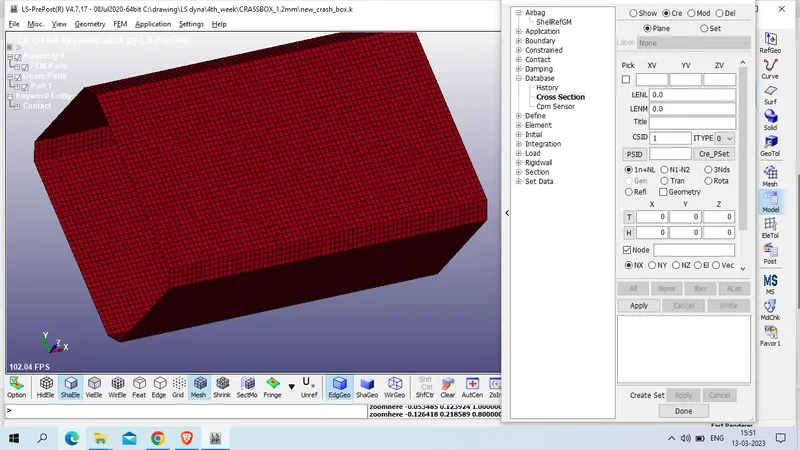
click on create >> plane >> 1n+NL >> select a node from middle
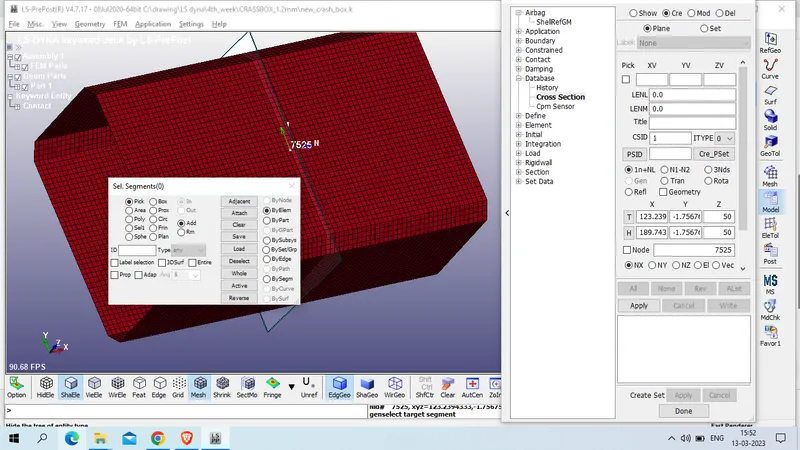
node id : 7525
CSID: 1
click on apply >> done
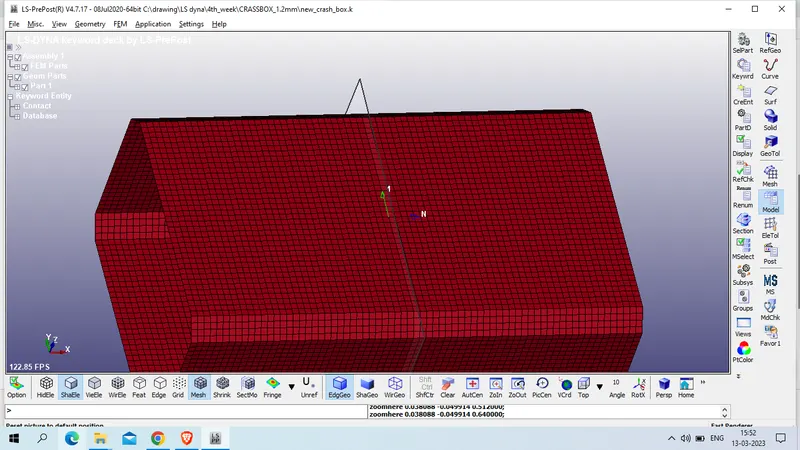
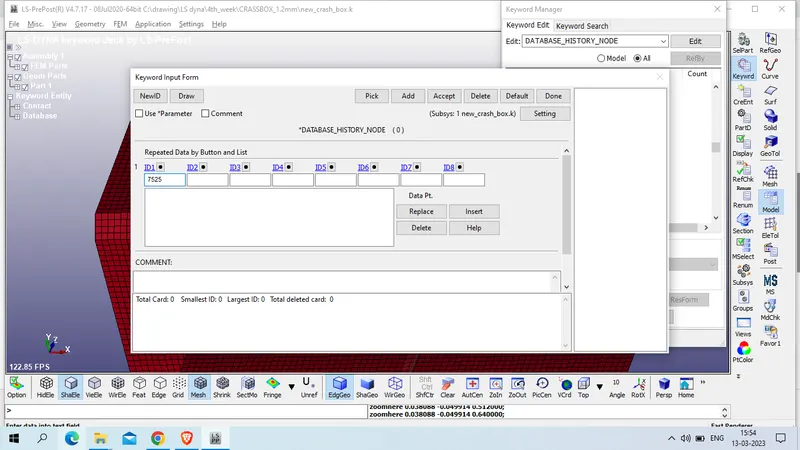
create History_node database for node id # 7525
Model and part <> all >> database >> history_node
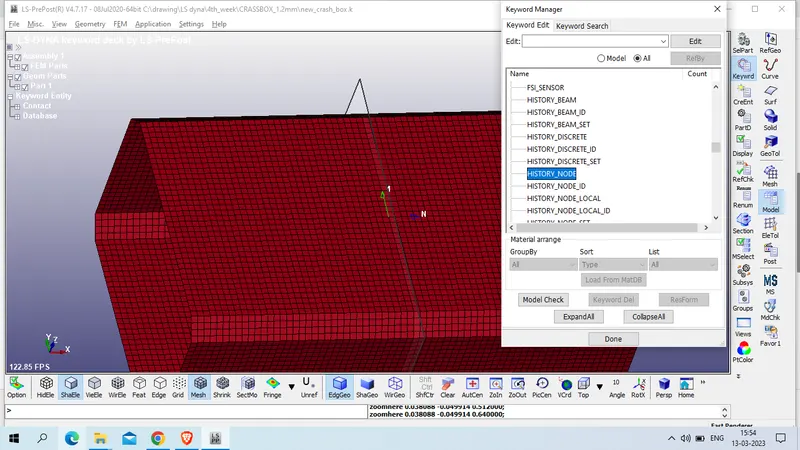
put node 7525 in ID1 and insert>> Accept>> done
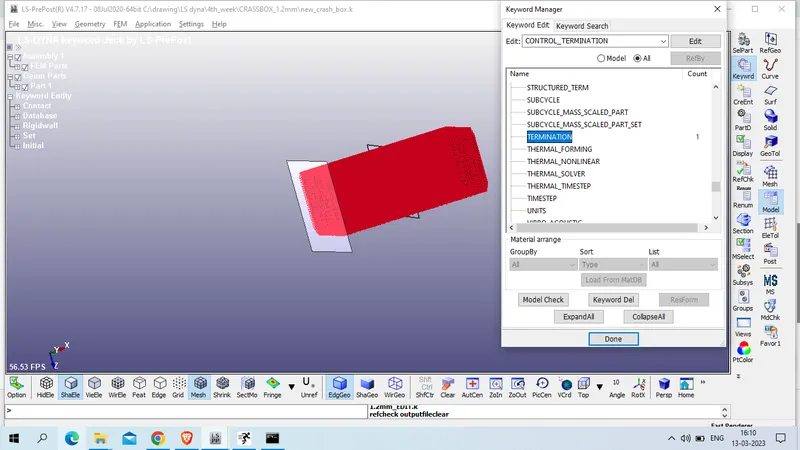
NOw define termination card
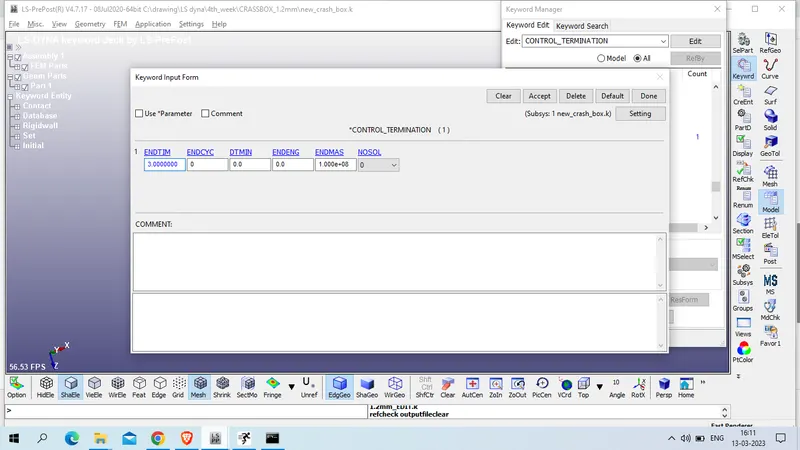
Model and part >> keyword manager >> all >> control >> termination
Set ENDTIM : as 3 ms >> accept >> done
Now request for BINARY_D3PLOT
Model and part >> Keyword manager >> all >> database >> Binary_d3Plot
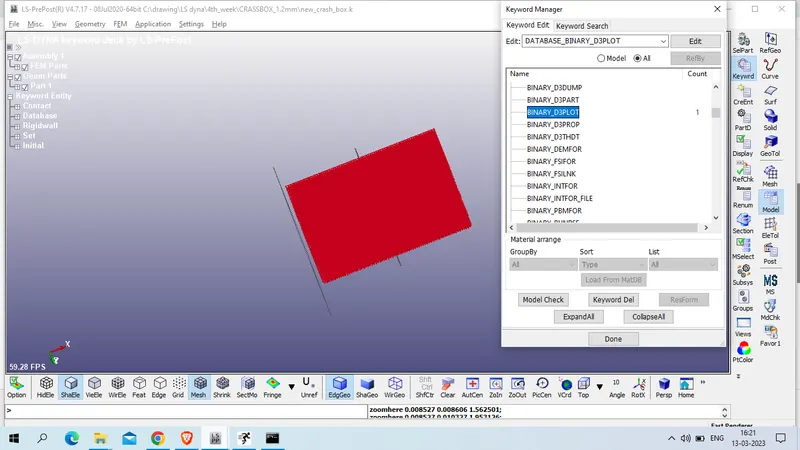
set DT-0.1 ms >> accept >> done
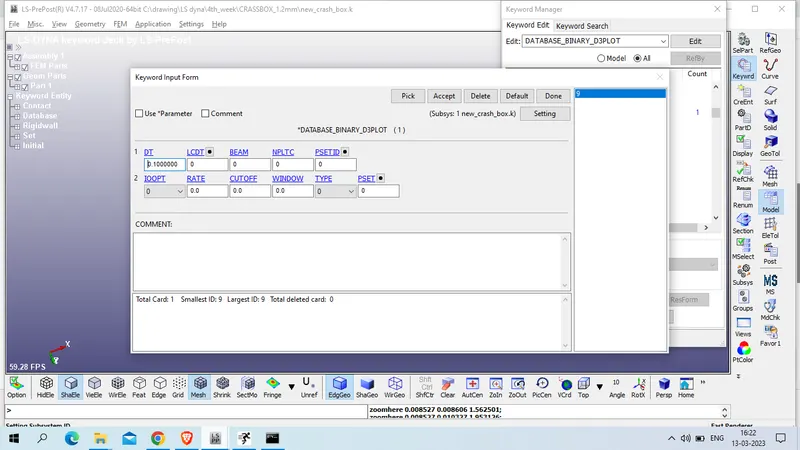
NOw defined ASCII_OPTION Card
Model and parts >> keyword manager >> all >>Database >> ASCII_OPTION
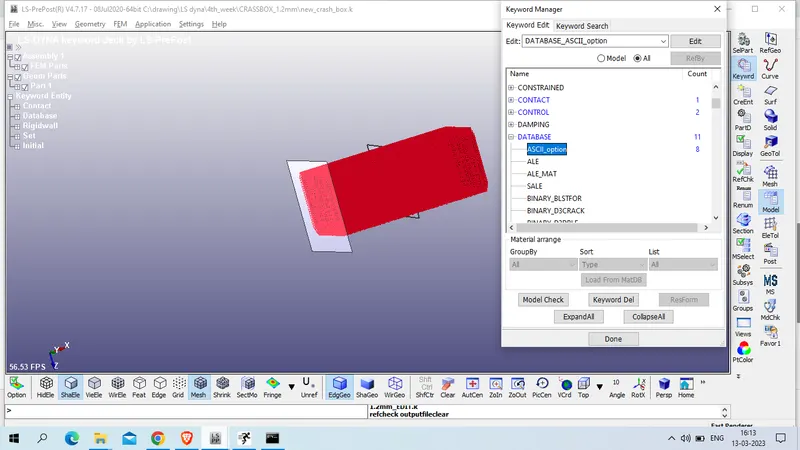
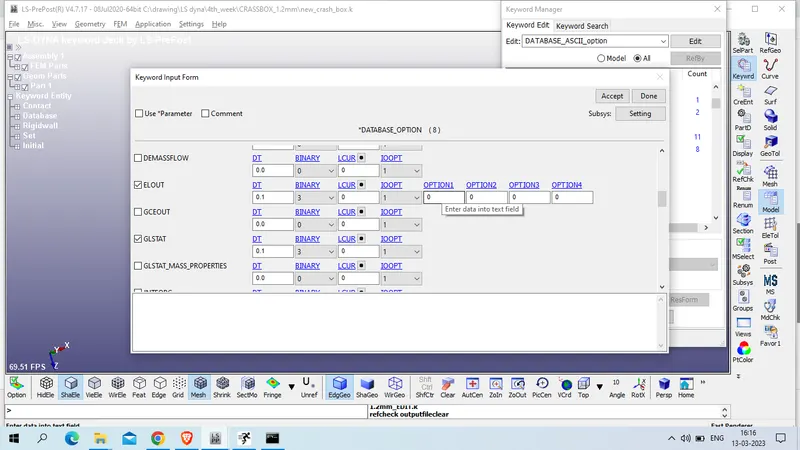
set below parameter with dt -0.1 ms for output request
ELOUT - Element Output Data
GLSTAT - Global Statistics
MATSUM - Material Energies
NODOUT - Nodal Displacement/Velocity/Acceleration data
RCFORC - Resultant Interface Forces
RWFORC - RigidWall Forces
SECFORC- Cross Section Forces data
SLEOUT - Sliding Interface Energies
for all DT -0.1 ms
BINARY : 3
NOw proceed for model checker
CHeck model >> Keyword Check >> recheck
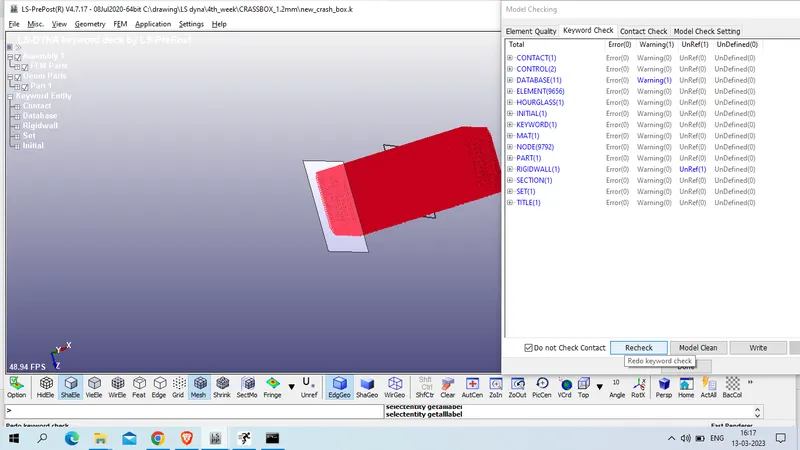
as we have zero error we will save this file and proceed for Run
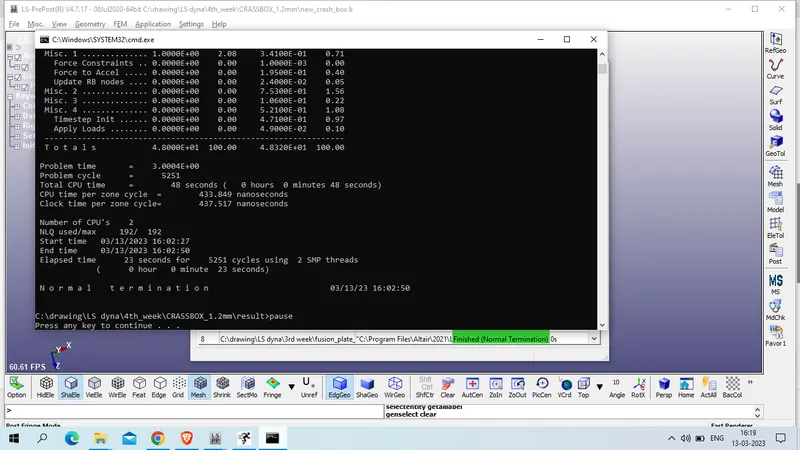
Result :
Open D3Plot file in LS_Prepost
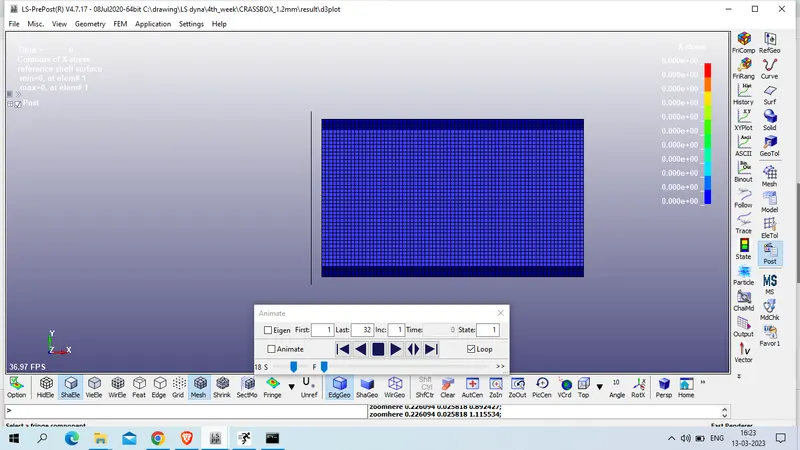
Von mises stress
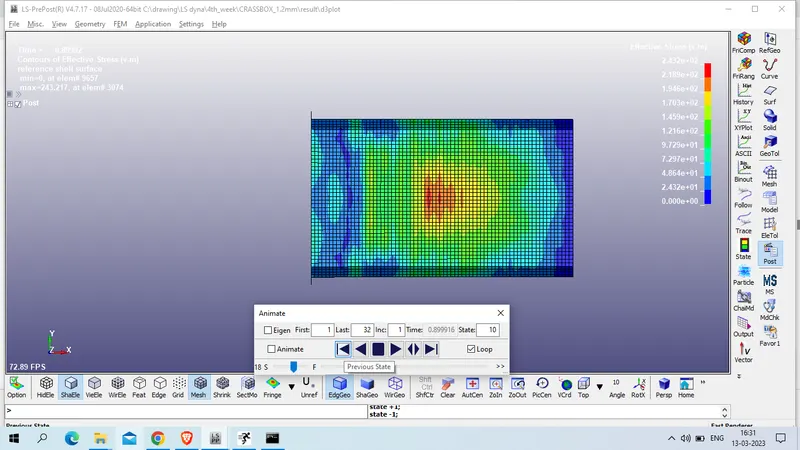
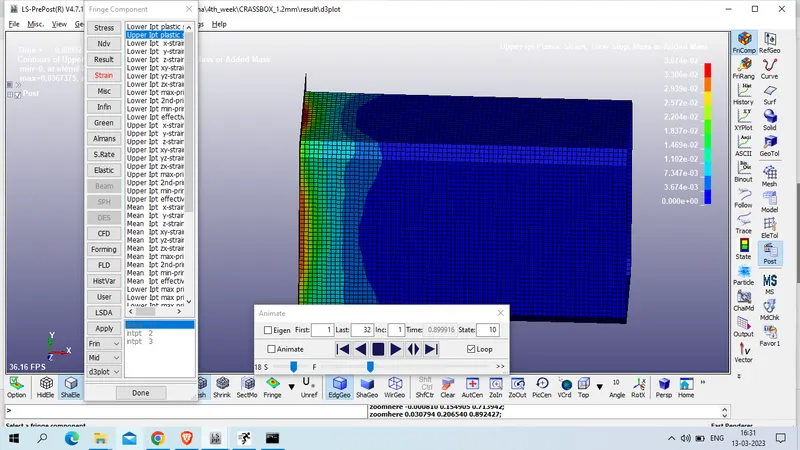
Upper IPT plastic strain
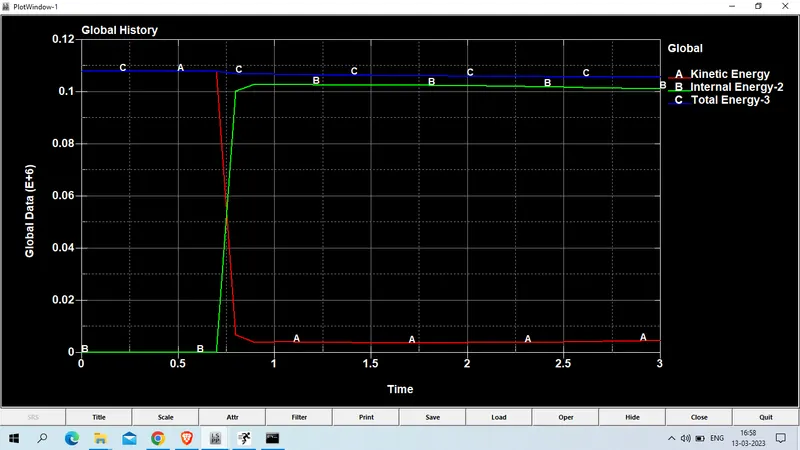
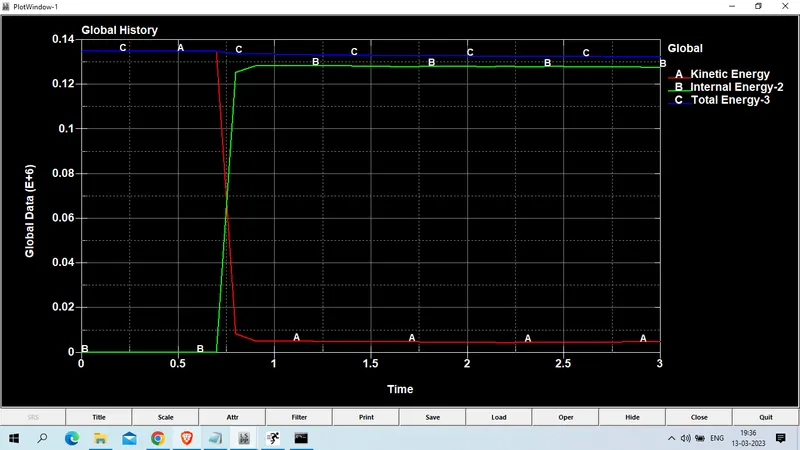
Global: kinetic , internal and total energy
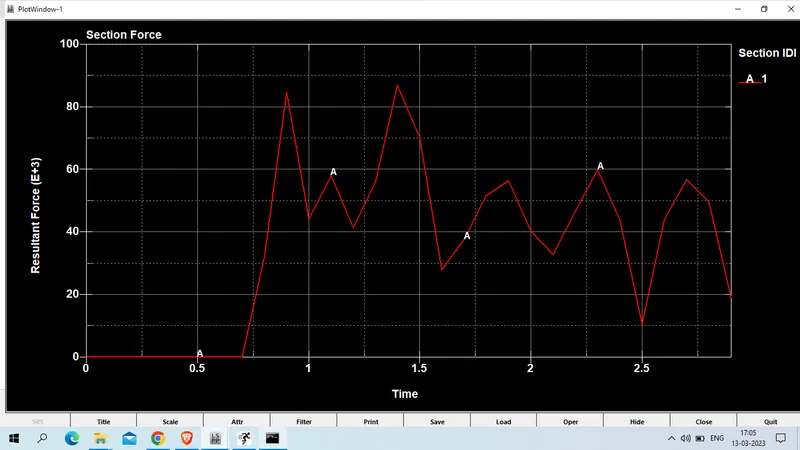
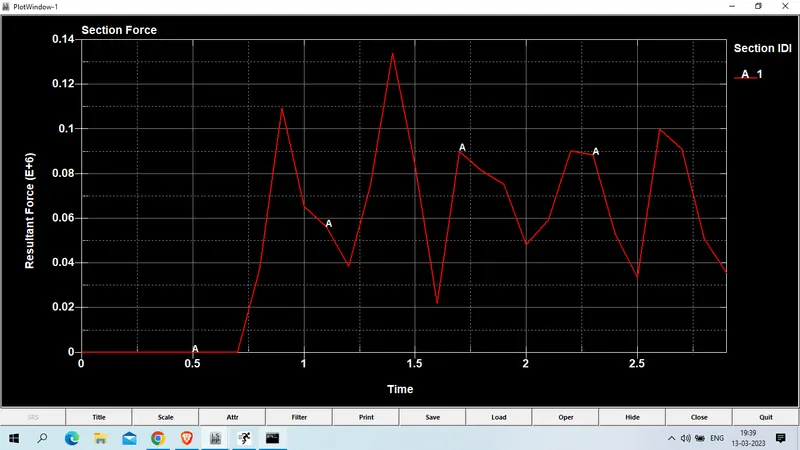
SECTIONAL _ RESULTANT FORCE at node 7525.
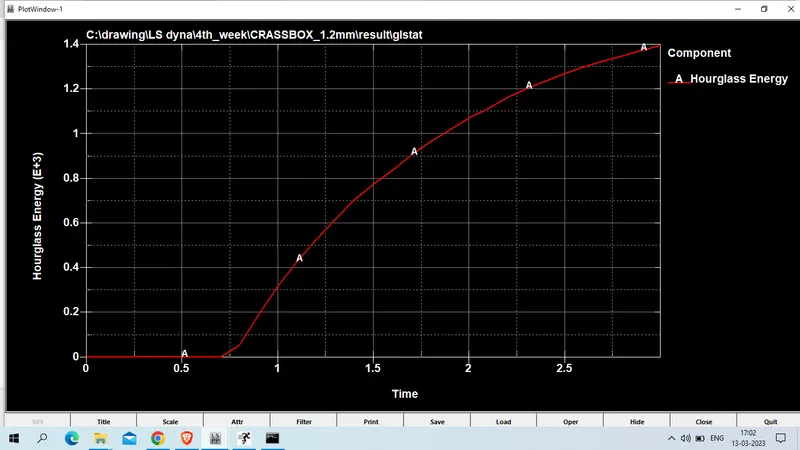
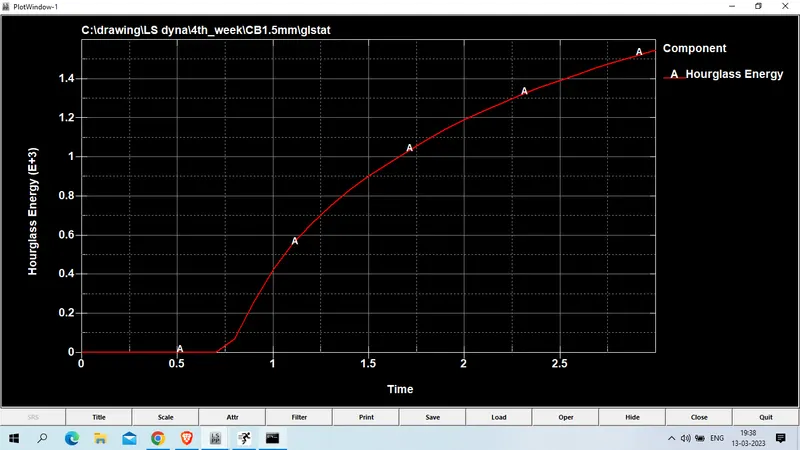
Hourglass energy Plot
Resultant velocity plot
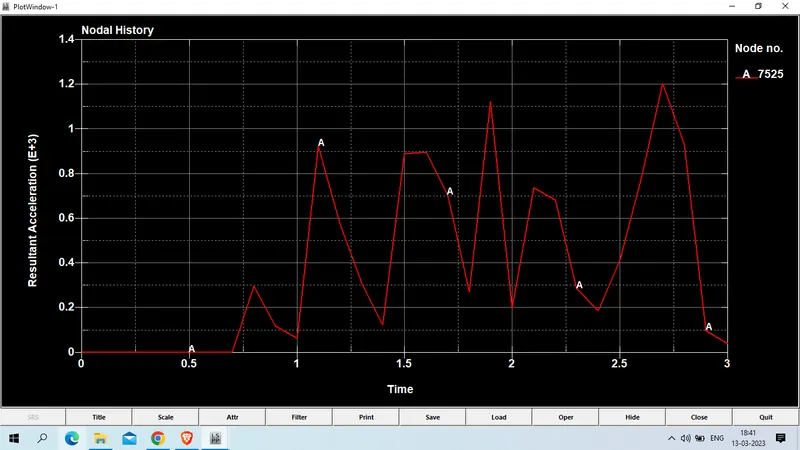
Resulant acceleration PLot at node 7525
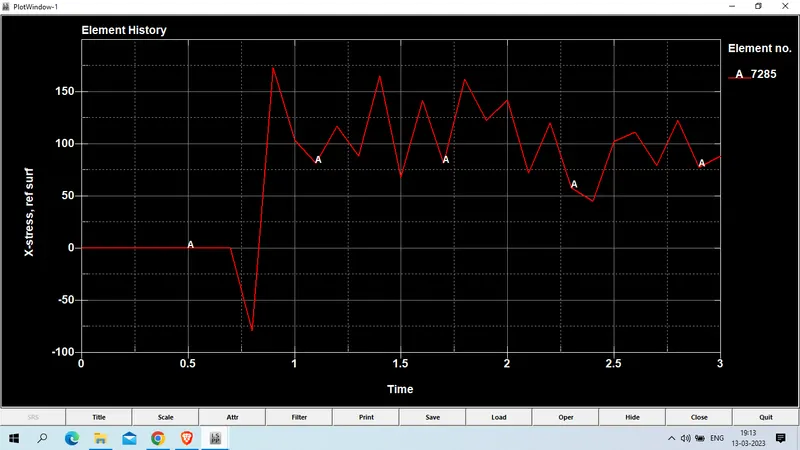
X-Stress at element no 7285
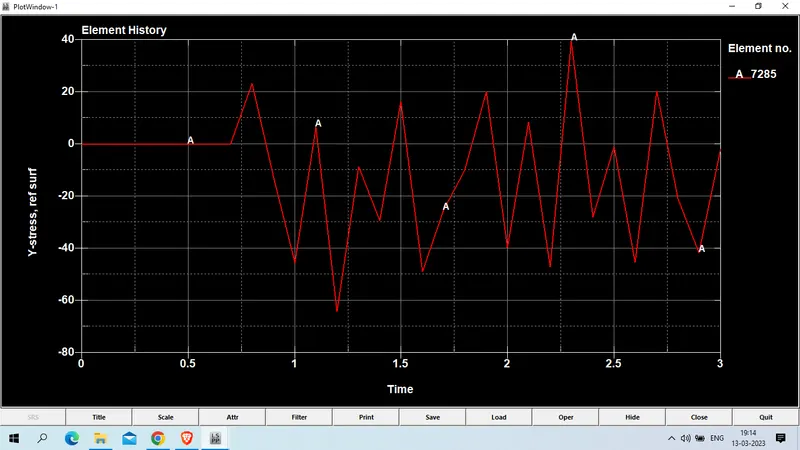
Y-stress at element no 7285
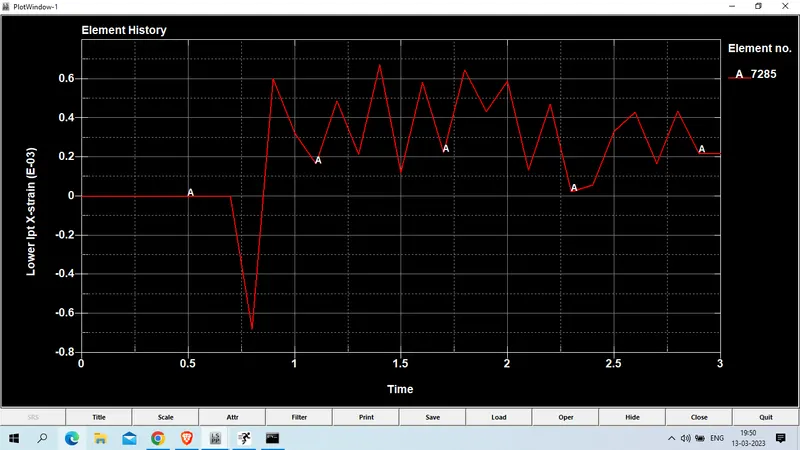
Lower Ipt X strain at node no 7285
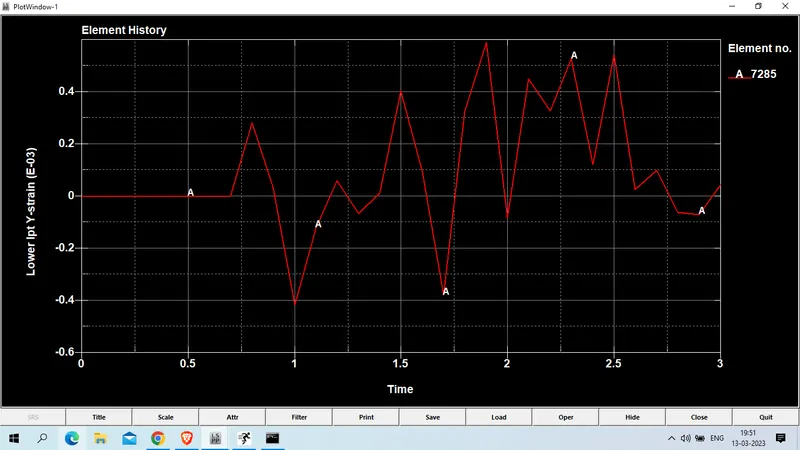
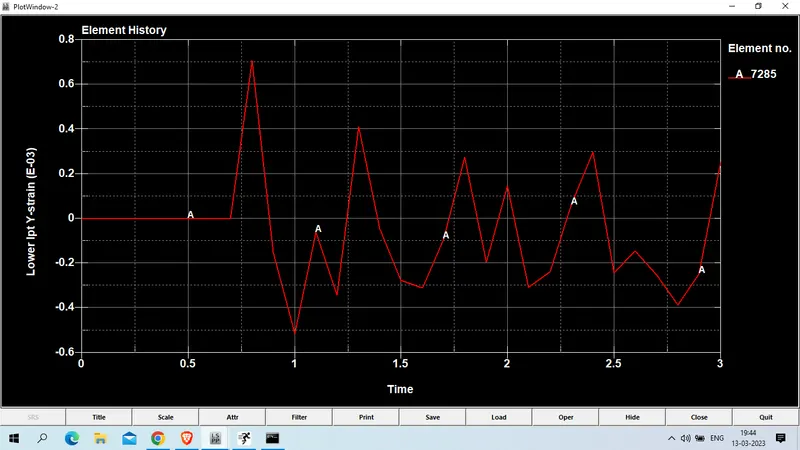
Lower IPT Y strain at node no 7285
case 2: now open previous .k File change the thickness to 1.5 mm
model and part >> keyword manager >> model >> section >> shell
change t1/t2.t3/t4 : 1.5
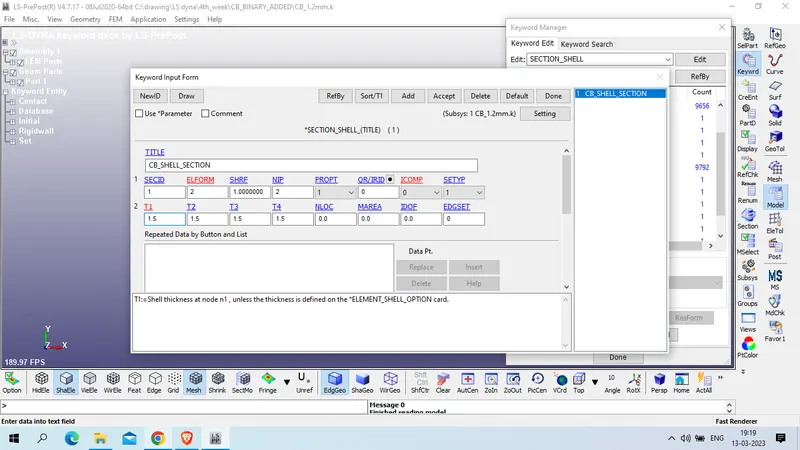
now save this model in diffrenet place and run for simulation
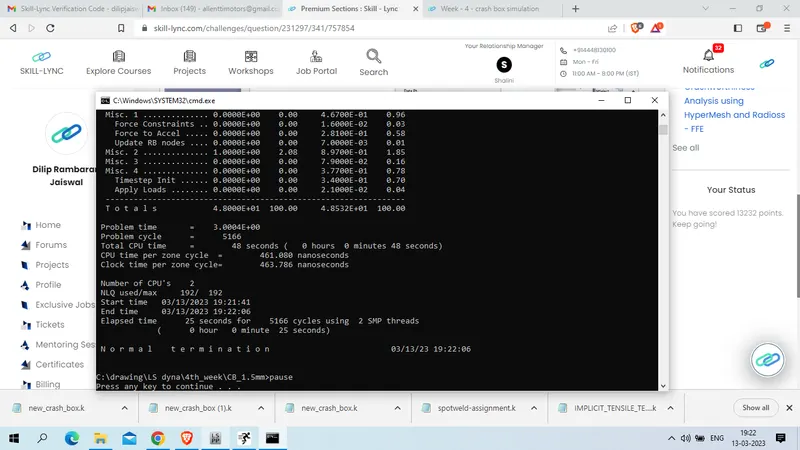
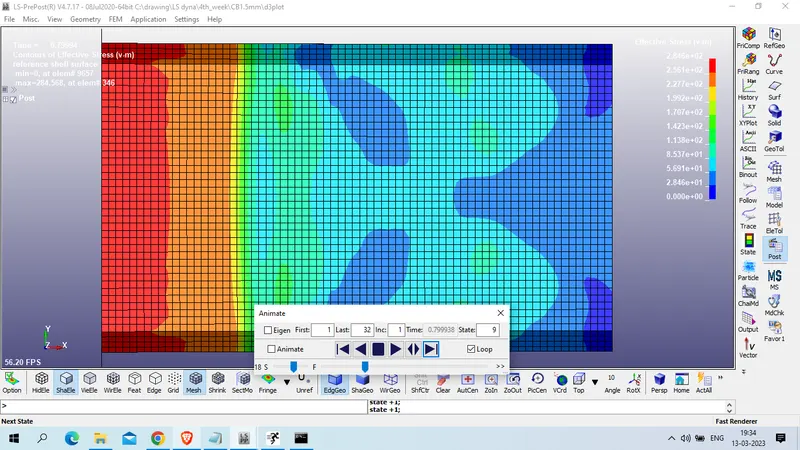
Result for 1.5mm thick crassbox
Von mises stress
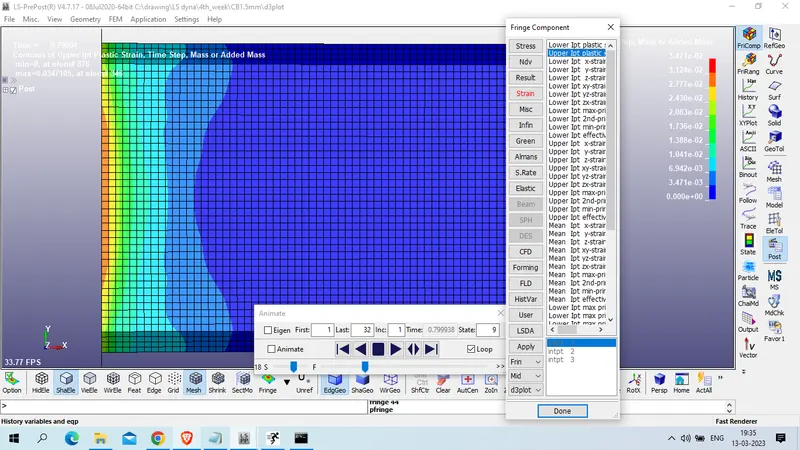
Upper IPT plastic strain
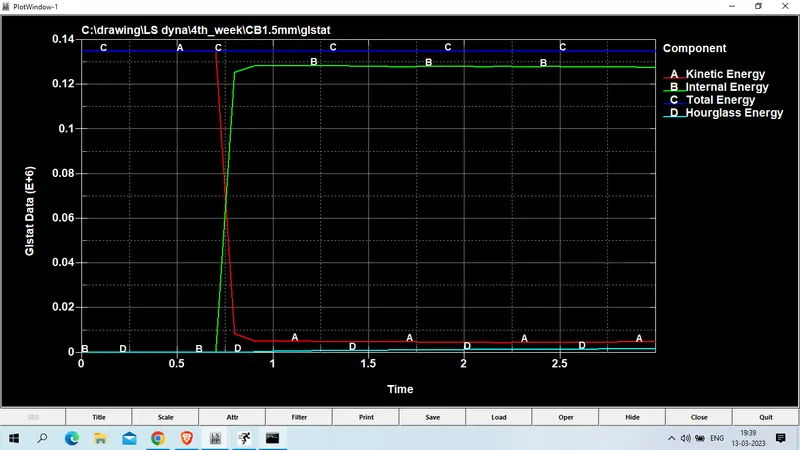
Global energy for internal, kinetic and total energy
Hourglass energy Plot
Resultant sectional force at node no 7525
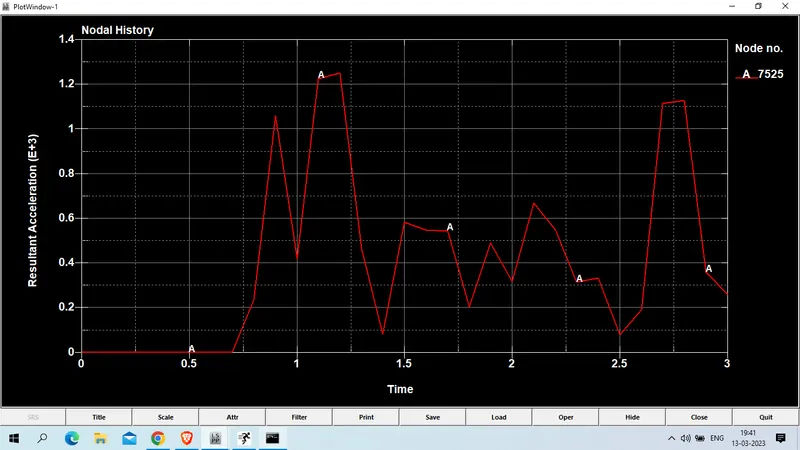
Resultant acceleration at node no 7525
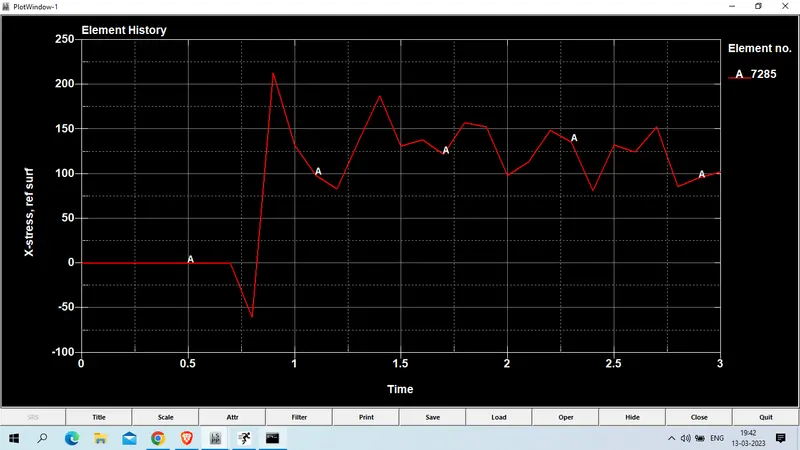
X-stress at element no 7285
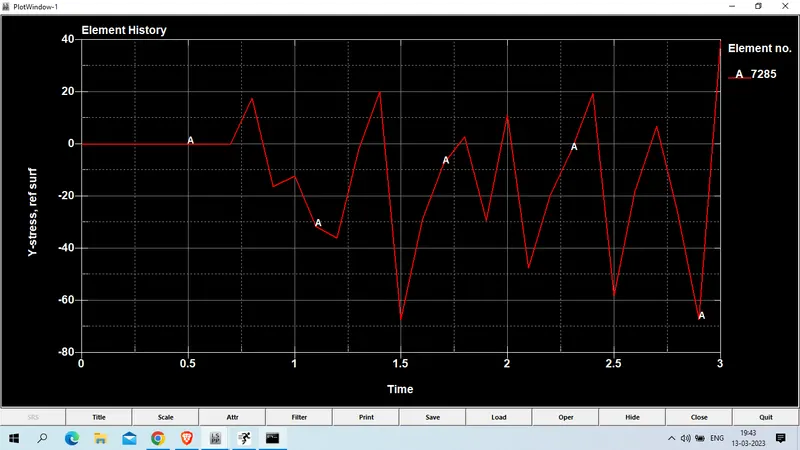
Y-stress at element no 7285
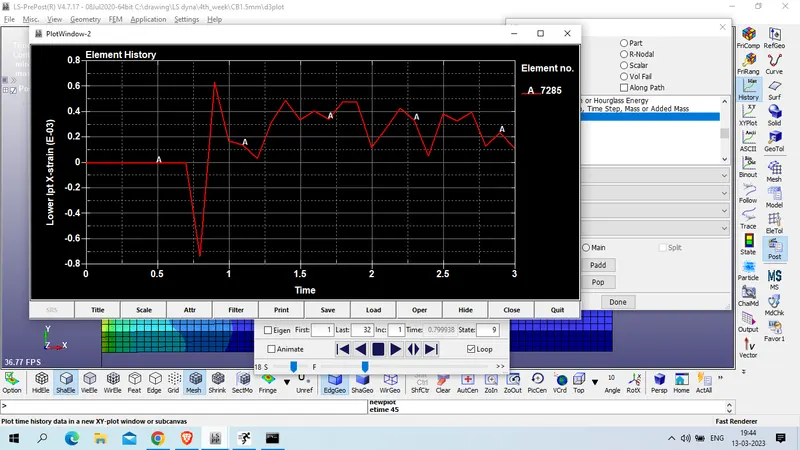
Lower IPT X-strain at node no 7285
Lower IPT Y-strain at node no 7285
conclusion :
1. Maximum acceleration at node 7525 node is 1.21E+3 mm/ms^2 at time of 2.7 ms in case of 1.2 mm thickness while acceleration at same node 1.25E+3 mm/ms^2 at time 1.2 ms
2. X-stress at element no 7285 in case of 1.2 mm thick crassbox , it experiance 174 MPa stress while on same element in case of 1.5mm thick crassbox ,it experiance 213 MPa stress.
3. Y stress at same element no 7285 in case of 1.2mm and 1.5mm thickness crassbox it experiance 39.6 MPa strss
4. the x-strain and y-strain in case of 1.2mm thick crass box it experiance 0.000673 mm and 0.000592 mm respectively , while in case of 1.5mm thicknes on same element X-strain is 0.000636 and y strain is 0.000708.