Week - 3 Drop test Challenge
Aim : perform drop test simulation for given keyword file using intial velocity.
Procedure :
open key file to the LS PrePost
File >> Open >> Ls Dyna Keyword file >> select the file and open
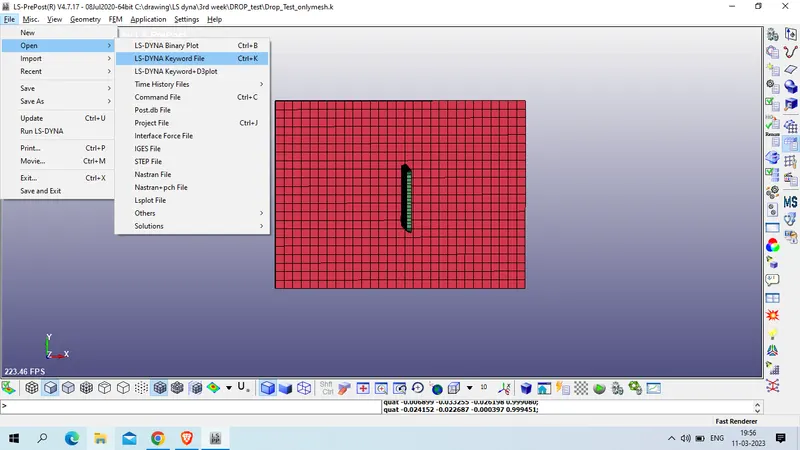
after reviewing model we obsorbed that we have 3 component
1 shell for floor
2. solid for cell phone
3. solid for floor
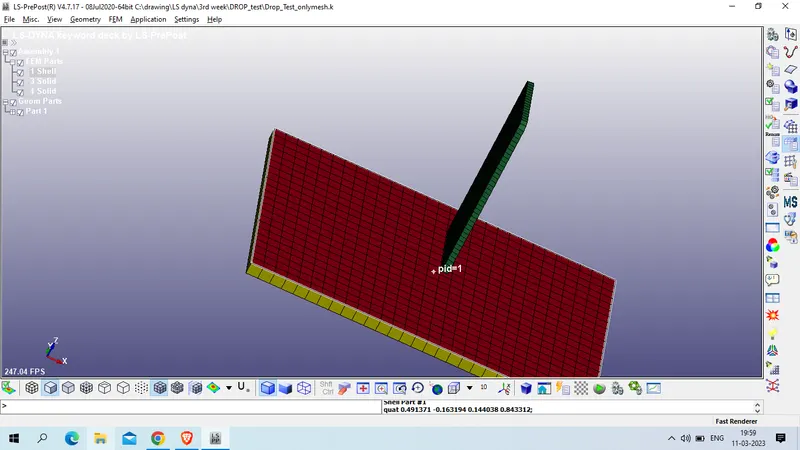
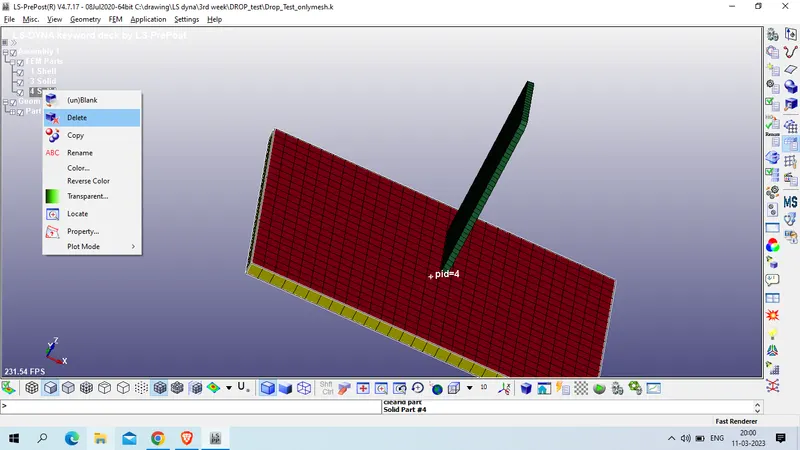
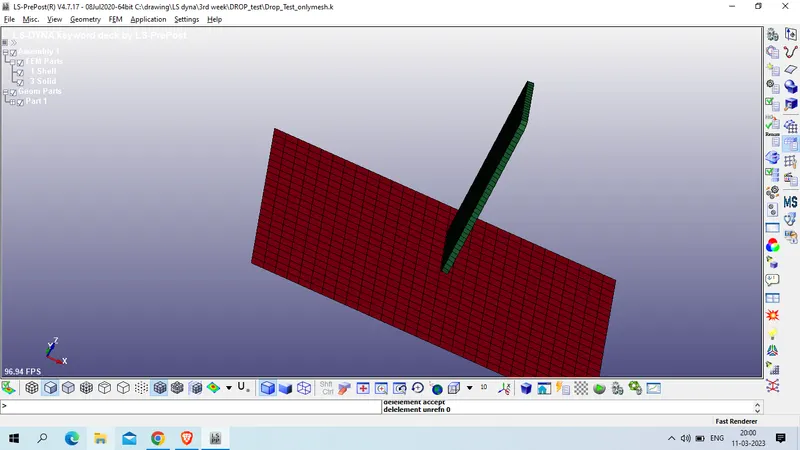
now we we delete the solif floor and performed simulation on shell floor and solid cell.
Now create section for solid and shell for cell and floor respectively
Model and part >> keyword manager >> All >> Section >> shell
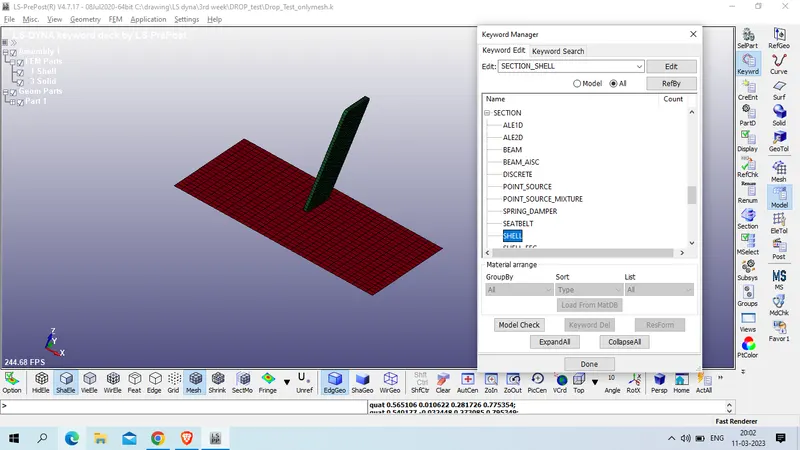
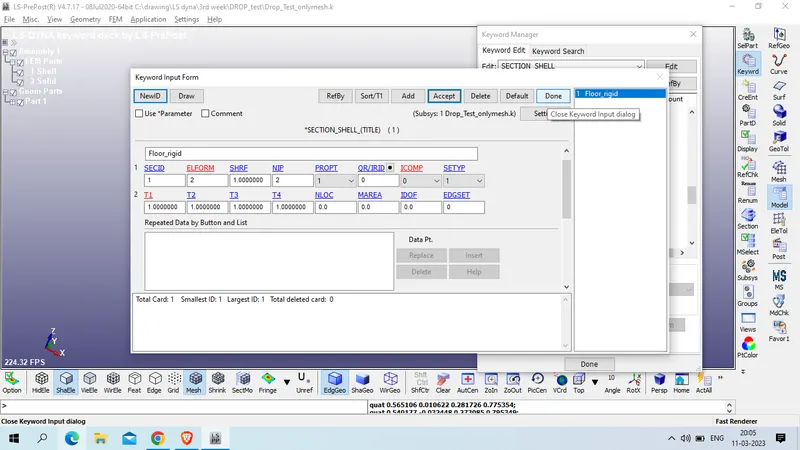
Title : floor_Rigid
SecID : 1
T1/T2/T3/T4 : 1
ELFORM: 2 (Belytschko-Tsay (default),
PropT: 1 ( average resultants and fiber lengths (default),)
SETYP : 1 ( Lagrangian,)
now accept >> done
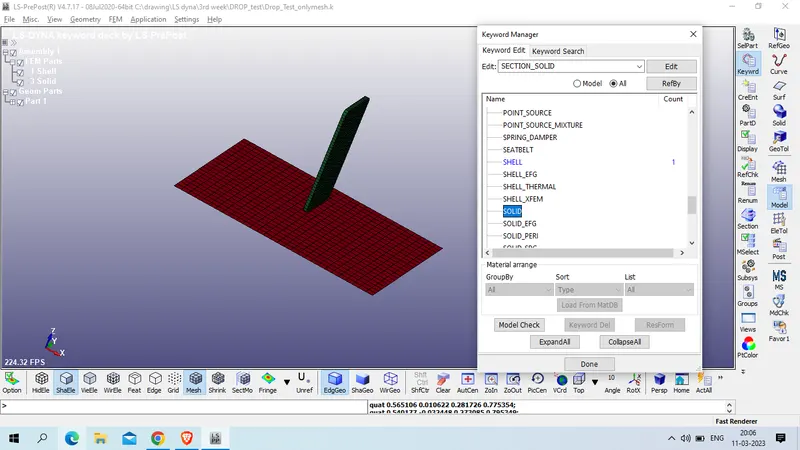
for cell create solid section
Model and part >> keyword manager >> All >> Section >> Solid
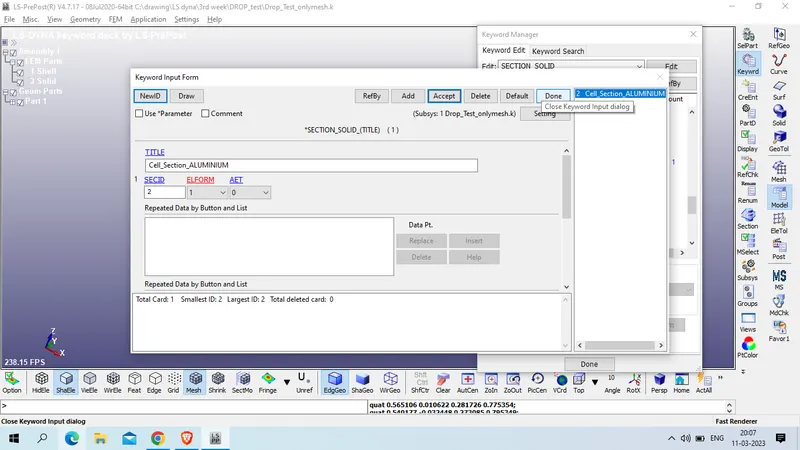
Title : Cell_Section_ALUMINIUM
SECID : 2
ELFORM : 1 (constant stress solid element (default),)
Now accept >> done
now we will create material card for cell and floor
for cell phone we will use Kg-mm-ms unit consitency
mass density of aluminium : 2.8E-6 Kg/mm^3
Young's Modulus of aluminium : 70 GPa
Poission Ration : 0.33
Model and part >> keyword manager >> All >>MAT >> 001-ELASTIC
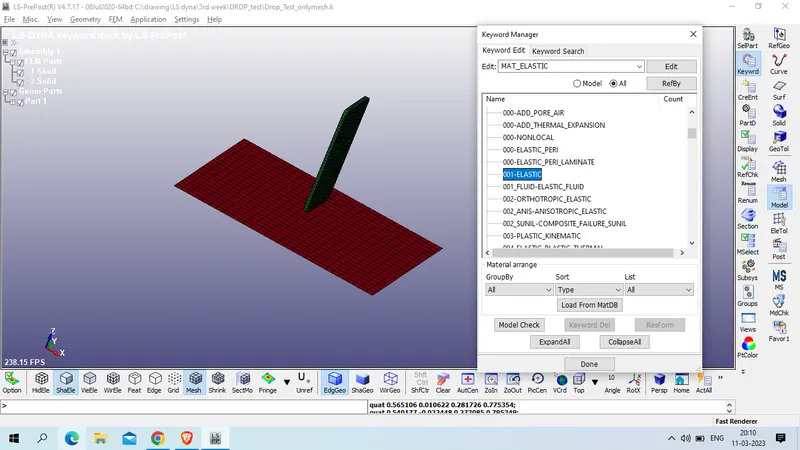
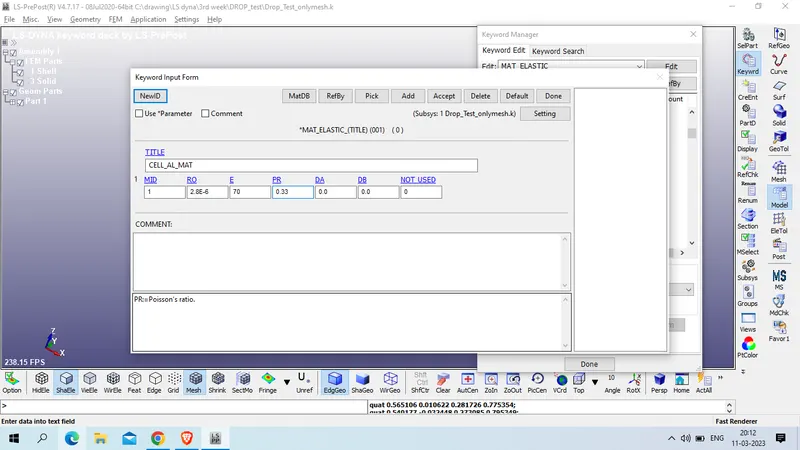
Accept >> done
now for rigid floor we will use steel as material with higher young's modulus which is 500 GPa.
Mass density of steel = 7.83e-06 Kg/mm^3
Young's Modulus of steel ( this case) : 500 GPa
Poission's Ratio : 0.3
CMO (Center of mass constraint option) : 1 (constraints applied in global directions)
CON1 : 7 (constrained x, y, and z displacements.)
CON2 : 7 (constrained x, y, and z rotations.)
Model and part >> keyword manager >> All >>MAT >> 020 -Rigid
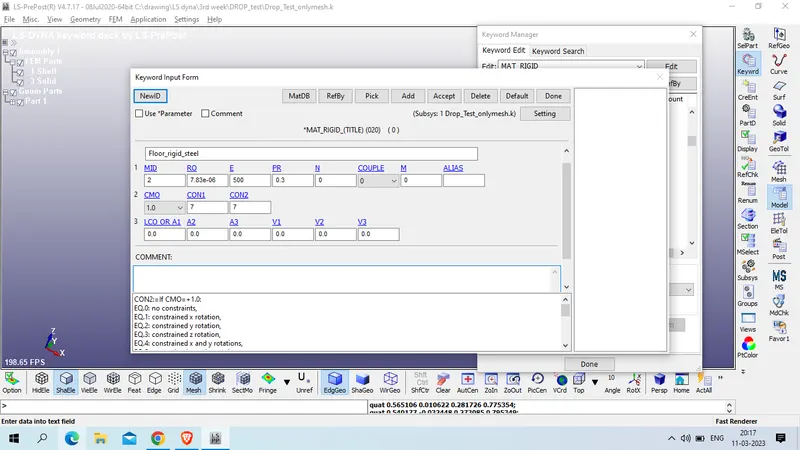
Accept >> done
as we had define section and material now we will assign section id and material property to the parts
Model and part >> keyword manager >> Model >>Part >> Part
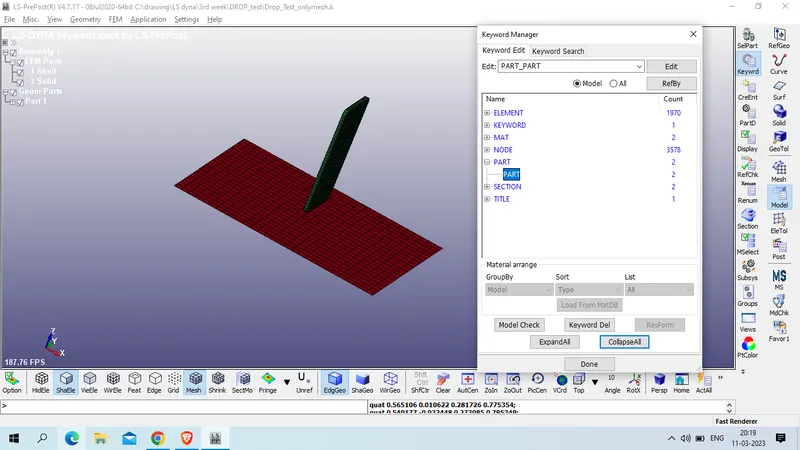
click on draw and expand the tab
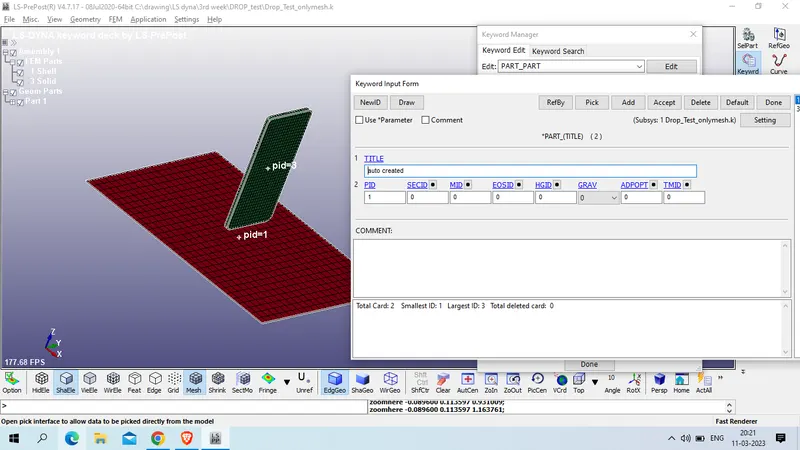
Title : Floor_rigid_part
PID : 1
SECID : 1
MID : 2
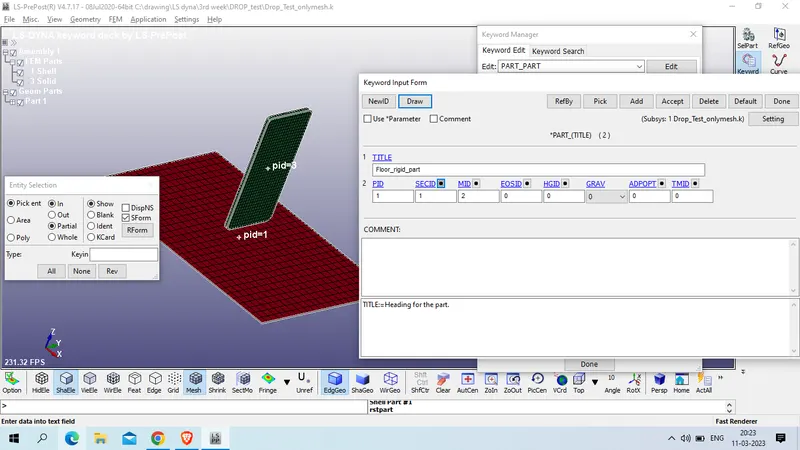
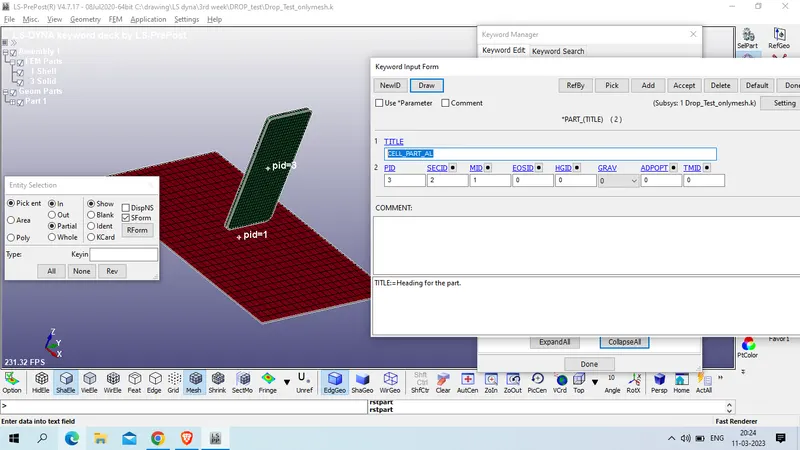
Now select the cell Part
Title : CELL_PART_AL
PID : 3
SECID : 2
MID : 1
now we will assign velocity to cell
Model and part >> Create entity > Intial >> Velocity >> select cell model by PART
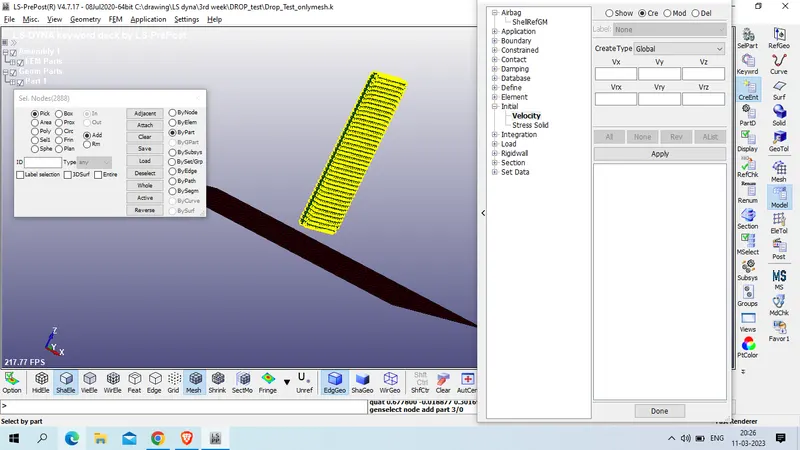
now assign velocity to negative Z direction with magnitude of -10 mm/ms
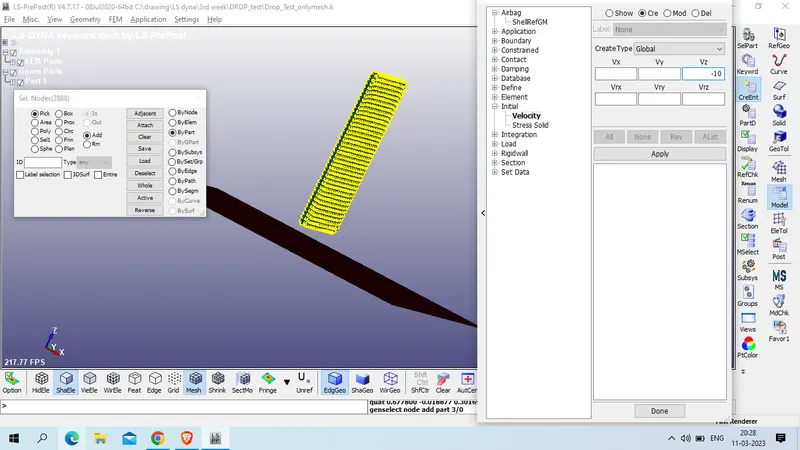
click on apply >> done
now define the contact between cell and floor.
Model and part >> keyword manager >> all > contact >> AUTOMATIC-SURFACE-TO-SURFACE
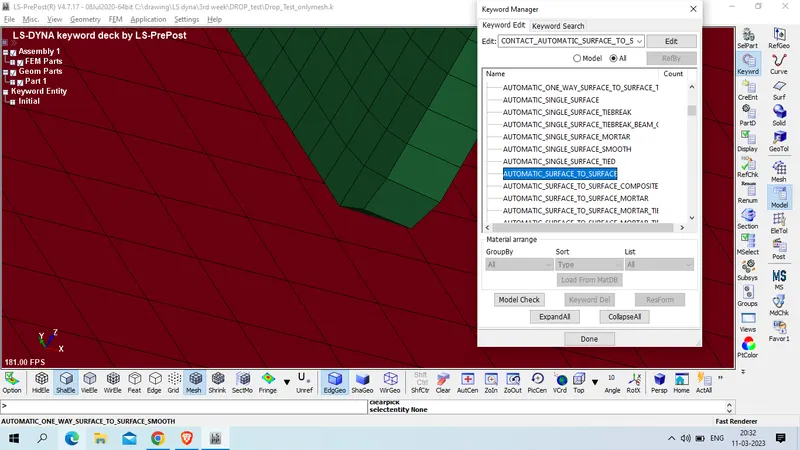
Title : CONTACT_CELL_FLOOR_STS
CID :1
SSTYP : 3 (part ID)
MSTYP :3 ( Part ID)
SSID : 3 (cell)
MSID : 1 (Floor)
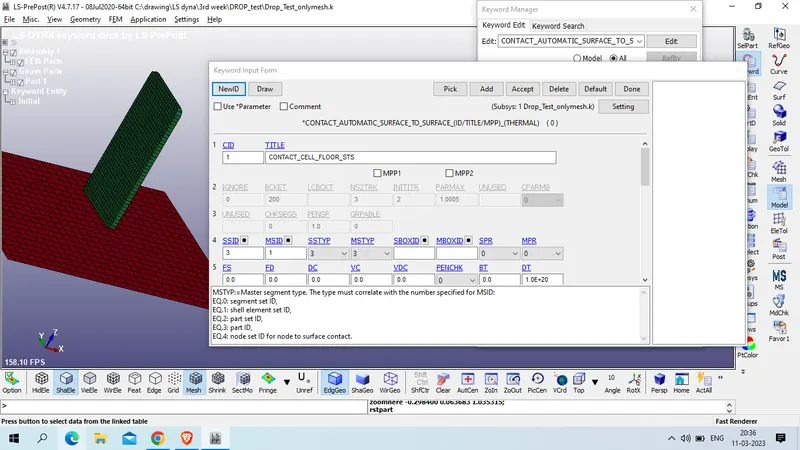
accept >> done
now measure the distance
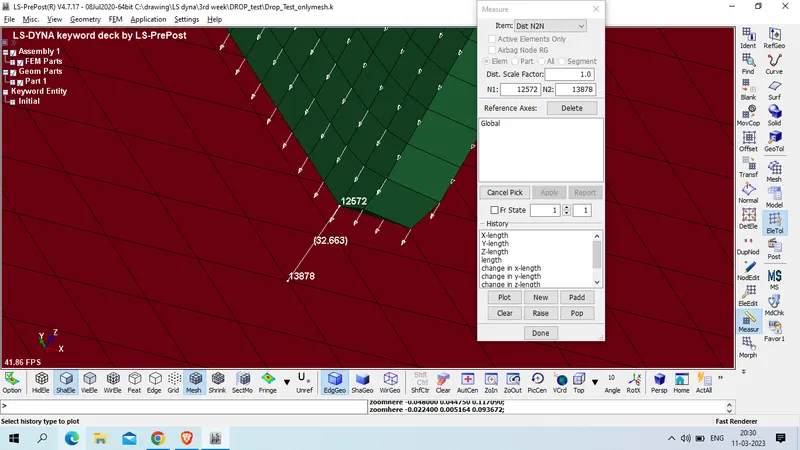
as cell is at distance of 33 mm so we can conclude that cell will reach the floor in 4th milisecond of simulation , thus we will terminate the simulation in 5 ms
Modeland part >> keyword manager >> all >> control >> Termination
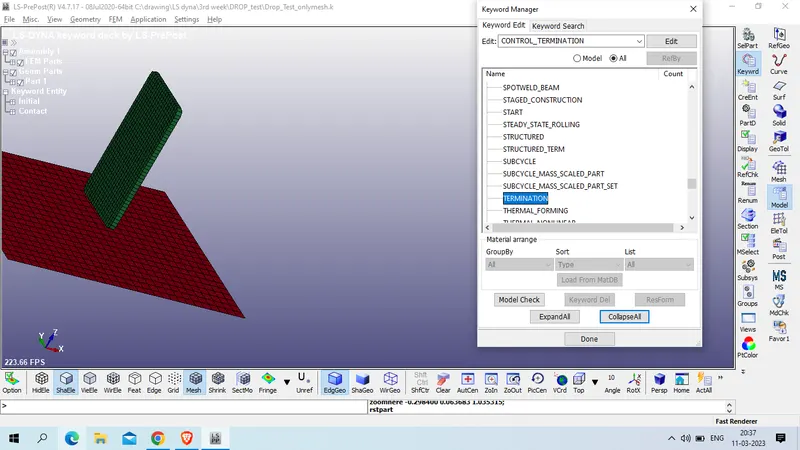
SET ENDTIM as 5 ms
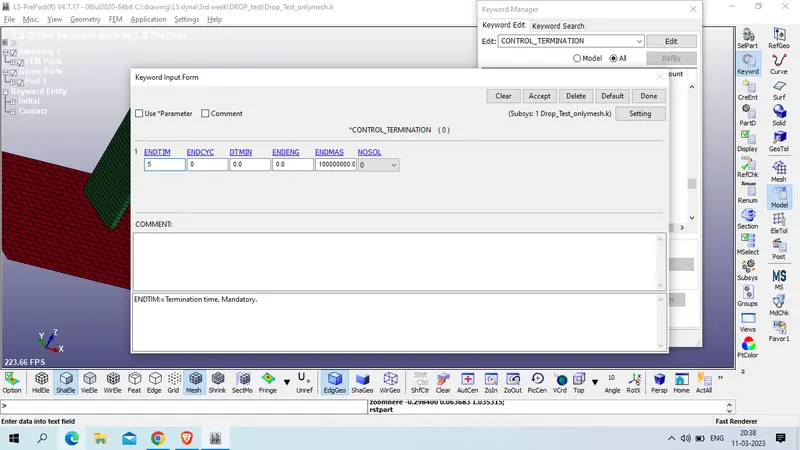
Accept >> done
now define hourglass control card
Model and part>> keyword manager >> all >> control >> Hourglass
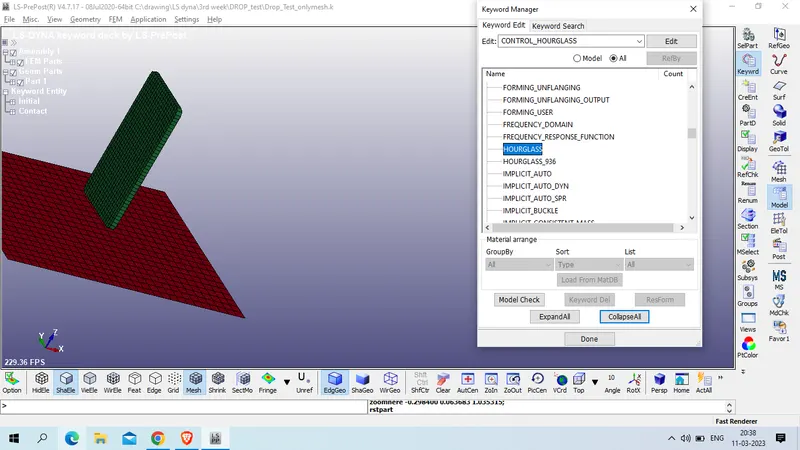
ISH (Default hourglass viscosity type:) : 1 standard LS-DYNA,
Hourglass coefficient, QH (default = 0.1)
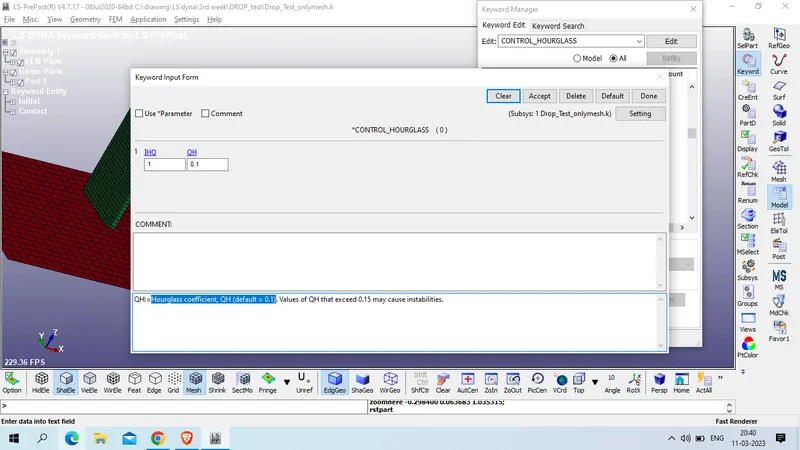
accept >> done
Now set the database card from simulation
Model & part >> keyword manager >> all >> databse >> BINARY_D3PLOT
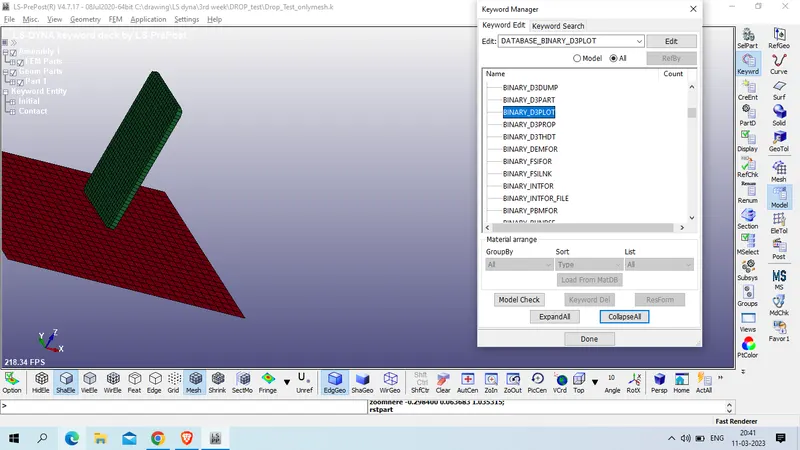
Set DT as 0.5
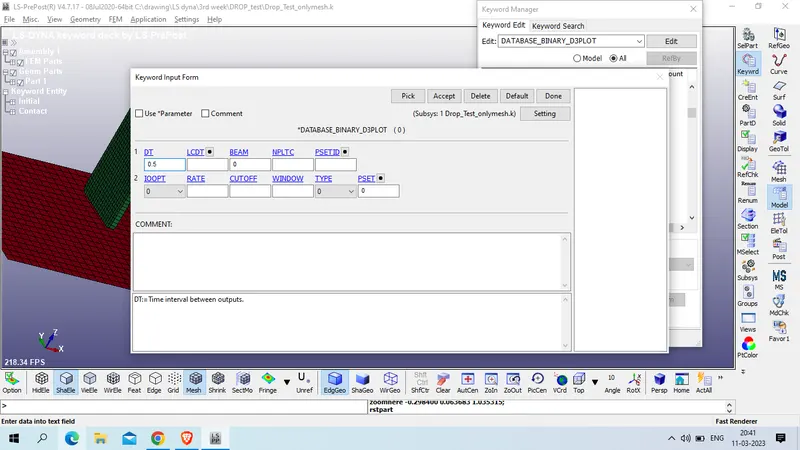
Accept >> done
now define RCFORC card
model and part >> keywrd manager >> all >> database >> ASCII_OPTION >> RCFORC >> set DT as 0.1
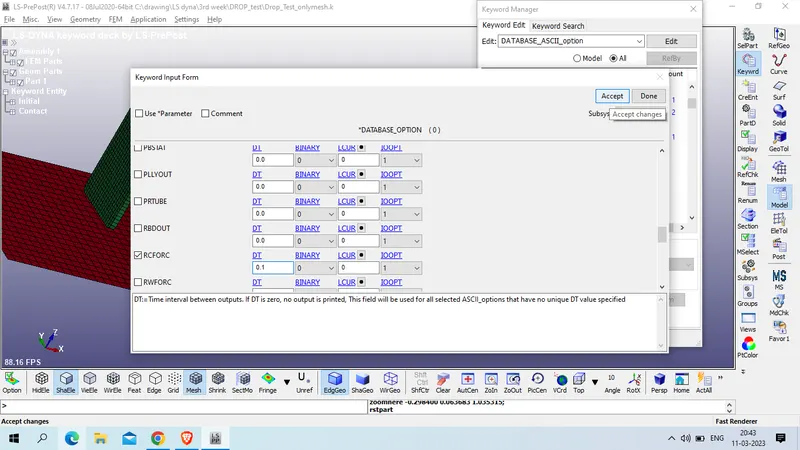
the below are the list which we had use in this simulation
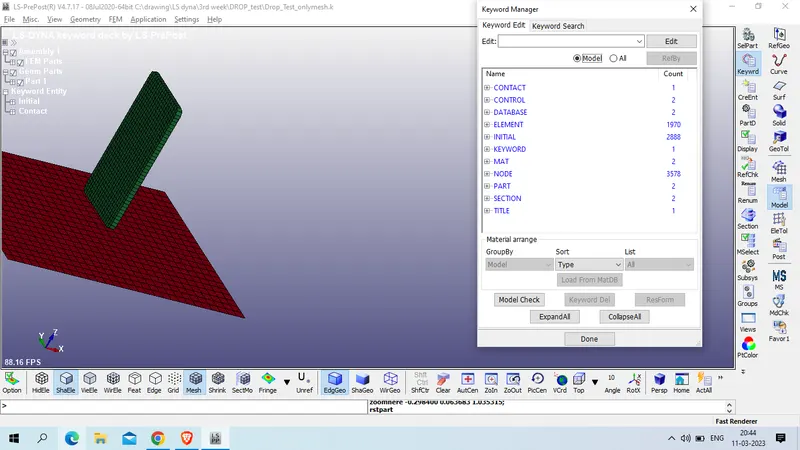
now save the model
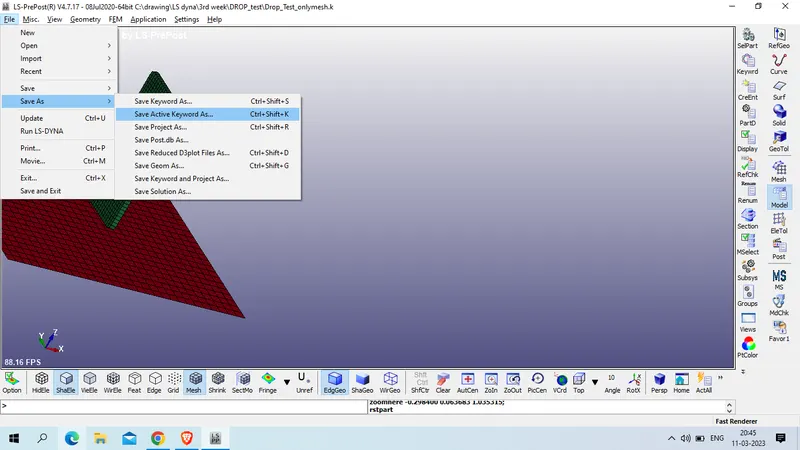
for sun the simulation fo to file >> RUN LS DYNA
Select the file
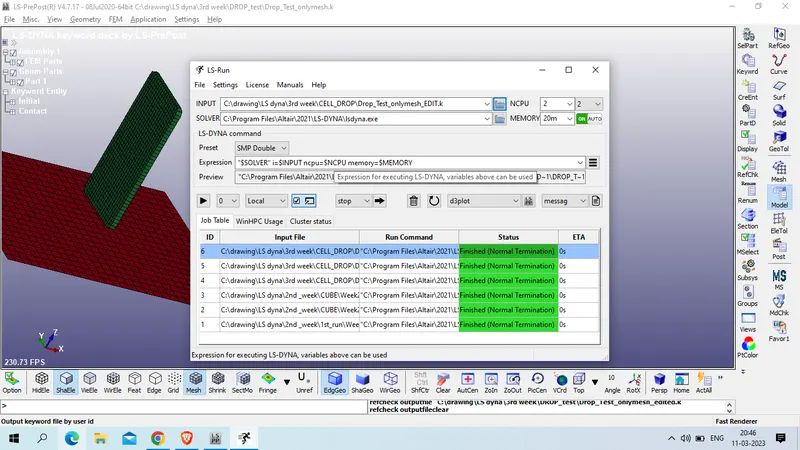
click on run symbol
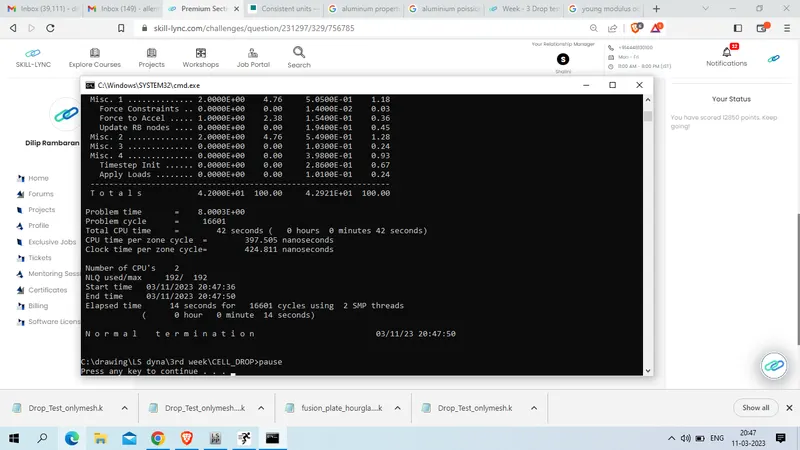
as our run is normal ternimated
now open D3PLOT file in new LS PREPOST TAB to view the model
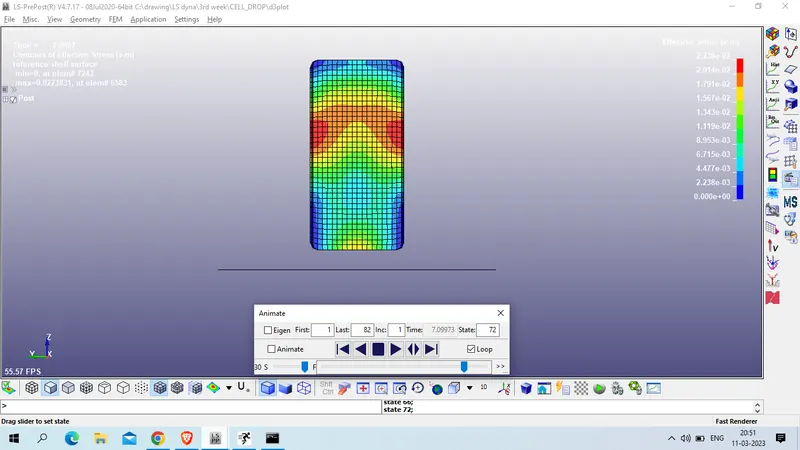
STress ON Z AXIS
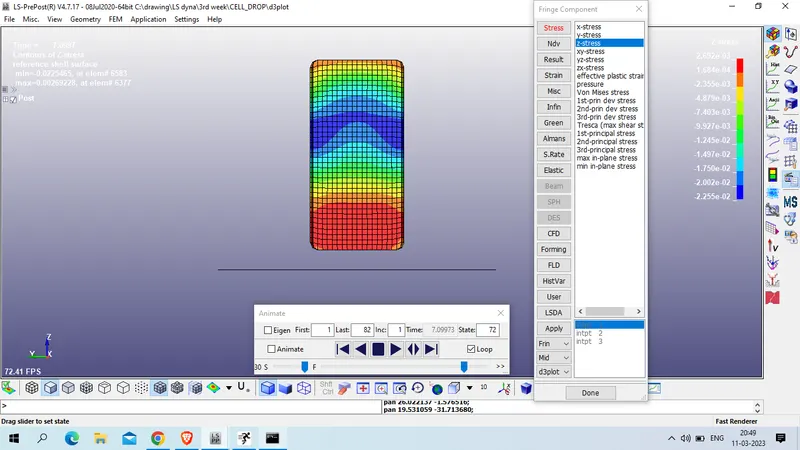
Von mises stress :
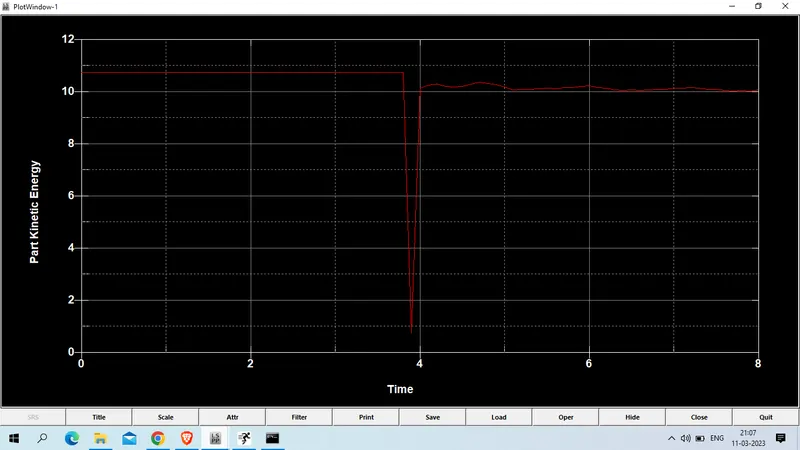
Kinetic energy : Cell
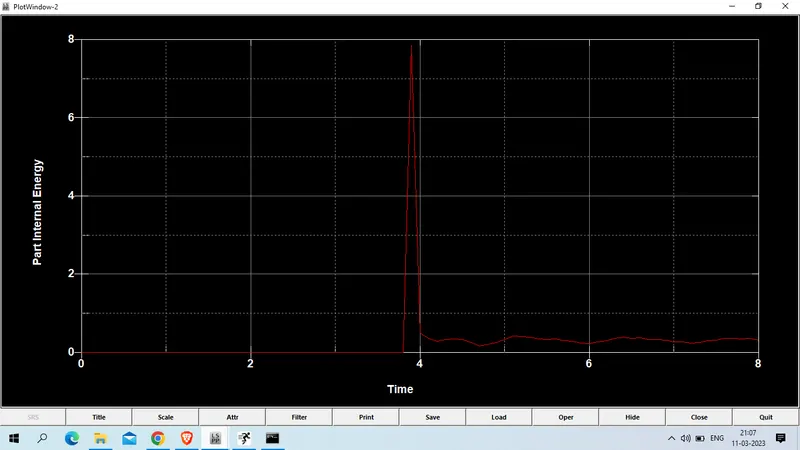
Internal Energy : cell
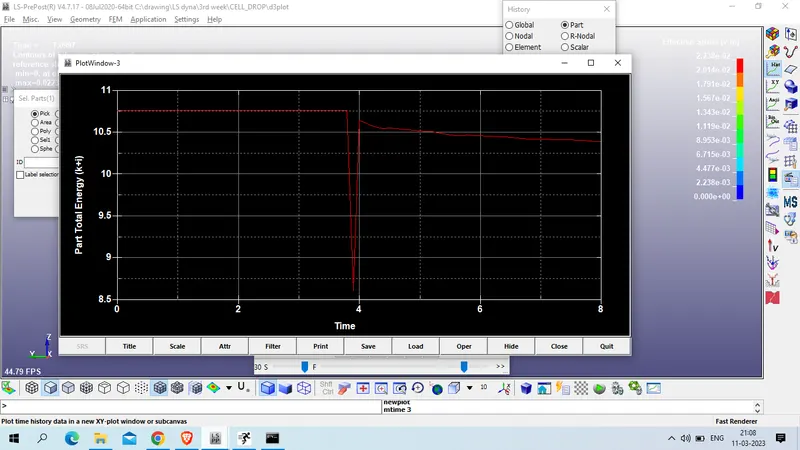
Total energy : cell
Conclusion: we had sucessfully performed drop test of cell phone and simulation results are shared.