Bird Strike - Project - 2
Aim : Bird Strike in Aero Engine simulation.
Procedure :
Open Given .k file in LS Prepost
File >> open >> LS DYna Keyword file
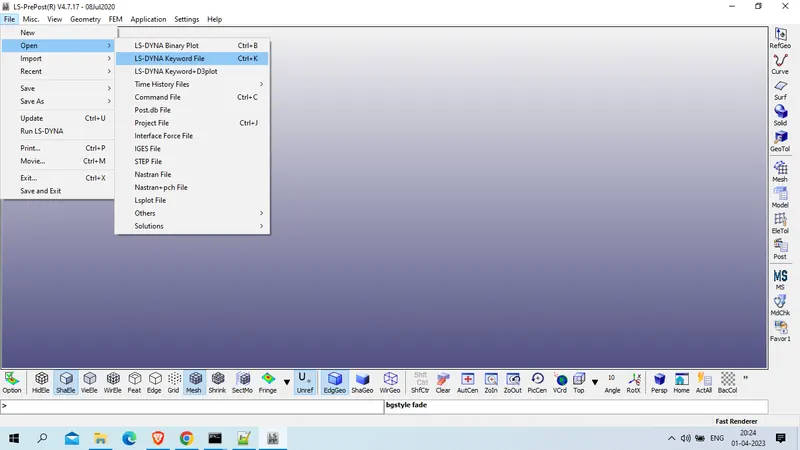
select file and open
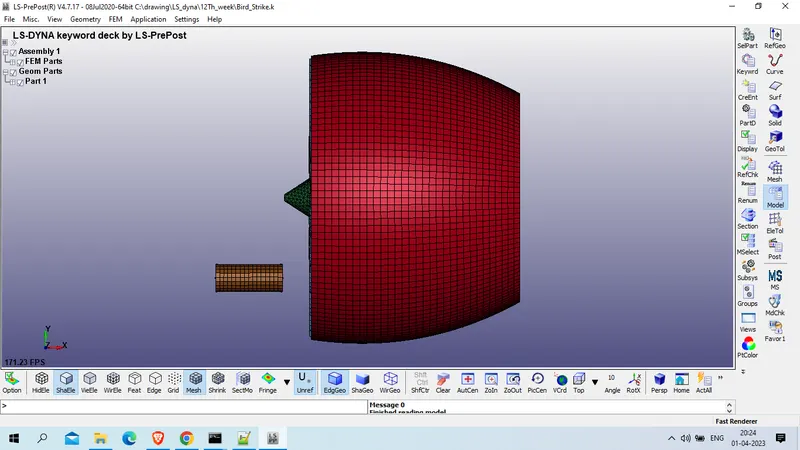
as checked in keyword it consist of 4 parts
1. bird
2. casing
3. blade
4. hub
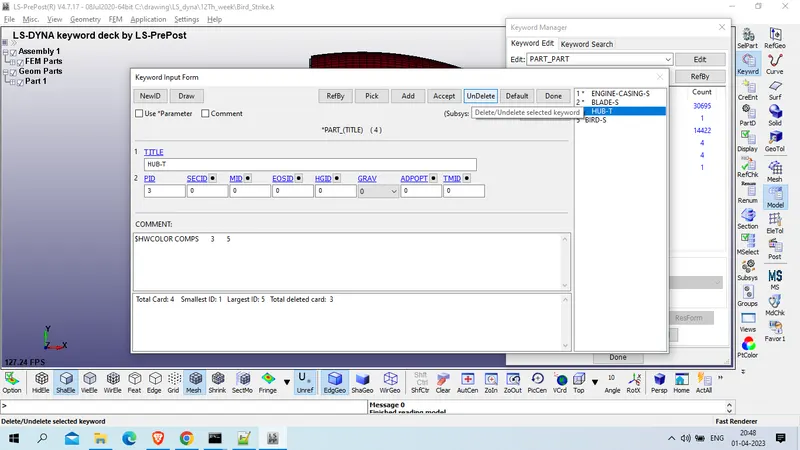
we will sepearte each part in different keyword file , for this we will delete 3 part from this and save this file
Model and part >> keyword manager >> model >> part >> part
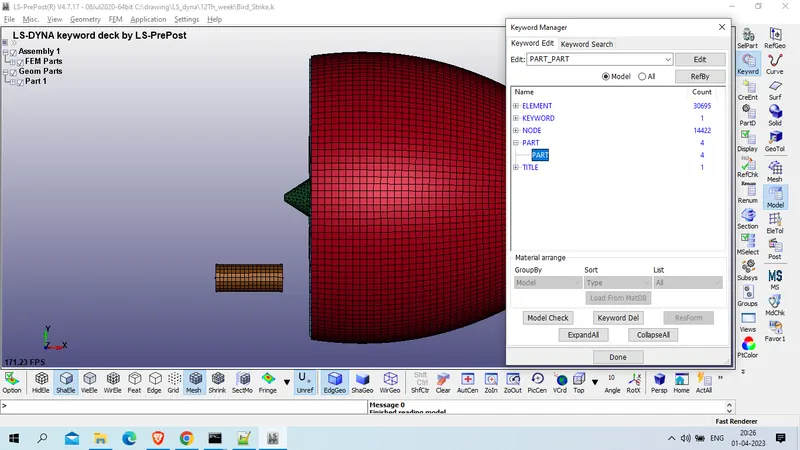
now delete 3 part as shown below
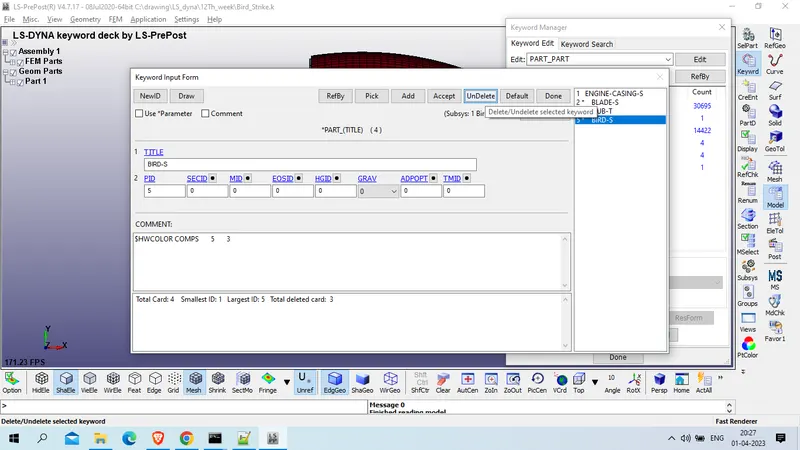
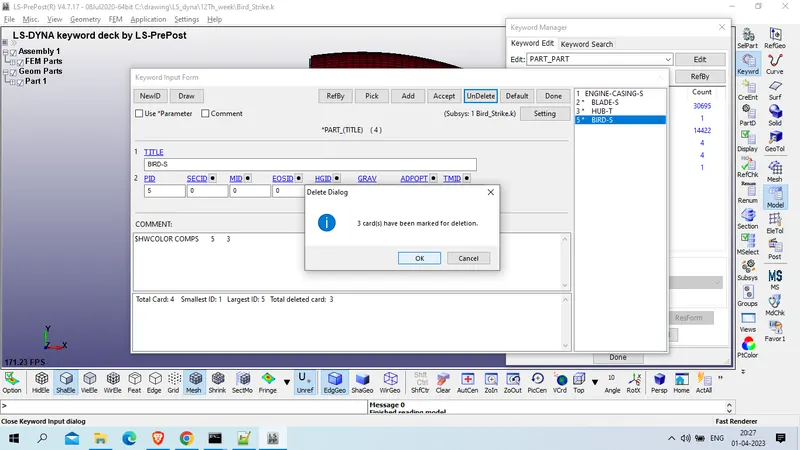
as this have only 1 geometry now we will renuber nodes , element and parts id
model and part >> renumber
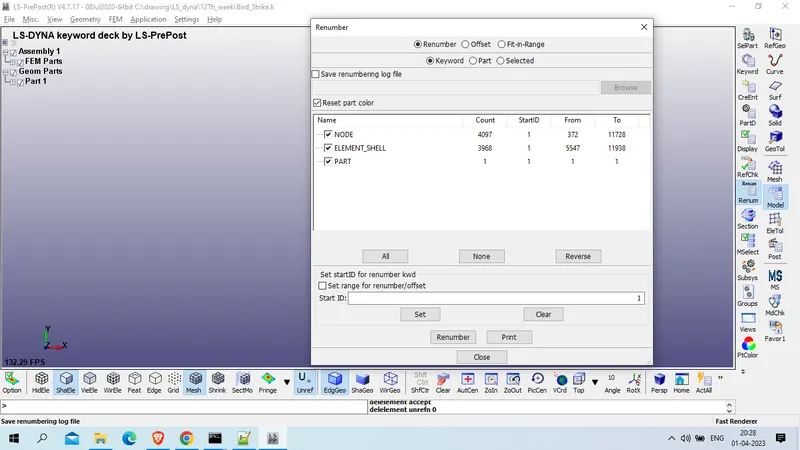
Select only node >> Start ID : 100001 >> set >> Renumber
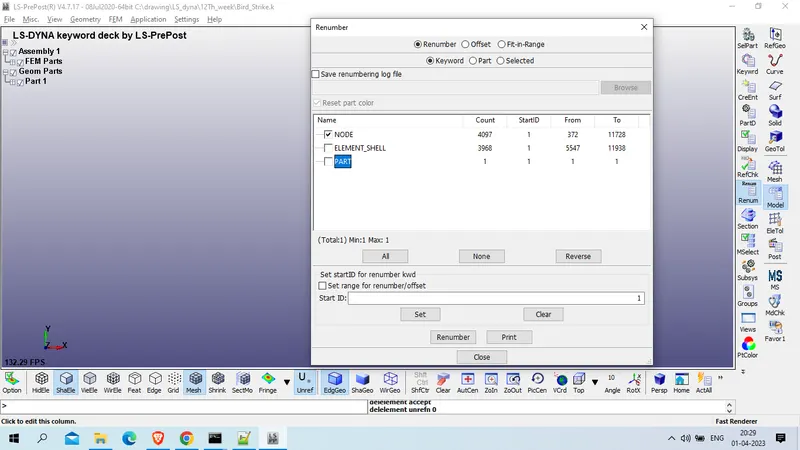
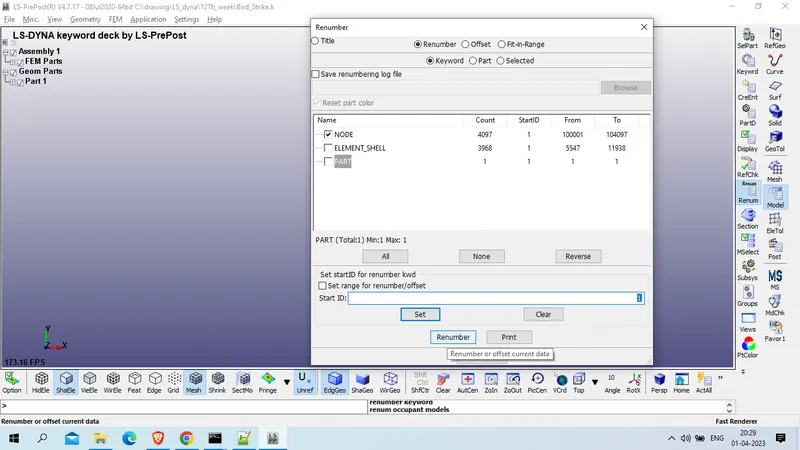
after nodes , element will be renumber >> select only element check >> start ID : 500001>> set >> renumber
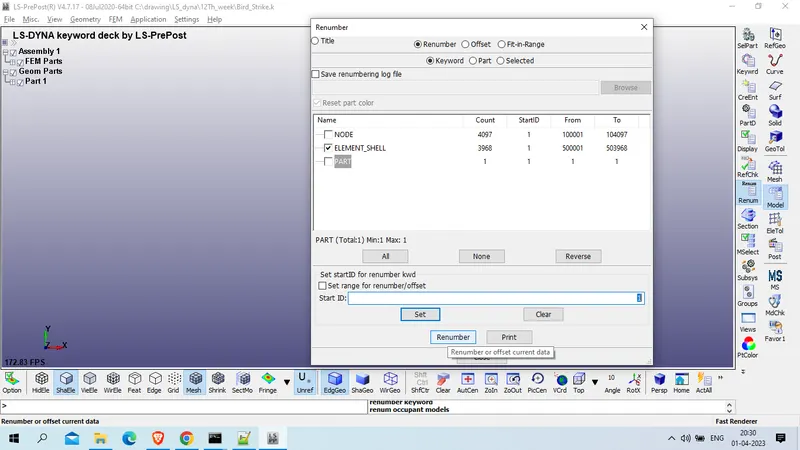
now for part >> check only parts >> start ID : 1001 >> Set >> renumber
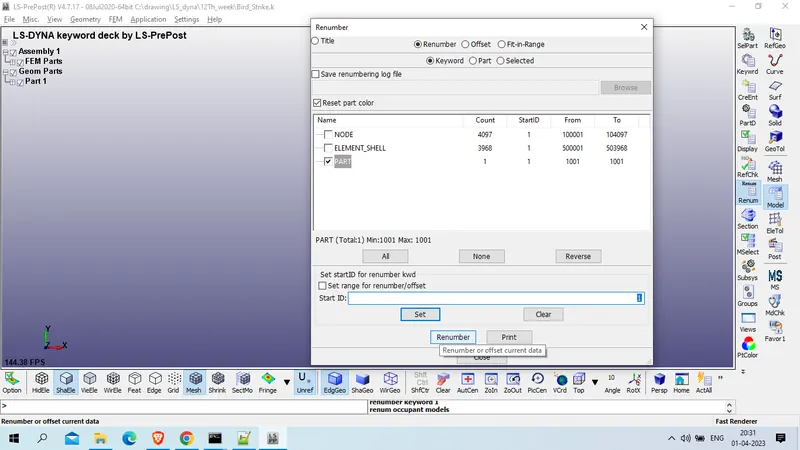
now close this and save in include folder with name of casing
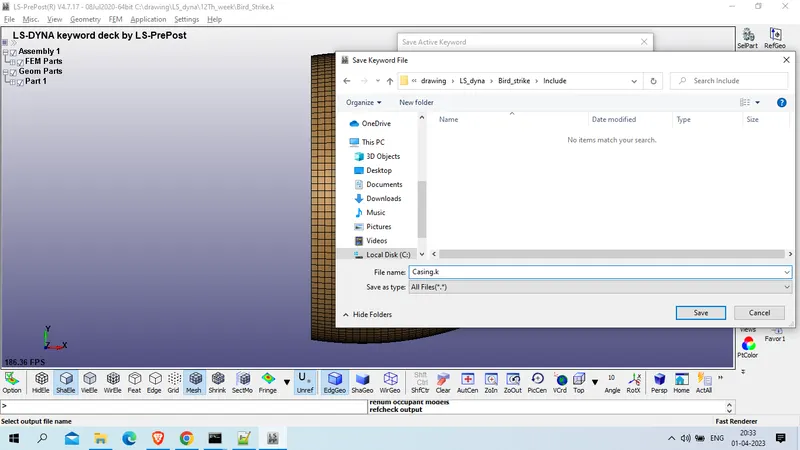
Now close this LS prepost and open new prepost and again load same .k keyword file , this time delete differet tree part ( casing, hub and bird )
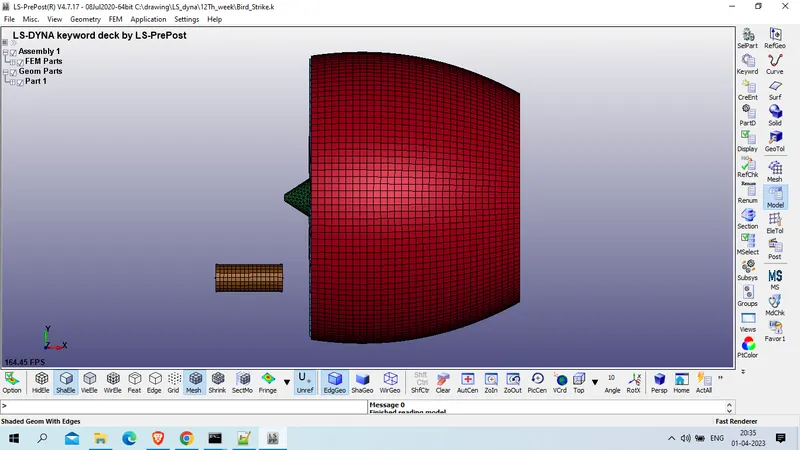
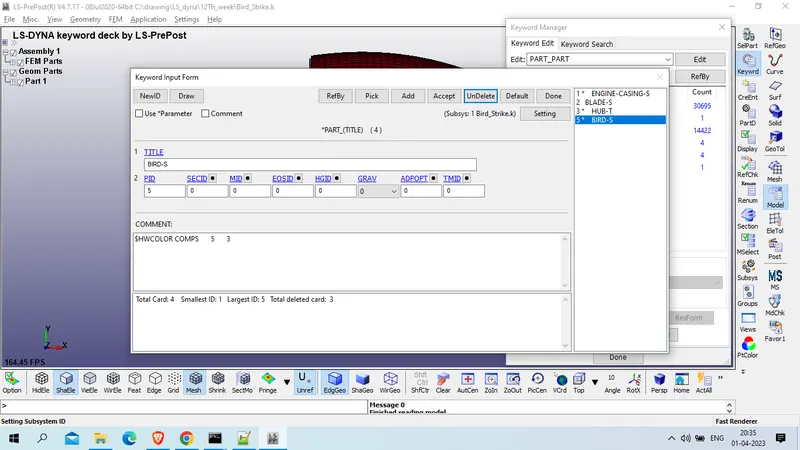
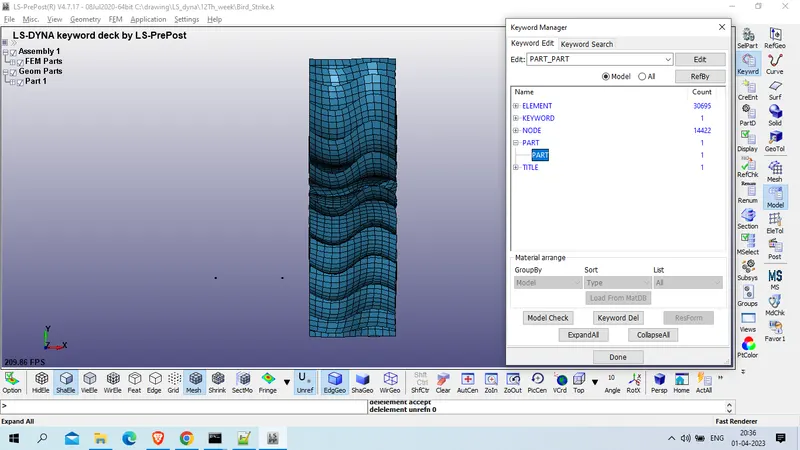
NOw renumber nodes, elements and part ID
Model and part >> renumber >> select Node only >> start ID : 110001 >> set >> renumber
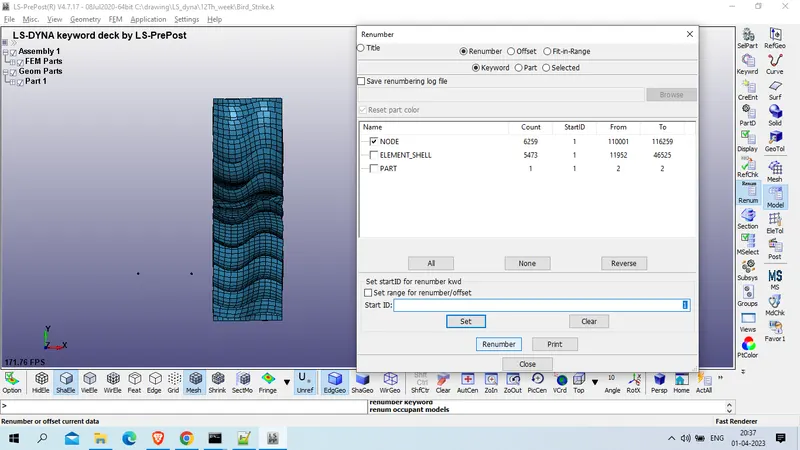
select element only >> start ID : 510001 >> set >> renumber
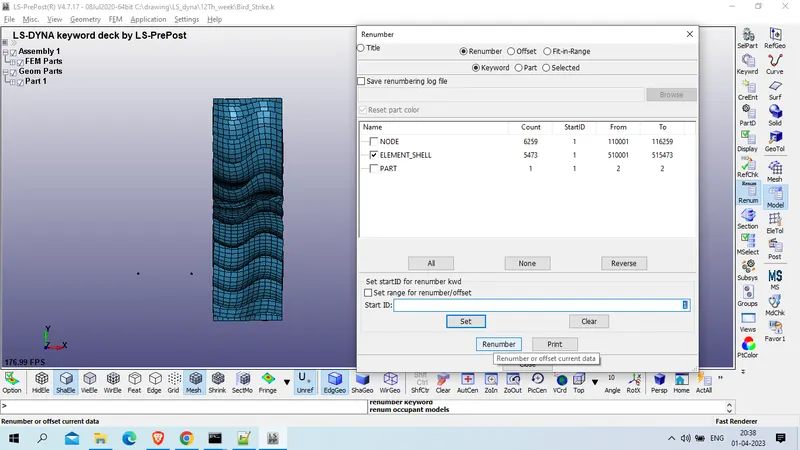
select part only >> start ID : 1101 >> set >> renumber
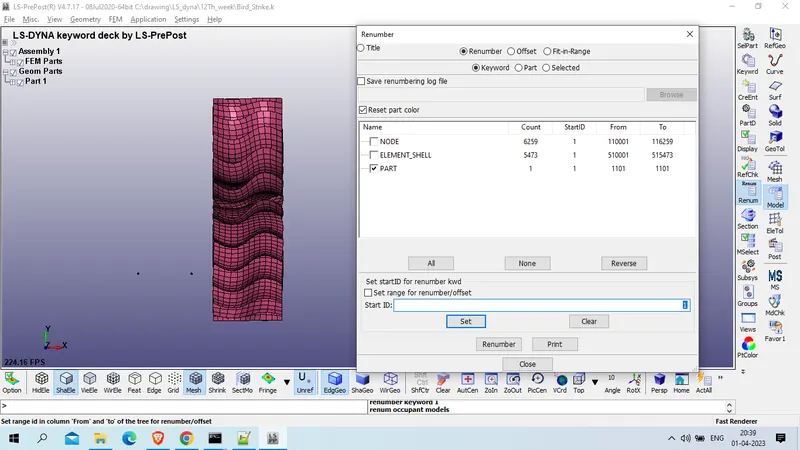
save this in include file with name of blade.k
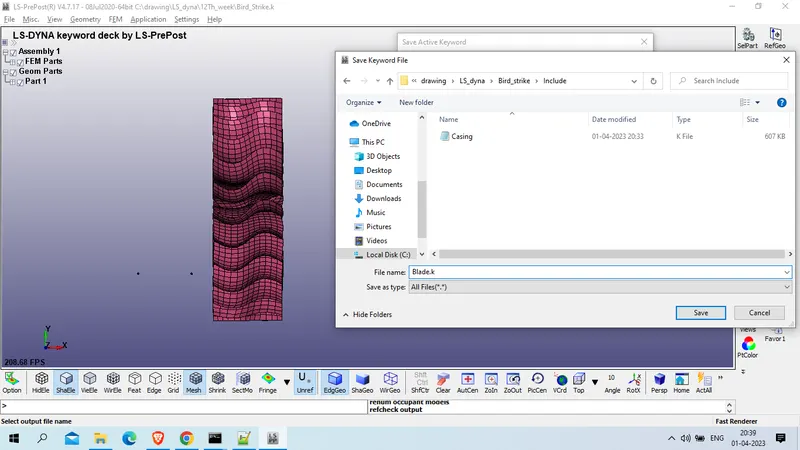
again close this LS Prepost and open new LS prepost and open same .k keyword file
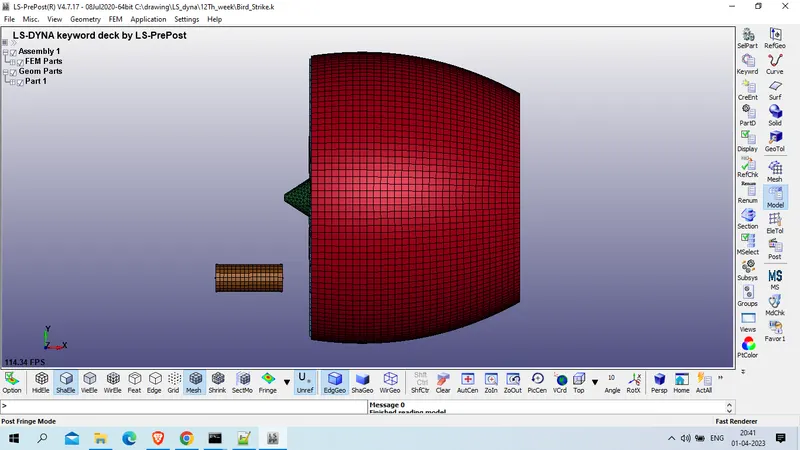
Delete casing, Blade and bird part and renumber node, element and part id
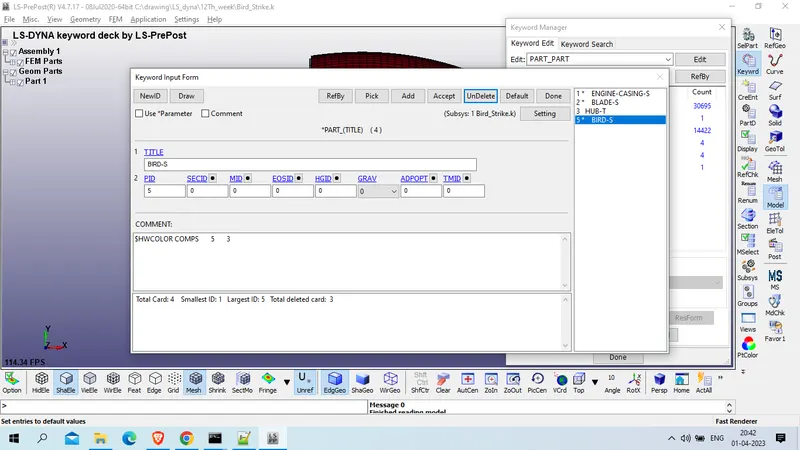
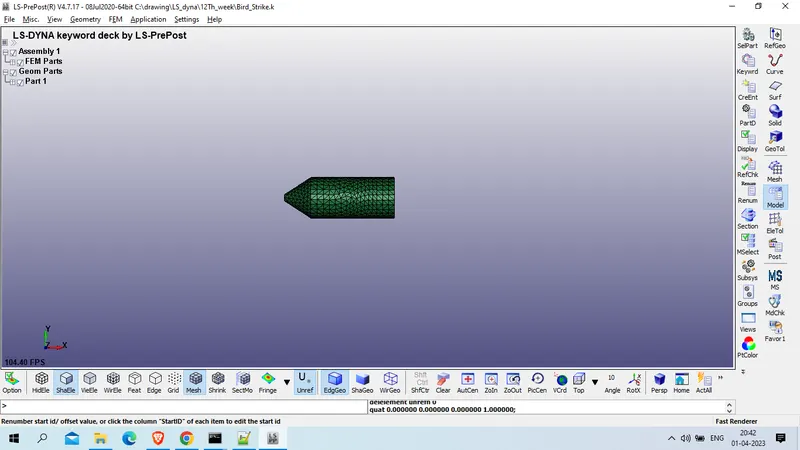
NOw renumber this , select node only >> start ID : 120001 >> set >> renumber
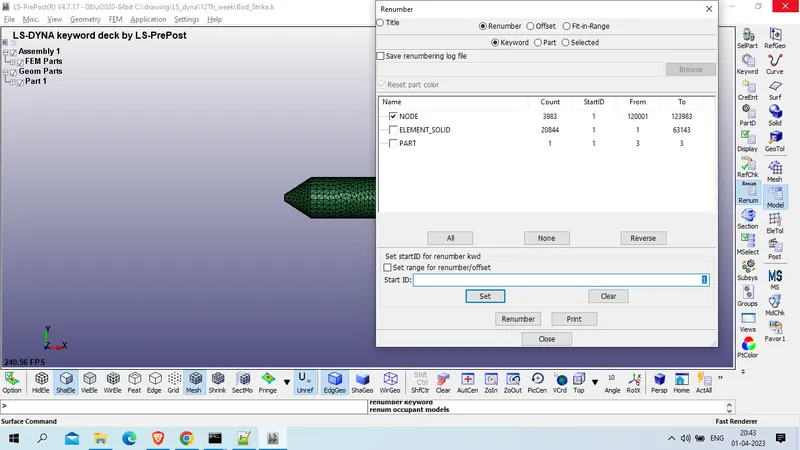
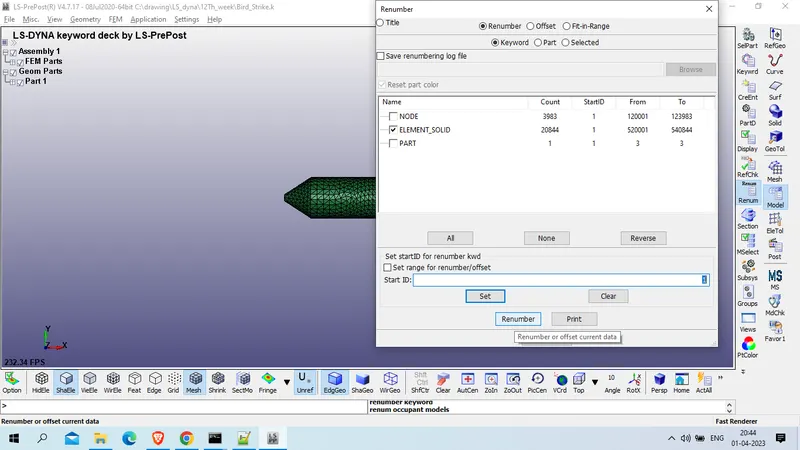
for element >> select element_slolid >> start ID : 520001 >> set >> Renumber
Select part >> start ID : 1201 >> set >> Renumber
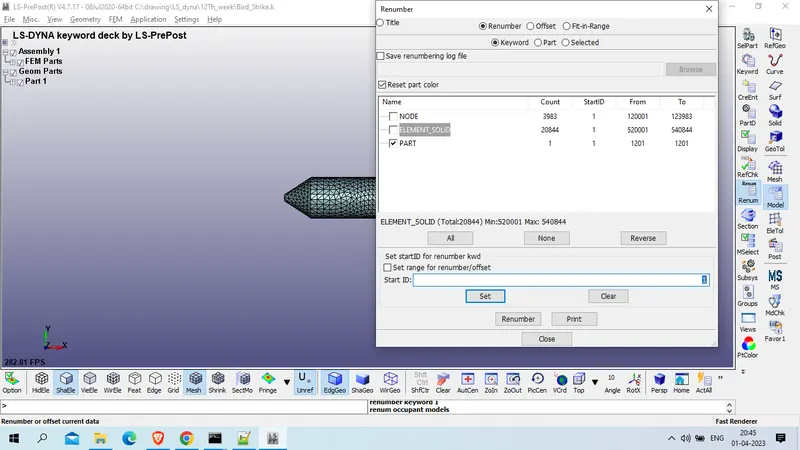
Save this file with hub.k name in include folder
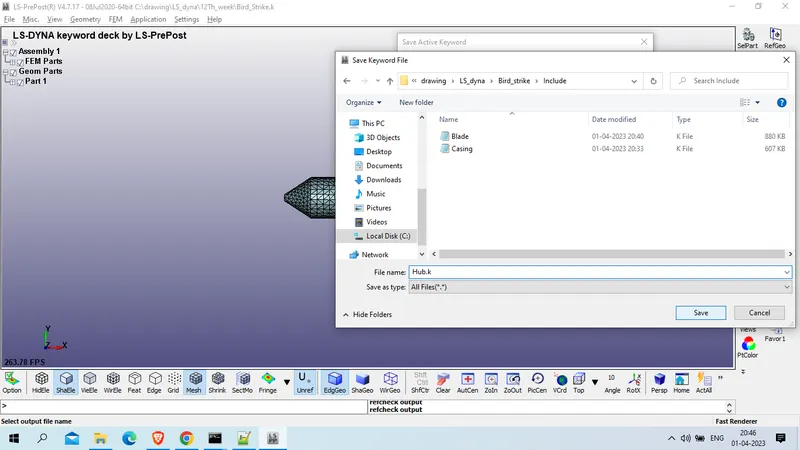
Now again close this LS prepost and open new LS prepost and open same .k keyword file
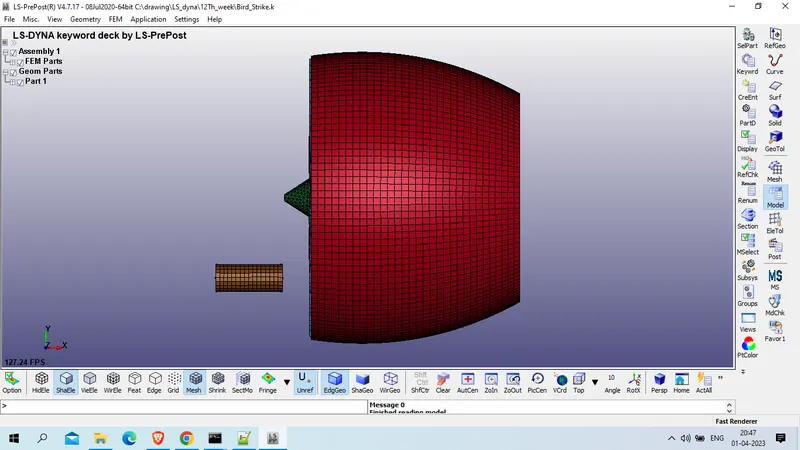
Delete Casing, blade and hub part
Now renumber nodes, element and part ID
Model and part >> renumber >> select node >> start ID : 150001 >> set >> renumber
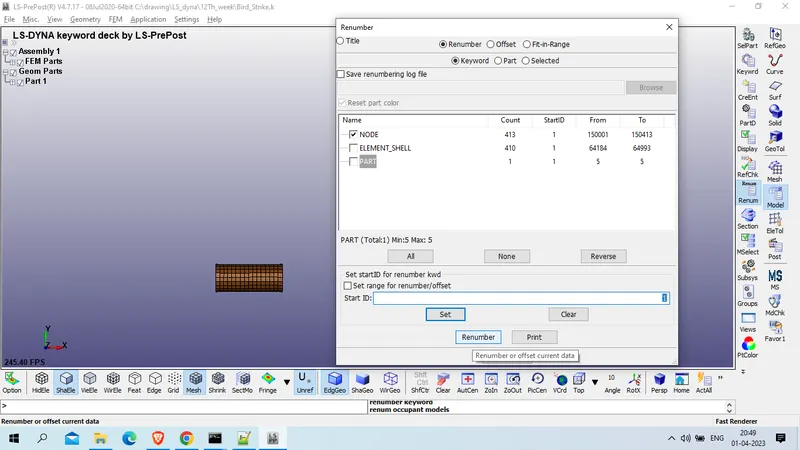
select element >> start ID : 550001 >> set >> renumber
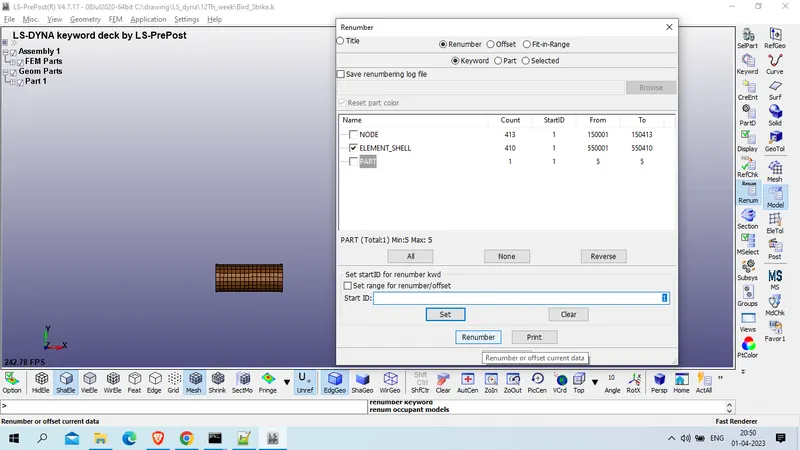
Select part >> STart ID : 1301 >> set >> renumber
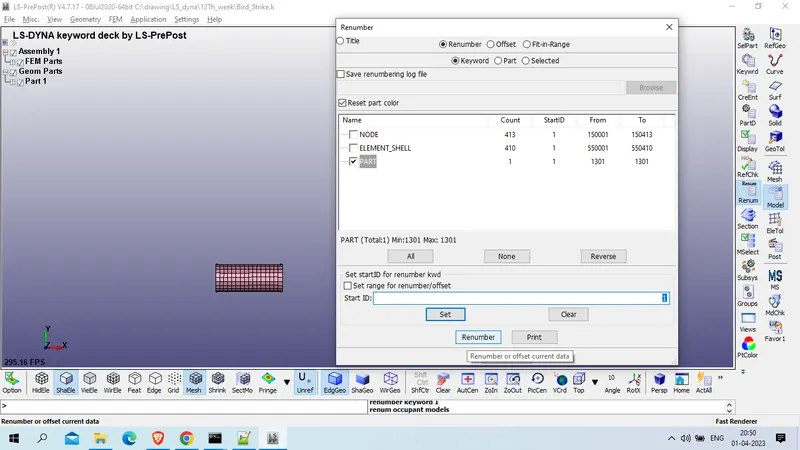
save this file with Bird.k in f=include folder
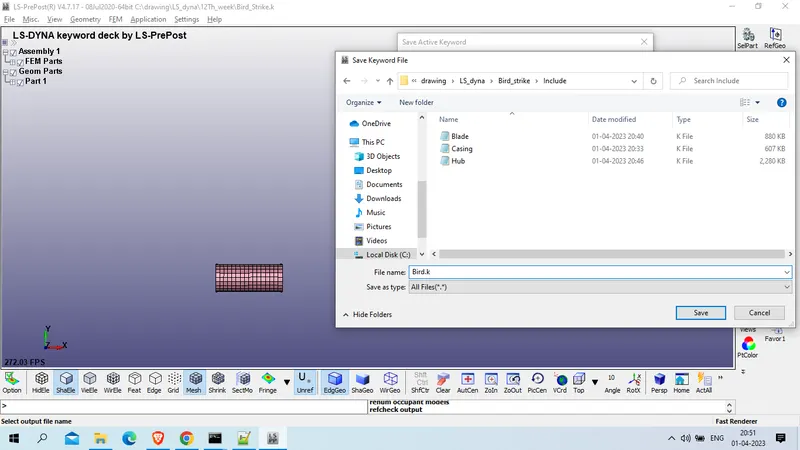
Close this LS Prepost Tab and open new LS prepost and open AL-4495 materialmodel keyword file
now create section card and material card for all 4 parts
1. Bird
model and part >> Keyword manager >> all >> Mat >> 001_elastic
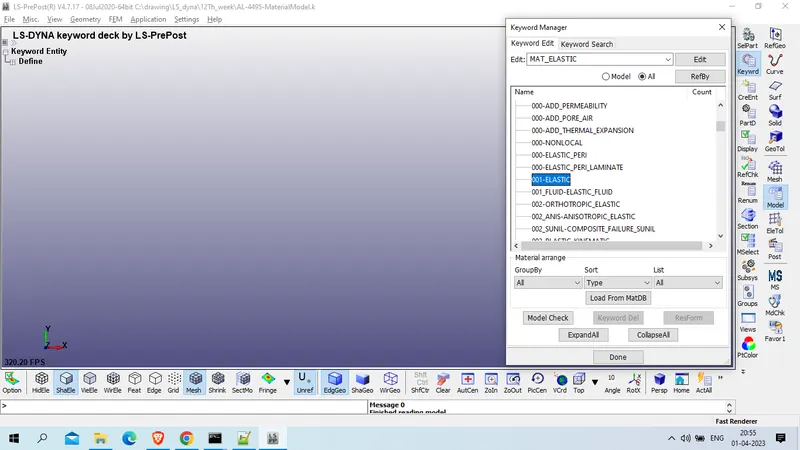
Title : Bird_mat
MID : 10001
Density : 2E-6 Kg/mm^3
Yound modulus : 2 GPa
Poission Ratio : 0.47
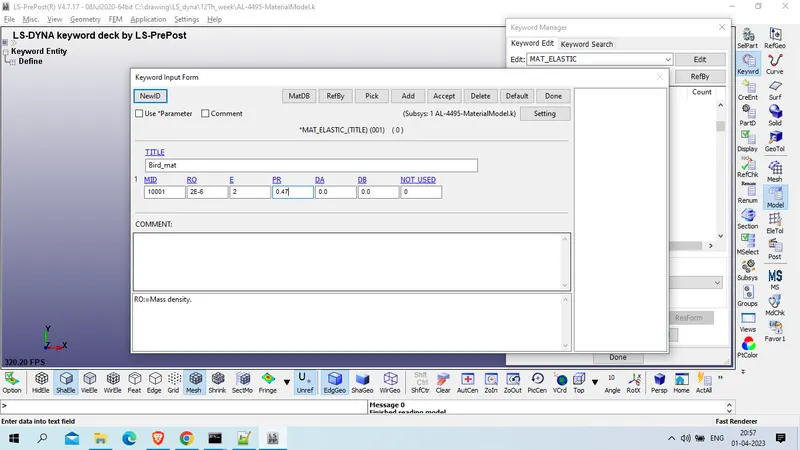
Accept >> save
Section for Bird :
Model and part >>Keyword manager >> all >> section >> Shell
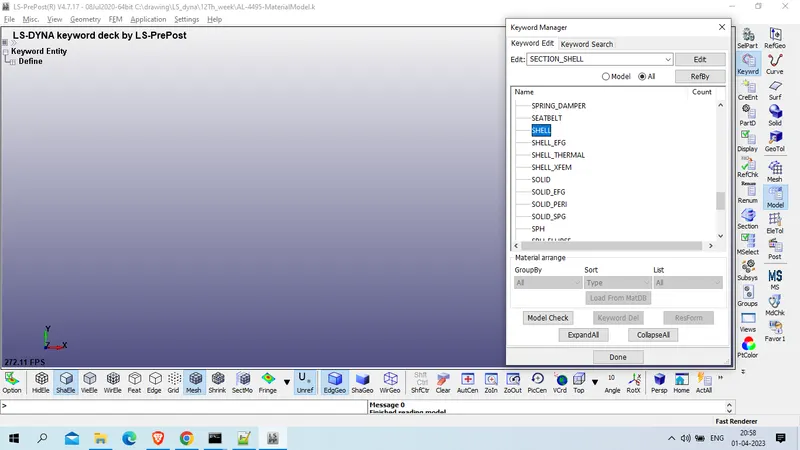
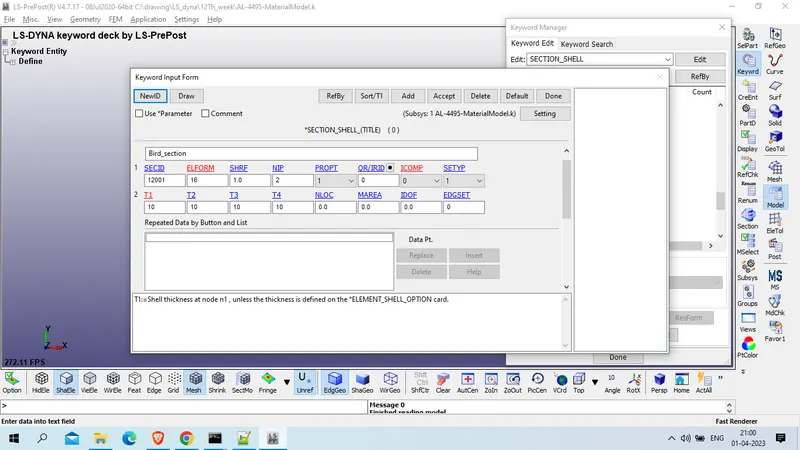
Title : Bird_section
SECID : 12001
ELFORM : 16 ( Fully integrated shell element (very fast),)
T1/T2/T3/T4 : 10 mm
2. Casing
Model and part >> keyword manager >> all >> Mat >> elastic
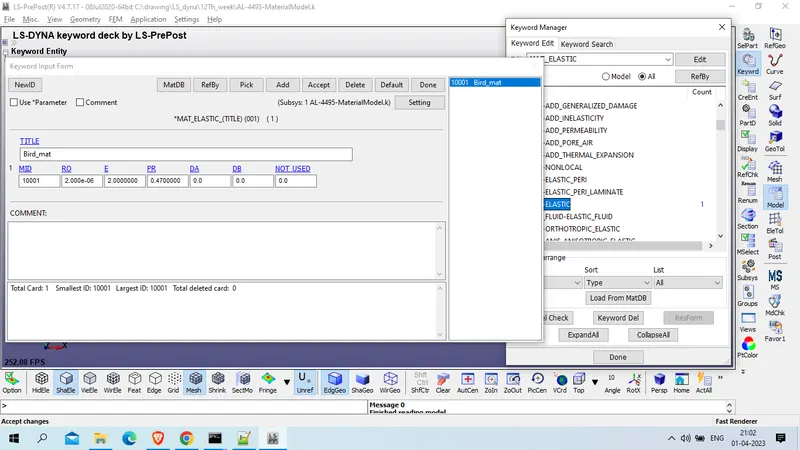
click on add
Title: Casing_mat
Mid : 10002
Density : 7.8E-6 Kg / mm^3
Young's Modulus : 200 Gpa
Poission ratio : 0.3
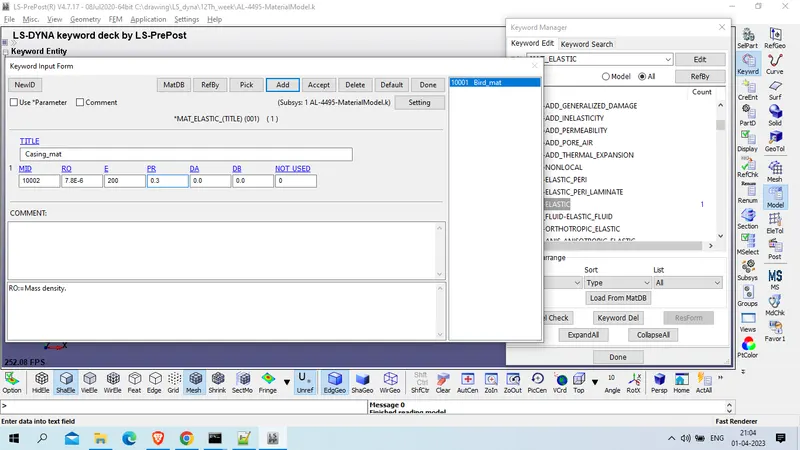
Accept >> done
section card for casing
Model and part >> keyword manager >> all >> section >> shell
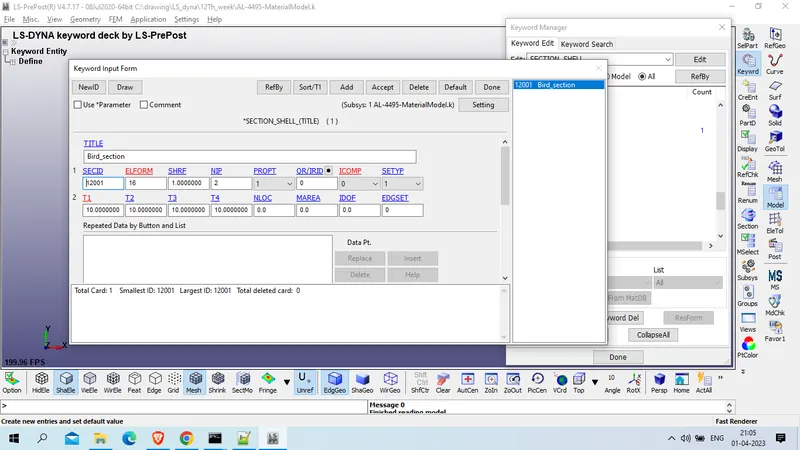
click on add
Title : Casing_section
Section Id : 12002
ELFORM : 16
T1/T2/T3/T4 : 3 mm
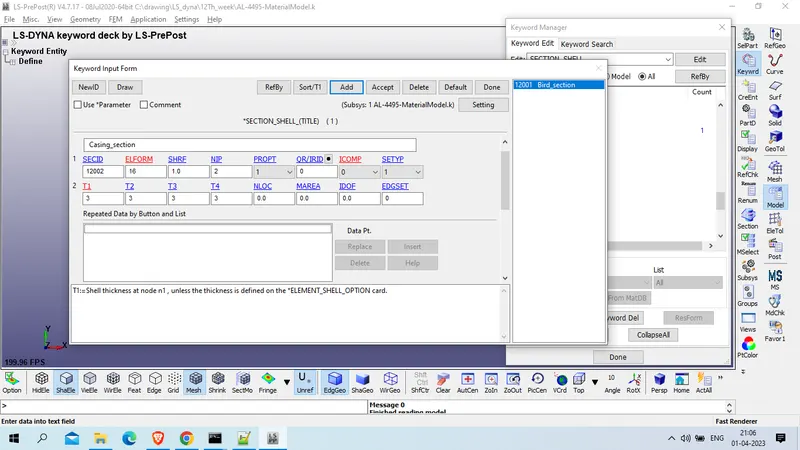
accept >> done
3. Blade
for blade we have material curve and material data as below
model and part >> keyword manager >> model >> define >> curve
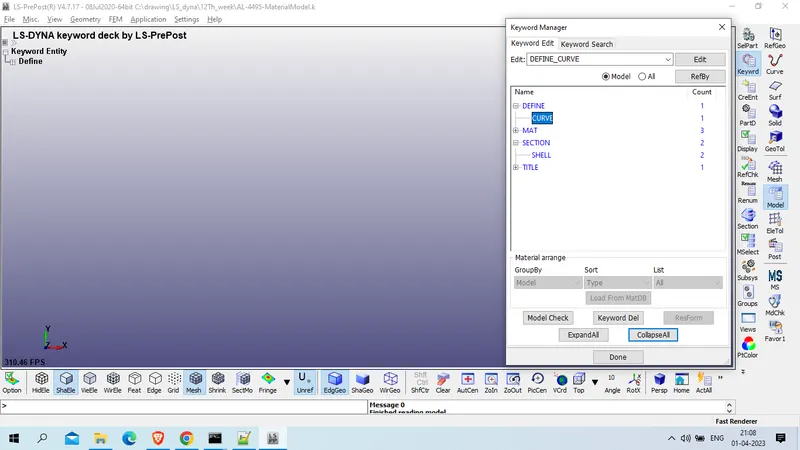
Title : Blade_Mat_curve
LCID : 10005
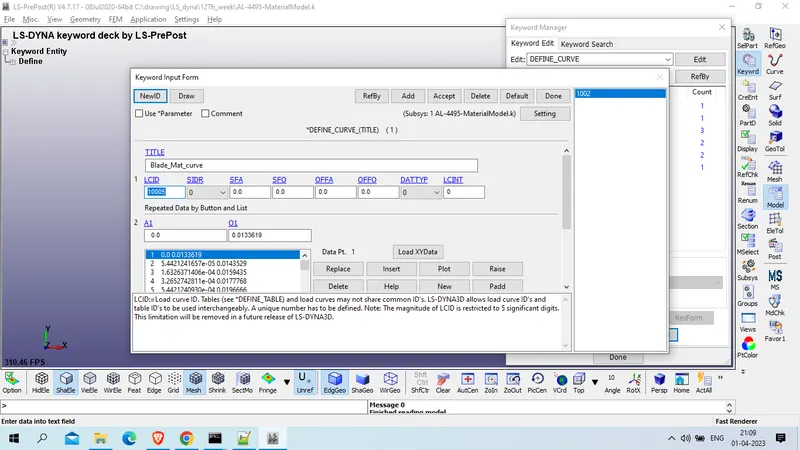
Accept >> done
model and part >> keyword manager >> model >> Mat >> 024_Piecewise_Linear_plasticity
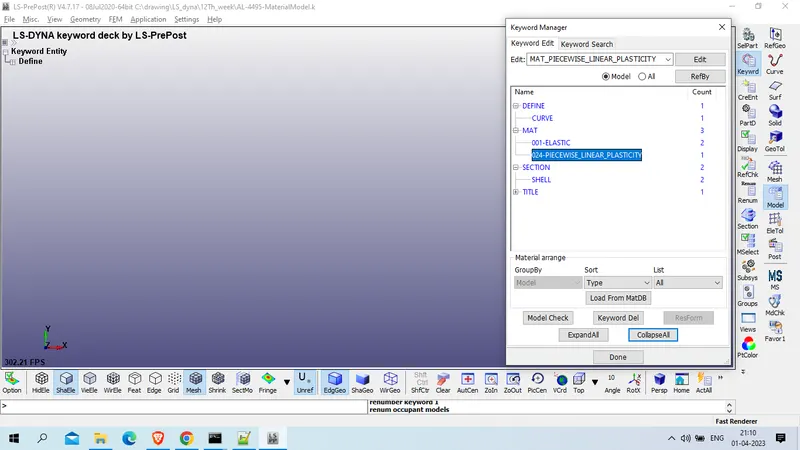
title : Blade_mat
MID : 10003
Density : 2.713e-06 Kg /mm^3
Young's Modulus : 68.947998
Poission Ratio : 0.330
SIGY:=Yield stress.: 0.0133620
Failure Flag : 0.2723000
LSID : 10005
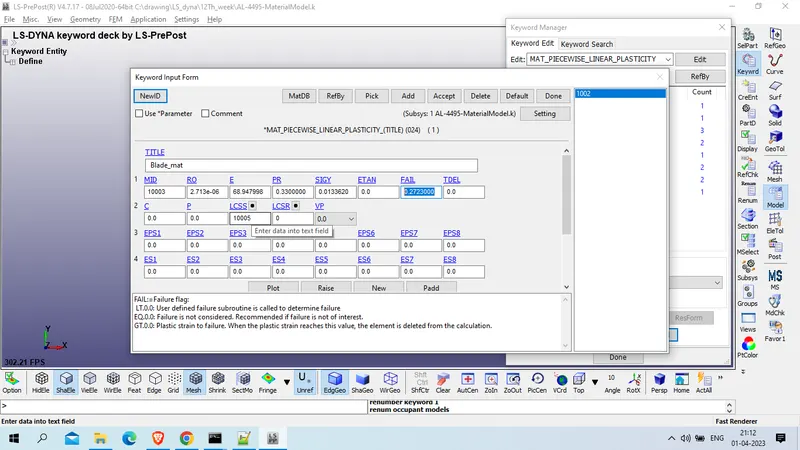
accept >> done
Section card for blade
Model and part >>Keyword manager >> all >> section >> shell >> add
Title : Blade_section
SECID : 12003
ELFORM : 16
T1/T2/T3/T4 : 2 mm
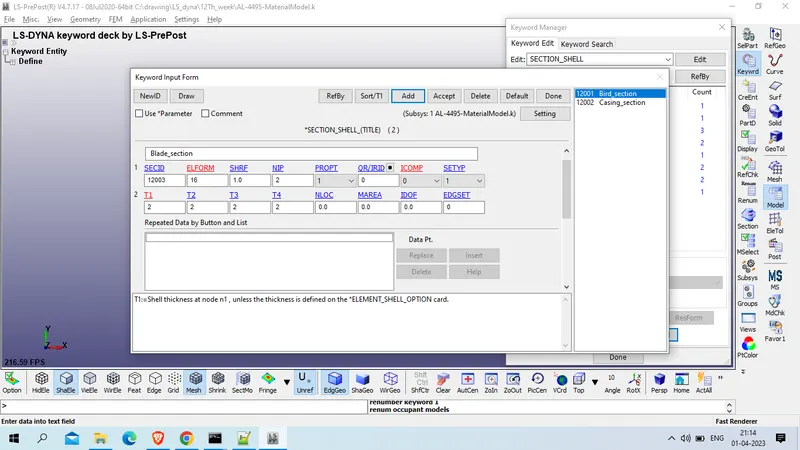
accept >> done
4. Hub
model and part >> keyword manager >> model >> Mat >> 024_Piecewise_Linear_plasticity >> add
Title : Hub_Mat
MID : 10004
Density : 8.0E-6 Kg /mm^3
Young's modulus : 145
Possion Ratio : 0.33
SIGY:=Yield stress : 0.81 GPa
ETAN:=Tangent modulus : 70 GPa
Fail : 10.E+20
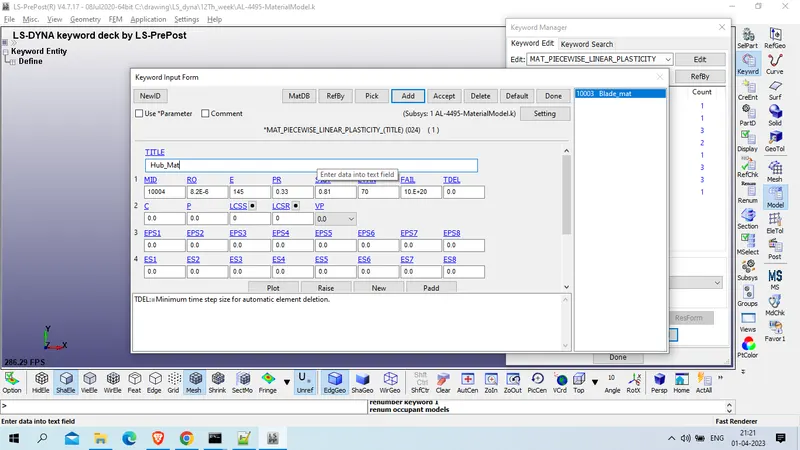
Accept >> done
Section card for Hub
model and part >> keyword manager >> all >> section >> solid
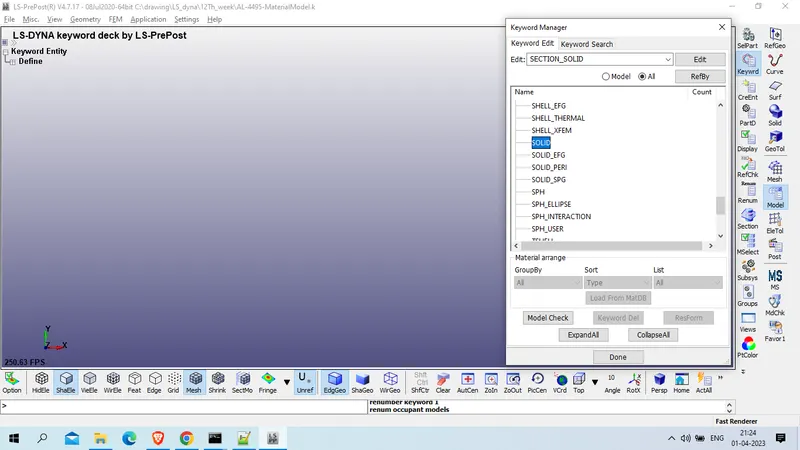
Title : Hub_section
SWCID : 12004
ELFORM : 10 ( 1 point tetrahedron,)
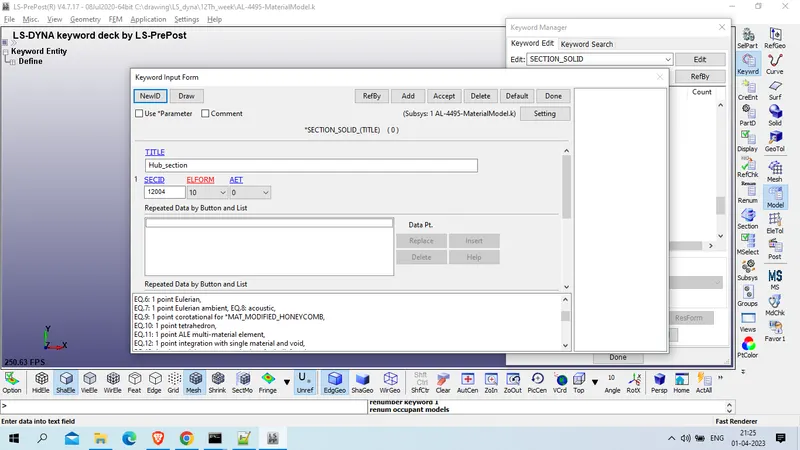
Accept >> done
now save this file with mat_section.k name in include folder
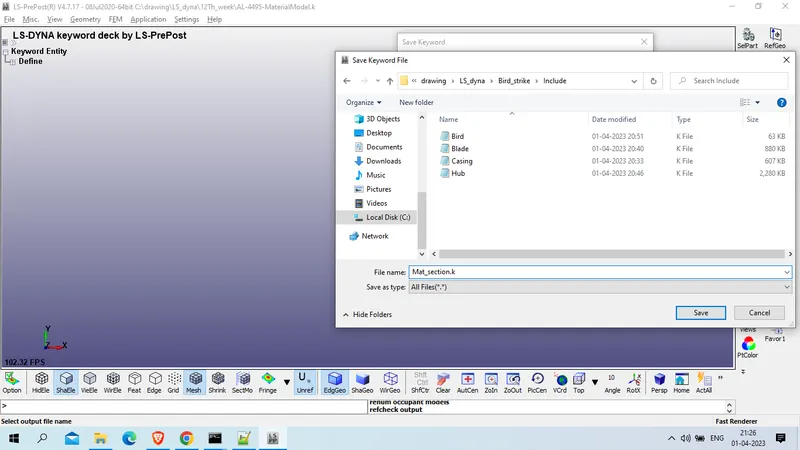
CLose this LS prepost tab and open new LS prepost tab
as we had create Material card and section card for each part , lets assign these to their repective part
for this open every part one by one and assign MIS and SECID to their part respectively
Open Casing file in new LS prepost tab
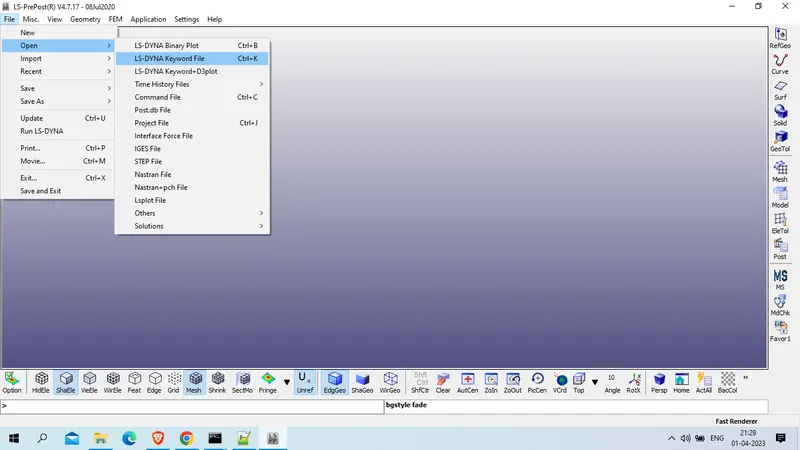
Open Casing.k keyword file
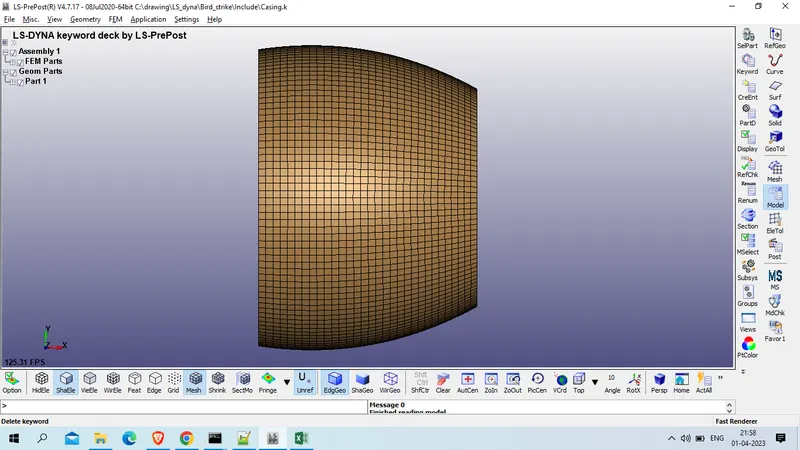
Model And part >> Keyword manager >> model >> part >> Part >>
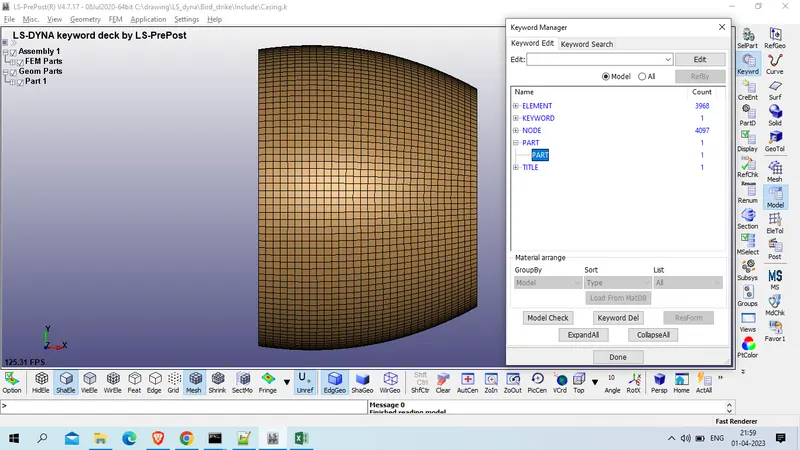
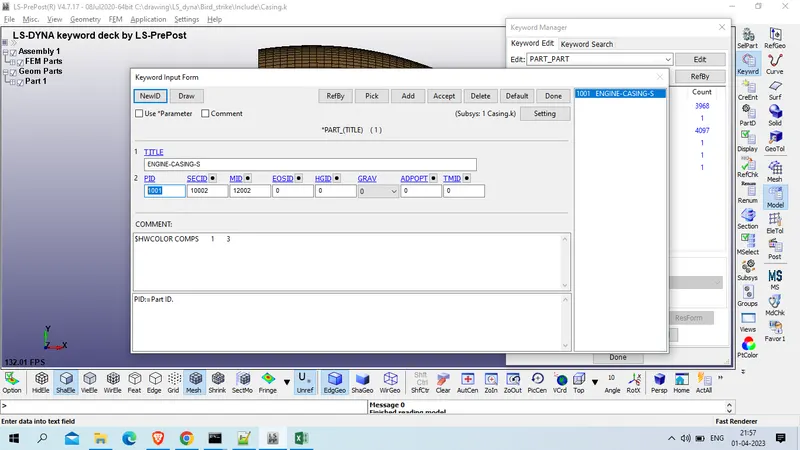
Assign MID : 10002 & SECID : 12002 >>accept
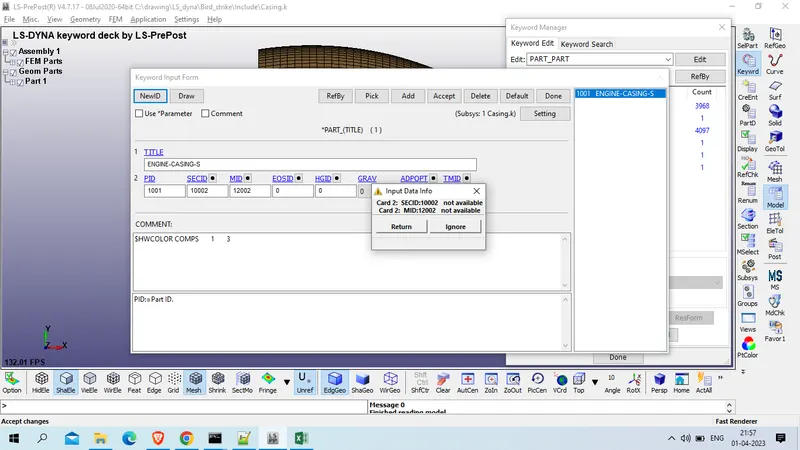
CLick on ignore >> done
now save this model
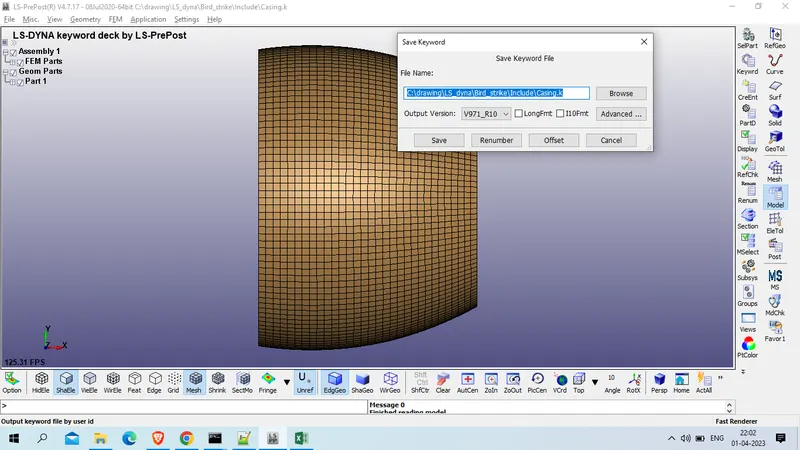
Repeat same assignment process for all other three part
Open blade keyword file
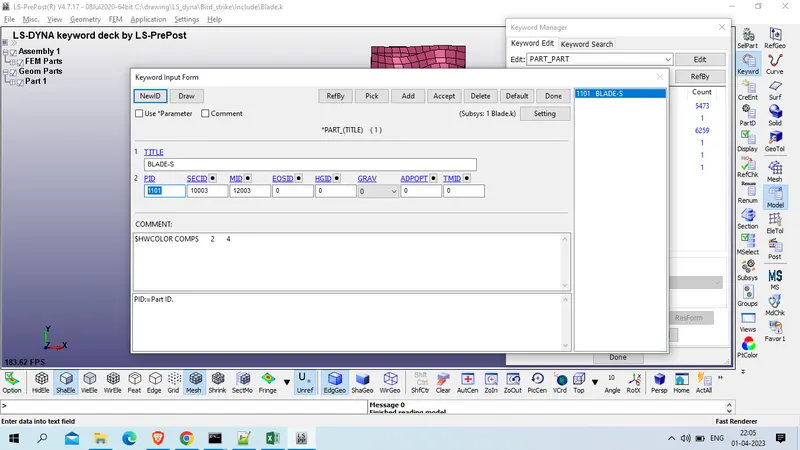
Accept >> ignore >> done
Open HUb keyword file
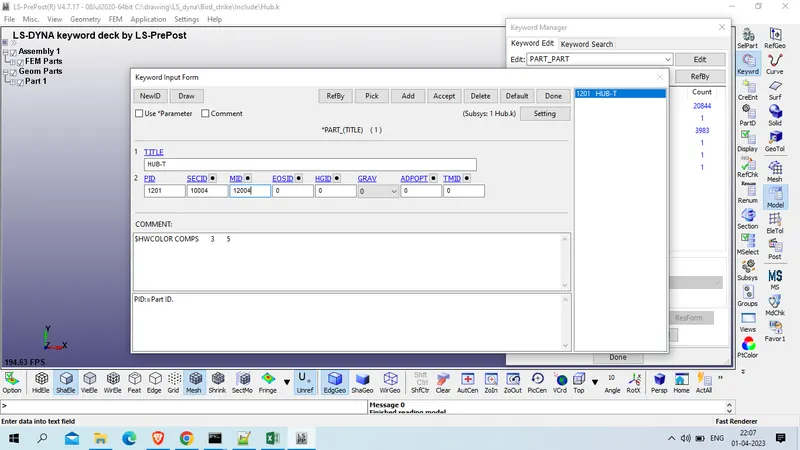
Accept >> ignore >> done
Open Bird Keyword file
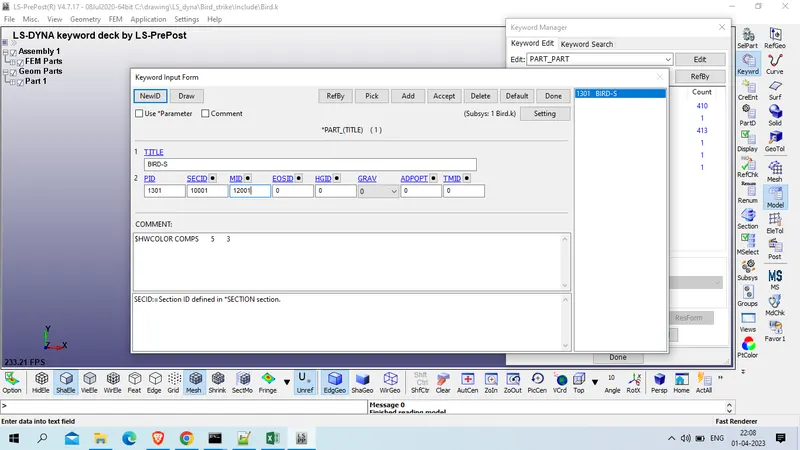
Accept >> ignore >>> done
| Part | Part ID | SECID | MID | LCID |
| Bird | 1001 | 10001 | 12001 | |
| Casing | 1002 | 10002 | 12002 | |
| Blade | 1003 | 10003 | 12003 | 10005 |
| Hub | 1004 | 10004 | 12004 |
Now create main file
open new LS Prepost Tab
Model and part >> keyword manager >> include >> include
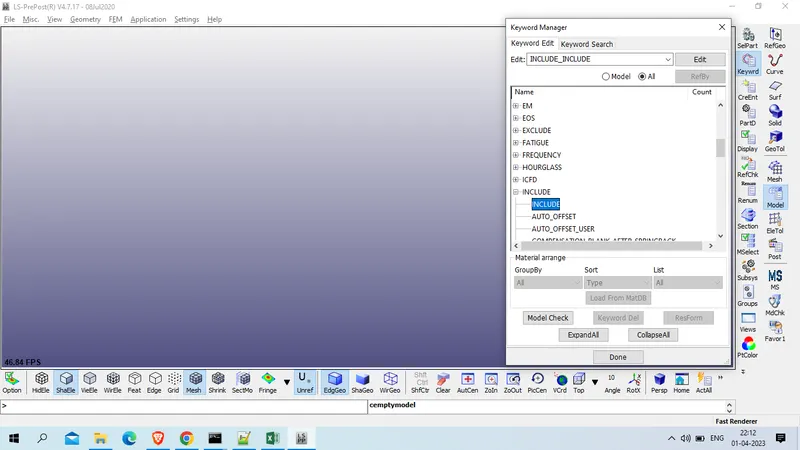
Browse all 5 file and insert
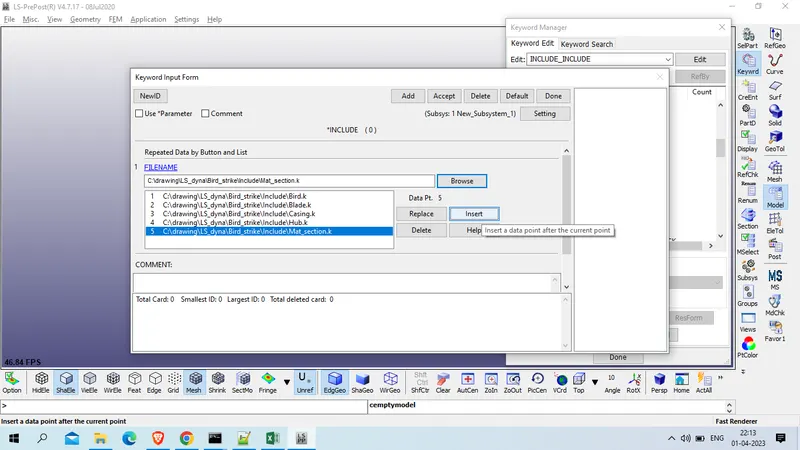
Accept >> done
save this in different folder with main.k name
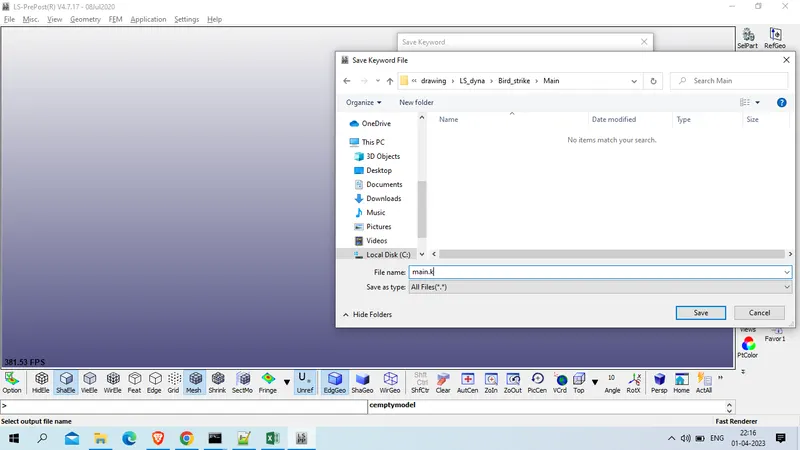
Now cloase This tab of LS prepost and open new LS prepost tab and open same main.k file
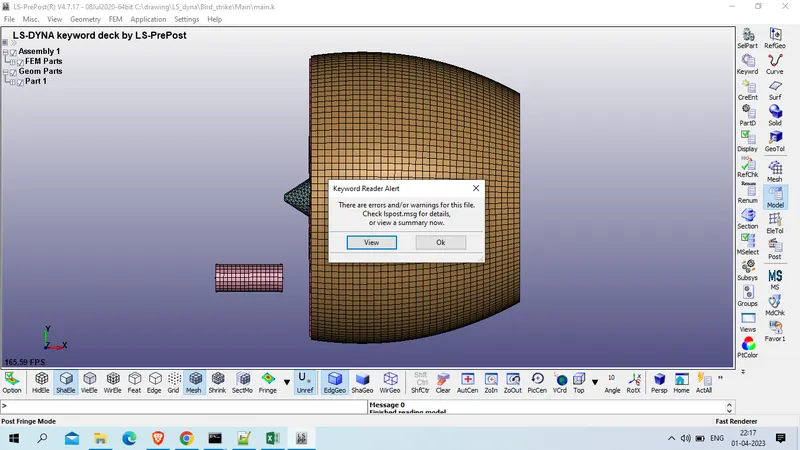
Now create contact between parts , for that
1. contact between bird and blade , bird is slave and blade is master
model an part >> Keyword manager >> all >> contact >> automatic_surface_to_surface
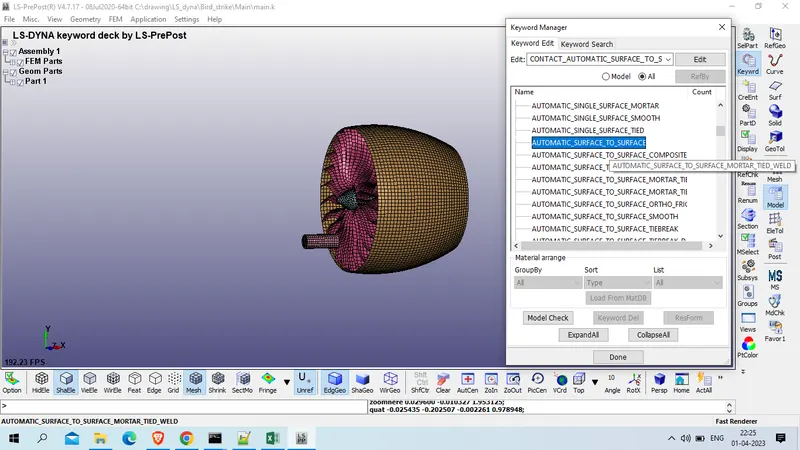
Title : Contact_bird_to_blade
CID : 13001
SSTYP : 3 (Part_id_
MSTYP : 3 ( Part_id)
SSID : 1301 ( Bird)
MSID : 1101 ( Blade)
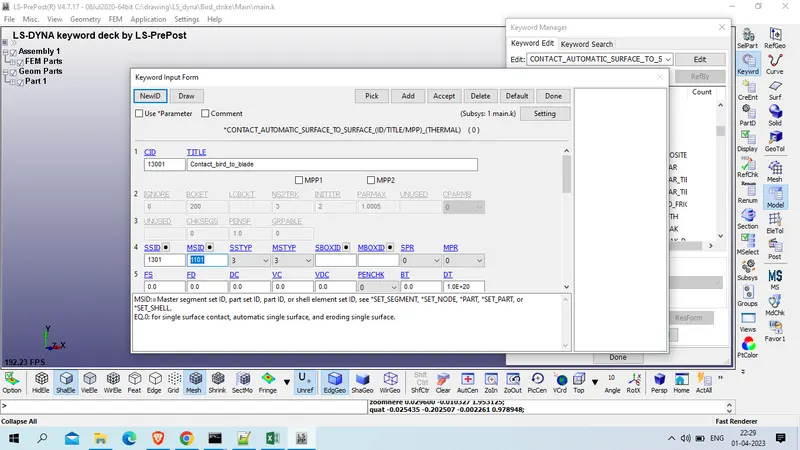
Accept >> add
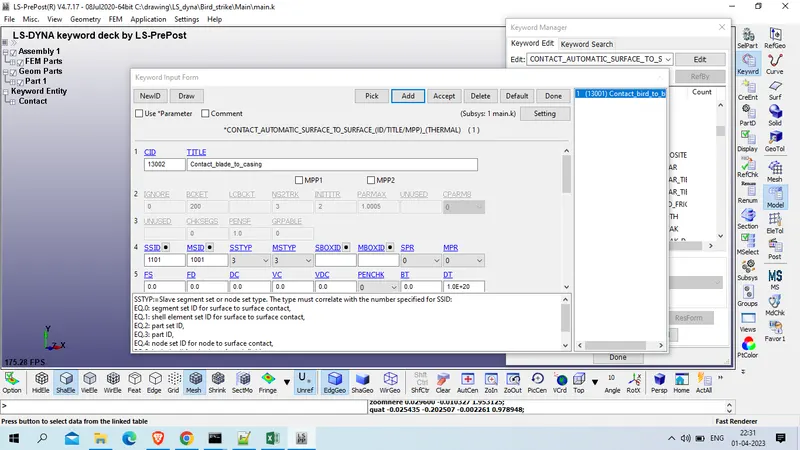
contact between Blade and casing , Blade will be slave and casing will be master in this case
Title : Contact_blade_to_casing
CID : 13002
SSTYP : 3 (Part_id_
MSTYP : 3 ( Part_id)
SSID : 1101 ( Blade)
MSID : 1001 (Casing)
Dusring impact of bird , blade might get damage and it goes get seft contact
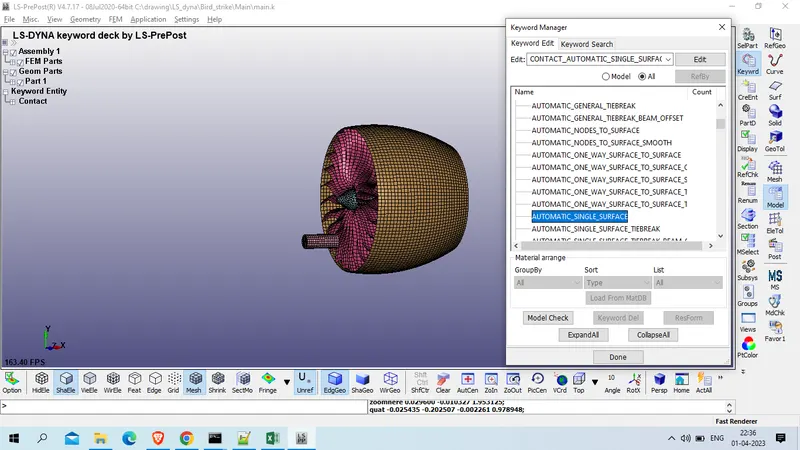
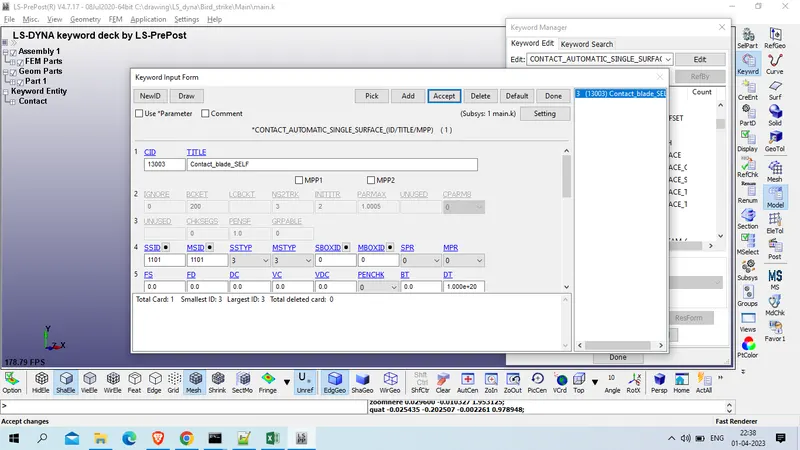
self contact for blade
model and part >> keyword manager >> all >>contact >> automatic_single_contact
Title : Contact_blade_SELF
CID : 13003
SSTYP : 3 (Part_id_
MSTYP : 3 ( Part_id)
SSID : 1101 ( Blade)
MSID : 1101 ( Blade)
NOw contact beween Blade and hub , Slave is blade and Master will be Hub
model and part > keyword manager >> all >> contact >> Tied_Surface_to_surface
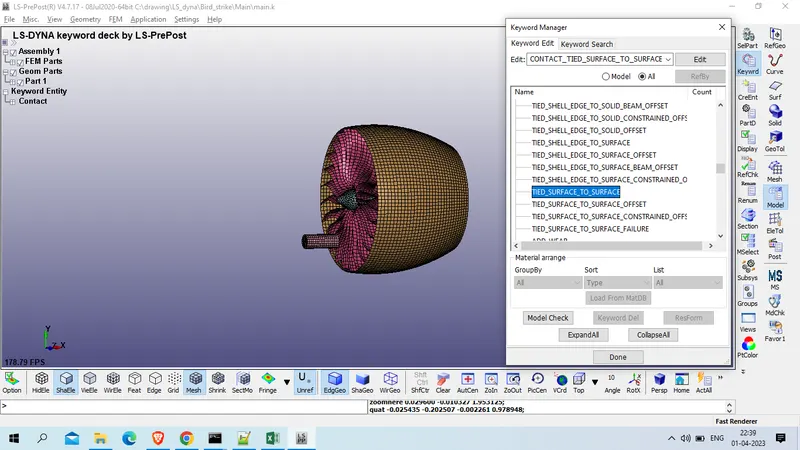
CID : 13004
Title : Contact_Blade_to_hub
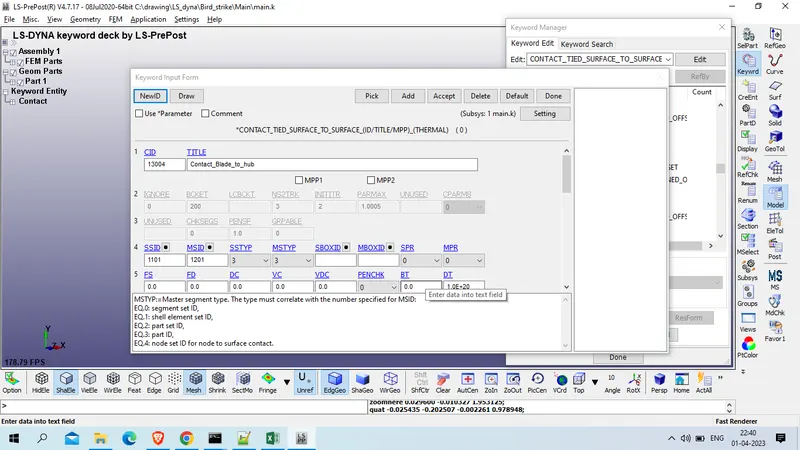
contact beween Bird and casing , Slave is bird and Master will be casing
model and part > keyword manager >> all >> contact >> Autimatic_Surface_to_surface
Title : Contact_bird_casing
CID : 15005
SSTYP : 3 (Part_id_
MSTYP : 3 ( Part_id)
SSID : 1001 ( Bird)
MSID : 1002( Casing)
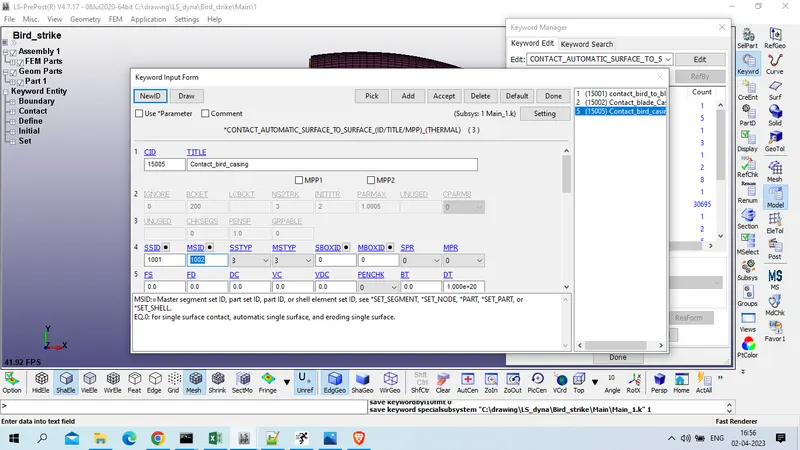
now we will define boundary condition
1st define Casing which is stationary while simularion , so fix all translational and rotational DOF
model and part >> Keyword manager >> all >> Boundary >> SPC_set
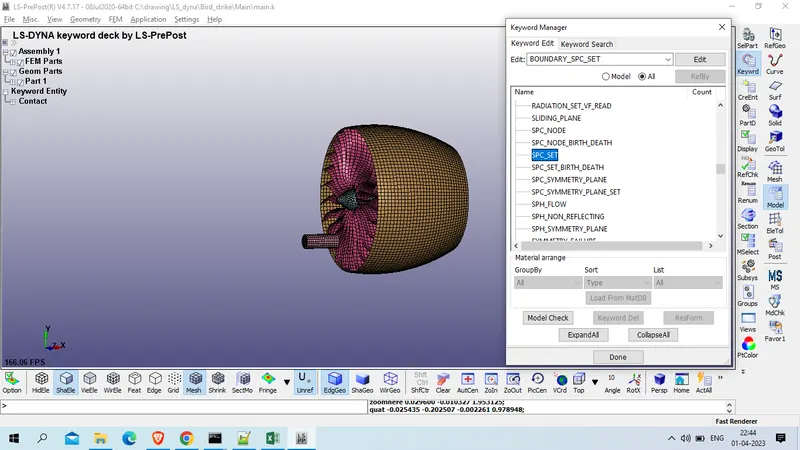
for SPC we need node_set so we will create node set using >> click on NSID >>NewENtity>>
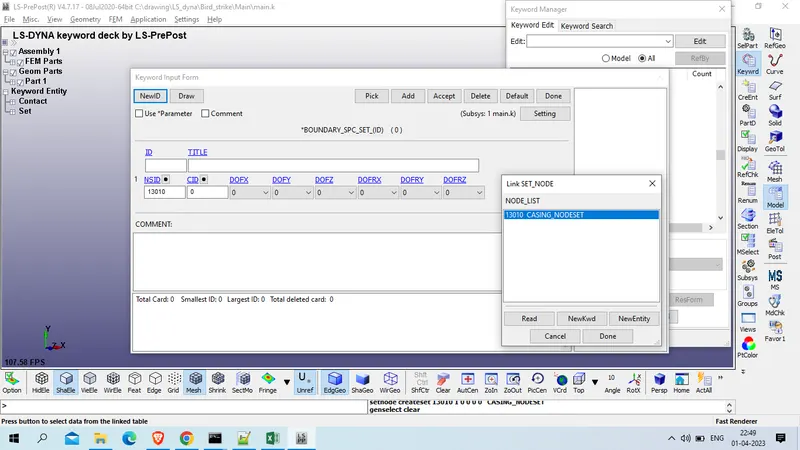
Title : CASING_NODESET
NSID : 13010
Select all node by part selection
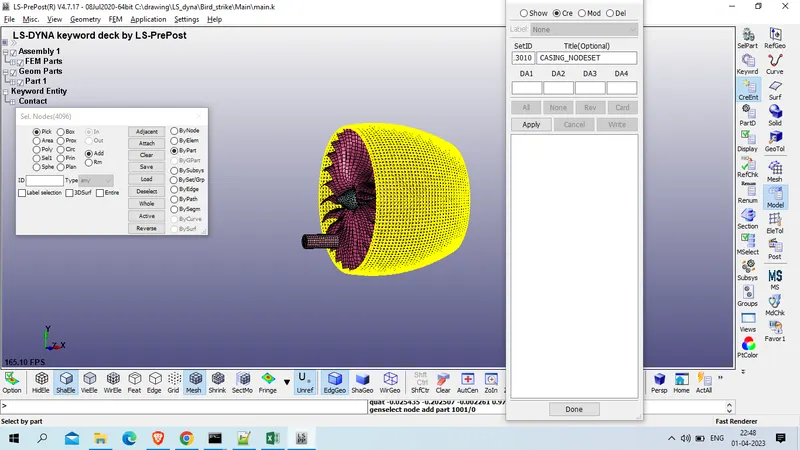
click on apply
Title : SPC_CASING
I D : 14001
all DOF : 1
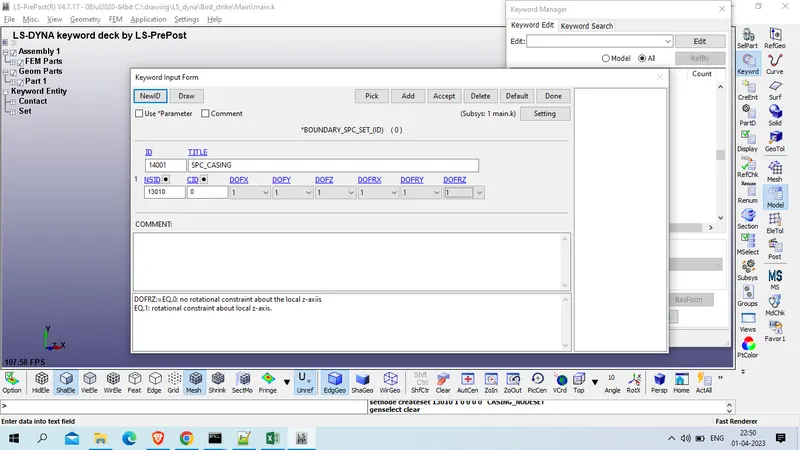
Accept >> done
Now Velocity to the bird in X direction
Model and part >> keyword manager >> all >> initial >> velocity_generation
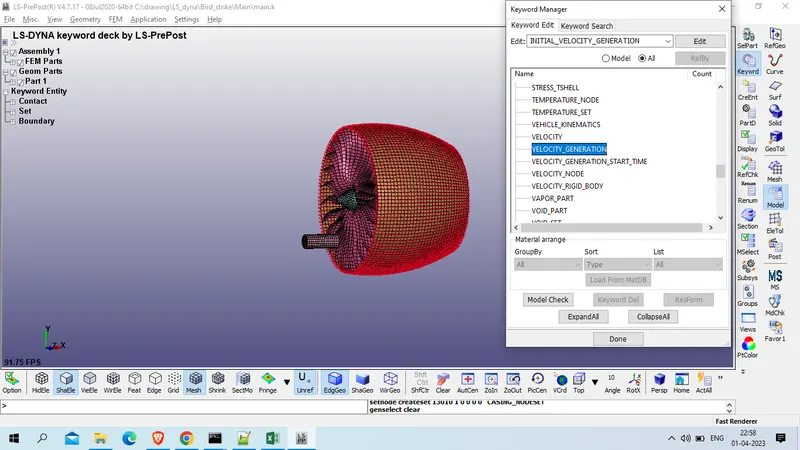
here we want part_set for bird so will will click on NSID/PID and click on NewEntity
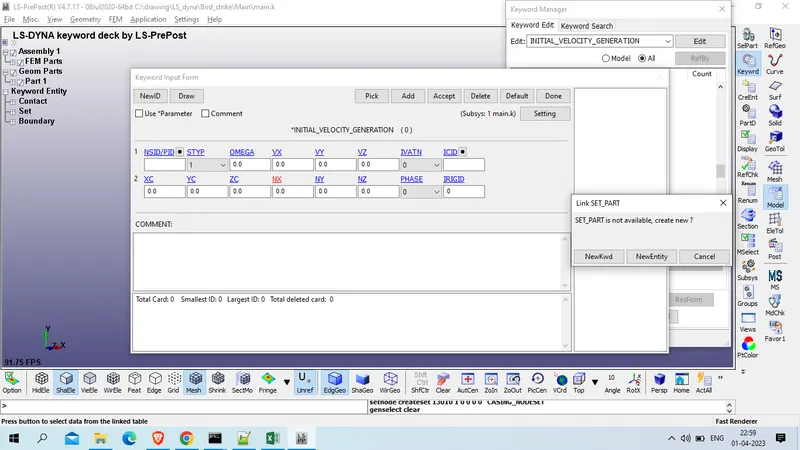
SetID: 13011
Title: Bird_Part_set
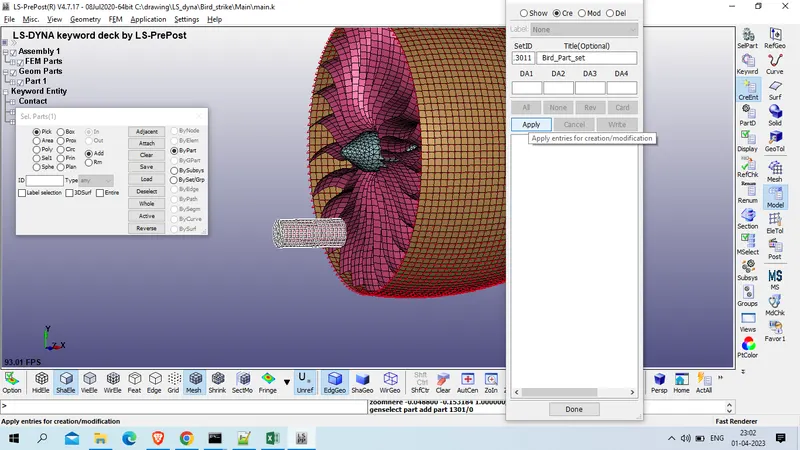
click on apply
as bird move ith 100 km /h to 300 km/h so we will use 200 km/h velocity which is equivalent to 50 mm/ns
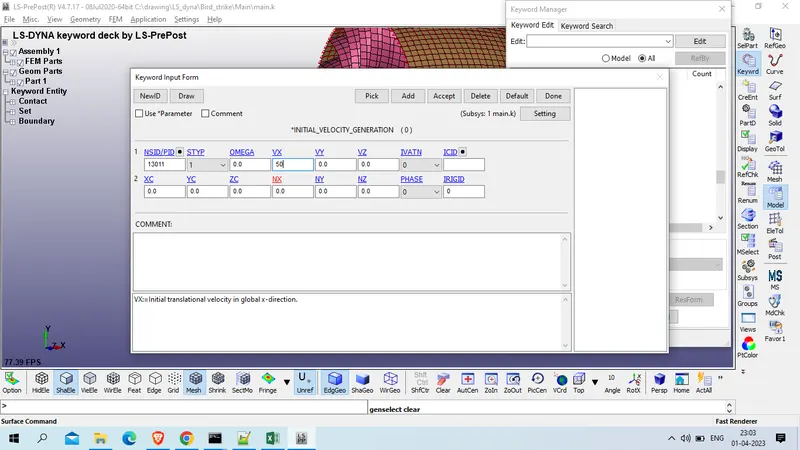
Accept >> done
Now we will define angular velocity to blade which will rotate with reference to x axis
the rotation will be arroung 2500 RPM which is equivalent to 2.6 rad/ms
Model and part >> keyword manager >> All >> INITIAL>> velocity_Generation
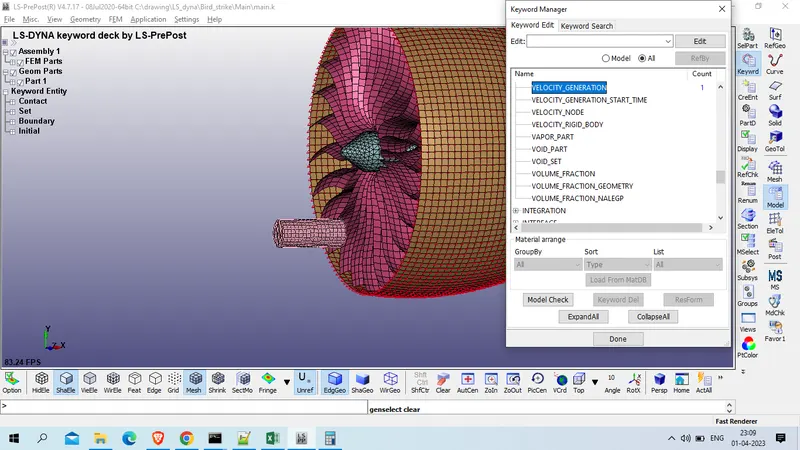
click on add
STYP : 2
NSID/PID : 1101 ( Blade)
OMEGA : 0.25
NX:=x-direction cosine. : 1
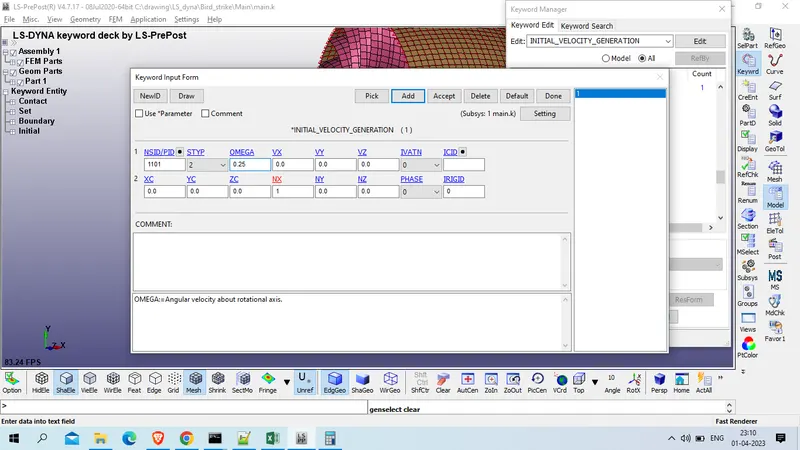
As boundary condtion is defined now we will define control card
1. Termination
model and part >> keyword manager >> all >> control >> termination
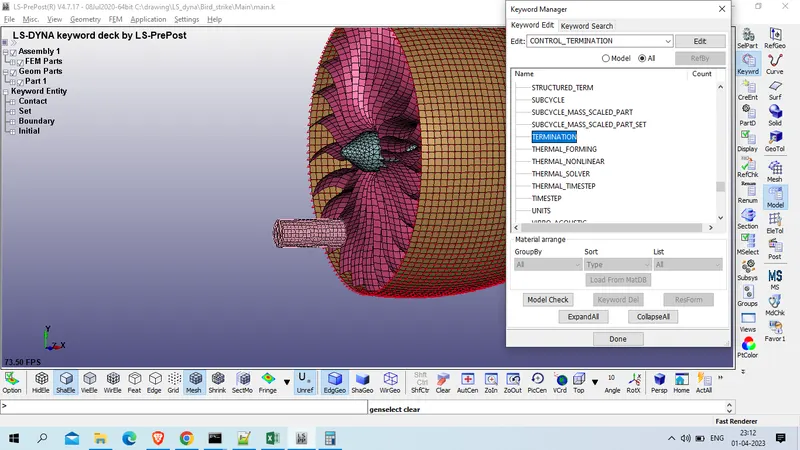
ENDTIM : 10 ms
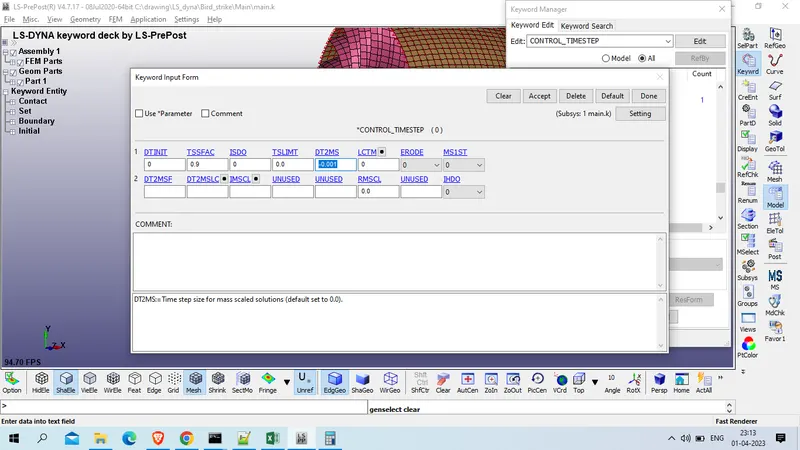
2. Timestep
Model and part >> keyword manager >> all >> COntrol >> timestep
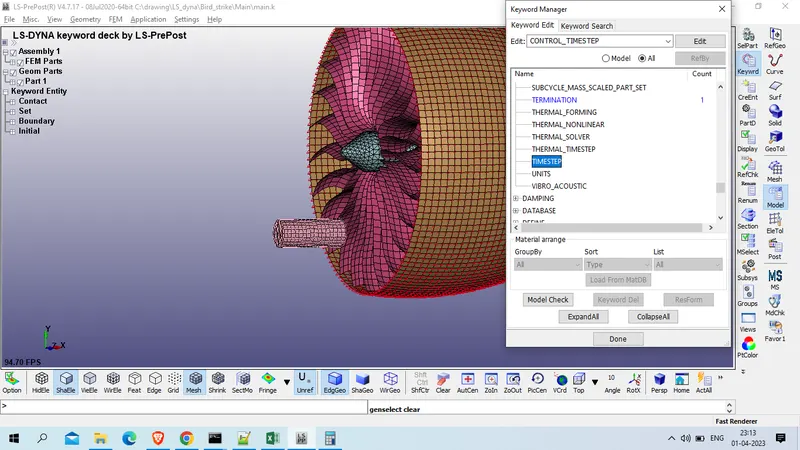
DT2MS : -0.001
now define output (database card)
1. Binary_d3Plot
Model and part >> keyword manager >> all >> database>> Binary_d3plot
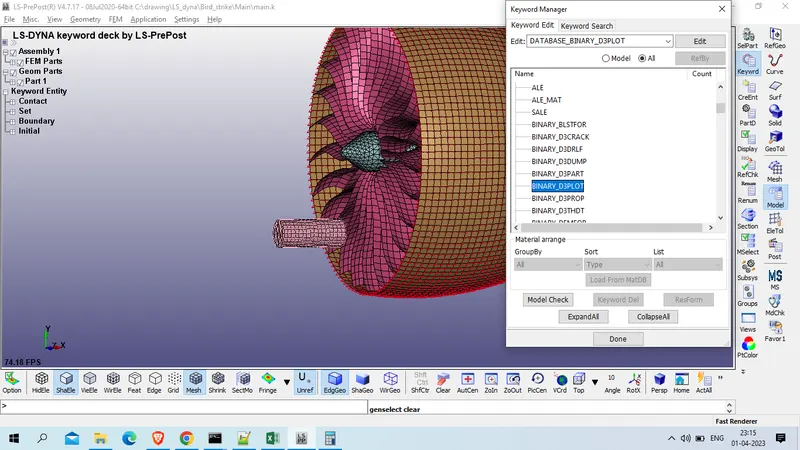
Dt : 0.1 >> accept >> done
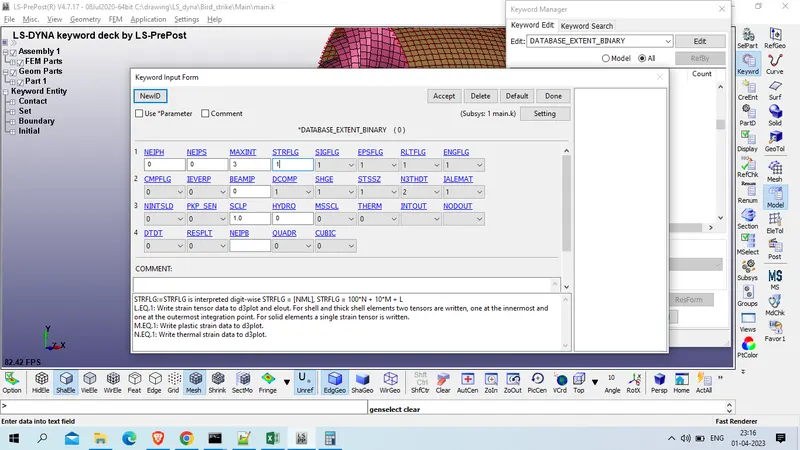
2. Extend_binary Card
Model and part >> keyword manager >> all >> databse >> Extend_binary
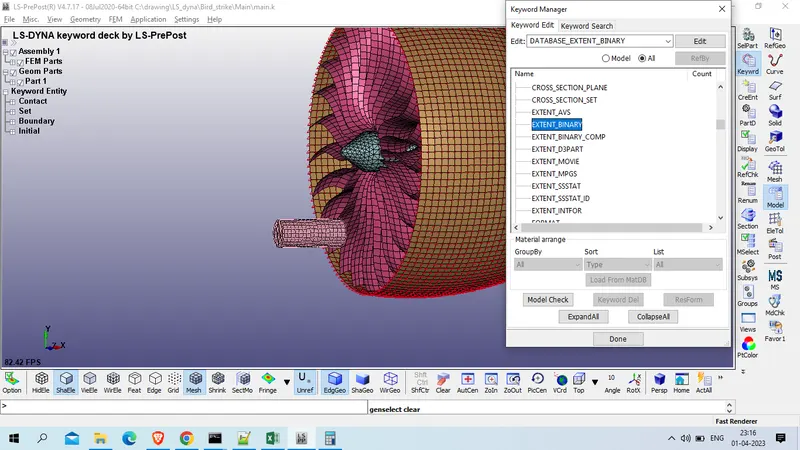
STRFLG: 1
3. ASCII_OPTION Card
Model and part >> keyword manager >> all >> database >> ASCII_option
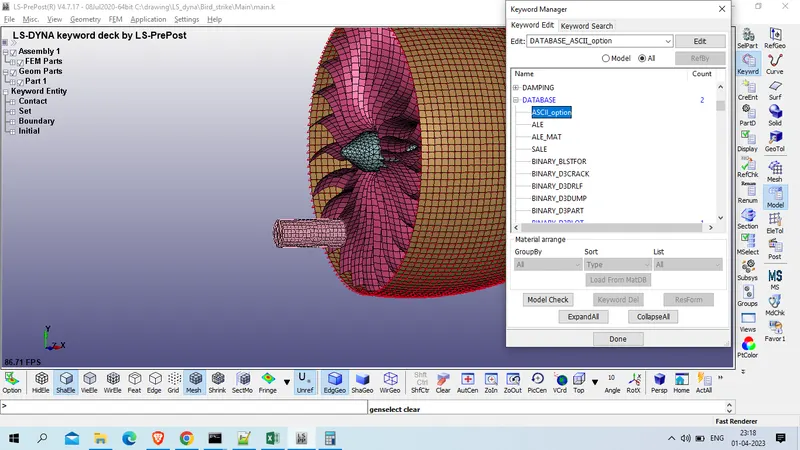
Default Binary : 3
ELOUT - Element Output Data
GLSTAT - Global Statistics
MATSUM - Material Energies
NODOUT - Nodal Displacement/Velocity/Acceleration data
SPCFORC- SPC Reaction forces
DT : 0.1
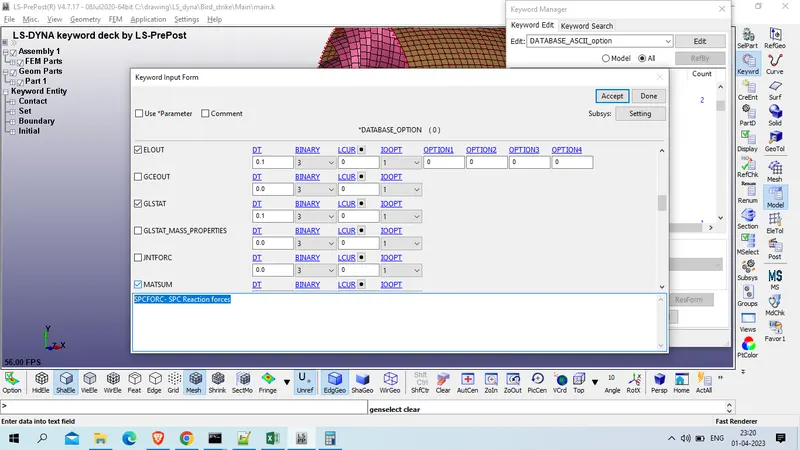
Accept & done
Now check for keyword error
model checking >> Keyword check >> recheck
'
Save file
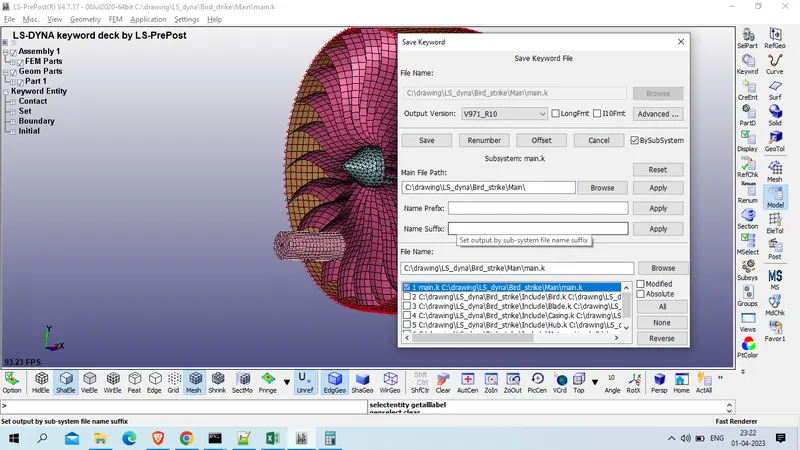
and run as LS DYna
it get error termination
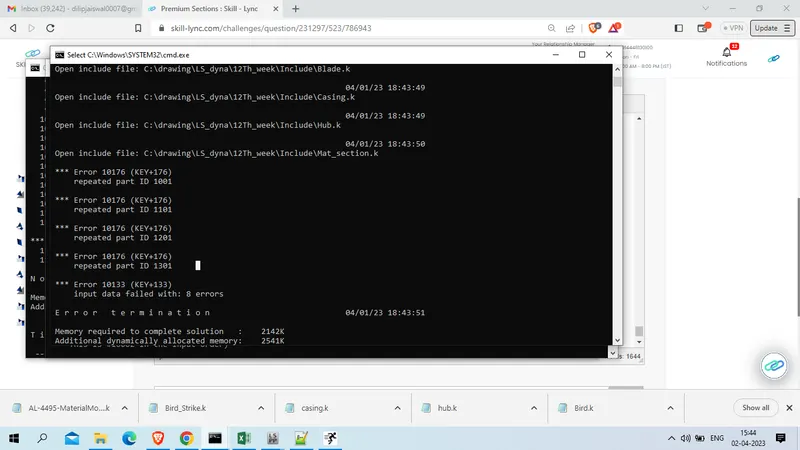
the error was repeated part id
so we will open main.k file and delete newly generated part in main.k file
also we will open include file for each part and
save these file with name main_1.k and run for simulation
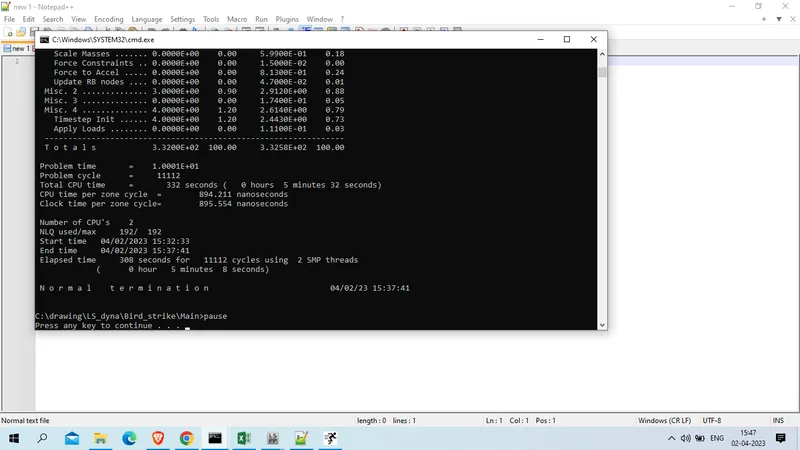
this time our run is ternimated normal
Result:
Animation file
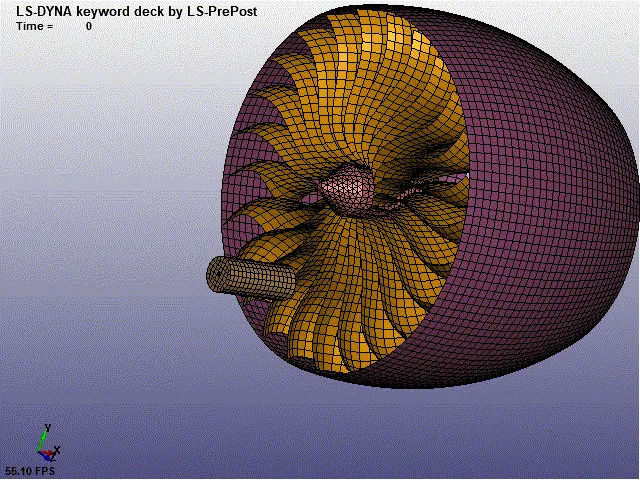
Von Mises stress
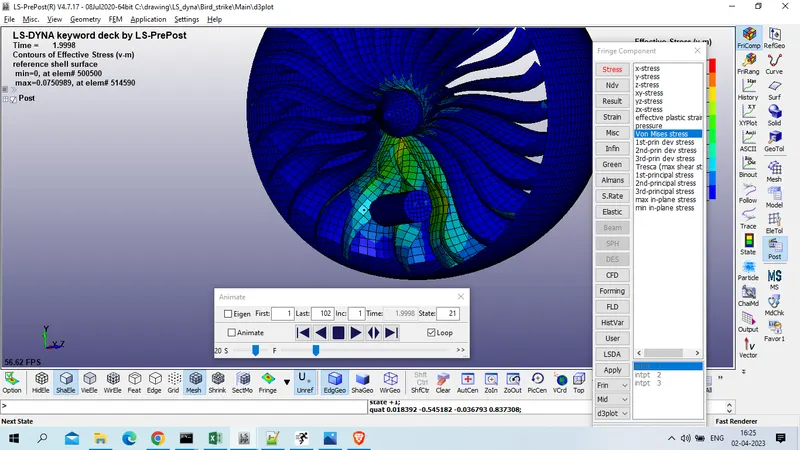
Plot for von mises stress for blade at element no 514524, 514117, 514062, 514056
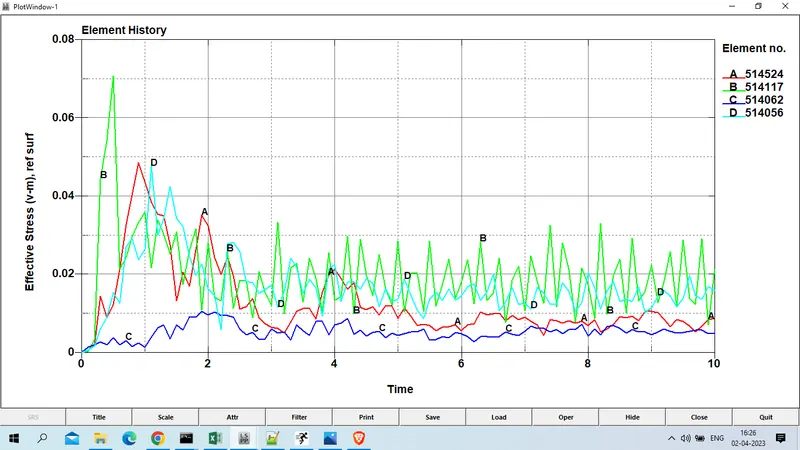
Von Mises stress max experiance by element 514117 which is 0.0708 GPa
Von mises stress plot for bird element no 500040, 500195, 500305
the maximum von mises stress experiance by element 500040 which is 0.0155 GPa.
Effective plastic strain
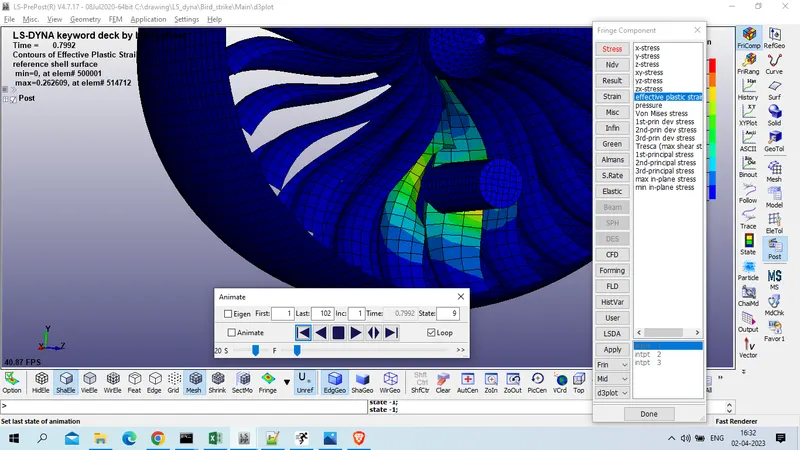
Effective plastic strain experiance by blade element , element no 514114, 514119, 514057 & 513873 is given below
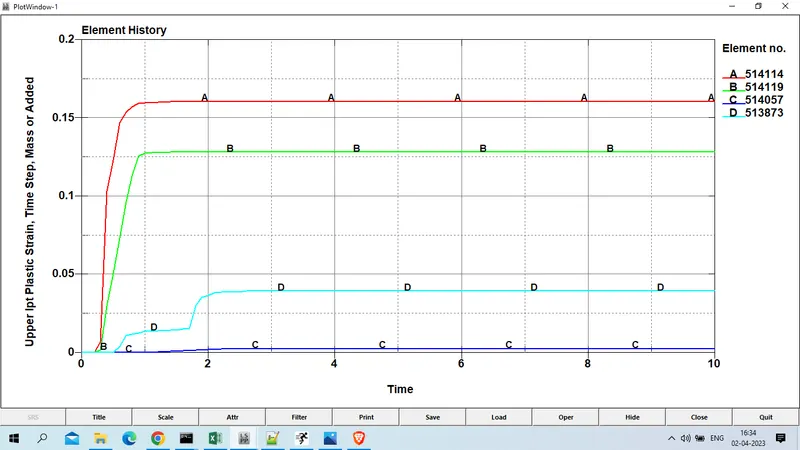
maximum plastic strain experiance by element no 514114 ( 0.161) which come direct in contact with bird while impact.
Plastic strain experiance by bird
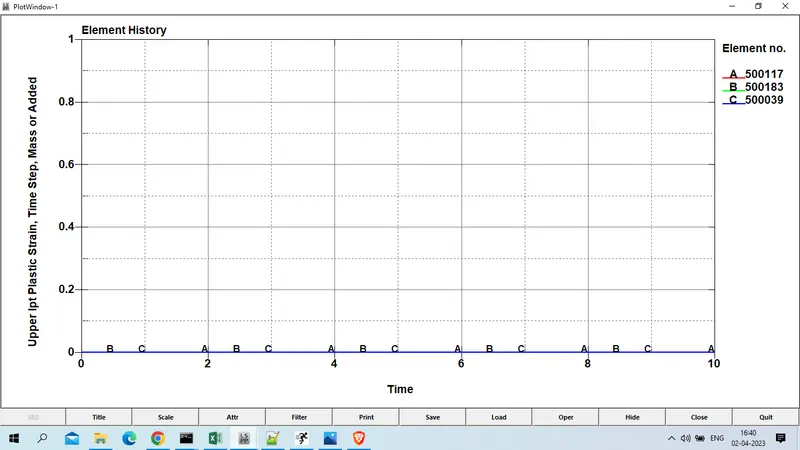
since we had use unreal mechanical properties for bird , so it does not shows any plastic deformstion while impact.
Energy Plots for Total enery, kinetic energy , internal energy and sliding energy is given below
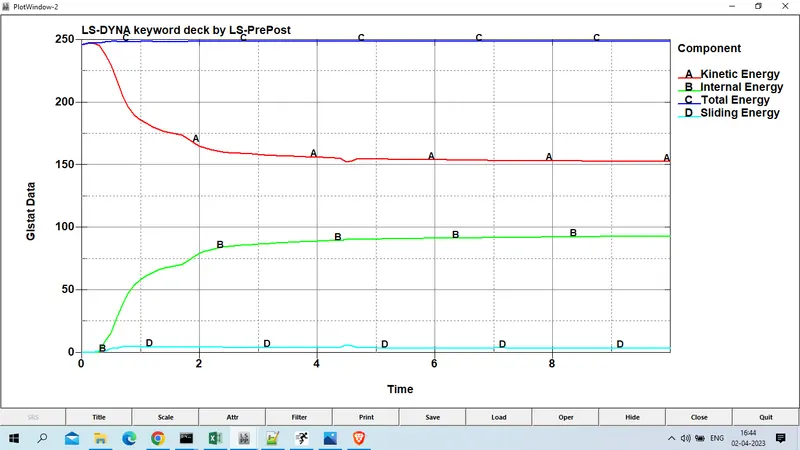
Bird is impact which is in form of kinetic energy, Due to that blades are deform then increase the internal energy, Then we understand that system satisfied the conservation of energy.
Tital energy is constant almost , it increase slighly due to add in sliding energy
Conclusion :
The bird strike on aircraft, simulation was carried out using LS-DYNA and the result are plotted.
We learn to create many keyword file and then organize those file using include command