Structural analysis of a buidling using Robot Structural Analysis
1) What are HVAC systems? Why are they essential in the modeling of buildings.
Answer - HVAC systems are responsible for the regulation off heat , ventilation , airflow and Air Conditioning of an entire
building. You want see the machines when you enter the building but you will most certainly feel the effects of comforatble
and well ventilledted workplace.
Here Some of the top reasons why business owners opt to have reliable HVAC systems in place of their office building.
1. HVAC systems control the overall climate on the building. They also make the proper adjustments whenever we experience
changes in outdoor temparature.
2. During the winter seasons, the HVAC system ( mainly the boilers or heaters ) work to keep the indoor temparature at
comfortable level.
3. In hotter times of the season, The HVAC systems regulate the air temparature by providing the necessary cooling to keep
the entire building comforatable.
4. Having a comforatble office climate increases the level of productivity and increase the morale amongst the workers and
Employees.
5. If you let your people work in setting conductive for wor, they will surely be motivated to perform better because they feel
good in the work environment.
6. No Employe will enjoy working in an office where it is freezing, or in an office where you frequently have to ignore your
perspiration just to focus on your computer screen.
7. Having a proper HVAC system installed is gaurenteed to make your employees happy. Hence, Giving your better work
results in return.
8. HVAC system not only regulate the temparature inside the building they also improve the quality of air.
9. The quality of air pertains to humidity, and a typical HVAC systems will reduce the amount of humidity in the air so your
workers and employees can continue enjoying a cozy and pleasant atmosphre at work.
10. Proper HVAC systems are wworthy investments for any business or building owner because it gives you energy savings.
11. HVAC systems today are automoted, which means you mo longer have to manually adjust the temparature setting or
the time setting of each machine.
2) From week 7 assignment, based on the building designed use the same Revit file to design a HVAC system for each floor to cover the topics included in the class.
a. Typical HVAC unit includes Distribution center
b. Collector
c. Ducts
d. Blower
Based on the layout choose appropriate ducts and elevation using property browser and assign the components to appropriate groups to complete modeling of the HVAC unit.
Introduction -
HVAC is an important part of residential structures such as single family homes, apartments building and hotels and senior
living facilities and medium to large industrial and office building such as skyscrapers and hospitals, vehicles such as cars,
train, aeroplanes, ship, submarine, where safe and healthy building conditions are regulated with respect to temparature
and humidity ,using fresh air from outdoors.
Procedure -
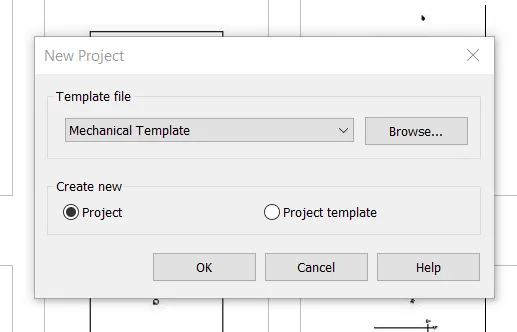
First we open the new project with the Mechanical Template.
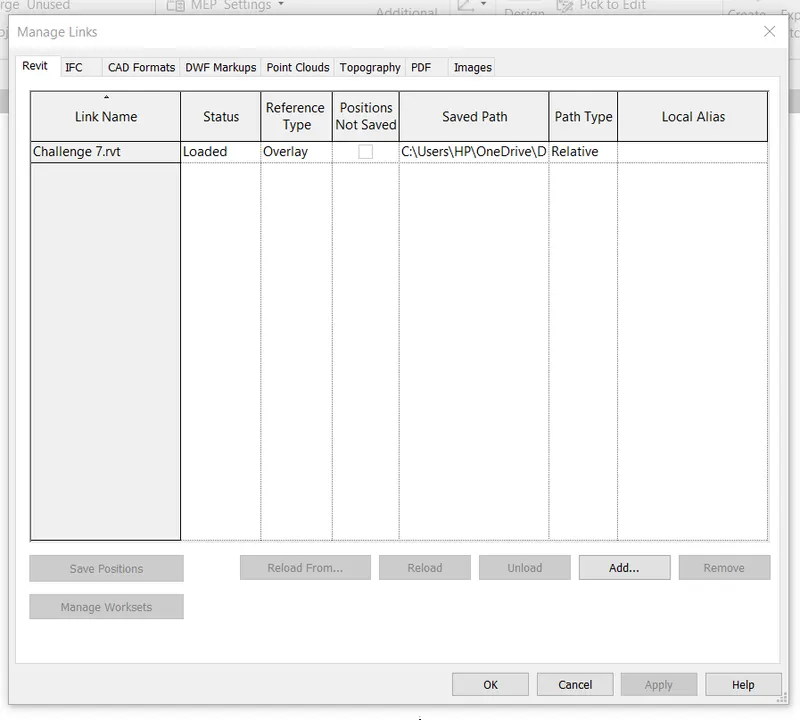
After openeing the new project we use the manage links toolbar to link the previous project in the new projevt.
Next the previous project is linked to the mechanical project.
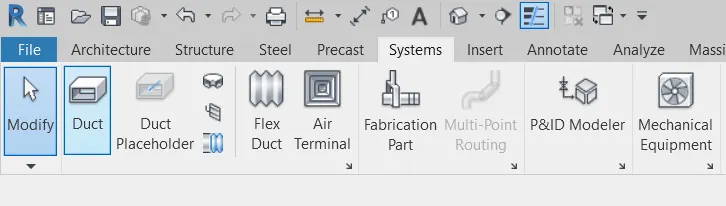
Next we provide air terminals and mechanical equipments in the building.
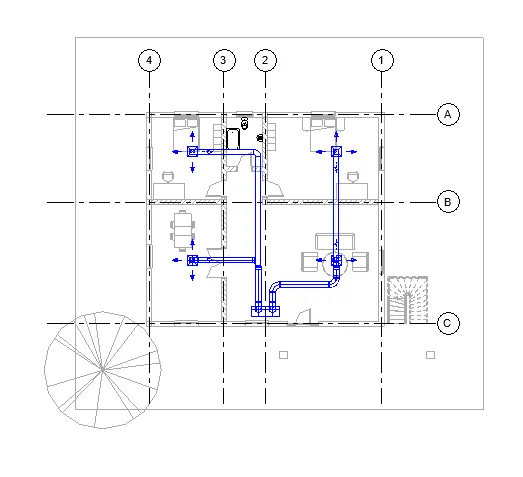
Next we turn into the 3D Model.
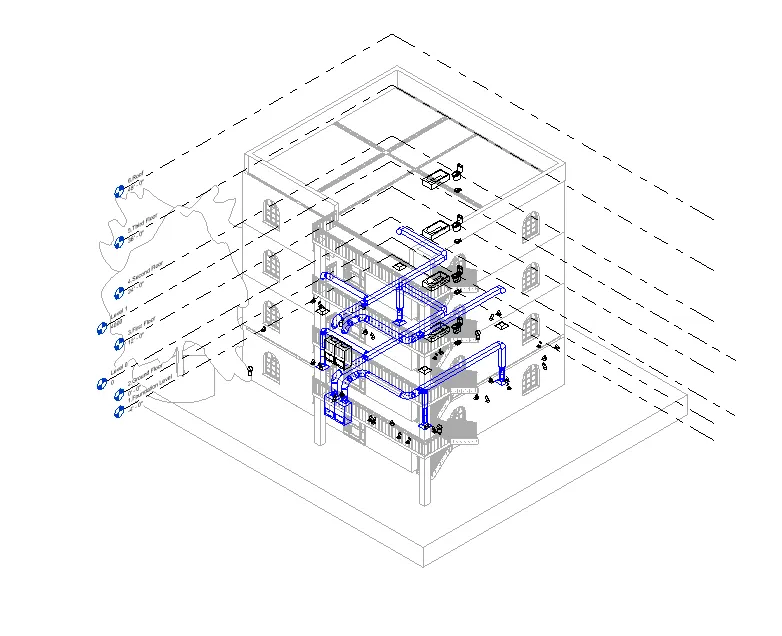
Result -
HVAC system has been successfully designed for each floor based on the building designed.
3) Use the add-ins tab to load plug-ins for robot structural analysis to your Revit software.
Introduction -
Robot structural analysis Profesional is structural load analysis software that verifies code compliance and uses of BIM
inteegrated workflows to exchange data with Revit.
It can help you create resilent, constructible designs that are accurate, coordinated and connected to BIM.
Procedure -
First we click on the autodesk app store.
After clicking this, the autodesk store website will be opened.
Next download the structure analysis toolkit 2019 from the autodesk app store.
After installing the structural analysis toolkit, open the revit software.
Then open the analyze toolbar, The robot structural analysis option will appears that the right side corner.
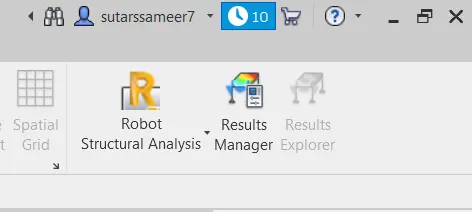
Result -
The robot structural analysis is successfully installed from the autodesk app store.
4) Why do we need to assess buildings/analyze while modeling elements? Does design affect modeling in anyways?
Answer - Structural analysis is the process of the calculating the forces, momensts and deflections to which the member in
a structure are to be subjected.There is vast range of analysis tools offering speed, precision and economy of design. 3-D,
EF Modelling, beskope portal frame, cellular beam or plate gorder design software are now widely available. Modelling
catenory actions, Cold form memebers performance or gryllage analysis all these are now common place for structure ,where
hand analysis is imposiible. Increasingly sophisticated analysis method continue to improve the accuracy with which the
behaviour of structures can be predicted.
To perform an accurate analysis structural engineer must determine information such as loads, geometry, support, Conditions
and material properties. The result of such an analysis typically include support reactions, stresses and displacements. This
Infromation is then compared to criteria that indiacte the condition of failure. Advanced structural analysis may examine,
dynamic response, stability and non linear behaviour.
There are three approaches to analysis - a. The mechanics of materials approaches b. The elasticity theory approches
c. The finite elements approches. The first two make use of analytical formulations which apply mostly simple linear elastic
model, leading to closed form solutions and can often be solved by hand. The finite elemnets approch is actually a numerical
method for solving differentials equations generated by theories of mechanics such as elasticity theory and strngth of
materials.
However, the finite element methods depends heavily on the processing power of computers and is more applicable to
structure of arbitary size and complexity.
5) From the structural model developed in week 6 and 7, export the complete analytical model to robot structural analysis.
a. List your assumptions on what boundary conditions will be realistic for the analysis approach
b. Use the design standards to decide what loads must be applied to floorings based on the type of structure decided
c. List the load combinations and include them in the analysis model
d. Analyze the building and report the following results
i. Maximum Moment in each floor for all Load Combinations
ii. Maximum Displacement in each floor for all Load combinations
iii. Lateral Displacement in building for all Lateral Load combinations
e. After analysis, do you think you have a better approach or idea in modeling structural members?
Introduction -
Robot structural analysis Profesional is structural load analysis software that verifies code compliance and uses of BIM
inteegrated workflows to exchange data with Revit.
It can help you create resilent, constructible designs that are accurate, coordinated and connected to BIM.
Procedure -
First we have to open the structural model.
Next we open the structural setting in manage toolbar.
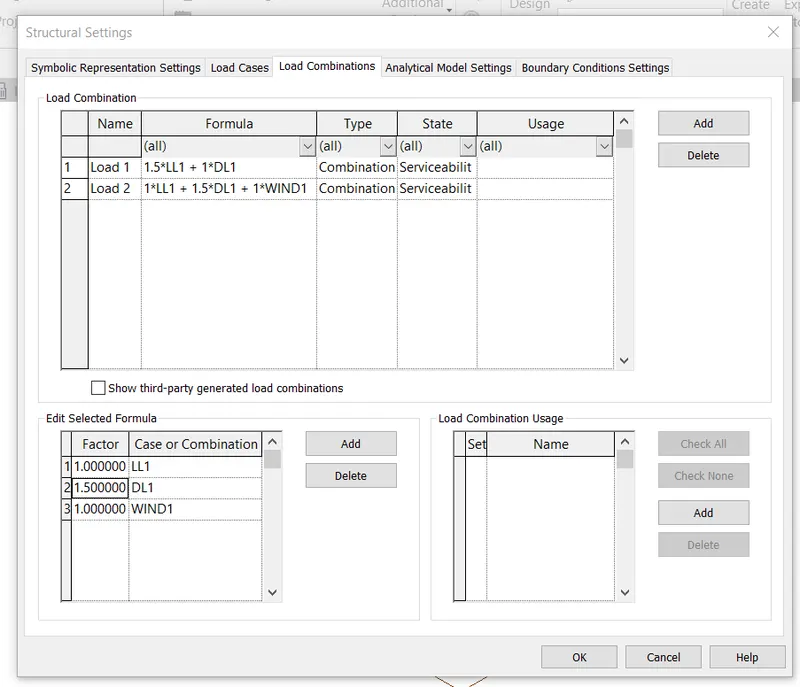
Next we add the boundary conditions to the analytical model.
Next we apply the loads to the analytical model using the load option in the analyze toolbar.
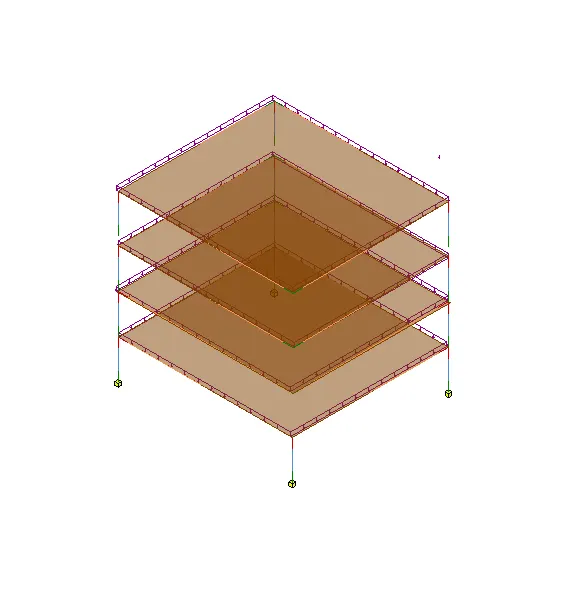
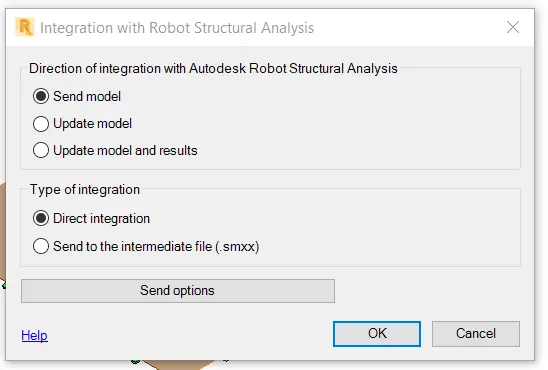
Next we have export the complete analytical model to the robot structural analysis, using the robot structurala analysis
option in the analyze toolbar.
After selecting the robot structural analysis option that new tab will be visible and click on the OK button .
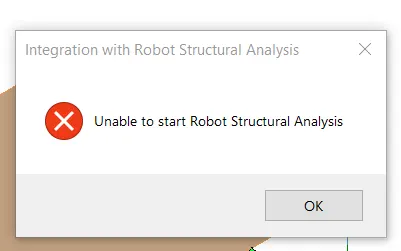
Result -
6) What is energy analysis and why do we need to consider it while modeling in Revit?
How does the factor of sustainability improve the quality of your design?
Answer - Perform energy analysis on the building design through all stages, from the earlier conceptual phase through
detailed design, To ensure that you are constantly working towards the most energy efficient building possible.
Energy simulation can help you analyze the movement of nenrgy in,out and through the rooms and volumes in a building
model. This information can help designers make better informed, cost effective decision can improve the performance
and reduce the environmental impact of buildings. Whole building energy simulation measures expected energy use based
on the building geometry, climate, building type, envolpoe properties and active systems. It takes into the interdependencies
of the building of the whole system. Use energy analysis to perform energy simulation for conceptual form and detailed
architctural model created in Revit. Use the simulation result to understand the building energy use.Then iterate the design
to improve their sustainability ratings. The energy model created from the Revit building model can be displayed in the
Revit, So you can view and validate the enrgy model used for analysis. The energy model can also be exported to third
party applications for further analysis in a variety of common formats - gbXML , DEO2 and energy Plus.
Sustainable design deals with the philosopy of having built and design objects, buildings , envirnoment and services that
conforms with the many principles of ecological sustainability. This inclides maintaining change in a homeostatic enviroment
where the use of resources, inclination of investments, and the direction of develpoments are balanced and meet the current
and future needs of humidity. Simply, put the sustainable design represents develpments that not only meets the needs of
present but does so without compromising the ability of future generations to meet their own needs. Ways to approach
sustainable design inlcude utilizing sustainable chemical engineering , responsible resource management, and holistic
environmental protection.