Week 8 Worm Gear Challenge
Objective:
You have to perform a transient structural analysis on a worm gear assembly.
Solution:
-First, we need to open ANSYS workbench and drop down transient structural.
-Now, we have to add the structural steel material to the directory.
-After that we need to import the geometry to spaceclaim. If there are any abnormalities then we have to fix those and then open the geometry in mechanical module.
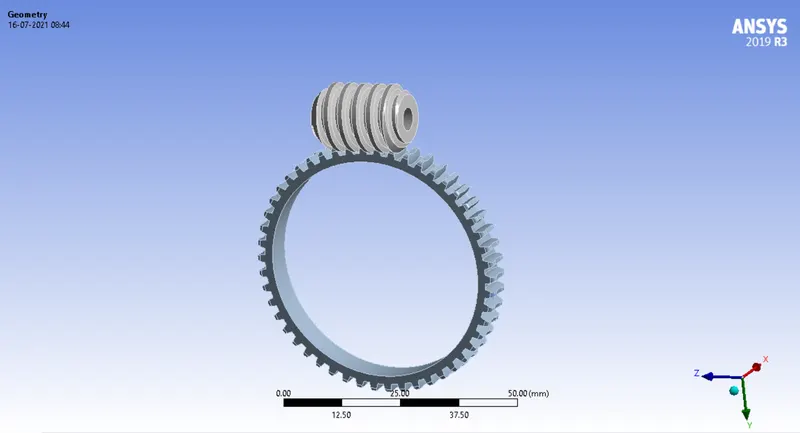
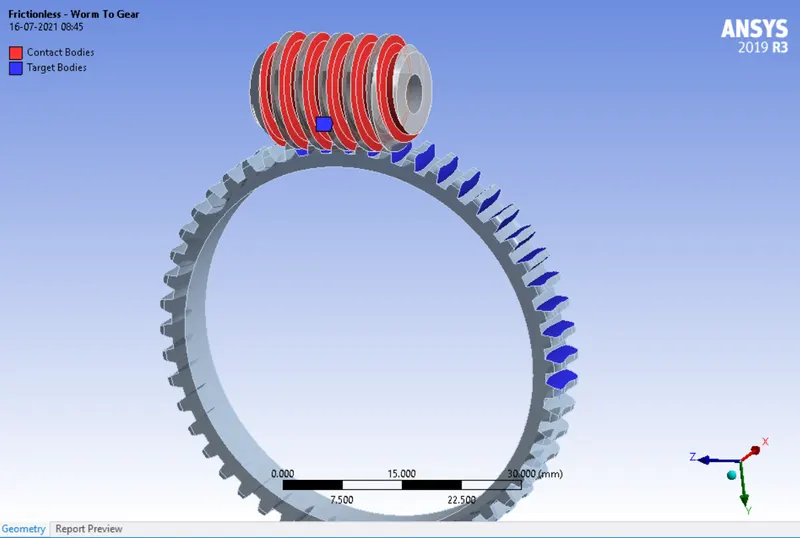
-Now, we need to create contacts between worm and gear.
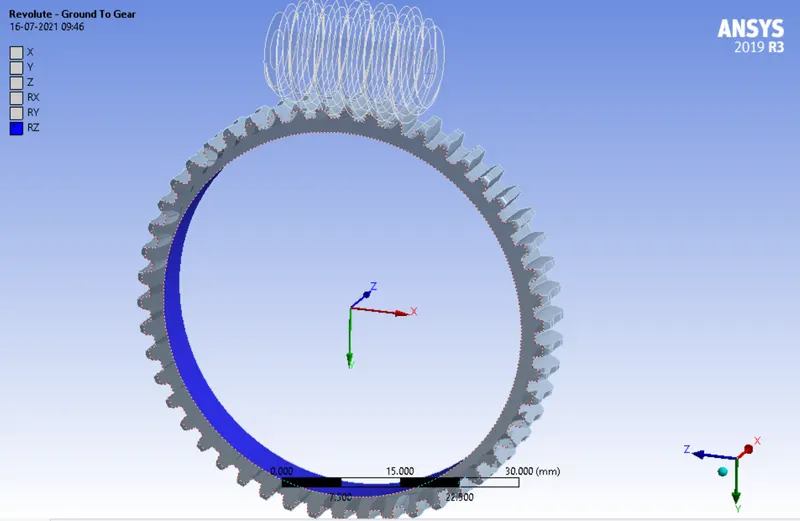
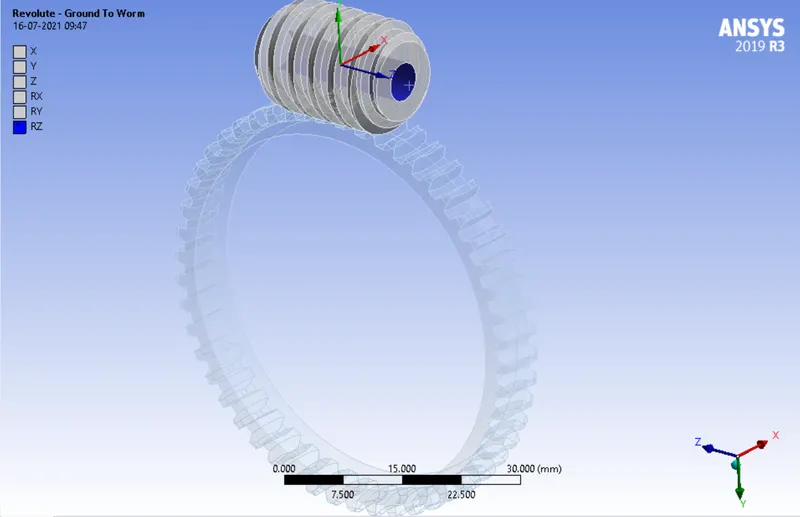
-Now, we have to add revolute joint loads to the geometry.
-Now, we need to mesh the geoemtry with appropriate element size.
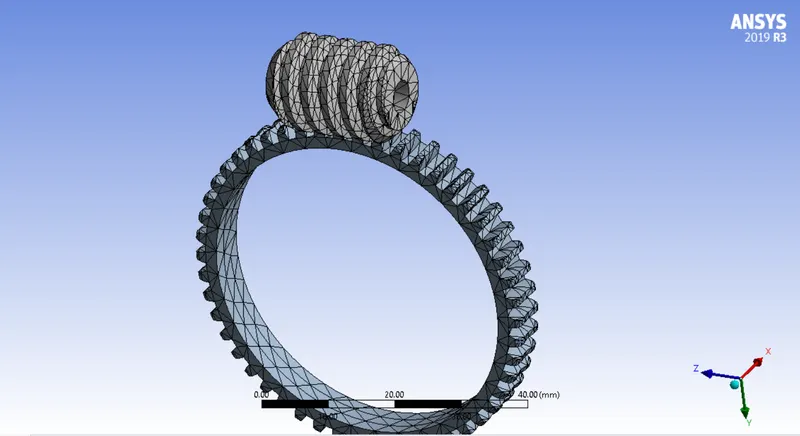
-Now, we need to assign the boundary conditions to the geometry to run the analysis.
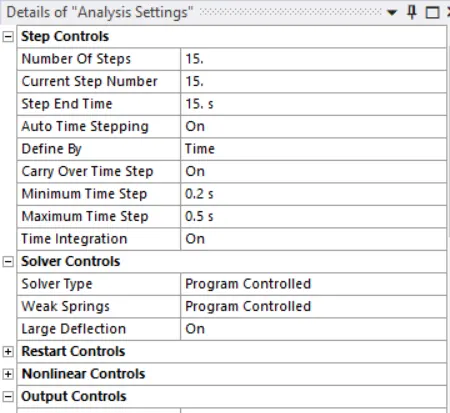
-Now, we need to give the revolution the revolute joints.
-Now, we have to provide the output paramanetrs to the geomerty to run the simulation.
Deformation:
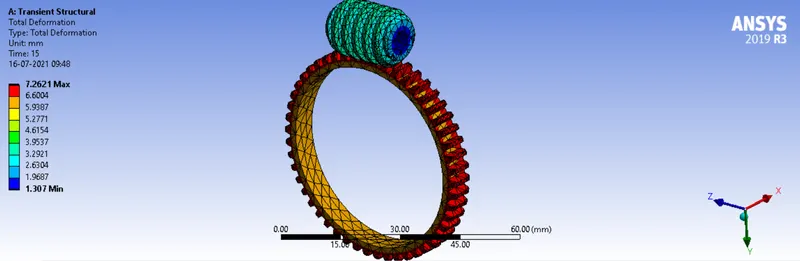
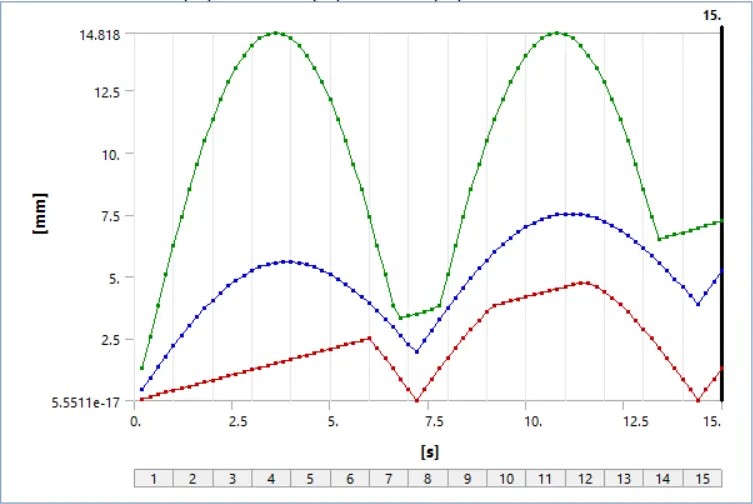
Deformation graph:
Equivalent Stress:
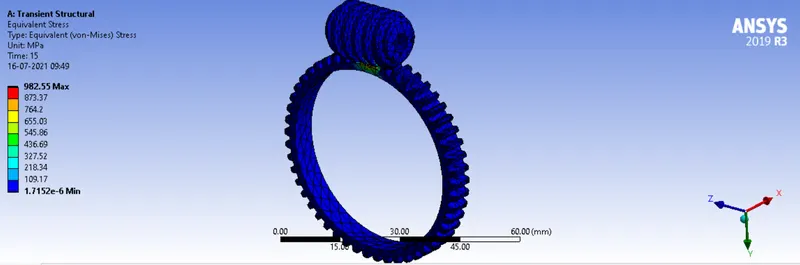
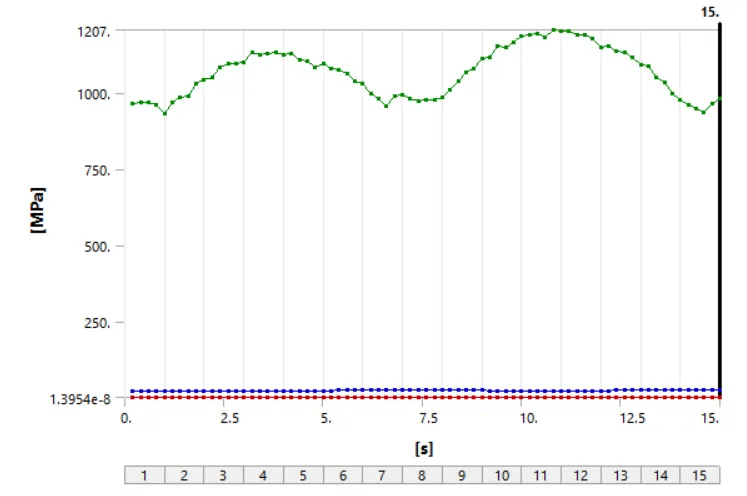
Equivalent Stress graph:
Equivalent Elastic Strain:
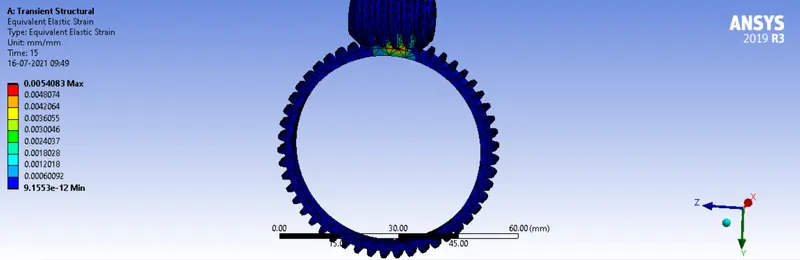
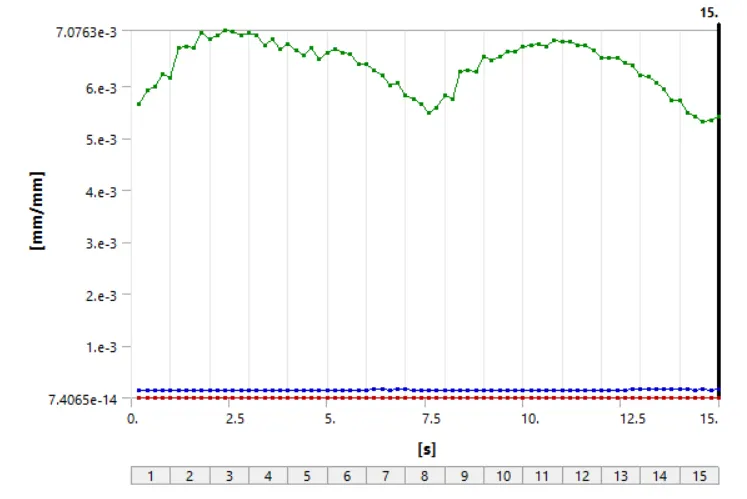
Equivalent Elastic Strain graph:
Simulation Animation:
Conclusion:
If both worm and gear has the same material i.e Structural Steel, then the values of Total deformation, Equivalent Stres and Equivalent Elastic Strain are as follows
Total Deformation of Worm gear: 7.2621mm
Equivalent Stress of Worm gear: 982.55MPa
Equivalent Elastic Strain of Worm gear: 0.0054083mm/mm