Week 4-1D Element Creation Challenge
Aim: To generate mid-surface from a 2D element and to create 1D elements to it.
Pre-requisites:
- Geometry
- Hyper Mesh software
Overview:
- Import geometry to Hyper Mesh software
- Generate mid-surface
- Create RBE2, RBE3 and spring connections where ever required
- Create 1D elements to RBE2 and RBE3 connections.
Procedure:
-Firstly, import the geometry to Hyper Mesh software.
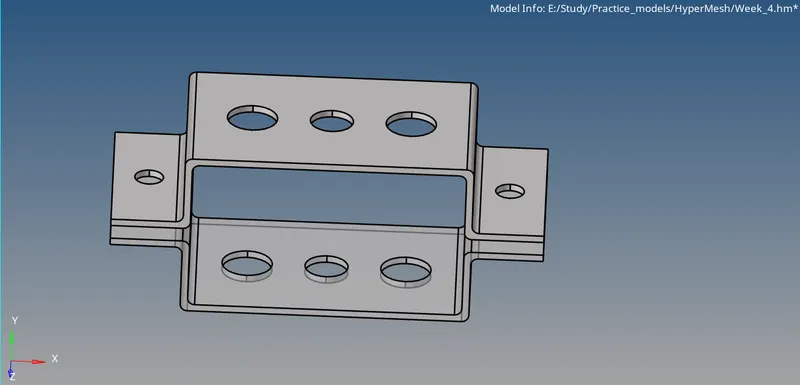
-See if the geometry is good or not
-Now, generate mid-surface for the given geometry by using mid-surface option from geom.
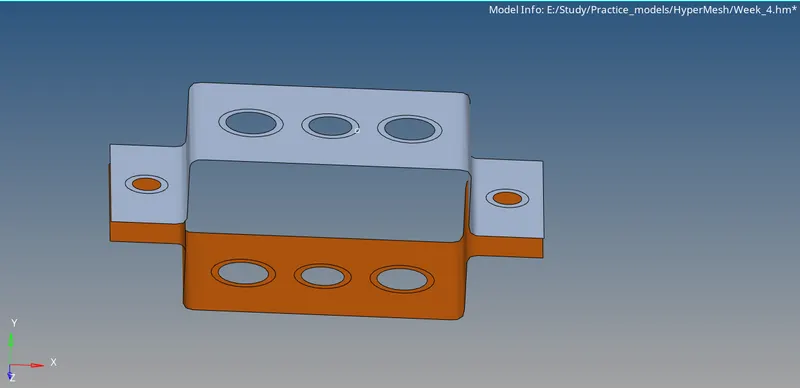
-Differentiate the mid-surface by giving different properties to each mid-surface.
-Generate washer splits at the holes.
-Generate mesh for mid-surfaces.
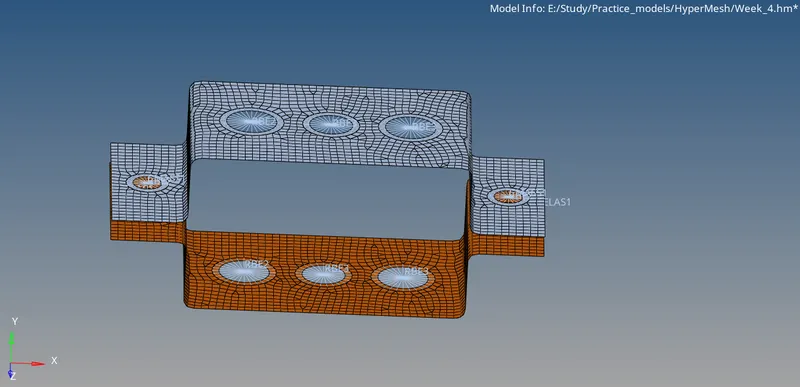
-Now, create RBE2, RBE3 and spring connections where ever it is mentioned in the question.
-Now, to create 1D elements. We need to go to 1D and select Hyper Beam in that you need to select what 1D elements you want to create.
-Once, you select which element you want to create hyper Mesh will take you it’s Hyper Beam interface where you can edit the dimensions of the elements.
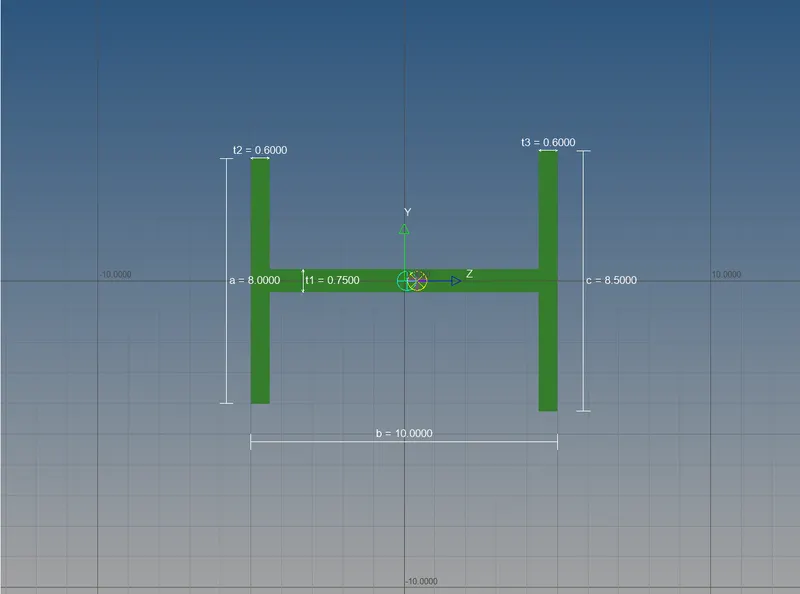
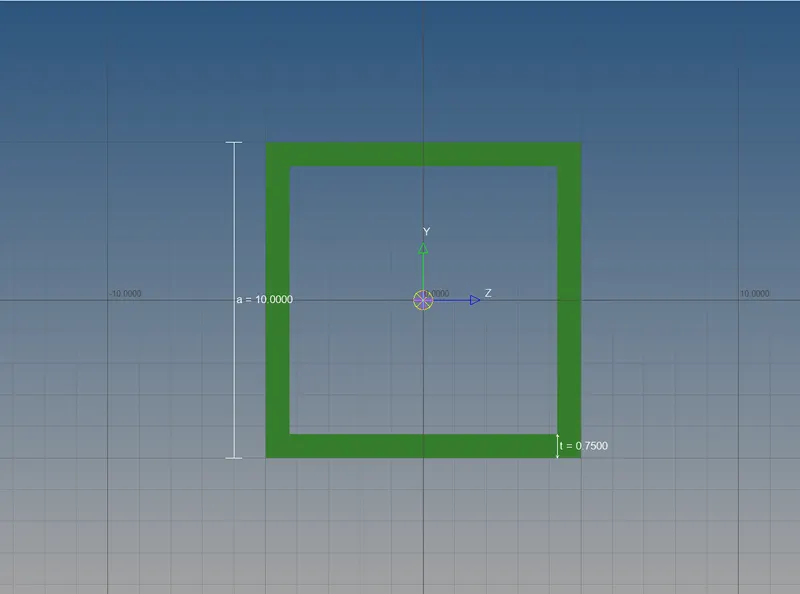
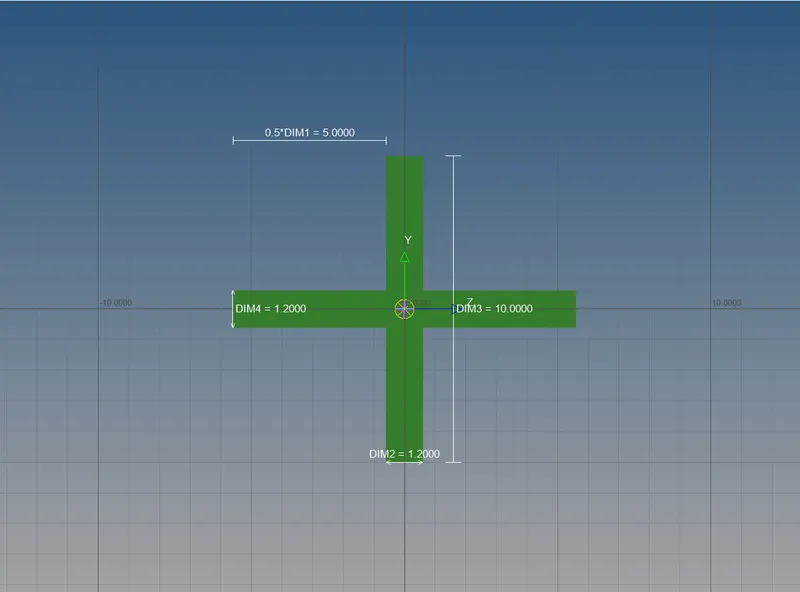
-Now, you can revert back to the Model view by selecting the model view option which is present on top left corner.
-Create properties for 1D elements that you have created.
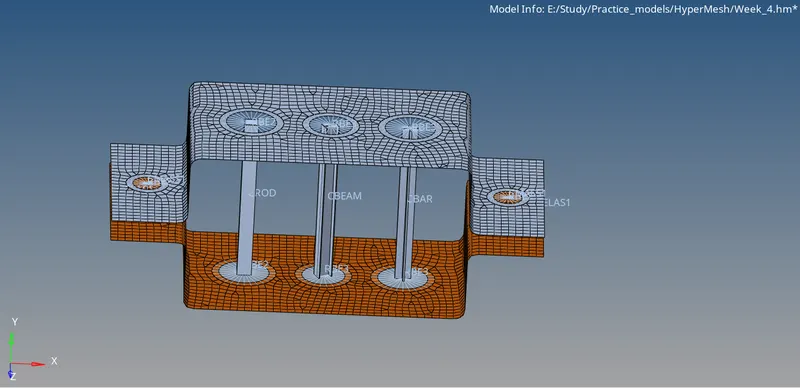
-Now, create the elements with the help of bars and rods deck.
-Assign each 1D elements property to each element.
Objective:
From this week challenge, I have leant how to give connections, how to create a 1D element and how to assign those created 1D elements to the respective RBE2 and RBE3 connections.
Conclusion:
For the given 2D element mid-surface has been generated and 1D elements have been created.