Week 9 Machining with Planer Challenge
Objective:
To perform an Explicit analysis of a Planer cutting operation. We have to work on two cases, first with 20000mm/s velocity and the second with 15000mm/s velocity. The material used for the workpiece is Steel 1006.
Solution:
-Firstly, we need to open ANSYS workbench and drop down the Explicit Dynamics.
-Now, we add steel 1006 material to the directory.
-Now, we import geometry to spaceclaim and see if there are any abnormalities to the geometry.
-If there are any then we will fix those and open the geometry in mechanical module.
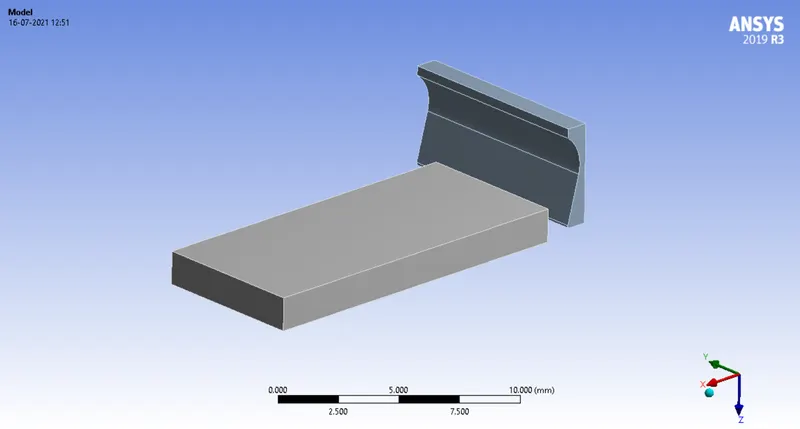
-Now, we assign the material steel 1006 to the workpiece and leave the cutting tool with structural steel.
-Now, we see if there are any default connections made by ANSYS. If there are any we will delete those connections.
-Now, we will mesh the geometry where the cutting tool will have tetrahedron elements and the workpiece will quad elements.
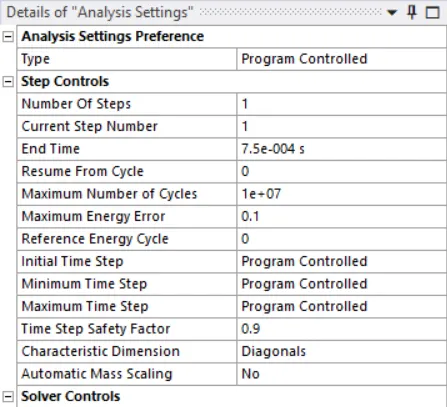
-Now, we will asssign the boundary conditions to run the analysis in analysis settings.
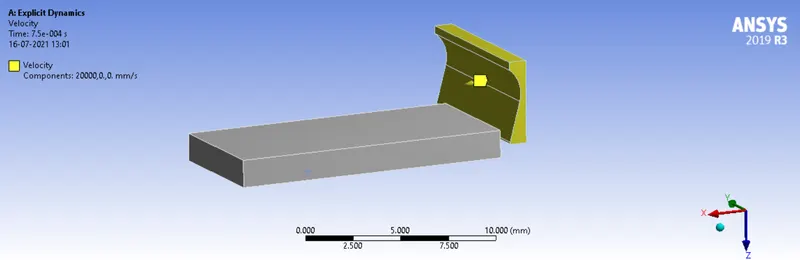
-Now, we will give the cutting tool velocity with respective cases.
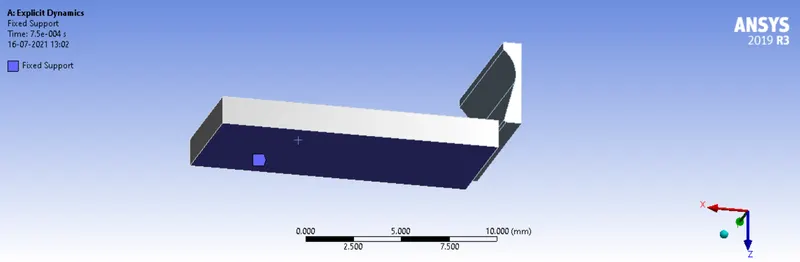
-Now, we have to fix the workpiece.
-After that we need to give the output parameters for which we are running the analysis.
Case-1: Velocity of 20000mm/s
Deformation:
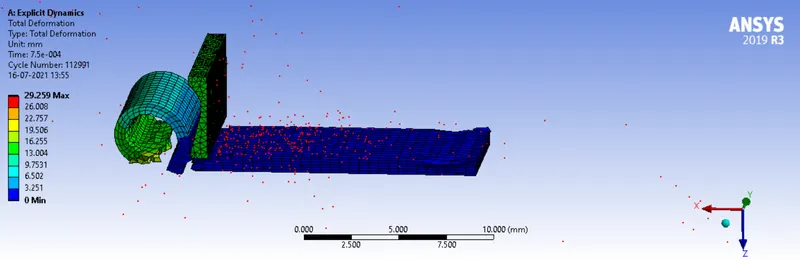
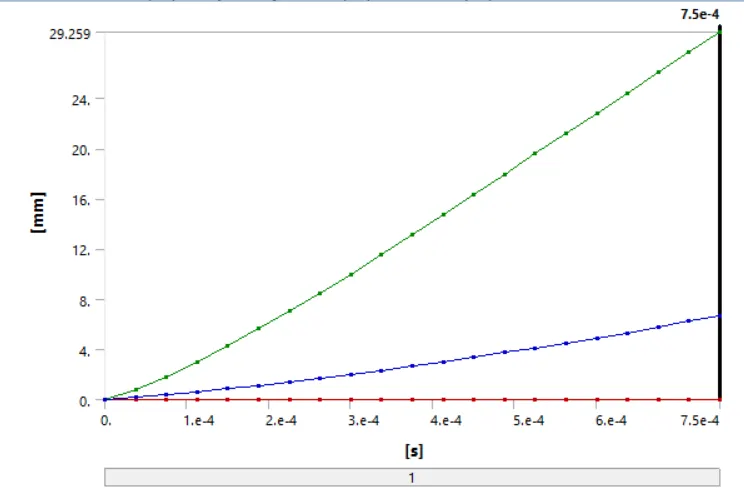
Deformation graph:
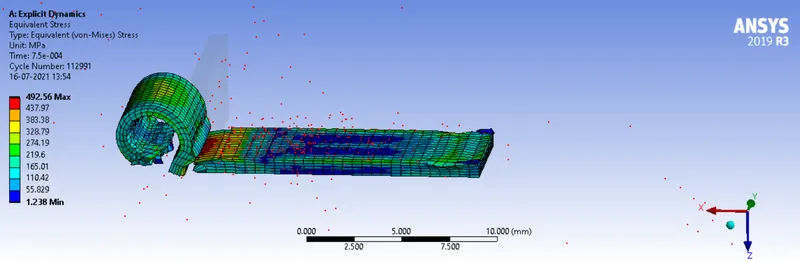
Equivalent Stress:
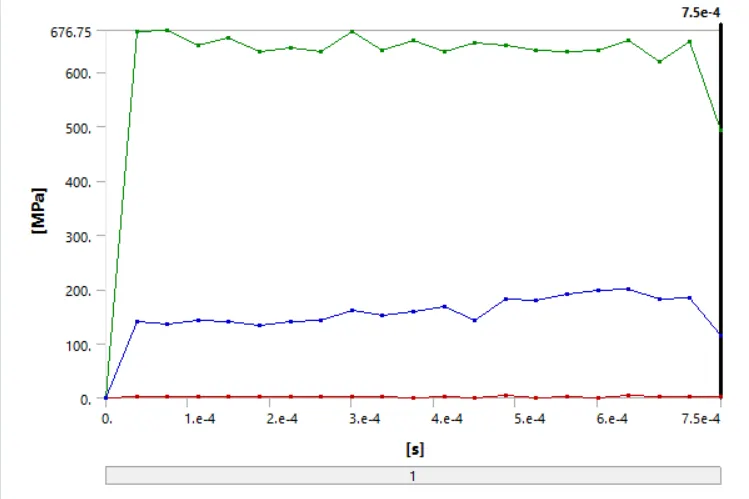
Equivalent Stress graph:
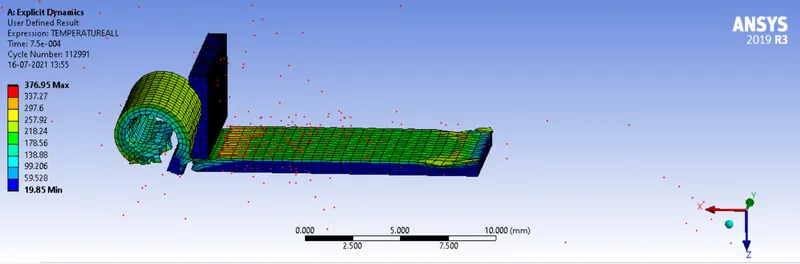
Temperature:
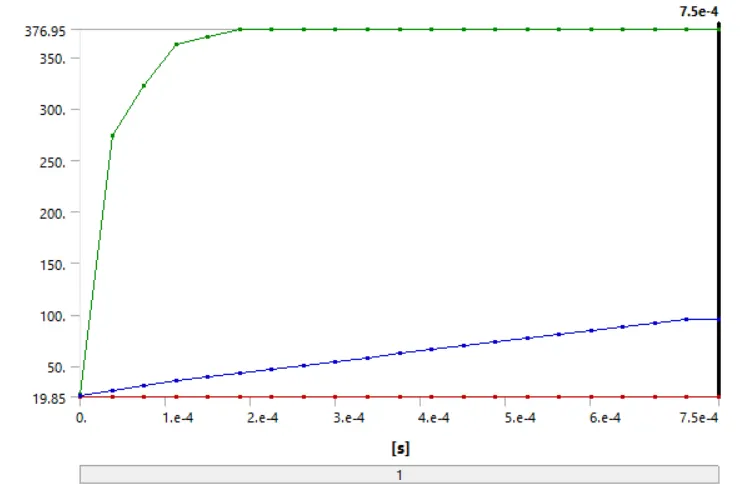
Temperature graph:
Case-2: Velocity of 15000mm/s
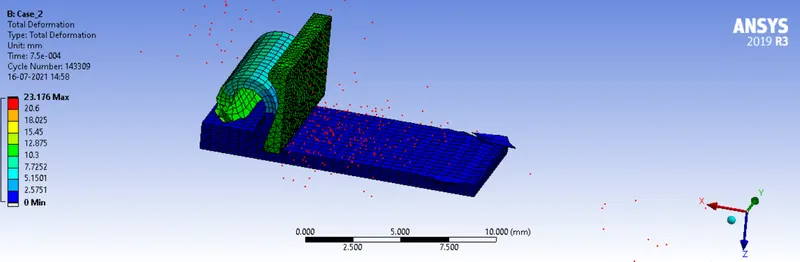
Deformation:
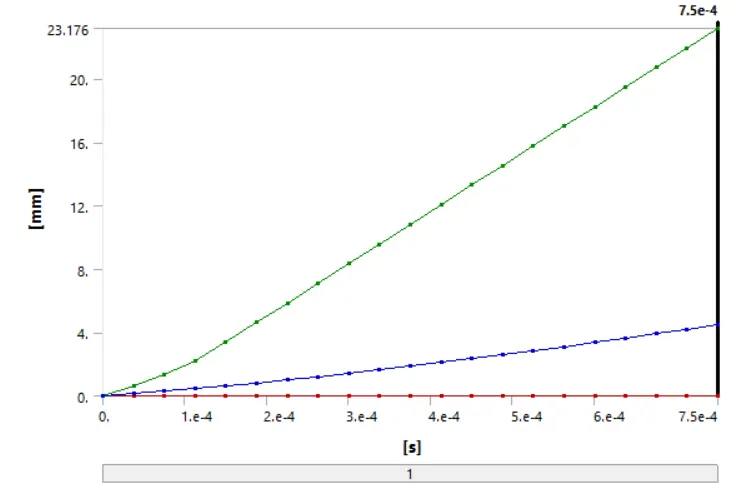
Deformation graph:
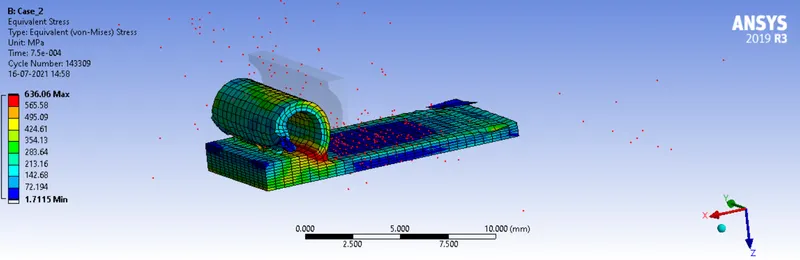
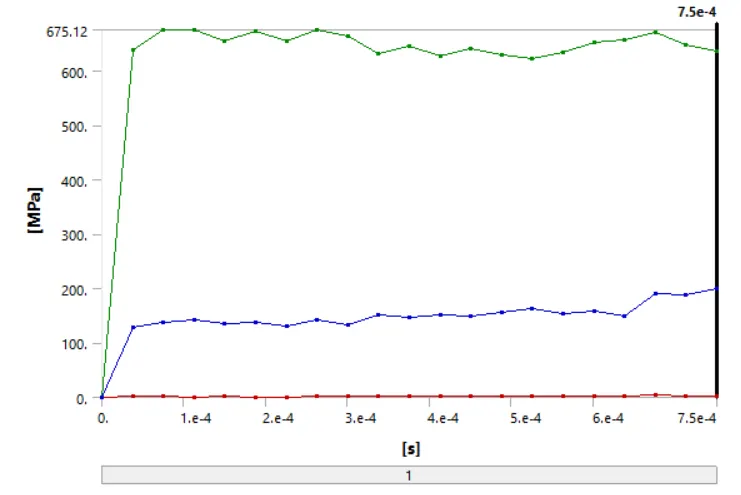
Equivalent Stress:
Equivalent Stress graph:
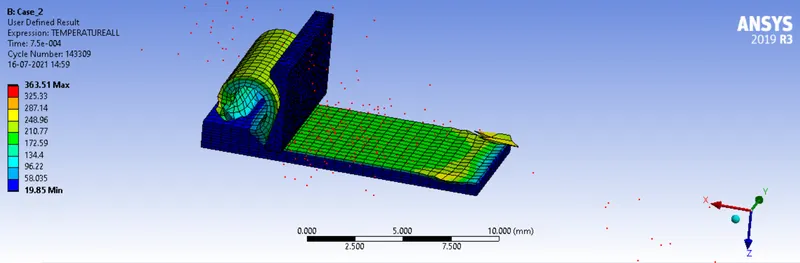
Temperature:
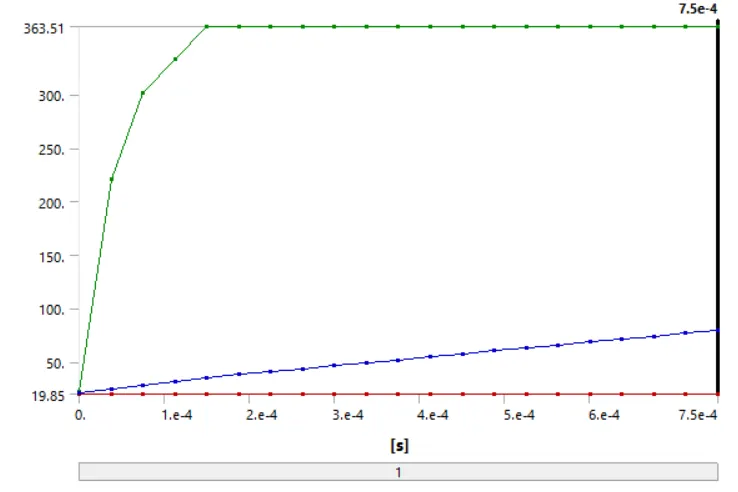
Temperature graph:
Comparision Table:
Case-1 Case-2
Deformation(mm) 29.259 23.176
Equivalent Stress(MPa) 492.56 636.06
Tempertature(degrees) 376.95 363.51
Simulation Animation:
Conclusion:
As from the table above we can see that as the velocity of the cutting tool decreases. Deformation of the workpiece decreases, stress increases and temperature decreases.