Creating a Residence Layout, Seating plan, Toilet and Utility room plan using AutoCad
AIM-
TO DRAW THE GIVEN RESIDENTIAL PLAN WITH THE DETAILS GIVEN --
INTRODUCTION--
IT IS IDEAL for
students , and ,practitioners of urban o f urban design , planning engineer ,architecture , and land scape seeking a
comprensive guide to theory and practise of designing and layout residential area .
procedure----
.enter X line command , draw line x and y axis .
'
main wall thickness 9"
and partion wall made 4.5"
- next enter offset command in command box enter , select line which drawn previously off set
line 9".
-after provide wall ,remove extra line using trim command .
-same way used of offset command do partion of toilet , 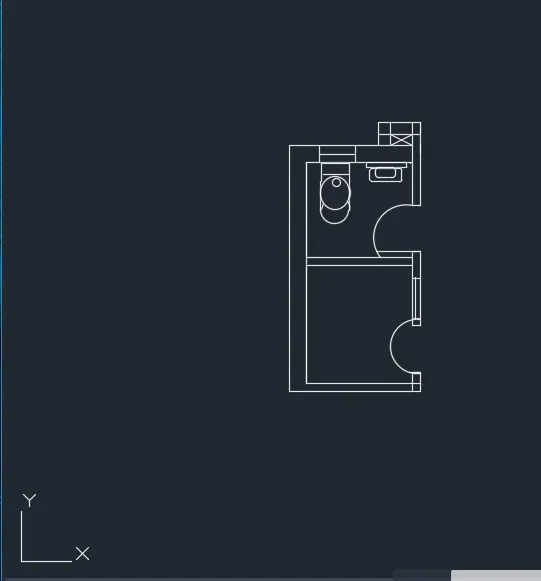
rooms ,dinning hall as per diamension.
-stair case provided dog legged .
-stair drawn left of parking .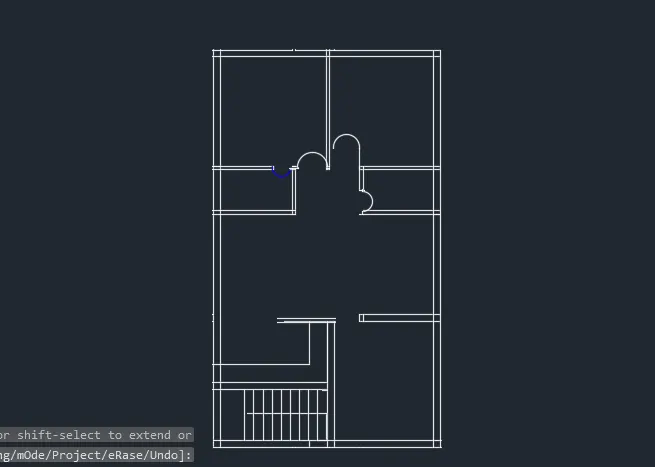
-next draw door ,with diamension D1, D2,D3 .
- give details , name of rooms names provided M TEXT COMMAND .
RESULT --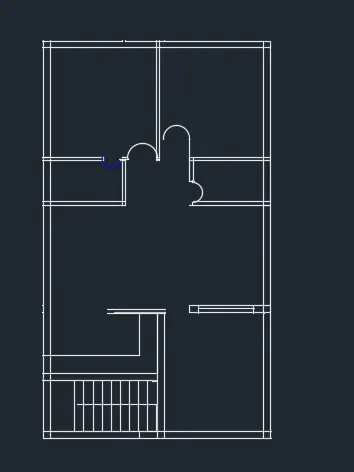
GIVEN RESIDENTIAL PLAN IS DRAWN AUTO CAD .
ANS.2]--AIM --
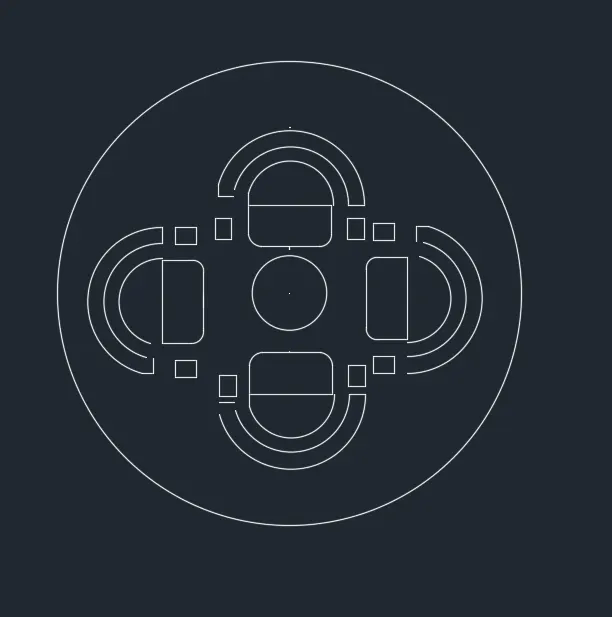
DRAW GIVEN SEATING PLAN FOR AN OUTDOOR CONOPONY IN DETAILS.
INTRODUCTION .--
-CONOPONY IS A TYPE OF TENT , GENERALLY WITHOUT A FLOOR '
-and able to provide shelter or shade from weather condition such as sun ,hail ,snow ,and rain.
PROCEDURE --
command-UN
UNITS -CHANGE it according to quection.
C- CIRCLE
-specify center point of circle, and
-specify radius =1398
command c circle -
specify center point ,
and specify radius ,452
next we have to draw a reactangle in 1st big circle
-and use of fillet command , reactagle corner covert to fillet .
-next we select arc command creat are left side of reactangle .
-copy these object ,
-and move, adjust according to quection in big circle command used move ,copy .
RESULT -
OUTDOOR CONOPONY IS CREATED AS PER THE DETAILS USING AUTOCAD .
ANS3.]
AIM--DRAW THE PART PLAN FOR TOILETS AND UTILITIES IN DETAILS .
INTRODUCTION --
- THIS ROOM contains loundry laundary equipment such as a washing machine , ,tumble drier , ,clothes iron .
-toilet utility has several uses , but typically fuction as area to do laundry .
prOCEDURE --
Commands - UN
UNITS , IMPERIAL SETTING CHANGE AND CONVERT MM ,
- x-line drawn both x and y direction
-command - x line
-oter wall thickness is 300mm ,
command - offset
offset distance -300mm
.inside wall thickness is 150mm
.command ; offset
offset distance 150
.walls provided as per diamension .
.TRIM COMMAND - extra unwanted line are delete
'door are provided line ,ARC command .
.door are creat as per diamension .
.toilet basin is created
.command used is creat basin is
line ARC ,ELLIPSE AND CIRCLE .
trim extended commands whenever required .
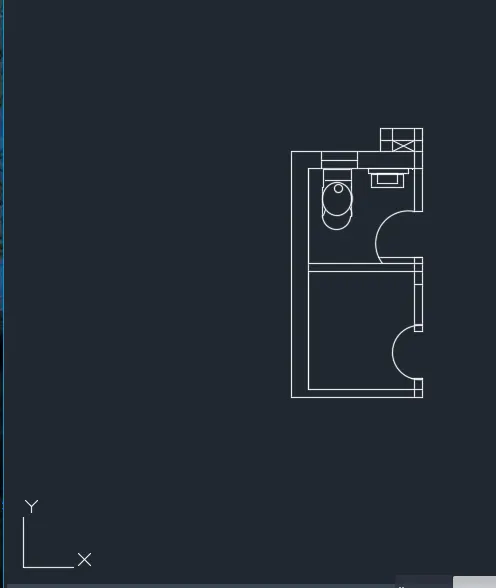
the wash basin is created -
commands used line , REACTANGLE , FILLET .
-Ventilation of bathroom is created .
commands used line , trim
-text for mt command .
RESULT --
The given plan of toilet and utilities are created sucessfully using of autocad .