Assignment 2
ASSIGNMENT 2
AIM
To get an idea about the time step in the explicit solver, how to run and calculate the examples from starter and engine, and also learning about 3D meshing.
OBJECTIVE
- To calculate the speed of the sound in the rail.
- Calculate the time to shock wave to travel from one end of the rail to another.
- Time for sound to travel the length of the rail.
- Edit the engine file so that the stress wave can be monitored, moving from one end of the rail to the other during an impact -this will require a termination time equal to the time it takes for the sound to travel the length of the rail(set on/RUN card).
- The frequency of animation output to a time that will give 20 animation steps.
- Change /print -10.
-
3d meshing tetra mesh and hex mesh
- Repeat class examples and, maintain quality.
- Target tet size=5mm,hex size=10mm,tet collapse=0.15.
THEORY
Timestep in explicit solver
In the context of explicit analysis, the time step is the time required for a shock wave to propagate across the smallest distance of the element. A run is a single model simulation and it starts at time zero and continues till the user-defined endpoint is reached. The basic time unit in the run is the time step.
The time step is directly dependent on the length of the element and inversely proportional to the speed of sound of material. The speed of sound of the material is dependent on both material modulus and density of the material. So, if the material is stiffer (higher modulus of elasticity), the speed of sound increases resulting in a lower solution time step.
PROCEDURE
1. Check the material properties of the rail component and calculate the speed of sound in steel rail=_______
Ans. To calculate the speed of the sound, first, we need to import the file in the hypermesh.
Steps: Import solver deck - (file type = radioss block) - FIRST_RUN_0000.rad - Import.
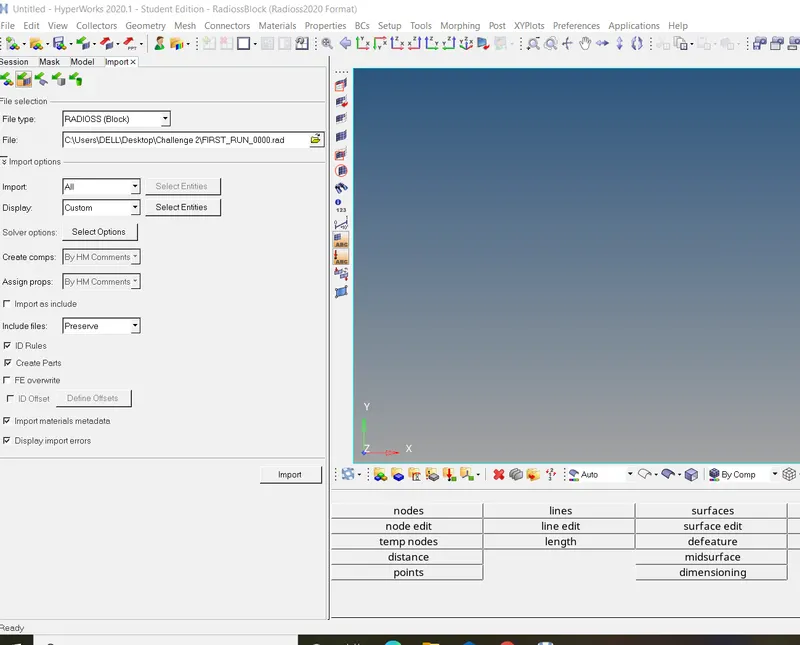
Fig 1: Import starter file
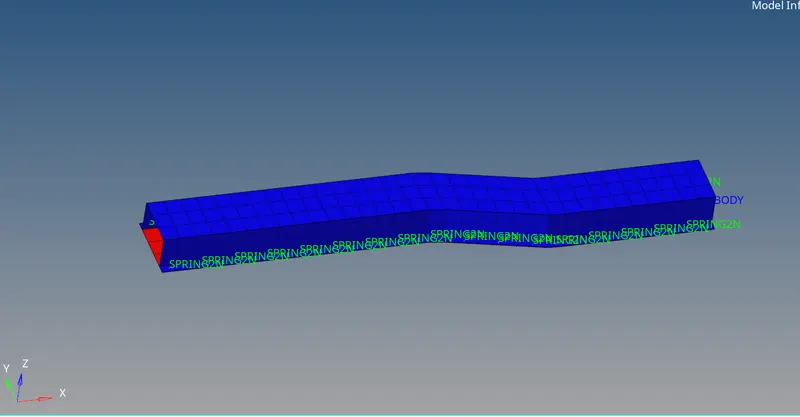
Fig 2: Rail component
The formula to evaluate the speed of sound in the material: √E/ρ
Where:
E = Youngs modulus (N/mm2)
ρ = mass density (kg/mm3)
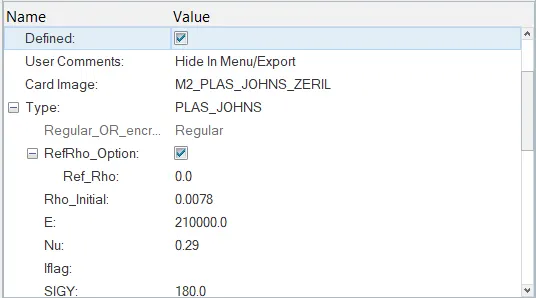
Fig 3: Values of calculate
So the values are taken from the material for solving the above formula
Speed of sound in C = √E/ρ
C = √210000/0.0078
C = 5188.74 m/s
-------------------------------------------------------------------------------------------------------------------------------------------------------------------------------------------------------------------------------
2. The length of the rail is about 1000 mm. Calculate the time takes for a shock wave to travel from one end of the rail to the other.
Ans: We got the value for the speed of the sound, now we will use this value to calculate the Δt
l = 1000mm.
Δt = l/c
Δt = 1000/5188.74
Δt = 0.192725 m/s.
-------------------------------------------------------------------------------------------------------------------------------------------------------------------------------------------------------------------------------
3.Time for sound to travel the length of rail=______
Ans: The time taken of the sound to travel length is Δt = 0.192725 m/s.
--------------------------------------------------------------------------------------------------------------------------------------------------------------------------------------------------------------------------------------------
4.Edit the engine file so that the stress wave can be monitored, moving from one end of the rail to the other during an impact -this will require a termination time equal to the time it takes for the sound to travel the length of the rail(set on/RUN card)
Ans: There are several ways to such in import in hypermesh or notepad, As I will go with import run file in hypermesh.
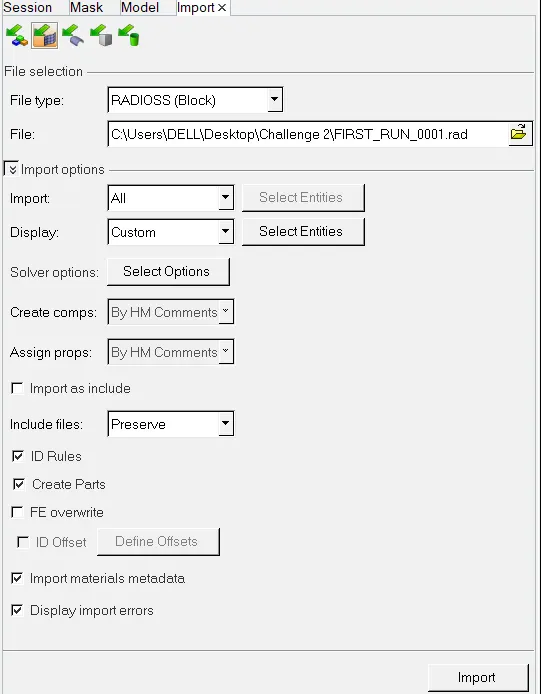
File 4: Import engine run file
After importing the engine file the time is check T = 60 s and as we calculated the time for the rail that we need to replace with this time.
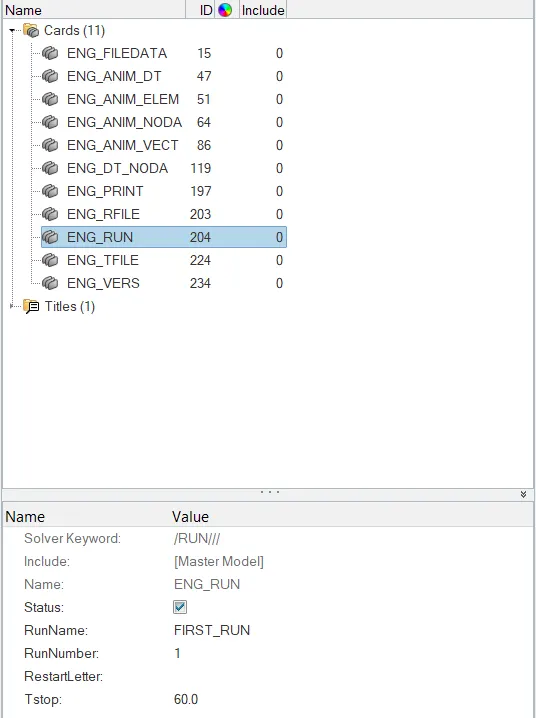
Fig 5: Original final run time
T = 60 m/s - 0.192725 m/s.
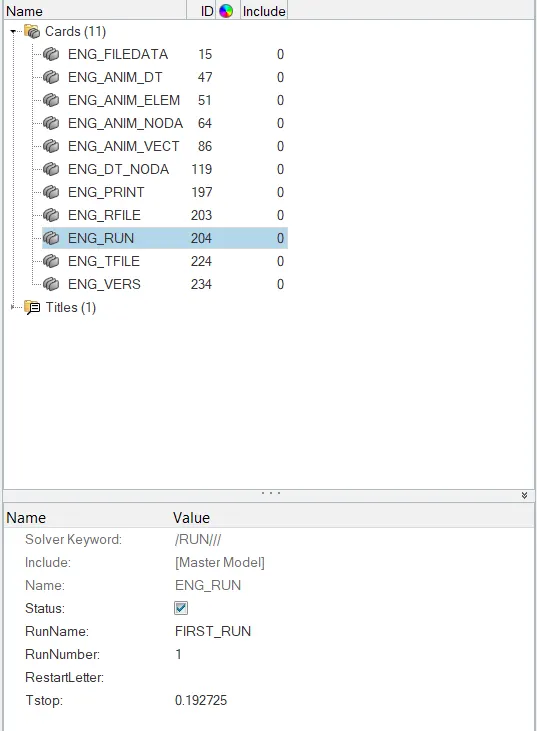
Fig 6: Change final run time
--------------------------------------------------------------------------------------------------------------------------------------------------------------------------------------------------------------------------------------------
5. Set the frequency of animation output to a time that will give 20 animation steps(/ANIM/DT).
Ans. To set the frequency of animation output for the 20 steps. So to calculate the frequency of animation
As we know,
Animation step (As) = 20.
Time stop = 0.192725
Time-related to frequency animation Tfreq = Ts/ As
Tfreq = 0.192725 / 20
Tfreq = 0.00963625
Now putting this value to the engine run file in the notepad.
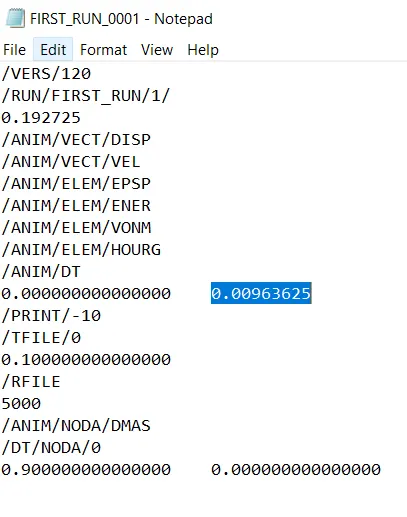
Fig 7: Change frequency
--------------------------------------------------------------------------------------------------------------------------------------------------------------------------------------------------------------------------------------------
6. Change /print -10.
To change the print option from the below image in the notepad we can change.
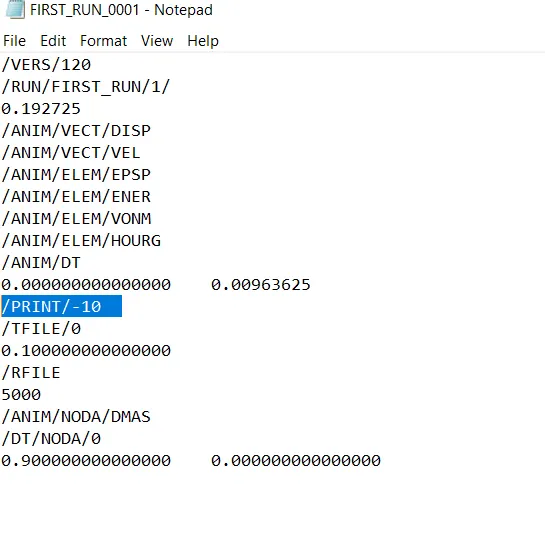
Fig 8: Print
--------------------------------------------------------------------------------------------------------------------------------------------------------------------------------------------------------------------------------------------
7.3d meshing tetra mesh and hex mesh
- Repeat class examples and, maintain quality.
- Target tetra size=5mm,hex size=10mm,tet collapse=0.15.
Ans. Two components are given for 3D meshing Housing and Arm_ Bracket.
Housing (Tetra Meshing)
Importing the housing component, which has two component hub and covers. The hub component I have taken for meshing.
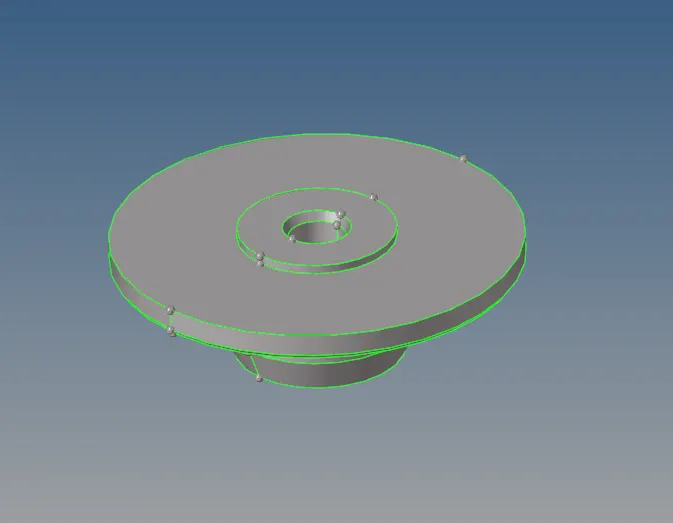
Fig 9: Hub Component
The component is a deployed mesh with a 5mm size which is done with 2D mesh with tetra mesh type.
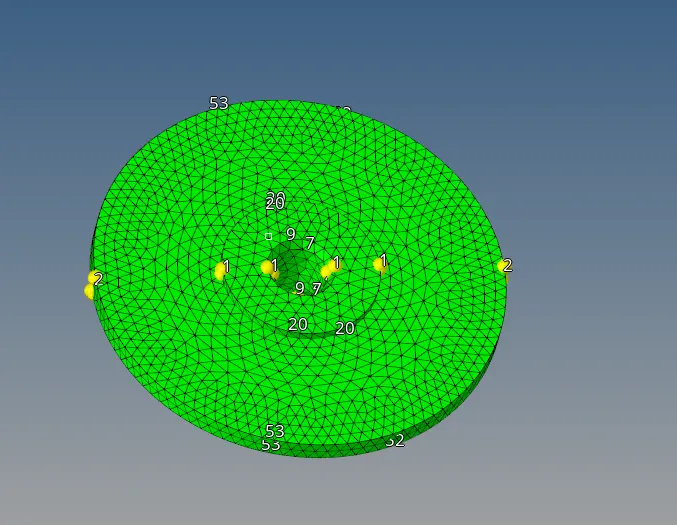
Fig 10: 2D tetra mesh
After meshing the component with 2D tetra mesh, the component meshed with 3D mesh with setting up the tetra mesh parameters set up the tet collapse with 0.15, and then select the 2D elements and then mesh the component with 3D tetra.
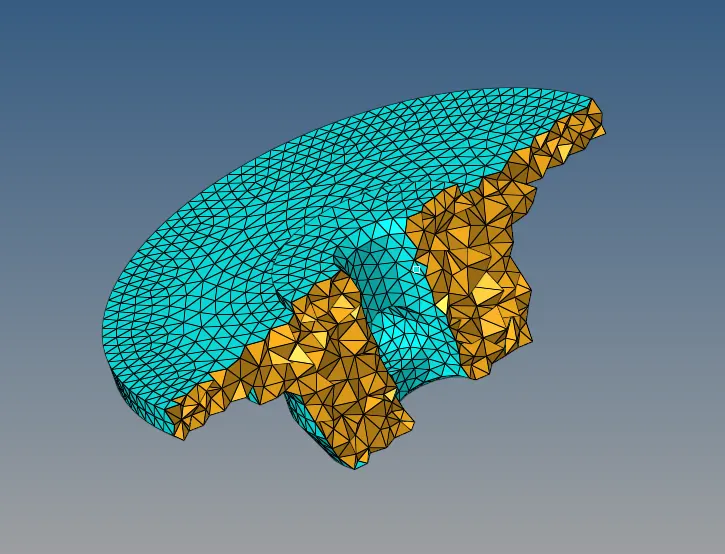
Fig 11: 3D tetra mesh
The second component is the cover which is directly tried with the direct tetra mesh which is done by selecting the volume tetra mesh; selecting the surface and also the element size 5mm.
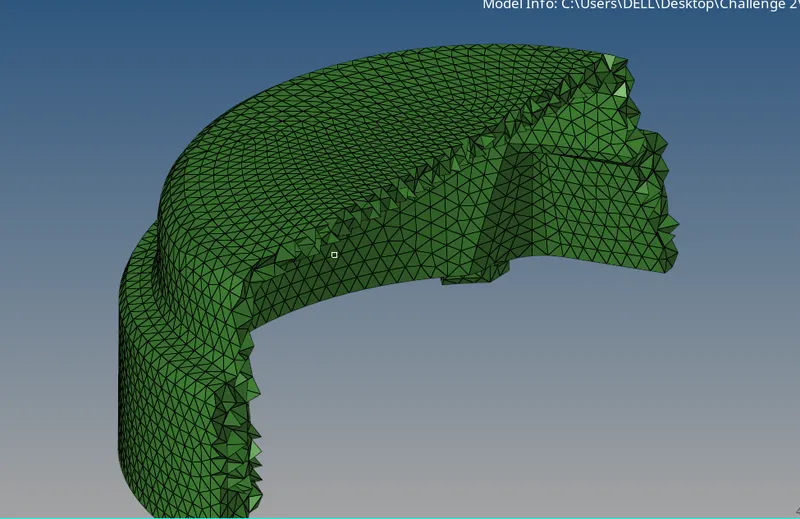
Fig 12: tetra mesh
Arm Bracket (Hexa)
This component has 4 components the base, the arm curve, the arm straight, and the boss component, starting the mesh with the boss component; deployed 2D mesh with element size 10 mm.
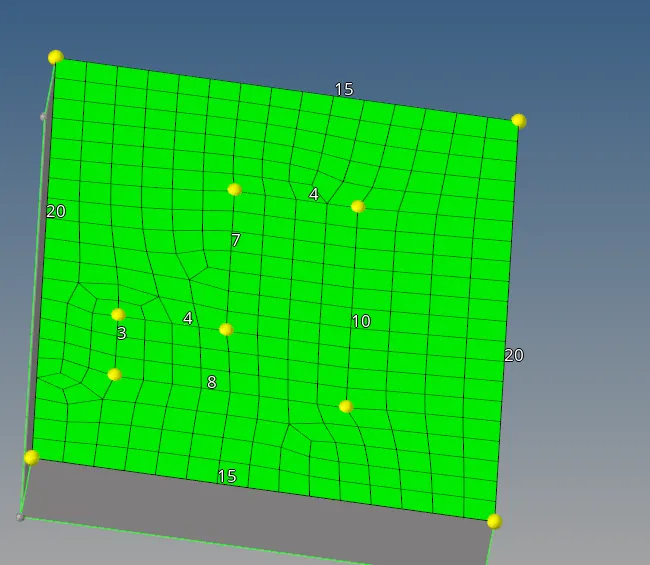
Fig 13: 2D mesh on base component
Selecting the 2D mesh and then extract the mesh overall by the following the command:
Command: 3D - element offset - selecting 2D mesh and selecting surface along geometry to follow - no. of layer (5) - the total thickness (25) - offset(+).

Fig 14: Mesh offset
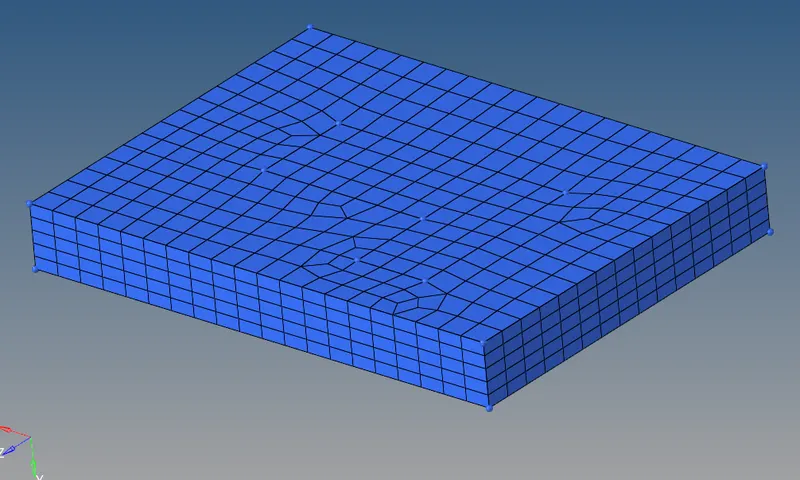
Fig 15: 3D Hexa mesh on the base
The select 2D mesh of the base component is attached with the arm curve for reference and drag those elements with the overall arm curve part.
Command: 3D - Spin option - spin elements - select 2D elements - select axis option with base - select base node - spin(-).

Fig 16: Spin option
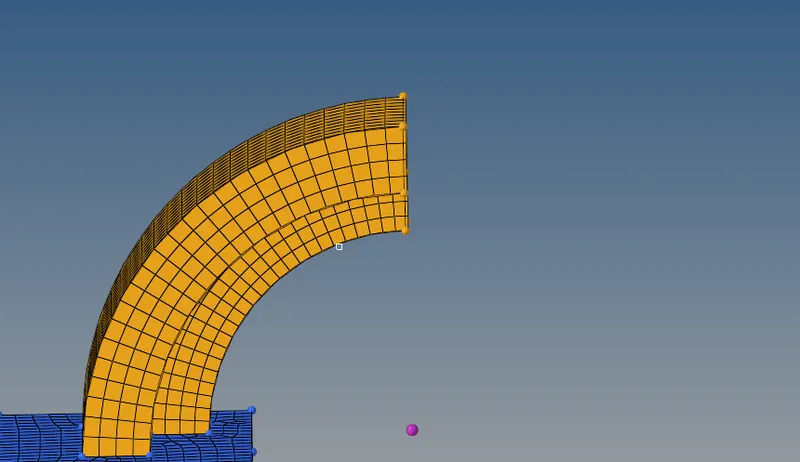
Fig 17: Mesh on arm curve
For Hexa mesh on the arm straight, taking the reference of the arm curve mesh and then meshing the same element by 2D mesh on the arm straight and then meshing the component with the linear solid option.
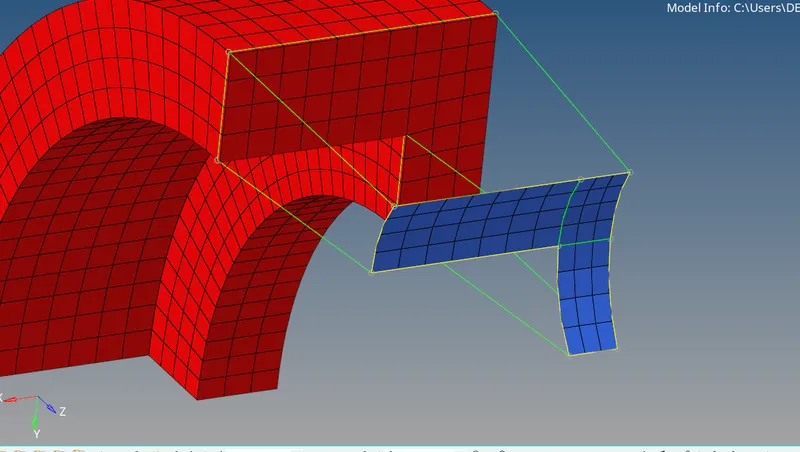
Fig 18: 2D mesh on arm straight
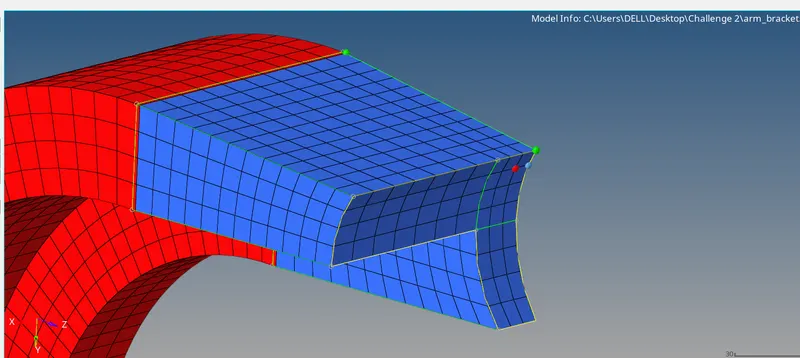
Fig 19: Arm straight linear mesh
The boss component is cylindrical that is mesh with 2D mesh and then taking the reference of the arm straight and overall nodes with the opposite surface.
Command: general - source Geom (surface) - elements to drag - dest geometry (surface) - along size - mesh.

Fig 20: Solid mesh
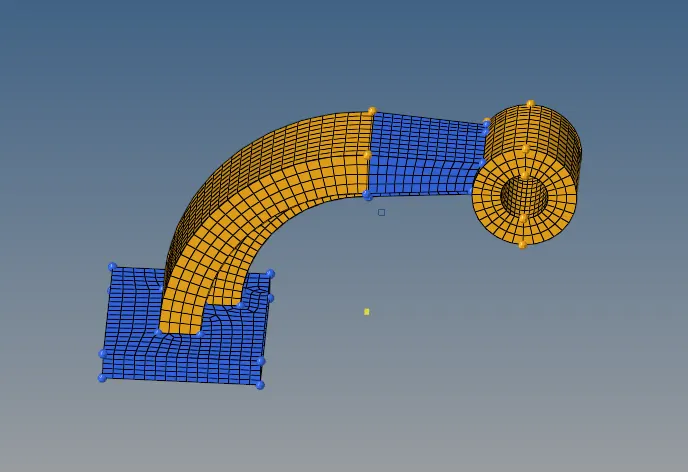
Fig 21: Bracket mesh model
CONCLUSION / LEARNING OUTCOMES
- 2D mesh and converting them into the 3D mesh and then direct 3D mesh with volume mesh.
- Hexa meshing with different options in the 3D mesh.
- Running the rad starter file and rad engine file editing the frequency, time, and print option.
- Learning about the time step and calculations.