ANSA Project 1 - DASHBOARD SUB-PARTS
PROJECT 1: EXTRACT MIDSURFACE AND MESH THE DASHBOARD SUB-PARTS
AIM:
To extract the mid surface and mesh the component with given quality parameters and assign thickness respectively.
OBJECTIVE:
The main focus of this project is to extract the manual or auto mid surface for the dashboard component with respect to their thickness and assign with the property, as well as deploy the smooth mesh flow on the component with given quality parameters.
The quality parameters for the component is given below:
| S.No | Quality criteria | Value |
| 1 | Target/Average Length | 4 |
| 2 | Minimum Length | 2 |
| 3 | Maximum Length | 6 |
| 4 | Aspect | 3 |
| 5 | Warpage | 15 |
| 6 | Skewness | 45 |
| 7 | Jacobian | 0.7 |
| 8 | Minimum Quad Angle | 45 |
| 9 | Maximum Quad Angle | 135 |
| 10 | Minimum Tria Angle | 30 |
| 11 | Maximum Tria Angle | 120 |
| 12 | Tria Percentage | 15 |
The dashboard component should be meshed accordingly with the mentioned quality criteria to achieve the proper mesh flow with negligible fail elements.
SUMMARY
The first project belongs to the overall practice and learning outcomes gained from the previous challenges that should be applied to the Dashboard component. This component consists of Dog house, ribs, surface with minimum size, and sharp edge which will fail for element criteria but that should be not considered because of component geometry.
PROCEDURE
The dashboard subparts should check with geometry errors and then take midsurface possible by the manual procedure as offset notion and then mesh with the target size element.
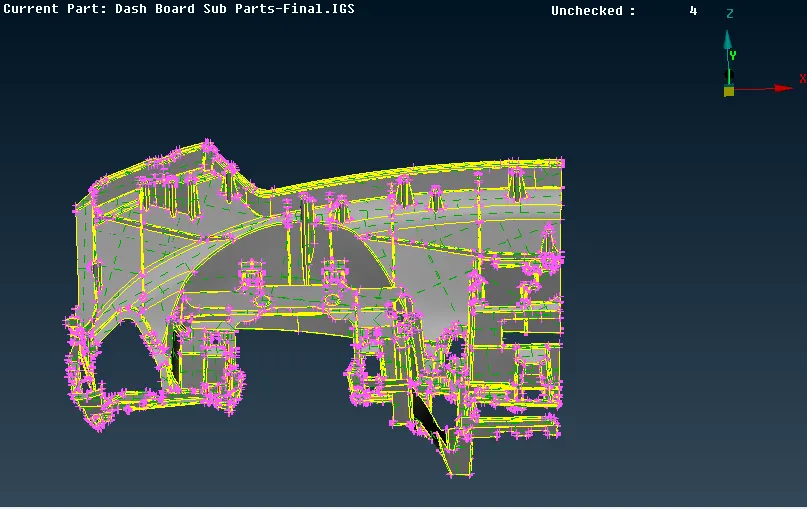
Fig 1: Dashboard subparts
Geometry check and Topology
The component has several large faces and the other faces consist of sharp edges due to dog house and ribs because of it the component has several needle face, triple cons, single cons, and unchecked faces.
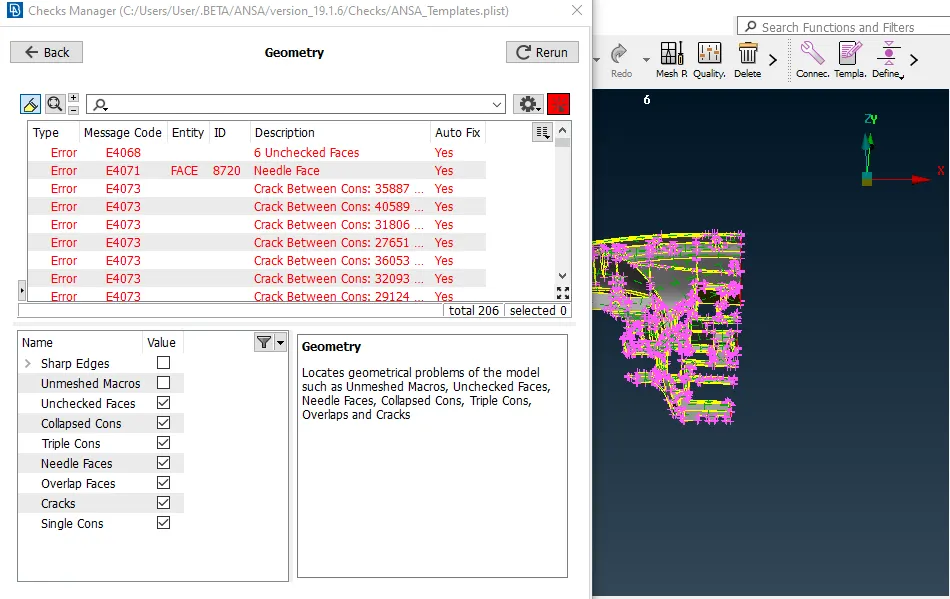
Fig 2: Geometrical errors
The unchecked faces are not linear to geometry, the faces are deleted and recreated and the cons are released to obtain the proper faces.
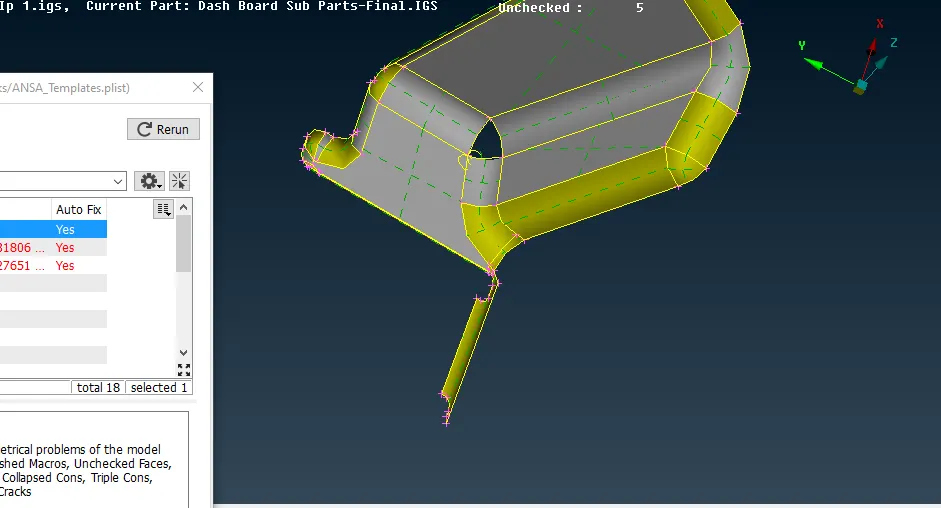
Fig 3: Fixing unchecked faces
The single cons are created with the surfaces to have double cons and missing surface (single cons) error.
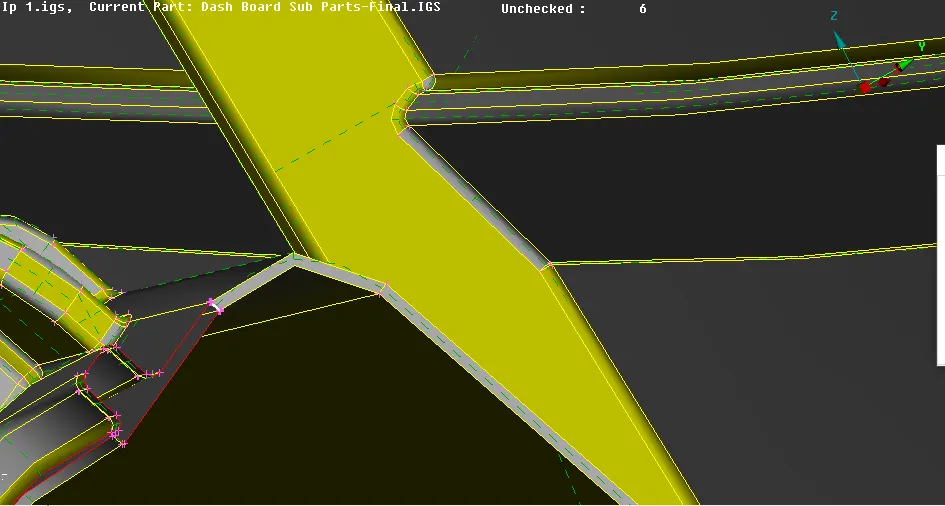
Fig 4: Creating surfaces on single cons
The dashboard component is completely cleaned with errors and obtain proper geometry.
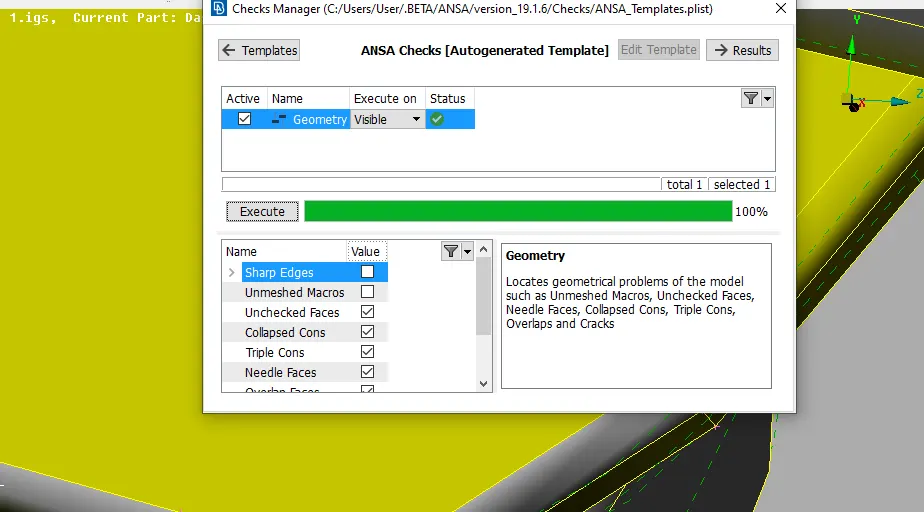
Fig 5: Geometry check
Measurement and Midsurface (Offset) and Property.
The component is tried with the AUTO Mid surface option the did not check properly with blue, red, and green color. But before taking the mid surface manually the component has measured with the length between the two surfaces (Thickness).
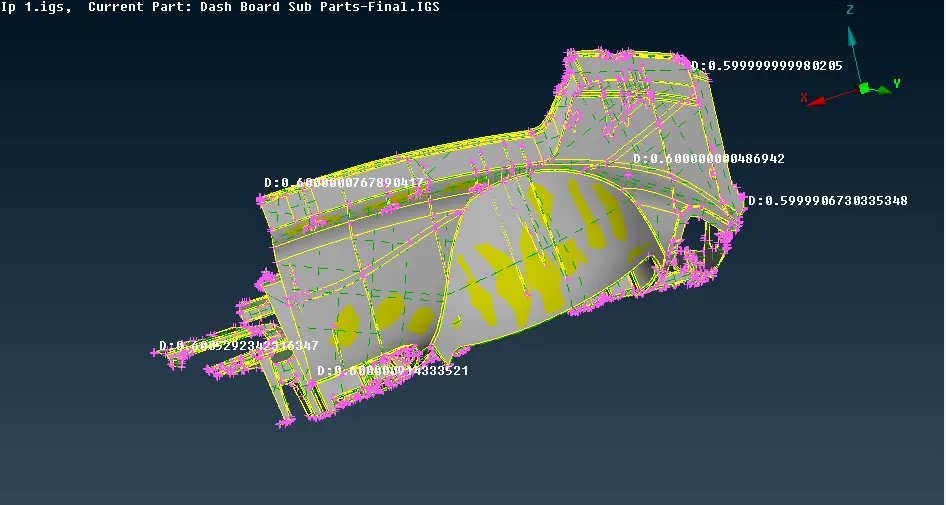
Fig 6: Measurement
So the component is offset with the base surface as 0.6mm and then taken the mid surface. The component has also connected with the dog house and ribs.
The ribs are deployed with the middle option to have the mid surface and they are extended to the parent geometry.
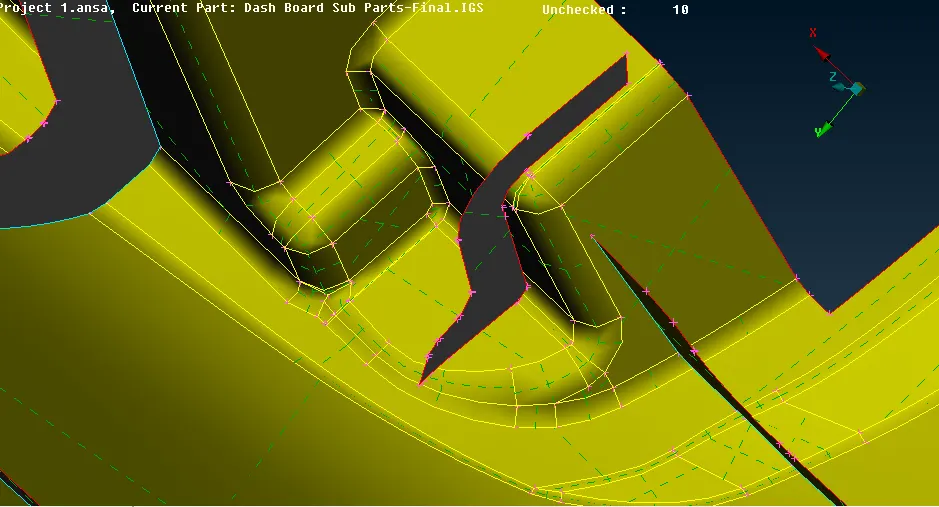
Fig 7: Mid surface of ribs
The dog house is the hollow part with no thickness, so to achieve the part mid surface the compone considered with 1mm thickness which taken with the offset option with 0.5mm.
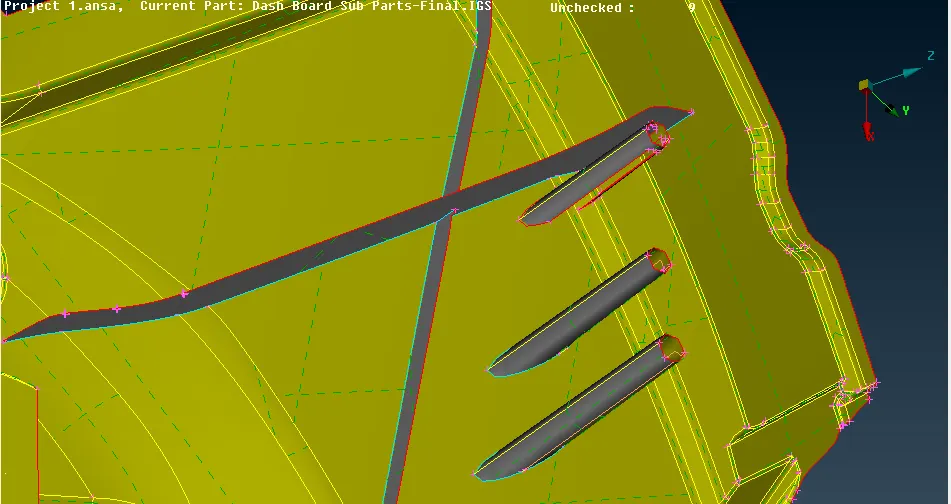
Fig 8: Dog House midsurface
Ribs and base surfaces have different thicknesses, so they are provided with particular thickness as creating a PID to them. But as we know the dog house has no thickness, so they have given with 1mm thickness.
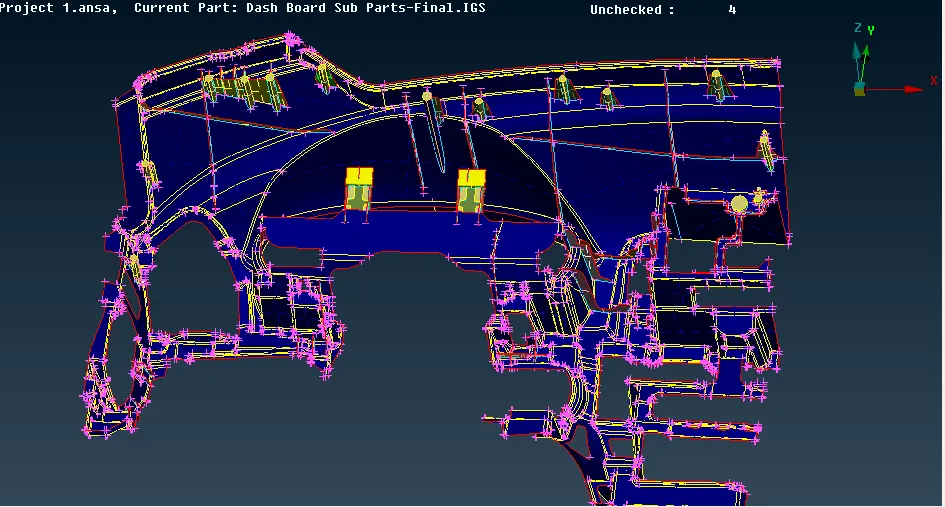
Fig 9: Assigning thickness
Meshing
The Ansa has different types of mesh algorithms Spot mesh, Free mesh, and BEST mesh. For the dashboard component, I have done with spot mesh and BEST mesh option to obtain the proper mesh flow with fewer numbers of trias.
The component is started with the first phase of dashboard subparts, the part has the ribs with the dog house and the small surface with number cons, so to avoid the minium failing element size, the cons are removed and mesh with the surface.
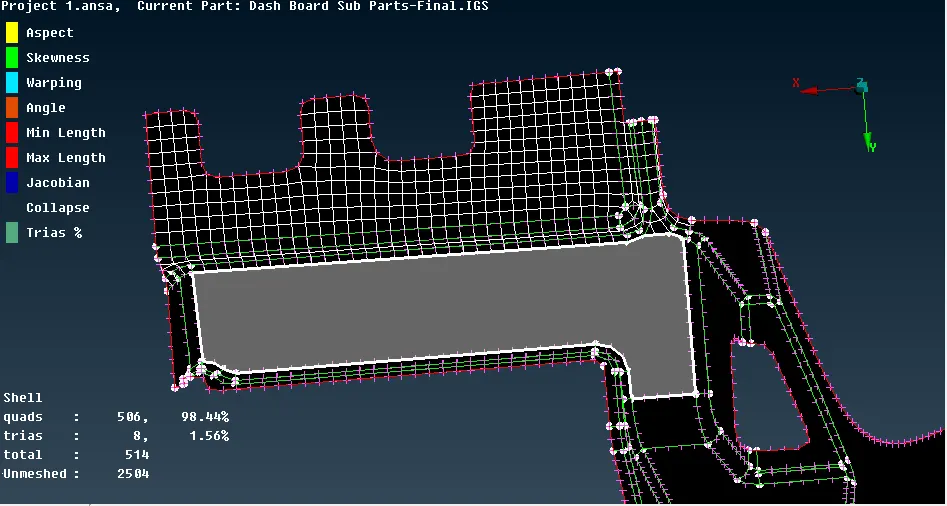
Fig 10: Dashobaord phase 1 mesh
Some of the elements due to the curvature, they are failing for the jacobian, and they are fixed by MV free option and using smooth.
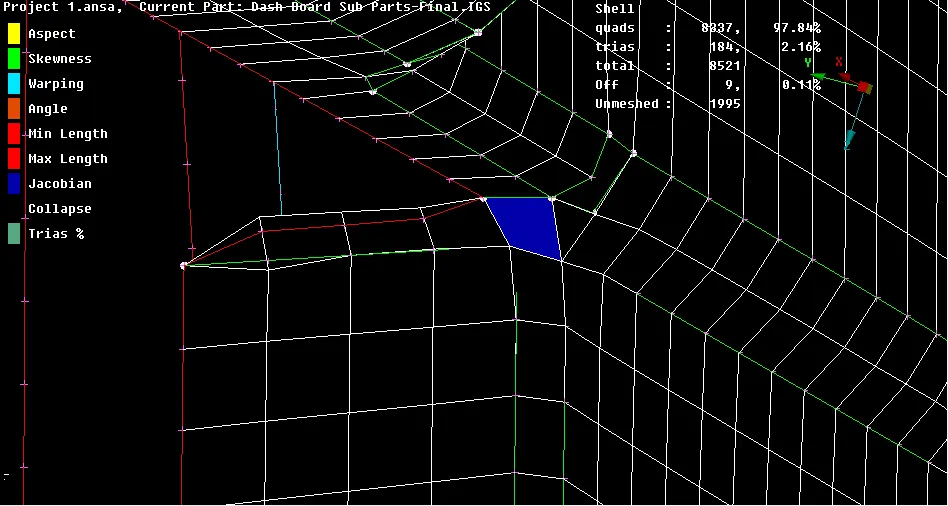
Fig 11: Fix jacobian by MV free
Mesh at curve region, as the surface is curvature but it is linear and meshes deployed with a minimum number of trias, they are either opposite or at the edge and they are removed by splitting option to reduce the no.of trias.
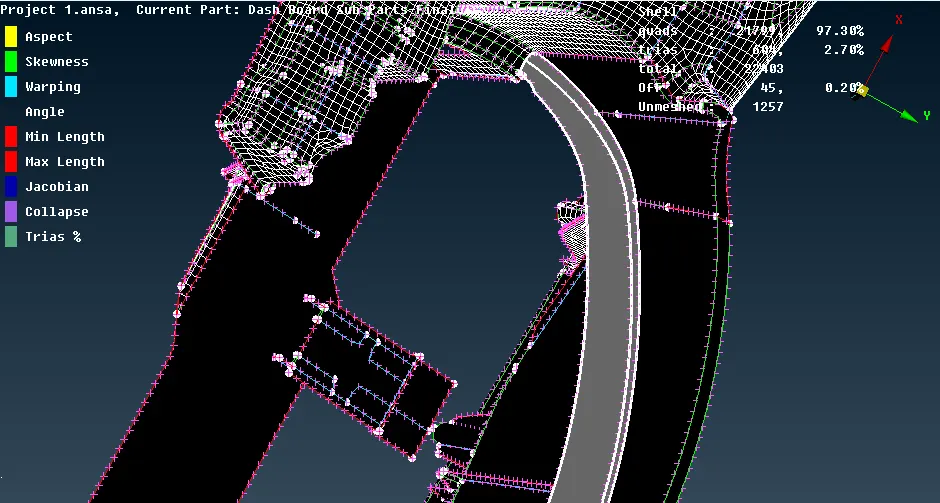
Fig 12: Mesh at curve region
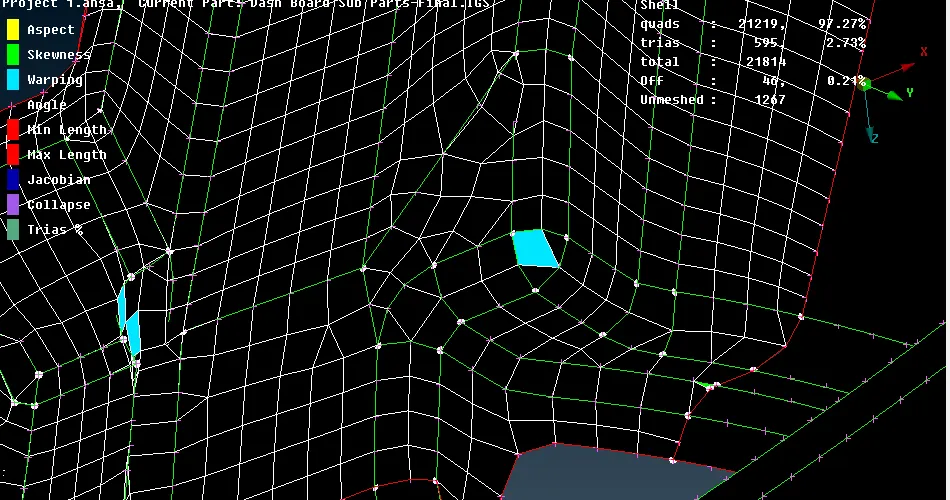
Fig 13: No of trias at curve surface
The trias which are on the opposite side are splitter and join them to reduce the trias in the mesh quality criteria.
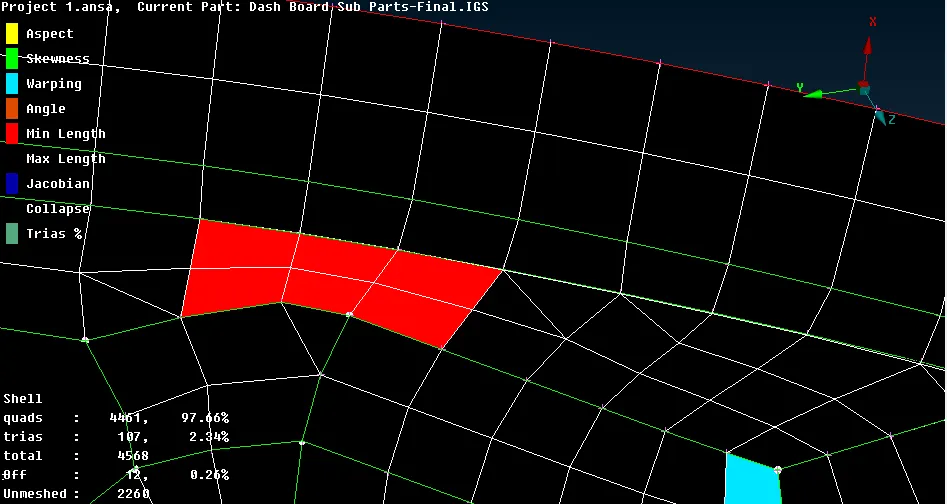
Fig 14: Joining opposite trias
The dog house is at two types with big surfaces and with small surfaces but the elements that are deployed on the dog house has maximum failing elements and they are fixed with the move option and reconstructing them again as well using the smooth option, but the surfaces have a sharp edge and they have unfixed elements.
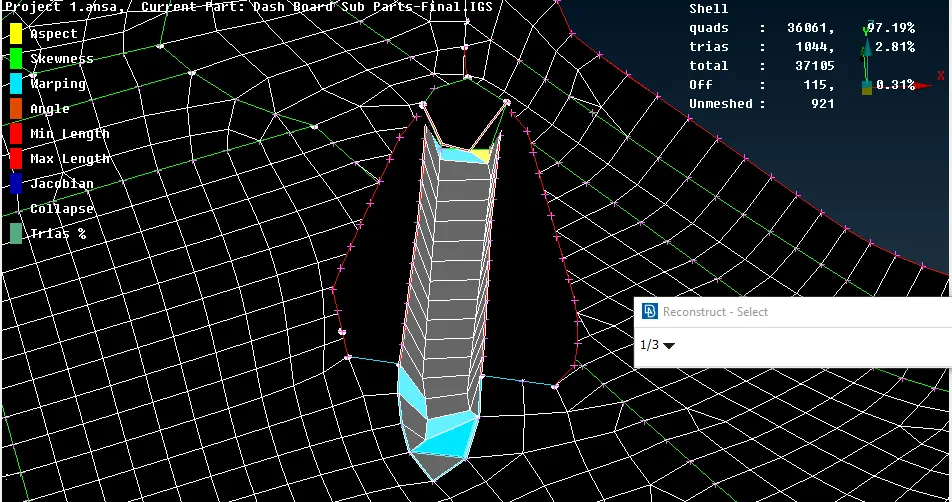
Fig 15: Mesh on dog house
The same process is applied to the multiple dog house which is connected with ribs as well. But they are messed with different algorithms as the BEST option.
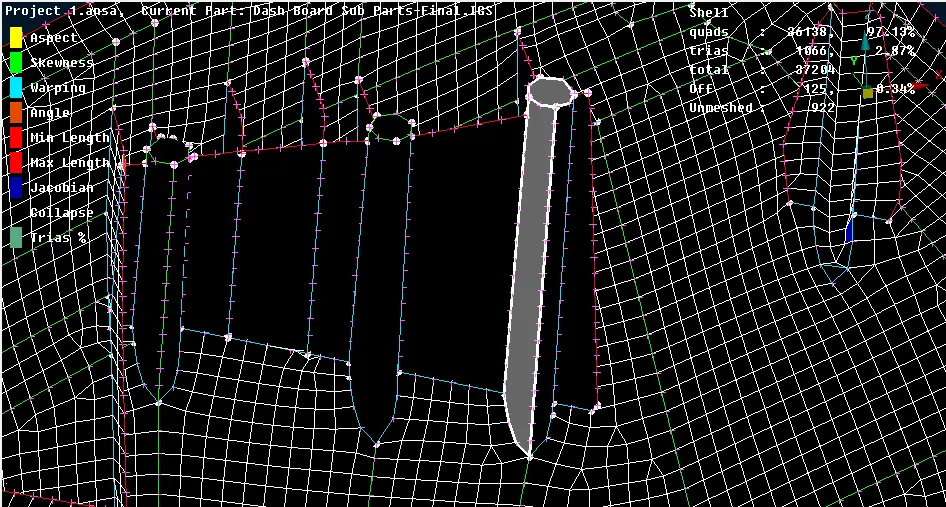
Fig 16: Mesh on multiple dog house with BEST
Mesh on the ribs are deployed with the SPOT mesh option but the ribs consist of a high number of trias are they at the edges and difficult to remove them but to reduce the trias they are reconstructed again.
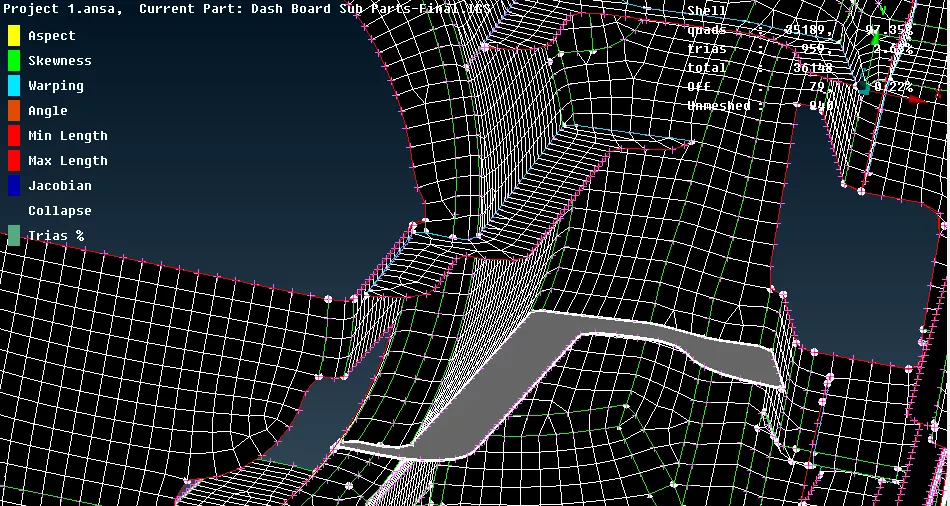
Fig 15: Mesh at ribs
Also, some of the elements on the ribs are failing for the minimum length so to fixed them they are moved bu the edge which exceeds the geometrical boundaries.
And some of the surfaces at the curve are failing for the max angle so to fix them they are exceeded which does not capture the feature line.
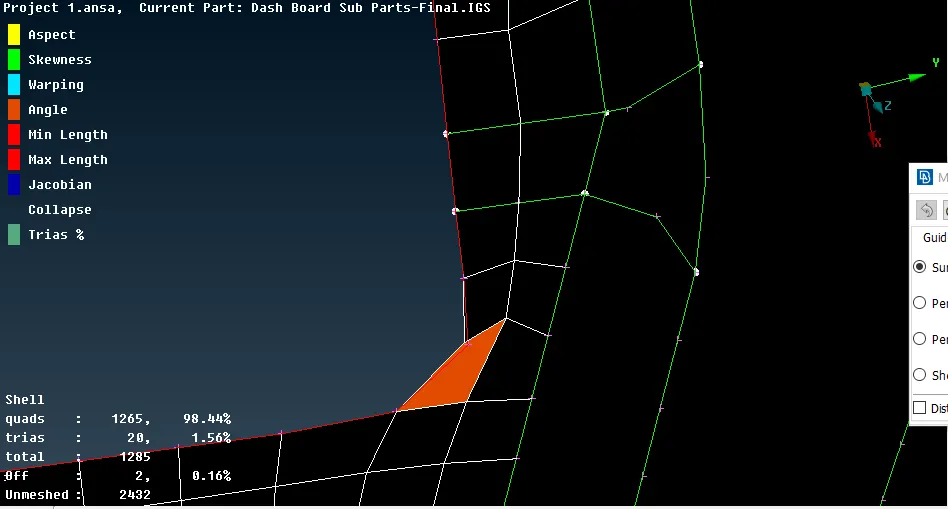
Fig 16: Exceeding feature line for max angle
Some of the elements are failing for warpages and also others are at the edges, so they are fixed with a swap option and Move guided option which fixes the failing elements.
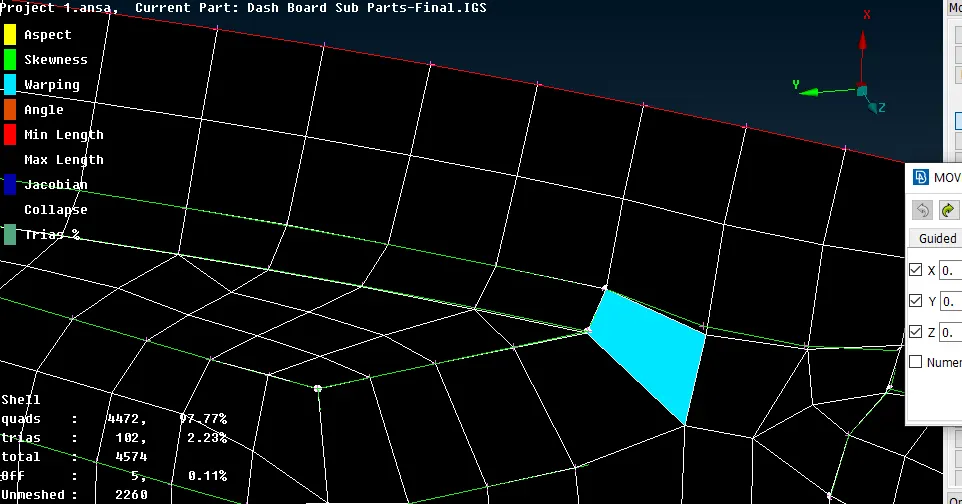
Fig 17: Moving warpage
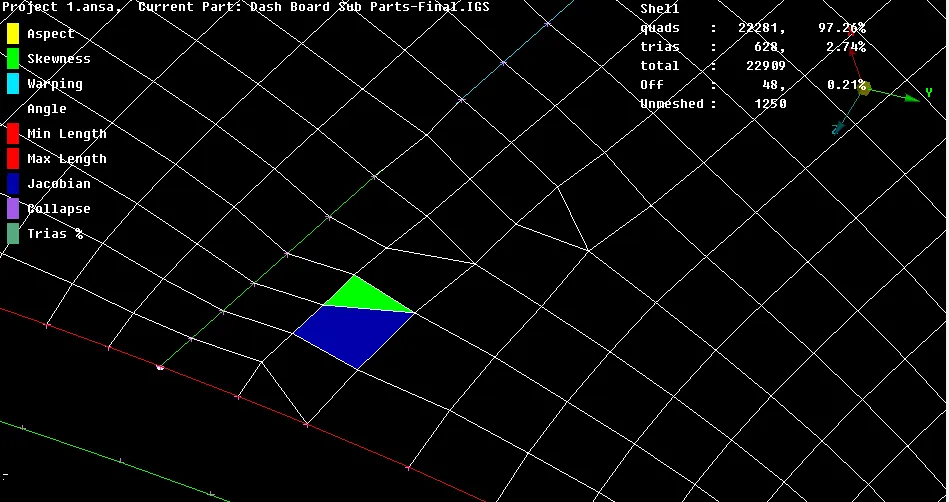
Fig 18: Swap trias from edge
The dog house with small surfaces all the elements which are deployed on the surfaces are failing to avoid them the dog house is deleted and recreated with the cross-section mid surfaces and the elements which are deployed on the cross-section are not failing except at the sharp edges.
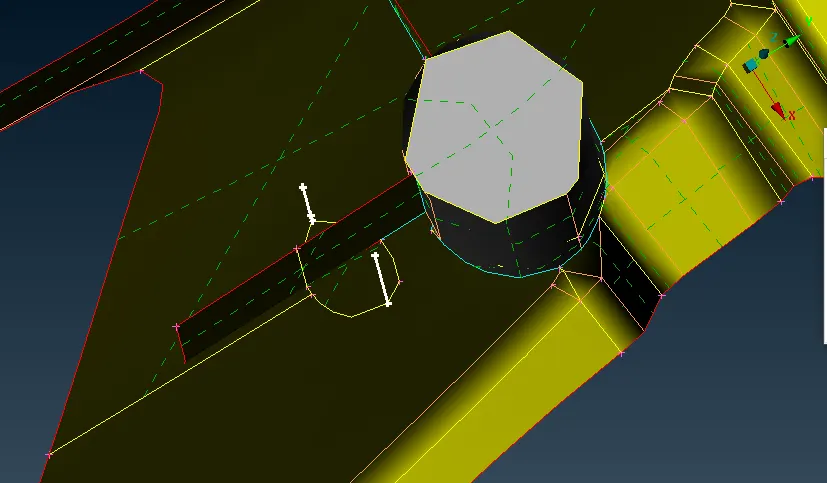
Fig 19: Recreating cross dog house
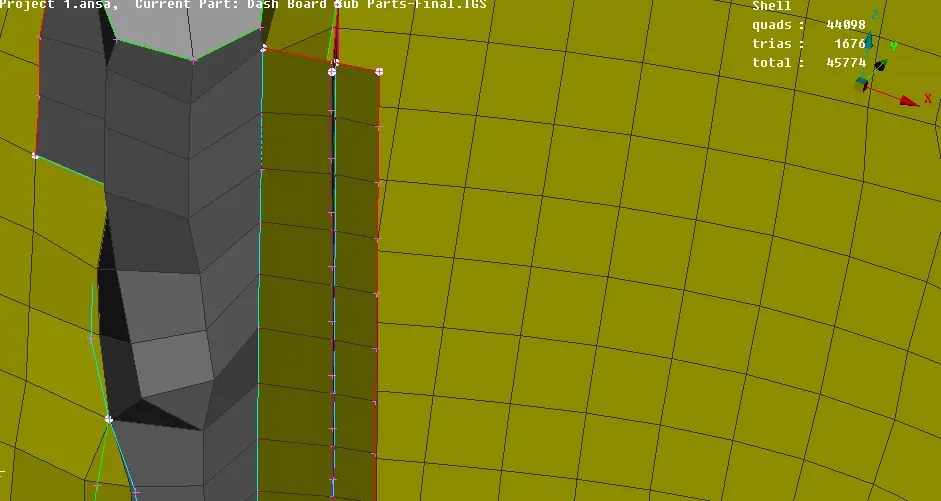
Fig 20: Mesh on cross-section dog house
RESULT AND DISCUSSION:
The dog house has failing elements due to the sharp edges and they are failing for warpages, skewness, jacobian, and aspect ratio. As the component has many failing elements and they are fixed with the multiple options that are given in the ANSA preprocessor.
The dog house with the small surfaces is preferred with the cross-section but some of the elements at the sharp surface are still failing for quality criteria.
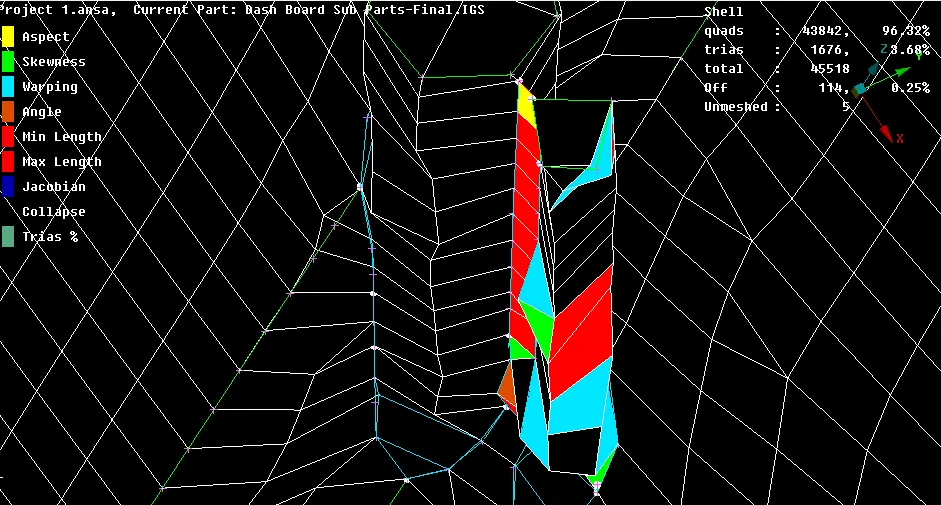
Fig 21: Dog house elements failing
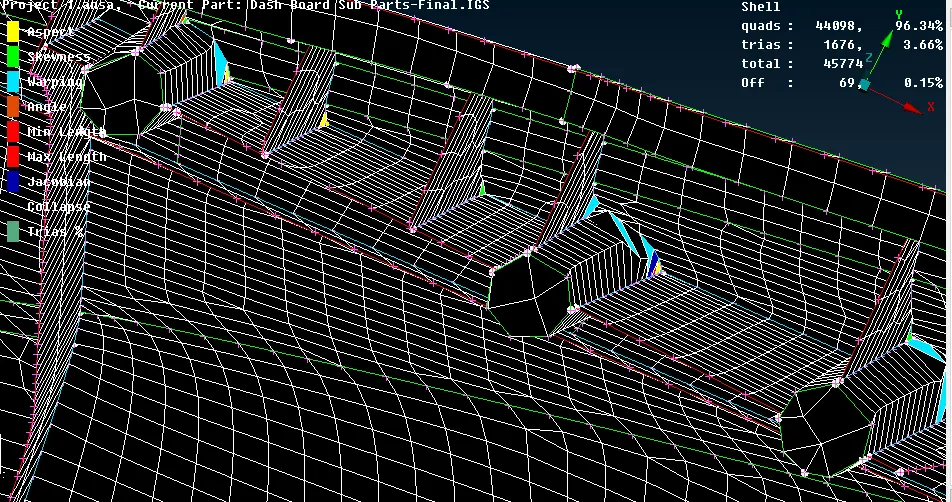
Fig 22: Dog house elements failing
The overall dashboard has 44,098 quads elements (96.34%), trias 1676 (3.66%), and the failing elements 69 (0.15%). The total number of elements deployed on the dashboard is 45744.
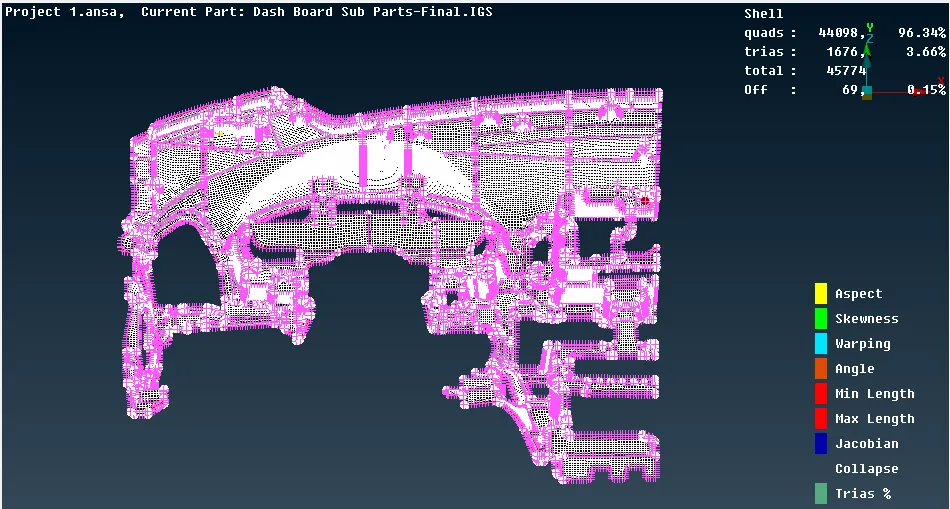
Fig 23: Mesh on Dashboard
CONCLUSION
The dashboard subparts has many small surfaces with the ribs and the dog house, the dog house is a difficult to part and challenging parts to extend at the base surfaces and on other has to mesh seems good after deployed but has filing elements at the sharp edges which are excepted due to the geometry.
RECOMMENDATION
The dog house which does not extend properly and which has small surfaces that will definitely fail for the no of quality aspect, the mid surface of them should be taken as the cross-section.