Week 9 Tension and Torsion test challenge
Week 9 Tension and Torsion Test
AIM
To perform the tension and torsion test on the specimens provided as per the video.
OBJECTIVE
The main objective of the challenge is to simulate the torsion and tension test on the specimen.
Case 1: In the tension test, displace one end of the specimen to 18mm while keeping the other fixed.
Case 2: In the torsion test, you will need to displace one end of the specimen to an angle of 1200 degrees.
And find the results for total deformation, equivalent stress, and temperature specimen.
THEORY
Tension test - Tension testing is a fundamental material science and engineering test in which a sample is subjected to a controlled tension until failure. Properties that are directly-measured via a tensile test are ultimate tensile strength, breaking strength, maximum elongation, and reduction in area.
From these measurements, the following properties can also be determined: Young's modulus, passion's ratio, yield strength, yield strength, and strain-hardening characteristics. Uniaxial tensile testing the most commonly used for obtaining the mechanical characteristics of isotropic materials. Some materials use biaxial tensile testing. The main difference between these testing machines being how the load is applied to the materials.
Torsion test - Torsion tests twist a material or test component to a specified degree, with a specified force, or until the material fails in torsion. The twisting force of a torsion test is applied to the test sample by anchoring one end so that it cannot move or rotate and applying a moment to the other end so that the sample is rotated about its axis. The rotating moment may also be applied to both ends of the sample but the ends must be rotated in opposite directions. The forces and mechanics found in this test are similar to those found in a piece of string that has one end held in a hand and the other end twisted by the other.
MATERIAL PROPERTIES
Steel 1006
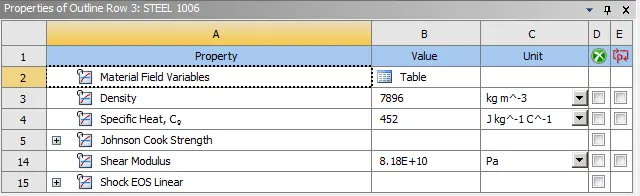
Fig 1: Steel 1006 Properties
PROCEDURE
Importing the geometry of the specimen for the tension and torsion test, open the specimen in the SpaceClaim, and then check the edges and surface if they are damaged.
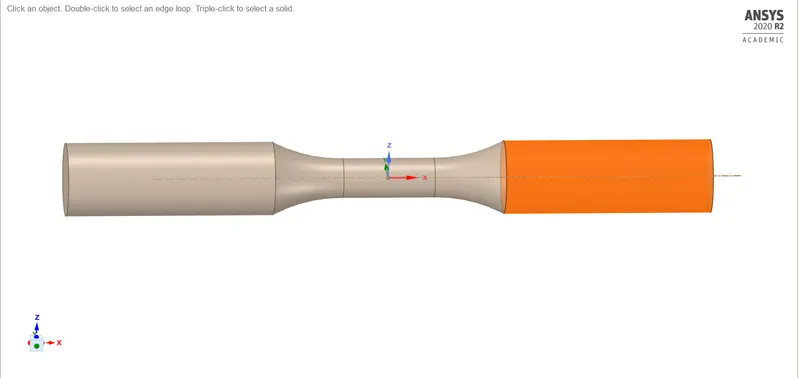
Fig 2: Specimen Geometry
Torsion Test
Remaining the specimen as the rod and then assigning the properties of steel 1006.
Coordinate system
Adding three coordinate systems for the geometry to perform the analysis.
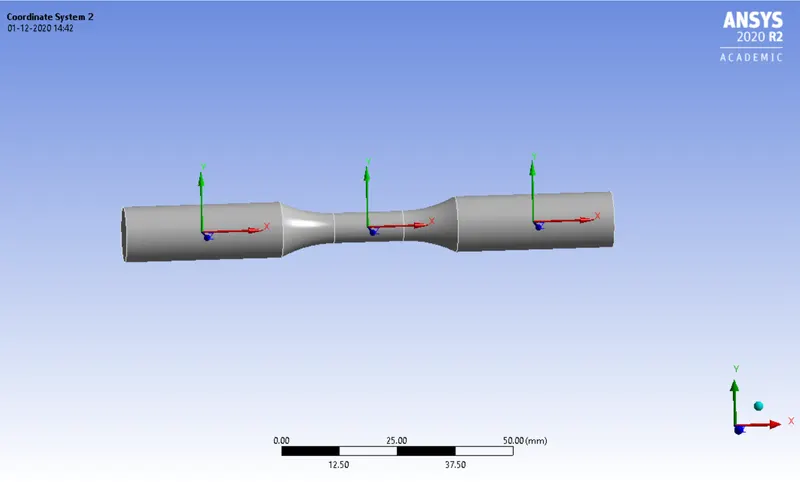
Fig 3: Coordinate system
Mesh
For the mesh of this component giving tetra volume mesh as the by patch conforming method.
The face sizing for the left body of the rod by giving mesh size as 3mm and the type of sphere of influence with the sphere of the radius of 22.0mm. And the same to be followed the right body of the rod.
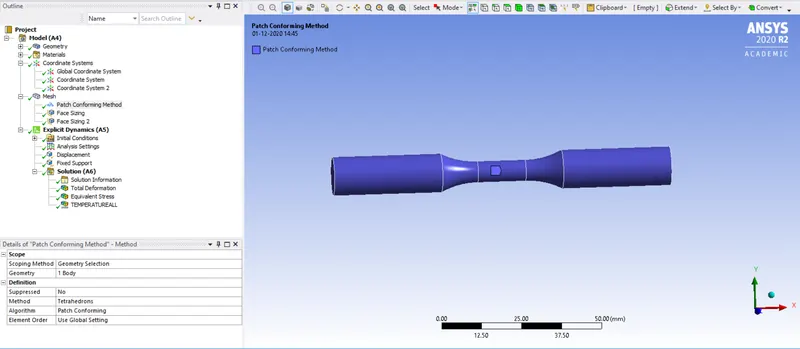
Fig 4: Patch Conforming Method
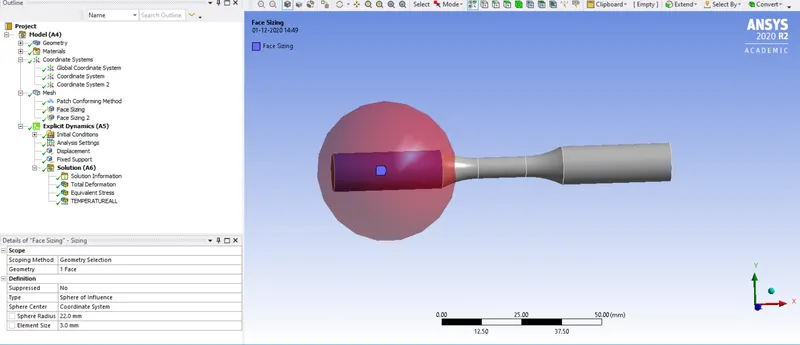
Fig 5: Face sizing
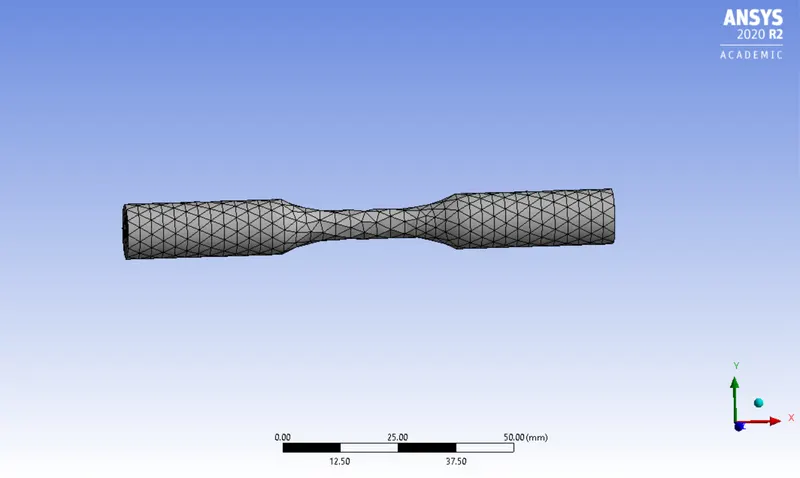
Fig 6: Tension Mesh
The displacement is given to 2 faces of the rod with the distance of 18 mm to the x component with the step of 1 and the fixed support is given to either side.
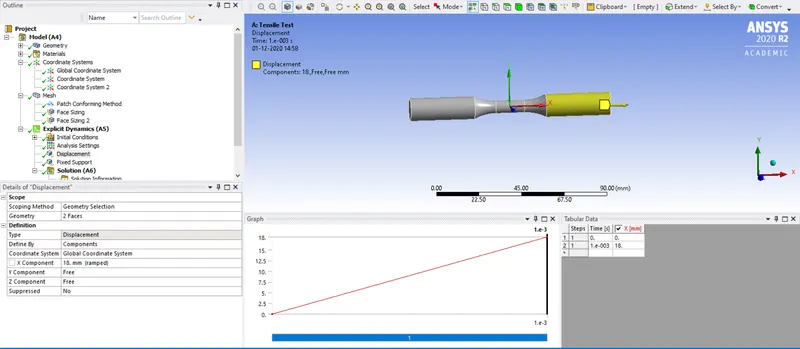
Fig 7: Displacement
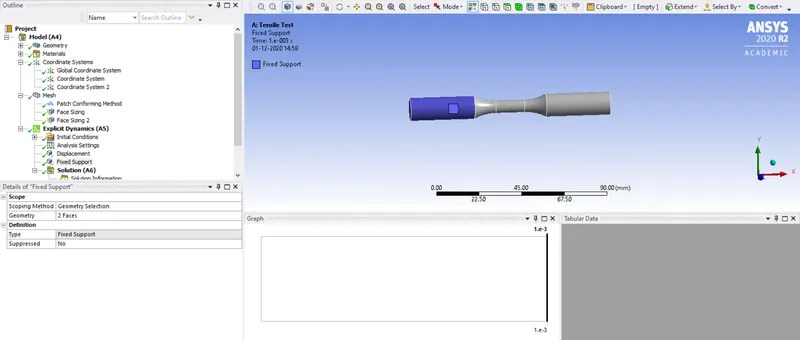
Fig 8: Fixed support
Torsion Test
Setting up the coordinate system in the middle of the rod for the rotation in the y-direction.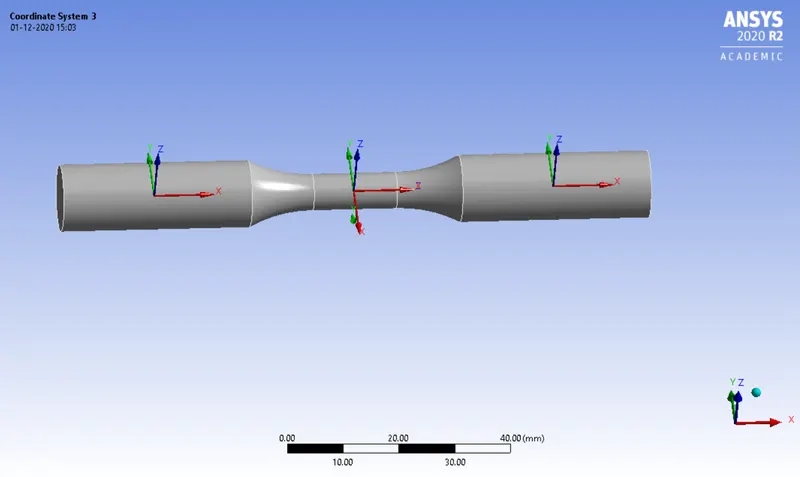
Fig 9: Torsion coordinate system
Giving the face sizing to the torsion test with the types of the sphere of influence and the sphere of the radius with 8.0mm and the size of the element of 1.0mm.
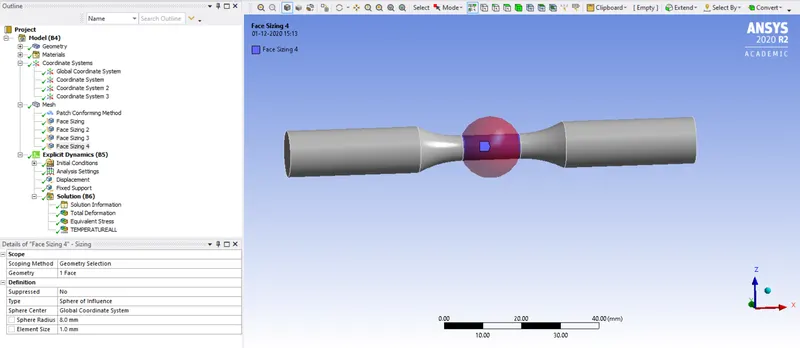
Fig 10: Torsion Face sizing 3
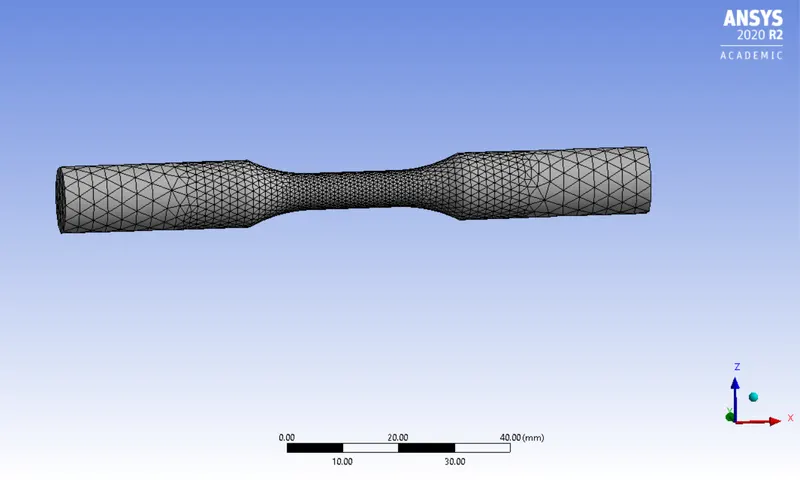
Fig 11: Torsion Mesh
For the displacement of the torsion at the angle of 12oo degree at the y-direction as the tabular data and others as the constant.
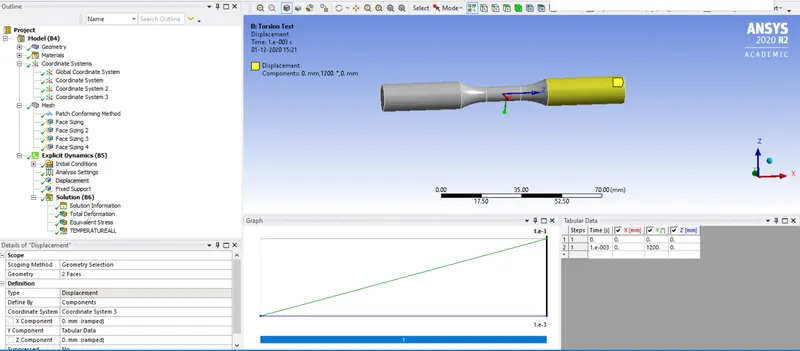
Fig 12: Torsion displacement
RESULTS
Tensile test
Total deformation
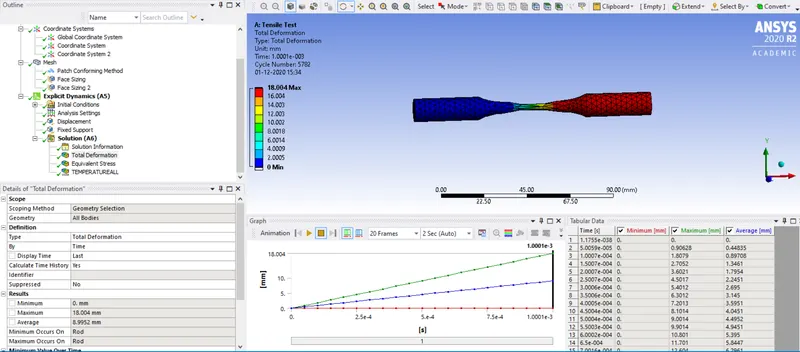
Fig 13: Tension Total deformation
Equiavlent von mises stress
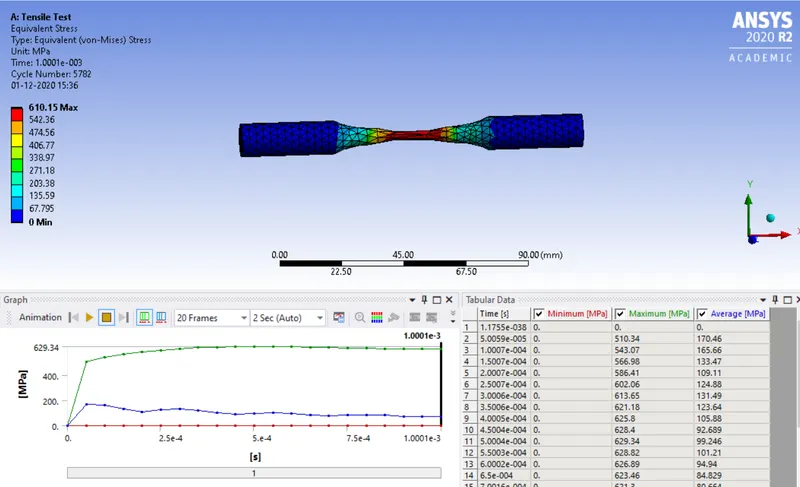
Fig 14: Tension Equivalent stress
Temperature
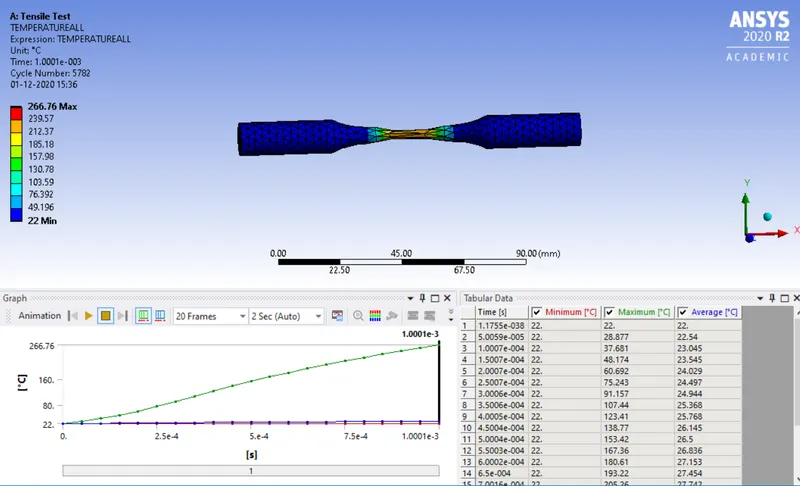
Fig 15: Tensile tempertaure
Torsion Test
Total deformation
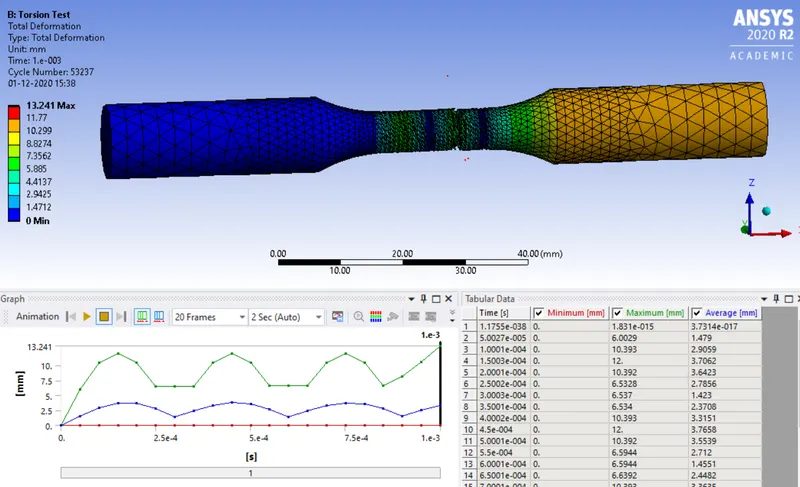
Fig 16: Total defromation torsion test
Equivalent von mises stress
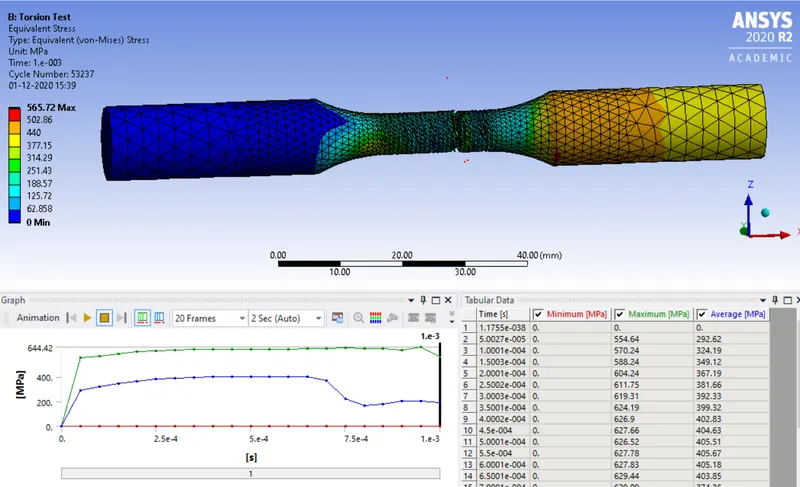
Fig 17: Torsion equivalent test
Torsion Temperature
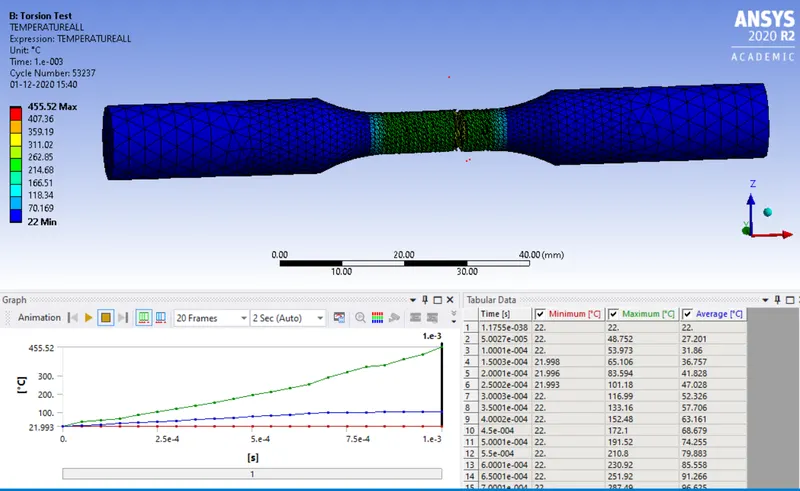
Fig 18: Torsion temperature
CONCLUSION
The tensile and torsion test is given to this challenge, to know how to perform the test in the Ansys workbench using the explicit dynamic and setting up the overall scenario simulate the process and obtain the result. The simulation successfully runs through with the given setup and hence shows the result for both tests.