Wiring harness design in CATIA V5 - 3D modeling Week 7 Challenge
Wiring Harness Flattening
Aim is to create a wiring harness flattening of a harness assembly and plot it onto drawing sheet.
Here, we will take a harness assembly created for week 4 challenge consisting of 6 connectors nd 5 branchables. Follow the steps to create a flattened assembly :
- Create a new product file and open 'Electrical Harness Flattening' workbench

- No other features are available, instead of 'Flattening Parametres'

- Click on it and fill the details as required for the product file to have. It has default plane, visual options, etc.
- After this, we can see all other commands are visible. Now switch to vertical windowed mode and keep the assembly needed to be flattened along with our product.
- Next step is to click on 'Extract'
 command and select the assembly from feature tree. A similar assembly is created for our product now.
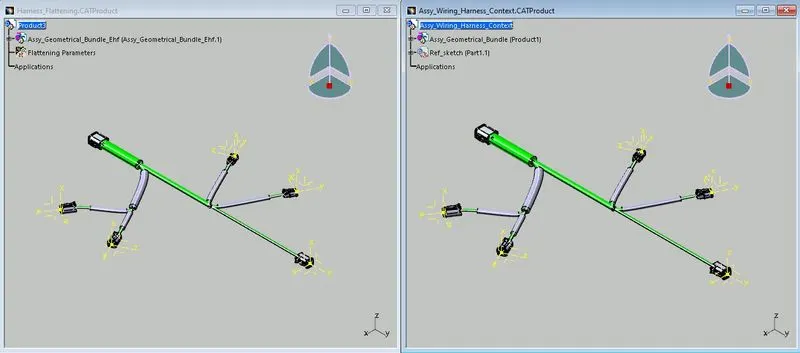
- A little change in assemblly name is there. We can see the suffix EHF in its name which is nothing but abbrevation for Electrical Harness Flattening. Keep the window and close the other one.
- In next step, click onto 'Flatten'
 command and a window is poped up.
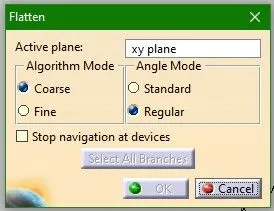
- We can select desired plane for flattening of the assembly. Also, face of component can be selected.
- Here select a face and then select any branch and then click on 'select all branches' in the window, so all the branches in the assembly is getting selected. Click OK.
- It gives a flattened assembly as shown below.
- Any adjustments like rotation, bend, roll, etc. can be added if needed. Here, no such adjustments are required, so skip it.
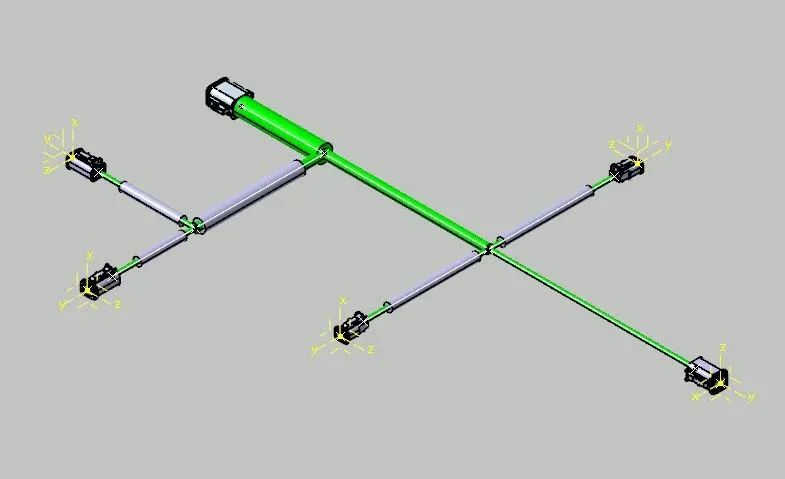
A harness assembly is flattened perfectly. Lets plot this now on a drawing sheet.
- Switch to Drafting workbench and load an adequate size of drawing sheet with scale 1:1.
- Click on 'front view' command and select the face or plane used for flattening of harness.
- As pre-defined in Flattening Parametres, the bundle and protective covering is coming accordingly. Also the connectors have 3D visuals.
- We can change the colours for better representation. Green single lines show branchables and Blue double lines are protective coverings.
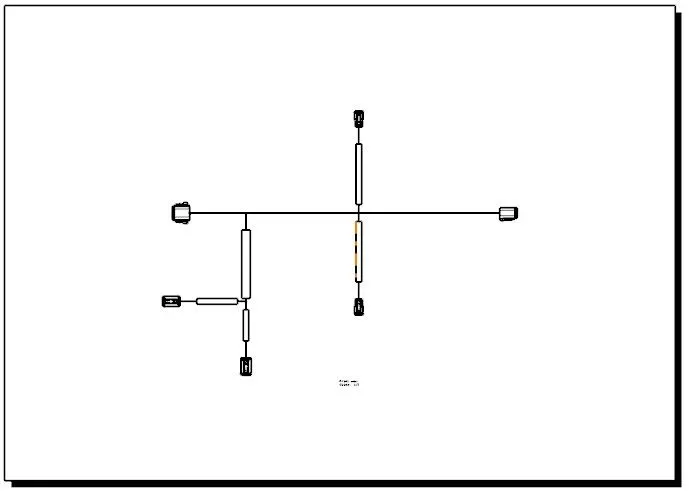
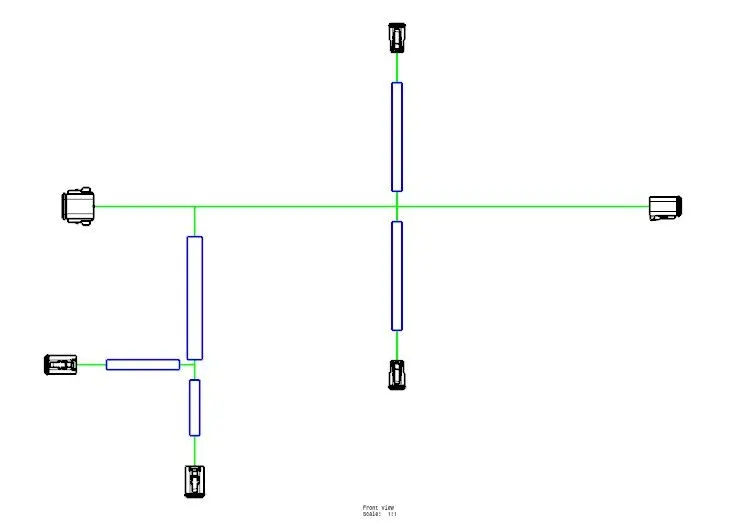
In this way, a harness assembly is flattened in Electrical Harness Flattening workbench and later can be plotted onto drawing sheet.