Week 2- 2R Robotic Arm Challenge
2R ROBOTIC ARM
AIM : The objective is to create a Matlab program to simulate the forward kinematics of a 2R Robotic Arm
- Here, to create such program, make some assumptions of lengths of both the arms and the angle range in which the arm will rotate.
- To get different positions of arms in the final graphical representation, use of 'for loop' is required.
- For certain angle of arm 1, arm 2 should complete one entire cycle. For that, create a 'for loop' in an existing loop.
- To get the animation, create counter and give pause for each iteration.
- At the end, code to create a movie for the animated grapf.
CODE
% A program to simulate the forward kinematics of a 2R Robotic Arm

clear all
close all
clc

% Inputs
l1 = 0.4;
l2 = 0.25;
theta1 = linspace(0,90,10);
theta2 = linspace(0,90,90);

ct=1;
for i = 1:length(theta1);
    THETA1 = theta1(i);
    for j = 1:length(theta2);
        THETA2 = theta2(j);

        x0 = 0;
        y0 = 0;

        x1 = l1*cosd(THETA1);
        y1 = l1*sind(THETA1);

        x2 = x1 + l2*cosd(THETA2);
        y2 = y1 + l2*sind(THETA2);

        % plotting

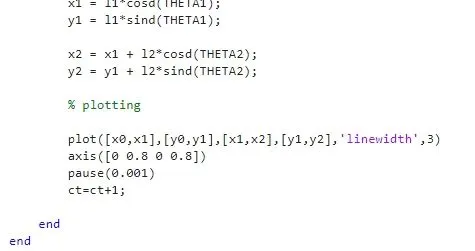
        plot([x0,x1],[y0,y1],[x1,x2],[y1,y2],'linewidth',3)
        axis([0 0.8 0 0.8])
        pause(0.0001)
        M(ct) = getframe(gcf);
        ct=ct+1;

    end
end

movie(M)
videofile = VideoWriter('week_2_robotic_arm.avi','Uncompressed AVI');
open(videofile)
writeVideo(videofile,M)
close(videofile)
OUTPUT
Click on the video link to see the output
ERROR FACED
- Shown below is an error faced during coding.
- commanded axis limits before plotting, so the output was still having some issues in limits.
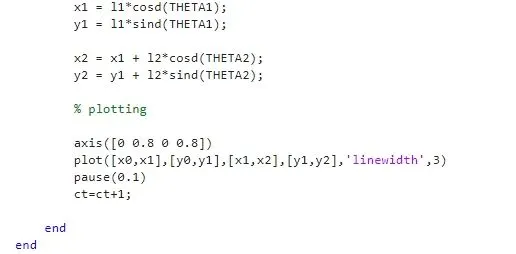
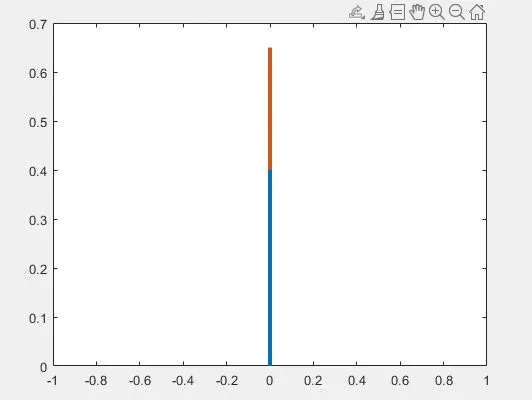
- changed the step and added limits after the plot command and the results were ok later.