Week 2 Bevel Gear Challenge
AIM:
Perform Advanced Structural Analysis on Bevel Gear With different mesh element sizes Using ANSYS WORKBENCH.
OBJECTIVE:
Analyze the Bevel Gears to find out their total deformation, equivalent stress and equivalent strain at a mesh size of 6,5,4 (mm) and mesh the contact faces with mesh size of 1.75 (mm). Following this a parametric study is done on grid dependency test to find out how the deformation, stress, strain are changing with respective mesh size.
BEVEL GEAR MODEL:
*The standard definition of a Bevel Gear is a cone-shaped gear which transmits power between 2 intersecting axels.
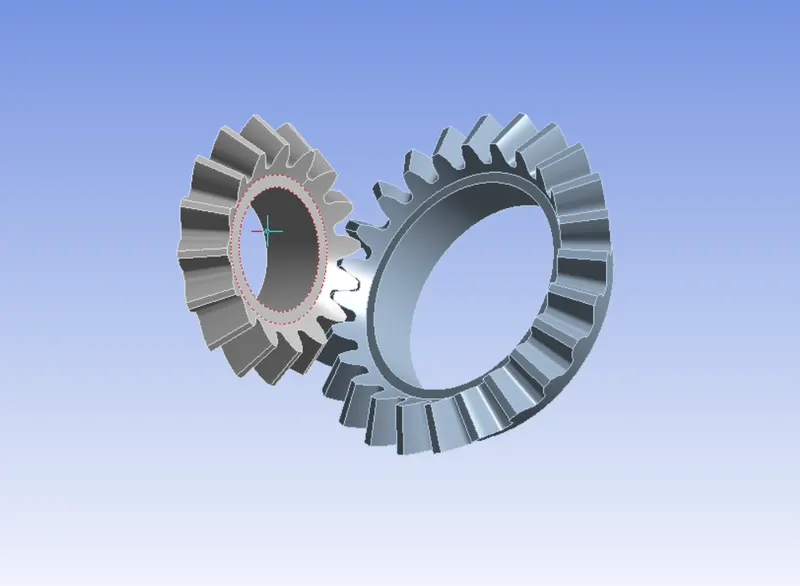
Fig(1).
*Bevel gears are power transmission components primarily used to change the direction of shaft rotation and to decrease speed and increase torque between non-parallel rotating shafts.
GRID DEPENDENCY TEST:
Grid Dependency test is used to remesh the mesh successively with finer mesh than previous to get different results of the analysis. Our results are converging towards the solution with fine mesh at some particular mesh size converging the results is very small (i.e by observing the change in output results ). so we can decide the mesh size by performing the grid dependency test to get better results.
PROCEDURE:
Assign the material as structural steel for both the cases by, Selecting the Engineering data >> Edit >> Engineering data sources >> General Materials >> Structural steel.
*Properties of the structural steel is shown in below Fig(2).
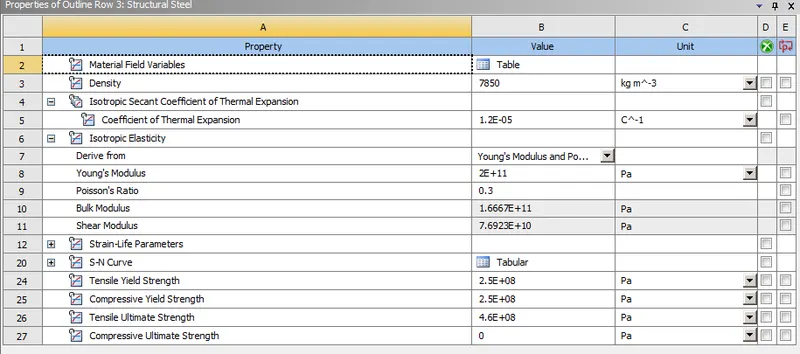
Fig(2).
*After Assigning the material close the engineering data and open new space claim to make the required designs.
*Once geometry is imported from the space claim then open the model and eidt the geometry in Mechanical moduler.
*Assign the Contacts and targets according to the design model with contact type is Frictional, behavour is sysmmetric, Augmente Lagrange Formulation.
*Create two revolute joints for two gears and assign joint loads.
*After that Give all analysis setting in steps of time.
CASE-1
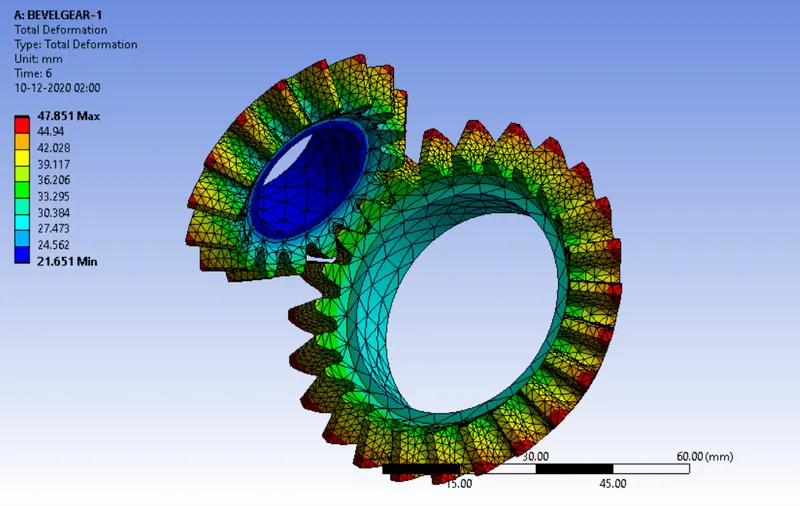
MESH SIZE:6 (mm).
*Create the mesh on the geometry with element size is 6 mm and mesh sizing with element size is 1.75 mm at contact faces.
TOTAL DEFORMATION:
MAX:47.851 (mm) and MIN: 21.651 (mm)
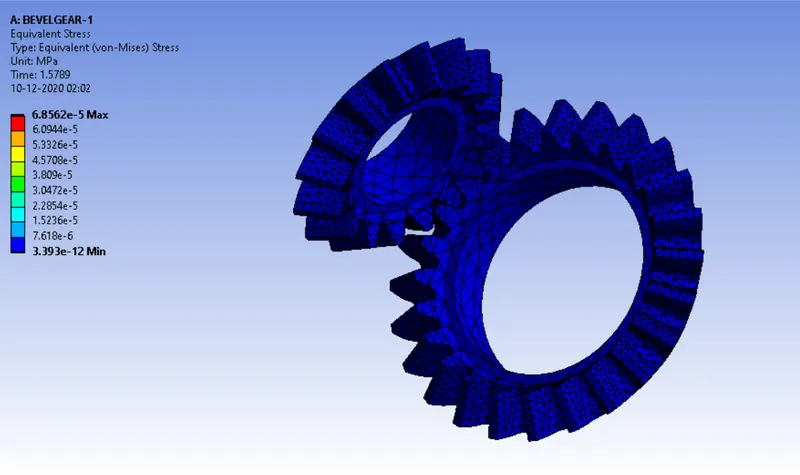
EQUIVALENT VON-MISES STRESS:
MAX: 6.8562E-5 (Mpa) and MIN:3.393E-12 (Mpa)
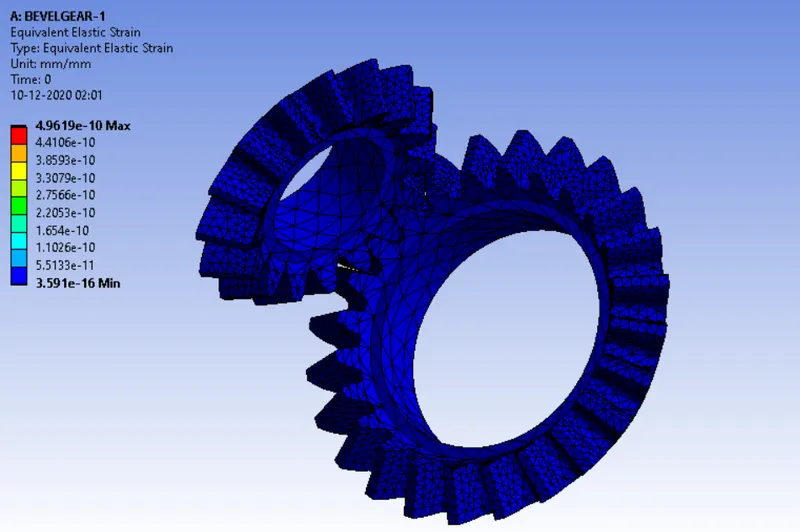
EQUIVALENT ELASTIC STRAIN:
MAX:4.9619E-10 and MIN:3.591E-16
CASE-2
MESH SIZE:5 (mm).
*Create the mesh on the geometry with element size is 5 mm and mesh sizing with element size is 1.75 mm at contact faces.
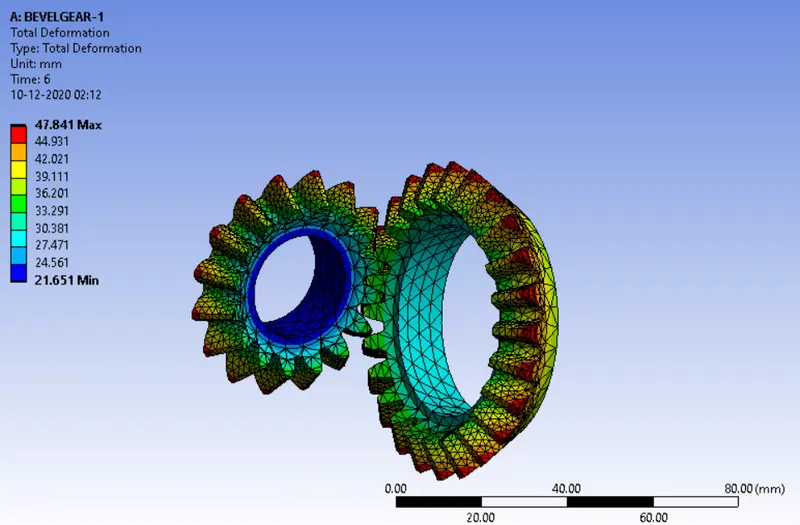
TOTAL DEFORMATION:
MAX:47.841 (mm) and MIN: 21.651 (mm)
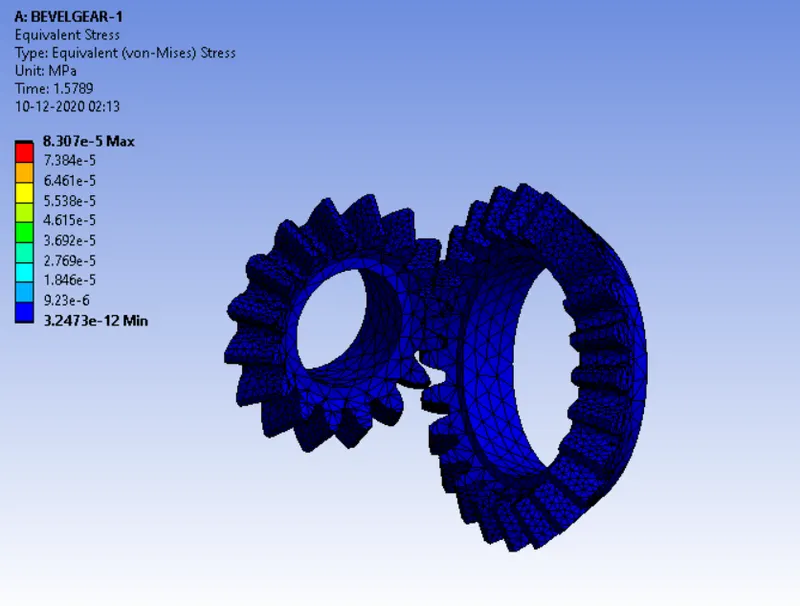
EQUIVALENT VON-MISES STRESS:
MAX:8.307E-5 (Mpa) and MIN: 3.247E-12 (Mpa)
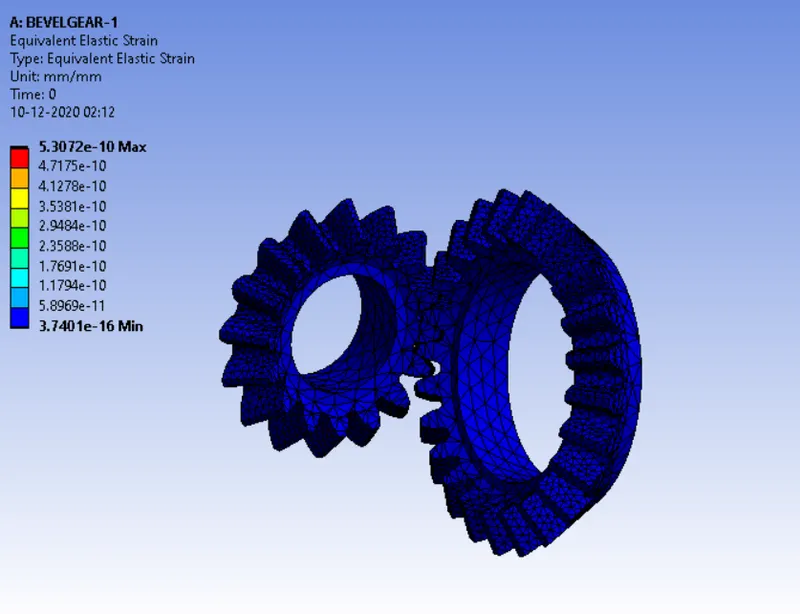
EQUIVALENT ELASTIC STRAIN:
MAX: 5.3072E-10 and MIN: 3.740E-16
CASE-3
MESH SIZE:4 (mm).
*Create the mesh on the geometry with element size is 4 mm and mesh sizing with element size is 1.75 mm at contact faces.
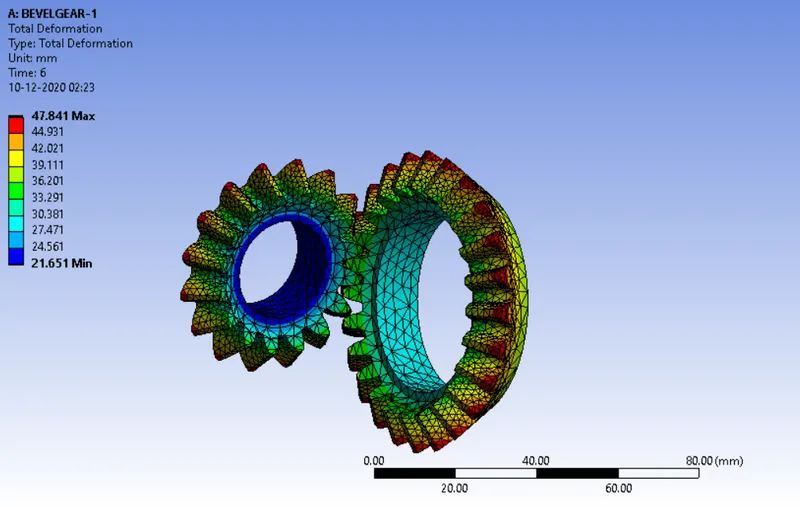
TOTAL DEFORMATION:
MAX:47.841 (mm) and MIN:21.651 (mm)
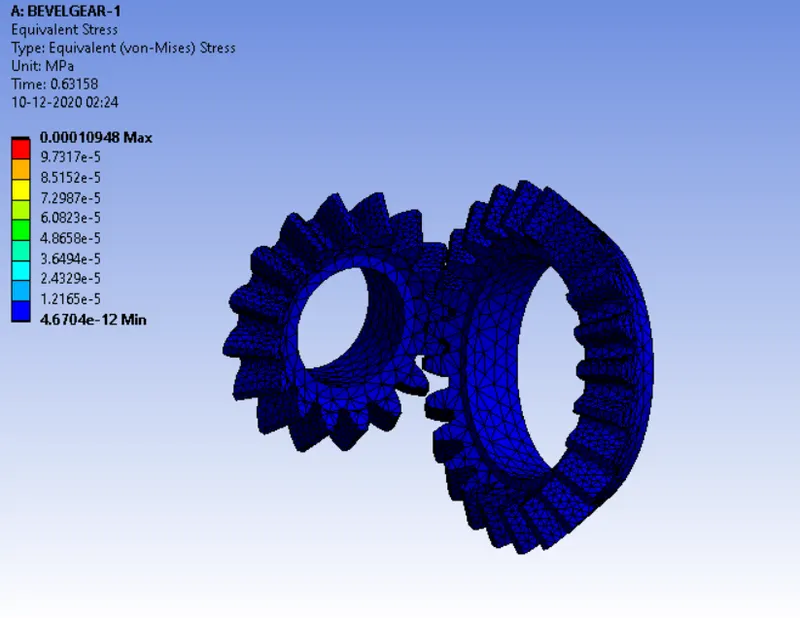
EQUIVALENT VON-MISES STRESS:
MAX: 10E-5 (Mpa) and MIN:4.6704E-12 (Mpa)
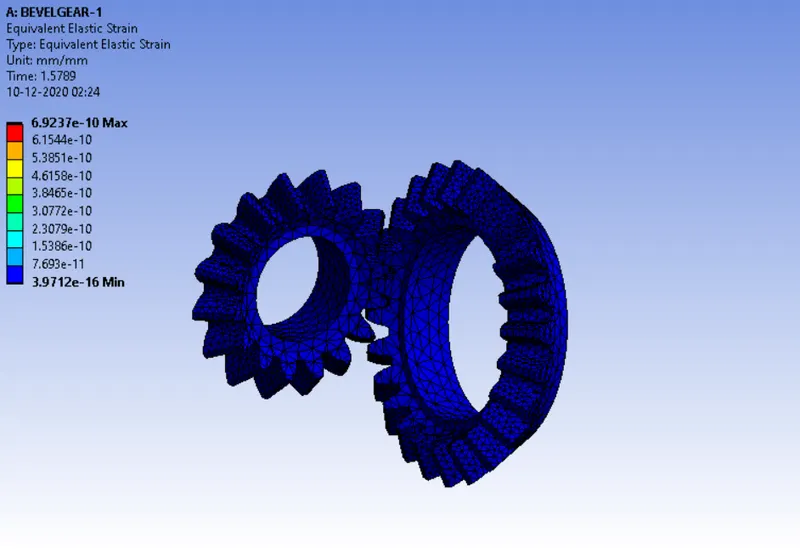
EQUIVALENT ELASTIC STRAIN:
MAX:6.923E-10 and MIN:3.9712E-16
COMPARING THE REULTS:
SL.NO MESH SIZE(mm) Face Sizing (mm) Deformation. Min Deformation. MAX Stress (Max) Stress (Min) Strain (Max) Strain (Min).
1. 6 1.75 21.651 47.851 6.8562E-5 3.393E-12 4.9619E-10 3.591E-16
2. 5 1.75 21.651 47.851 8.307E-5 3.247E-12 5.3072E-10 3.740E-16
3. 4 1.75 21.651 47.851 10E-5 4.6704E-12 6.923E-10 3.9712E-16
TOTAL DEFORMATION:
In all three Cases the deformation does not changed much by performing the grid dependency test at three different mesh element sizes i.e 6,5,4 (mm ).
EQUIVALENT (VON - MISES) STRESS:
The stress is gradually converging to solution with successively finer mesh than previous to get better results (i.e by performing grid dependency test) . In above cases the stress is maximum at mesh size 4 (mm) and minimum at mesh size 6(mm).
EQUIVALENT ELASTIC STRESS:
The strain is gradually converging to solution with successively finer mesh than previous to get better results (i.e by performing grid dependency test). In above cases the strain is maximum at mesh size 4 (mm) and minimum at mesh size 6(mm).