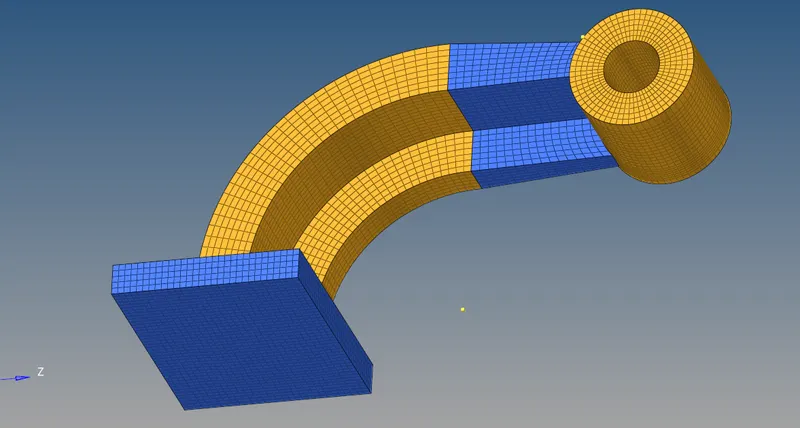
Assignment 2
Answer:-1
Sound travels fastest through solids. This is because molecules in a solid medium are much closer together than those in a liquid or gas, allowing sound waves to travel more quickly through it. In fact, sound waves travel over 17 times faster through steel than through air.
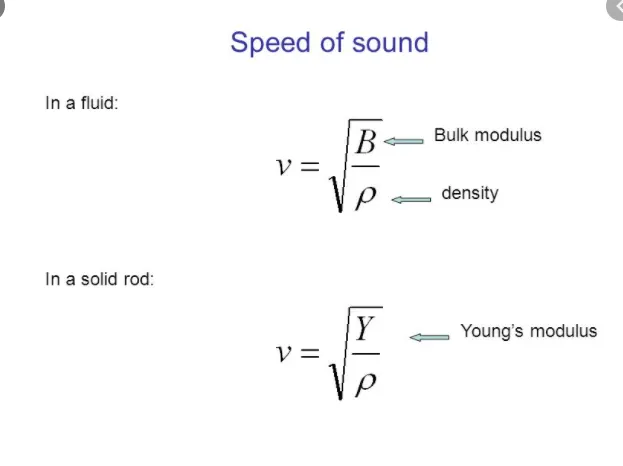
young's Modulus (Y) = 210000 (N/mm^2)
Density (p)= 0.0078 (g/mm^3).
speed of sound in steel rail (v)= 5188.74 (mm/ms).
Answer:- 2
*length of the rail is (l) 1000 mm
*Time takes for a shock wave to travel from one end of the rail to the other.
dt=l/v
dt=1000/5188.74
dt=0.2 (ms)
Answer 4,5,6:-
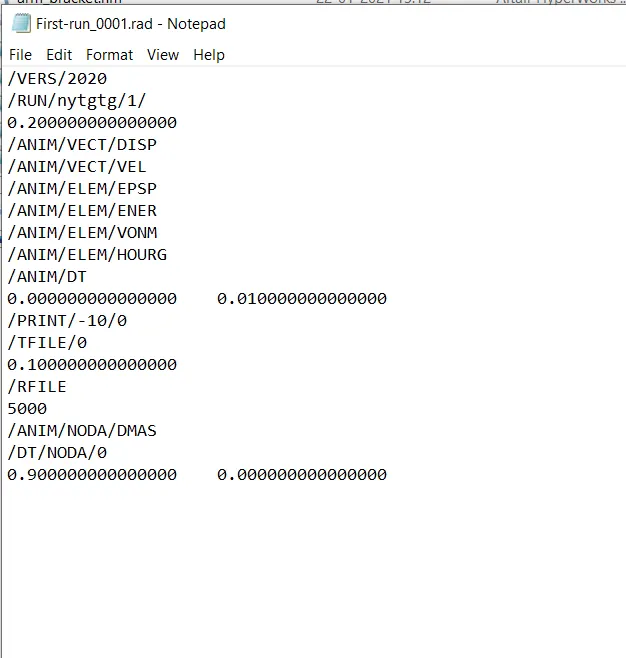
*The stress wave can be monitored, moving from one end of the rail to the other during impact -this will require a termination time equal to the time it takes for the sound to travel the length of the rail i.e =0.2 (ms)
*Set the frequency of animation output to a time that will give 20 animation steps(/ANIM/DT) = dt/20=0.01
Answer 7:-
Tetra Meshing :
Conversion of 2D tria elements into Tetrahedral elements by using Tetra Mesh Panel:
i.import the model into hypermesh, by selecting the File >> Import >> Geometry options.
ii.Delete the solids in the model, by selecting the Delete >> Solid >> Delete entity.
iii.Make the proper geometry cleanup on the model as shown in Fig (2).
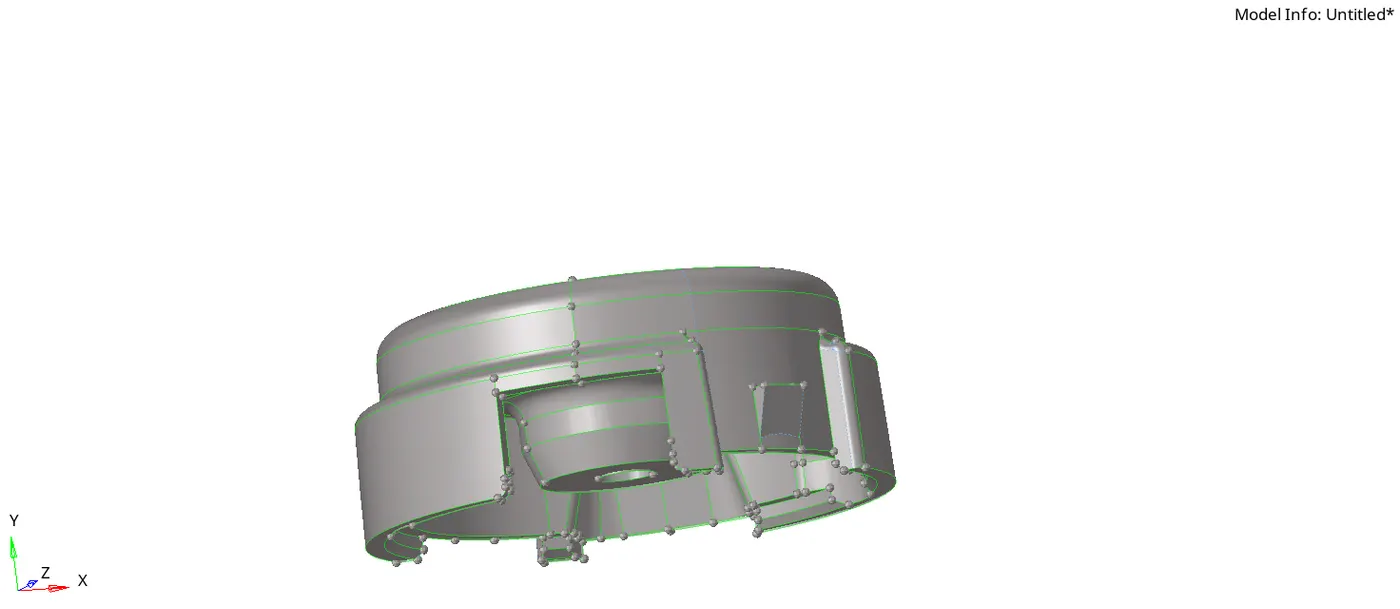
Fig(2).
iv.Specify the required criteria parameters in the preferences.
v.Create 2D Mesh with tria elements in 2D Panel, by selecting 2D >> automesh >> mesh.
vi.After creating the 2D mesh go to qulity index and check the elements, which are getting failed under maximum and minimum trai size.
vii.Eliminate the failed elements by optimising the elements as shown in Fig(3).
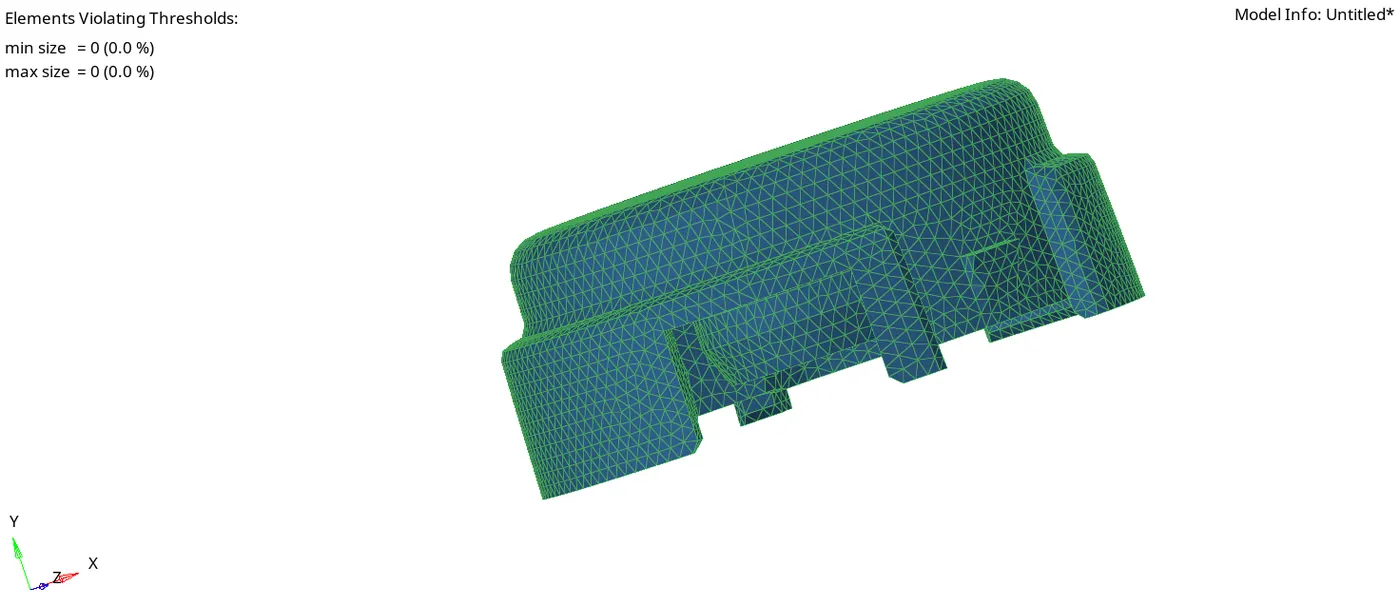
Fig(3).
viii.After that, create the 3D Tetra mesh using the Tetra mesh option in 3D Panel, by selecting the 3D >> tetramesh >> Tetra Mesh.
ix.check any 3D tetra elements get failed under the tet collapse parameter by selecting Tool >> check elems >> 3d >> tet collapse.
x. Number of elements failed is shown in status bar. We can rectify those elements by following two methods
1. Using translate option to increase the height of the tetra element.
2. Using the Tetra remesh Panel, To remesh the failed elements.
HEXA Meshing:
i.import the model into hypermesh, by selecting the File >> Import >> Geometry options.
ii.Delete the solids in the model, by selecting the Delete >> Solid >> Delete entity.
iii.Make the proper geometry cleanup on the model as shown in Fig (4)
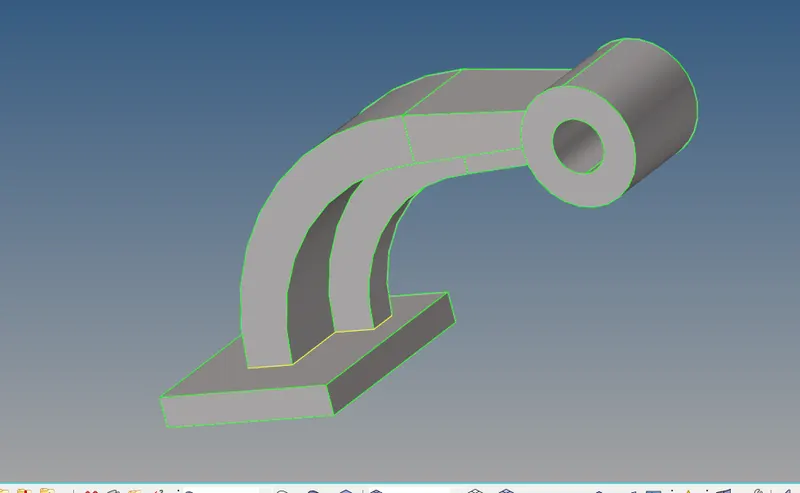
iv.Specify the required criteria parameters in the preferences.
v.Generate 2D Mesh on the base component with quad elements in 2D Panel, by selecting 2D >> automesh >> mesh.
vi.After that use 3D meshing techniques like element offset, line drag, solid map etc to generate the hexa meshing.