Week 5
AIM:
Preform tetra mesh on the given model without having any minimum and maximum length errors on the shell mesh and no element fail for Tet collapse errors in solid mesh using different Tetra mesh options in ANSA.
OBJECTIVE:
Apply topo on the given model then check for geometrical errors. Perform shell mesh without having minimum and maximum length errors. Create volumes and perform tetra mesh with no Tet collapse elements.
MODEL:
*3D modelling can be done in two ways either in Tetra modelling(i.e unstructured mesh ) or Hexa modelling ( structured mesh). In this model we perform the Tetra mesh.
*Below Fig(1) shows the CAD model
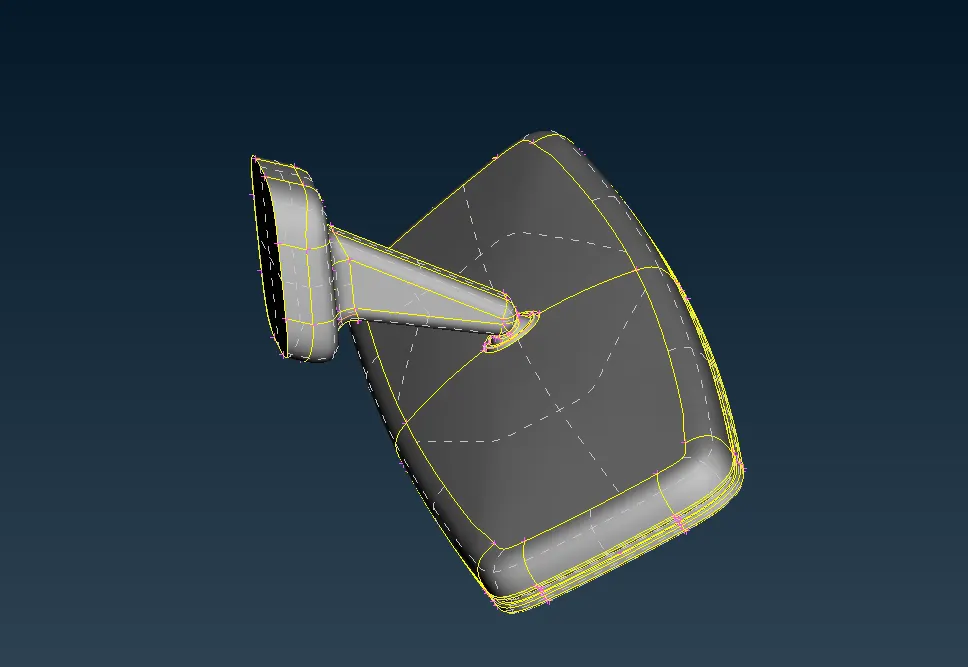
Fig(1).
PROCEDURE:
*Open the given igs file in ANSA and peerform topo operation to remove most of the geometrical errors in the cad by, Selecting the TOPO >> FACES >>TOPO.
*After that go to checks manager and check gemotrical errors, If errors are present fix all the errors either using auto fix or by manually.
*Create quality criteria parameter file and mesh parameter file and save them.
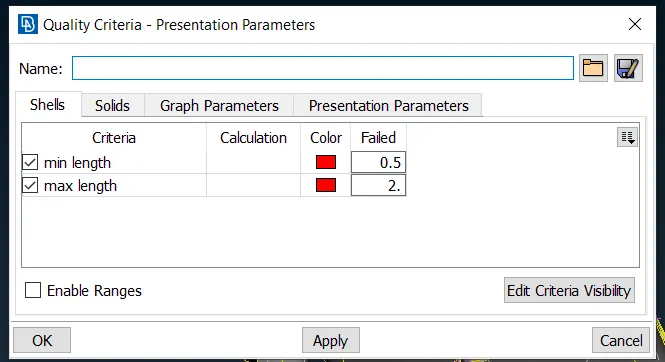
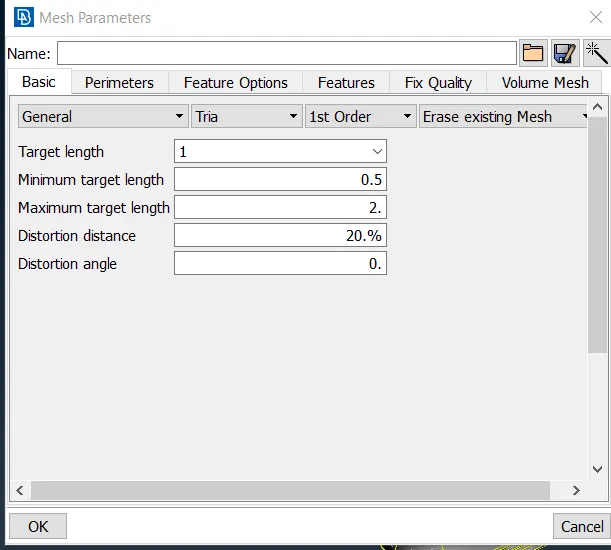
Quality criteria file Fig(2). Mesh Parameter file Fig(3).
*Observe all areas in the CAD geometry, If there is chance of failing for minimum element length criteria.
*After making proper geometry cleanup start shell meshing using tria and otho tria elements.
*Elements used to do Tetra meshing is either with tria or ortho tria elements. Ortho trias can capture the features more accurately then trias at Curved regions as shown below figures.
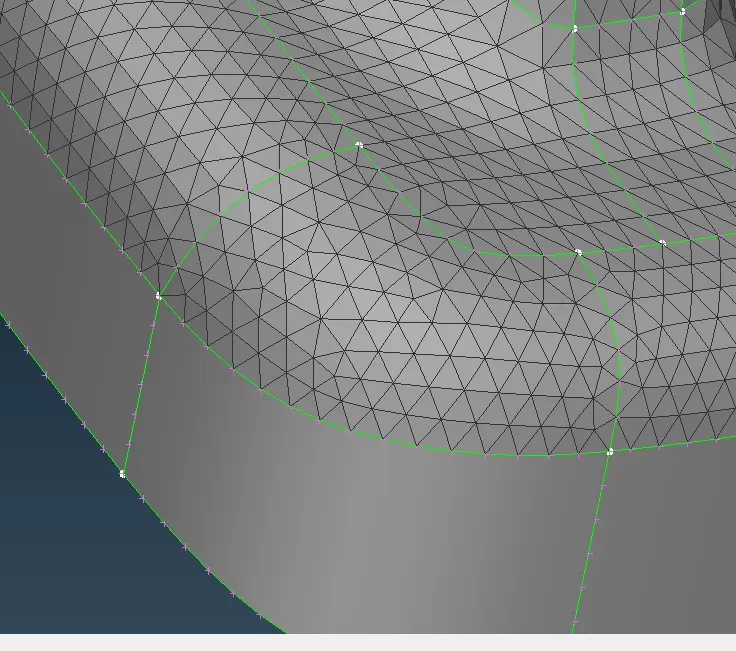
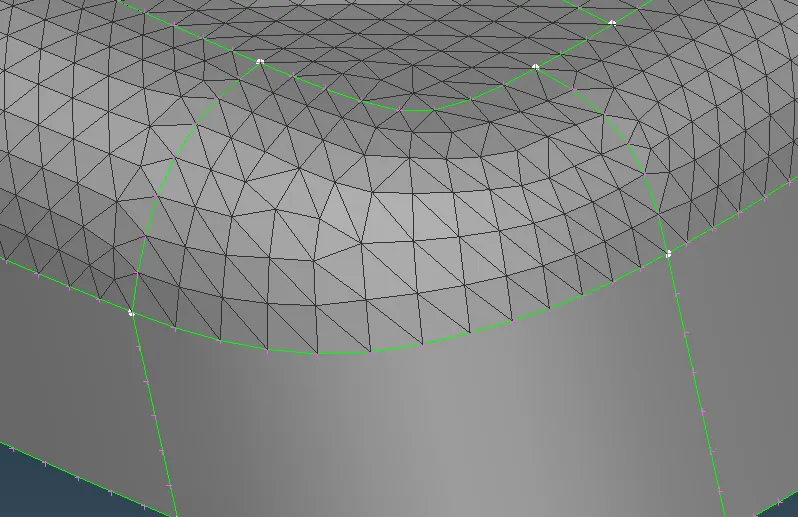
TRIA ELEMENTS Fig(4). ORTHO TRIA ELEMENTS Fig(5).
*If we use tria Elements in the curved regions their is chance of surface distortion occuring.
*So, It is better to use ortho tria elements in curved regions.
*In flat regiongs it is better to go with tria elements because Computational time for ortho tria elements is more than tria elements.
*Therefore in any tetra mesh proccess it is important to use both Trias and Otho Trias.
*After meshing all surfaces with no minimum and mximum length errors, Create solid property to make Tetra mesh inside the surfaces By, Selecting the VOLUME MESH >> DEFINE >> MANUAL in VOLUME MEH menu.
*After creating solid inside the surface perform the Tera Mesh by, Selecting the VOLUME MESH>Unstructured Mesh>Tetra Rapid function, of the Unstructured Mesh-Group, in VOLUME MESH menu.
*For structural analysis we can use either Tetra Rapid or Tetra FEM.
*Check for Tet collapse errors in 3D Tetra meshing, If any errors find remove them carefully without forming any kinks and raised edges on the surface.
*Using Bounds option we can see the 3D Tetra mesh formation.
THINGS LEARNT IN THE CHALLENGE:
*Creating shell mesh using tria and Ortho tria elements at curved and flat surfaces.
*Creating solid volume and it's property.
*Correcting the Tet collapse fail elements.
RESULTS:
*Ortho tria elements can capture more accurately than tria elements but those will take more Computational time than tria elements.
*The Final 3D Tetra mesh model as shown in below Fig(6).
*It shows that there is no off elements and unmeshed surfaces with 947811 Tetra elements.
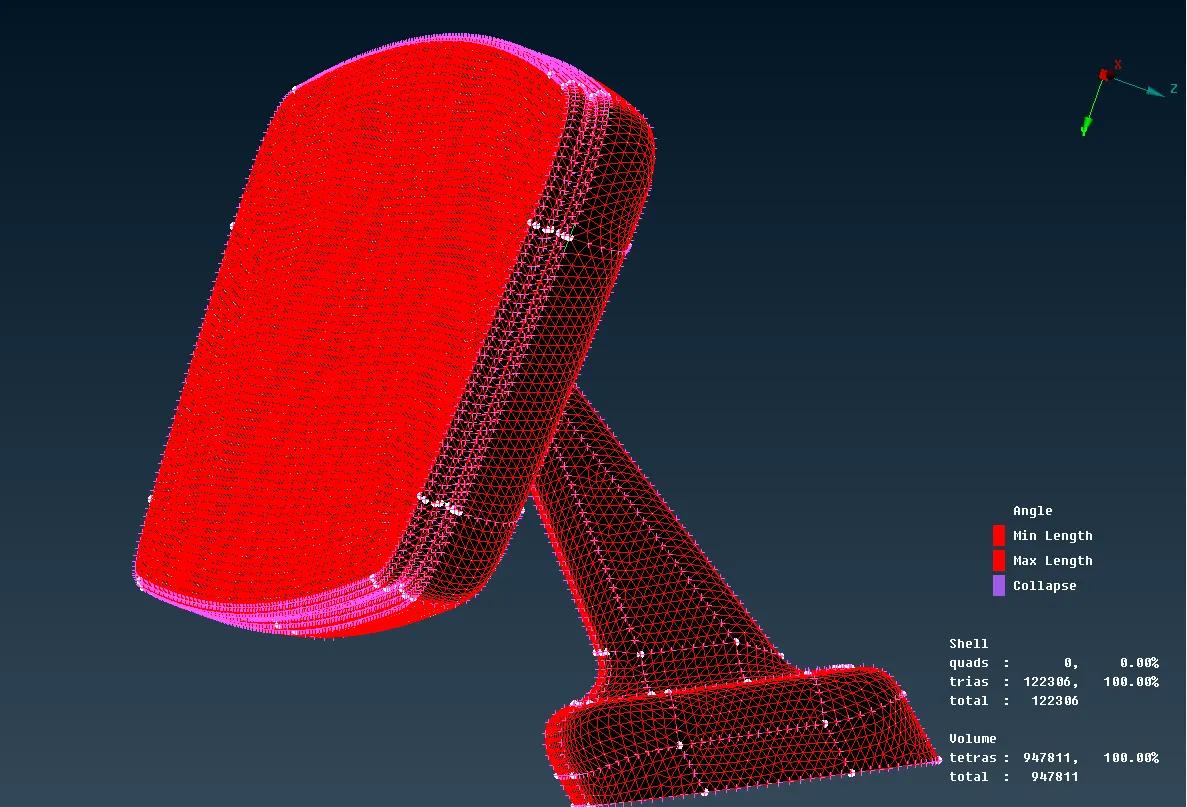
Fig(6).