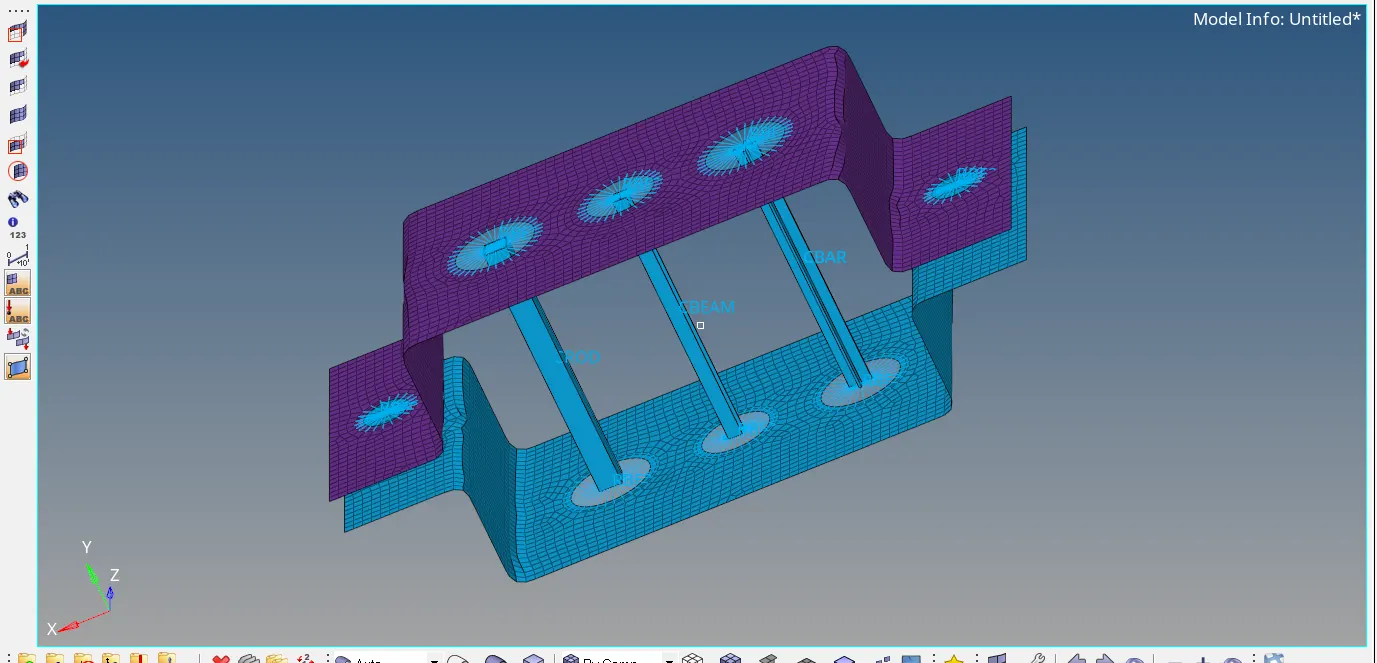
1D-Meshing Using Hypermesh
Objective:
Generating the mesh for given CAD Model by taking the midsurfaces of the model and deploying the 1D elements on that to assigining the cross section and property to the elements.
CAD Model :
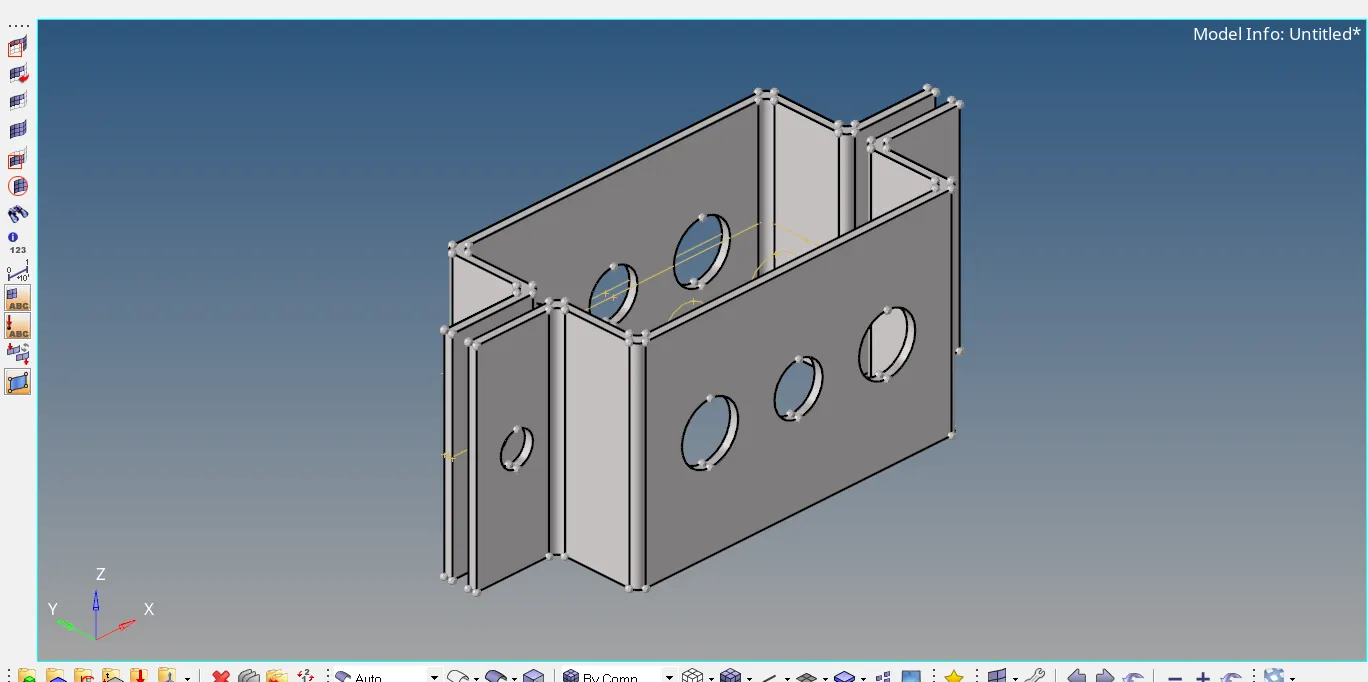
Procedure:
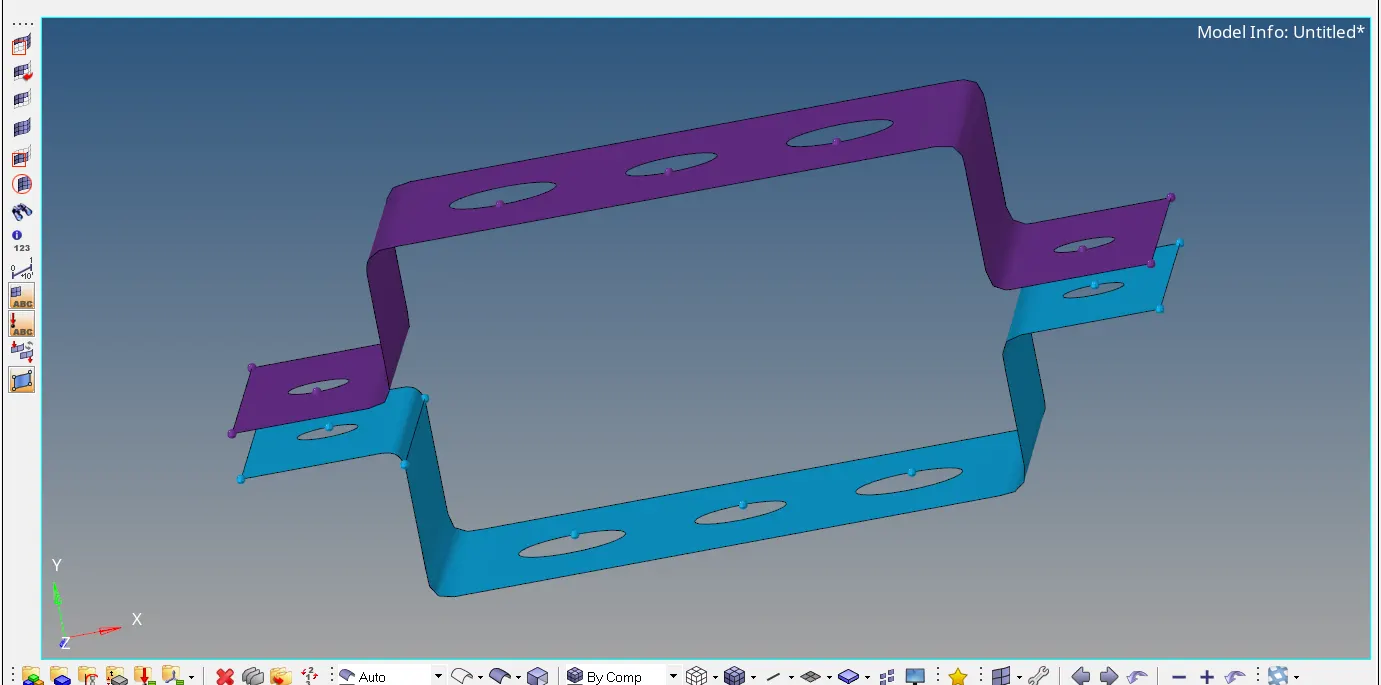
i.Extract two mid-surfaces from the given CAD Model
ii.After that delete all the solids and components except those two mis-surfaces.
iii.create material of the mid-surfaces and it's card image.
iv.create properties of the components that is type of element is PSHELL and assigning the material.
v.create the washer split around the holes in the model.
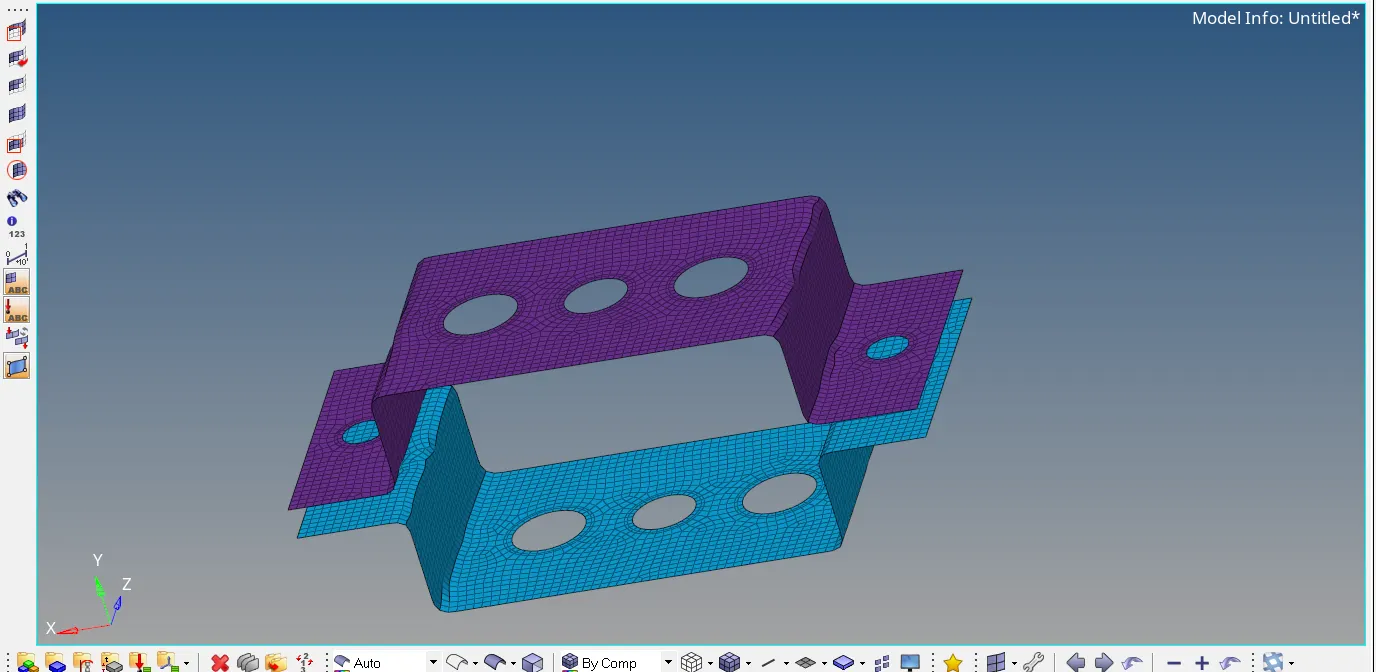
vi.After this perform the 2D meshing with element size is 4 and element shape is quads.
vii.create RBE2 and RBE3 links on the midsurafces with given DOF ( According to the give problem).
viii. make hyperbeam cross sections of a ROD-BOX,BAR - CROSS and BEAM - I section .After that make elements by refering independents nodes of RBE2 and RBE3 links to make CROD,CBAR and CBEAM.
viii.apply the mass with magnitude of 10 at the given points in the question.
ix.make a spring elements to join the mid surfaces .
x.Finally we get our required outcome by clicking 1D and 2D Detailed element representation.
1.Extracting two mid-surfaces from the given CAD Model
2. Meshing with element size is 4 and element type is quad
3.Assigning RBE2,RBE3 links and also BAR,ROD,BEAM elements on the midsurface
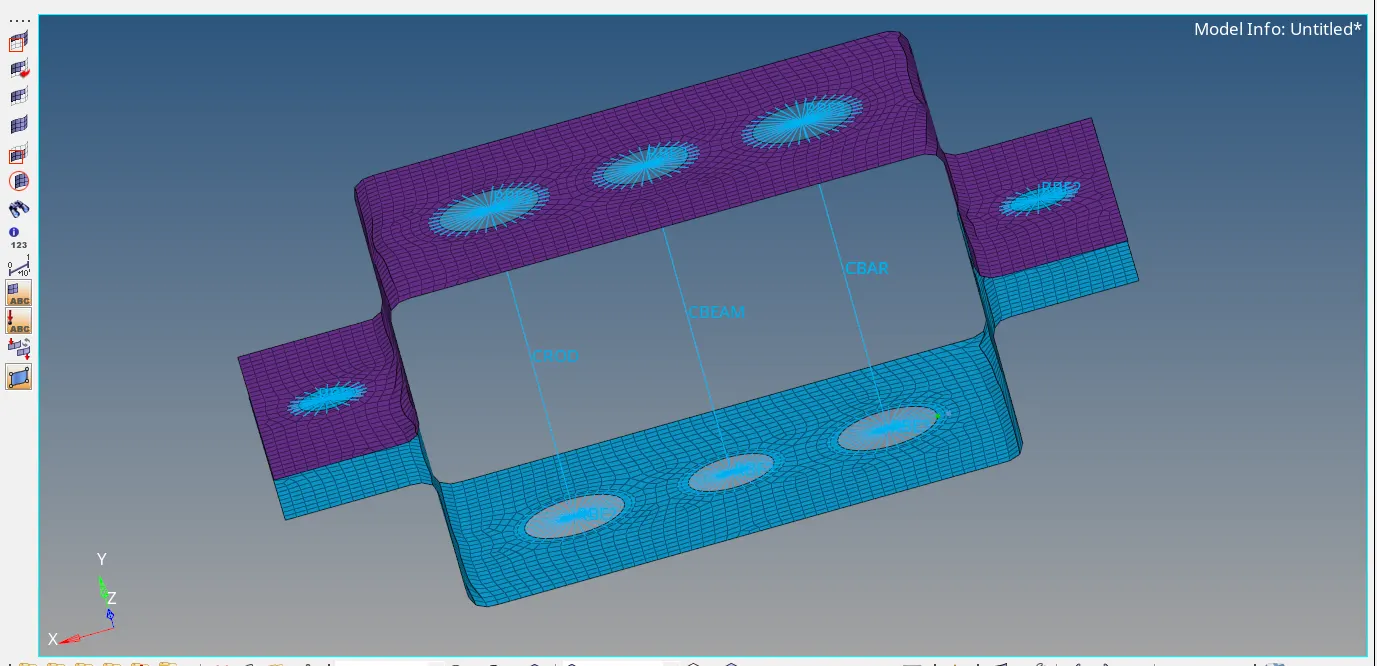
Result:
*By following above all stpes we can successfully create the elements of ROD,BAR and BEAM which are connecting both the midsurfaces with the help of RBE2 and RBE3 links in 1D meshing elements.
Final output:
File name is :PARALLEL_BRACKET.hm