Week 3
AIM:
To create better mesh quality by applying given quality criteria parameters on the given Hood model and assign proper thickness.
OBJECTIVE:
Make proper geometry cleanup before going to extract the midsurfaces of different components in the Hood model, After that go for meshing by setting given quality criteria parameters and correct the failed elements, By using quality criteria tools. Finaly assign the thickness to all the components in the Hood model.
HOOD MODEL:
*Hood is used to cover the engine of the vehicle.
*materials used to make hood is Steel,Aluminium etc. In advanced marketing steels are replaced with fiber glass or carbon glass to make vehicle lighter.
*Components in given Hood model
i.Inner extract body
ii.outer extract body
iii.Hinge reinforcement extract body 1
iv.Hinge reinforcement extract body 2
v.Latch reinforcement extract body.
GIVEN MODEL:
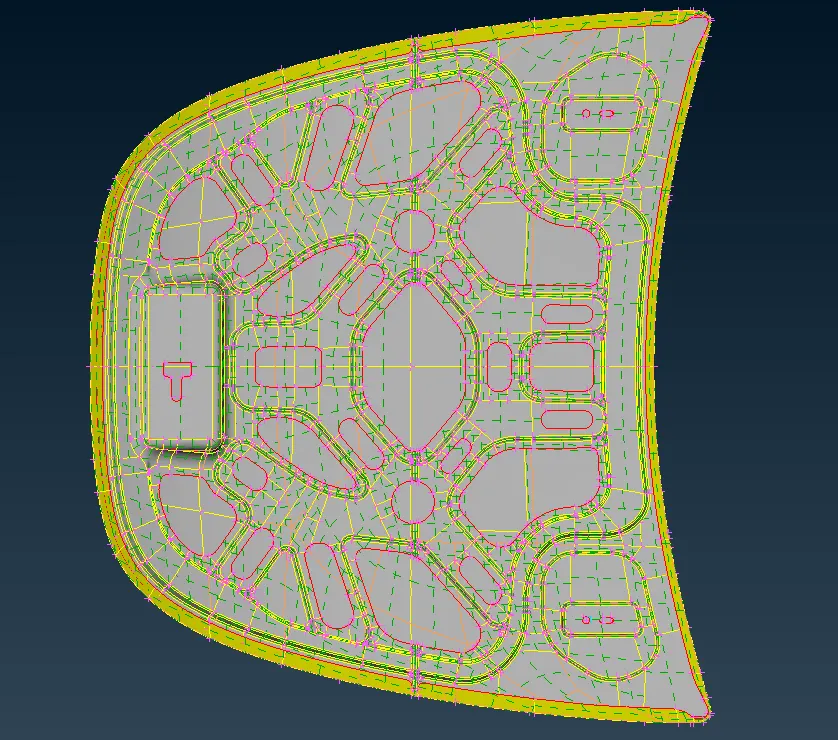
Fig(1).
PROCEDURE:
1.The Ansa software supports the generic CAD formats i.e( STEP,IGES,STL).
2.Import the cad geometry which is in any above format in ansa by using open option by, selecting the File >> open.
3.Observe the geometry carefully to notice that geometry have any symmetrical faces, thriple cons, single cons etc.
4.To identify above mentioned geometric issues we have to use Checks option in that click on Geometry to open the Geometry checks manager tab as shown in below Fig(2).
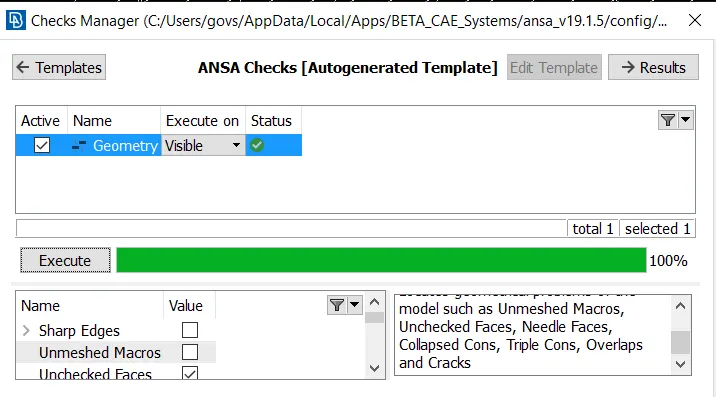
Fig(2).
5.Above Fig(2) shows that the geometry does not have any geometrical errors. since it has executed upto 100 percentage.
6.Once geometry checks completed then extract the 'mid surface' either using midsurface option or 'offset' option.
7.Mid-surface option is used mostly in sheet metal operations because they have constant thickness throught the component.
8.Offset option used in both constant thickness and varying thickness components, but mostly used in plastic components due to varying thickness.
9.Here in this model i used midsurface option to extract the mid-surface because it is sheet metal component by, Selecting the TOPO >> Faces >> Mid-surface.
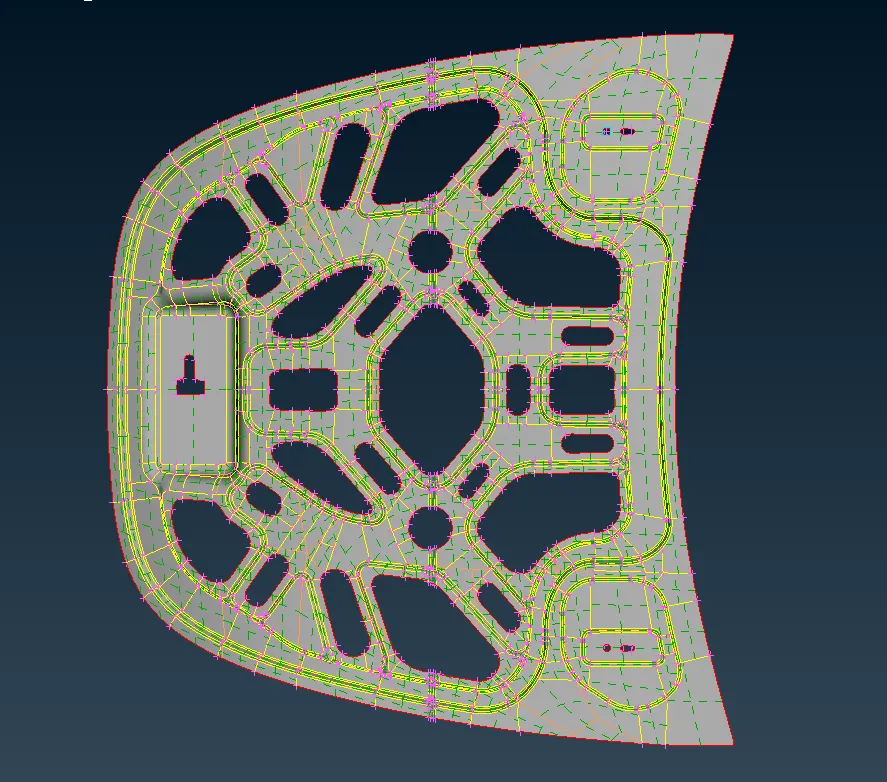
Fig(3).
10.If we observe the above Fig(3) we can find the symmetrical faces. To mesh the whole component it will consume a lot of time. Instead of meshing those symmetrical faces again we can delete those symmetrical faces transform the entities into another half.
11.We can simply delete those faces using delete option in faces i.e TOPO >> Faces >> delete.
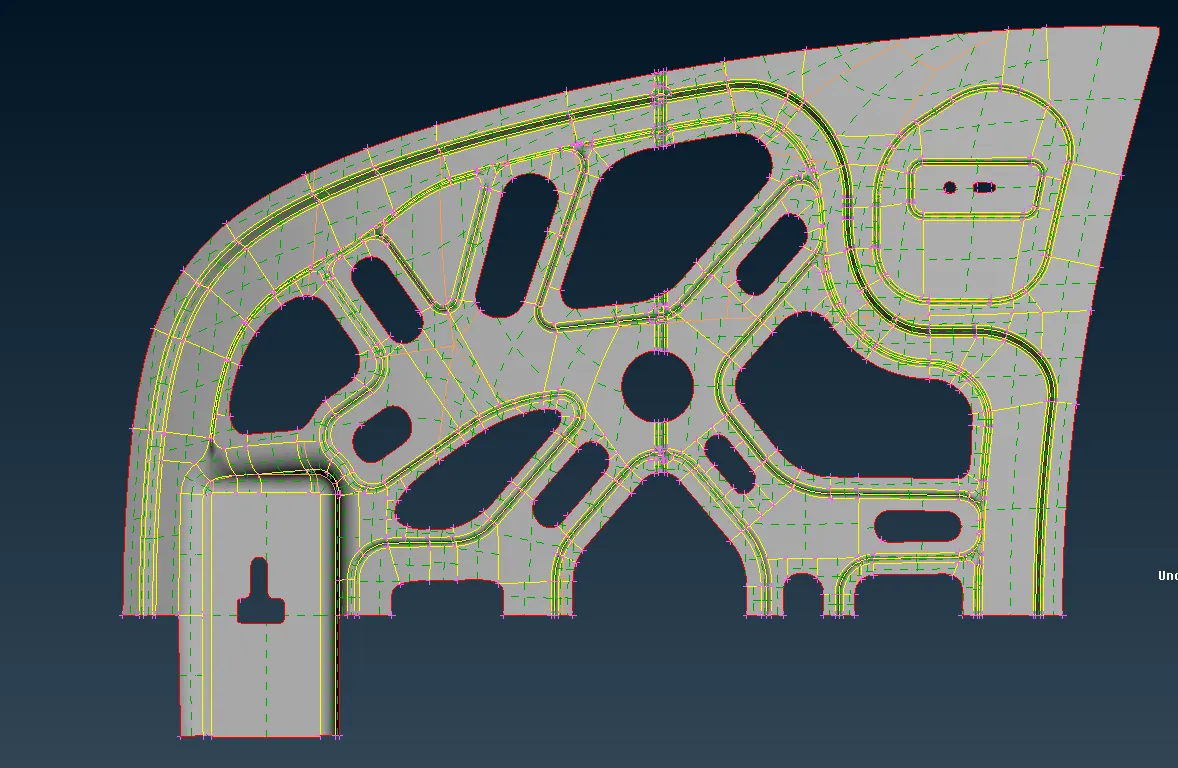
Fig(4).
12.After completing the geometry cleanup we can create the Quality criteria parametre file and mesh parametre file as shown in Fig(5) and Fig(6).
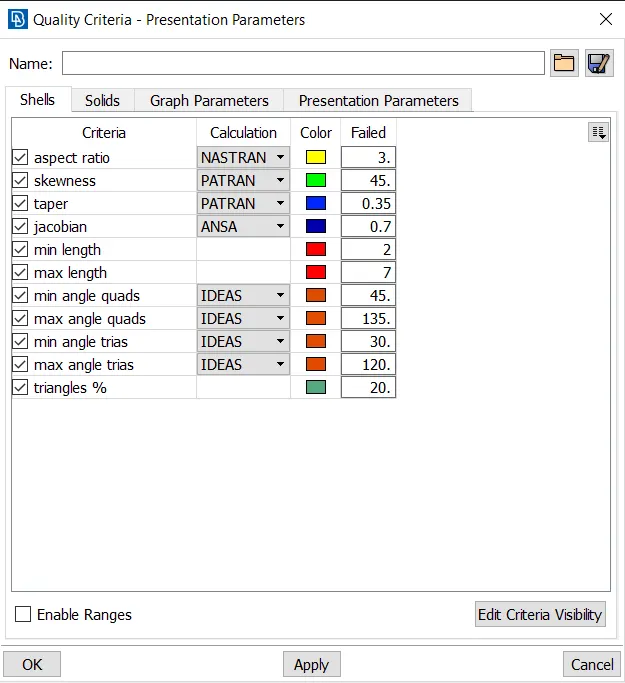
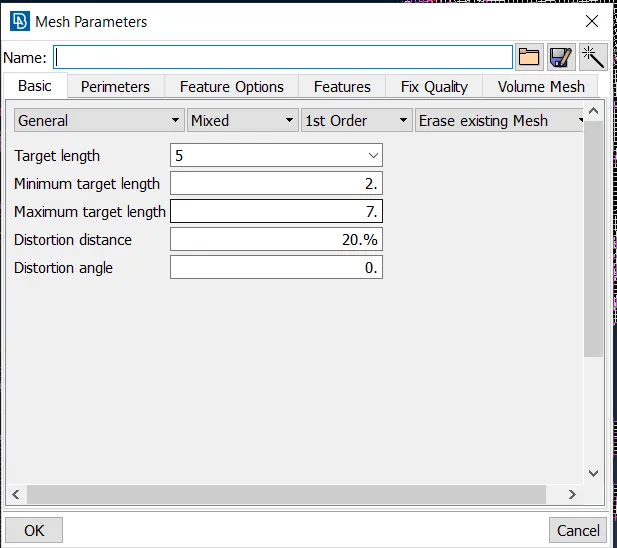
Quality criteria parameters Fig(5). Mesh parameters Fig(6).
13.Before start the mesh assign the length value equal to average element length in parameters panel in topo i.e TOPO >> parameters >> length.
14.Perform the mesh using the Best option in Mesh Generation option i.e Mesh >> Mesh Generation >> Best. Perform the mesh operations and eliminate the off element by using Reconstruct,smooth ,split and different options.
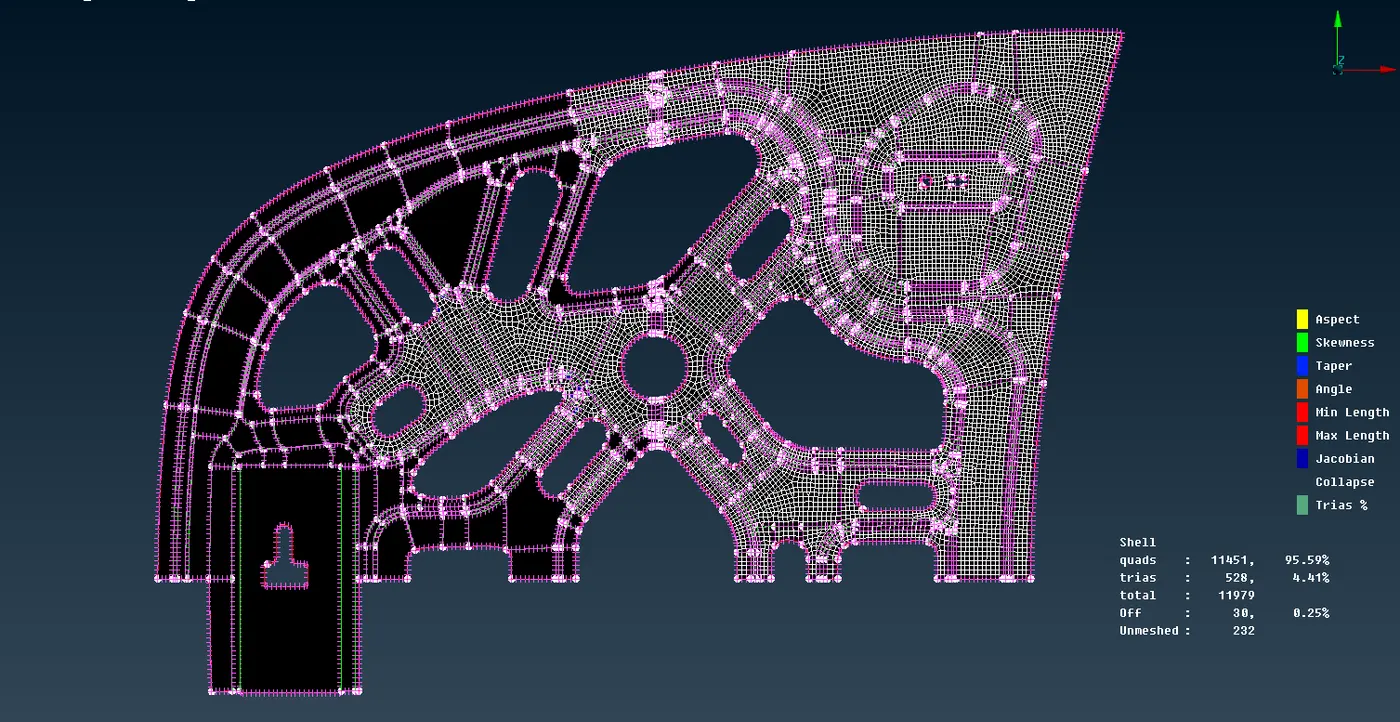
Fig(7).
15.In above Fig(7) we can see clearly the unmeshed surfaces,off elements ,trias,quads,tria percentage etc.
16.Once after completing the mesh on the component then transfer the entities using the transformtion option by, Selecting the Transformation >> copy >> entities.
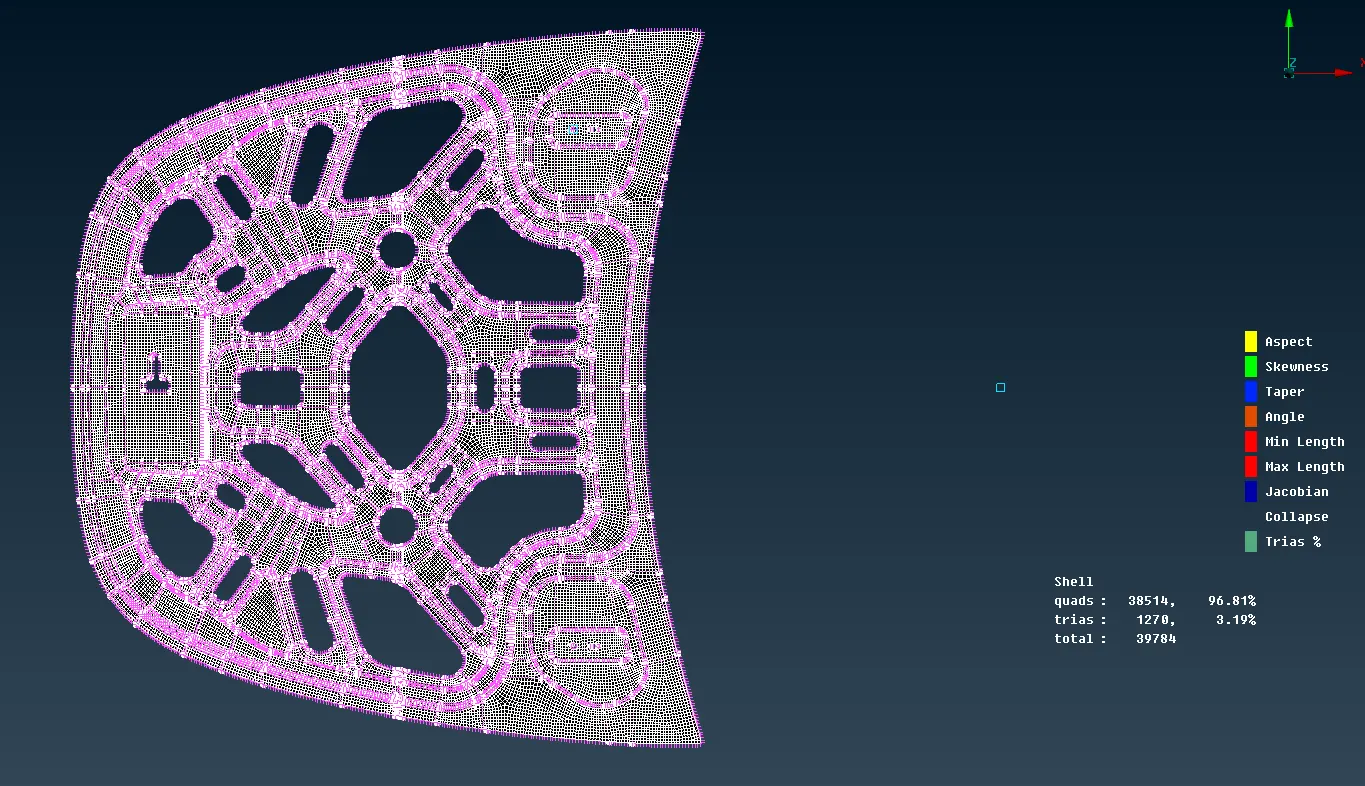
Fig(8).
17.The complete mesh on the inner extract body is shown in Fig(8) with having zero off elements and unmesh surfaces.
18.Similarly i performed same procedure for other components in the given Hood Model.
THINGS LEARNT IN THE CHALLENGE:
1.Creating mid-surface using mid-surface and offset option.
2.creating mesh.
3.Transforming the entities.
4.Eliminating the off elements.
CONCLUSION:
1.Mid-surafce option is used to Extracting the midsurafce for the components which have constant thicknees throughout the component, it will save a lot of time.
RESULT:
1.The final images of meshed components as shown below Fig(9),Fig(10),Fig(11)
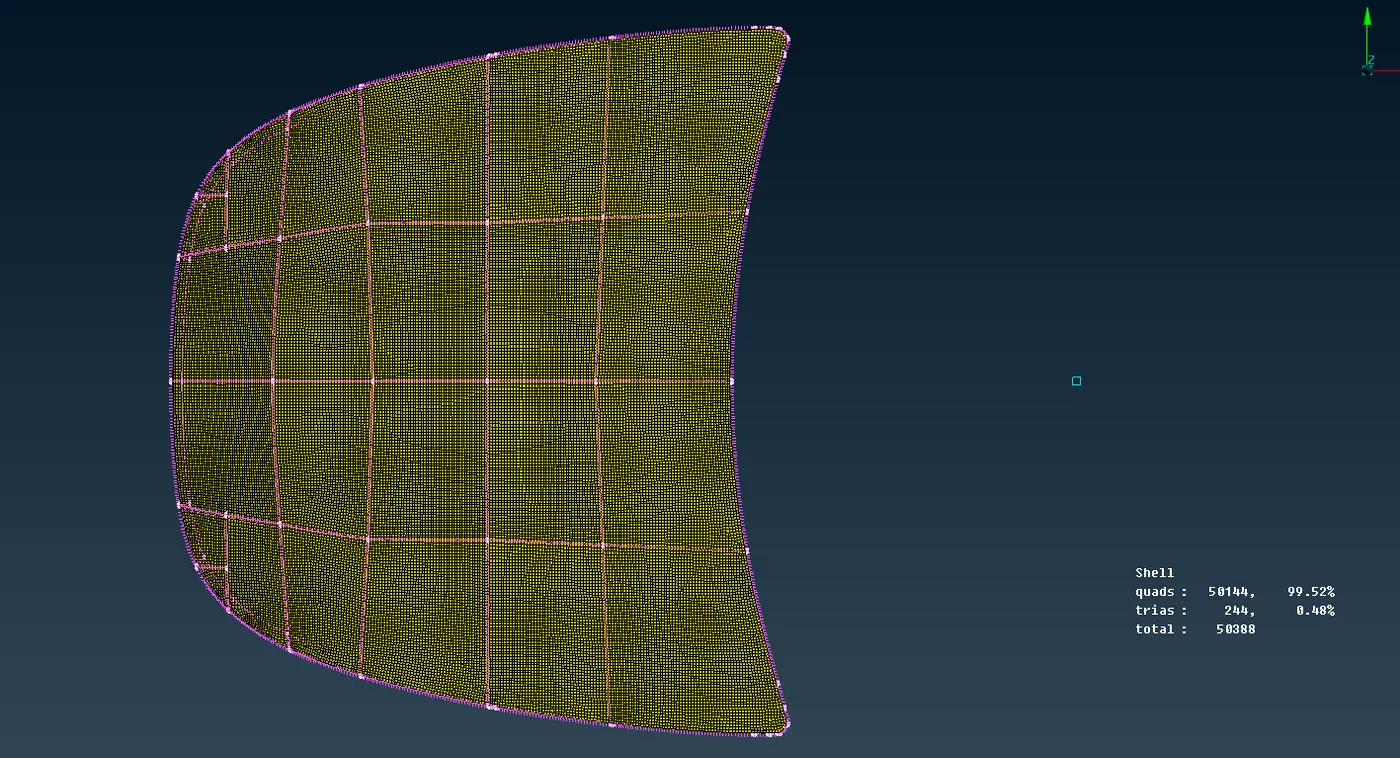
Outer extract body Fig(9).
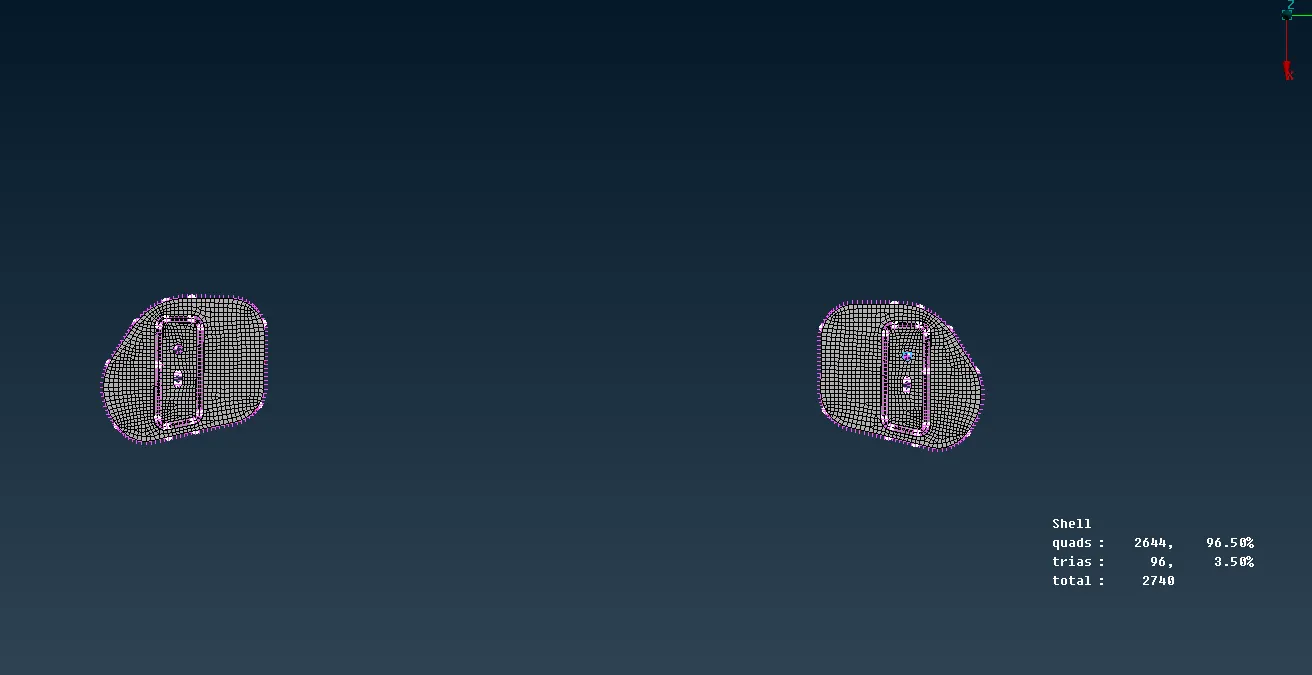
Hinge reinforcement extract body 1& 2 Fig(10).
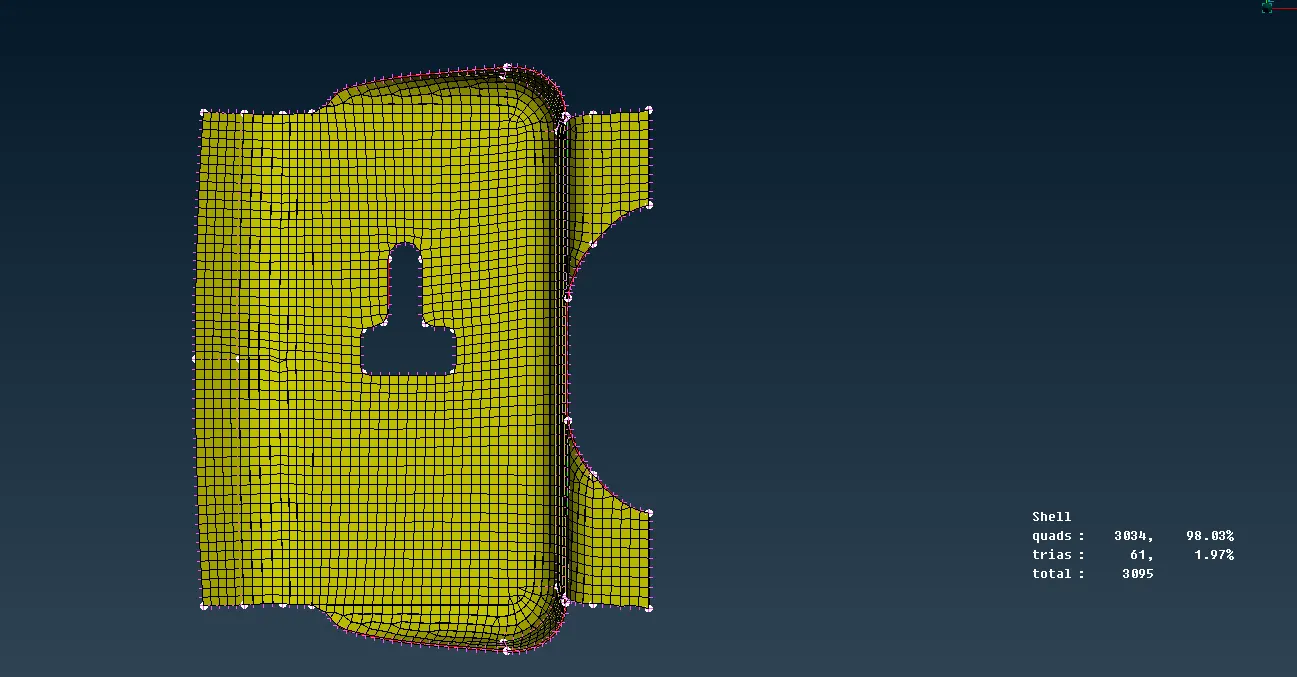
Latch reinforcement extract body Fig(11).