SIMULATING END EFFECTOR POSITION OF A 2R ROBOTIC ARM USING MATLAB
AIM:
To simulate the forward kinematic 2R Robotic Arm to trace the end effector position using MATLAB.
DESCRPTION:
A Robotic Arm is a mechanism with combination of two links and two Rotational joints. This mechanism can allow the relative motion between the links either in Rotational or Translation. Each link has only one Degree of freedom (DOF) because those two links have only revolute joints, which allow only Rotational motion. The links should be rigid it does not undergo deformation. The only working tool in a 2R Robotic Arm is end effector, which interact with workspace environment. Both the links of the robotic arm are restricted to rotate 90 degrees with respect to the axis.
KINEMATICS OF THE ROBOTIC ARM:
Kinematics is the study of motion without considering the froces casuing the motion. In forward kinematics of robotic arm it takes joint angles as inputs to calculate the cartesian position and orientation of end effector where as in Inverse kinematics the cartesian position and orientation of end effector can be taken as inputs to calculate the joint angles.
FIGURE:
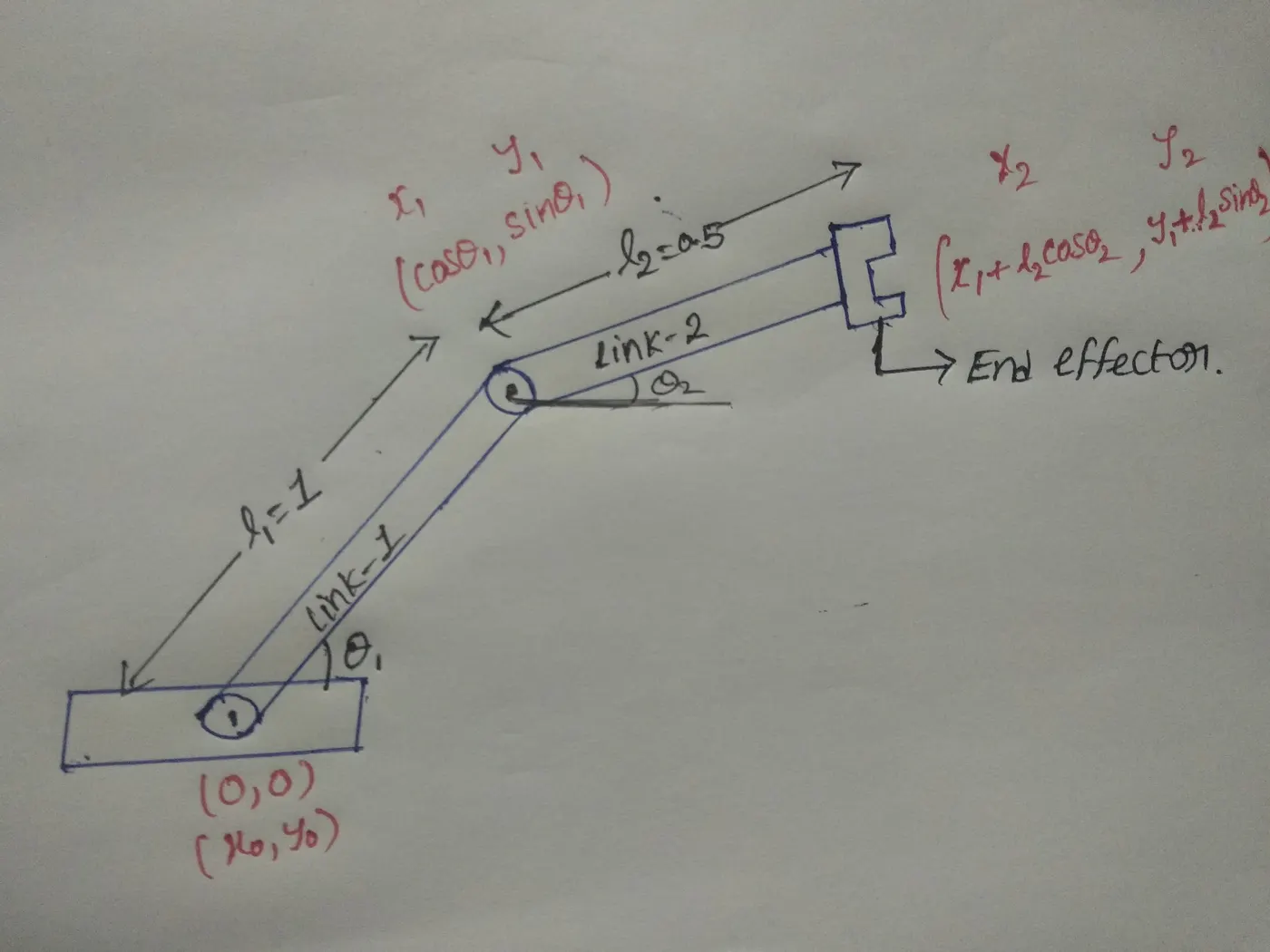
l1 is the length of the first link which lies on the base of the mechanism with making an angle θ1 with x axis and l2 is the length of the secound link with ana angle θ2 with respect to x axis.
MATLAB CODE:
%forword kinematic of 2R robotic arm
close all
clear all
clc

%inputs

% length of the links(m)
l1=1
l2=0.5

%angle between link1 and two with respect to x axis (degrees)
theta1=linspace(0,90,10)
theta2=linspace(0,90,10)

%counter varialble
ct=1

% for loop for first link variation w.r.t THETA1
for i=1:length(theta1)
    THETA1=theta1(i)

    %for loop for secound link variation w.r.t THETA2

    for j=1:length(theta2)
        THETA2=theta2(j)

       x0=0
       y0=0

       x1=l1*cosd(THETA1);
       y1=l1*sind(THETA1);

       x2= x1 +l2*cosd(THETA2);
       y2= y1+l2*sind(THETA2);

        plot([x0,x1],[y0,y1],[x1,x2],[y1,y2],'linewidth',3)
         axis([-0.5 1.5 0 1.5])
        pause(0.3);

        %gathering all frames into M array

      M(ct)=getframe(gcf);

        ct=ct+1;
    end


end
    %creating a video file (i.e animation ) and extracting it
     movie(M);
    videofile=VideoWriter('forward_kinematics.avi','Uncompressed AVI');
    open(videofile);
    writeVideo(videofile,M);
    close(videofile)
EXPLANATION FOR THE CODE:
At first assign the know input values to the variables (i.e length of the link -1 and link-2) l1 and l2. After that create the angle varibles that is theta1 and theta2 by calling the linspace function with this function we can create various theta1 and theta2 values so, that we can trace the end effector motion. Make a for loop to trace the link-1 positon with respect to the theta1 within that loop create another for loop to calculate the position of end effector. For one value of theta1 gives ten values of theta2 so, we can trace the each point of end effector motion.After finishing the plotting gather all frames into one array let called it has M. pause command uses to pause the code for the particular time period brfore executing the next incremental step in afor loop so, it's create illusionlike animation.
some of important functions used in the code:-
getframe(gcf):it collects and stores each frame in it.
movie:it generates the animationusing collected frames.
videofile=VideoWriter('file name','formate') i.e is assigns file name and file formate.
open(videofile):it opens the video file
writeVideo:it writes the video with plot frames in arry M.
close(videofile):it close the videofile.
OUTPUT PLOTS:
Ploting all the frames without the animation shows all 100 results in a single plot.
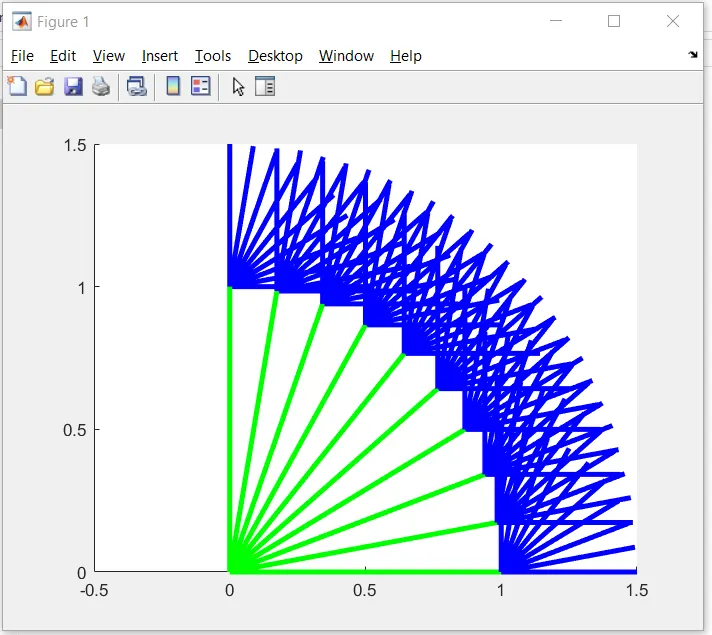
All the 100 separate frames can be generated by giving figure(ct) above the plot function so that it can show as all the 100 positions 2R Robotic Arm.
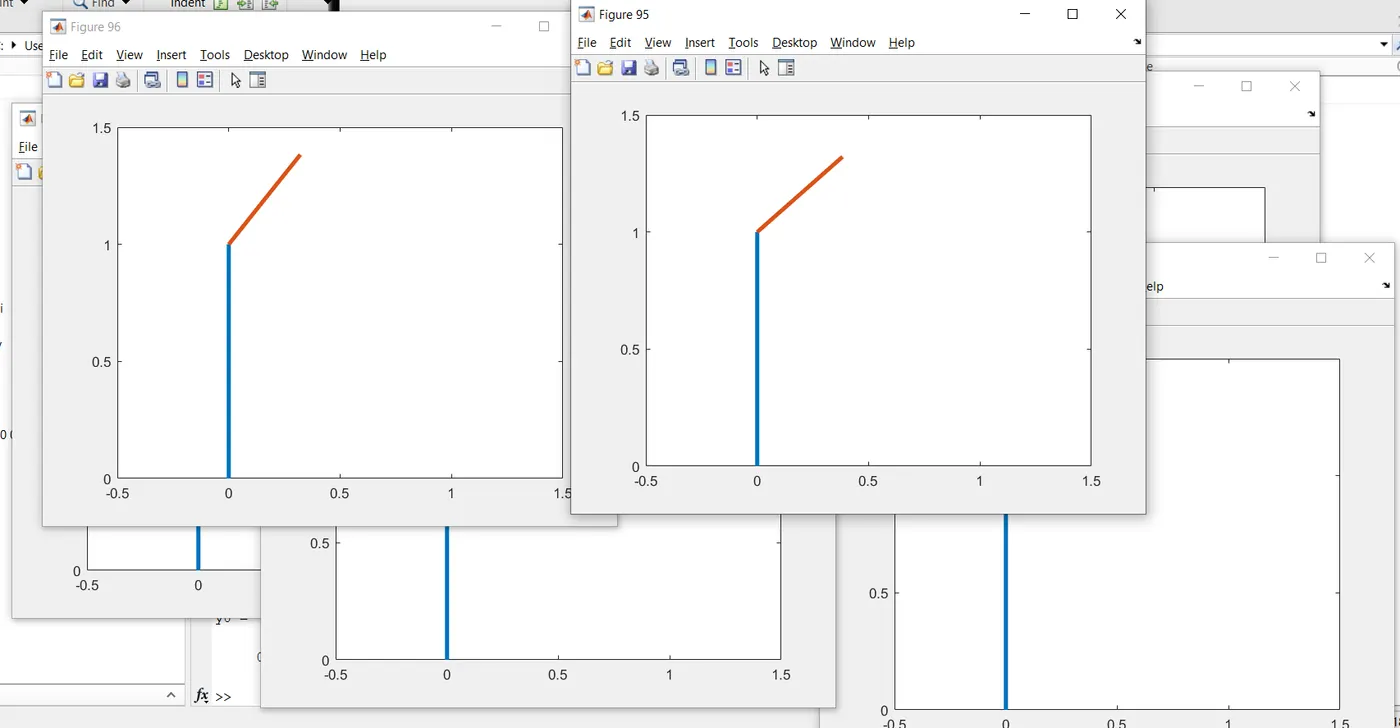
ANIMATION VIDEO YOUTUBE LINK:https://youtu.be/83iX_lZiSB0
CONCLUSION:
Hence an animation video is created to trace the end effector positons of 2R Robotic Arm in forward kinematics. It is very important to know the workspace locations in robotic applications eg:Drilling operations,pick and place robotics in industries , Laser cutting operations, welding complex shapes etc.
ERROR:
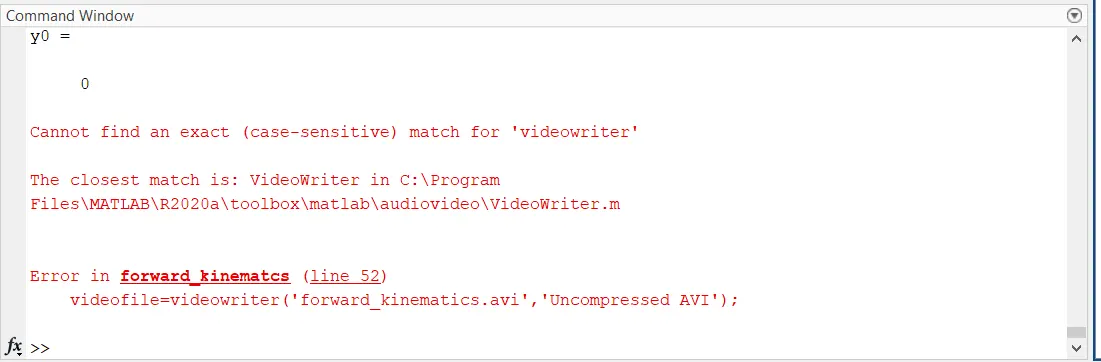
ERROR RECTIFICATION:
*videowriter and writevideo are not the pre-defined functions in MATLAB due to case sensitive.
*VideoWriter and writeVideo are the actual pre-defined functions in MATLAB.