Basic Modelling of a Solenoid based Doorbell and a Thermistor based Fan using Simulink
SIMULINK BASIC MODELLING
1. Make a Simulink model of Doorbell using solenoid block with the following details:
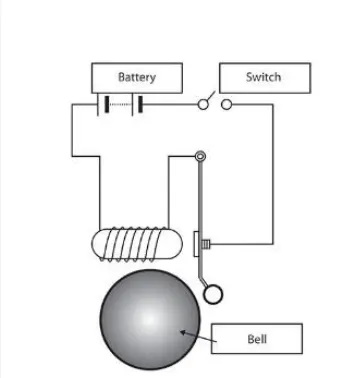
In the above arrangement, when the switch is closed the electromagnet receives electrical power from the battery and pulls the metal arm to hit the bell producing sound.
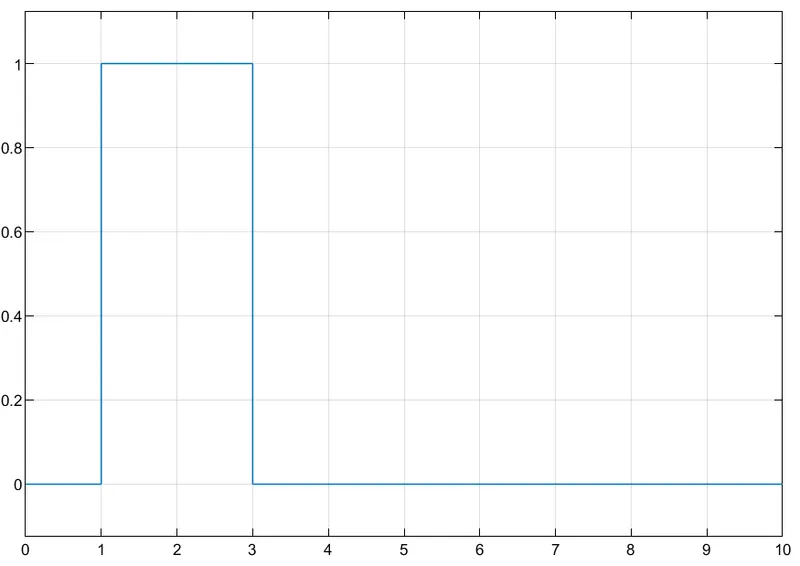
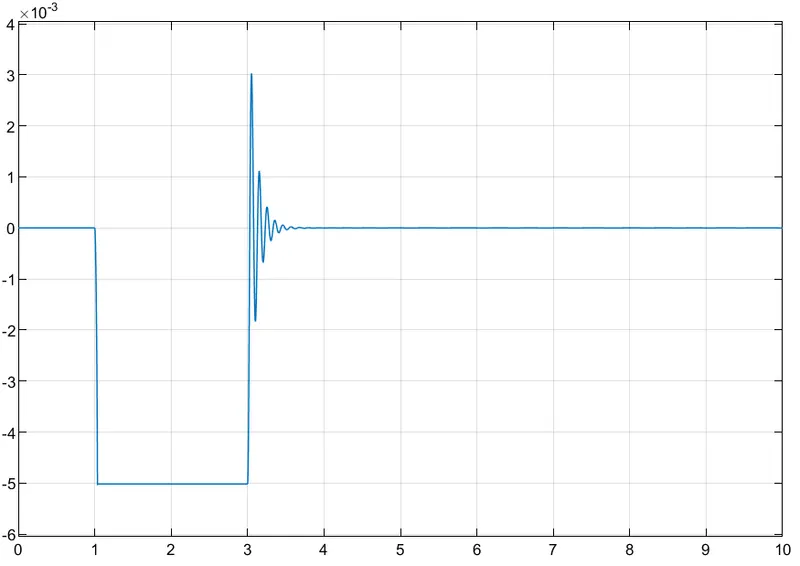
Create a situation where the switch is closed for 2 seconds and then released. Observe the physical movement of the plunger. Assume remaining parameters.
OUTPUT:
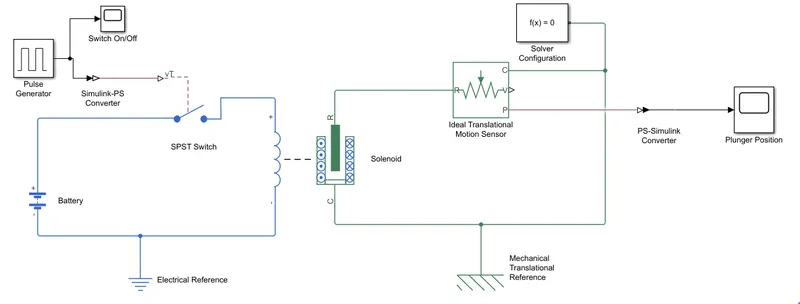
Working:
When the circuit id closed, the plumger pulls the metal arm to hit the bell.
A Pulse Signal Generator is used to turn the signal switch ON/OFF.
Translational sensor is used to capture Plunger Position.
Input Signal:
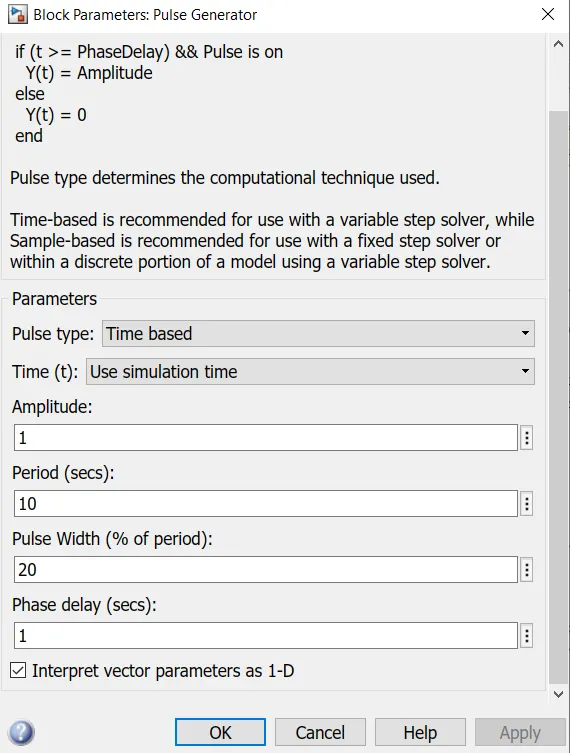
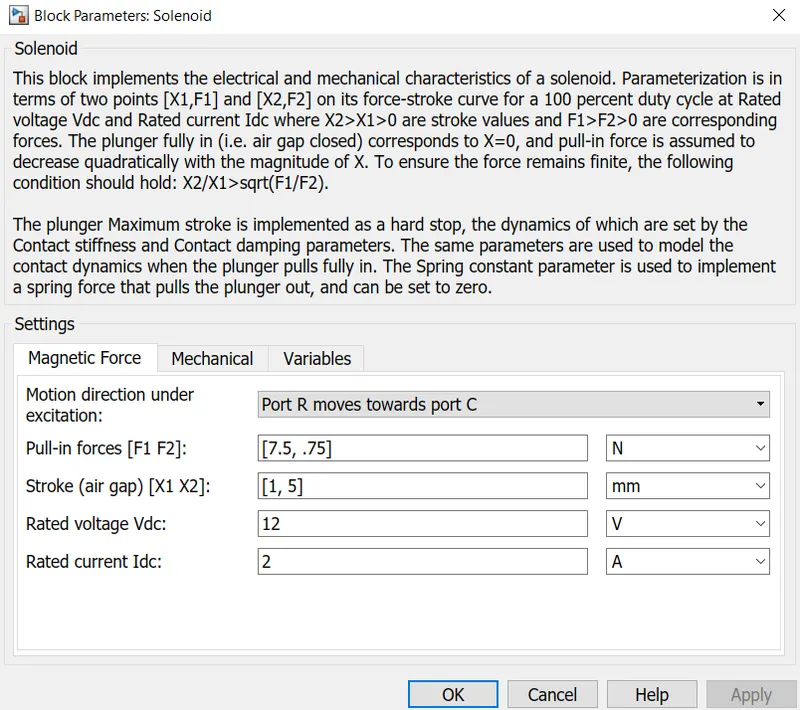
Solenoid Properties:
Plunger Position:
RESULTS:
The solenoid's damping effect is pulling the plunger back to its mean position after the the input signal is switched on.
The voltage input of the solenoid should match that of battery, therfore the 12V input is given.
2. Use a thermistor to sense the temperature of a heater & turn on or turn off the fan as per below conditions:
Temperature source: 20 °C from 0 to 10 seconds, 27 °C from 10 to 30 seconds, 23 °C from 30 to 50 seconds
Fan conditions: ON if the temperature above 25 °C, OFF otherwise
OUTPUT:
INPUT SIGNAL: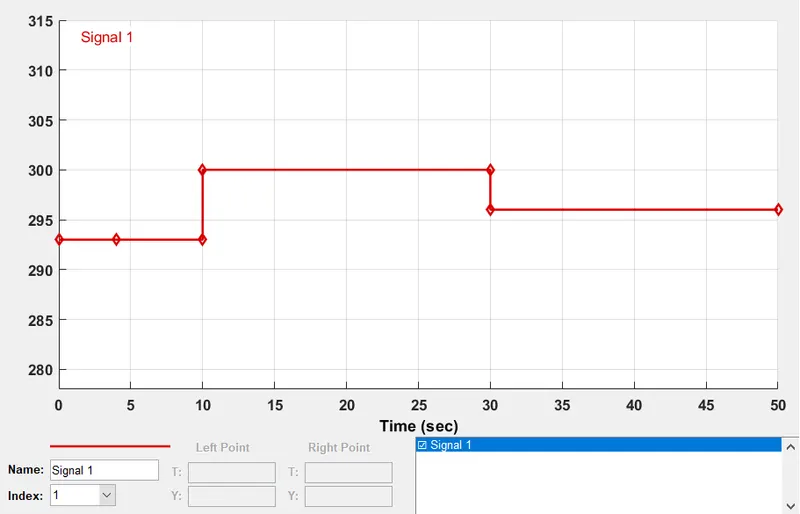
WORKING:
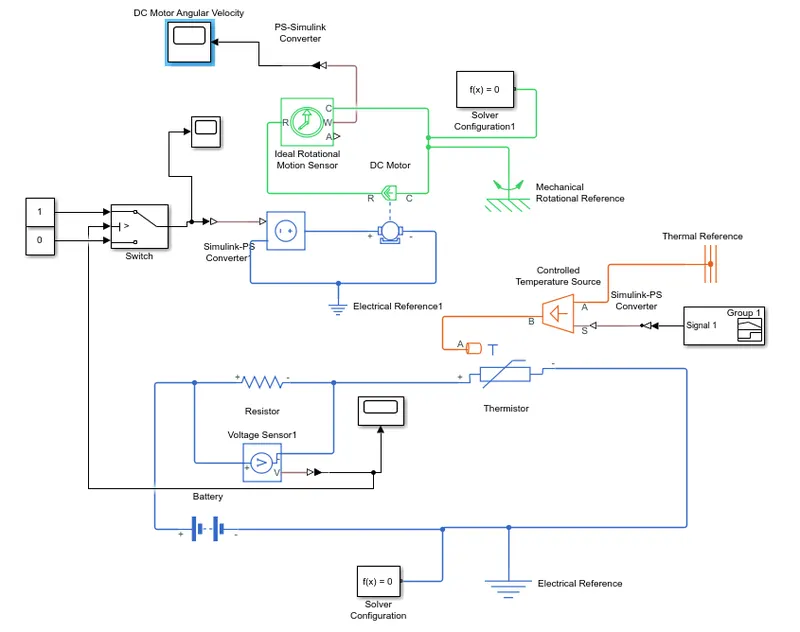
The Signal is input as shown above. The Thermistor takes the above signal and runs using the electric circuit connected. A voltage drop is observed at the thermistor, and consequent voltage rise in the resistor when the input temperature is increased. Given below is the voltage spike across resistor.
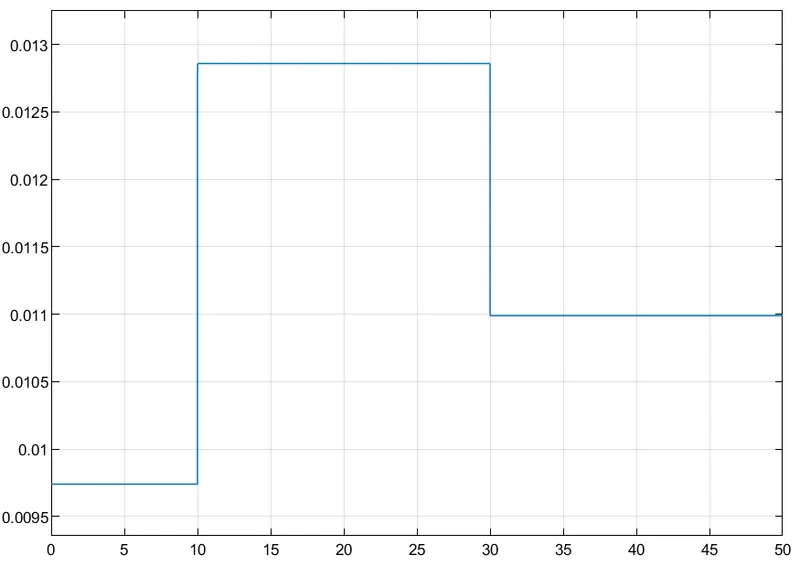
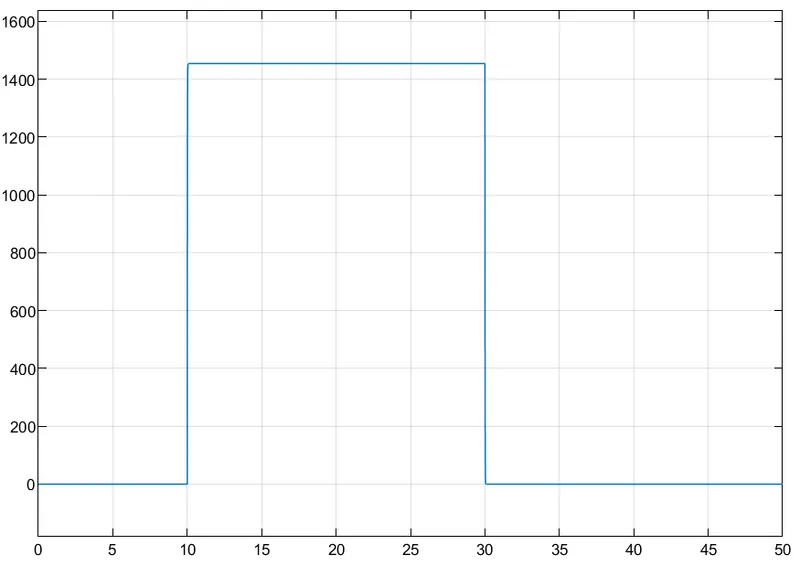
The voltage drop value is input to the Switch in the Mechanical Circuit. The Threshold is set to 0.012V. Whenever the input voltage drop crosses this threshold the switch is closed. When the switch is closed, a Controlled Voltage Source is started and drives the DC Motor. The Motor is connected to an Ideal Rotational Motion Sensor to capture the Fan RPM. Below is the result of the Fan RPM as a function of time, confirming that the Fan is switched on when the temperature is above the given threshold.
RESULT:
Successfully simulated an automatic fan is Simulink.
The Fan is switched ON when the thermistor temperature is above the threshold.