LS-Dyna-2-Static Analysis
Aim : To perform Linear Static Analysis
Objective : To perform Linear Static Analysis on a Bracket.
Geometry Preparation
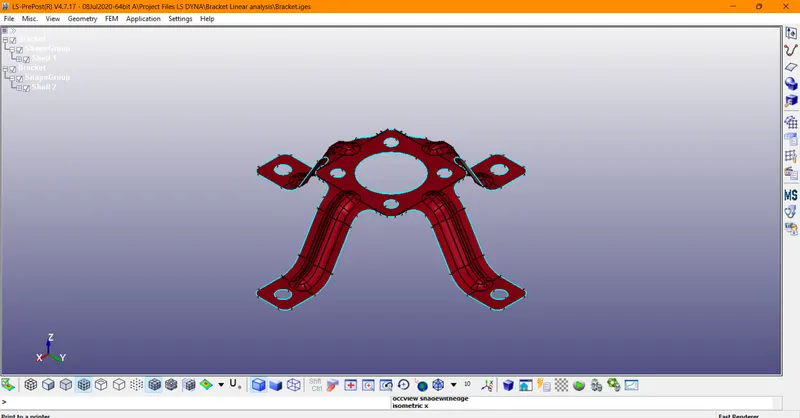
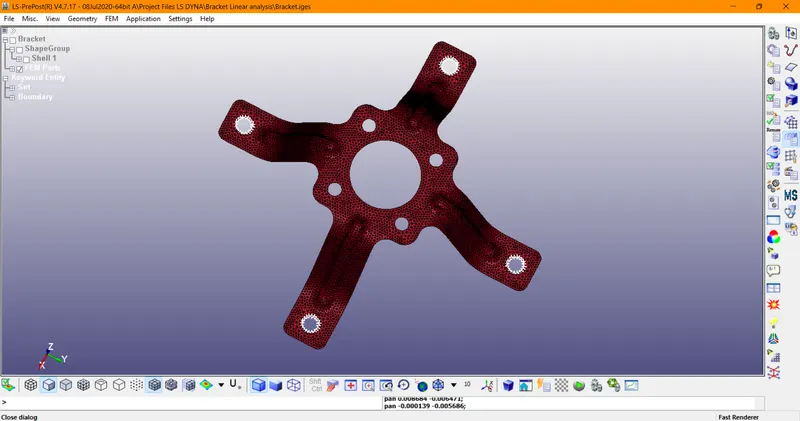
1. Importing our Cad Model -> Units -> meters
Mesh Preparation
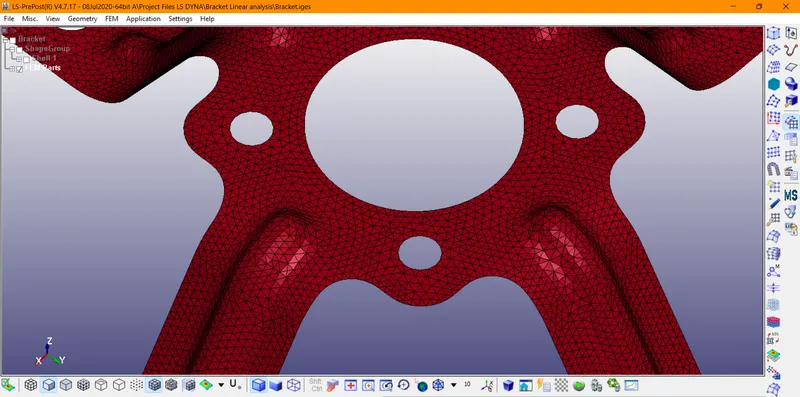
FEM -> Element & Mesh -> Auto Mesher -> Mesh Type -> Tria -> Element Size -> 0.001
Material Assignment
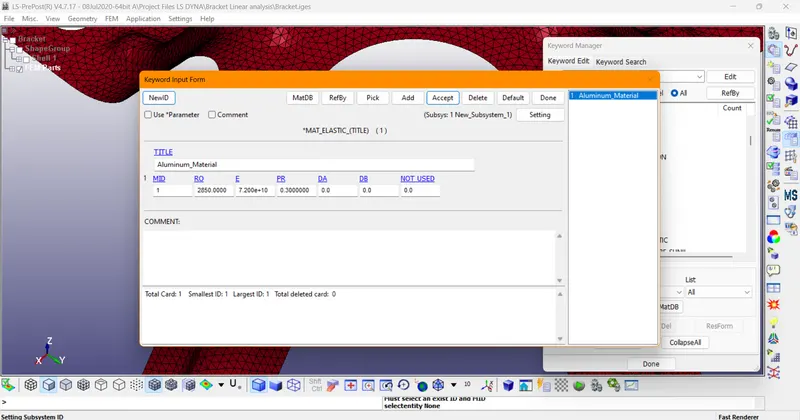
- Aluminium(MAT_001_MAT-Elastic)
- Density -> 2850 kg/m^3
- Young Modulus -> 72 Gpa -> 72 e9 Pa
- Poisson Ratio -> 0.30
Boundary Conditions
- Now we need to define the boundary conditions to restrict the degree of freedom for the bracket
- FEM ->Model & Part -> Create Entity -> Boundary -> SPC -> Create -> Select Nodes -> Confirm Selection
Section Property
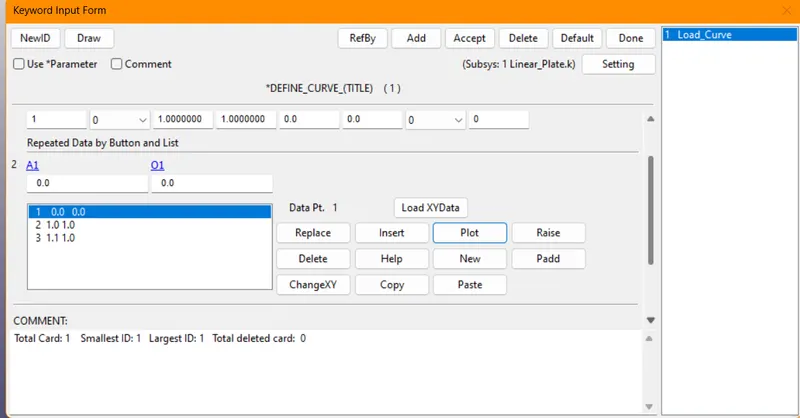
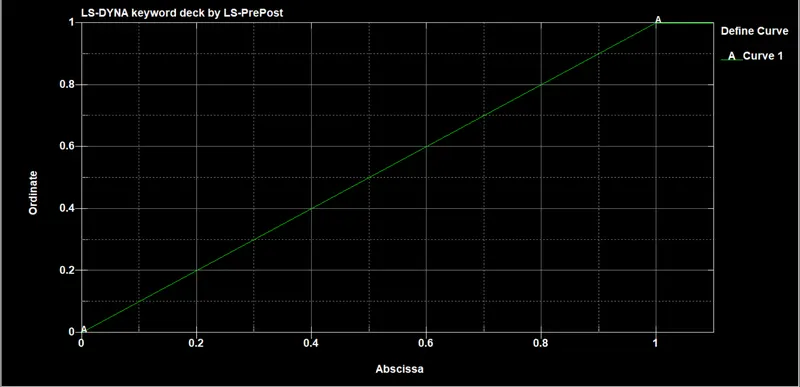
Load Curve
Keyword Manager -> Define -> Create Curve
Applying Load
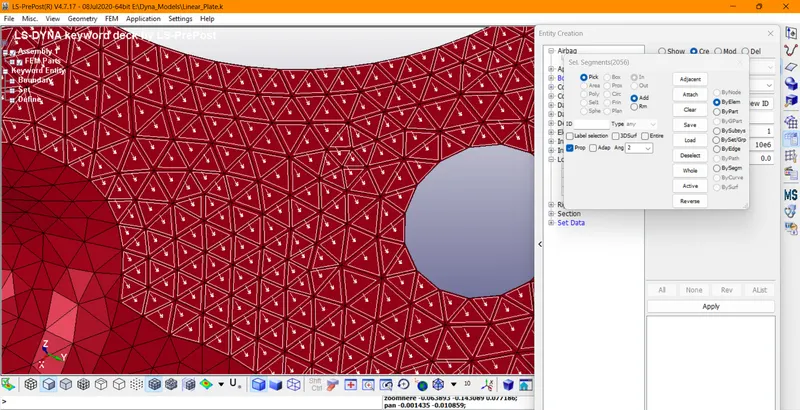
FEM -> Create Entity -> Load -> Segment -> LCID -> Select Load Curve -> SF(Load) -> 10 Mpa(compressive) -> Confirm Selection
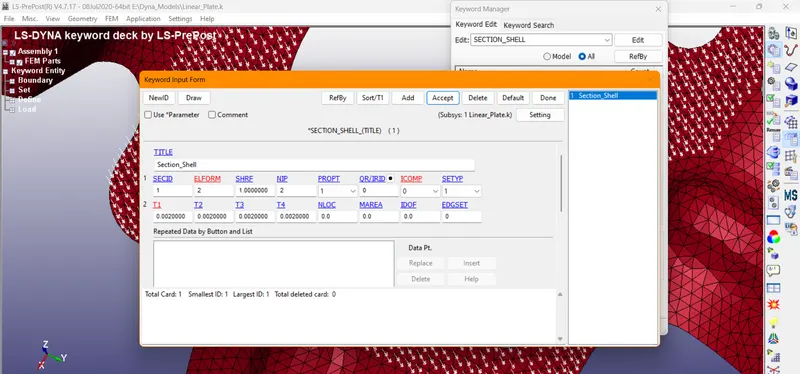
Section Property
Assigning Thickness
Keyword Manager -> Section_Shell -> Thickness -> 2mm(i.e 0.002 m)
Part Creation
Section_Id -> Section_Shell -> Material_Id -> Aluminium
Analysis Setup
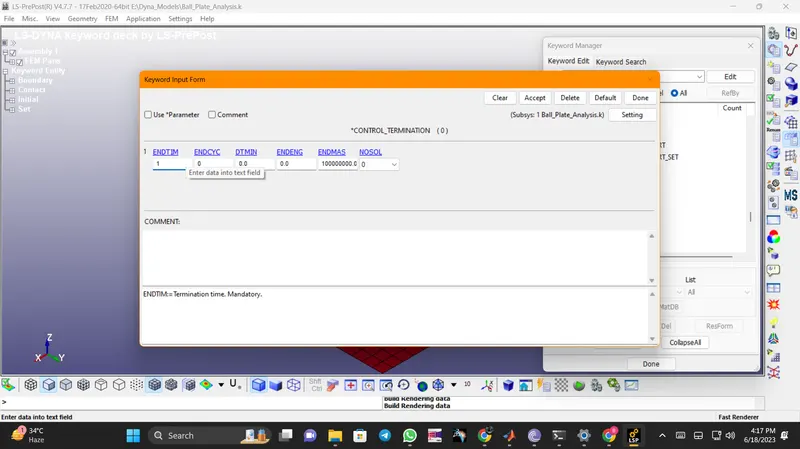
End Time
FEM -> Model&Part -> Keyword Manger -> Control -> Termination -> 1 sec
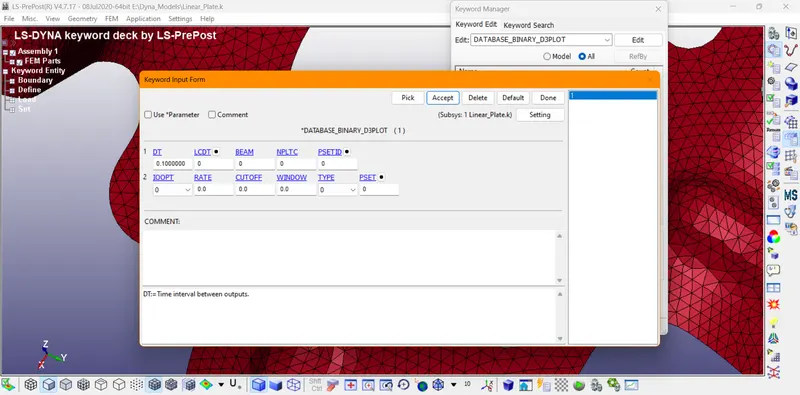
Binary D3 Plot
FEM -> Model&Part -> Keyword Manger -> Database -> Binary_D3_Plot -> DT -> 0.1
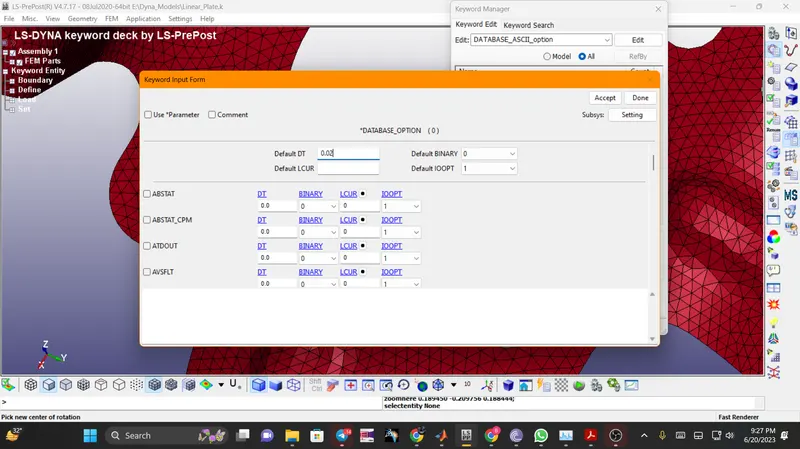
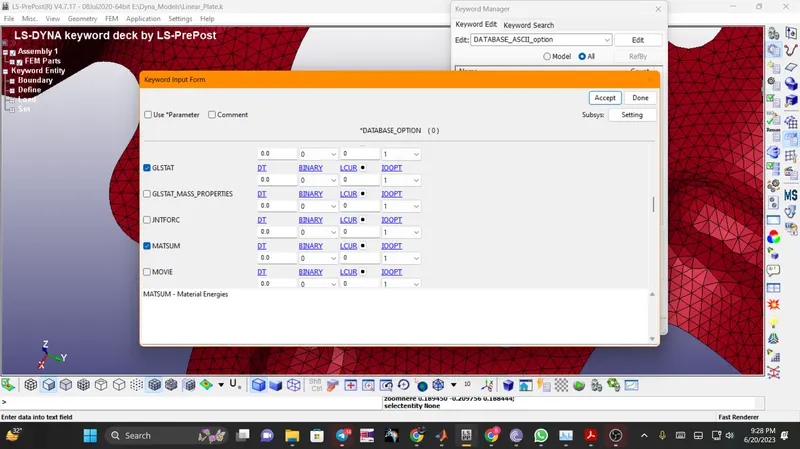
ASCII System Energy
Default DT -> 0.02-> Enable GLState & MatSum
Model Checking
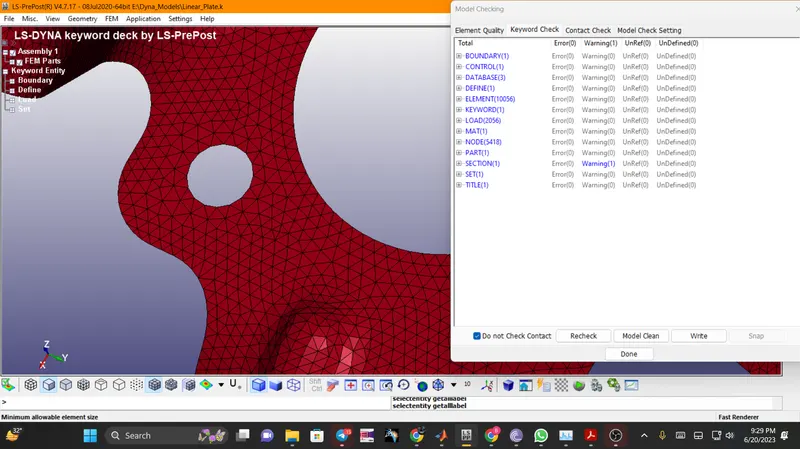
We can confirm that we dont have any errors present and we can move forward for calculating output results.
Output Results
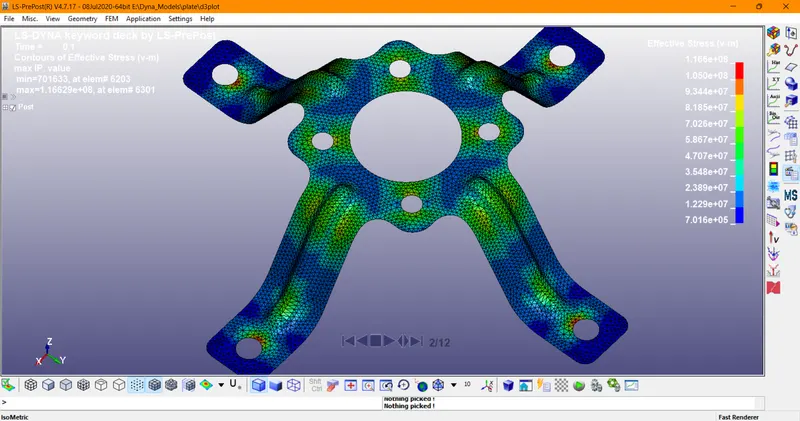
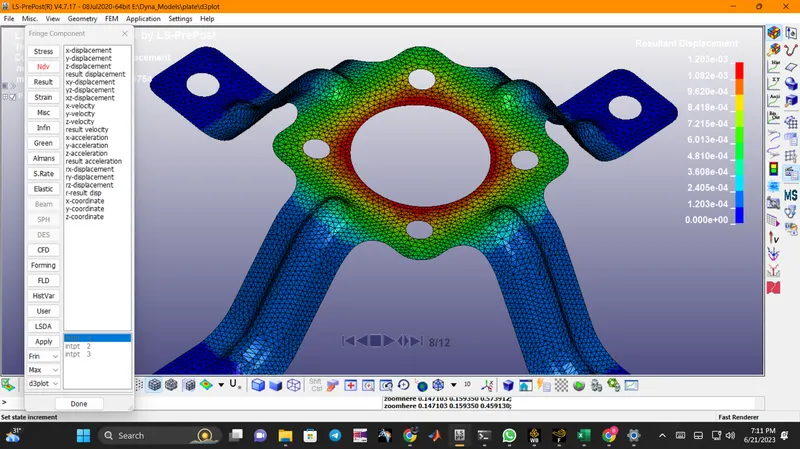
Post Processing -> Fringe Component -> View Results.
Von Mises Stress
Resultant Displacement
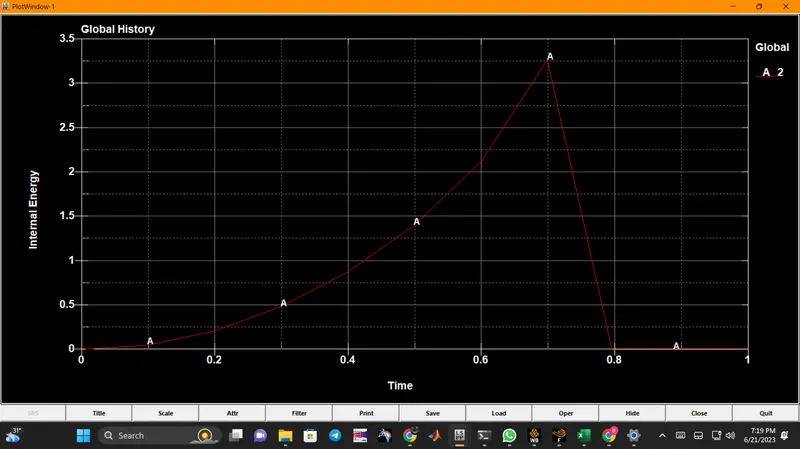
Internal Energy Plot