Week 5 Challenge- Creating a test case in OpenFOAM
Aim : Creating a Test Case in OPENFOAM
Objective: 1. Create a.cpp file, starting with:
#include "fvCFD.H"
int main( int argc, char *argv[] )
{
Foam::argList::noBanner();
Foam::argList args(argc, argv);
...
}
Solution :
- First of all we need to copy the working directory in our run folder using the command " cp -r $FOAM_TUTORIALS/incompressible/icoFoam/cavity/cavity $FOAM_RUN"
- Then we need to modify the transportProperties file by adding a Temperature Variable in it and rename it as thermalProperties.
- Now for locating and printing out the required values we need to create IOobject and define proper Make folder
- Our Make folder will contain files alike 'files' for compiling cpp file and 'options' for compiling lib files
- After that we can move to Visual Studio Code using the command 'code .' and proceed further
Here is the IOobject code for printing out the required values
#include "fvCFD.H"
int main( int argc, char *argv[] )
{

Foam::argList::noBanner();

Foam::argList args(argc, argv);

Foam::Time runTime
(
Foam::Time::controlDictName,
args.rootPath(),
args.caseName()
);

IOdictionary ioDictObj
(
IOobject
(
"thermalProperties",      //  FIle
"constant",               // Path
runTime,
IOobject::MUST_READ,
IOobject::NO_WRITE
)
);


scalar nu = readScalar(ioDictObj.lookup("nu"));
scalar T = readScalar( ioDictObj.lookup("T") );

Info<<nu<<"\n";
Info<<T<<"\n";

return 0;- Now after preparing our working directory, we need to use 'wmake command' for compiling thermal & lib files
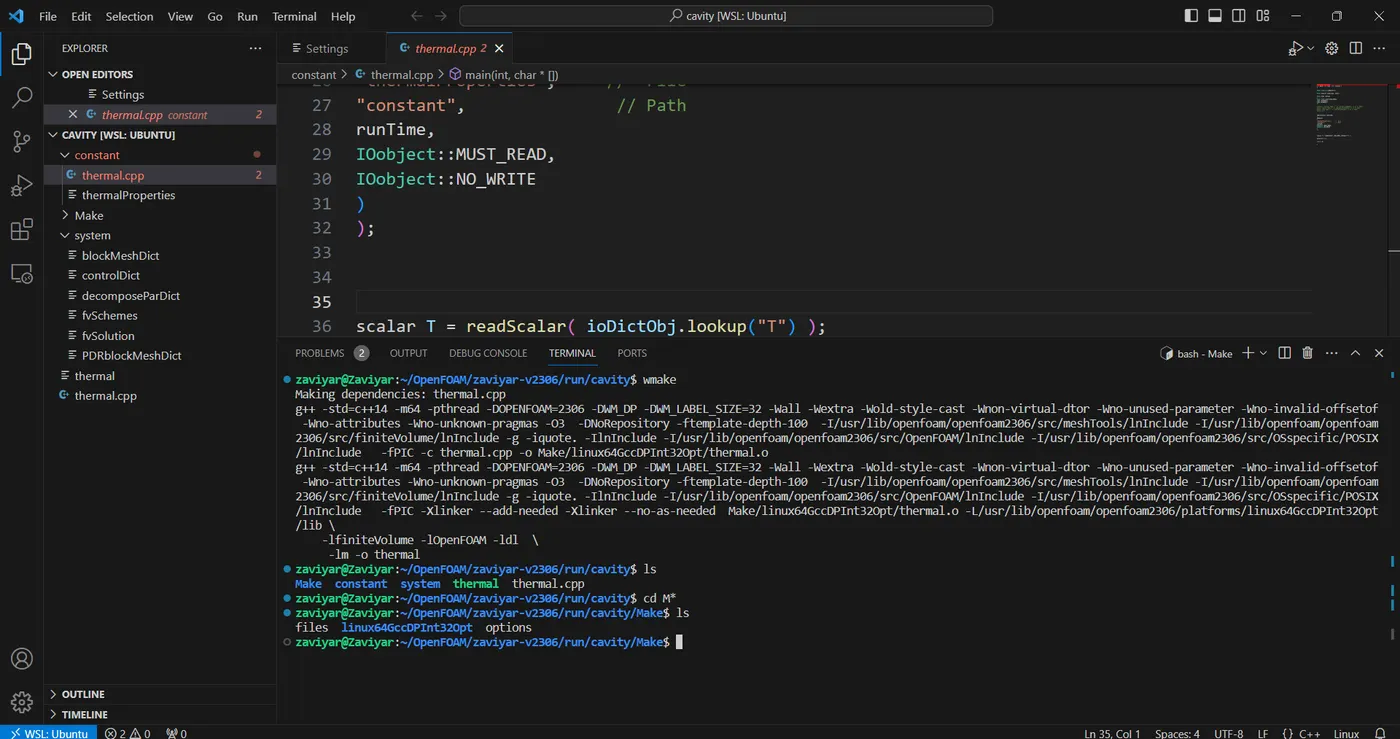
- Now we need to display our required values using './thermal command'
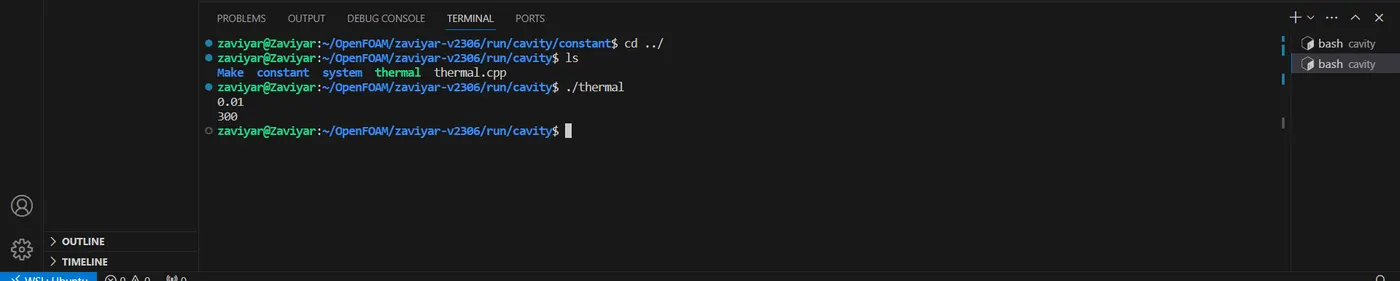
- Here nu = 0.01 & T = 300 as required