Week 8 - Simulation of a backward facing step in OpenFOAM
Aim : To simulate an incompressible-laminar-viscous flow through the backward facing step geometry using a transient simulation.
Case 1 - Simulate the flow without using any grading factor (i.e., GF = 1)
Case 2 - Simulate the flow with grading factor of 0.2. The cells should be finer near the walls (including the step wall).
Mesh specification
- Number of cells along the x direction (longer dimension) = 200
- Number of cells along the longer y direction = 20
Theory :
- Incompressible : In Fluid Mechanics, Incompressible Flow is defined as a flow in which material density is constant within the fluid flowing field and the value of Mach No. is lesser than 0.3
- Laminar-Viscous-Flow : In Fluid Mechanics, Viscous Flow refers to a flow where viscous forces dominates over Inertia Forces. In such cases, Reynolds No. of the flowing fluid is low. At Low Reynold's No. the flowing fluid tends to become Laminar.
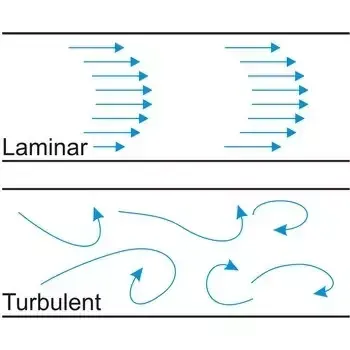
- Laminar Flow is also characterized by the smooth flow of the flowing fluid which doesnot mix.
⇒ Backward Facing Step :
- It is one of the representative model for separation flows, which can be widely seen in aerodynamic flows i.e airfoil,high attack angle flows etc
- Backward Facing Step Flows are involves the basic features of general separation flows. It has three dimensional nature and suitable for two dimension flows under some flow conditions and with simple step geometry.
- It is an important model for separation flows across wide range of Reynold's Numbers
- It is of significance in both theoretical and engineering development.
Procedure :
- After logging into server, first of all we need to copy paste our working directory into a Run Folder(which is created by us) to safeguard the original directory provided by openFoam.
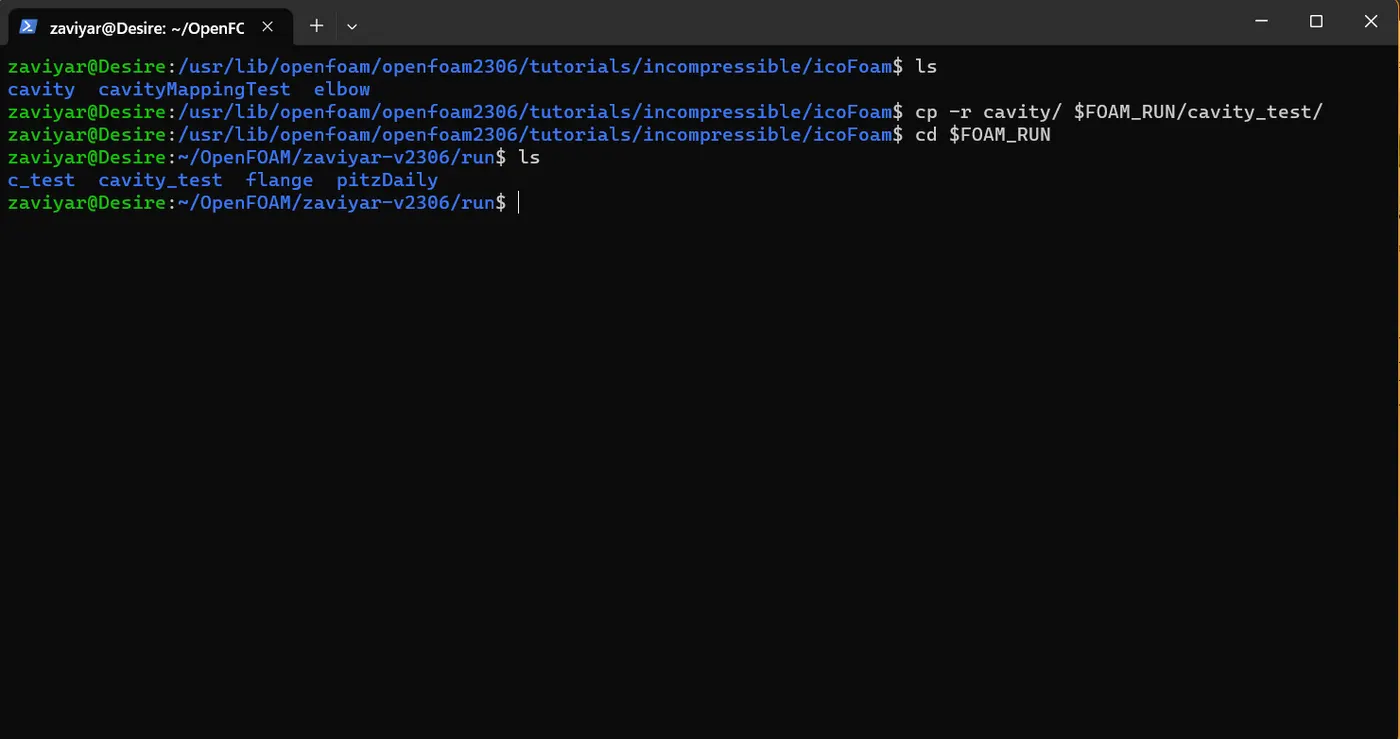
Here cavity_test is our working directory
- After that we need to enter into our working folder, which is Cavity in this case
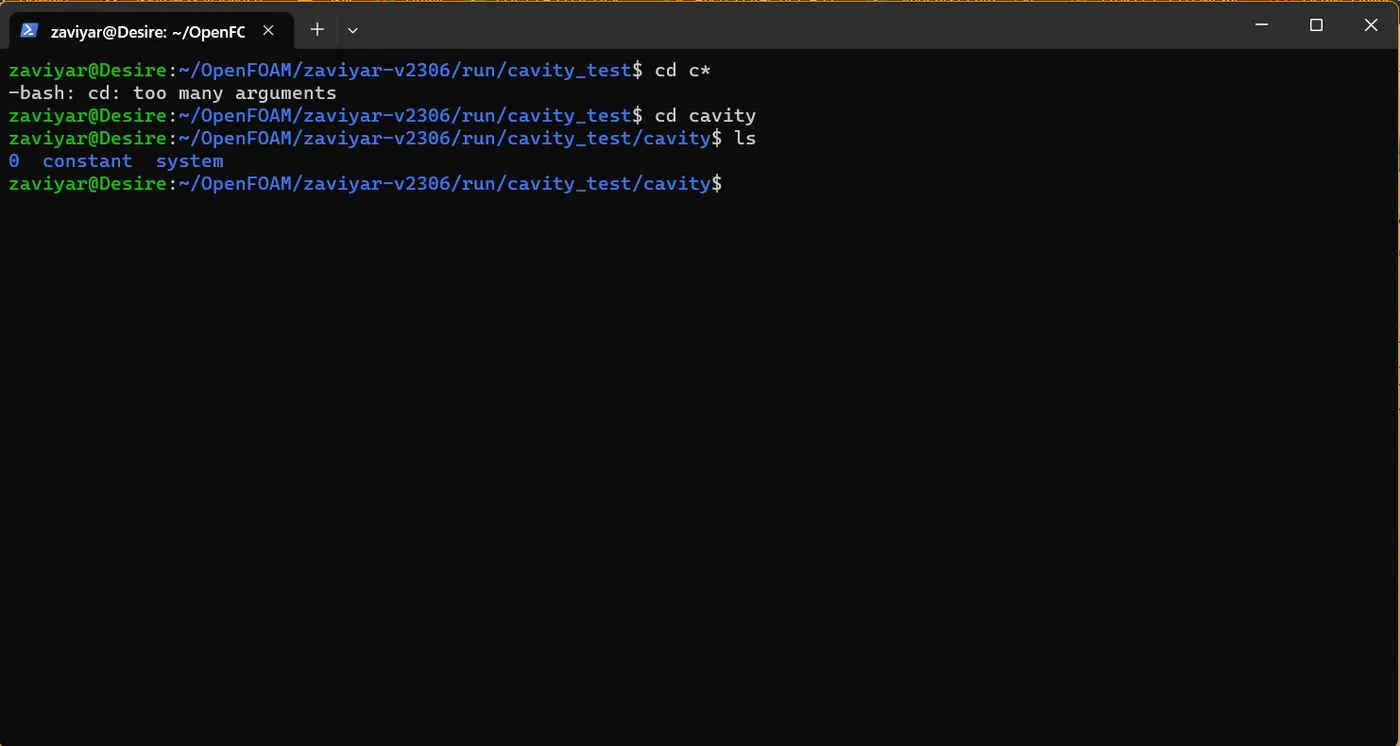
- Now we need to modify all the parameters according to our geometry, we will start from our system folder which contains blockmeshdict file in it
- The blockMeshDict file is a script file that contains information regarding all aspects of the geometry.
-
Block Mesh specification:
Number of blocks = 5
Arrangement of blocks is as follow:
To understand it more clearly take a look at figure below:
- Now we need to modify our blockmeshdict file according to the above block geometry.
/*--------------------------------*- C++ -*----------------------------------*\| ========= | || \\ / F ield | OpenFOAM: The Open Source CFD Toolbox || \\ / O peration | Version: v2306 || \\ / A nd | Website: www.openfoam.com || \\/ M anipulation | |\*---------------------------------------------------------------------------*/FoamFile{ version 2.0; format ascii; class dictionary; object blockMeshDict;}// * * * * * * * * * * * * * * * * * * * * * * * * * * * * * * * * * * * * * //
scale 1e-3; // Convert meters to millimeters
// Vertices For Backward Facing Stepvertices( (0 0 0) // 0 (80 0 0) (80 5 0) (0 5 0) (80 10 0) (0 10 0) (200 10 0) (200 5 0) (200 0 0) (200 -10 0) (80 -10 0) (0 0 0.01) (80 0 0.01) (80 5 0.01) (0 5 0.01) (80 10 0.01) (0 10 0.01) (200 10 0.01) (200 5 0.01) (200 0 0.01) (200 -10 0.01) (80 -10 0.01) // 22);
blocks( hex (0 1 2 3 11 12 13 14) (200 20 1) simpleGrading (1 1 1) hex (3 2 4 5 14 13 15 16) (200 20 1) simpleGrading (1 1 1) hex (2 7 6 4 13 18 17 15) (200 20 1) simpleGrading (1 1 1) hex (1 8 7 2 12 19 18 13) (200 20 1) simpleGrading (1 1 1) hex (10 9 8 1 21 20 19 12) (200 20 1) simpleGrading (1 1 1) );
edges();
boundary( inlet { type wall; faces ( (0 11 14 3) (3 14 16 5) ); } outlet { type wall; faces ( (9 8 19 20) (8 7 18 19) (7 6 17 18) ); } frontAndBack { type empty; faces ( (11 12 13 14) (14 13 15 16) (13 18 17 15) (12 19 18 13) (21 20 19 12) (0 3 2 1) (3 5 4 2) (2 4 6 7) (1 2 7 8) (10 1 8 9) ); } fixedWalls { type wall; faces ( (5 16 15 4) (0 1 12 11) (4 15 17 6) (10 9 20 21) (10 21 12 1) ); });
mergePatchPairs();
// ************************************************************************* //
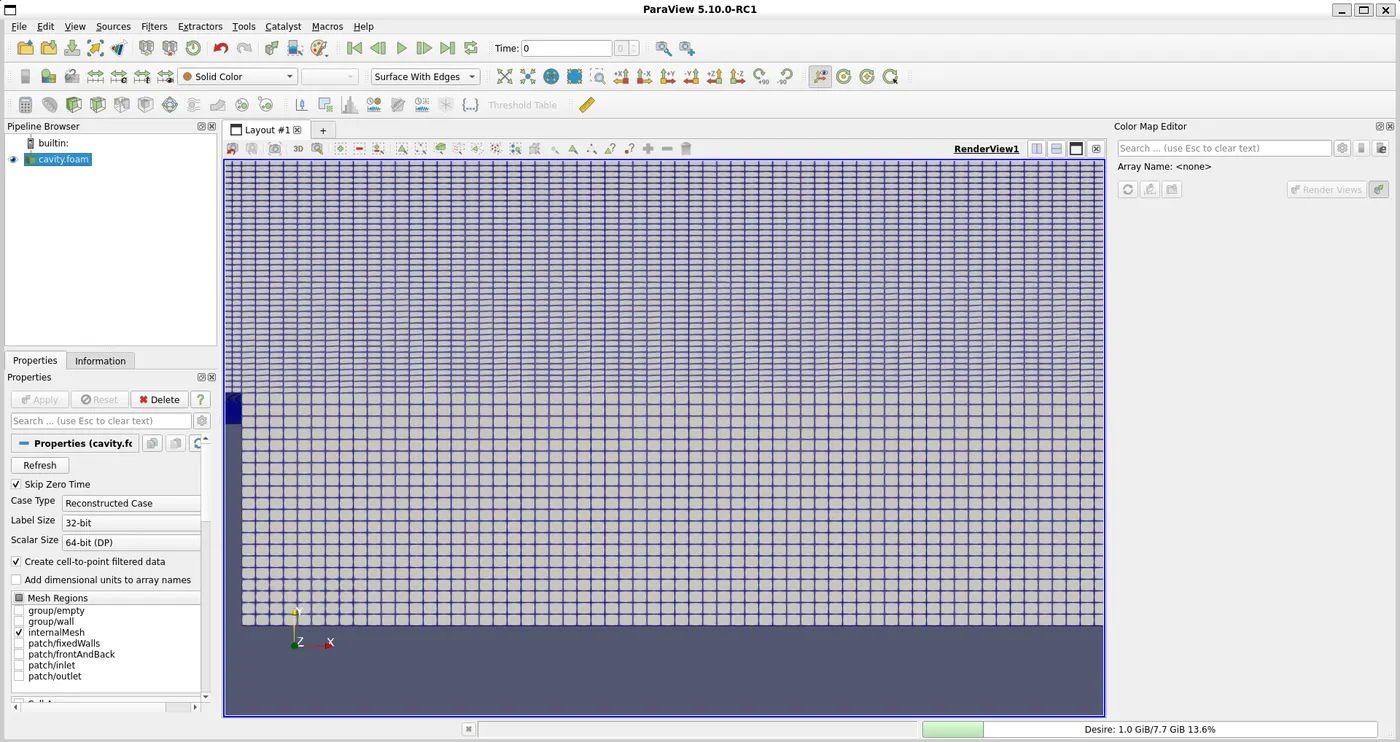
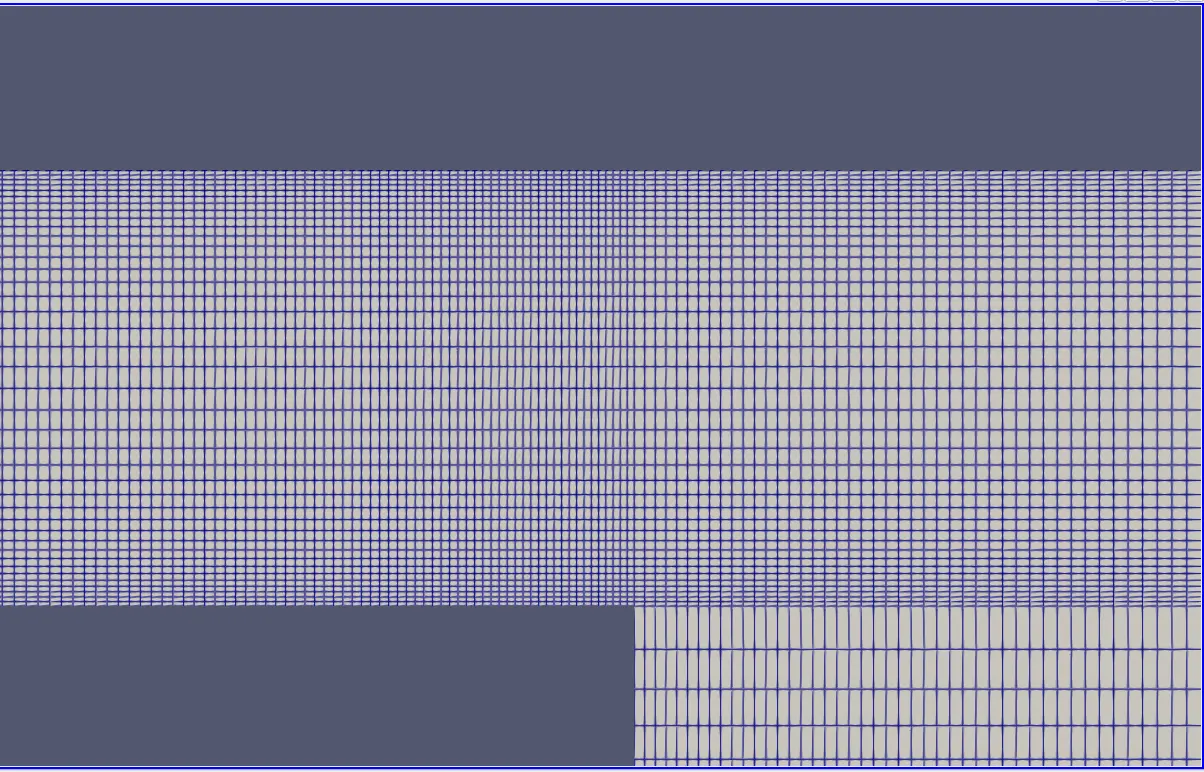
- Here we an, observe our hexagonal mesh with grading factor of 1
⇒ Grading Factor : It is defined as the ratio of the size of the last cell to the size of the first cell.
→ Now, we need to configure our controldict file
/*--------------------------------*- C++ -*----------------------------------*\| ========= | || \\ / F ield | OpenFOAM: The Open Source CFD Toolbox || \\ / O peration | Version: v2306 || \\ / A nd | Website: www.openfoam.com || \\/ M anipulation | |\*---------------------------------------------------------------------------*/FoamFile{ version 2.0; format ascii; class dictionary; object controlDict;}// * * * * * * * * * * * * * * * * * * * * * * * * * * * * * * * * * * * * * //
application icoFoam;
startFrom startTime;
startTime 0;
stopAt endTime;
endTime 0.5;
deltaT 1e-4;
writeControl timeStep;
writeInterval 20;
purgeWrite 0;
writeFormat ascii;
writePrecision 6;
writeCompression off;
timeFormat general;
timePrecision 6;
runTimeModifiable true;
// ************************************************************************* //
⇒ Courant No : It is defined as the ratio of fluid distance to the cell distance
Co = UΔt/ Δx
where Velocity of the Flowing Fluid(U) = 1 m/s ; Time Step Size(Δt) = 1e-4 ; Smallest cell distance(Δx) = 2.5 e-4
Co = (1 x 1e-4)/(2.5e-4) = 0.4
With this parameters, we are Courant no as 0.4 which will help to converge the solution.
→ Now we need to switch to zero folder which contains Velocity and Pressure Files.
Velocity File
/*--------------------------------*- C++ -*----------------------------------*\| ========= | || \\ / F ield | OpenFOAM: The Open Source CFD Toolbox || \\ / O peration | Version: v2306 || \\ / A nd | Website: www.openfoam.com || \\/ M anipulation | |\*---------------------------------------------------------------------------*/FoamFile{ version 2.0; format ascii; class volVectorField; object U;}// * * * * * * * * * * * * * * * * * * * * * * * * * * * * * * * * * * * * * //
dimensions [0 1 -1 0 0 0 0];
internalField uniform (0 0 0);
boundaryField{ inlet { type fixedValue; value uniform (1 0 0); }
outlet { type zeroGradient; } fixedWalls { type noSlip; value uniform (0 0 0); }
frontAndBack { type empty; }}
// ************************************************************************* //
Pressure File
/*--------------------------------*- C++ -*----------------------------------*\| ========= | || \\ / F ield | OpenFOAM: The Open Source CFD Toolbox || \\ / O peration | Version: v2306 || \\ / A nd | Website: www.openfoam.com || \\/ M anipulation | |\*---------------------------------------------------------------------------*/FoamFile{ version 2.0; format ascii; class volScalarField; object p;}// * * * * * * * * * * * * * * * * * * * * * * * * * * * * * * * * * * * * * //
dimensions [0 2 -2 0 0 0 0];
internalField uniform 0;
boundaryField{ inlet { type zeroGradient; } outlet { type fixedValue; value uniform 0; }
fixedWalls { type zeroGradient; }
frontAndBack { type empty; }}
// ************************************************************************* //
Now at last we need to switch to our consant folder
Transport Properties
/*--------------------------------*- C++ -*----------------------------------*\| ========= | || \\ / F ield | OpenFOAM: The Open Source CFD Toolbox || \\ / O peration | Version: v2306 || \\ / A nd | Website: www.openfoam.com || \\/ M anipulation | |\*---------------------------------------------------------------------------*/FoamFile{ version 2.0; format ascii; class dictionary; object transportProperties;}// * * * * * * * * * * * * * * * * * * * * * * * * * * * * * * * * * * * * * //
nu 1.48e-5; // Kinematic Viscosity of Air
// ************************************************************************* //
> For Grading Factor of 0.2, We need to modify our blockmeshdict file to get finest mesh near wall region and also to reflect growth factor in mesh as we move away from the wall region
- Grading Factor = Distance of Last Cell/ Distance of First Cell
i.e Distance of Last Cell/ Distance of First Cell = 1/(0.2) = 5
blocks( hex (0 1 2 3 11 12 13 14) (200 20 1) simpleGrading (0.2 5 1) hex (3 2 4 5 14 13 15 16) (200 20 1) simpleGrading (0.2 0.2 1) hex (2 7 6 4 13 18 17 15) (200 20 1) simpleGrading (5 0.2 1) hex (1 8 7 2 12 19 18 13) (200 20 1) simpleGrading (5 5 1) hex (10 9 8 1 21 20 19 12) (200 20 1) simpleGrading (5 5 1) );
Plots & Results
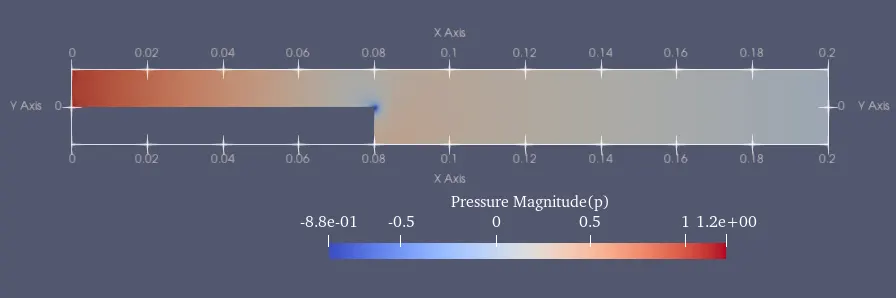
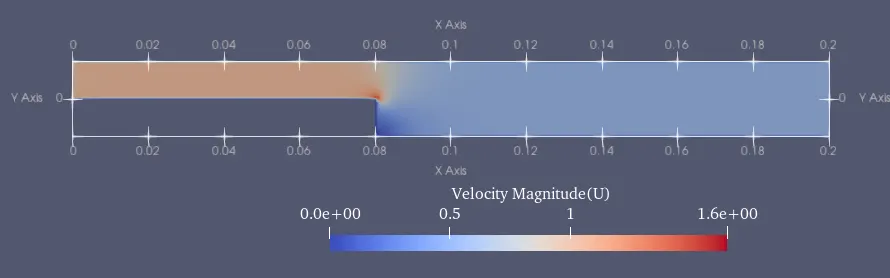
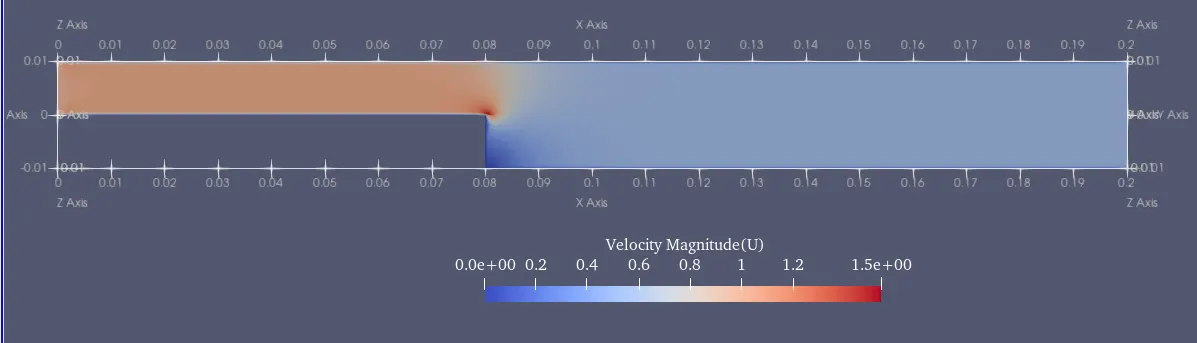
⇒ For Simulation with Grading Factor(GF) = 1
Pressure Plot
Velocity Plot
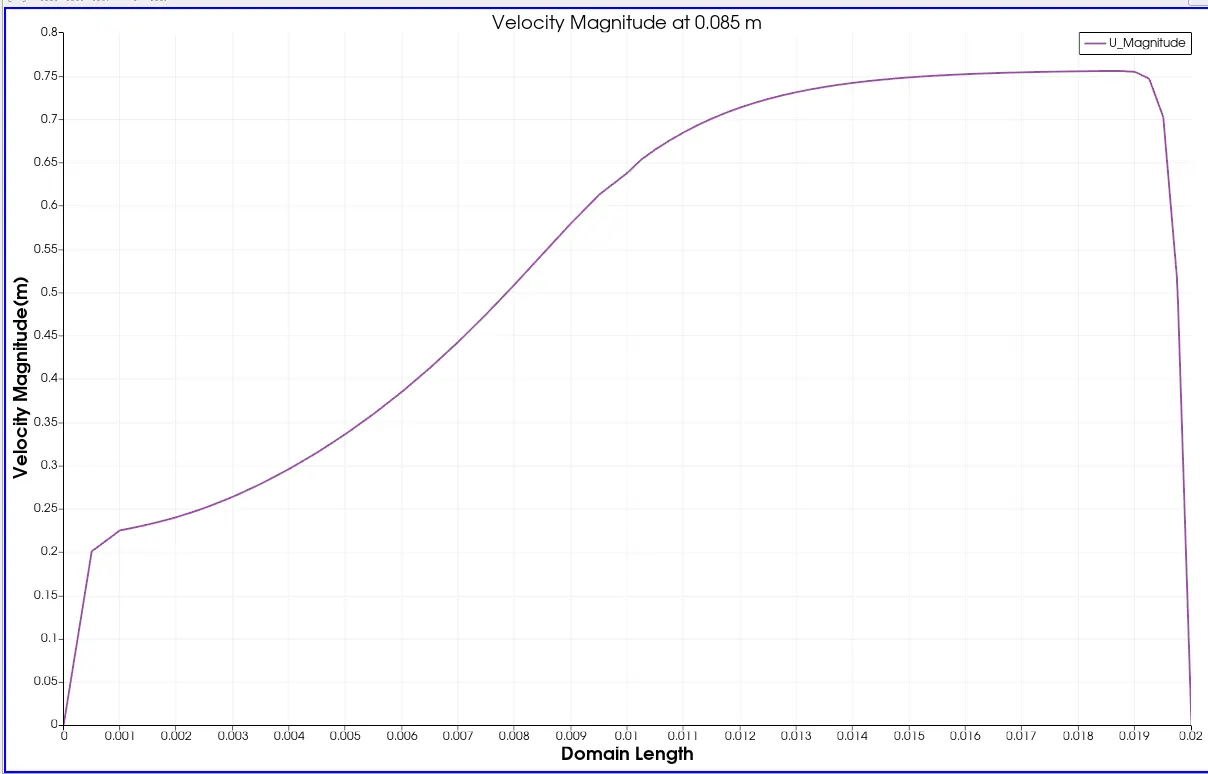
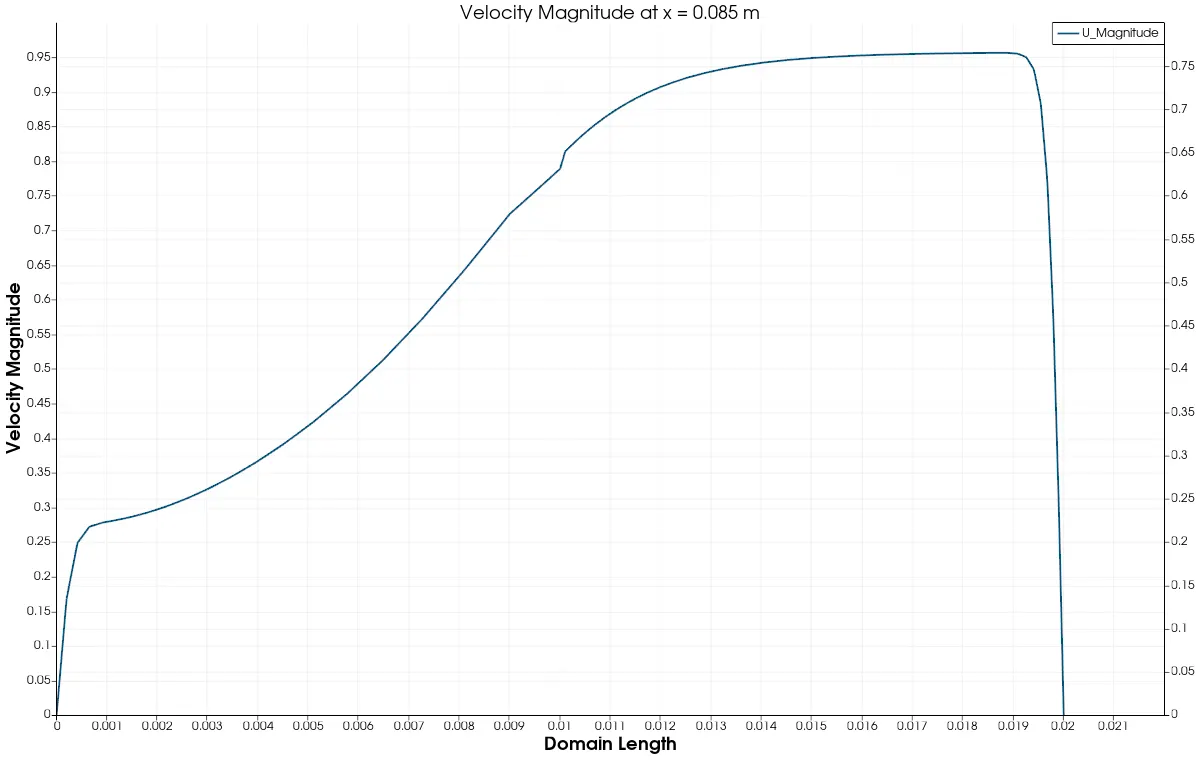
Velocity Probe
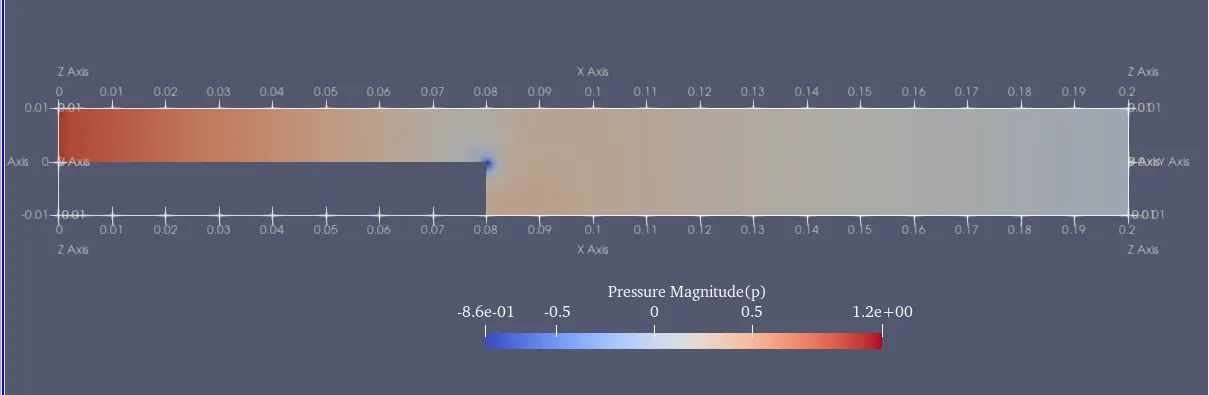
⇒ For Simulation with Grading Factor(GF) = 0.2
Velocity Plot
Pressure Plot
Velocity Probe at x = 0.085 m
⇒ Explain why Grading/Growth factor is essential for meshing
- The growth rate determines how smooth the transition between finer and coarser sections of the mesh is, allowing us to better capture edge effects.
- It also help us in getting a conformal mesh.