Creation of geometries by Coordinate system methods using AutoCad
aim:creating the geometry of given picture by auto cadd through different coordinates method.
there are four types of coordinates system
1 . absolute coordinates system: all points given in drawing with respect to origin.
2 relative rectangular coordinates system: first point with respect to origin and then all other coordinates point with respect to the previous point.
3. polar coordinates system .in thhis system first point with respect with to origin and for all other point by the angle.
4. direct distance method: all points specified by distance method
Q1 P1
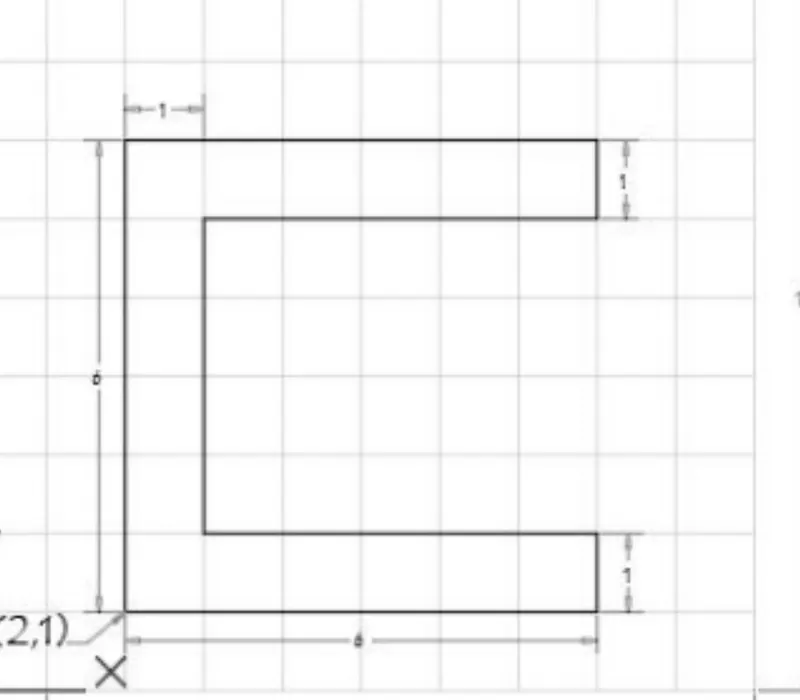
prodedure absolute coordinates system.
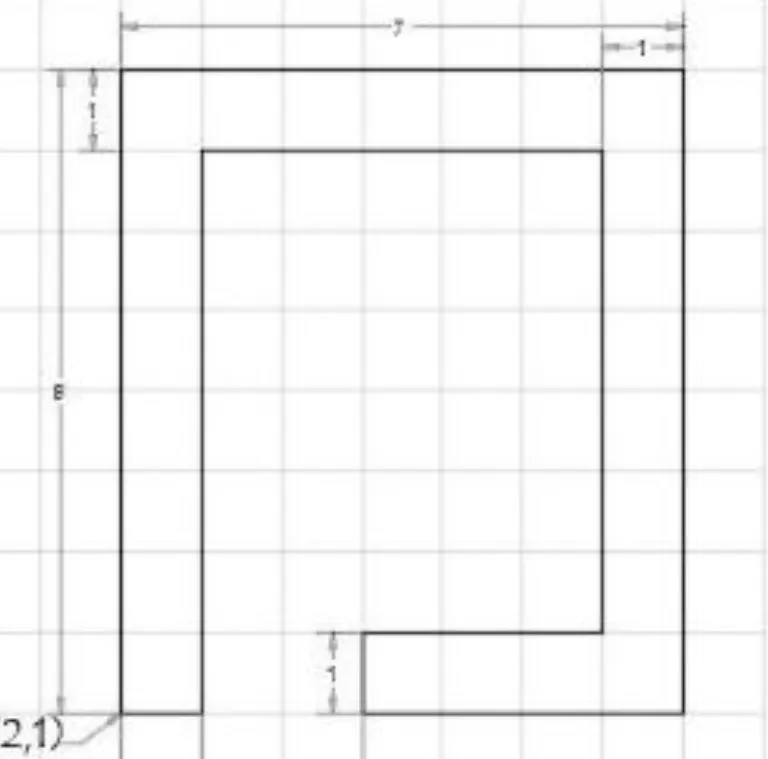
take line command in auto cadd, and specified first point 2,1
2nd point 8,1
3rd point 8,2
4th point 3,2
5th point 3,6
6th point 8,6
7th point 8,7
8th point 2,7
9th point 0,-7 or closed
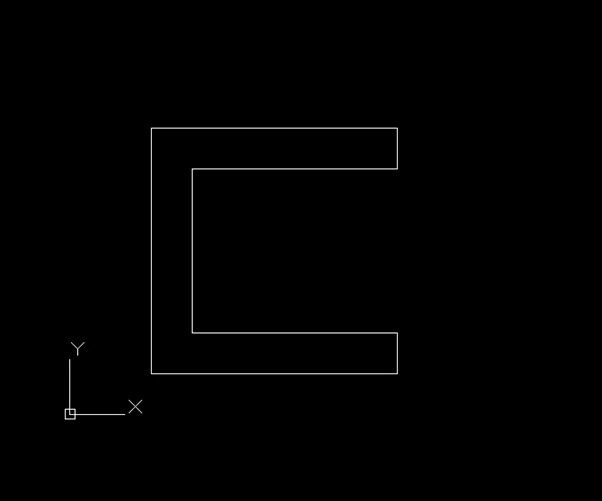
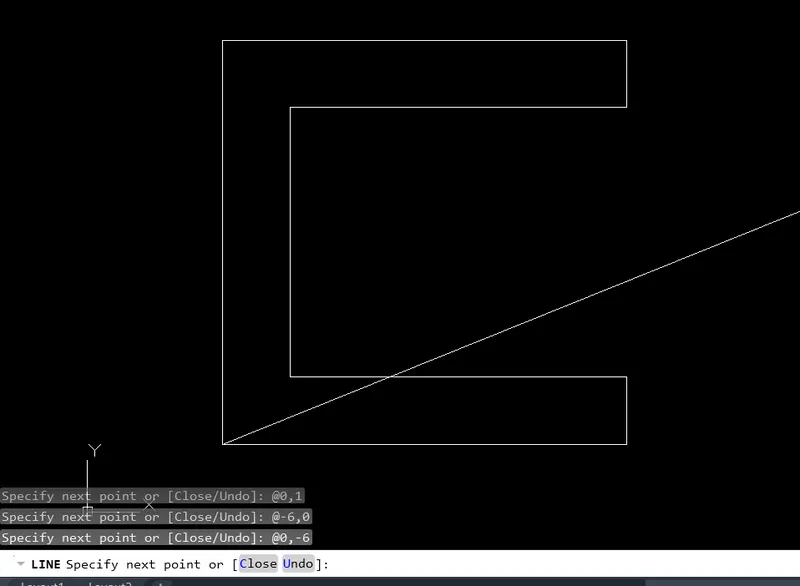
procedure : relative rectangular coordinates system
take line command from autocadd and specified first point 2,1 next point start with command @
2nd point 6,0
3rd point 0,1
4th point -5,0
5th point 0,4
6th point 5,0
7th point 0,1
8th point -6,0
9th point 0,-6 or closed
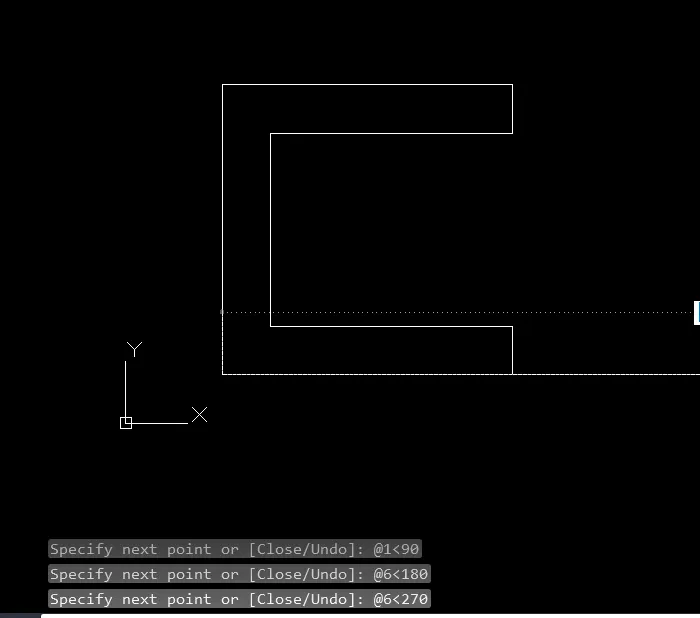
procedure : polar coordinates system
take LINE command from auto cadd and put first point 2,1
2nd point@6<0
3rd point @1<90
4th point @5<180
5th point @4<90
6th point @ 5<0
7th point@1<90
8th point @ 6<180
9th point@6<270
procedure: direct distance method
take line command from autocadd and put first point 2,1 keeping orto mode on
2nd point 6
3rd point 1
4th point 5
5th point 4
6th point 5
7th point 1
8thpoint 6
9th point closed

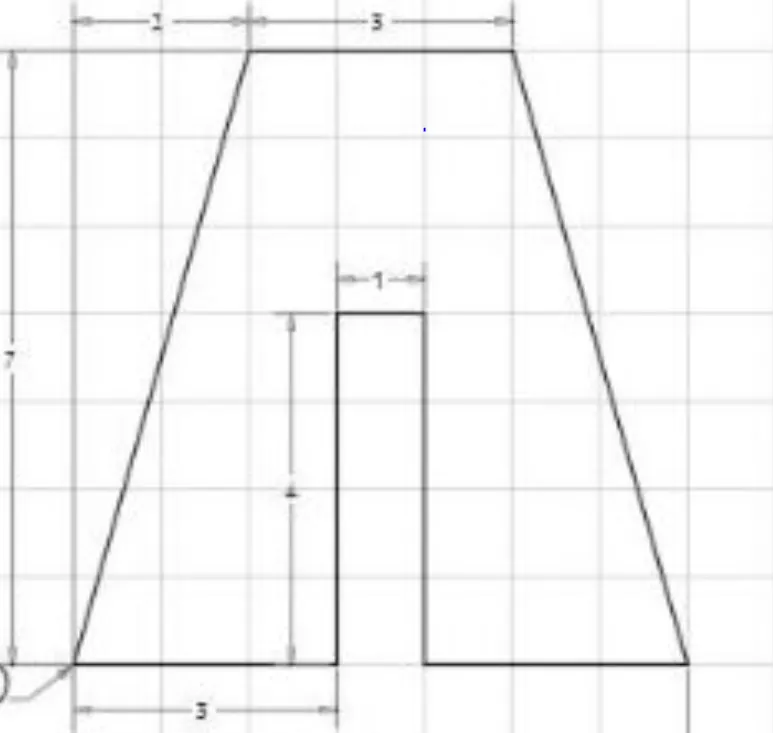
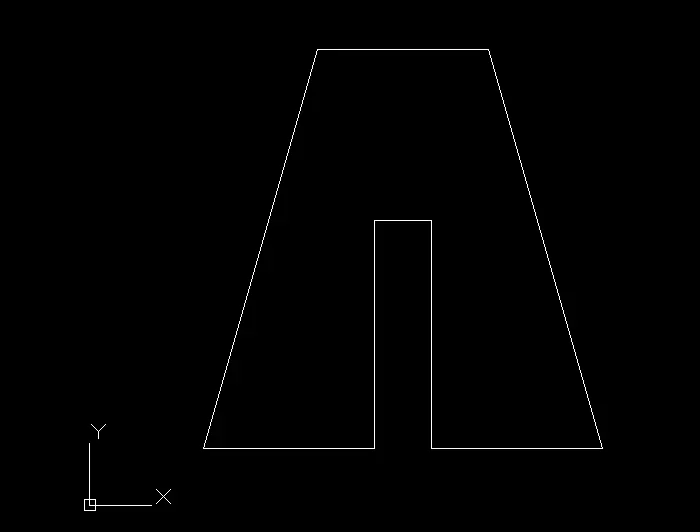
Q2 ; P2
Q3
Q3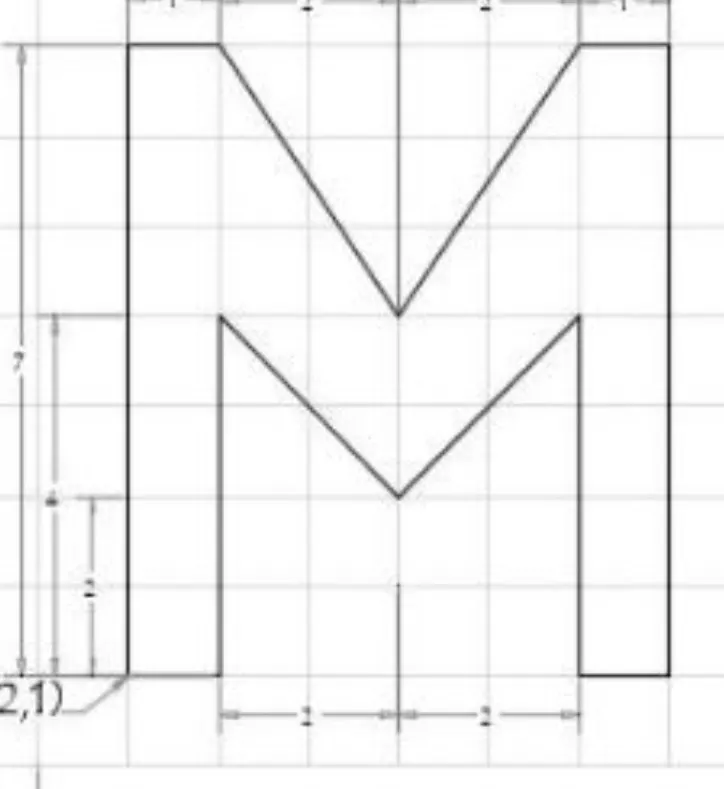

Q4
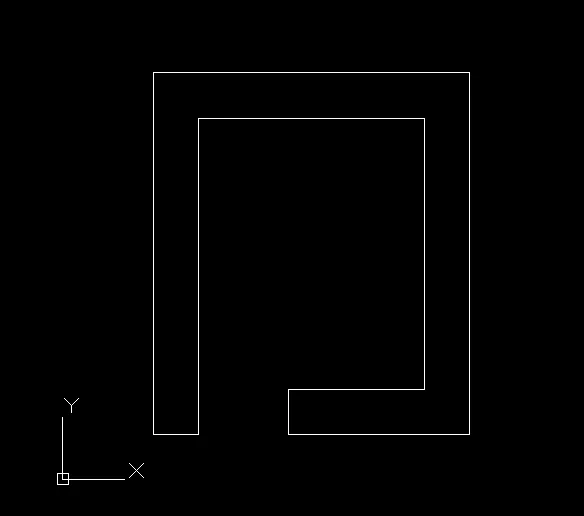
Q5
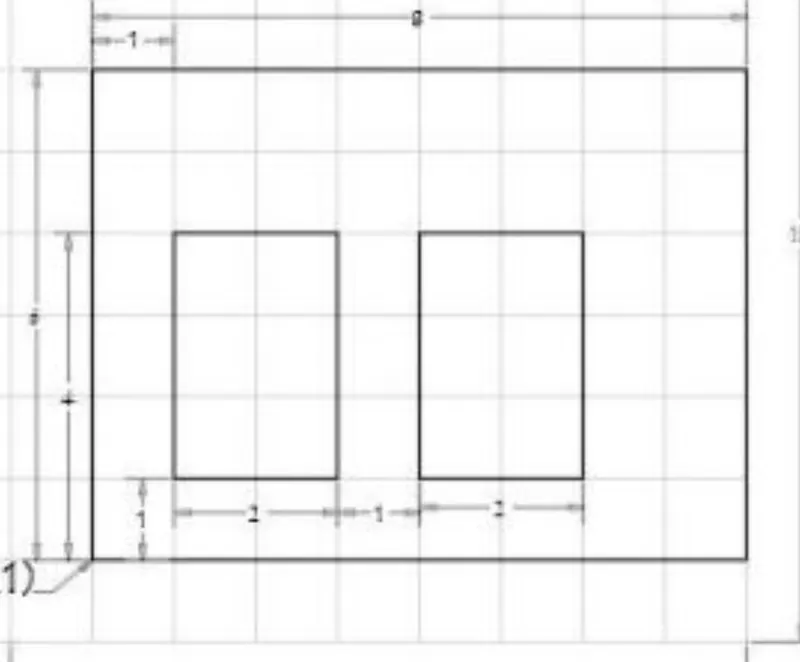
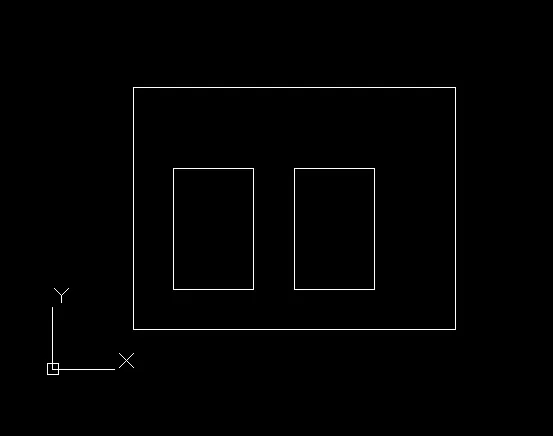
Q6
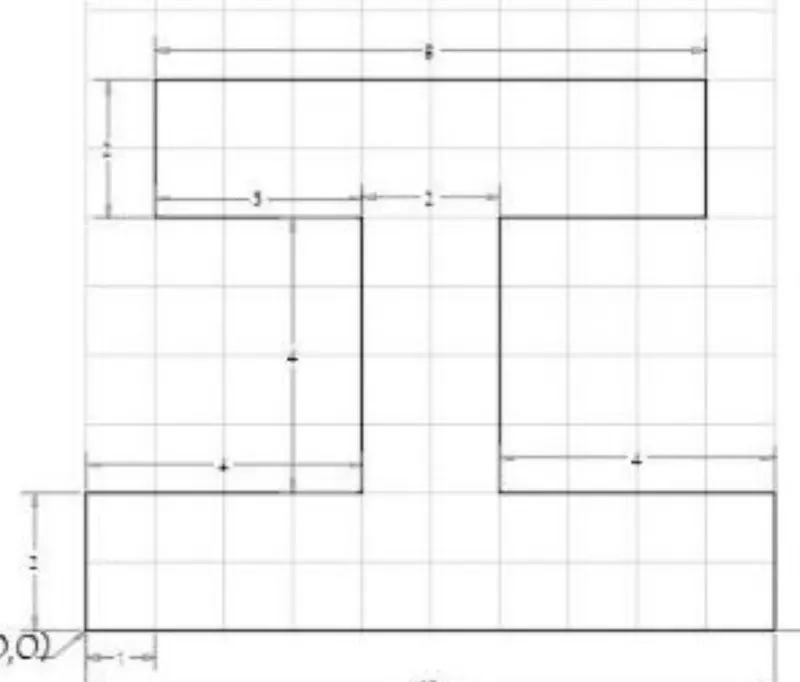

Q7
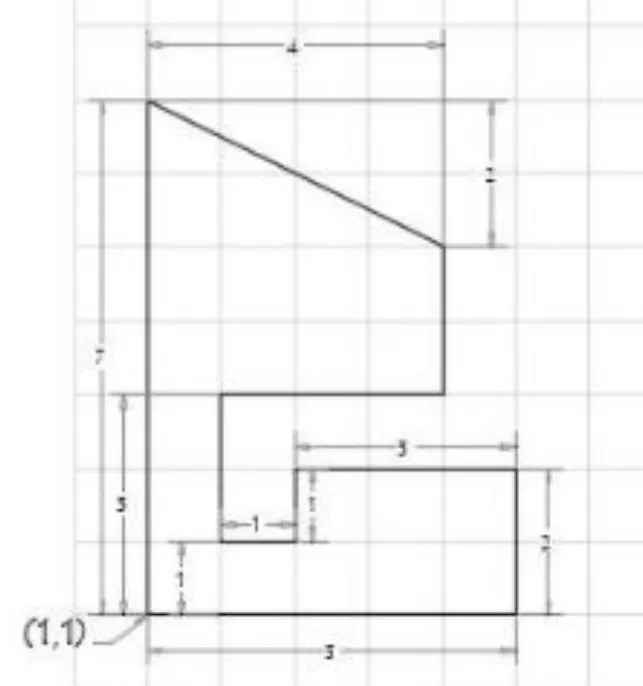

Q8
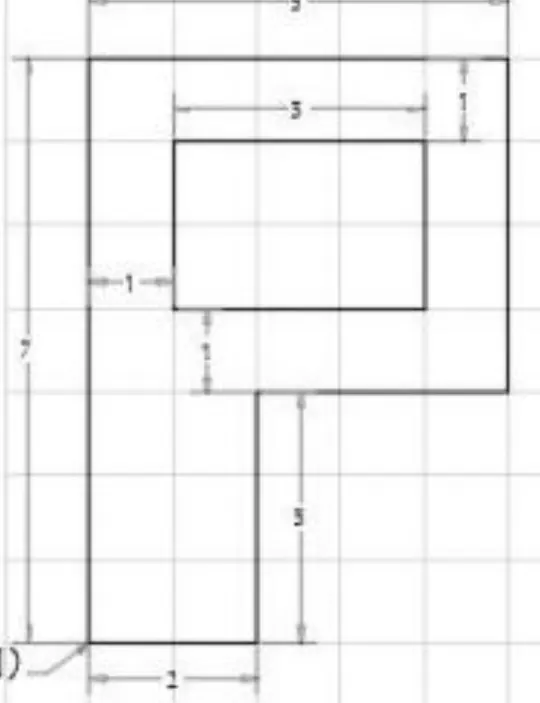

Q9
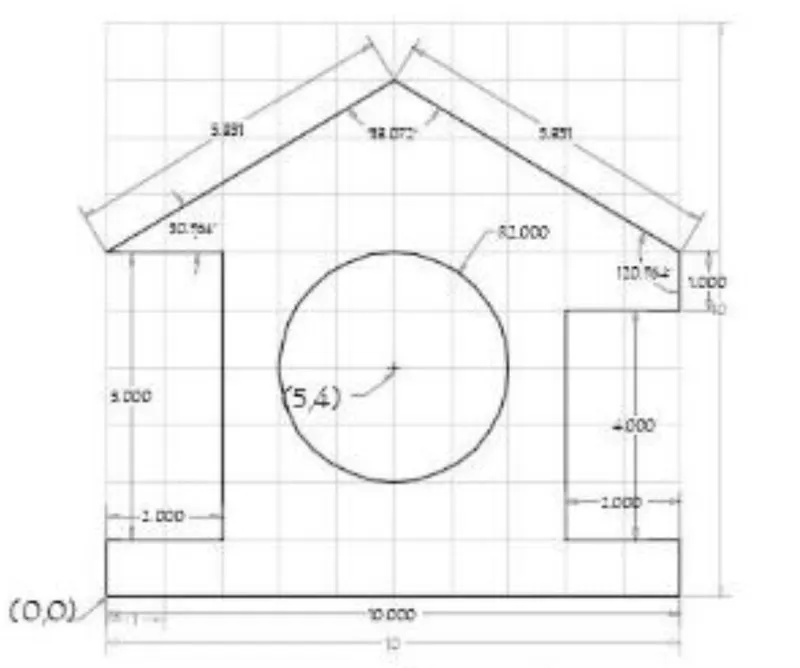
procedure: absolute coordinates method
take line command from the autocadd and put first point i.e origin point 0,0
2nd point 10,0
3rd point 10,1
4th point 8,1
5th point 8,5
6th point 10,5
7th point 10,6
8th point 5,9
9th point 0,6
10th point 2,6
11 th point 2,1
12th point 0,1
13th point 0,0, or closed
take command circle , put point coordinate 5,4 and dimeter 4

procedure :absolute rectangular method
take line command from autocadd and pot first point 0,0
2ndpoint @10,0
3rdpoint@ 0,1
4th point @-2,0
5th point @0,4
6th point @2,0
8th point@ -5,3
9thpoint @-5,-3
10thpoint @0,5
12thpoint @closed
for circle
take command circle from ribbon and take center point 5,4 and ENTER
command dimeter 4 ENTER
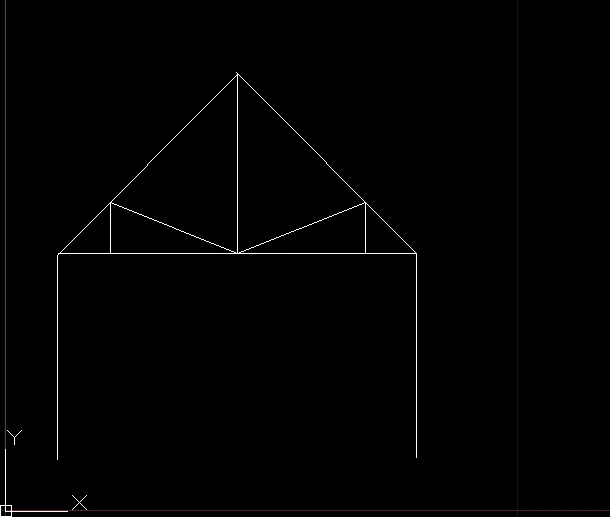
Q10
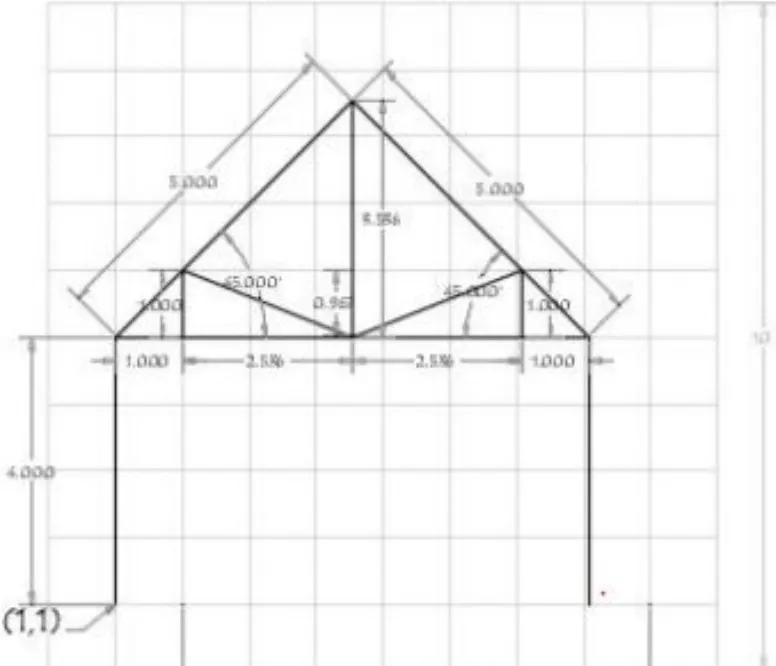
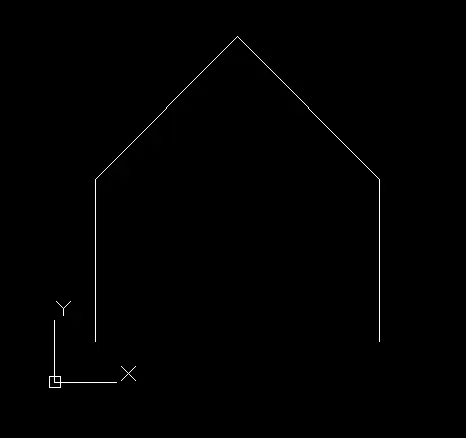
procedure : absolute rectangular method
take line command from autocadd and put first point 1,1
2nd point @0,4
3rd point @3.5,3.5
5thpoint @0,-4
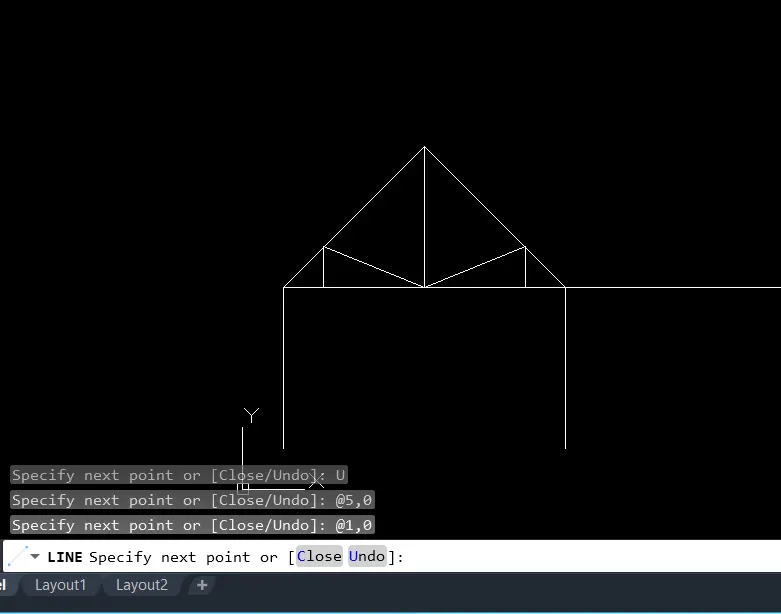
again take the line command ,specify the first point 1,5
2nd point @1,1
3rdpoint @2.5,1
4th point @0,3.5
5thpoint @-3.5,0
Q11
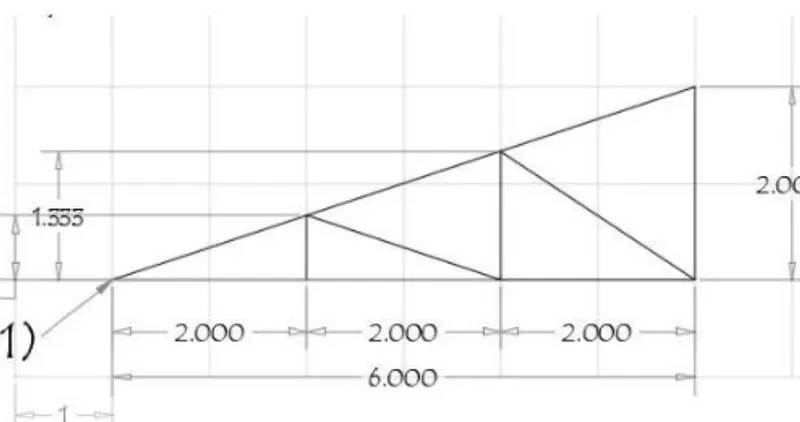
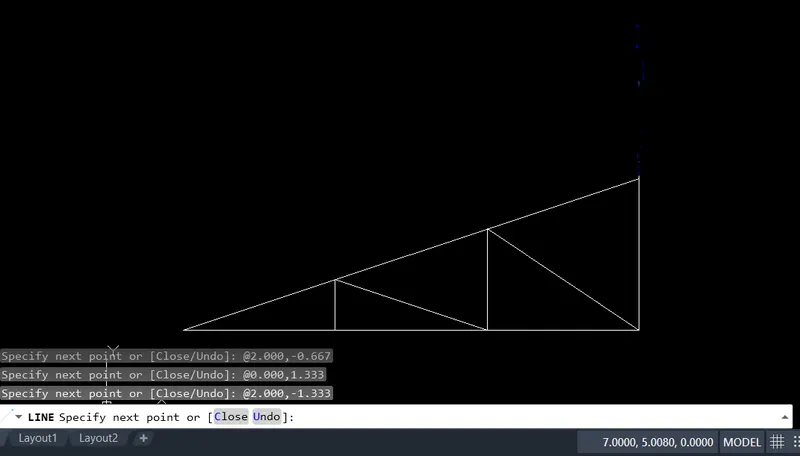
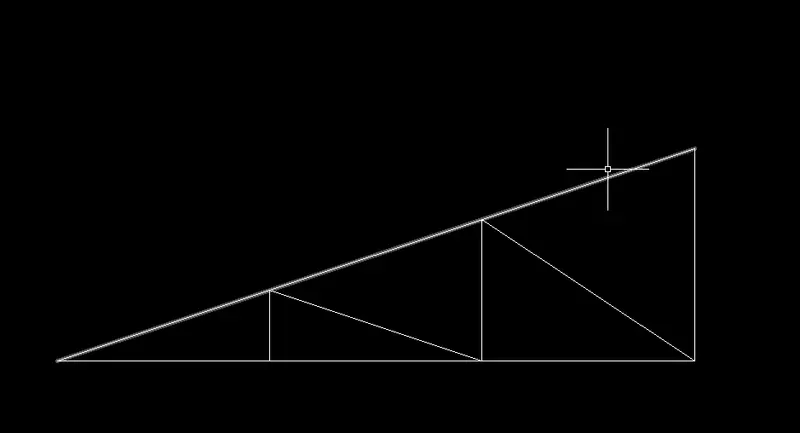
procedureb: absolute relative method
take line command from autocadd and put first point 1,1
2nd point @6.000,0
3rdpoint @0.000,2.000
4th point @-6.000,-2.000
5th point @2.000,0.000
6thpoint @0.000,0.667
7thpoint @2.000, -0.667
9thpoint @2.000,-1.333