Week - 5 - Modelling Spotwelds
MODELING SPOTWELDS USING LS-DYNA
Aim: To model spotwelds for the given assembly with beam and solid elements using LS-dyna.
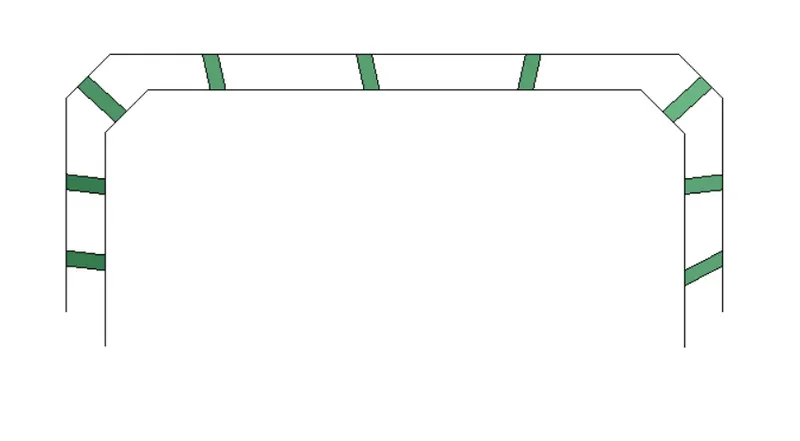
Given Model:
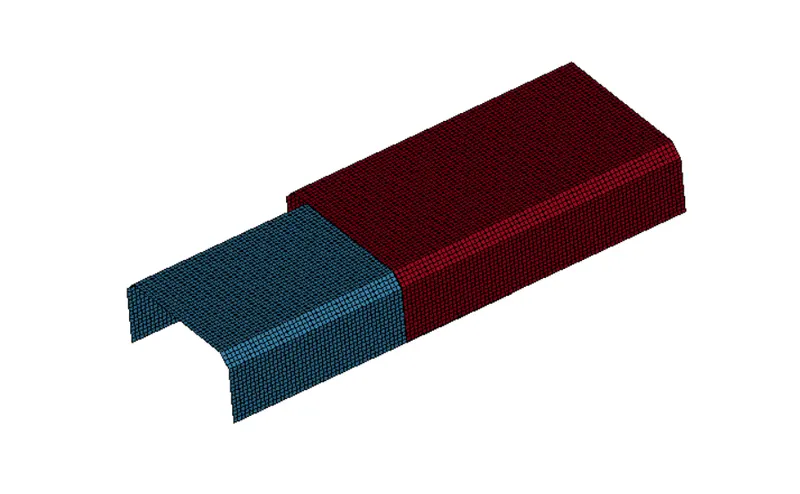
Procedure:
Modeling Spotwelds using Beam elements:
- Import the keyword file and create beams using element generation option present in element tools. Create upto 6 to 8 beam elements.
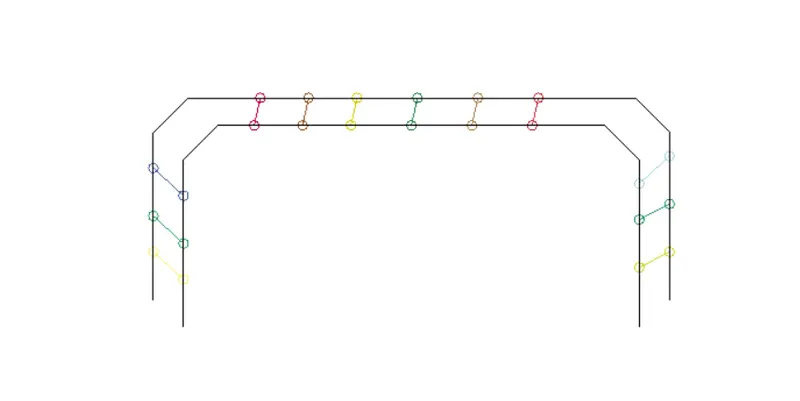
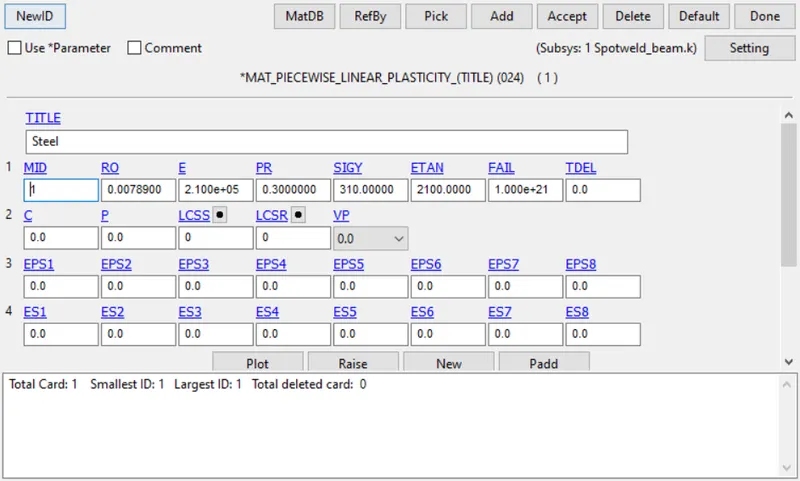
- Create the section card as beam and create a material card with MAT100 - spotweld. Assign the section and material card to the beam part.
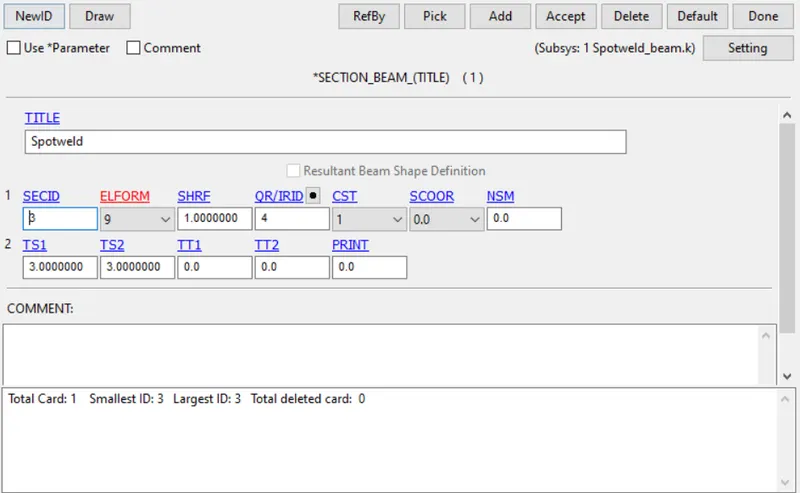
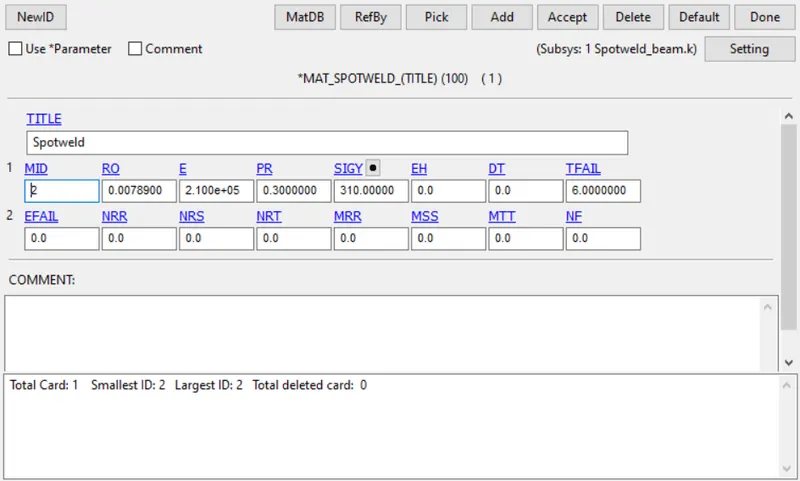
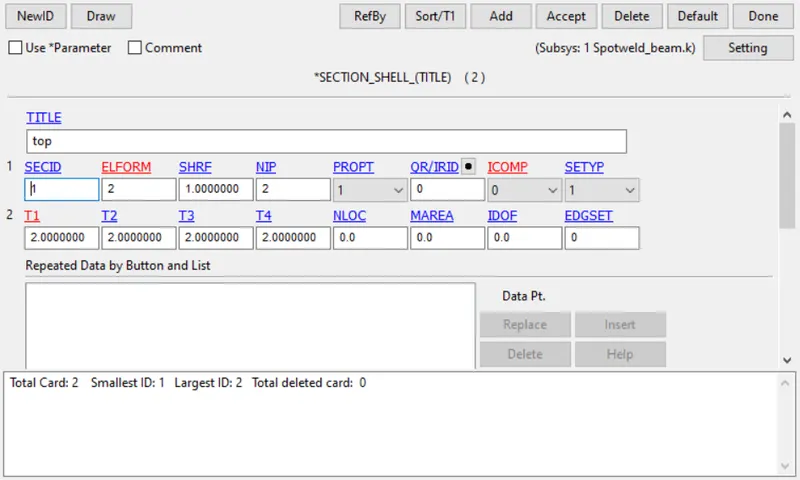
- Now create a section and material card for the shell elements and assign those to the shell elements.
Defining Contact:
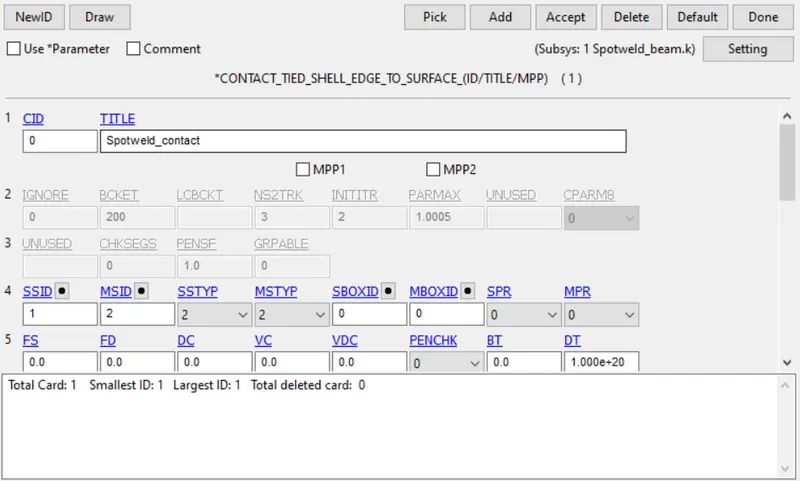
- Create a contact "Tied_shell_edge_to_surface", to define the contact between the beam and shell elements. Beam elements defined as slave and shell elements as master.
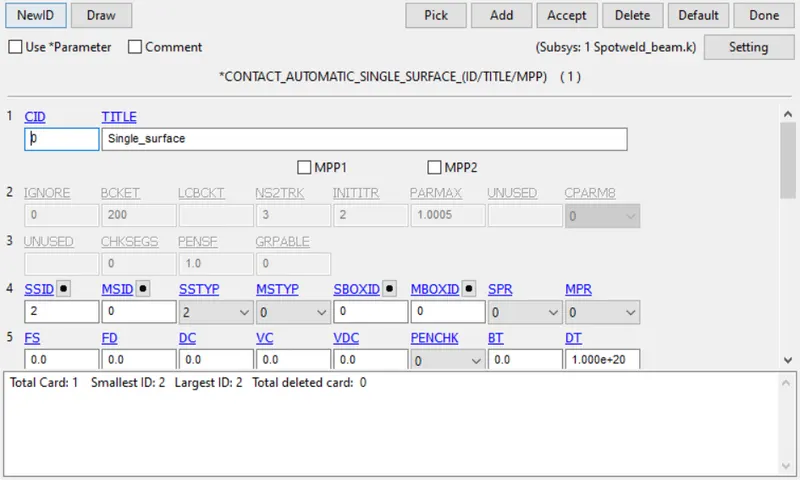
- Create a contact "Automatic_single_surface", to define the contact between the shell elements. As it is a single surface contacts only slave is defined.
Defining boundary:
- Two node sets are created using end nodes of each part. One node set is used to constrain and the node set is used to define the motion.
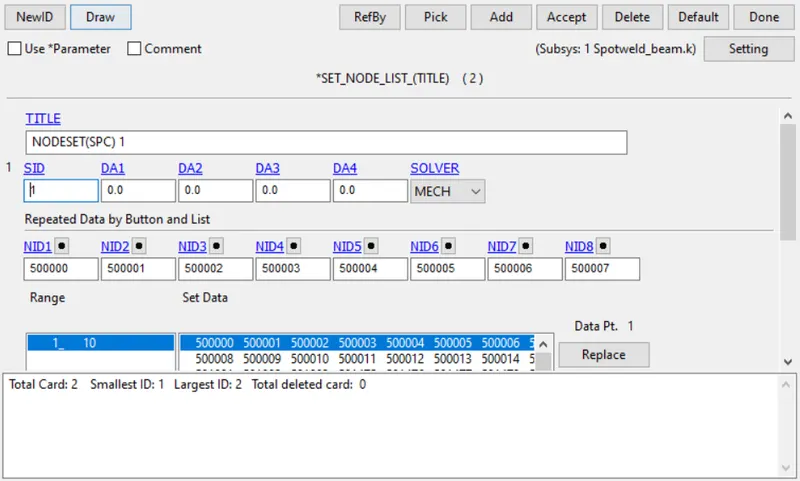
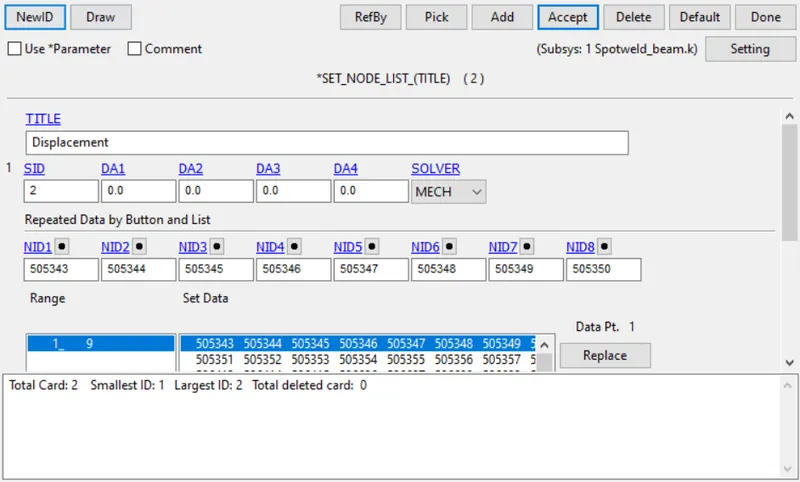
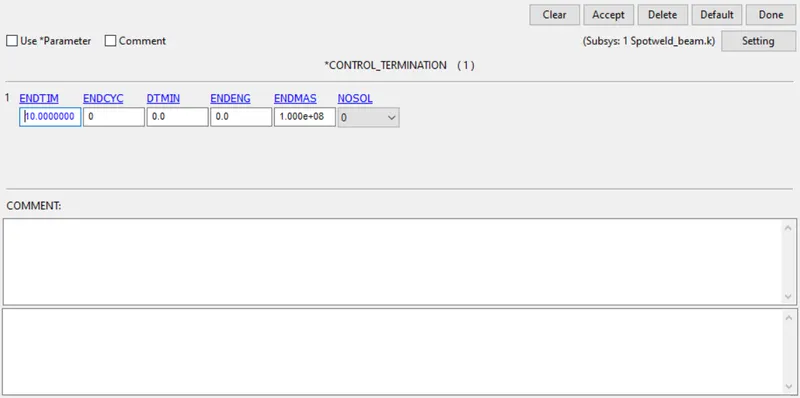
Defining Termination time:
- A control termination card is defined and runtime of 10ms is defined.
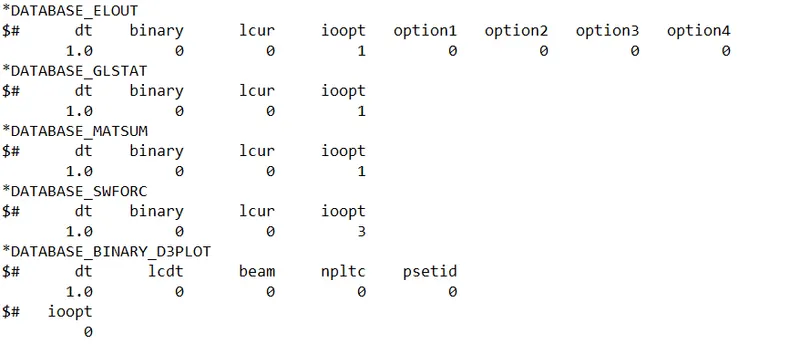
Output request:
- Two database cards, D3plot and ASCII_option are defined.
- Now the save the file and run the simualtion.
Modeling Spotwelds using Solid elements:
- Hexa elements are created instead of beam elements and solid section is defined.
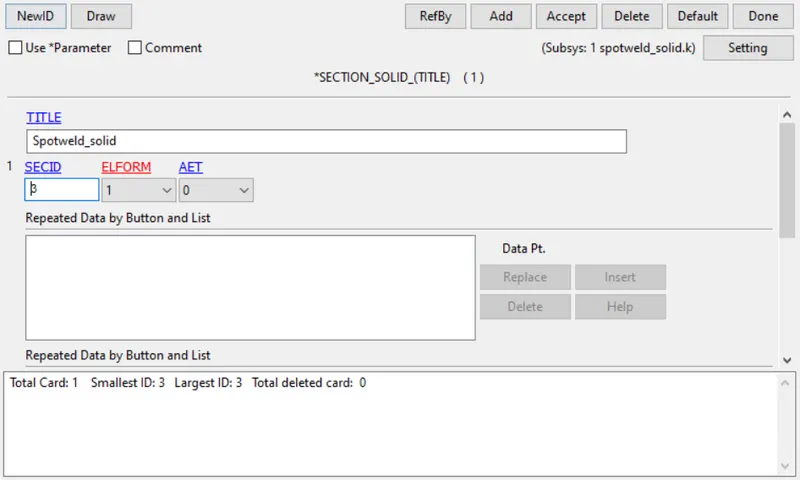
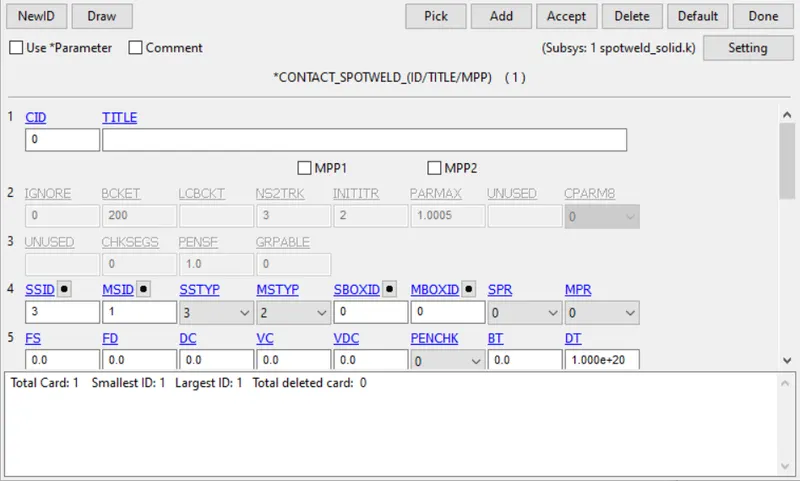
- Contact "spotweld" is defined between the solid and shell elements. Solids are defined as slave and shell as master.
- Create termination, database, boundary and output requests similar to the above procedure.
Results:
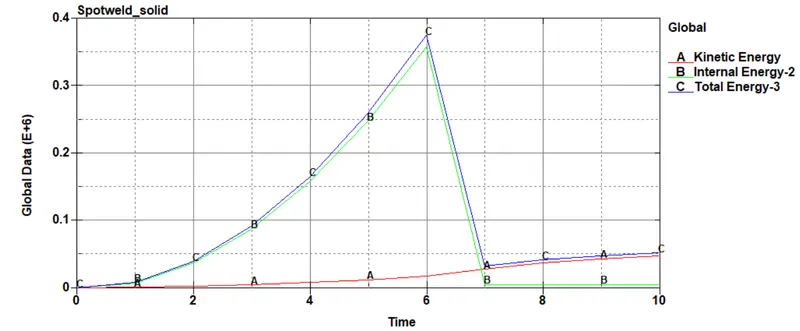
Energy:
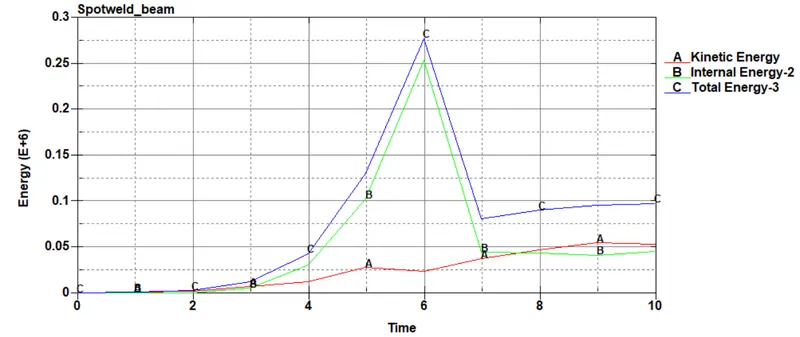
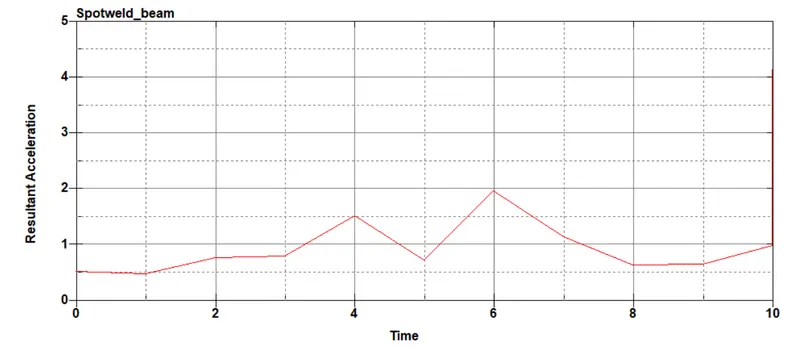
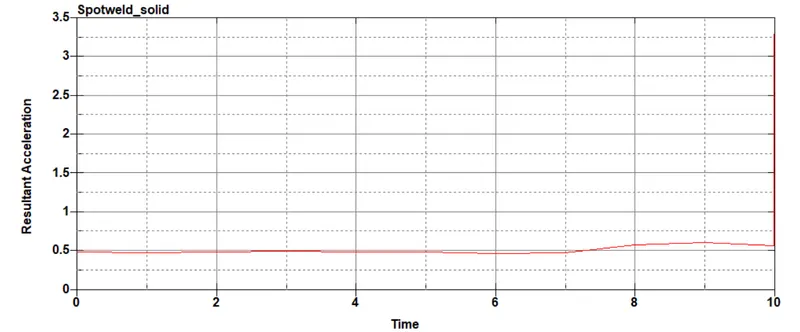
Acceleration:
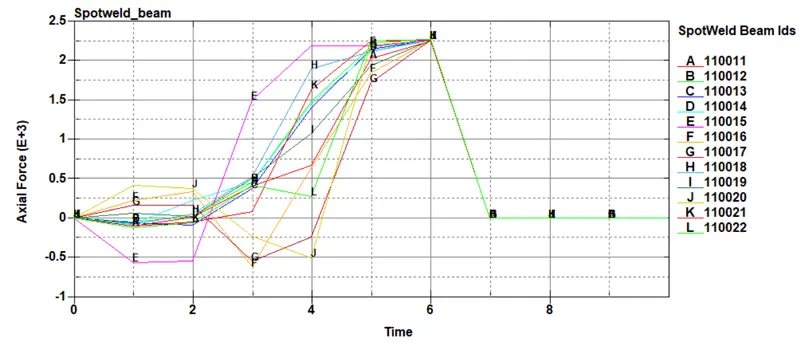
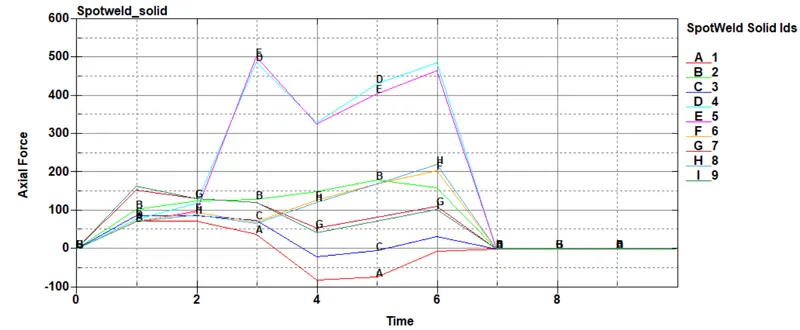
Axial forces:
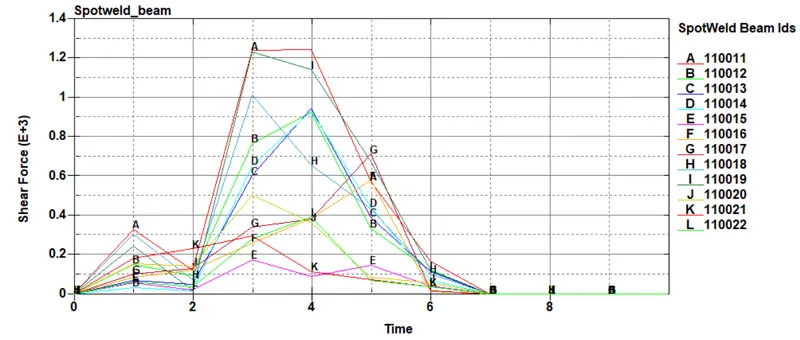
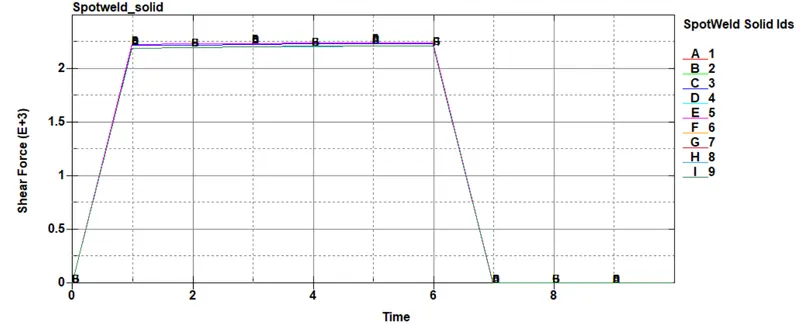
Shear forces:
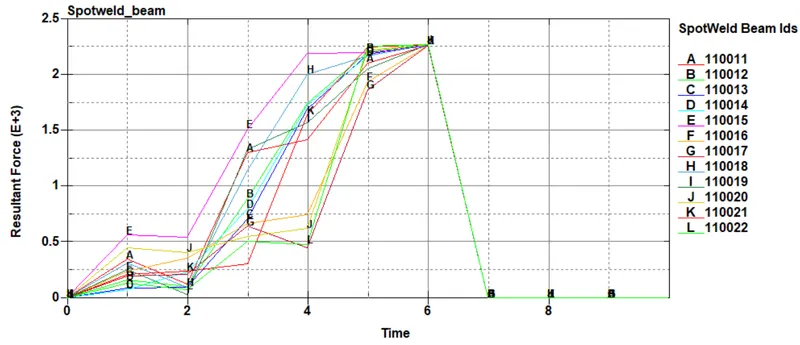
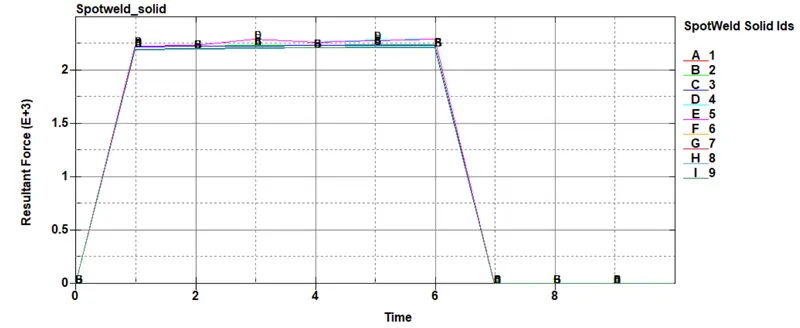
Resultant forces:
Conclusion:
- The spot welds are modeled using Beam and Solid elements.
- The simulation carried out with time-dependent failure and the spot weld is failed before 4 ms of the termination time.
- The plot results of energies, forces and acceleration are compared.